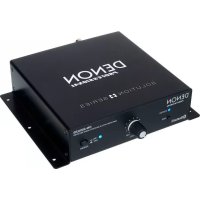
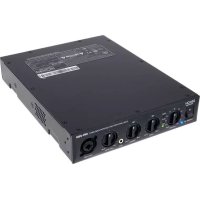
DENON AVR-1403 - AV receiver

AVR-1403 - AV receiver DENON - Free user manual and instructions

Find the device manual for free AVR-1403 DENON in PDF.

English EN Download 💬 AI Question 10 questions ⚙️ Specs
📄

Document temporarily unavailable

The manual is currently being transferred to our new server. It will be accessible again in a few hours. Thank you for your patience.

View the manual : Français FR English EN
Pick your language and provide your email: we'll send you a specifically translated version.
Product Type Audio-Video Receiver
Brand DENON
Model AVR-1403
Output Power (Front, Center, Surround) 70 W per channel (8 Ω, 20 Hz - 20 kHz, 0.08% THD)
100 W per channel (6 Ω, 1 kHz, 0.7% THD)
Speaker Impedance Front A or B: 6-16 Ω
Front A+B: 12-16 Ω
Center/Surround: 6-16 Ω
Built-in Decoders Dolby Digital, DTS, Dolby Pro Logic II
DSP Modes 5CH Stereo, Mono Movie, Rock Arena, Jazz Club, Video Game, Matrix, Virtual
Tuner FM 87.5-107.9 MHz
AM 520-1710 kHz
Audio Inputs 6 x analog (RCA), 1 x coaxial digital, 1 x optical digital, 1 x 6CH EXT. IN
Power Supply 120 V AC, 60 Hz, 3.7 A
Remote Control RC-896, R6P/AA batteries
Main Functions Personal Memory Plus, pre-memory, protection circuit, mute, video switching
Maintenance and Cleaning Disconnect the device before cleaning. Use a soft, dry cloth. Do not use liquids or aerosols.
Safety Do not open the case. Risk of electric shock. Refer all servicing to qualified personnel. Do not expose to moisture or excessive heat.
Spare Parts and Repairability Contact a DENON authorized service center. No user-serviceable parts.

Frequently Asked Questions - AVR-1403 DENON

How to connect speakers to the DENON AVR-1403?
Make sure the device is off. Connect the SPEAKER terminals to the speakers respecting polarity (+ and -). For front speakers, use terminals A or B. Impedance should be 6-16 Ω for one pair, or 12-16 Ω if using both A+B pairs. Tighten the terminals securely or use banana plugs.
How to configure the speaker system?
Press the SYSTEM button on the remote control (switch to AUDIO). Use SELECT and the arrows to adjust speaker configuration (size: LARGE or SMALL), distance, subwoofer, and digital input. Finish by pressing SYSTEM again.
What to do if no sound comes from the speakers?
Check that the speakers are properly connected, that the appropriate source is selected, that the volume is not at minimum, and that MUTING is off. Also ensure that the input mode matches the signal (AUTO, PCM, DTS, or ANALOG).
How to listen to the radio with the built-in tuner?
Select TUNER as the source. Use BAND to choose FM or AM. Press MODE for automatic tuning, then TUNING UP/DOWN to search for stations. To store a station, press MEMORY, select a preset channel with SHIFT and PRESET, then press MEMORY again.
How to use the remote control to operate other devices?
Set the slide switch to the component position (AUDIO, MD/CDR, or VIDEO). For DENON components, use the dedicated keys. For other brands, use the pre-memory function: hold SHIFT, press the component POWER, then enter the 2-digit brand code (see list pages 92-93).
How to adjust audio settings (bass, treble)?
Press TONE CONTROL to select BASS or TREBLE. Use SELECT UP/DOWN to adjust from -10 dB to +10 dB in 2 dB steps. To disable tone correction, activate TONE DEFEAT (the signal bypasses the tone circuits).
How to reset the microprocessor?
Turn off the device and unplug the power cord. Hold down the SPEAKER A and B buttons, then reconnect the cord. When the display flashes, release the buttons. All settings return to factory defaults.
How to use Dolby Pro Logic II mode?
Select the source, then press SURROUND MODE until DOLBY PRO LOGIC II appears. You can adjust parameters like CINEMA EQ, Panorama (ON/OFF), Dimension (0-6), and Center Width (0-7) using the SURROUND button and arrows.
How to connect a DVD player digitally?
Connect the DVD's coaxial or optical digital output to the corresponding input on the receiver (COAXIAL or OPTICAL). In system setup (SYSTEM), assign the digital input to the DVD source (e.g., COAX DVD). Set the input mode to AUTO for automatic detection.
What to do if the power indicator flashes and the sound is cut off?
The protection circuit has activated. Turn off the device, check the speaker connections (possible short circuit), and ensure adequate ventilation. Wait for the device to cool down, then turn it back on. If the problem persists, contact a DENON authorized service center.

User questions about AVR-1403 DENON

0 question about this device. Answer the ones you know or ask your own.

Ask a new question about this device

The email remains private: it is only used to notify you if someone responds to your question.

No questions yet. Be the first to ask one.

Download the instructions for your AV receiver in PDF format for free! Find your manual AVR-1403 - DENON and take your electronic device back in hand. On this page are published all the documents necessary for the use of your device. AVR-1403 by DENON.
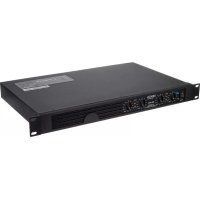
USER MANUAL AVR-1403 DENON

Manual assistant
Powered by Anthropic
Waiting for your message
Product information

Brand : DENON

Model : AVR-1403

Category : AV receiver