
QUICKCAM - Webcam LOGITECH - Free user manual and instructions
Find the device manual for free QUICKCAM LOGITECH in PDF.



| Product type | Laptop webcam |
| Brand | Logitech |
| Model | QuickCam |
| Video resolution | 640 × 480 pixels (VGA) |
| Connection interface | USB |
| Focus | Manual (focus ring) |
| Power supply | Via USB port |
| Weight | Approximately 100 g |
| Dimensions (L × H × D) | Approximately 70 × 50 × 40 mm |
| Included software | Logitech QuickCam |
| System compatibility | Windows |
| Warranty | 2 years (limited manufacturer warranty) |
| Box content | Webcam, carrying case, USB cable, quick installation guide |
| Recommended use | Video instant messaging, video conferencing |
| Maintenance and cleaning | Wipe the lens with a soft, dry cloth. Do not use abrasive products. |
| Safety | Legal use only. Comply with local laws on audio/video recording. |
| Spare parts and repairability | No detachable parts. In case of failure, contact Logitech support. |
| General information | Compliant with FCC (part 15) and ICES-003 standards. Operation subject to conditions. |
Frequently Asked Questions - QUICKCAM LOGITECH
User questions about QUICKCAM LOGITECH
0 question about this device. Answer the ones you know or ask your own.
Ask a new question about this device
Download the instructions for your Webcam in PDF format for free! Find your manual QUICKCAM - LOGITECH and take your electronic device back in hand. On this page are published all the documents necessary for the use of your device. QUICKCAM by LOGITECH.
USER MANUAL QUICKCAM LOGITECH
FCC Compliance and Advisory Statement. This hardware device complies with Part 15 of the FCC Rules. Operation is subject to the following two conditions: 1) this device may not cause harmful interference, and 2) this device must accept any interference received, including interference that may cause undesired operation. This equipment has been tested and found to comply with the limits for a Class B digital device, pursuant to Part 15 of the FCC Rules. These limits are designed to provide reasonable protection against harmful interference in a residential installation. This equipment generates, uses, and can radiate radio frequency energy and, if not installed or used in accordance with the instructions, may cause harmful interference to radio communications. However, there is no guarantee that interference will not occur in a particular installation. If this equipment does cause harmful interference to radio or television reception, which can be determined by turning the equipment off and on, the user is encouraged to try to correct the interference by one or more of the following measures: 1) reorient or relocate the receiving antenna; 2) increase the separation between the equipment and the receiver; 3) connect the equipment to an outlet on a circuit different from that to which the receiver is connected; 4) consult the dealer or an experienced radio/TV technician for help. Any changes or modifications not expressly approved by the party responsible for compliance could void the user's authority to operate the equipment. Where shielded interface cables have been provided with the product or specified additional components or accessories elsewhere defined to be used with the installation of the product, they must be used in order to ensure compliance with FCC regulations.
Canadian DOC Statement. This digital device does not exceed the Class B limits for radio noise emissions from digital apparatus specified in the interference-causing equipment standard entitled "Digital Apparatus," ICES-003 of the Department of Communications.
This device complies with RSS-210 of Industry and Science Canada. Operation is subject to the following two conditions: 1) this device may not cause interference, and 2) this device must accept any interference, including interference that may cause undesired operation of the device.
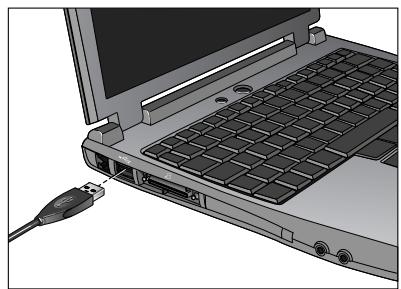
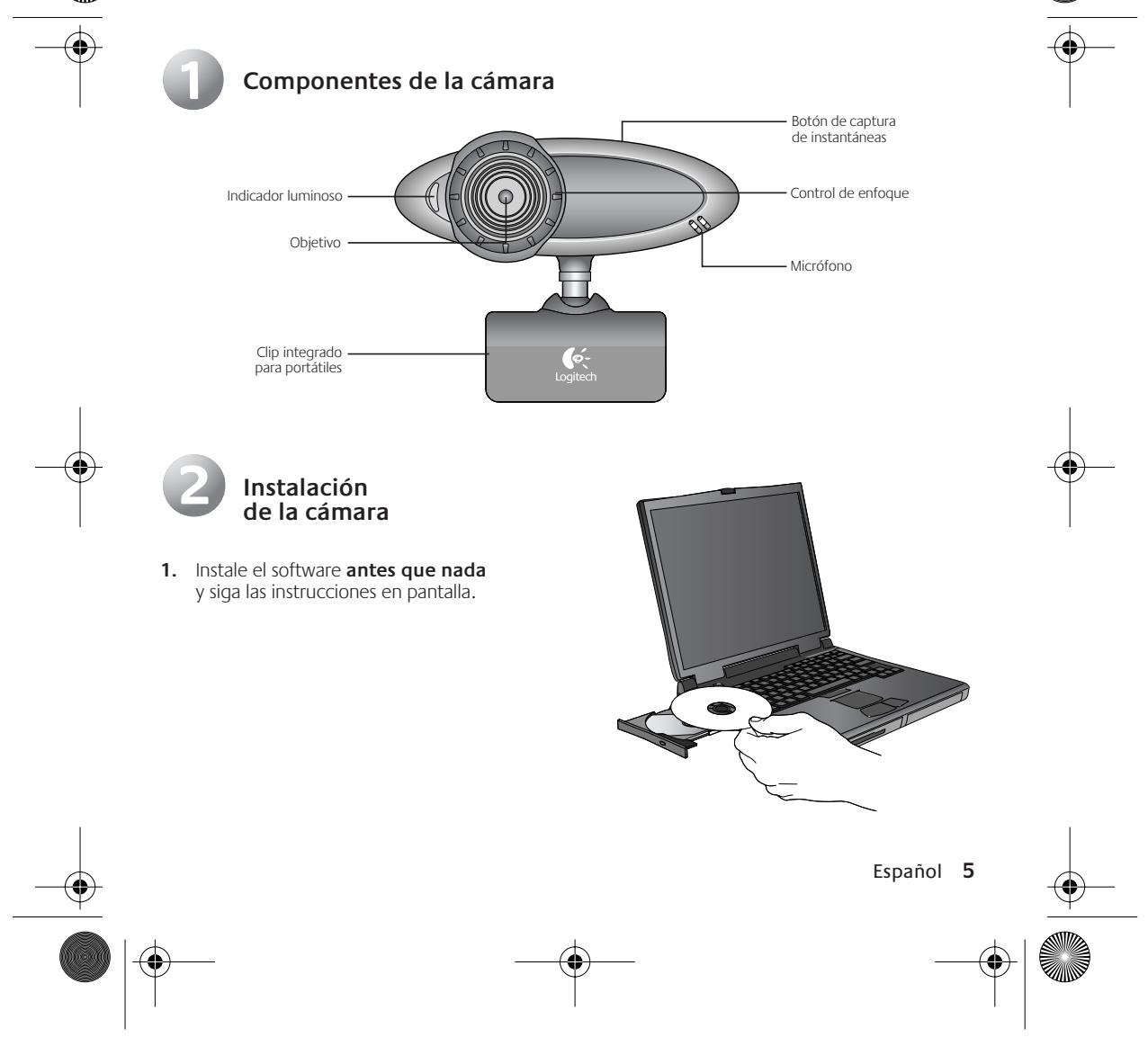
- During software installation, you are prompted to connect the camera USB cable to the USB port:
- Wait until you receive the software prompt before inserting the cable into the computer's USB port.
- Complete software and hardware installation.
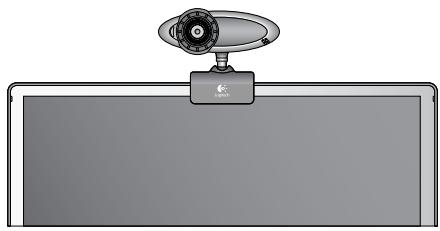
- Place camera on notebook screen. (See step 4 for more information.)

Launch the Software
- To launch the software, double-click the Logitech QuickCam shortcut on the desktop. Or click Start on the Windows Taskbar, and then select Programs\Logitech\Logitech QuickCam.
- Choose your favorite video instant messaging application, or choose one of the other available software activities.


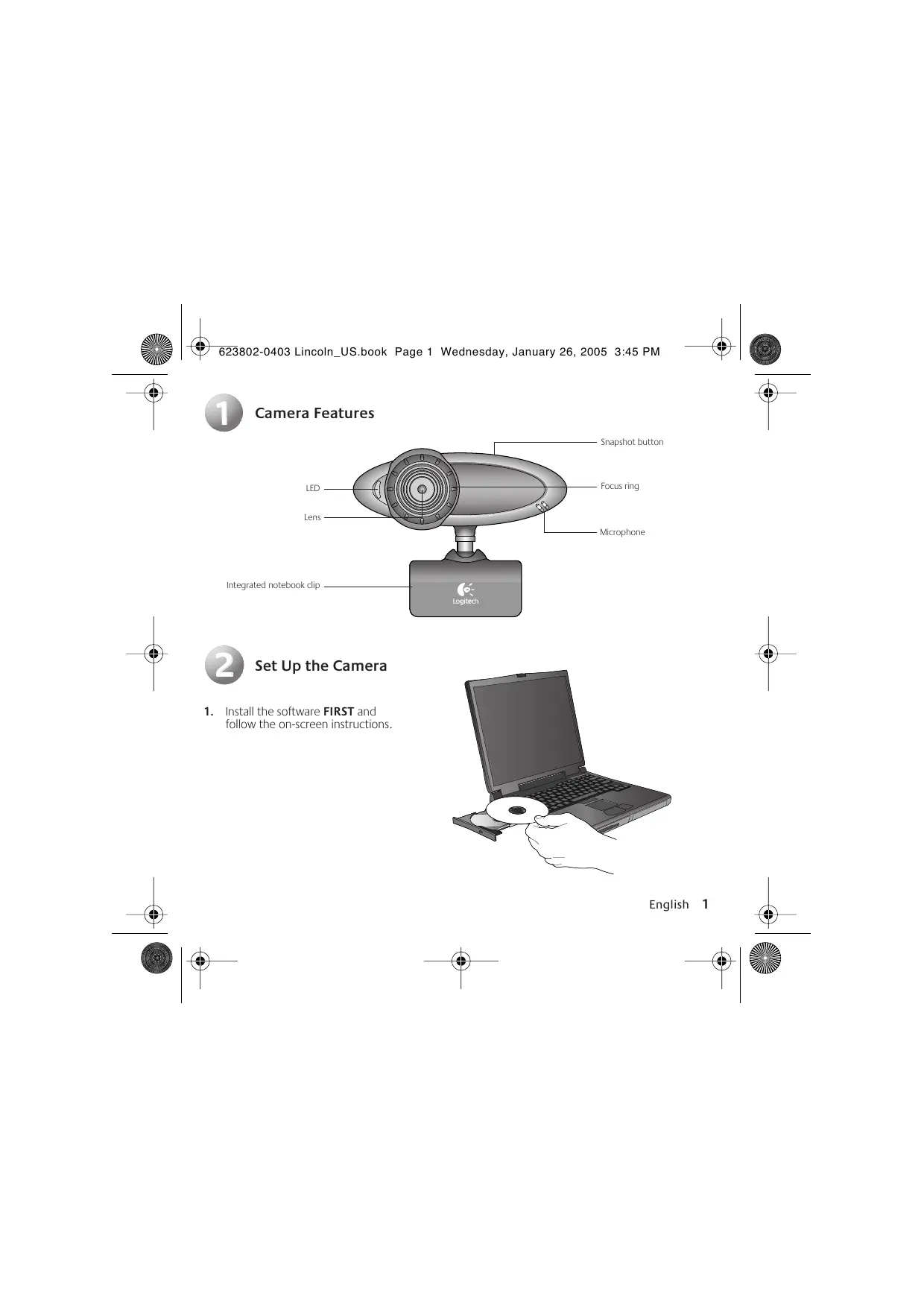
- Place the camera on notebook screen as shown in picture.
- Rotate the focusing ring to get a sharp image.
- Pivot or rotate camera head for the best picture.
- View live video to guide your adjustments.

Tips
Lighting. Shoot videos with bright light sources behind the camera and out of the picture area.
Storing the Camera for Travel. When not in use, place the camera in the pouch provided for convenient storage and transport.
Software Updates. To check for new software updates, go to www.logitech.com/support.

Learning More About the Camera
To learn more about your camera and its software, access the Logitech QuickCam® software (Programs\Logitech\Logitech QuickCam), and then click the Help button.
For additional information about Logitech QuickCam web cameras, as well as other Logitech® products, please visit www.logitech.com.



Brand : LOGITECH
Model : QUICKCAM
Category : Webcam