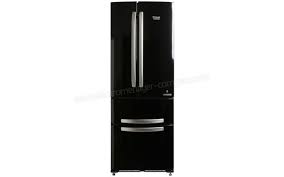
EBYH 20323 F D O3 - Fridge freezer combo HOTPOINT - Free user manual and instructions
Find the device manual for free EBYH 20323 F D O3 HOTPOINT in PDF.
User questions about EBYH 20323 F D O3 HOTPOINT
0 question about this device. Answer the ones you know or ask your own.
Ask a new question about this device
Download the instructions for your Fridge freezer combo in PDF format for free! Find your manual EBYH 20323 F D O3 - HOTPOINT and take your electronic device back in hand. On this page are published all the documents necessary for the use of your device. EBYH 20323 F D O3 by HOTPOINT.
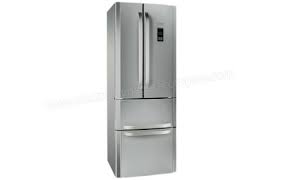
USER MANUAL EBYH 20323 F D O3 HOTPOINT
Operating Instructions
Operating Instructions, 1
Assistance, 2
Description of the appliance, 7
Description of the appliance, 13
Start-up and use, 25
Maintenance and care, 25
Precautions and tips, 26
Troubleshooting, 27
DE
Deutsch
KOEL/DIEPVRIESCOMBINATIE
Inhoud
Before calling for Assistance:
- Check if the malfunction can be solved on your own (see Troubleshooting).
- If after all the checks, the appliance still does not operate or the problem persists, call the nearest Service Centre
Communicating:
type of malfunction
- appliance model (Mod.)
- serial number (S/N)
This information can be found on the data plate located on the bottom left side of the refrigerator compartment.
Never call on unauthorized technicians and always refuse spare parts which are not originals.
FR
Assistance
Description of the appliance
Control panel
1. ON/OFF
The entire product (both the refrigerator and freezer compartments) may be switched on by pressing this button for 2 seconds. Last set values are display at screens. Press this button till the switching off of the product. A signal sound will inform the switching off of the product
2. REFRIGERATOR - and + temperature adjustment
Used to modify the temperature setting of the refrigerator; confirmation corresponding to the selected temperature appears on the display.
3. Refrigerator display
Shows the settled temperature for the refrigerator compartment.
4. FREEZER - and + temperature adjustment
Used to modify the temperature setting of the freezer; confirmation corresponding to the selected temperature appears on the display.
5. FREEZER display
Shows the set temperature for the freezer compartment.
6. ACTIVE OXYGEN
Activates or deactivates the ACTIVE OXYGEN function will appear on the display 0_3
7. SUPER FREEZE
Enable or disable the SUPER FREEZE function
(rapid freezing). and 'SF' appears on the freezer display.

FR
Vizualizeaz temperature in frigider.
- Reglarea Temperaturii in CONGELATOR -si +
Description of the appliance
Overall view
The instructions contained in this manual are applicable to different model refrigerators. The diagrams may not directly represent the appliance purchased. For more complex features, consult the following pages.
1 Levelling FEET
2 STORAGE compartment
3 FREEZER and STORAGE compartment
4 FRUIT and VEGETABLE bin *
5 FOOD CARE ZONE for MEAT and CHEESE *
6 WINE RACK*
7 SHELVES
8 LAMP (see Maintenance).
9 ACTIVE OXYGEN
10 Removable multipurpose SHELVES *
11 BOTTLE shelf
- Varies by number and/or position, available only on certain models.

FR
If it is necessary to change the direction in which the doors open, please contact the Technical Assistance Centre.
FR
! Before placing your new appliance into operation please read these operating instructions carefully. They contain important information for safe use, for installation and for care of the appliance.
! Please keep these operating instructions for future reference.
Pass them on to possible new owners of the appliance.
Positioning and connection
Positioning
- Place the appliance in a well-ventilated humidity-free room.
- Do not obstruct the rear fan grills. The compressor and condenser give off heat and require good ventilation to operate correctly and save energy.
- Leave a space of at least 10cm between the top part of the appliance and any furniture above it, and at least 5cm between the sides and any furniture/side walls.
- Ensure the appliance is away from any sources of heat (direct sunlight, electric stove, etc.).
- In order to maintain the correct distance between the appliance and the wall behind it, fit the spacers supplied in the installation kit, following the instructions provided.
Levelling
- Install the appliance on a level and rigid floor.
- If the floor is not perfectly horizontal, adjust the refrigerator by tightening or loosening the front feet.
Electrical connections
After the appliance has been transported, carefully place it vertically and wait at least 3 hours before connecting it to the electricity mains. Before inserting the plug into the electrical socket ensure the following:
- The appliance is earthed and the plug is compliant with the law.
- The socket can withstand the maximum power of the appliance, which is indicated on the data plate located on the bottom left side of the fridge (e.g. 150 W).
- The voltage must be in the range between the values indicated on the data plate located on the bottom left side (e.g. 220-240V).
- The socket is compatible with the plug of the appliance. If the socket is incompatible with the plug, ask an authorised technician to replace it (see Assistance). Do not use extension cords or multiple sockets.
! Once the appliance has been installed, the power supply cable and the electrical socket must be easily accessible.
! The cable must not be bent or compressed.
! The cable must be checked regularly and replaced by authorised technicians only (see Assistance).
! The manufacturer declines any liability should these safety measures not be observed.
Start-up and use
Starting the appliance
! After transportation of the appliance, carefully place it in an upright position and wait at least 3 hours before connecting it to the electricity mains, to make sure it operates as it should.
- Clean the inside of the refrigerator well using warm water and bicarbonate of soda before placing food inside it.
- The appliance comes with a motor protection control system which makes the compressor start approximately 8 minutes after being switched on. The compressor also starts each time the power supply is cut off whether voluntarily or involuntarily (blackout).
Freezer Compartment
When the product is switched on the freezer compartment is set to its default value of -18^ . We recommend that the SUPER FREEZE function is set in order to accelerate the cooling process of the compartment; when the inside of the compartment has reached its optimal temperature the function will be deactivated and the food may be placed inside.
Navigating the display
Setting the temperatures:
If the product is switched on, the refrigerator and freezer compartment displays will indicate the temperature values set at that moment. To change them, simply press the - and + buttons corresponding to the compartment for which you wish to change the set temperature. More specifically, each time the buttons are pressed, the temperature increases or decreases and the level of cold generated inside the compartment is adjusted accordingly. The temperature values that may be selected for the refrigerator compartment are +8^ , +7^ , +6^ , +5^ , +4^ , +3^ and +2^ , while the values that may be set for the freezer are -18^ , -19^ , -20^ , -21^ , -22^ , -23^ , -24^ , -25^ , and -26^ . If SUPER FREEZE functions is activated, Freezer temperature cannot be modified.
Chiller system

No Frost
The No Frost system circulates cold air continuously to collect humidity and prevent ice and frost formation. The system maintains an optimal humidity level in the compartment, preserving the original quality of the food, preventing the food from sticking together and making defrosting a thing of the past. Do not block the aeration cells by placing food or containers in direct contact with the refrigerating back panel. Close bottles and wrap food tightly.
Using the refrigerator to its full potential
- Adjust the temperature using the display.
- Activate the ACTIVE OXYGEN function to lower the temperature quickly, for example, when you place a large number of new food items inside a fridge and the internal temperature rises slightly. This function quickly cools the groceries by temporarily reducing the temperature until it reaches the ideal level.
- Place only cold or lukewarm foods in the compartment, never hot foods (see Precautions and tips).
- Remember that cooked foods do not last longer than raw foods.
- Do not store liquids in open containers: they will increase the level of humidity in the refrigerator and cause condensation to form.
ACTIVE OXIGEN
This device releases ozone molecules inside the refrigerator; ozone is a natural substance which combats bacteria and microorganisms, reducing their proliferation while limiting unpleasant odours. Automatically defines the amount of ozone required for prolonging the freshness of foodstuffs, eliminating
odours and preventing bacteria build-up. There may be a slight distinctive odour inside the refrigerator. The very same smell can sometimes be detected during a storm, due to the ozone produced as the charge in the lightning bolts is released; this is completely normal. The amount produced by the device is very small and abates quickly as the antibacterial action takes place. Device is activated pressing the dedicated key on the display located in front of the fridge door. With the Active Oxigen switched on, the device will operate a repeated cycle until the key is pressed again. There will be an Ozone emission noticed by the switching on of the green led located on the Active Oxigen device located in the fridge compartment and a stand-by cicle (without zone emission) noticed by blue light.

SHELVES: with or without grill.
Due to the special guides the shelves are removable and the height is adjustable, allowing easy storage of large containers and food. Height can be adjusted without complete removal of the shelf.
TEMPERATURE Indicator light*: to identify the coldest area in the refrigerator.
- Check that OK appears clearly on the indicator light (see diagram).

- If the word "OK" does not appear it means that the temperature is too high: adjust the REFRIGERATOR OPERATION knob to a higher position (colder) and wait approximately 10 hours until the temperature has been stabilised.
- Check the indicator light again: if necessary, readjust it following the initial process. If large quantities of food have been added or if the refrigerator door has been opened frequently, it is normal for the indicator not to show OK. Wait at least 10 hours before adjusting the REFRIGERATOR OPERATION knob to a higher setting.
Using the freezer to its full potential
- Adjust the temperature using the display.
- Do not re-freeze food that is defrosting or that has already been defrosted. These foods must be cooked and eaten (within 24 hours).
- Fresh food that needs to be frozen must not come into contact with food that has already been defrosted. Fresh food must be stored in the top FREEZER and STORAGE compartment where the temperature drops below -18^ and guarantees rapid freezing.
-
To freeze fresh food in the best and safest way possible, activate the SUPER FREEZE function 24 hours before placing the food in the freezer. After placing the food inside, activate the SUPER FREEZE function again; it will be deactivated automatically after 24 hours;
-
Do not place glass bottles which contain liquids, and which are corked or hermetically sealed in the freezer because they could break.
- The maximum quantity of food that may be frozen daily is indicated on the plate containing the technical properties located on the bottom left side of the refrigerator compartment (for example: Kg/24h: 4).
- In order to obtain a greater amount of space in the freezer compartment, you may remove the bins (except the lowest bin and the special COOL CARE ZONE bin, which has an adjustable temperature) and place the food directly onto the evaporator plates.
! If the room temperature drops below 14^ for an extended period of time, the ideal temperature will not be reached in the freezer compartment and food preservation will be reduced.
! Do not open the door during freezing.
! If there is a power cut or malfunction, do not open the freezer door. This will help maintain the temperature inside the freezer, ensuring that foods are conserved for at least 9 -14 hours.
Food Care Zone
Area dedicated to the storage of fresh food, such as meat and fish. Thanks to the low temperature inside the compartment, the Food Care Zone extends the period of time for which the food can be stored, keeping it fresh for up to a week.
Dual led
Thanks to the powerful light it emits, the new dual LED lighting system offers a clear view of all foods, with no shadowy areas. If the LEDs need to be replaced, please contact the Technical Assistance Service.

Easy Ice
The double tub was designed to optimise space in the freezer compartment and to ensure that ice is always readily available.
The trays can be stacked or filled and used separately.
Furthermore, the special fastening system makes Easy Ice an extremely flexible solution, as it can be positioned in the right or left part of the top drawers..

- Varies by number and/or position, available only on certain models.
Maintenance and care
Switching the appliance off
During cleaning and maintenance it is necessary to disconnect the appliance from the electricity supply:
- Press the ON/OFF button to switch off the appliance.
- Pull the plug out of the socket.
! If this procedure is not followed, the alarm may sound. This alarm does not indicate a malfunction. To restore normal operation, hold the ON/OFF button down for more than two seconds. To disconnect the appliance, follow points 1 and 2 above.
I Care function
The I Care function can be activated to optimise energy consumption while maintaining the cooling performance of the product. This function maximises the amount of energy saved. Under these conditions, the display remains off even when the door is opened. The function is activated by pressing and holding the super freezer and FRZ (+) buttons simultaneously for at least 6 seconds. Once the function has been activated, all LEDs will light up for 2 seconds to confirm activation, and the temperature setting of +5, -18 will appear on the display. The display switches off after 5 seconds. To change the temperature, simply press the + and - buttons until you have reached the desired temperature. However, the I Care function can also be disabled by switching the product off using the ON/OFF button. When it is switched back on, the I Care will be disabled. In humid environments, when the I Care function is enabled, slight condensation may form on the appliance door; normal operating conditions are restored when the function is disabled.
Cleaning the appliance
- The external and internal parts, as well as the rubber seals may be cleaned using a sponge that has been soaked in lukewarm water and bicarbonate of soda or neutral soap. Do not use solvents, abrasive products, bleach or ammonia.
- The removable accessories may be soaked in warm water and soap or dishwashing liquid. Rinse and dry them carefully.
- The back of the appliance may collect dust which can be removed by delicately using the hose of a vacuum cleaner set on medium power. The appliance must be switched off and the plug must be pulled out before cleaning the appliance.
Avoiding mould and unpleasant odours
- The appliance is manufactured with hygienic materials which are odour free. In order to maintain an odour free refrigerator and to prevent the formation of stains, food must always be covered or sealed properly.
- If you want to switch the appliance off for an extended period of time, clean the inside and leave the doors open.
Replacing the light bulb *
To replace the light bulb in the refrigerator compartment, pull out the plug from the electrical socket. Follow the instructions below.
Access the light bulb by removing the cover as indicated in the diagram. Replace it with a similar light bulb within the power range indicated on the cover.
- Varies by number and/or position, available only on certain models.

Precautions and tips
! The appliance was designed and manufactured in compliance with international safety standards. The following warnings are provided for safety reasons and must be read carefully.

This appliance complies with the following Community Directives:
- 73/23/EEC of 19/02/73 (Low Voltage) and subsequent amendments;
-89/336/EEC of 03.05.89 (Electromagnetic Compatibility) and subsequent amendments;
- 2002/96/CE.
General safety
- The appliance was designed for domestic use inside the home and is not intended for commercial or industrial use.
- The appliance must be used to store and freeze food products by adults only and according to the instructions in this manual.
- The appliance must not be installed outdoors, even in covered areas. It is extremely dangerous to leave the appliance exposed to rain and storms.
- Do not touch the appliance with bare feet or with wet or moist hands and feet.
- Do not touch the internal cooling elements: this could cause skin abrasions or frost/freezer burns.
- When unplugging the appliance always pull the plug from the mains socket, do not pull on the cable.
- Before cleaning and maintenance, always switch off the appliance and disconnect it from the electrical supply. It is not sufficient to set the temperature adjustment knobs on ON/OFF (appliance off) to eliminate all electrical contact.
- In the case of a malfunction, under no circumstances should you attempt to repair the appliance yourself. Repairs carried out by inexperienced persons may cause injury or further malfunctioning of the appliance.
- Do not use any sharp or pointed utensils or electrical equipment - other than the type recommended by the manufacturer - inside the frozen food storage compartments.
- Do not put ice cubes taken directly from the freezer into your mouth.
- This appliance is not intended for use by persons (including children) with reduced physical, sensory or lack of experience and knowledge unless they have been given supervision or instruction concerning use of the appliance by a person responsible for their safety. Children should be supervised to ensure that they do not play with the appliance.
- Keep packaging material out of the reach of children! It can become a choking or suffocation hazard.
Disposal
- Observe local environmental standards when disposing packaging material for recycling purposes.
- The European Directive 2002/96/EC on Waste Electrical and Electronic Equipment (WEEE), requires that old household electrical appliances must not be disposed of in the normal unsorted municipal waste stream. Old appliances must be collected separately in order to optimise the recovery and recycling of the materials they contain and reduce the impact on human health and the environment. The crossed out "wheeled bin" symbol on the product reminds you of your obligation, that when you dispose of the appliance it must be separately collected. Consumers should contact their local authority or retailer for information concerning the correct disposal of their old appliance.
Respecting and conserving the environment
- Install the appliance in a fresh and well-ventilated room. Ensure that it is protected from direct sunlight and do not place it near heat sources.
- Try to avoid keeping the door open for long periods or opening the door too frequently in order to conserve energy.
- Do not fill the appliance with too much food: cold air must circulate freely for food to be preserved properly. If circulation is impeded, the compressor will work continuously.
- Do not place hot food directly into the refrigerator. The internal temperature will increase and force the compressor to work harder and will consume more energy.
- Defrost the appliance if ice forms (see Maintenance). A thick layer of ice makes cold transference to food products more difficult and results in increased energy consumption.
Troubleshooting
If the appliance does not work, before calling for Assistance (see Assistance), check for a solution from the following list.
The display is completely switched off.
- The plug has not been inserted into the electrical socket, or not far enough to make contact, or there is no power in the house.
The I-Care function is active.
The motor does not start.
- The appliance comes with a motor protection control (see Start-up and use).
The display is on but it is dim.
- Pull out and reverse the plug before putting it back in the socket.
The alarm sounds and DOOR OPEN ALARM flashes on the display (idri is displayed instead of the REFRIGERATOR temperature).
- The refrigerator door has been open for more than two minutes.
The sound alert stops when the door is closed or when the appliance is switched off and on again.
The alarm sounds and TEMPERATURE ALARM flashes on the display (iA1i is displayed instead of the FREEZER temperature).
- The temperature inside the freezer is too high. The freezer will maintain a temperature of around 0^ so that the food will not refreeze, allowing you to eat it within 24 hours or to refreeze it after it has been cooked.
To switch off the buzzer, open and close the appliance door or press the + and - freezer temperature adjustment buttons once. Press these buttons a second time to display the set value on the freezer display, switch off the TEMPERATURE ALARM LED and restore normal operation.
The alarm sounds and temperature alarm flashes on the display (iA2i is displayed instead of the FREEZER temperature).
- The temperature of the freezer is dangerously high: the food inside must not be eaten. The freezer will maintain a temperature of approximately -18^ . To switch off the buzzer, open and close the appliance door or press the + and - freezer temperature adjustment buttons once. Press these buttons a second time to display the set value on the freezer display, switch off the TEMPERATURE ALARM LED and restore normal operation.
The refrigerator and the freezer do not cool well.
- The doors do not close properly or the seals are damaged.
- The doors are opened too frequently.
- The temperature that has been set is too high (see Start-up and use).
- The refrigerator or the freezer have been over-filled.
The food inside the refrigerator is beginning to freeze.
- The temperature that has been set is too low (see Start-up and use).
The motor runs continuously.
The function SUPER FREEZE has been enabled
- The door is not closed properly or is continuously opened.
- The outside ambient temperature is very high.
The appliance makes a lot of noise.
- The appliance has not been installed on a level surface (see Installation).
- The appliance has been installed between cabinets that vibrate and make noise.
- The internal refrigerant makes a slight noise even when the compressor is off. This is not a defect, it is normal.
Early ending of functions
- Electrical disturbance on the network or brief interruptions of the power supply.
EasyManual