
Eye Massager - Massage device LANAFORM - Free user manual and instructions
Find the device manual for free Eye Massager LANAFORM in PDF.


| Product type | Eye massager |
| Brand | Lanaform |
| Model | Eye Massager |
| Dimensions | Approximately 20 x 8 x 4 cm |
| Weight | Approximately 300 g |
| Power | Rechargeable lithium-ion battery (via USB) |
| Main functions | Air pressure massage, infrared heat, multiple vibrations |
| Care and cleaning | Clean with a soft, dry cloth. Do not immerse in water. |
| Safety | Automatic shut-off after 15 minutes. Do not use if you have eye problems or after surgery. |
| Spare parts and repairability | No spare parts available. Device not user-repairable. |
| General information | Designed for relaxation, reducing under-eye bags, and relieving eye fatigue. |
Frequently Asked Questions - Eye Massager LANAFORM
User questions about Eye Massager LANAFORM
0 question about this device. Answer the ones you know or ask your own.
Ask a new question about this device
Download the instructions for your Massage device in PDF format for free! Find your manual Eye Massager - LANAFORM and take your electronic device back in hand. On this page are published all the documents necessary for the use of your device. Eye Massager by LANAFORM.
USER MANUAL Eye Massager LANAFORM
Relaxes your eyes to free your mind

Vibrating mode
Air pressure massage
Heating fonction
LANAFORM®
Eyes
natural_image
Man wearing VR headset with digital globe background (no text or symbols)
Relaxes your eyes to free your mind

Vibrating mode
Air pressure massage
■ Heating fonction

Manuale d'uso
36

Modo de empleo
44

natural_image
Portrait of a man wearing glasses and a suit against a blue sky with clouds (no text or symbols visible)natural_image
Portrait of a man wearing glasses and a suit against a blue sky with clouds (no text or symbols visible)Installation des piles
natural_image
Portrait of a man wearing glasses and a suit against a blue sky with clouds (no text or symbols visible)Hot air relaxation equipment
Manual for use
Contents:
| Introduction | p. 20 |
| Description of the product | p. 21 |
| Utilization | p. 22 |
| Precautions | p. 24 |
| Packaging | p. 25 |
| Guarantee | p. 27 |
Before using the appliance, please read these instructions carefully. Keep them so you can consult them rapidly in the future if necessary.
Functions of the appliance
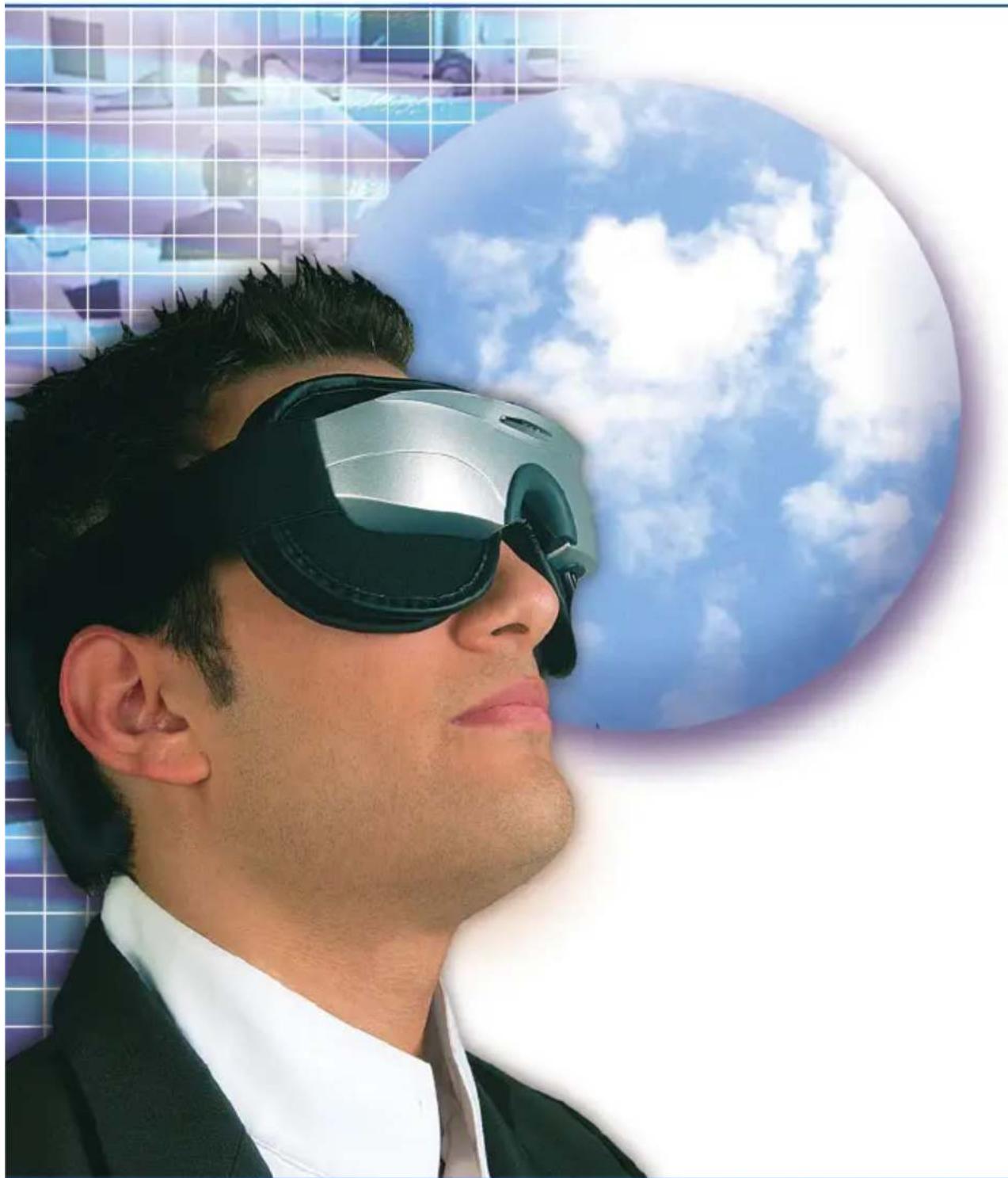
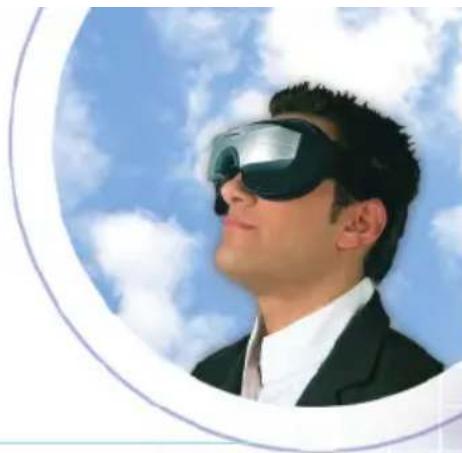
The EYES MASSAGER is a massage appliance consisting of three complementary systems: an infrared system that provides heat, the vibration mode that creates a massage effect, and a compression function provided by an air pillow. These three functions improve the oxygen supply to the ciliary muscles and circulation of blood in the eye contour. The objective of the appliance is to relax the user and to free the tension in the vicinity of the eyes.
LANAFORM®
natural_image
Portrait of a man wearing glasses and a suit against a blue sky with clouds (no text or symbols visible)Description of the product
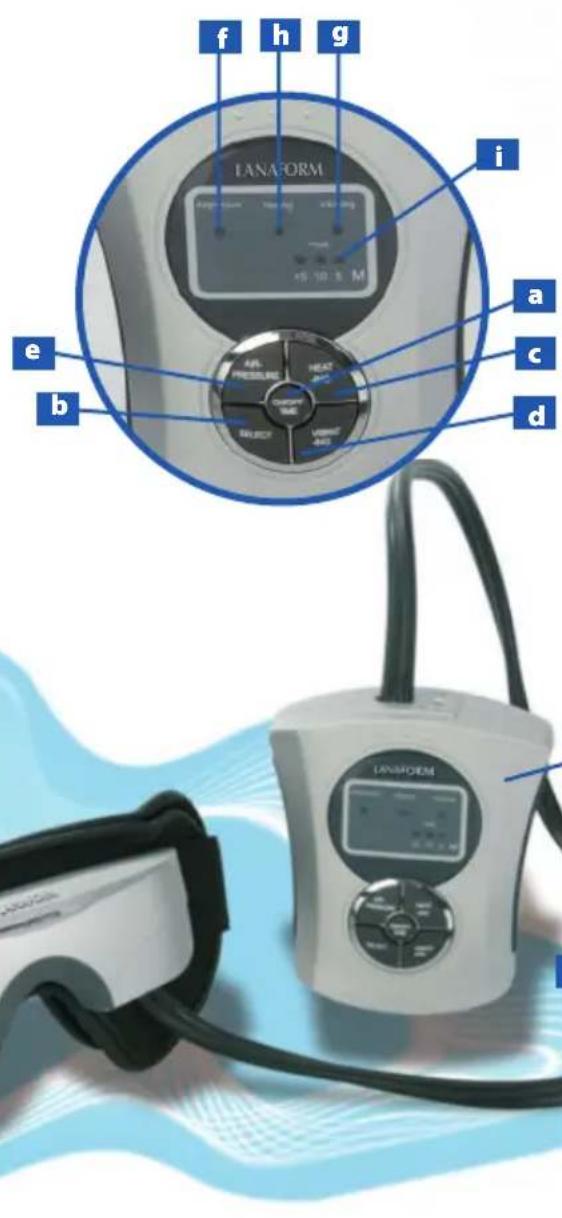
Photograph & how the product functions
Massage mask module
1 Mask/ massage unit
2 Electric power cable
3 Air supply cable
4 Air pillow
5 Elastic band
6 Control buttons
a On/Off /time button
b Programme button
Heating button
d Button controlling the intensity of vibration
e Air pressure button
f Air pressure gauge
g Vibration indicator
h Heat indicator
i Operating time display
Hot air relaxation equipment
Utilization
Before using the appliance, we recommend reading the section on precautions that should be taken.
To take full advantage of your relaxation session, get into a comfortable position.
Adjust the elastic band to your head size and put it at the back of your head.
Do not adjust the elastic band too tightly.
Keep your eyes closed during the relaxation session.
1. How to use the control panel
The control panel has 5 buttons and 5 operating indicators. The indicators light up when the function is turned on and while the timer is running.
a) ON/OFF button and timer. This button turns the appliance on and off. Just push it to start the appliance. At the beginning of each session, the programme will start in the AIR PRESSURE AND HEATING mode with the TIMER set for 15 minutes.
To change the length of the session, press the ON/OFF TIME button once. The programme will switch from 15 to 10 minutes. Push the same button again and the programme will switch from 10 to 5 minutes operating time. Push it a third time to go back to 15 minutes.
To turn off the appliance, push continually on the ON/OFF TIME button.
Note :
If you do not push any buttons, the appliance will operate in the "AIR PRESSURE + HEATING" mode. After 30 seconds, it will automatically switch to the "AIR PRESSURE + VIBRATING" MODE.
b) Programme selection button
The programme selection button lets you choose the various modes that you prefer to use.
You can choose to activate the desired modes successively.
When you turn on the appliance, you will automatically be in the AIR PRESSURE + HEAT mode.
- Push the programme selection button 2 times successively to switch to the AIR PRESSURE + VIBRATION mode.
LANAFORM®

natural_image
Portrait of a man wearing glasses and a suit against a blue sky with clouds (no text or symbols visible)- Push it a third time to switch to the HEATING + VIBRATING mode
- Push it a fourth time to switch to the AIR PRESSURE mode
- Push it a fifth time to switch to the HEATING mode
- Push it a sixth time to switch to the VIBRATING mode
c) Heating button. When the HEATING command is selected, the button lets you adjust the intensity of the heat. Each time you push the Heating button this will adjust the intensity of the heat for any programme you have selected.
When you turn on the appliance and select the HEATING button, the heat is automatically on HIGH.
When the heat comes on, push the "HEATING" button. The heat will be adjusted as follows:
- When you push the button the first time, the programme switches to medium heat.
- Push it a second time and the programme switches to low heat.
If you push it again, you will go back to HIGH heat.
d) Vibrating button. When the VIBRATING command is selected, the button lets you adjust the intensity and frequency of the vibration for any programme you have selected.
By pushing the VIBRATING button, you can switch to different modes as follows:
- When you select the Vibrating mode, the programme mode gives continuous vibration at high intensity
- Push it once, and the programme switches to: Continuous vibration; medium intensity
- Push it twice, and the programme switches to: Continuous vibration; low intensity
- Push it three times, and the programme switches to: Medium intensity with vibration alternating on the left and the right sides.
- Push it four times, and the programme switches to: High intensity vibration alternating on and off at high speed.
- Push it five times, and the programme switches to: High intensity vibration alternating on and off at slow speed.
Hot air relaxation equipment
e) Air Pressure button. This button adjusts the way air pillow fills in any programme mode you have chosen.
When the Air Pressure button is selected, the air pillow will fill continually, with a two second pause before the air is released.
- Push the button once, and the programme switches to:
The pillow will fill continuously and the air will be released right away. - Push the button twice, and the programme switches to:
The pillow will fill in two stages with a two second pause before the air is released. - Push the button three times, and the programme switches to:
The pillow will fill in four stages with a two second pause before the air is released. - Push the button four times, and the programme goes back to the initial setting
2) After use, remove the mask and close your eyes for 1 to 3 minutes.
3) After you take off the mask, your vision may range from obscurity to light for three minutes –this is normal.
4) After use, DO NOT wear glasses for the next three minutes.
How to install the battery
- Open the cover and insert four AA batteries
- Take care to install the batteries correctly in the regulator.
- Close the cover of the regulator.
Precaution:
- Check the anode (sign -) and the cathode (sign +) of the battery. The batteries must be installed correctly. Check that the cover is closed correctly over the batteries. To identify the anode and the cathode, refer to the battery installation diagrams in the battery compartment.
• Always use alkaline batteries to protect the appliance.
Connecting the adaptor
If you are using an adaptor, be sure to take the batteries out before you plug it in.
Technological index
Working environment:
Temperature:5 degrees\~40 degrees
Relative humidity: <80%
Air pressure: 860hPa \~ 1060hPa
Intensity of the magnetic field: >200Mt
Vibration frequency: 40Hz\~100Hz
Heating temperature: 300 °C \~ 45 °C
Energy input:
AC (alternative current): 220V+ _ 22V, 50Hz+ _ 1Hz DC: 6V
Power: < 4W
Weight: <0.5kg
Outer dimension: 25cm x 25cm x 8cm (L X W X H)
Maintenance
Do not clean your mask with water; clean it with alcohol. Unplug the appliance or the transformer before cleaning the appliance. Store the appliance carefully after each use. Do not put heavy objects on the surface of the appliance. Take care to prevent this appliance from coming into contact with water.
Hot air relaxation equipment
Security measures
Please read these instructions carefully before any use of the appliance and keep them so that you can consult them in the future
- Avoid leaving the appliance exposed to direct sunlight for an extended length of time.
• The temperature of the room where the appliance is stored should be between 5 and 55 degrees centigrade. - If you use an adaptor, always remove the batteries.
• Always use alkaline batteries to avoid damaging the electronic circuit.
• If are not going you to use the appliance for an extended length of time, remove the batteries. - If you wear strong corrective lenses (800 or more), follow your doctor's recommendations.
• If you wear contact lenses, be sure to remove them before using the appliance to prevent the risk of serious injury.
• Do not use this appliance is you have glaucoma, cataracts, retinoschisis (anatomical alterations) or other ocular problems.
• This appliance is not professional equipment and is intended exclusively for home use. - Never use the appliance in a damp place, in the shower, or near any source of water.
- Do not immerse the appliance or the control panel in water or any other liquid.
• Always unplug the transformer when you are not using the appliance. - Be sure your hands are dry when you plug in the adaptor.
• Always send the appliance back, as recommended by the after sales service, in the event of malfunctioning or damage of any kind to the transformer, the power supply or the appliance. - Keep the appliance out of the reach of children.
• Always clean this appliance before putting it away. - Do not use the appliance for any purpose other than those described in these instructions.
- Do not carry or hang the appliance by the air supply hose or the power supply cord.
• Do not roll the power supply cord or the air supply hose around the appliance. Avoid pinching or twisting them.
• Do not use this appliance if you have observed malfunctioning or damage of any kind to one of the parts of the appliance. - Using any adaptor or accessory that is not supplied with the product is prohibited.
LIMITED WARRANTY :
LANAFORM® guarantees that this product is free of any material or manufacturing defect for a period of two years as from the date of purchase, except in the following cases :
This warranty of a LANAFORM ® product does not cover damage resulting from incorrect or excessive use, an accident, the addition of an unauthorized accessory, a modification of the product or any other situation beyond the control of LANAFORM ® .
LANAFORM ® cannot be held liable in the event of accidental damage.
All guarantees on well-being products are limited to a total duration of two years as from the date of the first purchase.
On receiving the appliance, LANAFORM ® will repair or replace it as appropriate, and will send it back to you carriage paid. This guarantee is void in the event of maintenance or repair by any service other than our technical department.
NV LANAFORM SA
Zoning de Cornémont
natural_image
Portrait of a man wearing glasses and a suit against a blue sky with clouds (no text or symbols visible)natural_image
Portrait of a man wearing a virtual reality headset against a blue sky with clouds (no text or symbols visible)natural_image
Portrait of a man wearing glasses and a suit against a blue sky with clouds (no text or symbols visible)natural_image
Portrait of a man wearing glasses and a suit against a blue sky with clouds (no text or symbols visible)natural_image
Portrait of a man wearing glasses and a suit against a blue sky with clouds (no text or symbols visible)natural_image
Portrait of a man wearing glasses and a suit against a blue sky with clouds (no text or symbols visible)natural_image
Portrait of a man wearing glasses and a suit against a blue sky with clouds (no text or symbols visible)natural_image
Portrait of a man wearing glasses and a suit against a blue sky with clouds (no text or symbols visible)natural_image
Portrait of a man wearing glasses and a suit against a blue sky with clouds (no text or symbols visible)natural_image
Portrait of a man wearing glasses and a suit against a blue sky with clouds (no text or symbols visible)natural_image
Portrait of a man wearing glasses and a suit against a blue sky with clouds (no text or symbols visible)Opis urządzenia
natural_image
Portrait of a man wearing glasses and a suit against a blue sky with clouds (no text or symbols visible)natural_image
Portrait of a man wearing glasses and a suit against a blue sky with clouds (no text or symbols visible)Wkładanie baterii!
Relaxes your eyes to free your mind
3 in 1 relaxation mask

NV LANAFORM® SA


- LANAFORM®
- Eyes
- Installation des piles
- Hot air relaxation equipment
- Manual for use
- Functions of the appliance
- Description of the product
- Utilization
- How to use the control panel
- Note :
- b) Programme selection button
- How to install the battery
- Precaution:
- Connecting the adaptor
- Technological index
- Working environment:
- Maintenance
- Security measures
- Please read these instructions carefully before any use of the appliance and keep them so that you can consult them in the future
- LIMITED WARRANTY :
- Opis urządzenia
- Wkładanie baterii!
Brand : LANAFORM
Model : Eye Massager
Category : Massage device