
Secvest 2WAY FU8100 - Remote control ABUS - Free user manual and instructions
Find the device manual for free Secvest 2WAY FU8100 ABUS in PDF.


| Product type | Bidirectional wireless remote control |
| Brand | ABUS |
| Model | Secvest 2WAY FU8100 |
| Radio frequency | 868.6625 MHz |
| Max. transmission power | 10 mW |
| Transmission range | Approx. 30 m |
| Reception range | Approx. 10 m |
| Power supply | Lithium battery CR 2450, 3 V |
| Dimensions | ∅50 x 15 mm |
| Weight | 30 g |
| Operating temperature | -10 to +55 °C |
| Max. air humidity | 94% |
| Security level | 2 |
| Certificate | EN50131-3, T014A Telefication |
| Environmental class | II |
| Main functions | System activation/deactivation, status inquiry, programmable button (default: sector activation), anti-aggression |
| LED indicators | 4 LEDs to indicate system status (activated, deactivated, sector, fault, confirmation) |
| Free button programming | Via the user menu of the Secvest control panel |
| Configurable options | Response display and jamming detection (activation via key combination) |
| Battery replacement | Open the compartment, replace with a CR 2450, close |
| Maintenance | Avoid any contact with water; do not modify the structure |
| Safety | Compliant with European directives (R&TTE 1995/5/EC); lithium battery: do not throw away, expose to heat, disassemble, etc. |
| Compatibility | Secvest wireless alarm control panel |
Frequently Asked Questions - Secvest 2WAY FU8100 ABUS
User questions about Secvest 2WAY FU8100 ABUS
0 question about this device. Answer the ones you know or ask your own.
Ask a new question about this device
Download the instructions for your Remote control in PDF format for free! Find your manual Secvest 2WAY FU8100 - ABUS and take your electronic device back in hand. On this page are published all the documents necessary for the use of your device. Secvest 2WAY FU8100 by ABUS.
USER MANUAL Secvest 2WAY FU8100 ABUS
Wireless remote control 2WAY (GB) 12
Commande à distance radio 2WAY (FR) 22
Draadloze afstandsbediening 2WAY (NL) 32
Telecomando radio 2WAY (IT) 42
Trådløs fjernbetjening 2WAY (DK) 52
FU8100
BOM-No.:12004002

Vorwort
Dear customers, many thanks for your purchase of this wireless remote control. In choosing our product, you now have a piece of equipment that is built according to state-of-the-art technology. This product complies with current domestic and European regulations. Conformity has been proven, and all related certifications are available from the manufacturer on request. To maintain this status and to guarantee safe operation, it is your obligation to observe these operating instructions! In the event of questions, please contact your local specialist dealer.

y attention to the notes and instructions in these operating instructions! If you do not follow these instructions, your guarantee claim becomes invalid! No liability can be accepted for resulting damages!
No part of the product may be changed or modified in any way. The remote control is not waterproof. Please avoid direct contact with water.
Technical data
Radio frequency 868.6625 MHz
Transmission power Max. 10 mW
Range Transmit approx. 30 m,
received approx. 10m (depending on the surrounding conditions)
Power supply Lithium battery / CR 2450
Li-Mn 3 V
Battery life up to 2 Years
Operating temperature -10 °C to +55 °C
Humidity 94%
Dimensions ∅ x H = 50 x 15mm
Weight 30 g
Security level Grade 2
Certified as compliant with EN50131-3 and
T014A by Telefica
Environment class II
Introduction
The FU8100 wireless remote control is an optional accessory for the Secvest wireless alarm centre. It functions bidirectionally and allows you to activate and deactivate the alarm centre from a defined distance. You can also query the current status of the centre using the remote control. You can allocate functions to a key individually.
Operation
The key layout is shown in the following diagram.
You can only operate the alarm centre using the remote control when you stand next to it (up to 30 metres away, depending on the surrounding conditions).
![graph TD A["LED1"] --> B["LED2"] C["LED2"] --> D["LED3"] E["LED3"] --> F["LED4"] G["System status query"] --> H["Activate the system"]](/content/2026/06/1244770/images/9b23764f772b3b14a5c4e346be47373fee0116bfce340f09f7b3037c6e37f3d8.jpg)
Deactivate the system
Freely selectable (default setting: part set)
The remote control is additionally equipped with a panic function. A panic alarm is triggered when the activate and deactivate buttons are pressed simultaneously for three seconds.
LED
After pressing the buttons on the remote control, you receive an appropriate response from the alarm centre over the built-in LEDs. The following responses are possible:
| LED 1 | LED 2 | LED 3 | LED 4 | ||
| Activated | Red | Red | - | ||
| Deactivated | - | Green | Green | - | |
| Part set - - Red | Red | ||||
| Malfunction | Yellow* | Yellow* | Yellow* | Yellow* | |
| Transmission confirmation | - | Red* | - | Green* | |
* = flashing
Learning
In the Secvest user menu, select a user to be allocated to the remote control. Carry out the steps detailed in the installation instructions of the wireless alarm centre to start the learning process.
Programming
To find out how to program the free button on the remote control (default setting: activate partition), consult the relevant system descriptions of your alarm centre.
Changing the battery
Open the battery compartment on the rear of the remote control. Remove the empty battery and replace it with one of the same type (CR 2450, Li-Mn 3 V). Close the compartment again.
Battery warning!
The device is supplied with direct current from a 3 V lithium battery. To guarantee a long working life and avoid fire and injury, please note the following:
- Do not dispose of the battery in domestic waste.
- The battery must not be directly exposed to heat or sunlight, and must not be stored in a place with a very high temperature.
- The battery must not be burned.
- The battery must not come into contact with water.
- The battery must not be dismantled, pierced or otherwise damaged.
- The battery contacts must not be short-circuited.
- The battery must be kept away from small children.
- The battery cannot be recharged.
Options
Feedback displays
Pressing both keys on the left simultaneously for approx. 4 seconds switches the function ON or OFF.
Jamming detection
Pressing both keys on the right simultaneously for approx. 4 seconds switches the function ON or OFF.
ON: All 4 LEDs light up red
OFF: All 4 LEDs light up green
The selected mode remains following a battery change!
Behaviour
Jamming OFF / display OFF
- Command is sent, no further displays.
Jamming ON / display OFF
- Command is sent, no further displays.
Jamming ON / display ON
- No jamming, remote control outside the reception range.
- Green LED “4” flashes for between 30 seconds and 60 seconds.
- No jamming, remote control inside the reception range.
- Green LED “4” flashes until feedback is received (max. 12 seconds). This is followed by the status display.
- Jamming present
○ Green LED “4” flashes for up to 60 seconds. All 4 LEDs light up red as soon as jamming is detected.
Jamming OFF / display ON
- Jamming present or remote control outside the reception range.
○ Green LED "4" flashes for 12 seconds.
- No jamming, remote control inside the reception range.
- Green LED “4” flashes until feedback is received (max. 12 seconds). This is followed by the status display.
This product complies with the requirements of the EU directive: 1995/5/EC “Directive on radio and telecommunications terminal equipment and the mutual recognition of their conformity”. The declaration of conformity can be ordered from:
○ Groene LED 4 knippert 12 sec.


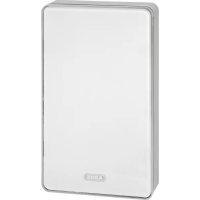
Brand : ABUS
Model : Secvest 2WAY FU8100
Category : Remote control