
KTC-V500E - Television KENWOOD - Free user manual and instructions
Find the device manual for free KTC-V500E KENWOOD in PDF.



| Product type | TV tuner for vehicle |
| Brand | KENWOOD |
| Model | KTC-V500E |
| Dimensions (main unit) | 192 x 30 x 147 mm (W x H x D) |
| Weight (main unit) | 730 g |
| Dimensions (antenna assembly) | 50 x 15 x 452 mm (W x H x D) each |
| Weight (antenna assembly) | 300 g x 2 |
| Operating voltage | 14.4 V DC (11 to 16 V) |
| Current consumption (main unit) | 500 mA |
| Current consumption (antenna) | 200 mA |
| Operating temperature range | -10°C to +60°C |
| Storage temperature range | -30°C to +85°C |
| Compatible TV systems | PAL-B/G, PAL-I, SECAM-L, SECAM-D/K, SECAM-B/G |
| Color systems | PAL/SECAM |
| Channel selection | PLL frequency synthesizer |
| VHF channel coverage | 2-12, A-H2, A-J (depending on system) |
| UHF channel coverage | 21-69 |
| Demodulation system | Divided carrier |
| Antenna input | 4 channels (75 Ω, 3.5 mm mini-jack) |
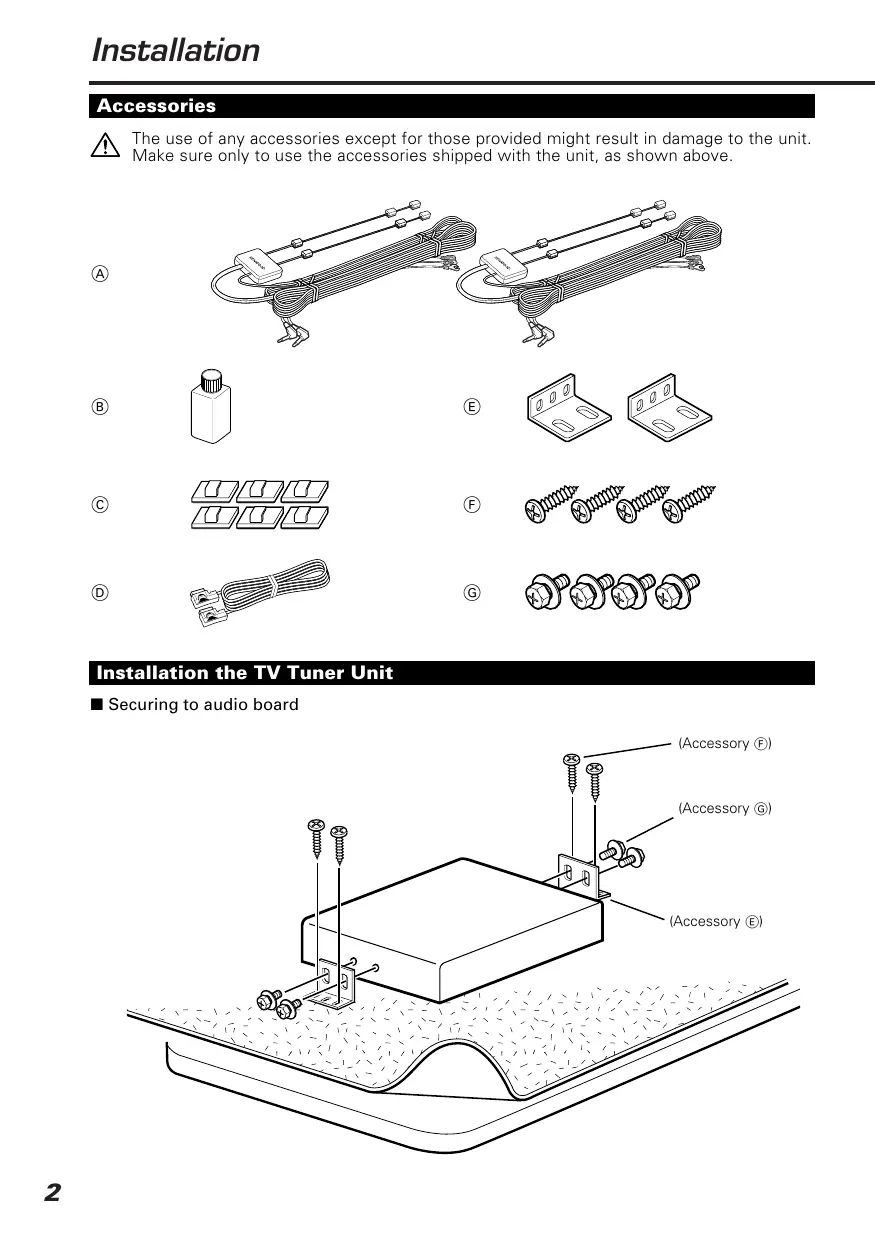
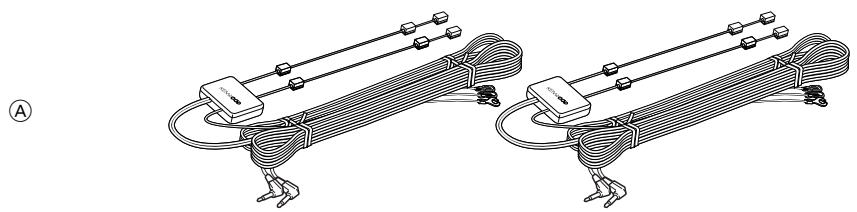
| Supplied accessories | Antenna, double-sided adhesive tape, cable ties, glass cleaning product |
| Installation | Mounting on rear interior glass, connection to 12V DC power supply |
Frequently Asked Questions - KTC-V500E KENWOOD
User questions about KTC-V500E KENWOOD
0 question about this device. Answer the ones you know or ask your own.
Ask a new question about this device
Download the instructions for your Television in PDF format for free! Find your manual KTC-V500E - KENWOOD and take your electronic device back in hand. On this page are published all the documents necessary for the use of your device. KTC-V500E by KENWOOD.
USER MANUAL KTC-V500E KENWOOD
Uithoorn The Netherlands
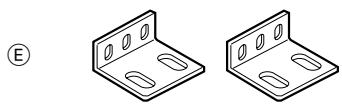
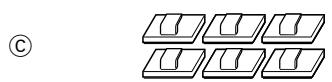
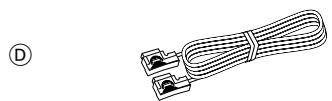
Accessories
The use of any accessories except for those provided might result in damage to the unit. Make sure only to use the accessories shipped with the unit, as shown above.


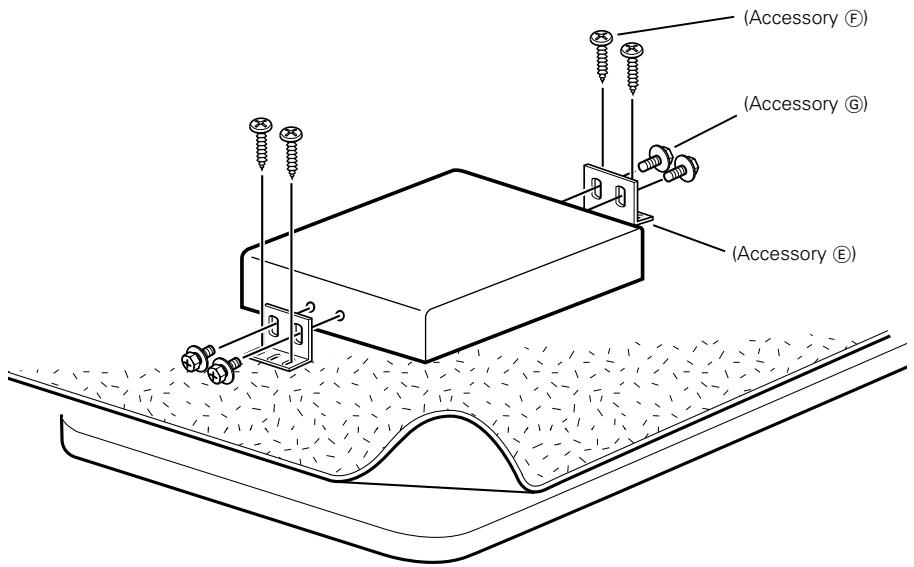
Installation the TV Tuner Unit
Securing to audio board
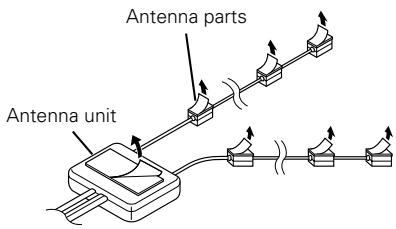
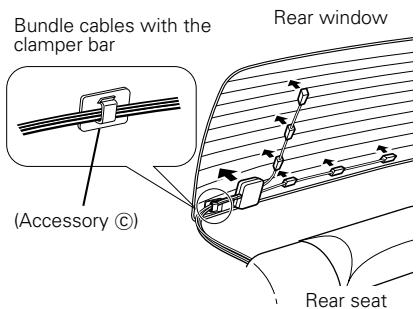
Installing the Antenna Units

Incar antennas have a lower reception sensitivity than antennas intended for outside mounting. The picture may not appear or may be disturbed if the signal in your area is weak.

- Attach the antenna to the inner glass surface of the rear window using double-sided tape. Carefully check the installation location as the tape can only be stuck on once.
- If the surface temperature of the glass of the rear window is low, warm it by turning on the power of the rear defogger.
A cold window glass surface will weaken the adhesive strength of the double-sided tape.
Also, if installation inside the cabin is performed on a day with high humidity or when it is raining, the high humidity level will weaken the adhesive strength of the double-sided tape.
- Do not install the antenna in a location where it may obstruct the field of view during driving, such as on the windshield.
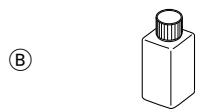
1 Check the location where the antenna is to be attached. Clean off any grease or dirt from the installation location using the supplied glass cleaner (Accessory 8), clean the area with water and allow to dry.

Clean the glass thoroughly as failure to clean the glass can not only weaken the adhesive strength of the double-sided tape, but may also cause it to come loose.
2 Remove the protective strips from the antenna parts and the back of the antenna unit.
3 Attach the double-sided tape of the antenna parts and the antenna unit to the rear windshield glass. Attach the double-sided tape by firmly pressing down from the top. Secure cables using the supplied clampers.
4 After attaching the antenna with the double-sided tape, allow it to sit undisturbed for 24 hours. Take care not to apply force to the antenna or allow it to get wet during this time.
5 Wire the antenna cable to TV tuner unit.
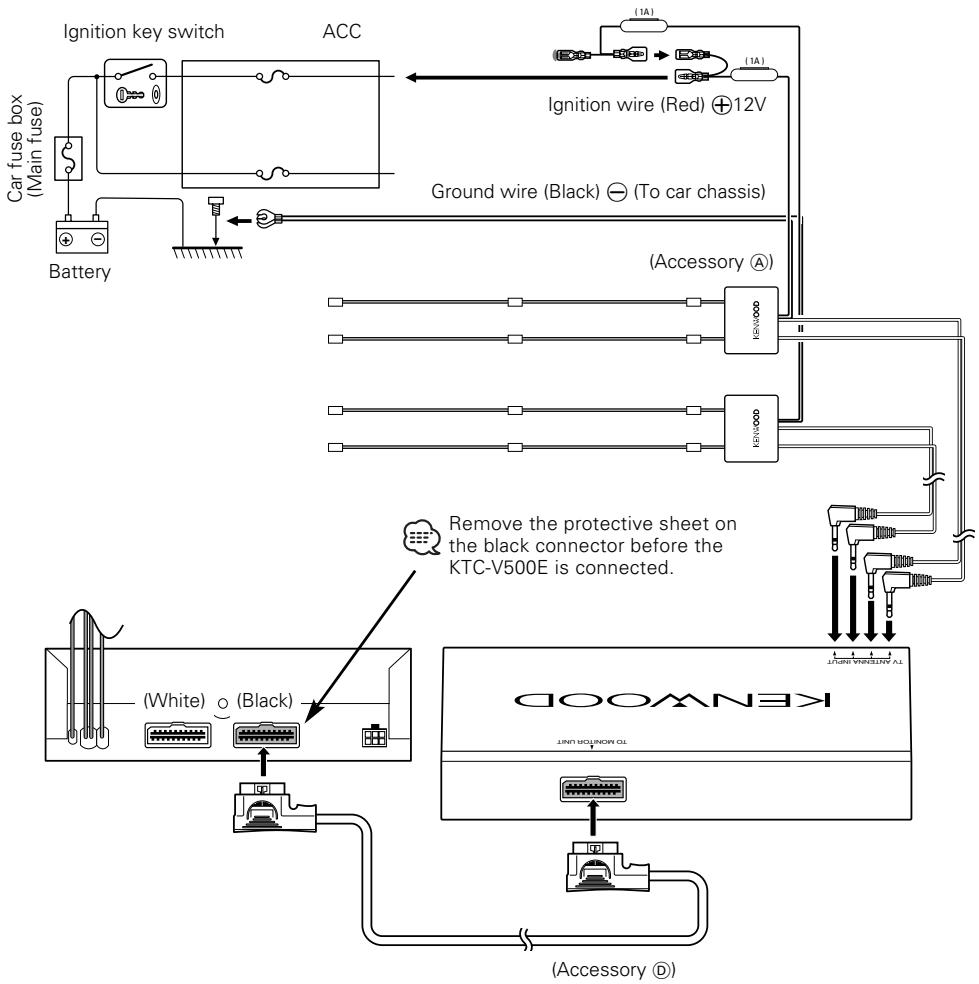
Connection

- Make sure to ground the unit to a negative 12V DC power supply.
- If your car's ignition does not come with an ACC position, connect the ignition wires to a power source that can be turned on and off with the ignition key. If you connect the ignition wire to a power source that receives a constant voltage supply, as with battery wires, the battery may die.
- If the fuse blows, first make sure that the wires have not caused a short circuit, then replace the old fuse with one with the same rating.
- After the unit is installed, check whether the brake lamps, blinkers, wipers, etc. on the car are working properly.
Specifications subject to change without notice.
TV Tuner Section
Colour system.. PAL/SECAM
Channel selection system ..PLL frequency synthesiser system
Television system PAL-B/G, PAL-I, SECAM-L, SECAM-D/K, SECAM-B/G
Channel converge
VHF
(PAL-B/G) 2-12 ch/A-H2 ch
(PAL-1). A-J ch
(SECAM-L) 2-10 ch
(SECAM-D/K) 1-12 ch
(SECAM-B/G) 2-12 ch
UHF 21-69 ch
Dedomulation system Split carrier system
Antenna input 4-ch diversity (75 Ω/3.5 ø minijack)
General
Operating voltage 14.4 V DC (11 to 16 V)
Consumed current .500 mA
Operational temperature range -10°C to +60°C
Storage temperature range -30°C to +85°C
Size 192(W) x 30(H) x 147(D) mm
Mass 730g
TV Antenna
Operating voltage 14.4 V DC (11 to 16 V)
Consumed current 200 mA
Cable length 5 m
Size 50(W) x 15(H) x 452(D) mm
Mass 300g×2
Accessoires

Brand : KENWOOD
Model : KTC-V500E
Category : Television