
HB 557 - Solar bench PHILIPS - Free user manual and instructions
Find the device manual for free HB 557 PHILIPS in PDF.


| Product Type | Combi Solarium (Sun Couch + Solarium) |
| Brand | Philips |
| Model | HB 557 |
| Lamps | 10 x Philips UVA 100W "Cleo Performance" tube lamps |
| Starters | 10 x Philips S12 |
| Total Power Consumption | 1000 W (10 x 100W) |
| Power Supply | 230 V ~ 50/60 Hz (typical household) |
| Dimensions (approx.) | 200 cm x 80 cm x 80 cm (L x W x H) |
| Weight (approx.) | 50 kg |
| Recommended Distance | 20 cm (approx. 8 inches) between body and lamps |
| Timer | Automatic switch-off after 30 minutes |
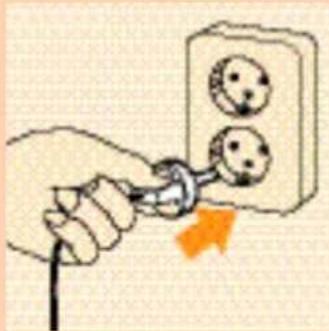
| Session Duration | First session 7 minutes, subsequent 10-30 minutes depending on skin sensitivity |
| Maximum Tanning Hours per Year | 19 hours (1140 minutes) |
| UV Emission | Primarily UV-A with small amount of UV-B |
| Protective Goggles | Supplied (Type HB071, service nr. 4822 690 80123) |
| Cooling | Built-in cooling fans |
| Cleaning | Exterior: damp cloth; protective plate: no alcohol or solvents |
| Lamp Replacement | User-replaceable with caution; authorized service recommended |
| Safety Features | Timer, auto shut-off, protective shields, mandatory goggles |
| Assembly | 2-person assembly required; includes tools and hardware |
Frequently Asked Questions - HB 557 PHILIPS
User questions about HB 557 PHILIPS
0 question about this device. Answer the ones you know or ask your own.
Ask a new question about this device
Download the instructions for your Solar bench in PDF format for free! Find your manual HB 557 - PHILIPS and take your electronic device back in hand. On this page are published all the documents necessary for the use of your device. HB 557 by PHILIPS.
USER MANUAL HB 557 PHILIPS

natural_image
Plain beige background with no visible text, symbols, or objectsENGLISH 6
POLSKI 18
ROMĂNĂ 30
русский 42
ČESKY 55
MAGYAR 67
SLOVENSKY 79
УКРАЇНСЬКІЙ 91
HRVATSKI 105
EESTI 115
LATVISKI 127
LIETUVIŠKAI 139
SLOVENŠÍNA 151
Important
Before connecting the appliance to the mains socket, check if the voltage indicated on the rating plate corresponds with the mains voltage in your home.
Water and electricity are a dangerous combination! Therefore, do not use the appliance in wet surroundings (e.g. in the bathroom or shower, or near a swimming pool).
If you have just been swimming or have just taken a shower, dry yourself thoroughly before using the appliance.
Remove the mains plug from the wall socket after use.
▶ Take care that children cannot play with the appliance.
- Ensure that the mains cord does not get caught under a supporting leg when placing the sun couch.
Keep the ventilation openings in the solarium and in the sun couch clear of obstruction when using the Combi solarium.
Do not exceed the advised session times or the maximum amount of "tanning hours". (See section "UV sessions: How often? And how long?")
Do not select a shorter operational distance than the advised 20 cm (approx. 8").
Do not treat the body more often than once a day. Avoid intensive skin exposure to natural sunlight on the same day as a UV session.
If you have any symptoms of illness, if you take any medicines and/or apply cosmetics which increase skin sensitivity, you should not have a UV-session.
Special care is also necessary in cases of pronounced individual sensitivity to ultraviolet, when in doubt, please consult your doctor.
A Combi solarium is not to be used by people who get sunburnt without tanning when exposed to the sun, by persons suffering from sunburn, by children, or by persons who suffer (or have previously suffered) from skin cancer or who are predisposed to skin cancer.
Consult your doctor if ulcers, moles or persistent lumps develop on the skin.
▶ Always wear the protective eye goggles while tanning to protect your eyes against excessive doses of ultraviolet, visible light and infrared. (Also refer to section "UV and your health".)
Remove creams, lipstick and other cosmetics well in advance of a UV session.
▶ Do not use sunscreen lotions or creams.
▶ Do not use suntan lotions or creams.
If your skin should feel taut after the sun tanning session, you may apply a moisturizing cream.
Never use the Combi solarium if the timer or a protective shield has become faulty.
Colours may fade under the influence of the sun. The same effect may occur when using the appliance.
Do not expect the appliance to yield better results than the natural sun.
For optimum comfort use the appliance at ambient temperatures in the range 18^-20^
The Sun
The sun is the source of energy on which all life on earth depends.
There are various kinds of solar energy: the sunlight enables us to see, we feel the warmth of the sunshine on our skin, and under the influence of the sun our skin is tanned.
These three effects are due to three specific components of the sun radiance spectrum, each of the components having their own wave lengths.
The sun radiates electro-magnetic vibrations with widely different wave lengths. The wave lengths of heat rays or "infrared" (IR) are longer than the wave lengths of visible light.
And the wave lengths of "ultraviolet" (UV), which tans our skin, are shorter than these.
Science has managed to reproduce these three kinds of solar radiation: heat (e.g. Infraphil), light (lamps) and UV (solariums, sun couches etc.)
UV-A, UV-B and UV-C
Ultraviolet (UV) is subdivided into UV-A (longer wave lengths), UV-B and UV-C (shorter wave lengths).
UV-C seldom reaches the earth as it is filtered out by the atmosphere. UV-A and UV-B cause the tanning effect of the skin.
In fact there are two processes which produce tanning, and they are simultaneously effective:
- "Indirect tanning". Primarily UV-B stimulates the production of a substance called "melanin", which is necessary for tanning. The effect does not show until a couple of days after the sunbath.
- "Direct tanning". The UV-A and also a part of the visible light cause quicker browning without reddening or "getting sunburnt".
The Combi solarium
This Combi solarium emits predominantly UV-A, and also a very small amount of UV-B.
It possesses some important features which make tanning at home comfortable and convenient.
The unique type of sun lamp used in this solarium emits light, warmth and ultraviolet, just like the natural sun.
The lamps have been positioned in such manner that your whole body is tanned evenly, from head to toe.
For your convenience, but also to prevent unintended prolonged exposure (e.g. after falling asleep), a timer-controlled automatic switch-off operates after 30 minutes tanning.
As it is with the natural sun, it's wise not to have too much of a good thing! (See section "UV and your health".)
UV and your health
After an excessive exposure to ultraviolet (from the natural sun or from your Combi solarium), the skin may develop sunburn.
Beside numerous other factors, such as excessive exposure to the natural sun, improper and excessive use of your solarium will increase the risk of skin and eye disease.
The nature, intensity and duration of the radiation on one hand, and the sensitivity of the individual on the other, are decisive on the degree in which these affects can occur.
The more skin and eyes are exposed to UV, the more risk increases of diseases such as inflammation of the cornea and/or conjunctiva, damaging of the retina, cataract, premature aging of the skin and skin tumours.
Certain medicines and cosmetics increase the sensitivity to UV.
Therefore, it is of great importance
- that you follow the instructions in sections "Important" and "UV sessions: how often? And how long?";
- that you select the advised operational distance of at least 20 cm (approx. 8");
- that you do not exceed the maximum amount of tanning hours per year (Please see the section "UV sessions.);
- that you always wear the provided goggles while tanning.
UV sessions: how often? And how long?
You may have one UV session per day, over a period of five to ten days. Allow at least 48 hours between the first two sessions.
After such a course, you may rest the skin for a while.
Approximately one month after a course your skin will have lost much of the tan. You might then decide to start a new course.
On the other hand, it is also possible to have one or two UV sessions per week after a course has elapsed in order to keep up the tan.
Whatever you may prefer, make sure that you do not exceed the maximum amount of tanning hours per year.
- For this Combi solarium this is 19 hours (= 1140 minutes).
Example
Suppose you take a 10-day tanning course, with a 7-minute session on the first day and a 20-minute session on the nine following days.
The entire course will then last (1 × 7 minutes) + (9× 20 minutes) = 187 minutes.
This means you can take 6 of these courses in a year, as 6 × 187 minutes = 1122 minutes.
Of course, the maximum number of tanning hours applies to each separate part or side of the body that is tanned (e.g. the back and front of the body).
As is shown in the table, the first session of a tanning course should always last 7 minutes, irrespective of the sensitivity of the skin.
This is not dependent upon individual skin sensitivity.
If you think that the sessions are too long for you (e.g. because your skin feels taut and tender after the session), we advise you to reduce the length of the sessions by e.g. 5 minutes.
| Duration of the UV session for each separately treated part of the body | For persons with very sensitive skin | For persons with normal sensitive skin | For persons with less sensitive skin |
| 1st session | 7 minutes | 7 minutes | 7 minutes |
| rest of min. 48 hours | rest of min. 48 hours | rest of min. 48 hours | rest of min. 48 hours |
| 2nd session | 10 minutes | 20-25 minutes | 30 minutes* |
| 3rd session | 10 minutes | 20-25 minutes | 30 minutes* |
| 4th session | 10 minutes | 20-25 minutes | 30 minutes* |
| 5th session | 10 minutes | 20-25 minutes | 30 minutes* |
| 6th session | 10 minutes | 20-25 minutes | 30 minutes* |
| 7th session | 10 minutes | 20-25 minutes | 30 minutes* |
| 8th session | 10 minutes | 20-25 minutes | 30 minutes* |
| 9th session | 10minutes | 20-25 minutes | 30 minutes* |
| 10th session | 10 minutes | 20-25 minutes | 30 minutes* |
*) Or longer, depending on the individual skin sensitivity.
General description
A Sun couch tube lamps and starters 10 large tube lamps (type Philips UVA 100W "Cleo Performance") with 10 starters (type Philips S12)
B Solarium tube lamps and starters HB557 - 10 large tube lamps (type Philips UVA 100W "Cleo Performances S") with 10 starters (type Philips S12) HB558 - 6 large tube lamps (type Philips UVA 100W "Cleo Performances S") and 4 tubes (type Philips UVA 80W "Performance S") with 10 starters (type Philips S12) and one HP400 lamp for extra facial tanning performance (HB558 only)
©End caps
D Mains cord
E Legs
FTimer
GStands
H Rods
Gas springs
J Height adjustment holes
K Connecting cord
Cooling fans
M Vents
N Protective shields
Protective plastic foils
P Protective eye goggles (2x)
(Type HB071 / service nr. 4822 690 80123)
Q Bolts and nuts
R Spanner
Switch for facial tanner (only HB558),
T Cover panels
U Angle profile
$$ \begin{array}{l} 0 = \text {off}, \ f = \text {facial tanner on} \end{array} $$
Making the Combi solarium ready for use
Sun couch
It requires two people to assemble and move the solarium.
During assembly the solarium becomes heavier and more difficult to move. We therefore advise you to assemble the solarium at the place where it will be used. Make sure there is enough free space beside (at least 50 cm) and behind (at least 30 cm) the solarium.
2 Lay the sun couch on the floor with the lamps facing downwards.
3 Push the legs in firmly into the corresponding holes
4 Please note: Do not attempt to lift or tilt the sun couch by its legs!
natural_image
Illustration of a person operating a large cylindrical device with a magnified inset showing the internal components (no text or symbols visible)
natural_image
Diagram of a mechanical assembly with arrows indicating force or movement (no text or symbols present)
natural_image
Diagram of a mechanical assembly with orange arrows indicating force or movement (no text or symbols)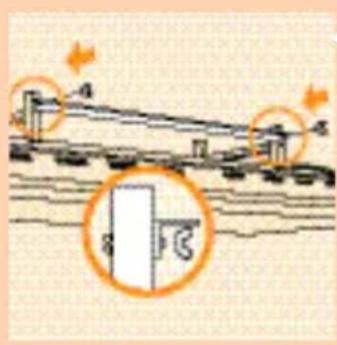
5 Fasten the angle profile to the legs of the frame.

natural_image
Diagram showing a curved pipe with two orange arrows indicating direction, no text or symbols present6 Fasten the side panels to the legs of the frame.

natural_image
Diagram showing a mechanical or electrical component with an inset magnified view of a detail (no text or symbols)7 Slide the front panel behind the edges of the couch and rim.
natural_image
Simple line drawing of a mechanical device with two orange arrows indicating motion or force, mounted on a table (no text or symbols)8 Fasten the panel to the legs of the frame.

natural_image
Illustration of a person using a fan to lift a high-speed air conditioner (no text or symbols visible)9 Lift the sun couch and put it on its legs.

natural_image
Illustration of a person cleaning or adjusting a large wall-mounted device with a curved arrow (no text or symbols)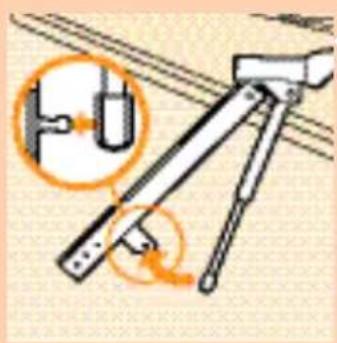
natural_image
Diagram of a mechanical device with an inset showing a cable or wire connection (no text or symbols present)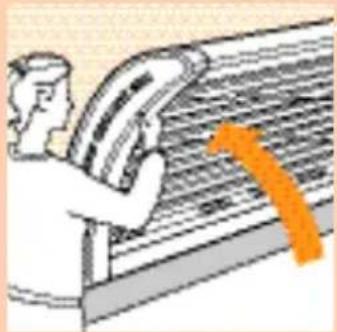
natural_image
Illustration of a person using a handheld device to interact with a large screen (no text or symbols visible)
natural_image
Diagram of a mechanical joint or bracket with an orange arrow indicating direction (no text or symbols present)
natural_image
Simple line drawing of a mechanical component with no text or symbolsSolarium
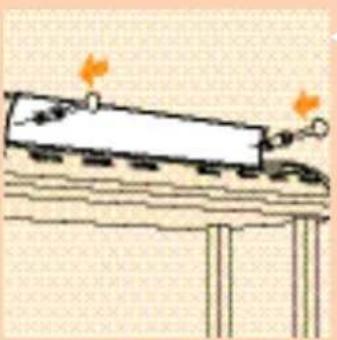
With one person helping you, lay the solarium on a table top with the lamps facing downwards.
2 Fix the two gas springs to the rods.
3 Lift the solarium from the table top.
4 Insert the rods into the stands.
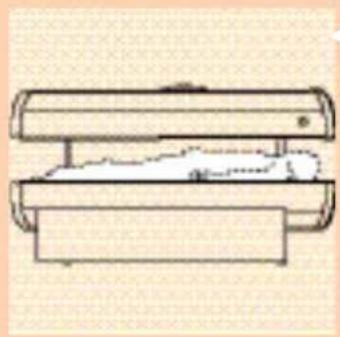
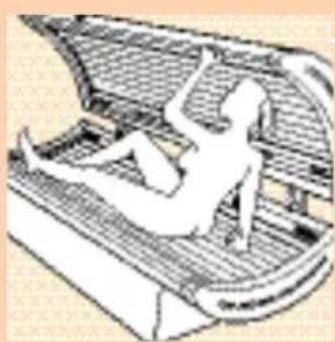
5 Lie down on the sun couch
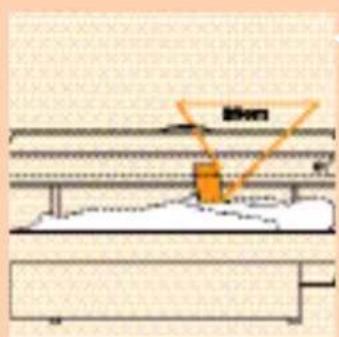
6 Hold this instructions booklet as shown in figure.
You can use the meter in this instructions booklet (page 3) to measure the distance between your body and the solarium. This distance should be approx. 20 cm.

natural_image
Pure technical diagram showing mechanical components without any text, numbers, or symbols7 If necessary you can use the mounting holes to mount the solarium higher.

8 The distance between the mounting holes is 4 cm.
Please note: If the Combi solarium is to be used by more than one person, use the highest applicable mounting holes.

natural_image
Simple line drawing of a mechanical device with no text or symbols9 Fasten the back panel to the legs of the couch.
The only purpose of the panels is to enhance the appearance of the appliance.
Only move the solarium by carefully sliding its legs across the floor or by carefully lifting it slightly off the floor together with another person.

natural_image
Illustration of a person using a large industrial machine with orange diagonal lines indicating motion or control (no text or symbols)▶ Never try to move the solarium as shown in the picture. This could cause the frame to become detached from the couch.
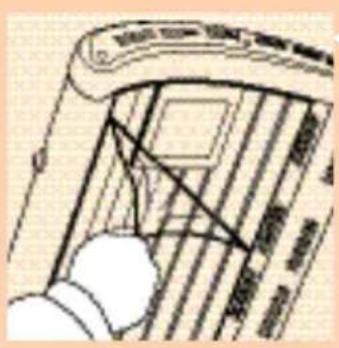
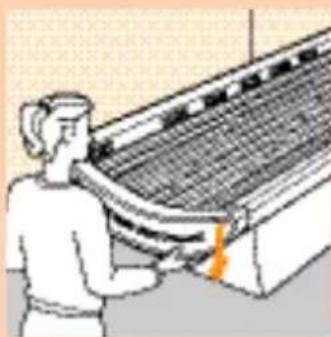
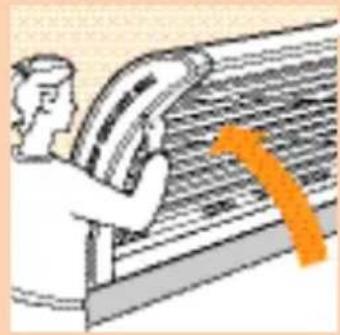
10 Remove the plastic foils from the protective shields

natural_image
Illustration of a mechanical component with an air vent and orange directional arrow (no text or symbols)Connect the connection cord to the solarium
natural_image
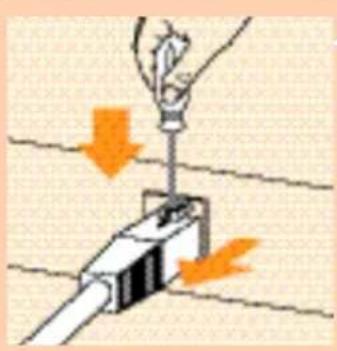
Illustration of a hand using a screwdriver to lift a mechanical component, with orange arrows indicating force direction (no text or symbols)12 To disconnect.
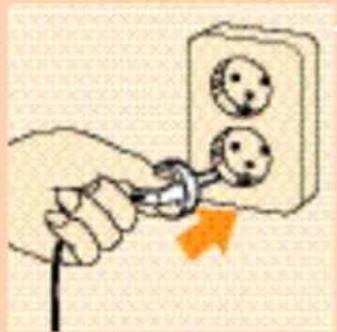
natural_image
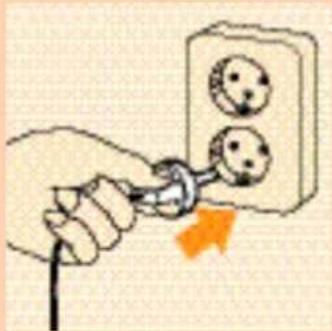
Hand inserting a plug into an electrical outlet socket with smiley faces (no text or symbols)13 Insert the mains plug into a wall socket.
How to use

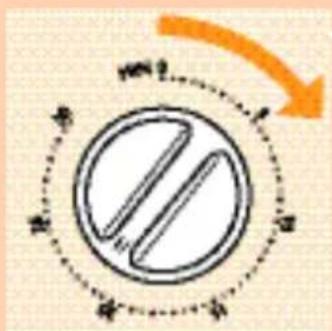
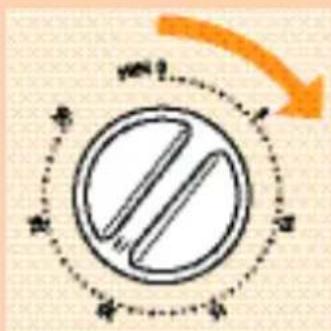
1 Set the timer to the session time (Please refer to the table in these instructions and to your own notes.).
2 Do not forget to put on the eye goggles provided.

natural_image
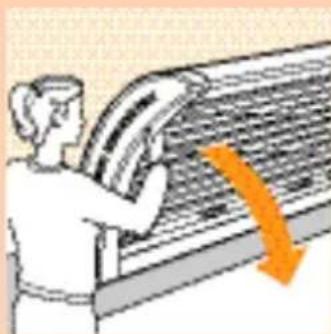
Diagram of a mechanical component with an orange arrow indicating direction (no text or symbols)3 Push the solarium backwards.

natural_image
Illustration of a person sitting inside a vehicle or container with structural ribs (no text or symbols)4 So that you can easily lie down on the sun couch.
With type HB 558: Please note the side with the extra face tanning lamps.

natural_image
Illustration of a person using a curved tool to lift a bird, with an orange arrow indicating motion (no text or symbols)5 When lying, pull the solarium into a horizontal position.
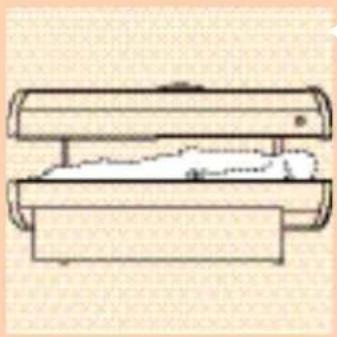
6 As soon as the session time has elapsed the lamps will automatically be switched off.
Cleaning
Always unplug the solarium and let it cool down before cleaning.
You can clean the outside of the Combi solarium with a damp cloth. Make sure that no water runs into the appliance.
Do not use abrasives or scourers.
Never use liquids such as alcohol, methylated spirits, petrol or acetone to clean the protective plate as this may cause irreparable damage.
Replacing the tube lamps and/or starters
In the course of time (in normal family use after some years) the efficiency of the tube lamps will gradually decrease.
If this happens, you may increase the tanning session time or have the tube lamps replaced.
You can have the tube lamps and/or the starters replaced by authorized service personnel: they have the required skill and the original replacement parts and tools to do the job.
They also have the facilities to dispose of the used tube lamps.
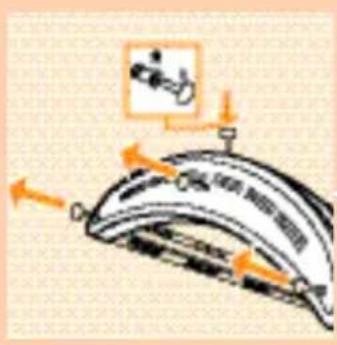

natural_image
Diagram of mechanical components with a magnified inset showing a tool interacting with a component (no text or symbols present)▶ If you prefer to replace the lamps yourself, proceed as follows:
I First remove the mains plug from the wall socket.
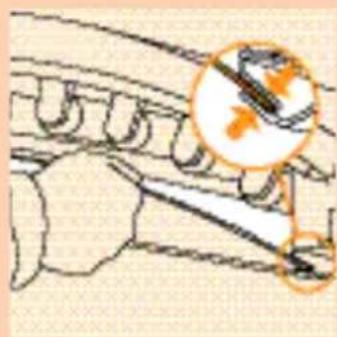
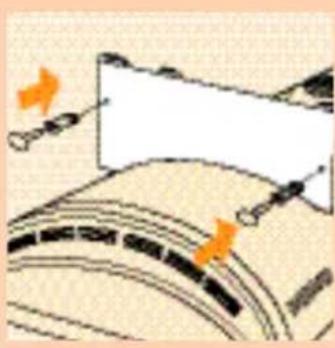
- Loosen the screws and remove the two end caps.
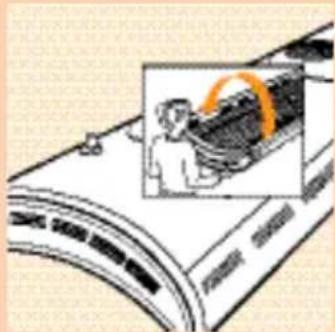
3 Pull out the protective shield completely. After this, the lamps and starters are accessible.
4 Rotate the lamps slightly to the left or to the right.
5 When unlocked remove them from the lamp holders.
6 Remove the starters by turning slightly to the left and withdrawing.
(Half the amount of starters are at each end of the Combi solarium.)
7 To place new lamps and starters proceed in reverse order and direction.
8 Slide the protective shield back into the profile.
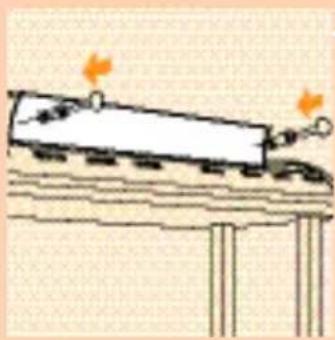
HB558 only: The lamp of the facial tanner may only be replaced by authorised Philips Service personnel.
Do not forget to fix the end caps by means of the screws.
The tube lamps of solariums contain substances which may pollute the environment. When discarding old tube lamps, please ensure that they are separated from the normal household refuse and that they are disposed of at an officially assigned place.
Information & service
If you need information or if you have a problem, please visit the Philips Web site at www.philips.com or contact the Philips Customer Care Centre in your country (you will find its phone number in the worldwide guarantee leaflet). If there is no Customer Care Centre in your country, turn to your local Philips dealer or contact the Service Department of Philips Domestic Appliances and Personal Care BV.
Troubleshooting guide
If the Combi solarium should not operate as required, this may be due to a defect. In this case do not hesitate to apply to your dealer or to a Philips Customer Care Centre.
However, it is also possible that the appliance has not been installed according to the instructions or is used incorrectly.
If this is the case, you will be able to solve the problem immediately.
You may check the following section before contacting your dealer or a Philips Customer Care Centre.
| Problem | Possible cause |
| Combi solarium does not switch on. | Mains plug is not in wall socket. |
| No mains power. (Please check with other appliance.) | |
| Timer has not been set. | |
| The lamp of the facial tanner (HB558 only) is still too warm to restart. Allow the lamp to cool down for approx. 3 minutes. | |
| The power fuse switches the mains power off when switching on or while using the solarium. | Check the fuse to which the solarium has been connected.The proper type for your solarium is a 13 A (for U.K.) or a 10 or 16 A (for other countries) normal fuse or a slow reacting automatic fuse. |
| The browning is not according to your expectations. | You use an extension cord which is too long, wound-up and/or does not allow the required power levels. Please apply to your dealer. In general, we advise not to use an extension cord. |
| You followed a course which is not the most appropriate for your skin type. | |
| The operational distance is larger than indicated. | |
| After using for a long time the UV production of the lamps decreases. (With normal use this will not be noticeable for years.) | |
| You may compensate for this effect by selecting longer treatment times or replace the sun lamps |
Ważne
natural_image
Illustration of a person working on a large cylindrical device with an orange circular inset showing the person's arm (no text or symbols visible)
natural_image
Diagram of a mechanical device with arrows indicating force or movement (no text or symbols present)natural_image
Diagram of a mechanical assembly with orange cross symbols indicating no text or labels (no readable text or symbols)natural_image
Diagram of a bridge structure with labeled components and orange circular annotations (no readable text or symbols)natural_image
Diagram of a curved mechanical component with orange arrows indicating direction (no text or symbols)natural_image
Diagram showing a mechanical or structural component with an inset magnified view of a detail (no text or symbols present)natural_image
Simple line drawing of a train on a platform with an orange flame symbol (no text or labels)8 Przymocuj panel do nóg ramy

natural_image
Illustration of a person using a large bundle of tubing to lift a high-speed air conditioner unit (no text or symbols visible)natural_image
Illustration of a person using a fan to clean the ceiling with an orange arrow indicating speed (no text or symbols)Solarium
natural_image
Illustration of a mechanical device with an inset showing a close-up of a component (no text or symbols)natural_image
Illustration of a person using a fan on a keyboard (no text or symbols visible)natural_image
Diagram of a mechanical joint or bracket with an orange arrow indicating force direction (no text or symbols present)natural_image
Simple line drawing of a mechanical device with two cylindrical components and a base plate (no text or symbols)natural_image
Diagram of a mechanical joint or bracket with a hand holding a tool, showing no text or symbols.natural_image
Diagram of a cylindrical device with internal components and orange arrows indicating flow or movement (no text or symbols)
natural_image
Illustration of a person using a solar panel to interact with a grid of panels, no text or symbols present
natural_image
Diagram of a car interior with lane markings and hand positions (no readable text or symbols)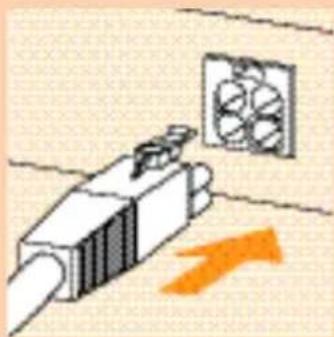
natural_image
Illustration of a mechanical component with an air fan and orange directional arrow (no text or symbols)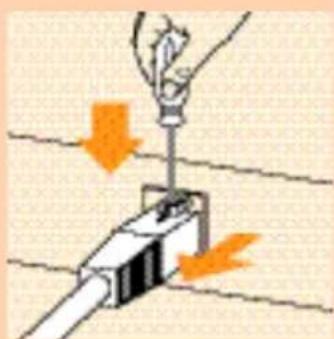
natural_image
Illustration of a hand using a tool to lift a light bulb over a battery, with orange arrows indicating downward motion (no text or symbols)natural_image
Hand inserting a plug into an electrical socket with three circular switches (no text or symbols visible)natural_image
Diagram of a mechanical component with an orange arrow indicating direction (no text or symbols)3 Odepchnij solarium do tyłu.

natural_image
Illustration of a person sitting inside a vehicle or platform structure (no text or symbols visible)natural_image
Illustration of a hand pressing down on a curved object with an orange arrow indicating downward motion (no text or symbols)
natural_image
Diagram of a mechanical component with a magnified inset showing a tool interacting with a curved surface (no text or symbols)natural_image
Illustration of a person operating a large industrial machine with a highlighted orange section (no text or symbols visible)natural_image
Diagram of a mechanical device with arrows indicating force or movement (no text or symbols present)natural_image
Diagram of a mechanical assembly with orange cross symbols indicating no text or labels (no readable text or symbols)
natural_image
Diagram of a curved mechanical component with orange arrows indicating direction (no text or symbols)natural_image
Diagram showing a mechanical or structural component with an inset magnified view of a detail (no text or symbols)natural_image
Simple line drawing of a train on a platform with two orange arrows indicating motion (no text or symbols)natural_image
Illustration of a person using a fan blade to lift a high-speed train (no text or symbols visible)natural_image
Illustration of a person cleaning or adjusting a large wall with a curved arrow (no text or symbols)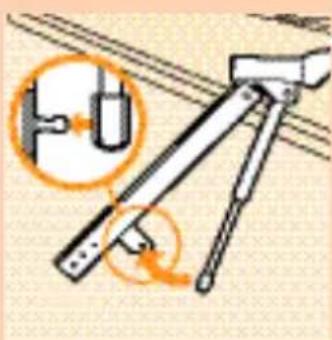
natural_image
Diagram of a mechanical device with an inset showing a close-up of a component (no text or symbols present)
natural_image
Illustration of a person using a large fan on a conveyor belt, with an orange arrow indicating speed (no text or symbols)
natural_image
Diagram of a hand holding a metal rod with an orange arrow indicating force direction (no text or symbols)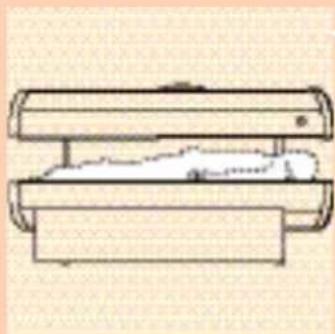
natural_image
Simple line drawing of a mechanical component with no text or symbolsSolariu
natural_image
Diagram of a mechanical joint or bracket with an orange arrow indicating direction (no text or symbols present)natural_image
Diagram of a mechanical device with orange arrows indicating motion or force direction (no text or symbols)natural_image
Illustration of a person using a computer with an orange diagonal line overlay (no text or symbols)natural_image
Illustration of a mechanical component emitting exhaust fan, with an orange arrow indicating direction (no text or symbols)natural_image
Illustration of a hand using a tool to adjust or install a component, with orange arrows indicating downward motion (no text or symbols)natural_image
Illustration of a hand holding a plug connecting two electrical outlets with three switches (no text or symbols)natural_image
Diagram of a mechanical component with an orange arrow indicating direction (no text or symbols)natural_image
Illustration of a person sitting on a curved platform or structure (no text or symbols visible)natural_image
Illustration of a person holding a curved object with an orange arrow indicating motion (no text or symbols)
natural_image
Diagram of a mechanical assembly with a magnified inset showing internal components (no text or labels)natural_image
Illustration of a person operating a mechanical device with an inset showing the same operation (no text or symbols visible)
natural_image
Diagram of a mechanical device with arrows indicating motion or force direction (no text or symbols)natural_image
Diagram of a mechanical assembly with orange cross symbols indicating no text or labels (no readable text or symbols)natural_image
Diagram of a curved mechanical component with orange arrows indicating force or movement (no text or symbols)natural_image
Diagram showing a mechanical or structural component with an inset magnified view of a detail (no text or symbols)natural_image
Illustration of a train on a platform with two orange flame indicators (no text or symbols)
natural_image
Illustration of a person using a fan blade to lift a high-speed air conditioner (no text or symbols visible)
natural_image
Illustration of a person using a computer to interact with a large screen (no text or symbols visible)
natural_image
Illustration of a mechanical device with an inset showing a cable or wire connection (no text or symbols present)
natural_image
Illustration of a person using a smartphone to interact with a wall-mounted device (no text or symbols visible)natural_image
Diagram of a mechanical joint or bracket with an orange arrow indicating direction (no text or symbols present)
natural_image
Simple line drawing of a cylindrical device with a horizontal base and a flat top, no text or symbols present.

natural_image
Diagram of a mechanical assembly with a labeled component 'e0' and no visible text or symbols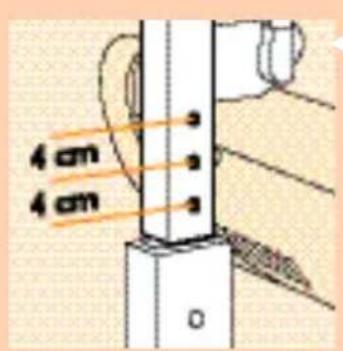
natural_image
Diagram of a mechanical device with orange arrows indicating motion or force direction (no text or symbols)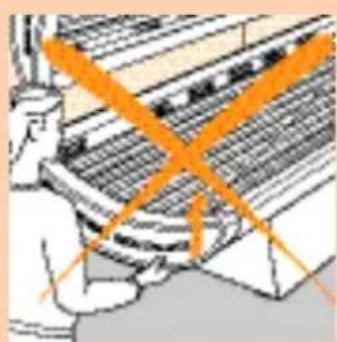
natural_image
Illustration of a person using a computer with an orange diagonal line overlay (no text or symbols)
natural_image
Diagram of a car interior with lane markings and hand positioning (no text or symbols)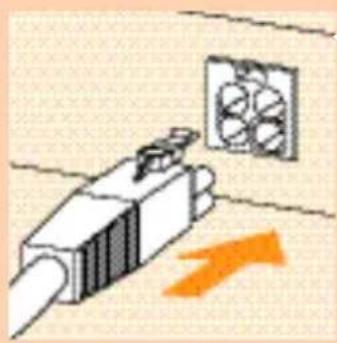
natural_image
Illustration of a cable connector emitting a fan or fan device with an orange arrow indicating direction (no text or symbols)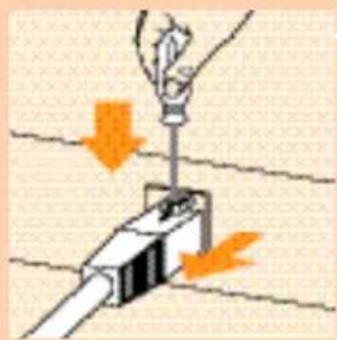
natural_image
Illustration of a hand using a tool to lift a component, with orange arrows indicating downward motion (no text or symbols)natural_image
Illustration of a hand using a tool to connect two electrical socket plugs (no text or symbols present)natural_image
Diagram of a mechanical component with an orange arrow indicating rotation or movement (no text or symbols present)natural_image
Illustration of a person lying inside a curved, mesh-like structure (no text or symbols)natural_image
Illustration of a hand pressing down on a curved object with an orange arrow indicating downward motion (no text or symbols)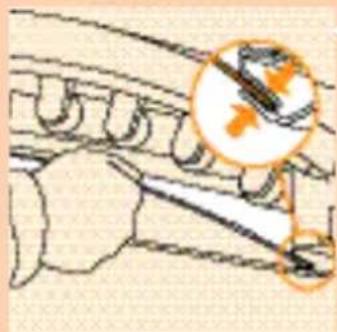
natural_image
Illustration of a mechanical component with a magnified inset showing internal components (no text or symbols)natural_image
Illustration of a person operating a washing machine with a magnified inset showing the device (no text or symbols visible)
natural_image
Diagram of a mechanical assembly with arrows indicating force or movement (no text or symbols present)
natural_image
Diagram of mechanical assembly with orange cross symbols indicating force or movement (no text or labels)natural_image
Diagram of a curved mechanical component with orange arrows indicating direction (no text or symbols)natural_image
Diagram showing a mechanical joint or bracket with an inset magnified detail (no text or symbols)natural_image
Simple line drawing of a train on a platform with two orange flame indicators (no text or symbols)natural_image
Illustration of a person using a fan to lift a high-speed air conditioner (no text or symbols visible)natural_image
Illustration of a person cleaning a large wall with a downward arrow (no text or symbols)natural_image
Diagram of a mechanical device with an inset showing a cable or wire connection (no text or symbols present)natural_image
Illustration of a person using a computer to interact with a large screen (no text or symbols visible)natural_image
Diagram of a mechanical assembly with an orange arrow indicating downward motion (no text or symbols present)natural_image
Simple line drawing of a mechanical component with no text or symbolsnatural_image
Diagram of a mechanical joint or bracket with an orange arrow indicating direction (no text or symbols present)

natural_image
Diagram of a mechanical device with orange arrows indicating motion or force direction (no text or symbols)
natural_image
Illustration of a person using a computer to interact with a keyboard (no text or symbols visible)natural_image
Illustration of a mechanical component with an air vent and orange directional arrow (no text or symbols)natural_image
Diagram showing a hand holding a light bulb above a pipe with orange arrows indicating downward motion (no text or symbols)natural_image
Hand holding a plug connecting two electrical outlets (no text or symbols visible)natural_image
Diagram of a mechanical component with an orange arrow indicating direction (no text or symbols)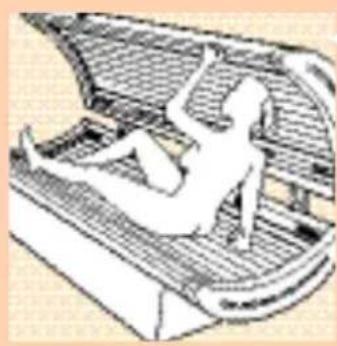
natural_image
Illustration of a person sitting on a curved platform with mesh patterns (no text or symbols)
natural_image
Illustration of a person holding a curved object with an orange arrow indicating motion (no text or symbols)3 Posuňte solárium dozadu.

natural_image
Illustration of a mechanical component with a magnified inset showing a circular detail (no text or symbols)natural_image
Illustration of a person working on a large cylindrical object with an orange ring, next to a device panel (no visible text or symbols)
natural_image
Diagram of a mechanical assembly with arrows indicating force or movement (no text or symbols present)natural_image
Diagram of a mechanical assembly with orange cross symbols indicating force or movement (no text or labels)natural_image
Diagram of a curved mechanical component with orange arrows indicating force or movement (no text or symbols)natural_image
Diagram showing a mechanical or structural component with an inset magnified view of a detail (no text or symbols)natural_image
Simple line drawing of a train on a platform with two orange flame symbols above it (no text or labels)natural_image
Illustration of a person using a coiled air conditioner unit (no text or symbols visible)natural_image
Illustration of a person using a large fan to press down a wall, with an orange arrow indicating downward motion (no text or symbols)Szolárium
natural_image
Illustration of a mechanical device with an inset showing a U-shaped component (no text or symbols)natural_image
Illustration of a person using a fan to clean or install a large fan (no text or symbols visible)natural_image
Diagram showing a mechanical joint or bracket with an orange arrow indicating downward motion (no text or symbols present)
natural_image
Simple line drawing of a mechanical device with two cylindrical components and a car on top (no text or symbols)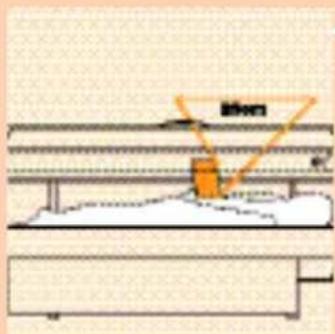

natural_image
Diagram of a mechanical joint or bracket with an orange arrow indicating direction (no text or symbols present)
natural_image
Diagram of a cylindrical tank with orange arrows indicating flow or movement, no text or symbols presentnatural_image
Illustration of a person using a computer with two orange diagonal lines intersecting on the screen (no text or symbols)natural_image
Diagram of a telephone handset with a hand pointing to the screen (no text or symbols present)natural_image
Illustration of a mechanical component with an air fan and orange directional arrow (no text or symbols)natural_image
Diagram showing a hand holding a light bulb above a mechanical component with orange arrows indicating downward motion (no text or symbols)
natural_image
Hand holding a plug inserted into an electrical socket with three circular holes (no text or symbols visible)natural_image
Diagram of a mechanical component with an orange arrow indicating direction (no text or symbols present)natural_image
Illustration of a person sitting inside a curved mechanical structure (no text or symbols)natural_image
Illustration of a hand pressing down on a curved object with an orange arrow indicating downward motion (no text or symbols)Tisztítás
natural_image
Diagram of a mechanical or structural assembly with no visible text, numbers, or symbolsnatural_image
Illustration of a person working on a large cylindrical object with an orange ring, next to a curved panel (no text or symbols visible)natural_image
Diagram of a mechanical device with arrows indicating motion or force direction (no text or symbols)natural_image
Diagram of a mechanical assembly with orange cross symbols indicating no text or labels (no readable text or symbols)natural_image
Diagram of a curved mechanical component with orange arrows indicating direction (no text or symbols)natural_image
Diagram showing a mechanical or electrical component with an inset close-up of a tool tip (no text or symbols present)natural_image
Simple line drawing of a train on a platform with two orange flame symbols above the block (no text or labels)8 Panel pripevnite ku nohám rámu.
natural_image
Illustration of a person using a large fan to lift a high-speed train (no text or symbols visible)9_ôžko na opal'ovanie zodvihnite a postavte na nohy.
natural_image
Illustration of a person using a large fan to interact with a wall-mounted device, with an orange arrow indicating direction (no text or symbols present)Solárium
natural_image
Illustration of a mechanical device with a close-up inset showing a component (no text or symbols)2 K tyčiam pripevnite pružiny.
natural_image
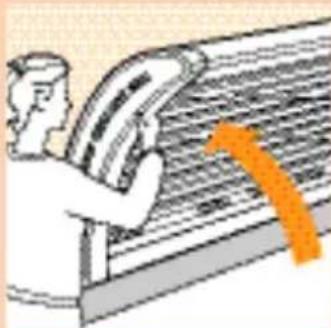
Illustration of a person using a large fan on a striped conveyor belt, with an orange arrow indicating direction (no text or symbols)3 Zodvihnite solárium z povrchu stola.
natural_image
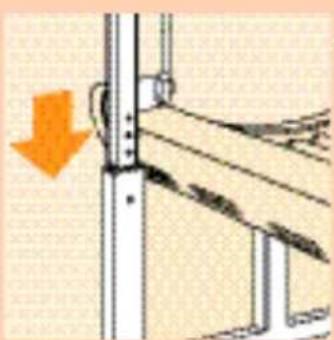
Diagram of a mechanical joint or bracket with an orange arrow indicating force direction (no text or symbols present)
natural_image
Simple line drawing of a mechanical component with no text or symbols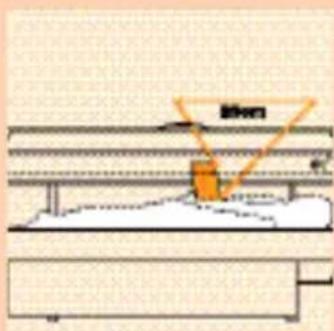

natural_image
Pure mechanical diagram showing a lever mechanism with no text or symbols
4 Zasuňte tyče do stojanov.
5 L'ahnite si na opal'ovacie lôžko.
natural_image
Diagram of a mechanical device with orange arrows indicating motion or force direction (no text or symbols)natural_image
Illustration of a person using a large indoor air conditioner with orange diagonal lines (no text or symbols)natural_image
Diagram of a car's front and side views showing lane markings and structural lines (no text or symbols)natural_image
Illustration of a mechanical component with an air vent and an orange arrow indicating direction (no text or symbols)natural_image
Illustration of a hand using a tool to lift a component, with orange arrows indicating downward motion (no text or symbols)12 Ak chcete odpojit'.

natural_image
Illustration of a hand connecting two electrical outlets to a plug, with an orange arrow indicating power input (no text or symbols present)natural_image
Diagram of a mechanical component with an orange arrow indicating direction (no text or symbols present)3 Zatlačte solárium dozadu.
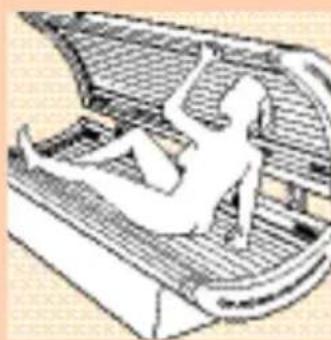
natural_image
Illustration of a person sitting on a curved platform with mesh insulation (no text or symbols)4 Tak, aby ste si mohli bez problémov l'ahnút' na opal'ovacie lôžko.
Model HB558: Všimnite si prosím informácie o možnosti opalovania pokožky tváre.

natural_image
Illustration of a person holding a curved object with an orange arrow indicating downward motion (no text or symbols)
natural_image
Illustration of a mechanical component with a magnified inset showing a tool interacting with a gear (no text or symbols)natural_image
Illustration of a person operating a large electronic device with a magnified inset showing the device (no text or symbols visible)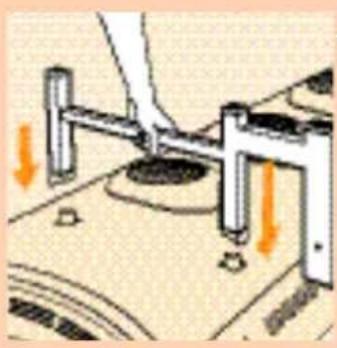
natural_image
Diagram of a mechanical device with arrows indicating force or movement (no text or symbols present)natural_image
Diagram of a mechanical device with orange X-shaped components and directional arrows indicating motion (no text or symbols)natural_image
Diagram of a curved mechanical component with orange arrows indicating direction (no text or symbols)natural_image
Diagram showing a mechanical or structural component with an inset magnified view of a detail (no text or symbols)natural_image
Simple line drawing of a train on a platform with two orange flame indicators (no text or symbols)natural_image
Illustration of a person using a large bundle of wires to interact with a high-speed rail (no text or symbols visible)natural_image
Illustration of a person using a fan to press down a large fan (no text or symbols visible)Солярій
natural_image
Diagram of a mechanical device with an inset showing a U-shaped component and a curved arrow indicating rotation (no text or symbols)natural_image
Illustration of a person using a smartphone to interact with a large screen (no text or symbols visible)natural_image
Diagram of a mechanical joint or bracket with an orange arrow indicating direction (no text or symbols present)natural_image
Simple line drawing of a mechanical device with two cylindrical components and a central body (no text or symbols)5 Лягте на кушетку

natural_image
Pure mechanical diagram showing a lever mechanism with no text or symbolsnatural_image
Diagram of a mechanical assembly with orange arrows indicating motion or force direction (no text or symbols)natural_image
Illustration of a person using a large indoor air conditioner with orange diagonal lines indicating cooling or heating conditions (no text or symbols)natural_image
Illustration of a device emitting a fan or fan-shaped component with an orange arrow indicating direction (no text or symbols)natural_image
Illustration of a hand using a tool to lift a component, with orange arrows indicating downward motion (no text or symbols)12 Аби роз'єднати.

natural_image
Hand holding a plug inserted into an electrical socket socket (no text or symbols visible)natural_image
Diagram of a mechanical component with an orange arrow indicating rotation or movement (no text or symbols present)natural_image
Illustration of a person lying inside a curved mechanical structure (no text or symbols)natural_image
Illustration of a hand pressing down on a curved object with an orange arrow indicating downward motion (no text or symbols)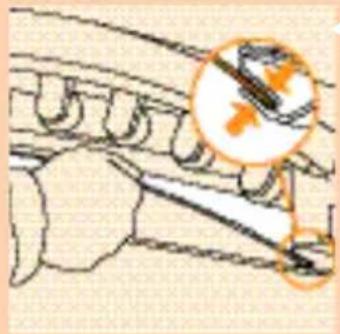
natural_image
Illustration of a mechanical component with a magnified inset showing internal components (no text or symbols)natural_image
Illustration of a person working on a large industrial machine with a magnified inset showing the internal components (no text or symbols visible)
natural_image
Diagram of a mechanical device with arrows indicating force or movement (no text or symbols present)
natural_image
Diagram of a mechanical assembly with orange cross-shaped components and directional arrows (no text or symbols)

natural_image
Diagram of a curved mechanical component with orange arrows indicating direction (no text or symbols)natural_image
Diagram showing a mechanical or electrical component with an inset magnified view of a tool or tool (no text or symbols present)7 Provucite prednju ploču iza rubova ležaljke i vanjskog ruba solarija.
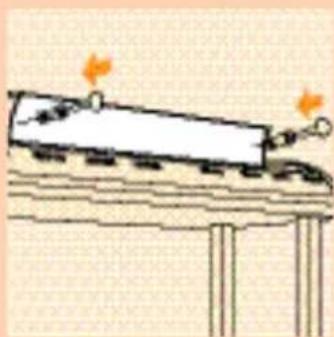
natural_image
Simple line drawing of a train on a platform with two orange arrows indicating motion (no text or symbols)8 Pričvrstite ploču na nožice okvira.

natural_image
Illustration of a person using a fan to filter or adjust the air conditioner panel (no text or symbols visible)9 Podignite ležaljku i stavite je na nožice.

natural_image
Illustration of a person using a large fan to interact with a wall-mounted device, with an orange curved arrow indicating motion (no text or symbols present)Solarij
I Uz pomoć još jedne osobe položite solarij na stol s cijevima okrenutim prema dolje.
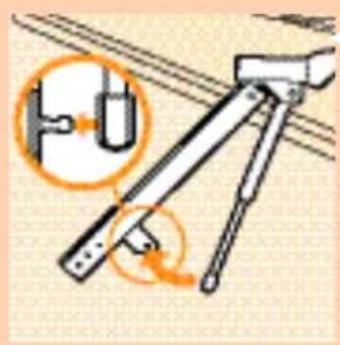
natural_image
Diagram of a mechanical device with an inset showing a pipe connection and a curved arrow indicating rotation (no text or symbols present)natural_image
Illustration of a person using a fan to interact with a large screen (no text or symbols visible)3 Odignite solarij sa stola.

natural_image
Diagram of a mechanical joint or bracket with an orange arrow indicating downward motion (no text or symbols present)natural_image
Simple line drawing of a mechanical device with two stacked plates and a car on one side (no text or symbols)natural_image
Diagram of a mechanical joint or bracket with an orange arrow indicating direction (no text or symbols present)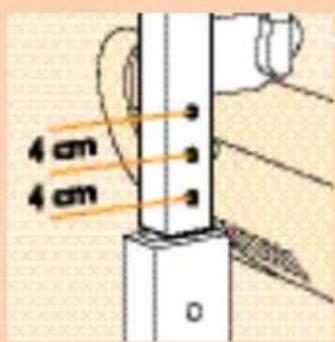

natural_image
Diagram of a mechanical device with orange arrows indicating motion or force direction (no text or symbols)
natural_image
Illustration of a person using a large industrial machine with orange diagonal lines indicating overhead or control (no text or symbols)
natural_image
Diagram of a car's front and side views showing lane markings (no text or symbols)natural_image
Illustration of a mechanical component with an air fan and orange directional arrow (no text or symbols)natural_image
Diagram showing a hand holding a light bulb above a conductor with orange arrows indicating force direction (no text or symbols)12 Za odspajanje.
natural_image
Hand inserting a plug into an electrical socket with two smiling dots (no text or symbols)13 Utaknite mrežni kabel u zidnu utičnicu.
Uporaba
I Podesite vrijeme sunčanja na timeru (Pogledajte tablicu u ovim uputama i vlastite zabilješke.).
natural_image
Diagram of a mechanical component with an orange arrow indicating direction (no text or symbols)3 Potisnite solarij prema natrag.

natural_image
Illustration of a person sitting inside a vehicle or platform structure (no text or symbols visible)
natural_image
Illustration of a person's foot pressing down on a curved object with an orange arrow indicating downward motion (no text or symbols)
natural_image
Illustration of a mechanical component with a magnified inset showing a gear or tool interacting with a surface (no text or symbols)3 U potpunosti izvucite zaštitnu ploču.
Nakon toga cijevi i starteri postaju dostupni.
4 Malo zakrenite cijevi ulijevo ili udesno.
5 Kad se oslobode, izvadite ih iz držača.
6 Lagano zakrenite startere ulijevo i izvucite ih. (Sa svake strane solarija je jednaki broj startera.)
7 Nove cijevi i startere stavite u obrnutom slijedu.
8 Vratite zaštitnu ploču u okvir.
natural_image
Diagram showing a mechanical or electrical component with an inset magnified view of a detail (no text or symbols)natural_image
Simple line drawing of a train on a platform with two orange arrows indicating motion (no text or symbols)8 Kinnitage paneel raami jalgadele.

natural_image
Illustration of a person using a refrigerator (no text or symbols visible)natural_image
Illustration of a person using a large fan to interact with a machine (no text or symbols visible)Solaarium
natural_image
Illustration of a mechanical device with a close-up inset showing a lever mechanism (no text or symbols)2 Kinnitage gaasvedrud varrastele.

natural_image
Illustration of a person using a handheld device to interact with a large screen (no text or symbols visible)3 Tõstke solaarium laualt maha.

natural_image
Diagram of a mechanical joint or bracket with an orange arrow indicating force direction (no text or symbols present)4 Pange vardad statiividesse.
natural_image
Simple line drawing of a mechanical device with two cylindrical components and a flat base (no text or symbols)natural_image
Diagram of a hand holding a vertical pole with a highlighted orange arrow and label 'e0' (no text or symbols beyond basic lines)natural_image
Diagram of a mechanical device with orange arrows indicating motion or force direction (no text or symbols)
natural_image
Illustration of a person using a large air conditioner with orange diagonal lines indicating cooling or heating zones (no text or symbols)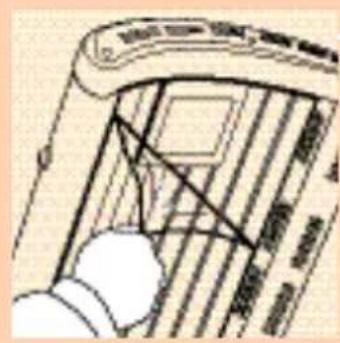
natural_image
Diagram of a hand holding a device with a grid pattern and connecting lines (no text or symbols)
natural_image
Illustration of a connector with a fan mounted on its side, showing an orange arrow pointing to it (no text or symbols present)8 Aukudevaheline kaugus on 4 cm.
natural_image
Illustration of a hand holding a light bulb above a plug, with orange arrows indicating direction (no text or symbols)12 Lahti võtta.

natural_image
Hand inserting a plug into an electrical socket with three smiling switches (no text or symbols)natural_image
Diagram of a mechanical component with an orange arrow indicating rotation or movement (no text or symbols present)natural_image
Illustration of a person sitting inside a vehicle or ship hull (no text or symbols visible)natural_image
Illustration of a person holding a curved object with an orange arrow indicating motion (no text or symbols)
natural_image
Illustration of a mechanical component with a magnified inset showing a tool interacting with a gear (no text or symbols)natural_image
Illustration of a person operating a large industrial machine (no visible text or symbols)
natural_image
Diagram of a mechanical device with arrows indicating force or movement (no text or symbols present)
natural_image
Diagram of mechanical assembly with orange cross symbols indicating crossed components (no text or labels)
natural_image
Diagram of a curved mechanical component with orange arrows indicating motion or force direction (no text or symbols)natural_image
Diagram showing a mechanical or electrical component with an inset magnified view of a detail (no text or symbols)natural_image
Simple line drawing of a train on a platform with two orange arrows indicating motion (no text or symbols)natural_image
Illustration of a person using a fan blade to lift a high-speed air conditioner (no text or symbols visible)natural_image
Illustration of a person using a large fan on a wall, with an orange curved arrow indicating direction (no text or symbols)Solārijs
natural_image
Illustration of a tripod-mounted device with an orange magnified inset showing internal components (no text or symbols)natural_image
Illustration of a person using a curved tool to interact with a large screen (no text or symbols visible)natural_image
Diagram of a mechanical assembly with an orange arrow indicating a downward motion (no text or symbols present)natural_image
Simple line drawing of a mechanical device with two stacked plates (no text or symbols)5 Apgulieties uz solārija pamata.

natural_image
Diagram of a hand holding a vertical pole with a force arrow and label 'w0' (no text or symbols beyond basic lines)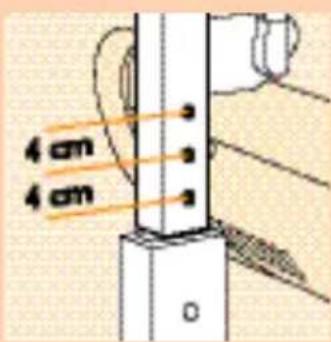

natural_image
Diagram of a cylindrical tank with an attached rod and orange arrows indicating flow or movement (no text or symbols)
natural_image
Illustration of a person using a computer with an orange X-axis overlay (no text or symbols)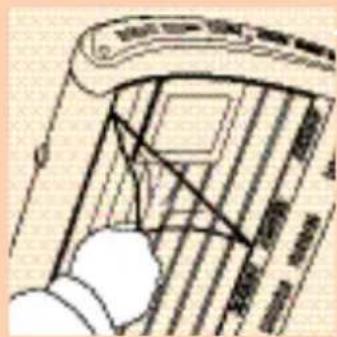
natural_image
Diagram of a telephone handset with a hand pointing to the screen (no text or symbols present)natural_image
Illustration of a mechanical component with an air fan and orange directional arrow (no text or symbols)natural_image
Diagram showing a hand holding a light bulb above a mechanical component with orange arrows indicating downward motion (no text or symbols)12 Atvienot.
natural_image
Hand holding a plug inserted into an electrical socket with two circular holes, showing an orange arrow indicating direction (no text or symbols)13 lespraudiet elektrovada kontaktspraudni elektrotikla sienas kontaktrozetē.
Solārija lietošana
natural_image
Diagram of a mechanical component with an orange arrow indicating rotation or movement (no text or symbols present)natural_image
Illustration of a person lying inside a vehicle chassis (no text or symbols visible)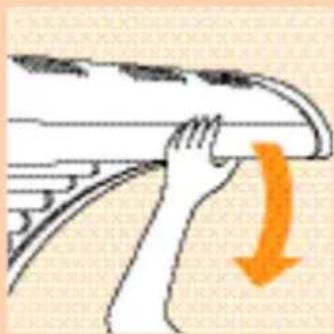
natural_image
Illustration of a hand pressing down on a curved object with an orange arrow indicating downward motion (no text or symbols)
natural_image
Diagram of a mechanical assembly with a magnified inset showing a component detail (no text or labels)natural_image
Illustration of a person operating a large industrial machine (no visible text or symbols)natural_image
Diagram of a mechanical device with arrows indicating force or movement (no text or symbols present)natural_image
Diagram of a mechanical assembly with orange cross symbols indicating crossed or perpendicular components (no text or labels)natural_image
Diagram of a bridge over water with two circular annotations highlighting structural elements (no text or symbols present)
natural_image
Diagram of a curved mechanical component with orange arrows indicating direction (no text or symbols)natural_image
Diagram showing a mechanical joint or bracket with an inset close-up of a detail (no text or symbols present)natural_image
Simple line drawing of a train on a platform with two orange flame symbols above it (no text or labels)8 Pritvirtinkite paneli prie remo kojeliu.

natural_image
Illustration of a person using a large fan on an air conditioner rack (no text or symbols visible)natural_image
Illustration of a person using a fan to clean air panels, with an orange arrow indicating the direction (no text or symbols present)Soliariumas
natural_image
Illustration of a mechanical device with an inset showing a cable or wire connection (no text or symbols)natural_image
Illustration of a person using a computer to interact with a large screen (no text or symbols visible)natural_image
Diagram of a mechanical joint or bracket with an orange arrow indicating downward motion (no text or symbols present)natural_image
Simple line drawing of a mechanical device with two stacked plates and a central component (no text or symbols)natural_image
Diagram of a mechanical joint or bracket with an orange arrow labeled 'v0' pointing to a specific feature (no text or symbols beyond the label)natural_image
Diagram of a mechanical device with orange arrows indicating motion or force direction (no text or symbols)natural_image
Illustration of a person using a large industrial machine with orange diagonal lines indicating overhead control (no text or symbols)natural_image
Diagram of a car interior with lane markings and hand positioning (no text or symbols)natural_image
Illustration of a mechanical component with an air fan and orange directional arrow (no text or symbols)II Prijunkite sujungimo laidą prie soliariumo.

natural_image
Diagram showing a hand holding a light bulb above a mechanical component with orange arrows indicating downward motion (no text or symbols)12 lšjungimas

natural_image
Hand inserting a plug into an electrical socket with two smiling dots (no text or symbols)natural_image
Diagram of a mechanical component with an orange arrow indicating direction (no text or symbols)3 Atstumkite soliariuma.

natural_image
Illustration of a person lying inside a vehicle or platform structure (no text or symbols visible)
natural_image
Illustration of a person pressing down on a curved object with an orange arrow indicating motion (no text or symbols)natural_image
Diagram of a car's front wheel and side arm with directional arrows indicating motion (no text or symbols)
natural_image
Illustration of a mechanical component with a magnified inset showing a tool interacting with a gear (no text or symbols)natural_image
Illustration of a person operating a washing machine with a magnified inset showing the device (no text or symbols visible)
natural_image
Diagram of a mechanical assembly with arrows indicating force or movement (no text or symbols present)
natural_image
Diagram of a mechanical assembly with orange cross symbols indicating force or movement (no text or labels)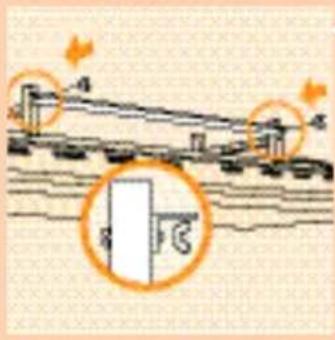
natural_image
Diagram of a curved mechanical component with orange arrows indicating direction (no text or symbols)natural_image
Diagram showing a mechanical joint or bracket with an inset magnified detail (no text or symbols)7 Potisnite prednjo ploščo za robove postelje in okvirja.
natural_image
Simple line drawing of a train on a platform with two orange arrows indicating motion (no text or symbols)natural_image
Illustration of a person using a fan blade to lift a high-speed train (no text or symbols visible)9 Dvignite solarij in ga postavite na noge.

natural_image
Illustration of a person using a newspaper to press down a large sheet of paper, with an orange curved arrow indicating downward motion (no text or symbols present)Solarij
natural_image
Illustration of a mechanical device with an inset showing a vertical pipe connection (no text or symbols)2 Pritrdite dve plinski vzmeti na drogova.
natural_image
Illustration of a person using a handheld device to interact with a large screen (no text or symbols visible)3 Dvignite solarij z mize.

natural_image
Diagram of a mechanical joint or bracket with an orange arrow indicating a downward force (no text or symbols present)4 Vstavite drogova v stojala.
natural_image
Simple line drawing of two stacked cylindrical objects with a dotted-line element on one (no text or symbols)natural_image
Pure mechanical diagram showing a vertical rod with a highlighted section and an orange arrow labeled 'e0' (no text or symbols beyond basic lines)

natural_image
Diagram of a cylindrical tank with internal components and orange arrows indicating flow or movement (no text or symbols)
natural_image
Illustration of a person using a solar panel to interact with a grid of panels, no text or symbols presentnatural_image
Illustration of a mechanical component emitting a fan or fan device, with an orange arrow indicating direction (no text or symbols present)II Priključite priključno vrvico na solarij.

natural_image
Illustration of a hand using a tool to lift a component, with orange arrows indicating downward motion (no text or symbols)12 Odklop.

natural_image
Hand holding a plug connecting two electrical outlets (no text or symbols visible)13 Vstavite vtikač omrežnega kabla v omrežno vtičnico.
natural_image
Diagram of a mechanical component with an orange arrow indicating rotation or movement (no text or symbols present)3 Potisnite solarij nazaj.
natural_image
Illustration of a person sitting inside a vehicle chassis (no text or symbols visible)natural_image
Illustration of a person's foot pressing down on a curved object with an orange arrow indicating downward motion (no text or symbols)
natural_image
Illustration of a mechanical component with a magnified inset showing a tool interacting with a gear (no text or symbols)
- Important
- The Sun
- UV-A, UV-B and UV-C
- The Combi solarium
- UV and your health
- UV sessions: how often? And how long?
- Example
- General description
- Making the Combi solarium ready for use
- Sun couch
- Solarium
- How to use
- Cleaning
- Replacing the tube lamps and/or starters
- Information & service
- Troubleshooting guide
- Ważne
- Solariu
- Szolárium
- Tisztítás
- Solárium
- Солярій
- Solarij
- Uporaba
- Solaarium
- Aukudevaheline kaugus on 4 cm.
- Solārijs
- Solārija lietošana
- Soliariumas
Brand : PHILIPS
Model : HB 557
Category : Solar bench