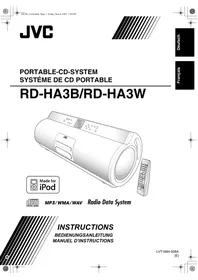
JVC RD-HA3E - Bluetooth speaker

RD-HA3E - Bluetooth speaker JVC - Free user manual and instructions

Find the device manual for free RD-HA3E JVC in PDF.
📄 60 pages English EN Download 💬 AI Question 10 questions ⚙️ Specs
Notice JVC RD-HA3E - page 58
View the manual : Français FR Deutsch DE English EN
Pick your language and provide your email: we'll send you a specifically translated version.
Product type Hi-fi system with CD player, FM/AM tuner, USB, iPod and audio input
Dimensions (L × H × P) 630 mm × 223 mm × 205 mm
Weight (without batteries) 7.7 kg
Weight (with batteries) 8.9 kg
Power supply AC mains adapter 230 V ~ 50 Hz (AA-R1802) or 10 R20/D batteries (15 V DC)
Power consumption 23 W during operation, 0.9 W on standby
Output power 10 W (5 W + 5 W) at 4 Ω (high fidelity), 30 W (15 W + 15 W) at 4 Ω (subwoofer)
Speakers High fidelity: 8 cm × 2, 4 Ω; Subwoofer: 13 cm × 2, 4 Ω
FM tuner 87.50 MHz – 108.00 MHz
AM tuner 522 kHz – 1 629 kHz
Connectivity USB 2.0 Full Speed (max 500 mA), iPod (via dedicated cable), LINE IN input, LINE OUT output, headphone jack
Disc player CD/CD-R/CD-RW (CD-DA/MP3/WMA/WAV), DVD-R/-RW (MP3/WMA/WAV)
Supported audio formats MP3, WMA, WAV (CD and USB)
Display Backlit display with brightness and character size adjustment
Clock and timer Built-in clock, daily timer, sleep timer
Radio Data System (RDS) Yes (PS, PTY, RT, Enhanced Other Networks)
Included accessories AM loop antenna, remote control, power cord, mains adapter, iPod cable, iPod dock, ferrite core
Maintenance Clean with a soft, slightly damp cloth (diluted neutral detergent). Do not use solvents.
Safety Do not open the casing. Use only the provided adapter. Do not expose to moisture.
Memory backup batteries 2 R20/D batteries (not included) to retain presets and clock in case of power outage

Frequently Asked Questions - RD-HA3E JVC

How to set the clock on the device?
Press the CLOCK/TIMER button to enter clock setting mode. Use the ◀/▶ buttons or the numeric keys to set the hours, then the minutes. Confirm with SET.
How to listen to FM/AM radio?
Press FM/AM to select the band. Use the UP TUNING / DOWN TUNING buttons to search for stations manually or automatically. To memorize a station, press PROGRAM then choose a preset number.
How to use the daily timer to wake up?
Make sure the clock is set. Press CLOCK/TIMER several times until DAILY appears. Set the start and stop time, choose the source (FM, AM, CD, USB, iPod) and volume. Press SET to confirm. The device must be in standby for the timer to work.
How to connect and listen to an iPod?
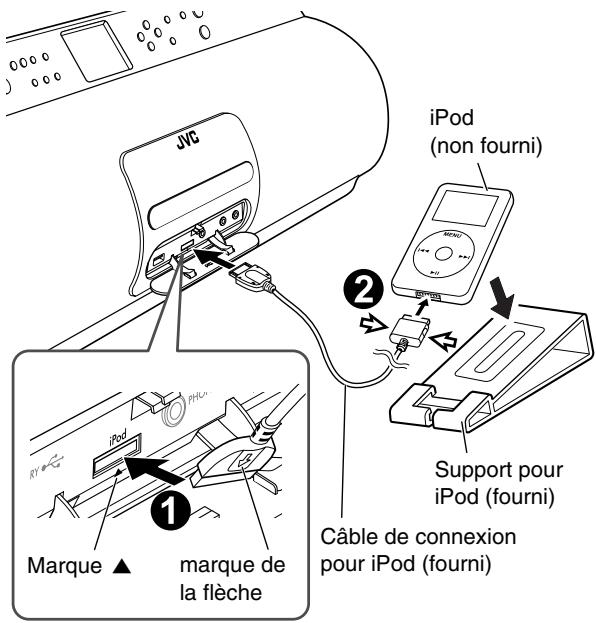
Attach the provided iPod dock on top of the device. Connect your iPod via the provided cable. Press iPod to select the source. Use the device buttons or remote control to control playback. The iPod battery charges automatically.
How to program the playback order of a CD?
Insert a CD and stop playback. Press PROGRAM. Use the numeric keys to enter the desired track numbers (up to 99). Press CD ▶/■ to start programmed playback. To clear the program, press CANCEL.
What to do if the device does not turn on?
Check that the power cord is properly plugged in. If using batteries, ensure they are inserted correctly and not depleted. In case of microprocessor malfunction, unplug the power cord for a few minutes, then plug it back in.
How to clean the device?
Use a soft, dry cloth for light cleaning. For stubborn dirt, lightly dampen the cloth with a diluted neutral detergent solution, wipe, then dry with a dry cloth. Never use solvents such as thinner or benzine.
How to improve FM reception?
Fully extend the FM telescopic antenna. For better reception, connect an external FM antenna with a 75 Ω coaxial connector (IEC or DIN45325). Keep the antenna away from power cords and metal surfaces.
Can I use the device only with batteries?
Yes, you can power the device with 10 R20/D batteries (not included). Insert them into the battery compartment. When the battery voltage becomes low, the display shows LOW BATTERY. Note that the QP Link function does not work on batteries and the daily timer is disabled.
How to play MP3 files from a USB flash drive?
Plug a USB flash drive into the USB MEMORY port (connector at the back). Press USB MEMORY to select the source. Use the navigation buttons to select tracks. The device supports MP3, WMA, and WAV files. Random playback and repeat are available.

User questions about RD-HA3E JVC

0 question about this device. Answer the ones you know or ask your own.

Ask a new question about this device

The email remains private: it is only used to notify you if someone responds to your question.

No questions yet. Be the first to ask one.

Download the instructions for your Bluetooth speaker in PDF format for free! Find your manual RD-HA3E - JVC and take your electronic device back in hand. On this page are published all the documents necessary for the use of your device. RD-HA3E by JVC.

USER MANUAL RD-HA3E JVC

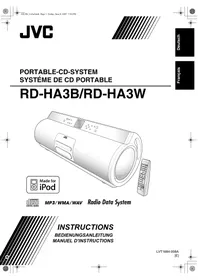
natural_image Line drawing of a JVC air purifier with control panel and remote control (no text or symbols on the device itself)

JVC RD-HA3E - 1

MP3/WMA/WAV Radio Data System

INSTRUCTIONS

natural_image Pure electrical circuit lines without any symbols

Hinweis:

natural_image Pure electrical circuit lines without any symbols

Attention:

natural_image Line drawing of hands operating a portable electronic device with a lid (no text or symbols)

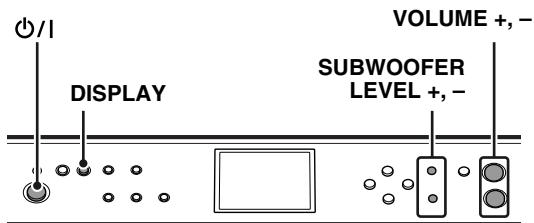
VOLUME +, - DISPLAY SUBWOOFER LEVEL +, -

JVC

Hauptgerät:

JVC RD-HA3E - 4

flowchart
graph TD
    A["Hand with 'FM/AM' at center"] --> B["→ FM"]
    A --> C["→ AM"]
    B <--> C

JVC

flowchart
graph TD
    A["PRESET DOWN"] --> B["Control Panel"]
    C["PRESET UP"] --> D["Control Panel"]

JVC

Hauptgerät

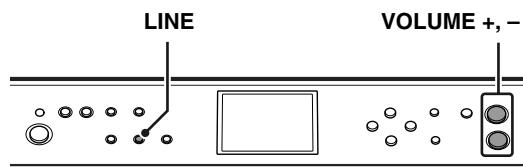
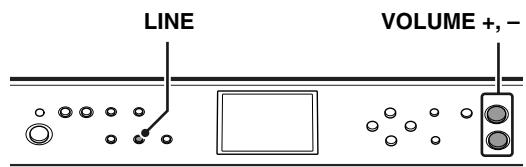
LINE VOLUME +,-

JVC

flowchart
graph TD
    A["QP LINK"] --> B["QP: LEVEL1"]
    A --> C["QP: LEVEL2"]

DC 18 V (EXTERNAL DC IN)

DC 3 V (“R6 (Mignon)/AA (15F)”

natural_image Line drawing of hands operating a cylindrical device with a lid, no text or symbols present

R20/D (13F) (non fourni)

Opérations de base

Télécommande
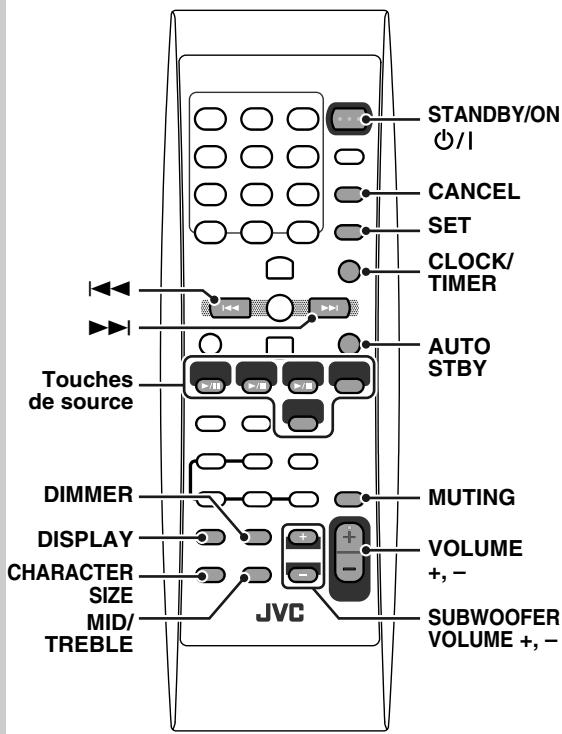
STANDBY/ON ○/I CANCEL SET CLOCK/ TIMER AUTO STBY Touches de source DIMMER DISPLAY CHARACTER SIZE MID/ TREBLE JVC MUTING VOLUME +, - SUBWOOFER VOLUME +,-

Appareil

VOLUME +, - DISPLAY SUBWOOFER LEVEL +, -

JVC

Appareil:

JVC RD-HA3E - Opérations de base - 4

flowchart
graph TD
    A["Hand with 'FM/AM' at center"] --> B["→ FM"]
    A --> C["→ AM"]
    B <--> C

JVC

JVC

flowchart
graph TD
    A["STOP"] --> B["iPod CHARGE ON"]
    B --> C{ON OFF}
    C --> D["STOP"]

Connexion de iPod

SET LINE QP LINK VOLUME +,- JVC

Appareil

LINE VOLUME +, -

JVC

flowchart
graph TD
    A["SET"] --> B["LEVEL 1"]
    A --> C["LEVEL 3"]
    C --> D["LEVEL 2"]
    D --> E["LEVEL 3"]
flowchart
graph TD
    A["Hand pressing QP LINK"] --> B["QP: LEVEL1"]
    A --> C["QP: LEVEL2"]
flowchart
graph LR
    A["SLEEP"] --> B["10 → 20 → 30 → 60 → 90"]
    B --> C["Annulée ← 180 ← 150 ← 120"]

CC 18 V (EXTERNAL DC IN)

CC 3 V (2 piles "R6 (SUM-3)/

Sortie CC 18 V =, 1,0 A

- Piles—R6 (SUM-3)/AA (15F) ( × 2 )

Table of contents Click a title to access it
Manual assistant
Powered by Anthropic
Waiting for your message
Product information

Brand : JVC

Model : RD-HA3E

Category : Bluetooth speaker