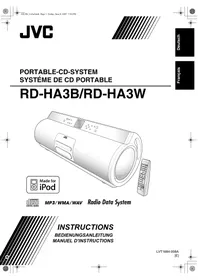
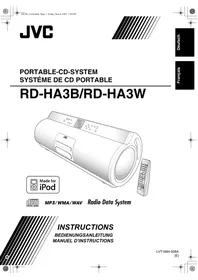
JVC RD-HA3B - Bluetooth speaker

RD-HA3B - Bluetooth speaker JVC - Free user manual and instructions

Find the device manual for free RD-HA3B JVC in PDF.
📄 60 pages English EN Download 💬 AI Question 10 questions ⚙️ Specs
Notice JVC RD-HA3B - page 58
View the manual : Français FR Deutsch DE English EN
Pick your language and provide your email: we'll send you a specifically translated version.
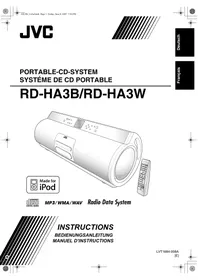
Product Type Micro hi-fi system with CD player, FM/AM tuner, USB port, iPod dock, line input
Dimensions (W x H x D) 630 x 223 x 205 mm
Weight 7.7 kg (without batteries), 8.9 kg (with batteries)
Power supply AC mains adapter 230 V, 50 Hz (DC output 18 V, 1.0 A) or 10 R20/D batteries (13F)
Power consumption 23 W operation, 0.9 W standby
Output power 10 W (5 W + 5 W) at 4 Ω (high-fidelity speakers), 30 W (15 W + 15 W) at 4 Ω (subwoofer)
Speakers 2 x 8 cm (high-fidelity), 2 x 13 cm (subwoofer)
Compatible disc types CD, CD-R, CD-RW (CD-DA/MP3/WMA/WAV), DVD-R, DVD-RW (MP3/WMA/WAV)
USB audio formats MP3, WMA, WAV (FAT16/FAT32)
Connectivity FM (87.5-108 MHz), AM (522-1629 kHz), USB type A, iPod (proprietary dock), line input (3.5 mm minijack), headphone output (minijack), line output (RCA)
Supplied accessories AM loop antenna, remote control, AA batteries (x2), power cord, mains adapter, iPod cable, iPod stand, ferrite core
Cleaning Soft dry cloth; for stains, use a cloth moistened with a diluted neutral detergent solution, then wipe with a dry cloth. Do not use thinner, benzene, or insecticides.
Safety Do not expose to rain, moisture, or splashes. Do not open the casing. Use only the supplied mains adapter. Unplug before cleaning or extended absence.
Spare parts and repairability No user-serviceable parts inside. Refer all servicing to qualified personnel.
General information Complies with European directives on electromagnetic compatibility and electrical safety. WEEE symbol present: do not dispose of with household waste.

Frequently Asked Questions - RD-HA3B JVC

How to set the clock?
Press CLOCK/TIMER until the display flashes. Use the > and < buttons to set the hours, then minutes. Confirm by pressing CLOCK/TIMER again. You can also use the numeric keys.
How to listen to FM/AM radio?
Press FM/AM to select the band. Use the > or < buttons to automatically search for stations. For manual tuning, press briefly and repeatedly. Stations can be stored as presets (30 FM, 15 AM).
How to connect an iPod?
Insert the supplied iPod cable into the dock on the front of the unit, with the arrow pointing down. Connect your iPod. Select iPod as the source. Playback starts automatically. The iPod battery charges when the unit is on or in standby.
The remote control does not work. What to do?
Check that there is no obstacle between the remote control and the sensor on the unit. Replace the batteries (AA/R6) if they are worn. If the problem persists, try resetting the unit by unplugging the power cord and then plugging it back in.
No sound from the speakers. What to check?
Make sure headphones are not connected (the PHONES jack cuts speaker sound). Check the volume level (0-35). If the source is LINE, check the input level (LEVEL 1-3). For CD/USB, ensure a disc or device is inserted and playback is not paused.
The disc does not play. Why?
Check that the disc is inserted with the label facing up. Clean the disc with a soft cloth from the center outward. Ensure the format is compatible (Audio CD, MP3, WMA, WAV). If the tray is locked, unlock it (see manual page 15).
How to use the daily timer (alarm)?
First set the clock. Press CLOCK/TIMER several times until entering timer mode. Set the on time, off time, source (FM, AM, CD, USB, iPod), and volume. Put the unit into standby. The timer works only when the unit is in standby.
How to adjust the subwoofer volume?
Use the SUB WOOFER + or - buttons on the remote control (or S.WOOFER LEVEL + and - on the unit). The level can be set from 1 to 6. This adjustment does not affect headphone sound.
The QP Link function (automatic switching to LINE) does not work.
Ensure QP Link is enabled (press QPLINK to display 'QP LINK ON'). Check that the volume of the device connected to LINE IN is high enough. If sensitivity is too high, set it to 'QP: LEVEL2' (via repeated QPLINK when LINE is the source).
How to clean the unit?
Use a soft dry cloth. For stubborn dirt, lightly moisten the cloth with a solution of water and neutral detergent, then wipe with a dry cloth. Never use thinner, benzene, alcohol, or insecticides. Be careful not to scratch the surfaces.

User questions about RD-HA3B JVC

0 question about this device. Answer the ones you know or ask your own.

Ask a new question about this device

The email remains private: it is only used to notify you if someone responds to your question.

No questions yet. Be the first to ask one.

Download the instructions for your Bluetooth speaker in PDF format for free! Find your manual RD-HA3B - JVC and take your electronic device back in hand. On this page are published all the documents necessary for the use of your device. RD-HA3B by JVC.

USER MANUAL RD-HA3B JVC

DC 18 V (EXTERNAL DC IN)

DC 3 V ("R6 (Mignon)/AA (15F)"

CC 18 V (EXTERNAL DC IN)

CC 3 V (2 piles "R6 (SUM-3)/

Table of contents Click a title to access it
Manual assistant
Powered by Anthropic
Waiting for your message
Product information

Brand : JVC

Model : RD-HA3B

Category : Bluetooth speaker