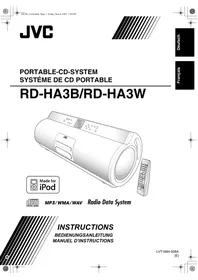
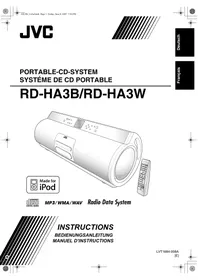
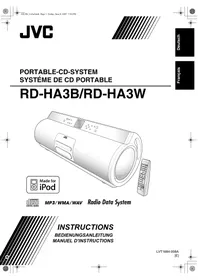
RD-HAS3B - Bluetooth speaker JVC - Free user manual and instructions
Find the device manual for free RD-HAS3B JVC in PDF.
Pick your language and provide your email: we'll send you a specifically translated version.
| Product type | Bluetooth speaker / Multimedia audio system |
| Brand | JVC |
| Model | RD-HAS3B |
| Dimensions (W x H x D) | 630 x 223 x 205 mm |
| Weight | 7.7 kg (without batteries), 8.9 kg (with batteries) |
| Power supply | Mains 230 V via AA-R1802 adapter or 10 R20/D batteries (15 V DC) |
| Power consumption | 23 W operating, 0.9 W standby |
| Total power output | 30 W (15 W + 15 W for subwoofer), 10 W (5 W + 5 W for speakers) |
| Speakers | 2 x 8 cm tweeters, 2 x 13 cm woofers |
| Tuner | FM (87.5-108 MHz) and AM (522-1629 kHz) with Radio Data System (RDS) |
| Optical disc player | CD, CD-R/RW, DVD-R/RW (MP3/WMA/WAV files) |
| USB port | USB 2.0 Full Speed, compatible with mass storage devices (MP3/WMA/WAV) |
| Connectivity | Bluetooth, line input (LINE IN), headphone output, dedicated iPod dock |
| Functions | Daily and sleep timer, programmed, random, repeat playback, QP Link, auto standby |
| Safety | Disc tray lock, overheating protection |
| Supplied accessories | Remote control, AM loop antenna, iPod cable, iPod dock, AC adapter, power cord, ferrite core |
| Care and cleaning | Clean with a soft dry cloth; do not use solvents or abrasive cleaners |
| Protection rating | Indoor use only |
Frequently Asked Questions - RD-HAS3B JVC
How to turn on the device?
Press the STANDBY/ON button on the remote control or 0/1 on the unit. The red STANDBY indicator goes off. You can also turn on the device by directly selecting a source (CD, USB, etc.).
How to set the clock?
Press CLOCK/TIMER repeatedly until the display flashes. Use the number buttons or +/- to set the hours, then minutes. Confirm by pressing CLOCK/TIMER again.
How to connect a device via Bluetooth?
Activate Bluetooth on your device (smartphone, tablet). Select 'JVC RD-HAS3B' from the list of available devices. The connection is automatic after the first pairing. The Bluetooth indicator flashes then stays solid.
What to do if the remote control does not work?
Check that batteries are installed correctly (+ and - polarities) and not depleted. Ensure no obstacles are between the remote control and the unit's sensor. Replace batteries if necessary.
How to use the daily timer to wake up?
Press CLOCK/TIMER to access timer setting. Set the on time (wake-up) and off time. Choose the source (FM, AM, CD, USB or iPod) and volume. Then put the unit into standby; the timer will activate automatically.
What types of files can be played via USB?
The unit plays MP3, WMA, and WAV files. The USB device must be formatted in FAT16 or FAT32. The maximum recognized capacity is 4,000 tracks and 99 groups.
How to improve FM reception?
Extend and orient the supplied FM loop antenna. You can also connect an external FM antenna via the 75-ohm coaxial socket. Avoid placing the antenna near power cables.
The device does not turn on, what to check?
Check that the AC adapter is properly connected to the mains and the unit. If using batteries, ensure they are new and inserted correctly. In case of failure, unplug and reconnect the power.
How to safely clean the device?
Unplug the device before cleaning. Use a soft, dry cloth. For stubborn stains, slightly dampen the cloth with water and a mild detergent. Never use solvents, alcohol, or abrasive cleaners.
How to save energy?
Use the auto standby function (A.STANDBY) which turns off the unit after 3 minutes of inactivity on a source. You can also program a delayed shutdown with the sleep timer (SLEEP).
User questions about RD-HAS3B JVC
0 question about this device. Answer the ones you know or ask your own.
Ask a new question about this device
No questions yet. Be the first to ask one.
Download the instructions for your Bluetooth speaker in PDF format for free! Find your manual RD-HAS3B - JVC and take your electronic device back in hand. On this page are published all the documents necessary for the use of your device. RD-HAS3B by JVC.
USER MANUAL RD-HAS3B JVC
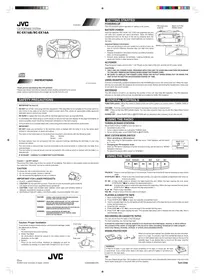
DC 18 V (EXTERNAL DC IN)
DC 3 V ("R6 (Mignon)/AA (15F)"
—QP Link Remote INFO
CC 18 V (EXTERNAL DC IN)
CC 3 V (2 piles "R6 (SUM-3)/