JVC RV-NB20 - Bluetooth speaker

RV-NB20 - Bluetooth speaker JVC - Free user manual and instructions

Find the device manual for free RV-NB20 JVC in PDF.
📄 44 pages English EN Download 💬 AI Question 10 questions ⚙️ Specs
Notice JVC RV-NB20 - page 42
View the manual : Français FR Deutsch DE English EN
Pick your language and provide your email: we'll send you a specifically translated version.
Product Type Bluetooth speaker with CD player and amplifier
Brand JVC
Model RV-NB20 (RV-NB20B/RV-NB20W)
Dimensions (W × H × D) 690 mm × 239 mm × 293 mm
Weight (without batteries) 9.2 kg
Power supply (AC) 230 V ~, 50 Hz, 43 W (on), 1.2 W (standby)
Battery power 15 V DC (10 R20/D batteries, not supplied)
Car battery power 12 V DC via cigarette lighter adapter (not supplied)
Maximum output power 20 W + 20 W (full range) + 40 W (woofer) at 4 Ω
Compatible disc types Audio CD, CD-R/RW (CD or MP3 format)
FM tuner 87.50 MHz – 108.00 MHz, 30 presets
AM tuner 522 – 1629 kHz, 15 presets
Connectivity iPod dock connector, AUX input (mini-jack), microphone/guitar input (6.35 mm jack), headphone output, telescopic FM antenna
Special features COMPU PLAY, ACS, QP Link, sound modes (BEAT/POP/CLEAR/FLAT), Super Woofer, timers
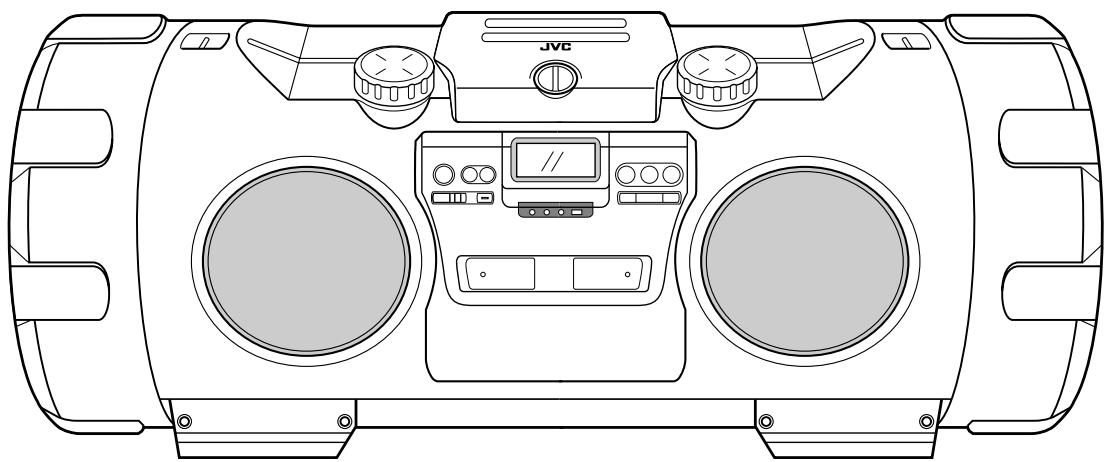
Speakers Full range 8 cm × 2, super woofer 16 cm × 2, impedance 4 Ω
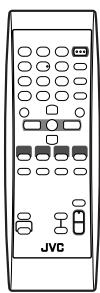
Remote control RM-SRVNB20A (batteries not supplied)
Supplied accessories Remote control, shoulder strap with iPod case, iPod cable, iPod stand, power cord
Laser class Class 1 laser product
Maintenance Clean with a soft cloth, do not use solvents
Safety Do not open the casing, avoid moisture, unplug if not used for a long time
Repairability No user-serviceable parts, contact a professional

Frequently Asked Questions - RV-NB20 JVC

How to turn on the speaker?
Press the ⏻/I ON/STANDBY button on the unit or remote control.
Can I use the speaker on batteries?
Yes, insert 10 R20/D (13F) batteries into the compartment. You can also use a cigarette lighter adapter for car battery (12 V DC).
How to connect my iPod?
Use the supplied iPod cable: plug it into the iPod jack on the front and connect it to your iPod. Place the iPod in the supplied stand.
How to listen to the radio?
Press the FM/AM button to select the band. Use the ◀◀ or ▶▶ buttons for manual or automatic station search. You can store up to 30 FM and 15 AM stations.
What to do if the sound is cut off?
Check if headphones are plugged in (cuts off speakers). Make sure the MUTING function is not activated (press the MUTING button on the remote). Adjust the volume.
How to adjust the bass?
Turn the SUPER WOOFER VOLUME +/- knob on the unit or use the corresponding buttons on the remote to set the level between BASS 1 (minimum) and BASS 6 (maximum).
What type of disc can I play?
This unit plays audio CDs, as well as finalized CD-R and CD-RW in audio CD or MP3 format. MP3 discs must be recorded with a sampling rate of 44.1 kHz and a bit rate of 128 kbps.
How to clean the unit?
Use a soft, dry cloth. Never use solvents, chemicals, or sprays. For the CD player lens, use a blower.
The remote control does not work, what to do?
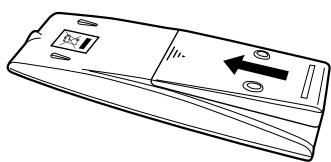
Check the batteries (replace if necessary). Make sure there is no obstacle between the remote and the sensor (distance < 7 m). Avoid direct sunlight on the sensor.
Can I plug in a guitar?
Yes, plug a guitar (except bass) into the MIC/GUITAR INPUT jack on the rear. Set the MIC/GUITAR LEVEL selector to guitar position (released) and adjust the volume.

User questions about RV-NB20 JVC

0 question about this device. Answer the ones you know or ask your own.

Ask a new question about this device

The email remains private: it is only used to notify you if someone responds to your question.

No questions yet. Be the first to ask one.

Download the instructions for your Bluetooth speaker in PDF format for free! Find your manual RV-NB20 - JVC and take your electronic device back in hand. On this page are published all the documents necessary for the use of your device. RV-NB20 by JVC.

USER MANUAL RV-NB20 JVC

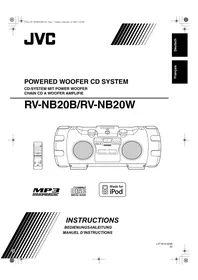
POWERED WOOFER CD SYSTEM

CD-SYSTEM MIT POWER WOOFER

CHAIN CD A WOOFER AMPLIFIE

RV-NB20B/RV-NB20W

JVC RV-NB20 - RV-NB20B/RV-NB20W - 1

JVC RV-NB20 - RV-NB20B/RV-NB20W - 2

natural_image Top-down technical line drawing of a vehicle's front view showing dashboard, air conditioners, and control panels (no text or symbols)

JVC RV-NB20 - RV-NB20B/RV-NB20W - 3

JVC RV-NB20 - RV-NB20B/RV-NB20W - 4

Made for iPod

INSTRUCTIONS

BEDIENUNGSANLEITUNG

MANUEL D'INSTRUCTIONS

• (i) (Timer), ON, OFF

1 Zifferntasten (9, 11)
2 SLEEP-Taste (15)
3 Multi-Control-Tasten (9, 11, 15, 16)

  • ∧ GROUP UP, √ GROUP DOWN
    • |◀◀, ■, ▶▶

4 Quelltasten (3, 9 - 14)

- iPod ▶/■, CD ▶/■, AUX, FM/AM

natural_image Line drawing of a remote control device with directional arrows indicating movement (no text or symbols)
natural_image Line drawing of a mobile phone with a left-side button and arrow indicator (no text or symbols)

VORSICHT:

natural_image Technical line drawing of a mechanical component with arrows indicating motion direction (no text or symbols)
natural_image Technical line drawing of a mechanical component with arrows indicating direction (no text or symbols)
natural_image Diagram of a portable radio with a hand tool and circular arrow indicating rotation (no text or symbols)
natural_image Line drawing of a portable radio with two dials and control knobs, showing bidirectional arrows (no text or symbols)

Sender speichern

natural_image Diagram showing a hand holding a tool with rotational motion and a separate curved object below (no text or symbols)

Piles—R6(SUM-3)/AA(15F) (2)

natural_image Line drawing of a mobile phone with a scroll and directional arrow indicating movement (no text or symbols)

3

JVC RV-NB20 - Sender speichern - 1

natural_image Line drawing of a mobile phone with a keypad and directional arrow (no text or symbols)

ATTENTION:

natural_image Pure mechanical assembly diagram showing a lever mechanism without any text or symbols
natural_image Technical line drawing of a mechanical component with arrows indicating direction (no text or symbols)

(Après 1 seconde)

natural_image Line drawing of a portable radio with a hand tool and circular button, no text or symbols present
natural_image Line drawing of a portable electronic device with two front panels and control knobs, showing bidirectional arrows indicating rotation (no text or symbols)
natural_image Diagram showing a hand holding a tool with rotational motion and a curved mechanical component below (no text or symbols)
Manual assistant
Powered by Anthropic
Waiting for your message
Product information

Brand : JVC

Model : RV-NB20

Category : Bluetooth speaker