405-057 - Uncategorized Meec Tools - Free user manual and instructions
Find the device manual for free 405-057 Meec Tools in PDF.


User questions about 405-057 Meec Tools
0 question about this device. Answer the ones you know or ask your own.
Ask a new question about this device
Download the instructions for your Uncategorized in PDF format for free! Find your manual 405-057 - Meec Tools and take your electronic device back in hand. On this page are published all the documents necessary for the use of your device. 405-057 by Meec Tools.
USER MANUAL 405-057 Meec Tools
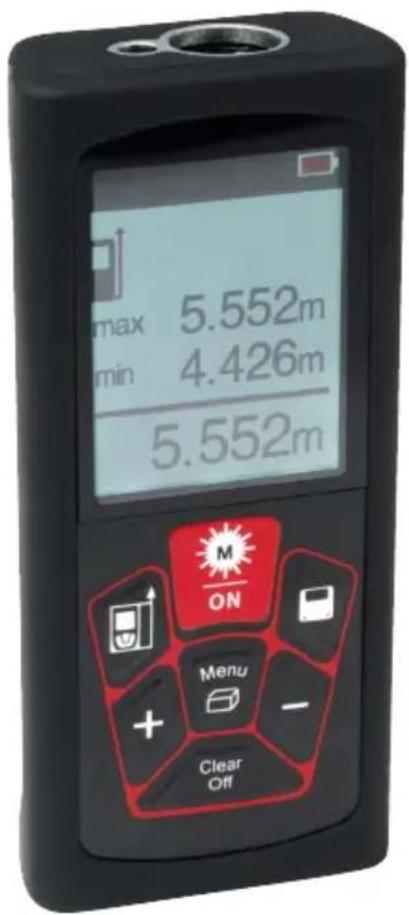
SE Bruksanvisning för avständsmätare laser
NO Bruksanvisning for laseravstandsmåler
PL Instrukcja obsługi dalmierza laserowego
EN User instructions for laser distance measurer
SE - Bruksanvisning i original
NO - Bruksanvisning i original
EN - Operating instructions in original
Date of production: 2014-11-24
© Jula AB
SVENSKA....4
SÄKERHETSANVISNINGAR....4
TEKNISKA DATA....5
BESKRIVNING 6
MONTERING 6
HANDHAVANDE 7
Funktioner 7
UNDERHÅLL 13
FELKODER 14
NORSK 16
SIKKERHETSANVISNINGER 16
TEKNISKE DATA 17
BESKRIVELSE....18
MONTERING....18
HÄNDTERING 19
Funksjoner 19
VEDLIKEHOLD 25
FEILMELDINGER 26
POLSKI 28
ZASADY BEZPIECZEŃSTWA 28
DANE TECHNICZNE 29
OPIS 30
MONTAŽ 30
OBSŁUGA 31
Funkcje 31
KONSERWACJA 37
KODY BŁĘDÓW 38
ENGLISH 40
SAFETY INSTRUCTIONS 40
TECHNICAL DATA 41
DESCRIPTION 42
ASSEMBLY 42
OPERATION 43
Functions 43
MAINTENANCE 49
ERROR CODES....50
SÄKERHETSANVISNINGAR
other
| Distance (m) | | :--- | | 12.345 | | 8.789 | | 6.230 | | 29.999 |natural_image
Two 3D cubes showing a rectangular object with light rays projecting onto its surface, no text or symbols present.Knappen Rensa
Area och volym
natural_image
Simple line drawing of a 3D rectangular box with internal blocks and a horizontal line, no text or symbols present.
natural_image
Simple line drawing of a trash bin with diagonal lines crossing it, no text or symbols present.Värna om miljön!
Lasertype 620–690 nm
other
| Distance (m) | | :--- | | 12.345 | | 8.789 | | 6.230 | | 29.999 |natural_image
Two 3D cubes showing a rectangular object with light rays projecting onto its surface, no text or symbols present.Fjern-knappen
Areal og volum
natural_image
Simple line drawing of a 3D rectangular box with internal blocks and a diagonal line, no text or symbols present.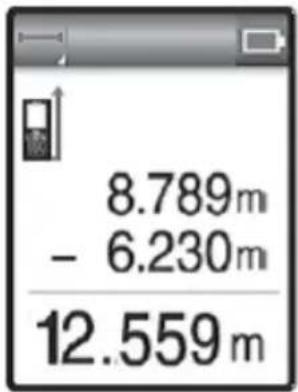
Lagre og nullstille målinger
other
| Distance (m) | | :--- | | 12.345 | | 8.789 | | 6.230 | | 29.999 |natural_image
Two 3D cubes showing a rectangular object with light rays projecting onto its surface, connected by dashed lines (no text or symbols)Przycisk Usuń
natural_image
Simple line drawing of a transparent cube containing three rectangular blocks and a diagonal line, with no text or symbols present.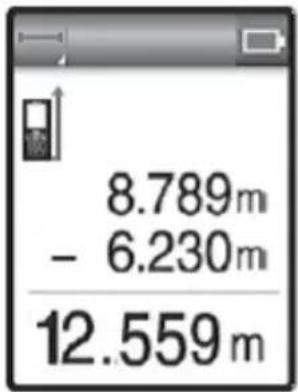
natural_image
Pure electrical circuit lines without any symbolsDBAJ O ŚRODOWISKO!
Read the operating instructions carefully before use!
Please retain for future reference.
NOTE! Keep out of reach of children.
- Persons unfamiliar with these instructions should not use the laser distance measurer.
- Do not remove the warning labels from the laser distance measurer.
- The product complies with laser class II (620–690 nm).
- Never look directly at the laser beam or point it at other people. Risk of temporary blindness or damage to the eyes.
- Always handle the laser distance measurer in such a way so as to prevent the laser beam being directed at other people's eyes.
- Check the condition of the laser distance measurer before use.
- The user must check the accuracy of the laser distance measurer if it is dropped or put under any other kind of mechanical stress.
- Always remove the batteries if the laser distance measurer is to be sent by post or similar means.
TECHNICAL DATA
Measuring range (1) 0.05-30 m (2)
Measuring accuracy ±2 mm (3)
Measurement unit 0.001 m
Laser Beam Class Class II, <1 mW
Laser type 620 - 690 nm
Operating temperature 0 - 40°C
Storage temperature -20 - 65°C
Background lighting/display Automatic adjustment of display's light intensity (4)
Batteries AAA (alkaline), 2 x 1.5 V
Number of measurements per pair of batteries >3000
Automatic shutdown after 180 sec
Dimensions (LxWxH) 115 x 50 X 24 mm
Weight (without batteries) 76 g
(1) Measurement under good light conditions
(2) Errors in maximum deviation or a shorter reach could occur under unfavourable conditions, such as glare, when measuring reflective or very coarse surfaces or when the surrounding temperature is too high or low.
(3) The measuring accuracy is ± 2 mm when measuring within 10 m. The measuring accuracy when measuring over 10 m can be calculated as follows: ± 2 mm ± 0.05* (D-10) (D: Measuring distance, Unit: m)
(4) When the laser distance measurer is not in use the light intensity is not adjusted every five seconds.
DESCRIPTION
ASSEMBLY
Batteries
- Remove the batteries from the packaging and insert into the laser distance measurer. NOTE! Check the positive (+) and negative (-) terminal markings on the batteries and in the battery compartment.
- Close the battery lid.
WARNING Remove the batteries if the laser distance measurer is not going to be used for some time (30 days).
OPERATION
FUNCTIONS
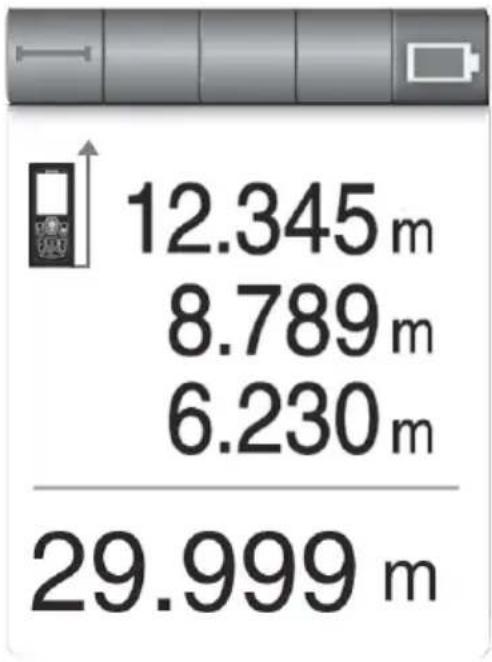
Screen display
other
| Distance (m) | | :--- | | 12.345 | | 8.789 | | 6.230 | | 29.999 |Third previous measurement
← Change previous measurement
Previous measurement
← Current measurement
Description of symbols
| Symbol Name Description | ||
 | Laser on | Shows that the laser is activated |
 | Measurement reference | |
 | Simple measurement | This symbol flashes in Simple measurement mode |
 | Continuous measurement | This symbol flashes in Continuous measurement mode |
 | Functions | Indicates functions: area, volume | |
 | Waiting for measurement | ||
 | Battery indicator | The more bars, the higher the battery level. Flashing means it is time to charge the batteries. | |
 | Data storage | Indicates that older measurements are displayed. 50 is the newest and 1 the oldest. | |
 | Measurement units | The pre-set display unit is in metres. | |
 | Hardware fault | Start/switch off the laser distance measurer several times. Contact the retailer if this symbol does not disappear. |
| Unit OFF Press Press | time | Press 2 Press | time | Press 3 Press | time Description | |
| Power switch |  | Long | ||||
| Unit ON | ||||||
| Simple measurement |  | Short |  | Short 1 | Activate the laser | |
| Continuous measurement |  | Long |  | Short to stop | ||
| Change measurement reference | 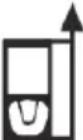 | Short | 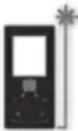 Measurement from back edge (standard) Measurement from back edge (standard) | Short | 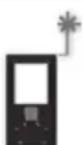 m m  nfr e nfr e | |
| Area |  | Short |  |  | ||
| Volume |  | Short |  |  | ||
| Addition | + | Short | ||||
| Subtraction | - | Short | ||||
| Change the measurement unit | 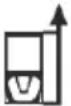 | Long | ||||
| Memory (store) |  | Short | ||||
| Memory (read) |  | Long |   | Short |  Deletes Deletes | Short |
| Clear previous step |  | Short | ||||
| Switch off |  | Long |
NOTE!
Do not use prisms or reflective surfaces. Distances can be measured from any stationary object which does not have a reflective surface, for example concrete, stone, wood, plastic, paper, etc. Prisms or any other highly reflective surfaces are not permitted and can lead to inaccurate results.
Simple measurement
- Start the laser distance measurer by pressing the ON button.
- Press the ON button again to activate the laser.
- Direct the laser beam towards the surface you want to measure and press the ON button again. The measurement result will be shown on the display.
- Switch it off by pressing and holding down the OFF button.
Simple measurement
-
Start the laser distance measurer and press and hold down the ON button for 2 seconds until the icon for continuous measurement is displayed. The Continuous measurement mode will then be activated. The laser distance measurer will beep during continuous measurement if the sound function is activated.
-
Press the measurement button again if you want to stop continuous measurement.
When continuous measurement is stopped the display will show:
• Maximum distance
• Minimum distance
- Latest distance
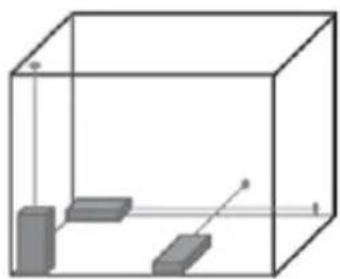
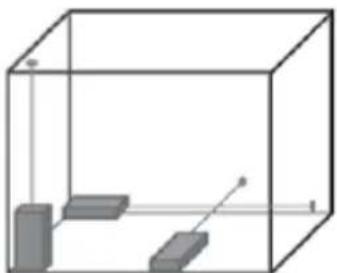
Continuous measurement can be used to find the shortest distance to a wall or the longest distance to a corner. See the illustrations below.
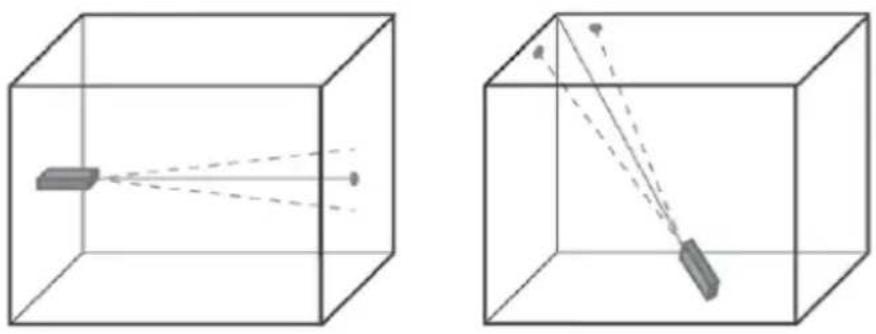
natural_image
Two 3D cubes showing a rectangular object with light rays projecting onto its surface, no text or symbols present.The Clear button
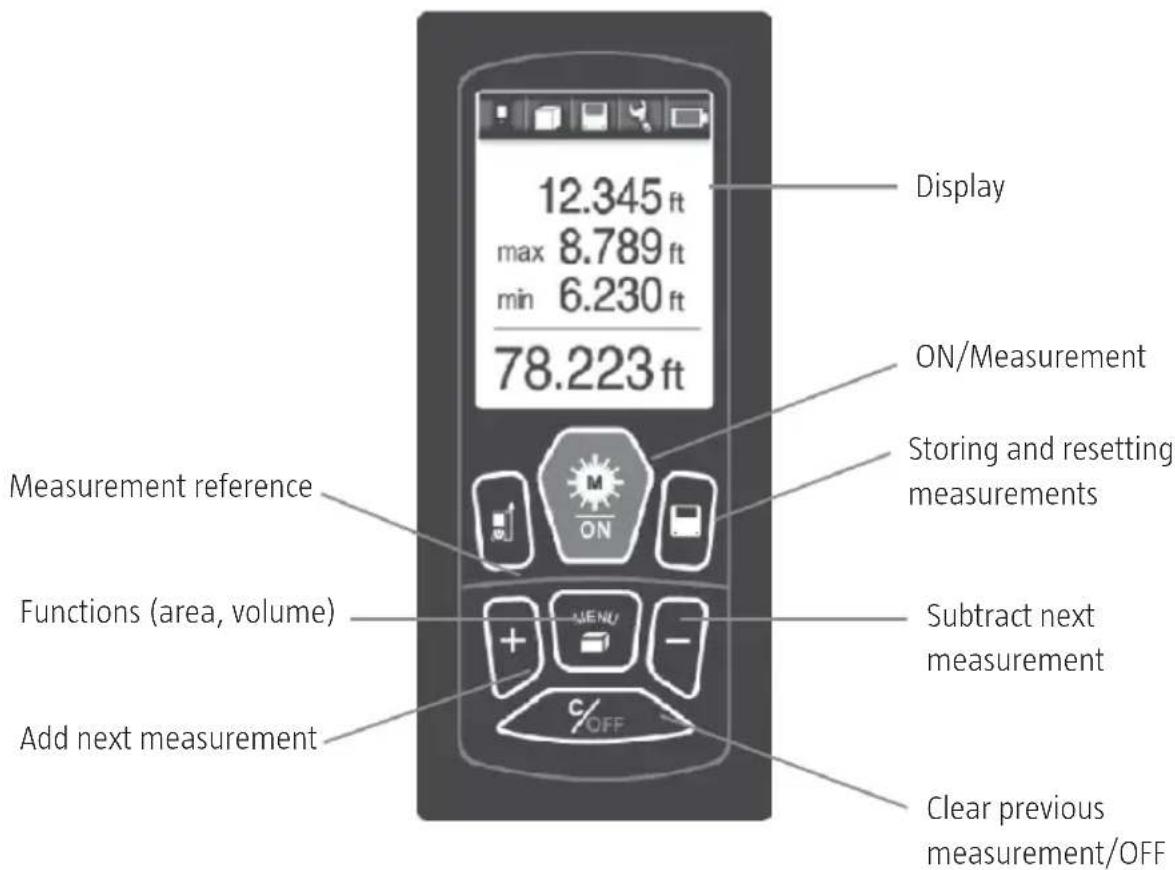
Clear the latest measurement or the latest command by pressing the Clear/OFF button. For area and volume measurements, the Clear/OFF button clears the latest measurement but saves previous measurements.
Changing references
The back edge of the laser distance measurer is the pre-set measurement reference. Change to front edge, middle or extended back edge displayed by the icon by pressing the MEASUREMENT REFERENCE button.
Setting the measurement unit
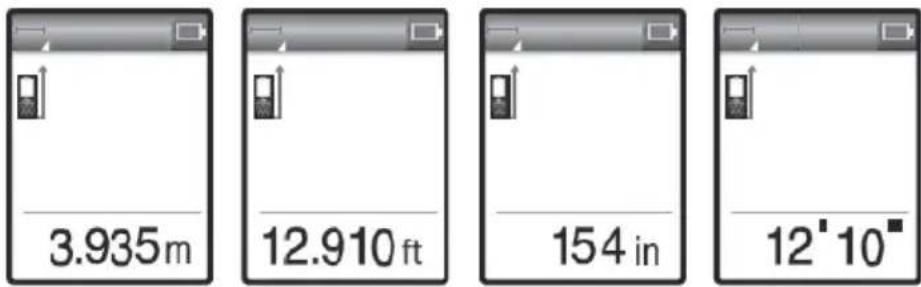
Press and hold down the MEASUREMENT REFERENCE button until the measurement unit changes. Press again to change to the next measurement unit. Measurement unit options include: metre, foot, inch, foot-inch.
Area and volume
natural_image
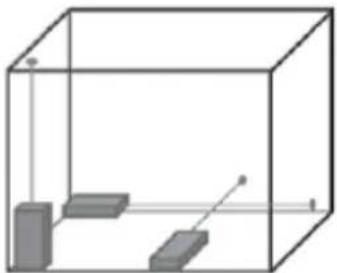
Simple line drawing of a 3D rectangular box with internal blocks and a diagonal line, no text or symbols present.- Press the FUNCTION button and browse between the symbols until you find the desired function; see the illustrations below.
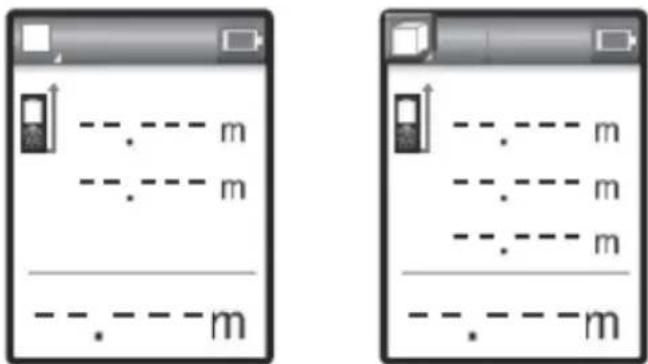
- Press the ON button to activate the laser and carry out the first measurement.
- Press the ON button to activate the laser and carry out the second measurement.
- Press the ON button to activate the laser and carry out the third measurement (if necessary).
The display shows which measurements can be carried out according to the following table.
| Measurement function Icons Measurement sequence | ||
| Simple measurement |  | |
| Area measurement |  |  |
| Volume measurement |  | 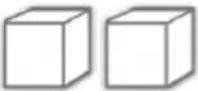 |
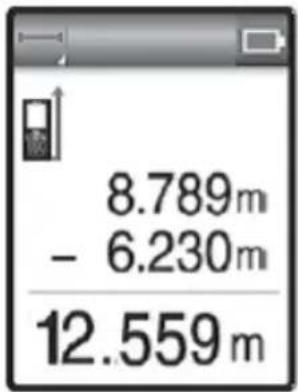
Addition and subtraction
- Next measurement is added to the previous measurement
- Next measurement is subtracted from the previous measurement (see the illustration below).
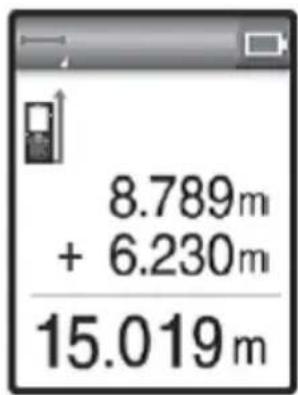
Storing and resetting measurements
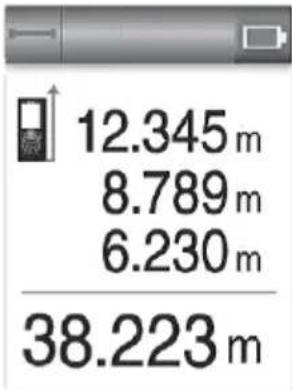
The laser distance measurer automatically stores 50 measurement results.
- Storing measurements: Manually save by pressing the button.
- Retrieve measurements: Press the clear button.
- Press the + button. The display will be shown as in the illustration.
- The higher the number (up to 50) the newer the measurement.
- Browse through the measurements using the plus or minus buttons (+/-).
MAINTENANCE
Calibration check
We recommend that the user occasionally checks the laser distance measurer's calibration.
- Choose a familiar distance between 1 and 5 metres which has not changed over time.
- Measure the distance 10 times. Calculate the deviation from the actual distance. The deviation should be less than the typical deviation tolerance of ± 1.5mm .
Cleaning and wiping
- Blow any dust away from the lens.
- Do not touch the lens with your fingers.
- Only use a clean, soft cloth when cleaning. Lightly dampen the cloth with pure alcohol or a little water if necessary.
NOTE! Do not use any other liquids as they could damage the plastic components.
Storage
The temperature limits for storing the laser distance measurer must be observed. Remove the laser distance measurer from the case if it has gotten wet. The laser distance measurer, case and accessories should be cleaned and dried (at 65^ C maximum). Place the laser distance measurer back into the case first when the case has completely dried out. Check the accuracy of the laser distance measurer when using after a long period of storage or transportation.
ERROR CODES
| Error code Potential cause Remedy | ||
| Err10 Battery power is low Replace the batteries | ||
| Err15 Outside of measurement range Measure target within measurement range | ||
| Err16 Signal received too weak Use a lightly coloured target. | Holdthe laser distance measurer more stably. | |
| Err18 Background lighting too intense Use a darker target | ||
| Err26 Outside display |
Jula reserves the right to make changes. In the event of problems, please contact our service department. www.jula.com
natural_image
Symbol of a trash bin crossed with no text or labels, representing waste sorting or disposal (no text present)Care for the environment!
Must not be discarded with household waste!
This product contains electrical or electronic components that should be recycled.
Leave the product for recycling at the designated station e.g. the clocal authority's recycling station.