PathFinder P 3104 - Gps Pentagram - Free user manual and instructions
Find the device manual for free PathFinder P 3104 Pentagram in PDF.


User questions about PathFinder P 3104 Pentagram
0 question about this device. Answer the ones you know or ask your own.
Ask a new question about this device
Download the instructions for your Gps in PDF format for free! Find your manual PathFinder P 3104 - Pentagram and take your electronic device back in hand. On this page are published all the documents necessary for the use of your device. PathFinder P 3104 by Pentagram.
USER MANUAL PathFinder P 3104 Pentagram
NOTE! Any information and technical data are subject to change without prior notification and/or indication in this manual.
© 2008 PENTAGRAM
All rights reserved; copying and reproduction is strictly forbidden.

natural_image
Black and white geometric star symbol inside a pentagon (no text or labels)PENTAGRAM
THE PERFECT SIMPLICITY
Introduction
- For the first time you use the GPS receiver, please charge battery until it is full.
- Don't use GPS receiver in temperatures lower than -10^ or higher than 70^ , or its battery charging capability will decrease. The Lithium inside the GPS receiver should be recycled.
- While in the hospital, turning off the GPS receiver is strongly recommended. Like other common equipments do, wireless GPS receiver may also affect medical equipment which use radio frequency and make these equipments malfunction.
- For safety, keep the GPS receiver and all accessories out of small children's reach.
- We assume no responsibility for any damages and loss resulting from use of this manual, malfunction, dead battery, or misuse of the product in any way.
- Use only the supplied and approved accessories. Unauthorized accessories, antenna, modifications or attachments could damage the GPS receiver, and may violate regulations governing radio devices.
- Use a dry, clean soft cloth to clean the unit. Do not use harsh cleaning solvents, chemicals, or strong detergents.
- Do not open the GPS receiver by yourself. Unauthorized hacking may damage the unit, and will void your warranty.
Box Contents
- GPS Bluetooth receiver
- Car charger
- Power adapter
- CD with User manual
Hardware Description
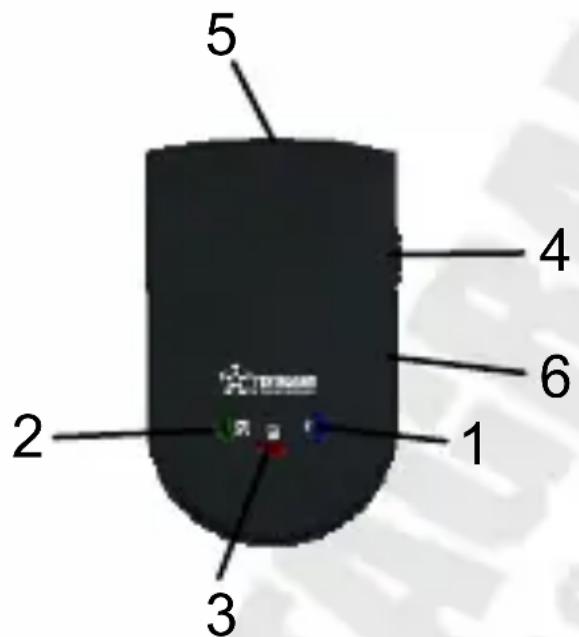
- Bluetooth status LED (blue)
- GPS status LED (green)
- Battery status LED (red/orange)
- Power switch
- Power jack
- External antenna conector (MMCX)
LED Indicator
GPS status LED
- Blinking - GPS position not fixed
- On - GPS position fixed
Battery status LED
- Red - Low battery
- Yellow - Battery charging
Bluetooth status LED
- Blinking - Bluetooth connection not established
- On - Bluetooth connection established
Getting Started
- Turn on the GPS Bluetooth receiver.
Switch the power switch (the GPS status LED turns green and Bluetooth status LED turns Blue.)
- Activate Bluetooth function of your PDA/PC
Prior to activating the Bluetooth function of your PDA/PC, please make sure the device is equipped with Bluetooth function, and the driver software has been installed.
- Activate Bluetooth Manager & Established New Connections.
Illustrations using PocketPC:
a. First, find the device with which you wish to establish connection.
b. Open „Bluetooth Manager“ on your PocketPC
c. Follow the steps below
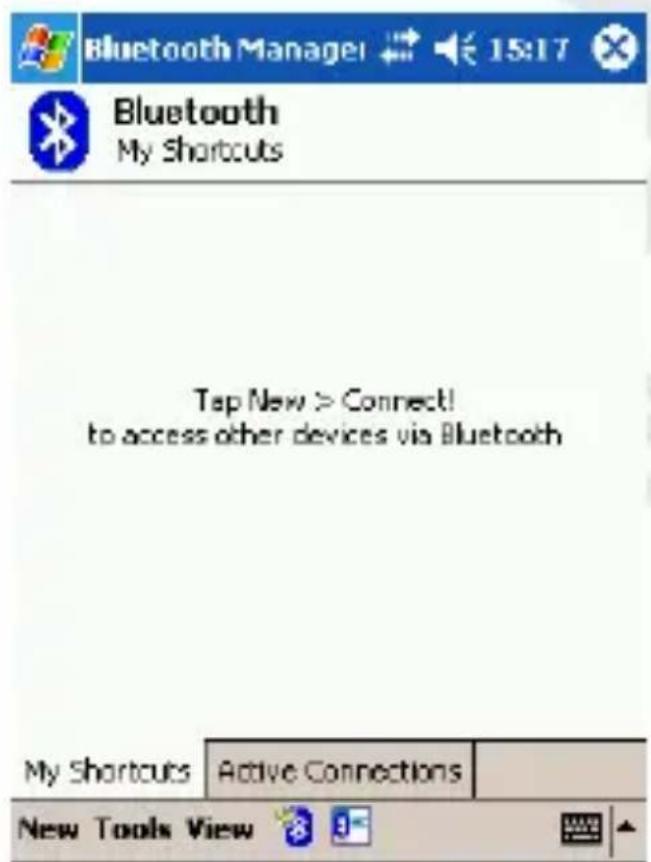
Tap New and then Connect!
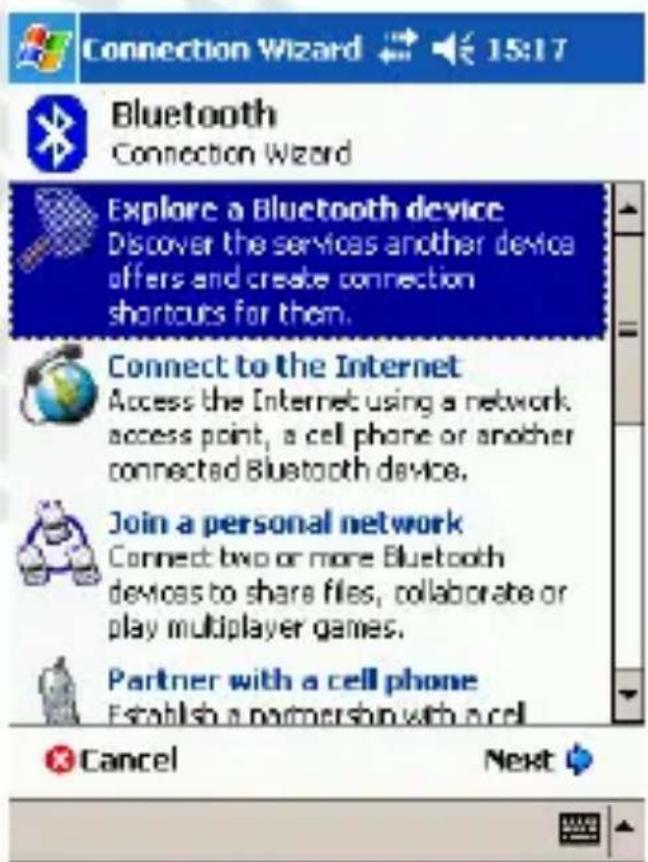
Select above option and tap Next

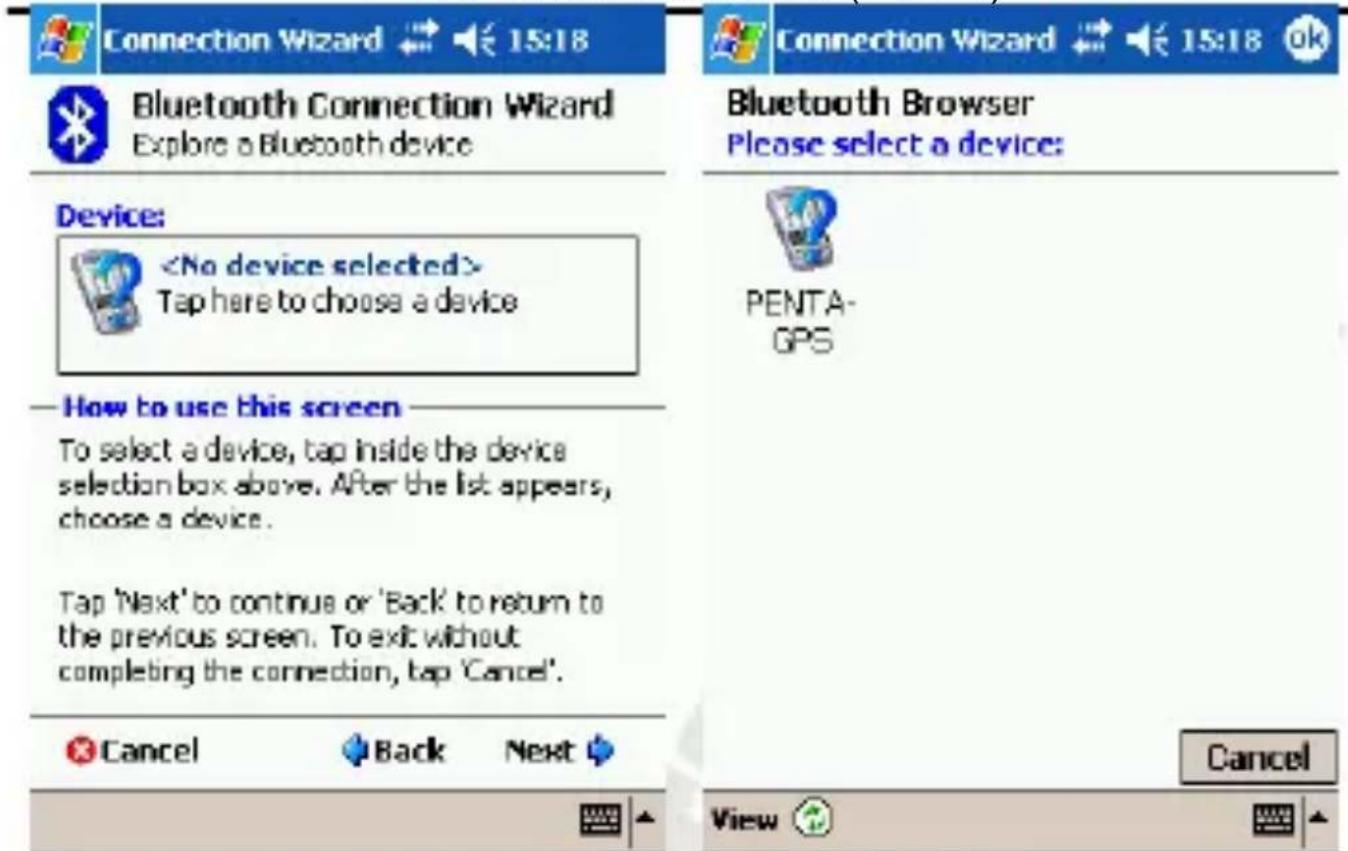
Connection Wizard ↔ € 15:18

Bluetooth Connection Wizard Explore a Bluetooth device
Device:

How to use this screen
To select a device, tap inside the device selection box above. After the list appears, choose a device.
Tap 'Next' to continue or 'Back' to return to the previous screen. To exit without completing the connection, tap 'Cancel'.

Cancel

Back
Next


Tap within Device frame

Connection Wizard

15:18

Bluetooth Browser
Please select a device:

PENTA-GPS
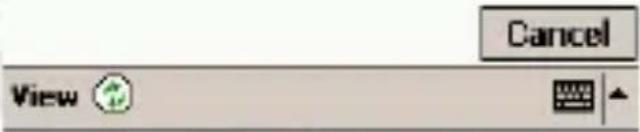
Tap on device

Bluetooth Passkey € 15:18

Bluetooth Authentication
Device:
PENTA-GPS
Passkey:
◆ ◆ ◆ ◆
Cancel
—How to use this screen
The Bluetooth pairing procedure establishes a secret key that is used in all future connections to authenticate.
![123 1 2 3 4 5 6 7 8 9 0 - = Tab q w e r t y u i o p [ ] CAP a s d f g h j k l ; ' Shift z x c v b n m , . / ← Ctrl àû ` \ ↓ ↑ ← →](/content/2026/05/1129130/images/b797207c65fb894495dde7d2df0b594def28b23e035dbabca520bb9a5a58b9d8.jpg)
In Passkey field enter 0000 and tap

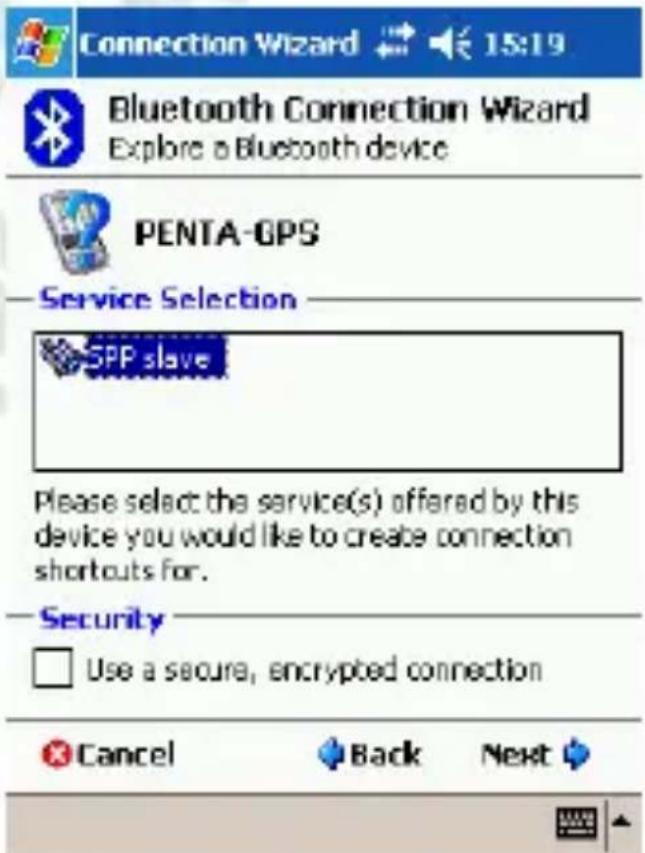
Connection Wizard ↔ € 15:19

Bluetooth Connection Wizard Explore a Bluetooth device

PENTA-GPS
Service Selection

SPP slave
Please select the service(s) offered by this device you would like to create connection shortcuts for.
Security

Use a secure, encrypted connection

Cancel

Back
Next


Select above option and tap Next
Enter

Connection Wizard 15:19

Bluetooth Connection Wizard Explore a Bluetooth device

PENTA-GPS
Shortcuts created
Connection shortcut(s) for the service(s) you selected were successfully created.
To connect: From the Bluetooth Manager "My Connections" screen, double-tap the connection. Or tap-and-hold the connection icon and select 'Connect' from the menu.
Finish

Tap Finish

Bluetooth Manager 15:20

Bluetooth My Shortcuts

FENTA-GPS: SPP slave

Double-tap this Icon will start connection
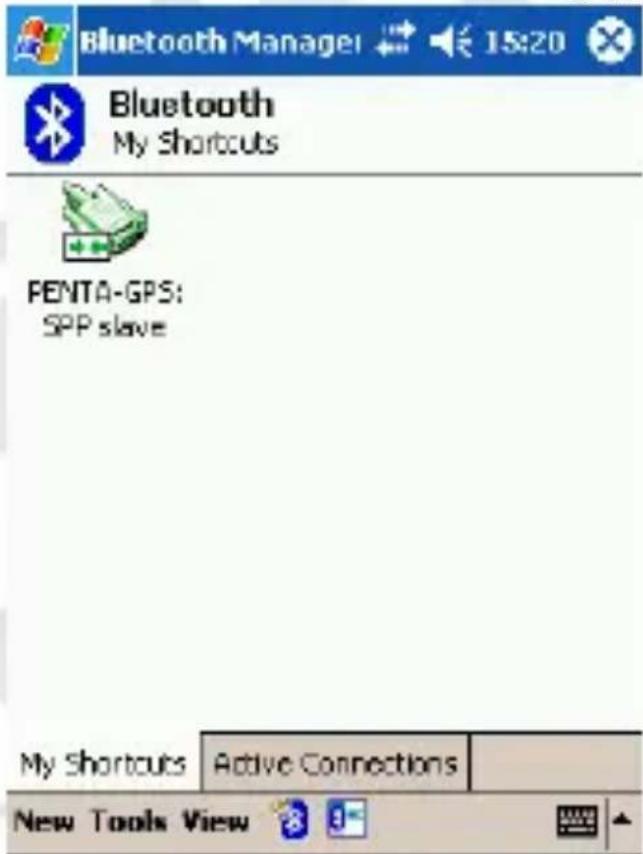
Connection established
Specification
| GPS Features: | ||
| Chipset | SiRF | Star |
| Frequency | L1, | 1575,42MHz |
| C/A Code 1023MHz | ||
| Channels | 20 | Channels |
| Antenna Built-in low noise antenna | ||
| MMCX Type External Antenna Connector | ||
| Sensitivity | To | 159dBm |
| Time To First Fix (TTFF) | ||
| Cold Start 42 s, average | ||
| Warm Start 38 s, average | ||
| Hot Start 1 s, average | ||
| Reacquisition < 1 sec | ||
| Update rate 1 s | ||
| Accuracy | ||
| Position Open sky: < 5 m | ||
| Indoor: < 20 m | ||
| Velocity | 0,1 | m/sec |
| Time ± 100 ns synchronized to GPS time | ||
| Power | ||
| Built-in rechargeable 900mAh Li-polymer, +4,5V DC to +5,5V DC | ||
| Operation Current | < 130mA (Typical) | |
| AC adaptor In 100~240 V AC, Out 5,5 V, >500mA | ||
| Car charger | In 12~14 V; Out 5,5 V, >500mA | |
| Datum | WGS-84 | |
| Dynamic conditions | ||
| Altitude | < 18000 m | |
| Velocity | < 515 m/sec | |
| Acceleration | < 4 G | |
| Temperatures | ||
| Operating | -10 °C ~ +70 °C | |
| Storage | -20 °C ~ +75 °C | |
| Dimensions (mm) | 77,5 x 48 x 19 (L. x W x H.) | |
| Weight | 75 g (battery included) | |
| Interface | ||
| PC/PDA Bluetooth (class 2); distance 10 m | ||
| GPS Protocol | NMEA-0183 V3.0 - GGA, GSA, GSV, RMC, VTG | |

natural_image
Black and white geometric star symbol inside a pentagon (no text or labels)PENTAGRAM
THE PERFECT SIMPLICITY
PENTAGRAM PathFinder (P 3104)
W pole Passkey wpisz 0000 i kliknij
Bluetooth Connection Wizard Explore a Bluetooth device

PENTA-GPS
Shortcuts created
Connection shortcut(s) for the service(s) you selected were successfully created.
To connect:
From the Bluetooth Manager "My Connections" screen, double-tap the connection. Or tap-and-hold the connection icon and select 'Connect' from the menu.


Kliknij Finish

Bluetooth Manager 15:20

Bluetooth My Shortcuts

FENTA-GPS: SPP slave