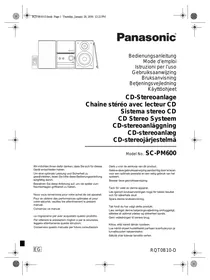
PANASONIC SC-PM600EG - Audio System

SC-PM600EG - Audio System PANASONIC - Free user manual and instructions

Find the device manual for free SC-PM600EG PANASONIC in PDF.
📄 88 pages English EN Download 💬 AI Question 10 questions ⚙️ Specs
Notice PANASONIC SC-PM600EG - page 86
Pick your language and provide your email: we'll send you a specifically translated version.
Product Type Stereo system with CD player
Main unit dimensions 153 x 224 x 232 mm
Speaker dimensions 145 x 224 x 197 mm (each)
Main unit weight 1.4 kg
Speaker weight 1.9 kg (each)
Power supply AC 220-240 V, 50 Hz
Power consumption 17 W
Standby power consumption 0.3 W (Bluetooth standby mode off)
Output power 20 W per channel (RMS, 6 Ω, 1 kHz, 10% THD)
Playback formats CD, CD-R/RW (CD-DA, MP3), USB (MP3), Bluetooth®
FM tuner 30 preset stations
Bluetooth® Version 2.1 + EDR, profiles A2DP, AVRCP
Additional functions Timers (play, sleep), sound effects (EQ, D.BASS, Surround), remote control
Maintenance Clean with a soft, dry cloth. Do not use alcohol, thinner, or benzene.
Safety Do not expose to moisture, do not open, use only recommended accessories.
Spare parts and repairability Remote control (N2QAYB000984), power cord, FM antenna. Repair by qualified technician.
General information Brand: PANASONIC, Model: SC-PM600EG, Category: Audio system

Frequently Asked Questions - SC-PM600EG PANASONIC

How to reset the unit in case of malfunction?
Disconnect the AC power cord. While pressing the power/standby button on the main unit, reconnect the cord. Keep pressing until ---- appears. All settings return to factory defaults.
How to connect a Bluetooth device for the first time?
Enable Bluetooth on your device and place it near the system. Press the ® button on the unit. If PAIRING is not displayed, press PLAY MENU to select PAIRING then confirm with OK. Select SC-PM600 from the Bluetooth list on your device. If a code is requested, enter 0000.
What to do if Bluetooth sound is choppy or interrupted?
Bring the device within 10 m of the system. Remove obstacles between them. If the problem persists, press PLAY MENU, select LINK MODE and choose MODE 1 for a more stable connection.
How to set the clock on the unit?
Press SETUP repeatedly until CLOCK appears, then press OK. Use the ▲/▼ buttons to set the hour and press OK to confirm. The clock uses a 24-hour format.
How to set the wake-up alarm with the play timer?
First set the clock. Press SETUP to select TIMER ADJ. Set the start time with ▲/▼ and confirm, then the end time. Choose the source (CD, USB, or Radio). Then select TIMER SET and set it to SET. The unit must be in standby mode for the timer to work.
How to improve FM reception?
Make sure the indoor FM antenna is properly extended. If reception is still poor, you can use an optional outdoor antenna. This should be installed by a qualified technician.
How to clean the unit properly?
Use a soft, dry cloth to wipe the unit. Never use alcohol, paint thinner, or benzene. If using a chemically impregnated cloth, read the instructions first.
What does the error message 'F61' on the display mean?
The F61 code indicates an internal problem. Disconnect the AC power cord and contact your dealer or a qualified technician. Do not attempt to repair it yourself.
How to change the remote control code to avoid interference with other devices?
To switch to REMOTE 2 code, press and hold the OK and USB/CD buttons on the remote control for at least 4 seconds. To return to REMOTE 1, press and hold OK and ® for 4 seconds. The main unit must be set to the CD source.
What is the output power of this audio system?
The RMS output power is 20 W per channel (under 6 Ω, at 1 kHz, with 10% total harmonic distortion), for a total power of 40 W RMS.

User questions about SC-PM600EG PANASONIC

0 question about this device. Answer the ones you know or ask your own.

Ask a new question about this device

The email remains private: it is only used to notify you if someone responds to your question.

No questions yet. Be the first to ask one.

Download the instructions for your Audio System in PDF format for free! Find your manual SC-PM600EG - PANASONIC and take your electronic device back in hand. On this page are published all the documents necessary for the use of your device. SC-PM600EG by PANASONIC.

USER MANUAL SC-PM600EG PANASONIC

natural_image Line drawing of a multi-unit electronic device with speakers, rings, and a control panel (no text or symbols)

Panasonic®

Bedienungsanleitung

Mode d'emploi

natural_image Line drawing of a multi-panel electronic device with speaker and screen components (no text or symbols)

20 W pro Kanal (an 6 Ω), 1 kHz, 10 % THD

Accessoires fournis

natural_image Line drawing of a multi-panel electronic device with speaker and audio unit (no text or symbols)

Section tuner, bornes

natural_image Line drawing of a multi-panel electronic device with speaker and control panel (no text or symbols)

Dimensioni (L x A x P)

145 mm × 224 mm × 197 mm

Peso

1,9 kg

Dati generali

Alimentazione

CA da 220 V a 240 V, 50 Hz

Consumo di corrente

17 W

Dimensioni (L x A x P)

153 mm x 224 mm x 232 mm

Peso

1,4 kg

Meegeleverde accessoires

natural_image Line drawing of a multi-panel electronic device with speaker and screen components (no text or symbols)

KLASS 1 LASER APPARAT

natural_image Line drawing of a multi-panel electronic device with speaker and screen (no text or symbols)

① Strömställare standbyläge/på [☐], [☐/I]

natural_image Line drawing of a multi-panel electronic device with speaker and screen (no text or symbols)
flowchart
graph LR
    A["LEVEL 0 (standard)"] --> B["LEVEL +1"]
    B --> C["LEVEL +2"]

Bemærk:

Marketing Europe GmbH, Panasonic Testing Centre,

Winsbergring 11, 22525 Hamburg, Tyskland

LUOKAN 1 LASERLAITE

natural_image Line drawing of a multi-panel electronic device with speaker and screen components (no text or symbols)

Kadoma, Osaka, Japan

Importer for Europe:

Panasonic Marketing Europe GmbH

Panasonic Testing Centre

Winsbergring 11, 22525 Hamburg, Germany

EU
PANASONIC SC-PM600EG - Meegeleverde accessoires - 1

Manual assistant
Powered by Anthropic
Waiting for your message
Product information

Brand : PANASONIC

Model : SC-PM600EG

Category : Audio System