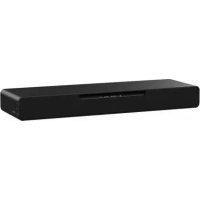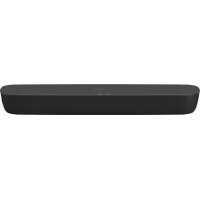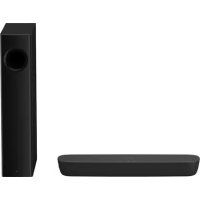




To connect the sound from your television to the Panasonic SC-HTB520 soundbar, you first need to check if the HDMI port on your TV is labeled "HDMI (ARC)". This label determines the connection method to use. Refer to your TV's manual to locate this ARC port or check the labels on the HDMI ports located at the back of the TV.
Method A: If your TV has an HDMI (ARC) port
- Connect a High Speed HDMI cable (with HDMI logo) between the HDMI (ARC) port of your TV and the HDMI AV OUT port of the SC-HTB520 soundbar
- Use a high-quality HDMI cable, preferably from Panasonic (models RP-CDHS15 for 1.5 m, RP-CDHS30 for 3 m, or RP-CDHS50 for 5 m)
- No optical cable is needed with this method - a single HDMI cable is sufficient to transmit both sound and image
- Turn on the soundbar, then press the INPUT SELECTOR button on the remote to select [TV] as the audio source
- Check that the TV indicator (green) lights up on the front panel of the soundbar
Method B: If your TV does not have an HDMI (ARC) port
- Connect an HDMI cable between any HDMI port on your TV and the HDMI AV OUT port of the SC-HTB520 soundbar
- Also connect a digital optical audio cable between the optical output of your TV and the OPTICAL DIGITAL AUDIO IN port of the soundbar (this cable is not provided)
- Turn on the soundbar and press the INPUT SELECTOR button to select [TV] as the source
After connection: The wireless subwoofer of your SC-HTB520 will automatically connect to the soundbar. Ensure that the WIRELESS LINK indicator on the subwoofer shows a green light (link activated). You can adjust the subwoofer volume with the SUBWOOFER LEVEL button located at the bottom of the front panel of the soundbar. To switch between the TV sound and that of other devices (Blu-ray player, DVD) connected to the soundbar, press the INPUT SELECTOR button and choose between [TV] or [BD/DVD].