
SCHTB200 - Soundbar PANASONIC - Free user manual and instructions
Find the device manual for free SCHTB200 PANASONIC in PDF.
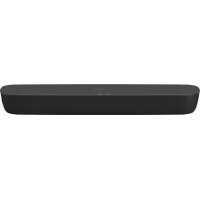




| Product type | Soundbar |
| Model | SCHTB200 |
| Brand | Panasonic |
| Output power | 80 W RMS (stereo) |
| Speakers | 2 x 10 cm full-range speakers |
| Connectivity | Bluetooth 2.1+EDR (A2DP, SBC), HDMI ARC, digital optical input, USB port (software update) |
| Supported audio formats | LPCM, Dolby Digital, DTS Digital Surround |
| Power supply | AC 220-240 V, 50 Hz |
| Standby power consumption | 0.5 W (Bluetooth standby off) |
| Bluetooth standby power consumption | 2.0 W |
| Sound mode | Standard, Music, Cinema |
| Advanced functions | HDMI CEC, dual audio, auto power off, volume limiter, Bluetooth standby |
| Remote control | With included CR2025 lithium battery |
| Operating temperature | 0°C to +40°C |
| Operating humidity | 20% to 80% RH (no condensation) |
| Maintenance | Clean with a soft, dry cloth. Do not use alcohol or solvents. |
| Remote control battery | CR2025 (replaceable) |
| Software update | Via USB port (see Panasonic website) |
| Safety | Do not expose to moisture, do not obstruct ventilation, do not open the casing |
Frequently Asked Questions - SCHTB200 PANASONIC
 ] on the unit until the indicator flashes quickly. Select "SC-HTB200" from your smartphone's Bluetooth list. If a code is requested, enter "0000".
User questions about SCHTB200 PANASONIC
0 question about this device. Answer the ones you know or ask your own.
Ask a new question about this device
Download the instructions for your Soundbar in PDF format for free! Find your manual SCHTB200 - PANASONIC and take your electronic device back in hand. On this page are published all the documents necessary for the use of your device. SCHTB200 by PANASONIC.
USER MANUAL SCHTB200 PANASONIC
ARC (Audio Return Channel)
40 W per channel (at 6 Ω), 1 kHz, 10% THD
Subwoofer channel
40 W per channel (at 4 Ω), 100 Hz, 10% THD
40 W per channel (at 6 Ω), 1 kHz, 10% THD
DTS Digital Surround™
Main unit 15 W
ARC (Audio Return Channel)
"SC-HTB250" or "SC-HTB200".
32 kHz, 44.1 kHz, 48 kHz
Audio format LPCM, Dolby Digital,
DTS Digital Surround™
Dimensions (W x H x D)
Main unit
450mm× 51mm× 135mm
Active subwoofer HTB254 HTB250
97 mm x 451 mm x 307 mm
Weight
ARC (Audio Return Channel)
Manufactured by: Panasonic Corporation
Kadoma, Osaka, Japan
Importer for Europe: Panasonic Marketing Europe GmbH
Panasonic Testing Centre
Winsberging 15, 22525 Hamburg, Germany
EU


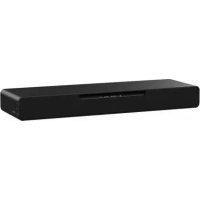
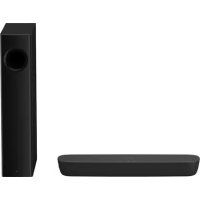
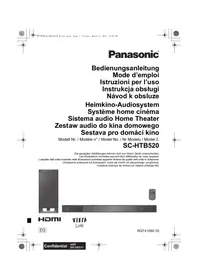
Brand : PANASONIC
Model : SCHTB200
Category : Soundbar