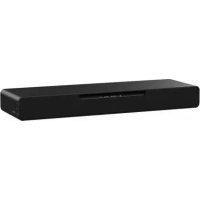
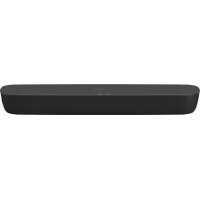
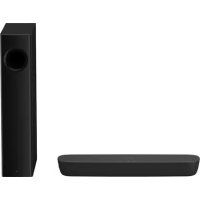
PANASONIC SCHTB254 - Soundbar

SCHTB254 - Soundbar PANASONIC - Free user manual and instructions

Find the device manual for free SCHTB254 PANASONIC in PDF.
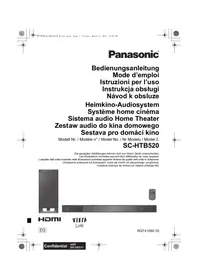
📄 76 pages English EN Download 💬 AI Question 10 questions ⚙️ Specs
Notice PANASONIC SCHTB254 - page 74
View the manual : Français FR Deutsch DE English EN Italiano IT Nederlands NL
Pick your language and provide your email: we'll send you a specifically translated version.
Product Type Soundbar
Brand Panasonic
Model SCHTB254
Total output power (RMS) 120 W (Dolby Digital mode)
Front channel power 40 W per channel (6 Ω, 1 kHz, THD 10%)
Subwoofer power 40 W (4 Ω, 100 Hz, THD 10%)
Front speakers 4 × 10 cm (cone type) x 1/channel
Active subwoofer 1 × 14 cm cone
HDMI connectivity HDMI ARC (CEC compatible)
Optical digital audio input Yes
Bluetooth Version 2.1+EDR, Class 2, A2DP, SBC
USB port For software update
Supported audio formats LPCM, Dolby Digital, DTS Digital Surround
Power supply AC 220-240 V, 50 Hz
Standby power consumption (main unit, BT standby disabled) 0.5 W
Standby power consumption (subwoofer) 0.5 W
Weight of active subwoofer 4.4 kg
Sound modes Standard, Music, Cinema
HDMI CEC function Yes (power on/off, volume link)
Auto power off Yes (after 20 minutes without signal)
Maintenance Clean with a soft dry cloth. Do not use alcohol or solvents.

Frequently Asked Questions - SCHTB254 PANASONIC

How to pair a Bluetooth device?
Ensure the main unit is on. Press the [PAIRING] button on the remote control or press and hold the [PAIRING] button on the main unit until the Bluetooth indicator flashes rapidly. Select 'SC-HTB254' in the Bluetooth menu of your device. If a code is requested, enter '0000' or '1234'. Once connected, the indicator lights up.
Why is there no sound?
Check that mute mode is not activated (press [MUTE]). Check the connections (HDMI or optical). Ensure the audio source is correctly selected (HDMI, optical or Bluetooth). If using an ARC-compatible TV, verify that ARC setting is enabled. If sound is present but weak, the volume limit may be activated (it limits to 50 at startup).
How to use the HDMI CEC function?
The HDMI CEC function allows you to control the system with the TV remote. Make sure the HDMI ARC compatible cable is connected. Enable CEC on the TV. When you turn on the TV, the main unit turns on automatically. You can adjust the volume and mute with the TV remote.
How to adjust the subwoofer level?
On the remote control, press [SUBWOOFER +] or [SUBWOOFER -] to increase or decrease the level. The indicators on the main unit show the level: 4 (highest) to 1 (lowest).
What to do if the remote control does not work?
Check that the battery is inserted correctly (+ side up). For first use, remove the isolation sheet. If the battery is low, replace it with a CR2025 battery. Use the remote within 7 m and within an angle of 30° left/right and 20° up/down. If other Panasonic devices respond, change the remote code (press and hold [PAIRING] and [SOUND] for code 2).
How to disable auto power off?
Press and hold the [HDMI (ARC)] button on the remote for at least 4 seconds. The indicators show 'Enabled' or 'Disabled'. To disable, repeat the operation until the MUSIC and CINEMA indicators light up (disabled mode).
Can I connect a TV that is not ARC compatible?
Yes, use an optical audio cable. Connect it to the OPTICAL DIGITAL AUDIO IN terminal of the soundbar and to the optical output of the TV. Select OPTICAL source on the soundbar.
How to reset the system?
Press and hold the [ /1] button on the main unit for at least 4 seconds. All indicators flash until restart. The reset clears user settings and resets the remote code to 1.
How to clean the soundbar?
Unplug the power cord. Use a soft dry cloth. For stubborn dirt, slightly dampen the cloth and wring it well, then wipe and dry with a dry cloth. Never use alcohol, thinner or benzene.
What to do if the subwoofer does not turn on?
Check that the subwoofer power cord is plugged in. Ensure the WIRELESS LINK indicator is lit. If this indicator does not light up, wireless pairing must be redone: press and hold [I/D SET] on the subwoofer for 4 seconds, then sequentially press [MUTE], [SOUND], [MUTE], [PAIRING] on the remote within 3 seconds.

User questions about SCHTB254 PANASONIC

0 question about this device. Answer the ones you know or ask your own.

Ask a new question about this device

The email remains private: it is only used to notify you if someone responds to your question.

No questions yet. Be the first to ask one.

Download the instructions for your Soundbar in PDF format for free! Find your manual SCHTB254 - PANASONIC and take your electronic device back in hand. On this page are published all the documents necessary for the use of your device. SCHTB254 by PANASONIC.

USER MANUAL SCHTB254 PANASONIC

ARC (Audio Return Channel)

40 W pro Kanal (an 6 Ω), 1 kHz, 10% THD

Subwoofer-Kanal

40 W pro Kanal (an 4 Ω), 100 Hz, 10% THD

40 W pro Kanal (an 6 Ω), 1 kHz, 10% THD

DTS Digital Surround™

Appareil principal 15 W

ARC (Audio Return Channel)

"SC-HTB250" o "SC-HTB200".

32 kHz, 44,1 kHz, 48 kHz

Formato audio LPCM, Dolby Digital,

DTS Digital SurroundTM

Dimensioni (L x A x P)

Unità principale

450mm× 51mm× 135mm

Subwoofer attivo HTB254 HTB250

97 mm x 451 mm x 307 mm

Peso

ARC (Audio Return Channel)

Manufactured by: Panasonic Corporation

Kadoma, Osaka, Japan

Importer for Europe: Panasonic Marketing Europe GmbH

Panasonic Testing Centre

Winsberging 15, 22525 Hamburg, Germany

PANASONIC SCHTB254 - ARC (Audio Return Channel) - 1
EU

Table of contents Click a title to access it
Manual assistant
Powered by Anthropic
Waiting for your message
Product information

Brand : PANASONIC

Model : SCHTB254

Category : Soundbar