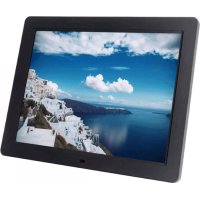
DigiFrame 720 - Digital photo frame BRAUN - Free user manual and instructions
Find the device manual for free DigiFrame 720 BRAUN in PDF.


Pick your language and provide your email: we'll send you a specifically translated version.
| Product Type | Digital Photo Frame |
| Brand | Braun |
| Model | DigiFrame 720 |
| Display Size | 7 inches (diagonal) |
| Display Resolution | 800 x 480 pixels |
| Aspect Ratio | 16:9 |
| Supported Image Formats | JPEG, BMP, PNG, GIF |
| Memory Card Slots | SD, SDHC, MMC |
| USB Connectivity | USB 2.0 (Host and Device) |
| Power Supply | 5V DC, 1A (via AC adapter) |
| Power Consumption | Approx. 5W (operating) |
| Dimensions (L x H x D) | 200 x 150 x 25 mm |
| Weight | Approx. 350 g |
| Slideshow Modes | Fade, dissolve, random, etc. |
| Additional Features | Calendar, clock, auto-rotate, brightness adjustment |
| Cleaning Instructions | Wipe with a soft, dry cloth. Do not use liquid cleaners. |
| Safety Warnings | Do not expose to moisture or extreme temperatures. Use only supplied adapter. |
| Repair and Spare Parts | Contact Braun support. No user-serviceable parts inside. |
Frequently Asked Questions - DigiFrame 720 BRAUN
How do I set up my Braun DigiFrame 720?
Connect the power adapter to the frame and plug into a wall outlet. Insert an SD card or USB drive with photos, or connect a computer via USB. The frame will automatically start a slideshow.
What image formats are supported?
The DigiFrame 720 supports JPEG, BMP, PNG, and GIF formats. For best results, use JPEG with resolution up to the frame's display resolution.
Can I use a memory card larger than 32GB?
The frame supports SD and SDHC cards up to 32GB. Larger capacities like SDXC may not work. Format the card as FAT32 before use.
How do I navigate the menu?
Use the buttons on the back of the frame to access the menu. You can select slideshow mode, adjust settings, and view files. Refer to the manual for detailed button functions.
Why is my frame not turning on?
Ensure the power adapter is firmly connected to both the frame and the wall outlet. Try a different outlet. If it still won't turn on, contact Braun support.
Can I set a timer for the frame to turn off?
Yes, the DigiFrame 720 includes a sleep timer feature. Go to Settings > Timer to set the auto-off duration (e.g., 30, 60, or 90 minutes).
How do I clean the screen?
Turn off the frame and unplug it. Gently wipe the screen with a soft, dry microfiber cloth. Do not use any liquid cleaners, alcohol, or abrasive materials.
Does the frame support video playback?
No, the Braun DigiFrame 720 is designed for still images only. It does not play videos or audio files.
Can I connect two frames together?
No, the frame does not support daisy-chaining or multi-frame syncing. Each frame operates independently.
Where can I find the user manual?
The manual is available for free download at notice-facile.com here. Search for Braun DigiFrame 720. Alternatively, contact Braun support.
User questions about DigiFrame 720 BRAUN
0 question about this device. Answer the ones you know or ask your own.
Ask a new question about this device
No questions yet. Be the first to ask one.
Download the instructions for your Digital photo frame in PDF format for free! Find your manual DigiFrame 720 - BRAUN and take your electronic device back in hand. On this page are published all the documents necessary for the use of your device. DigiFrame 720 by BRAUN.