
SHC8680 - Headphones PHILIPS - Free user manual and instructions
Find the device manual for free SHC8680 PHILIPS in PDF.
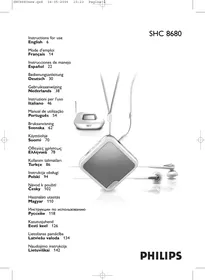

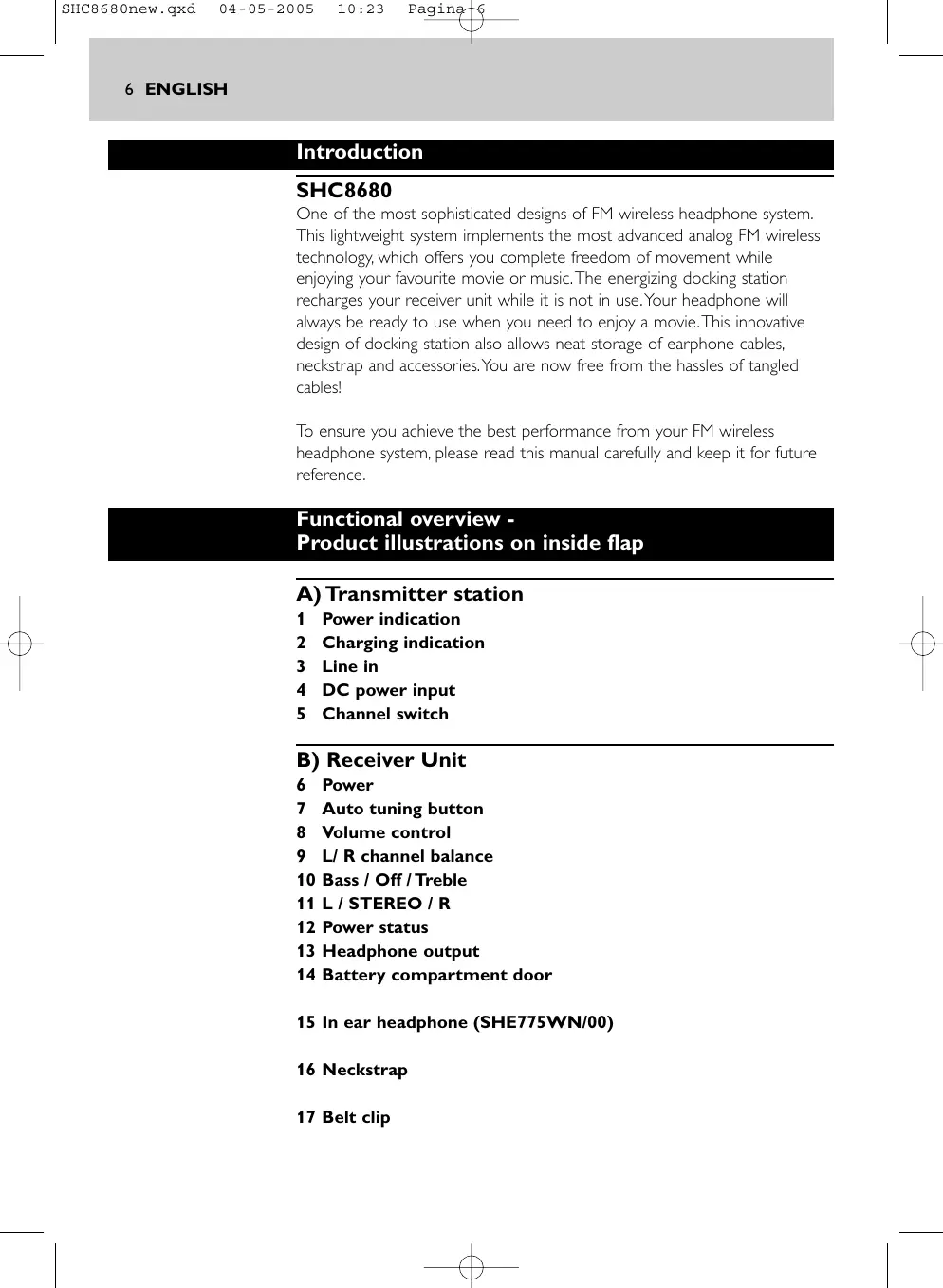


| Product type | FM wireless headset |
| Brand | Philips |
| Model | SHC8680 |
| Transmitter power supply | 12 V / 200 mA DC (adapter SBC CS030/00) |
| Receiver power supply | 1 NiMH AA rechargeable battery (Philips AY3362) |
| Battery life | Approximately 10 hours |
| Maximum range | Up to 60 meters (open field) |
| Available channels | 3 channels (863.5 MHz, 864 MHz, 864.5 MHz) |
| Modulation | FM |
| Frequency response | 20 - 20,000 Hz |
| Signal-to-noise ratio | > 60 dB |
| Distortion | ≤ 2% THD |
| Channel separation | ≥ 30 dB |
| Main functions | FM wireless listening, charging dock, automatic tuning, tone adjustments (bass/treble), balance, stereo/mono left/right selection |
| Included accessories | In-ear earphones (SHE775WN/00), lanyard, belt clip, audio cable (3.5 mm mini-jack), 6.3 mm adapter, RCA Y-cable, power adapter |
| Maintenance and cleaning | Use a slightly damp chamois cloth; do not use products containing alcohol, ammonia or abrasives |
| Safety | Do not expose to moisture, rain, sand or extreme temperatures; do not disassemble; protect your ears (prolonged volume) |
| Batteries and charging | Use exclusively a Philips NiMH rechargeable battery; charge at least 16 h before first use |
| Compliance | European R&TTE Directive 1999/05/EC |
Frequently Asked Questions - SHC8680 PHILIPS
User questions about SHC8680 PHILIPS
0 question about this device. Answer the ones you know or ask your own.
Ask a new question about this device
Download the instructions for your Headphones in PDF format for free! Find your manual SHC8680 - PHILIPS and take your electronic device back in hand. On this page are published all the documents necessary for the use of your device. SHC8680 by PHILIPS.
USER MANUAL SHC8680 PHILIPS
Instructions for use
English 6
Mode d'emploi
Français 14
PHILIPS
A)
Helpline (www.p4c.philips.com)
B)
6 ENGLISH
Introduction
SHC8680
One of the most sophisticated designs of FM wireless headphone system. This lightweight system implements the most advanced analog FM wireless technology, which offers you complete freedom of movement while enjoying your favourite movie or music. The energizing docking station recharges your receiver unit while it is not in use. Your headphone will always be ready to use when you need to enjoy a movie. This innovative design of docking station also allows neat storage of earphone cables, neckstrap and accessories. You are now free from the hassles of tangled cables!
To ensure you achieve the best performance from your FM wireless headphone system, please read this manual carefully and keep it for future reference.
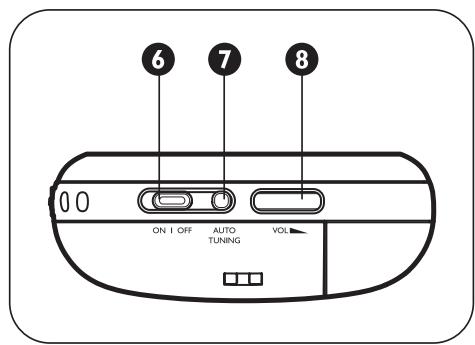
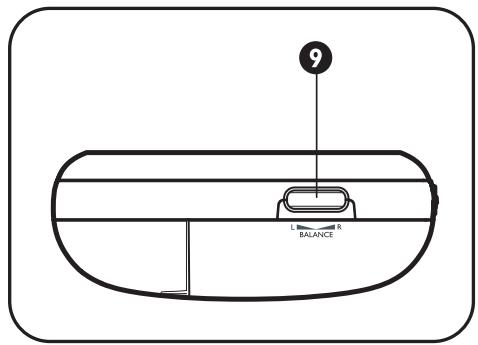
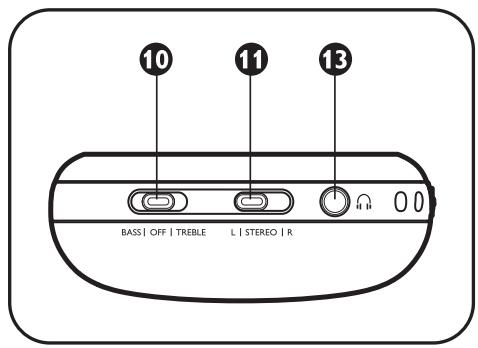
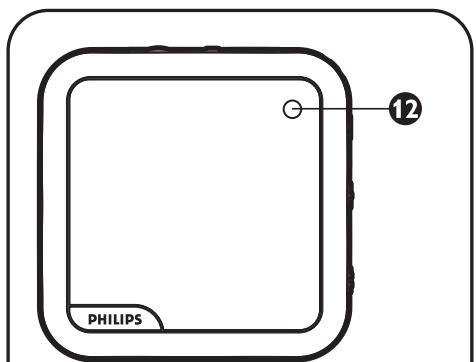
Functional overview - Product illustrations on inside flap
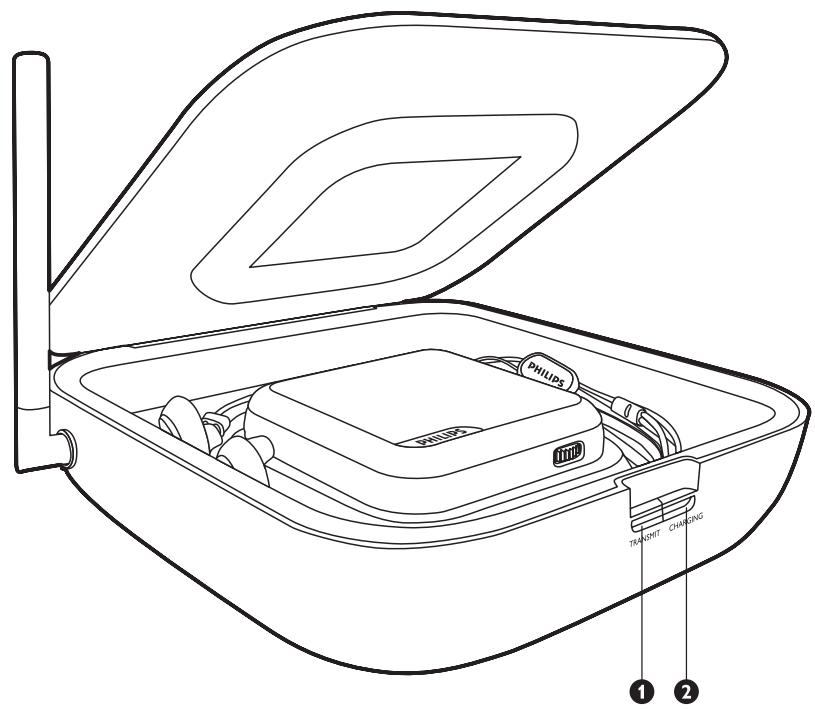
A) Transmitter station
1 Power indication
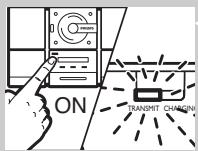
2 Charging indication
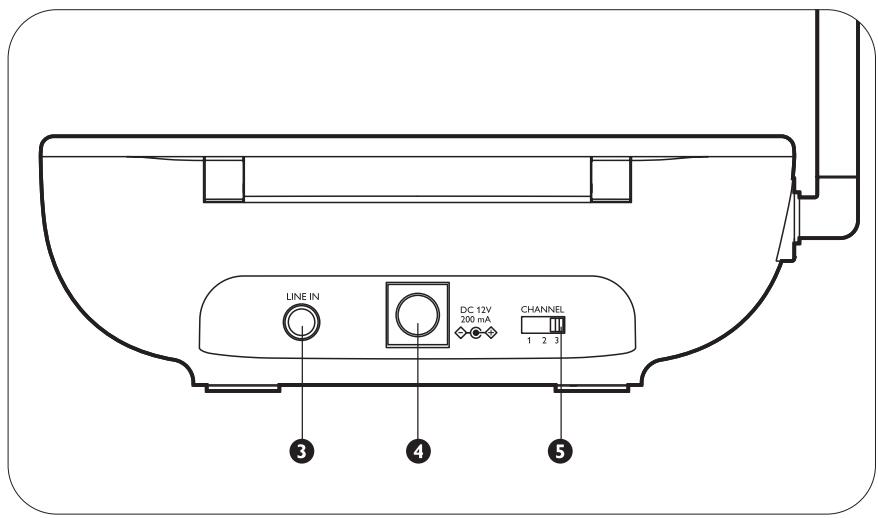
3 Line in
4 DC power input
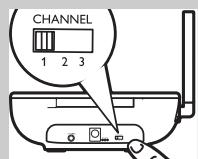
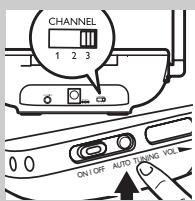
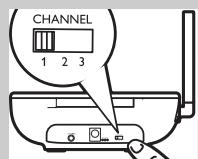
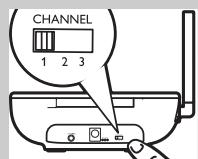
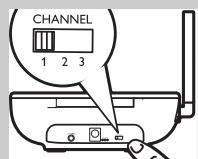
5 Channel switch
B) Receiver Unit
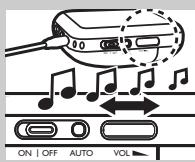
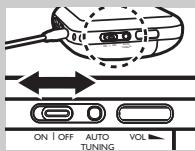
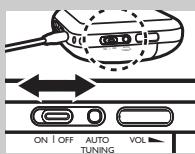
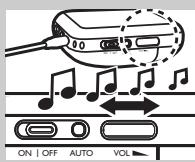
6 Power
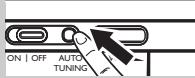
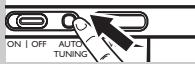
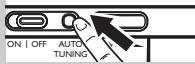
7 Auto tuning button
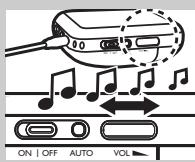
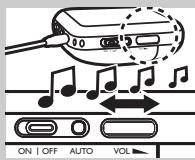
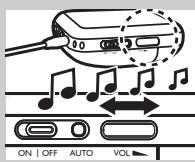
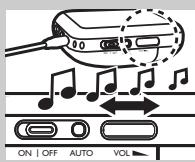
8 Volume control
9 L/ R channel balance
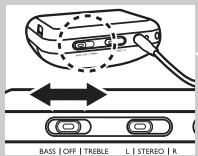
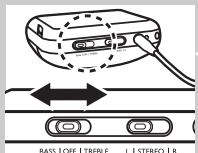
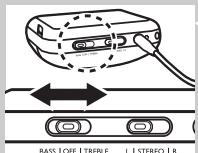
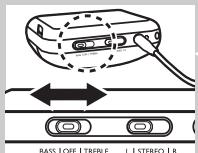
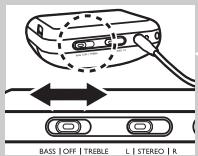
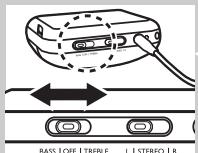
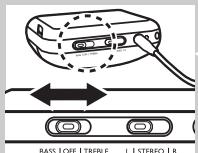
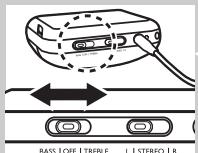
10 Bass / Off / Treble
11 L / STEREO / R
12 Power status
13 Headphone output
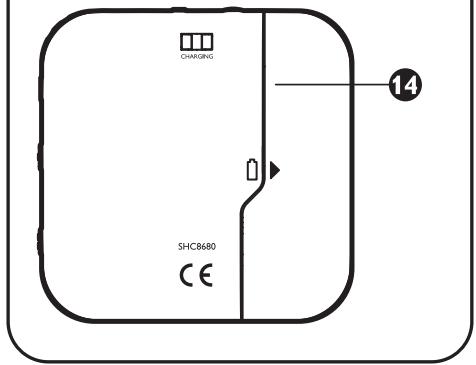
14 Battery compartment door
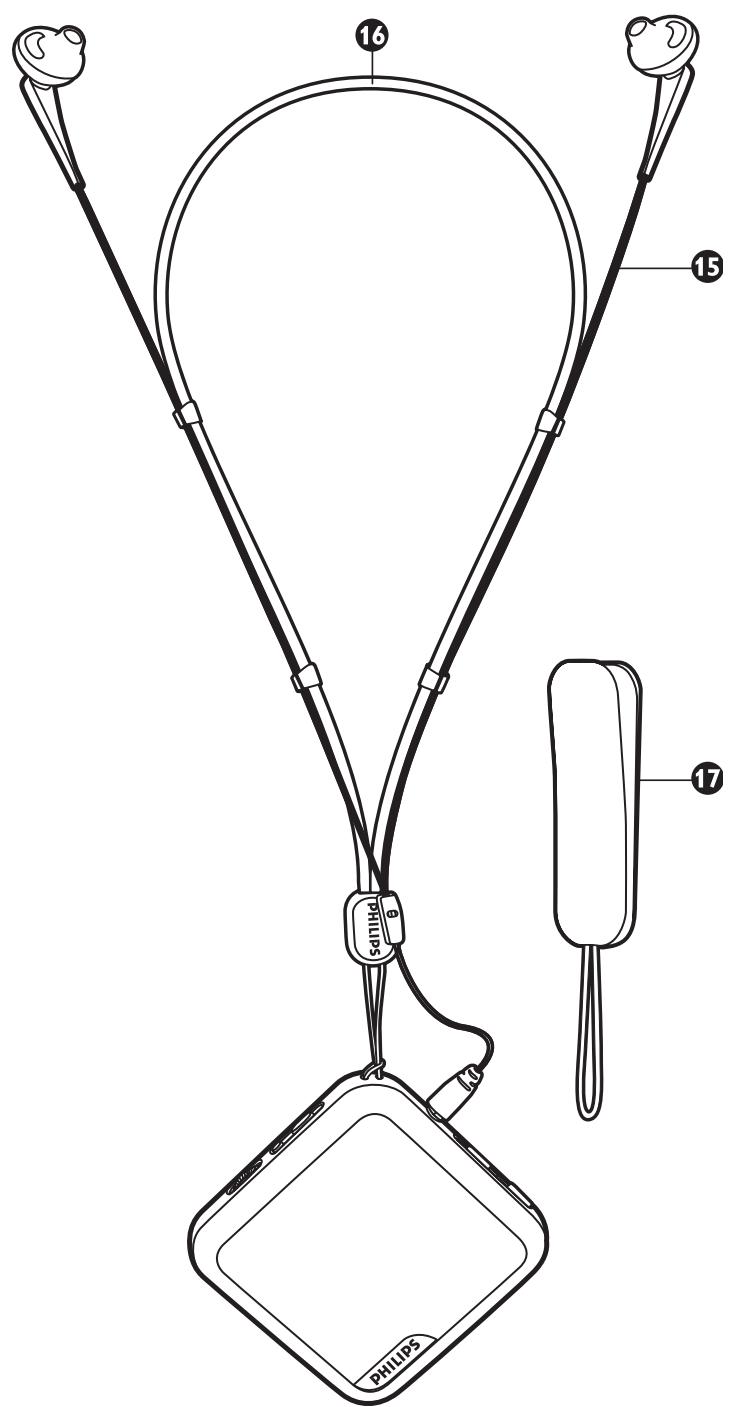
15 In ear headphone (SHE775WN/00)
16 Neckstrap
17 Belt clip
Important information
Please read the following instructions carefully, and retain this booklet for future reference. All safety and operating instructions should be read before using the FM wireless headphone system.
Safety precautions
- Prevent fire or shock hazard: do not expose this equipment to humidity, rain, sand or excessive heat caused by heating equipment or direct sunlight.
- Radio equipment for wireless audio applications is not protected against disturbance from other radio services.
- Do not use cleansing agents containing alcohol, spirits, ammonia or abrasives as they may harm the housing. Use a slightly dampened chamois cloth to clean the housing.
- If fluid spills into the headphone system, remove the batteries immediately and consult an authorized dealer.
- Do not use this product in damp places or close to water.
- Do not expose this product to extreme heat or direct sunlight.
- Do not disassemble the product. In the event of technical difficulties, take it to your Philips retailer.
- Do not cover this product
- Inadequately protected or sensitive electronic equipment may be affected by the use of this product. This interference may lead to damage to either equipment. Please check whether or not surrounding equipment may be affected by this product before you start using it.
- Hearing Safety! Continuous use at high volume may permanently damage your hearing.
Getting your FM wireless headphone system ready
IMPORTANT!
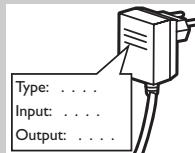
- Use only Philips SBC CS030/00 (/05 for UK, Ireland) 12V/200mA AC/DC adapter.
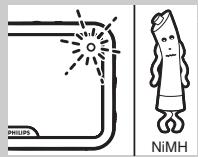
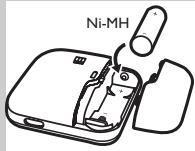
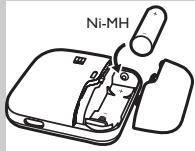
- Use only Philips' shortened sleeve rechargeable battery NiMH (AA, type number: AY3362, partnumber 310330884711).
- Do not use NiCd batteries or alkaline batteries as they may damage your FM wireless headphone system.
8 ENGLISH
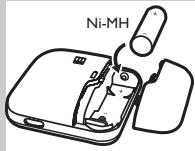
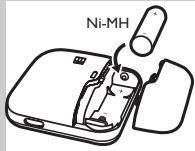
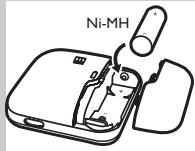
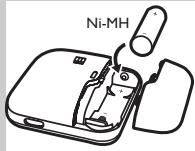
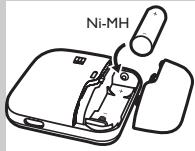
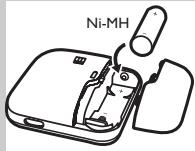
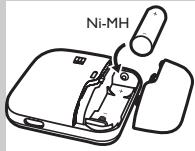
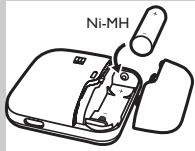
Installing/replacing batteries
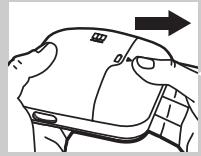
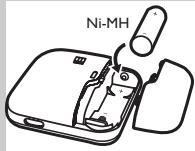
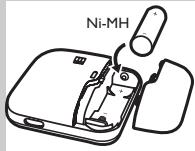
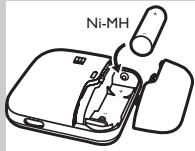
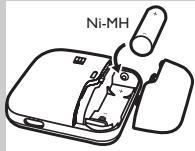
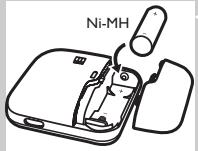
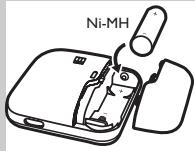
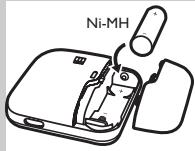
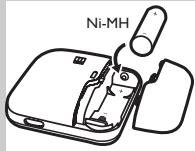
1 Open the battery compartment door located at the bottom of the receiver unit.
2 Insert a rechargeable battery.
3 Make sure the battery is correctly inserted as indicated by the engraved polarity symbol in the battery compartment.
4 Close the battery compartment door.
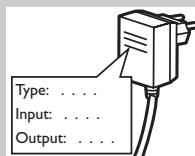
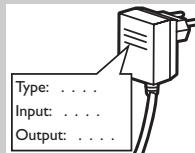
Power up the transmitter station
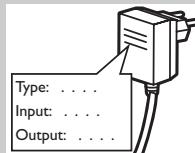
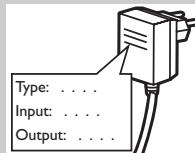
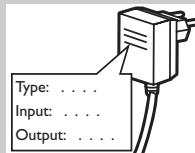
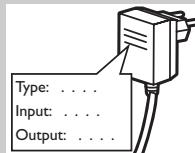
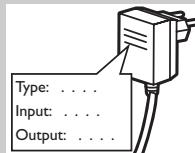
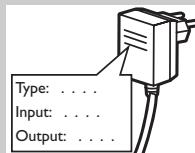
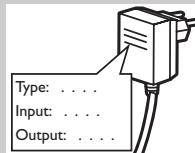
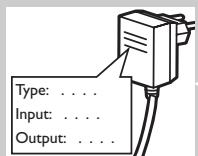
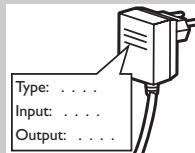
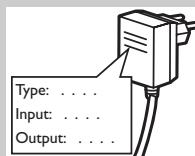
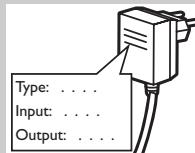
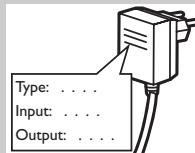
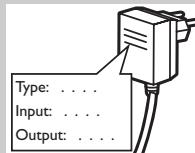
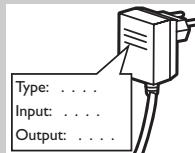
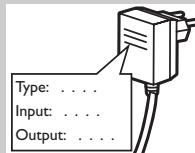
5 Make sure the adapter's rated voltage indicated on the type plate corresponds to the mains voltage supply.
6 Connect the DC power output connector of the 12 Volt/ 200mA AC/DC adapter to the DC POWER INPUT jack at the back of the transmitter.
7 Connect the 12 Volt/200mA AC/DC adapter to the mains socket. Always remove the adapter from the mains socket if the transmitter will not be used for a period of time.
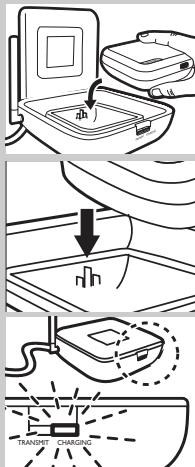
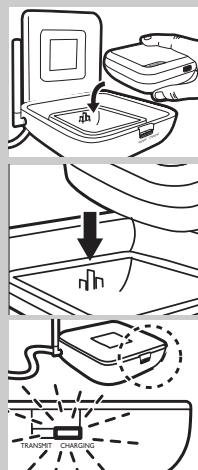
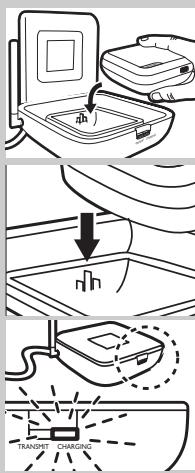
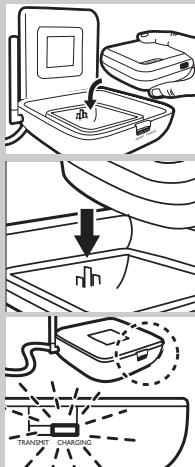
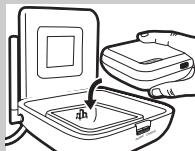
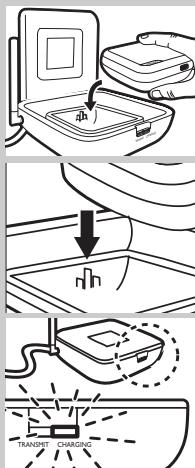
Charging the receiver unit
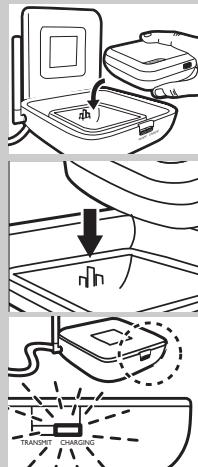
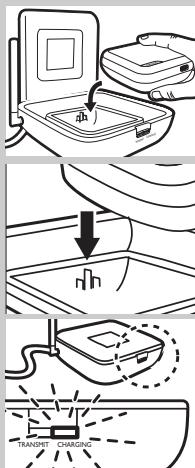
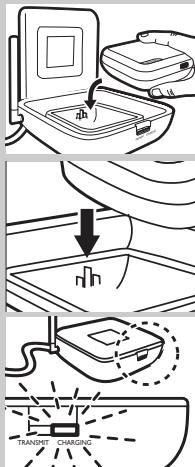
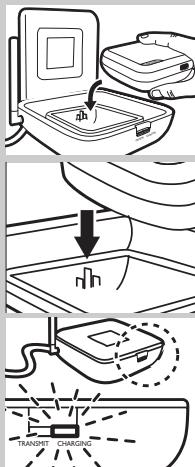
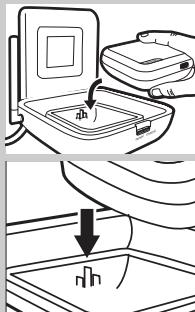
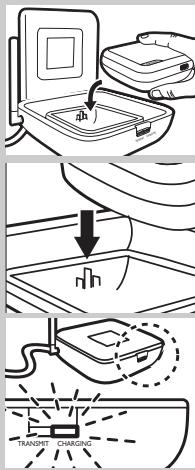
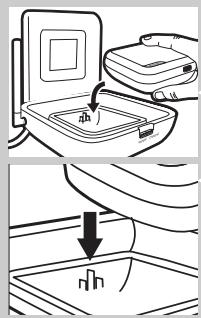
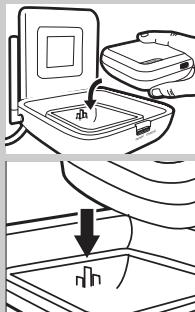
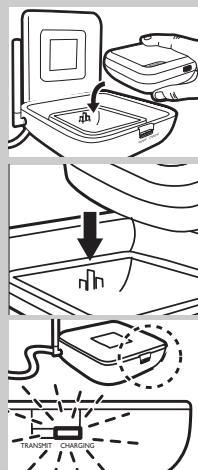
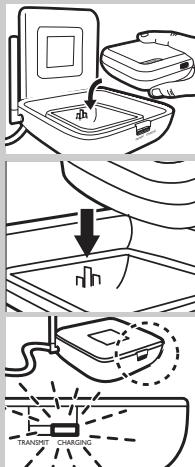
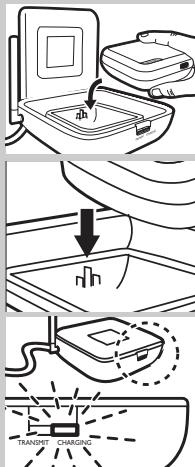
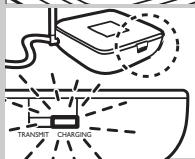
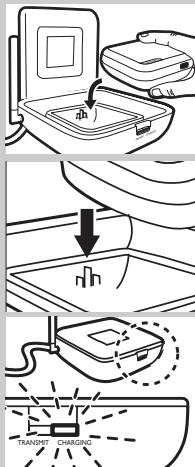
8 Open the lid of the transmitter station.
9 Place the receiver unit into the transmitter station (will also be referred to as the 'energizing docking station' in the following texts).
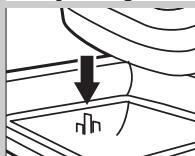
10 Make sure the charging contacts at the bottom of the receiver unit are well aligned with the charging pins of the docking station.
11 Close the lid of the docking station.
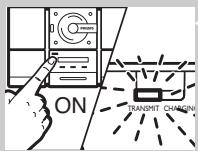
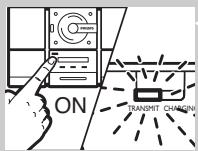
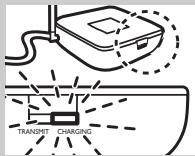
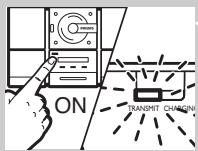
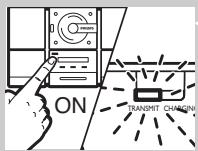
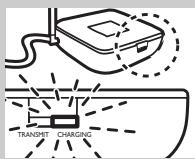
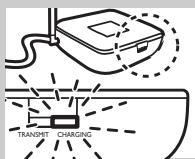
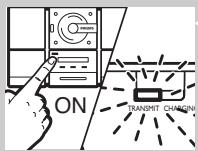
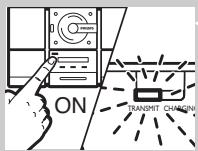
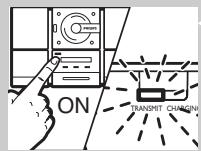
12 The CHARGING INDICATION on front of the docking station will be illuminated in green, and will be turned off automatically at the end of the charging cycle.
IMPORTANT!
- Make sure you switch off the receiver unit before charging.
WARNING!
- Before using the FM headphone for the first time, please ensure that the battery is fully charged for at least 16 hours. This will guarantee a longer operating lifetime of battery.
- This product complies with the latest safety regulations. Please only charge the battery with the docking station provided (SHC8680) or with fully compatible charger.
Audio connection (Transmitter station)
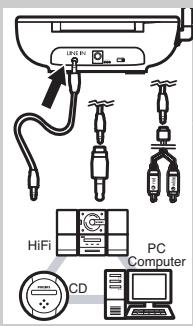
13 Connect one end of the audio cable (3.5 mm stereo plug) to the transmitter's 3.5 mm stereo LINE IN jack.
14 Connect the other end of the 3.5 mm stereo cable to either:
a) The headphone output of an audio source, such as TV, HiFi or PC. Adjust the volume level of the audio source to a fixed reasonably high level; for example 25% of the maximum level.
- In case your audio source has a 6.3mm headphone output, use the supplied 3.5mm to 6.3mm stereo adapter plug.
IMPORTANT!
-
In case of certain TVs, the headphone jack output level can only be adjusted after accessing the TV on-screen menu.
b) The line output of an audio source, such as REC OUT or LINE OUT (with the Y-cable supplied). -
Check if the red RCA plug (right channel) is connected to the right channel (red) of the audio source.
- Check if the white RCA plug (left channel) is connected to the left channel (white) of the audio source.
- In case the audio source has an adjustable RCA output level, adjust the output level to the highest acceptable undistorted level.
10 ENGLISH


Audio connection (Receiver unit)
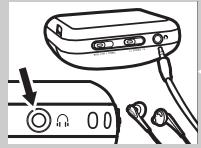
15 Plug the bypacked in ear headphone (SHE775WN/00) into the HEADPHONE OUTPUT jack ( i ) of the receiver unit.
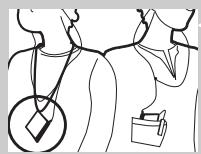
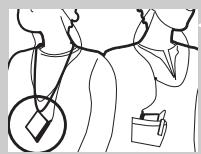
16 Depending on your preferred wearing style, you may carry the receiver unit with the provided neckstrap or belt clip.
For details in wearing styles, please refer to the separate Quick Reference Guide.
Using your FM Wireless Headphone System
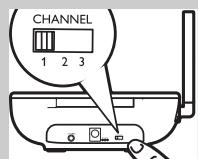
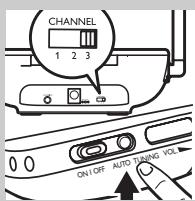
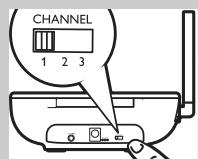
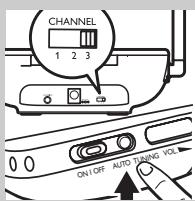
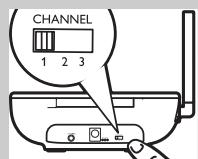
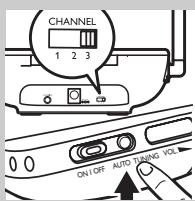
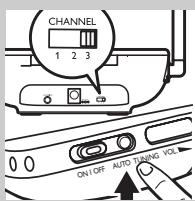
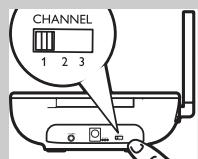
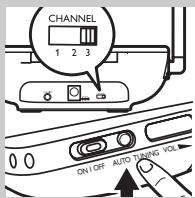
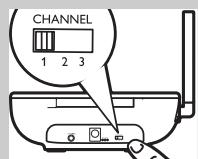
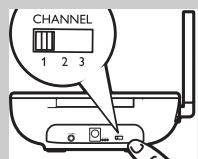
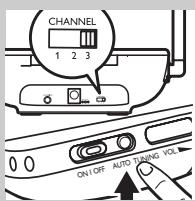
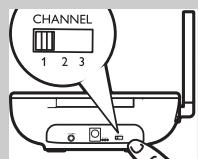
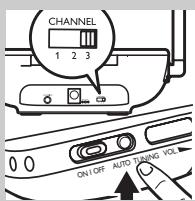
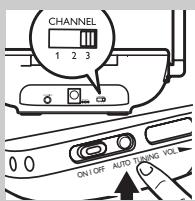
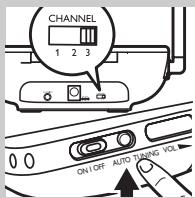
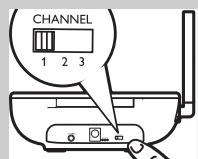
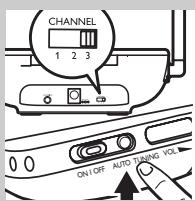
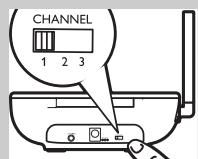
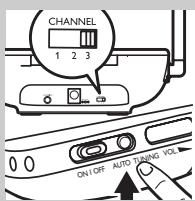
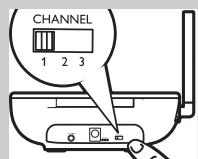
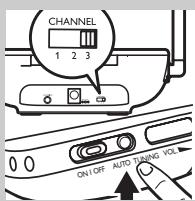
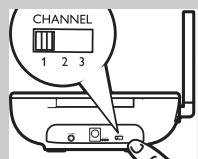
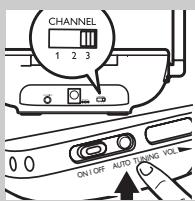
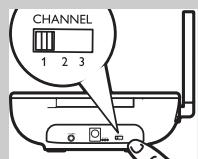
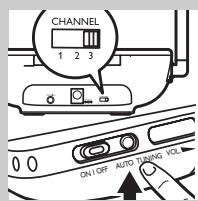
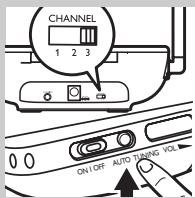
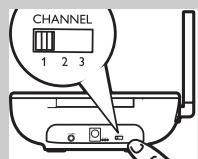
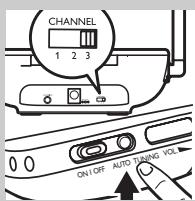
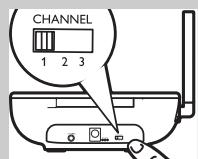
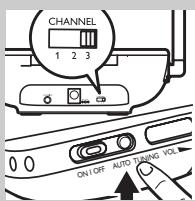
17 Select one of the three transmission channels provided at the back of the transmitter station.
We recommend you to select channel one as your first option.
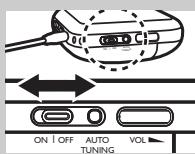
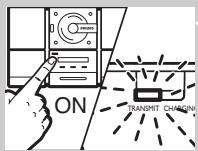
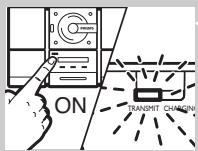
18 Switch on your audio source and carefully increase the volume of the audio source.
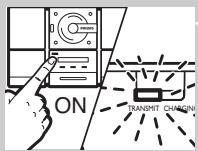
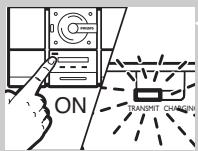
The POWER INDICATION on front of the transmitter station will be illuminated in red when signals are received.
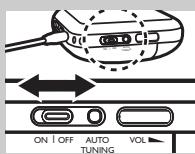
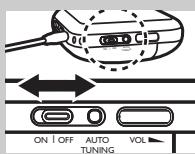
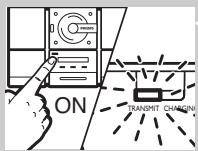
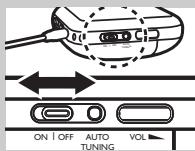
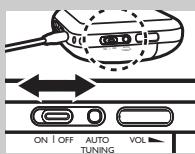
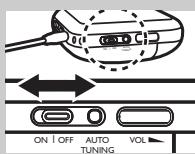
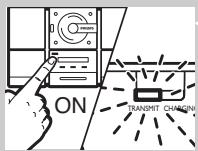
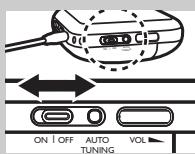
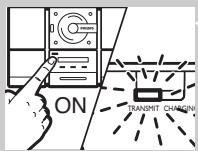
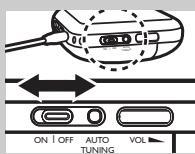
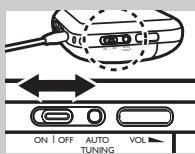
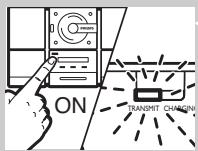
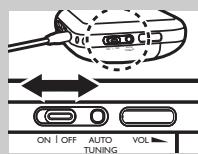
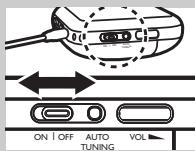
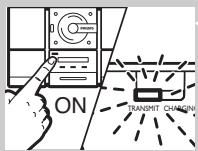
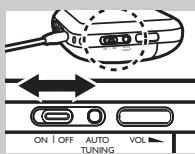
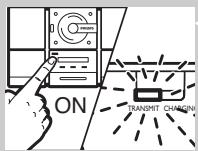
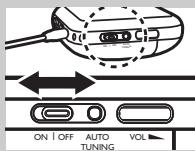
19 Switch on the POWER of the receiver unit.
The POWER STATUS light on the receiver unit will be illuminated in red automatically.
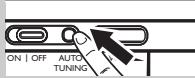
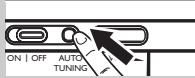
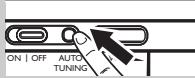
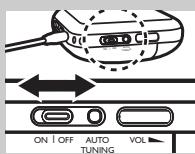
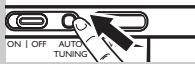
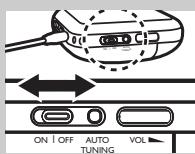
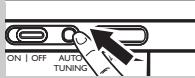
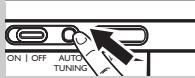
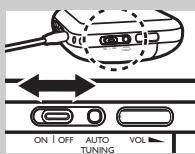
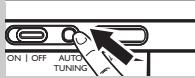
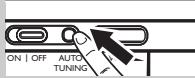
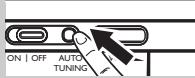
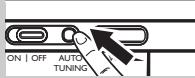
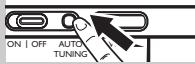
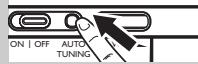
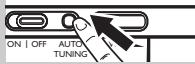
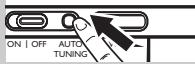
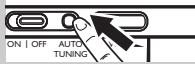
20 Press and hold the AUTO TUNING button on the receiver unit for about 1 second to tune to the correct transmission channel.
The receiver unit will automatically be tuned to the transmitter.
21 In case interference from neighbouring transmitters has occurred, adjust the transmission channel of the transmitter station, then repeat step 20 to tune the receiver unit.
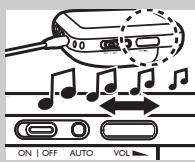
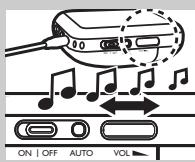
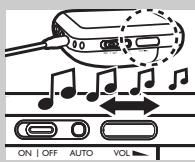
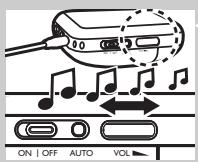
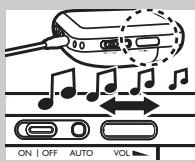
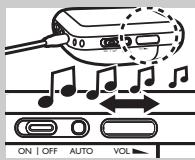
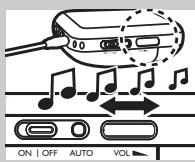
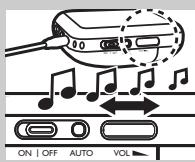
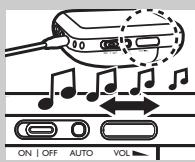
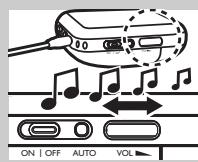
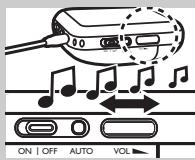
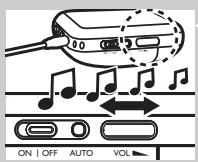
22 Adjust the volume to your desired listening level.
IMPORTANT!
- Avoid adjusting the listening volume level at the audio source as this may compromise the audio quality on too low input levels.
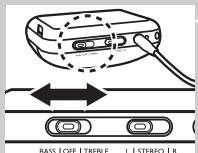
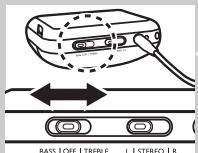
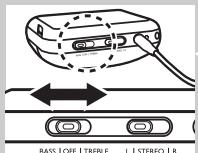
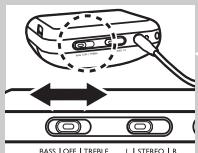
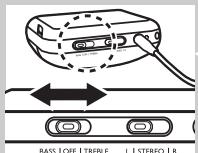
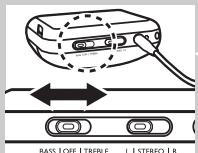
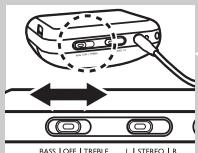
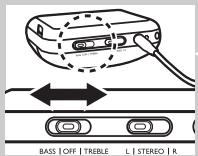
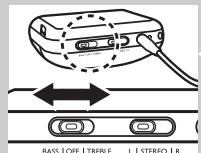
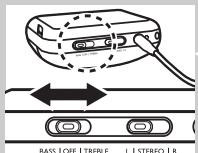
23 To enjoy sound enhancement features, you may choose between the following 2 options:
- Bass boost
- Treble boost
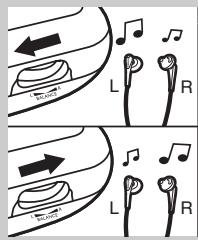
24 You may adjust the balance between left and right channels of the headphone according to your personal preference.
25 For certain TV broadcast where Nicam Language selection is available, you may choose your preferred language by playing:
- Stereo
- only the left channel
- only the right channel
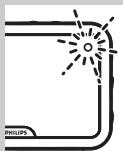

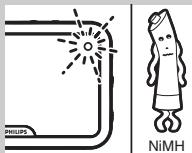
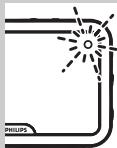
26 When battery is running low, the POWER STATUS light will flash for approximately 1 minute, reminding you to recharge the receiver unit. At the same time, the receiver unit will be muted automatically to avoid poor sound quality.
Problem solving
If a fault occurs, first check the points listed below. If you are unable to remedy a problem by following these hints, contact the helpline (see 'Need help?') or consult your dealer.
Never try to open the set yourself as this will void the guarantee.
First, check all cables to ensure that they are connected correctly.
| Problem | Possible Cause | Solution |
| Headphone fails to charge | No battery installed | Follow step 1 to 4 of ‘Installing/replacing the batteries’ |
| Wrong battery orientation | Reposition the batteries according to the engraved polarity symbol. | |
| No power supply | Make sure the docking station is connected to the local mains power supply through an adapter and follow steps 5 to 7. | |
| Charging pins of the docking station are not in contact with the metal plates of the receiver unit | Lock the receiver unit in place, and make sure the CHARGING INDICATION light is on. | |
| Wrong receiver unit orientation when placed onto the charging dock | Reposition the receiver unit with correct orientation. |
12 ENGLISH
| No sound/distorted sound | Receiver unit power off | Switch on the POWER button of the receiver unit. The POWER STATUS light will be illuminated in red. |
| No battery installed | Follow step 1 to 4 of ‘Installing/replacing the batteries’ | |
| Wrong battery orientation | Reposition the batteries according to the engraved polarity symbol. | |
| No power supply to transmitter | Make sure the docking station is connected to the local mains power supply through an adapter and follow step 5 to 7. | |
| Battery power running low | Follow step 8 to 12 to recharge the receiver unit. | |
| Audio source not connected | Make sure the audio output of your audio source is connected to the 3.5 mm stereo LINE IN jack of your transmitter.Follow step 13 and 14. | |
| Audio source is off | Turn on your audio source. | |
| Volume level set too low | Adjust the volume level of your audio source or the receiver unit.Hearing Safety: Continuous use at a high volume may permanently damage your hearing. | |
| Audio output level low | In case of audio sources with adjustable output level, adjust the output level to a higher and non-distorted level.IMPORTANT: In case of certain TVs, the headphone jack output level can only be adjusted after accessing the TV on-screen menu. | |
| Receiver unit not tuned to the transmitter | Push and hold the AUTO-TUNING button for about 1 sec, then the receiver unit will automatically search for the best possible reception. | |
| Interference from other radio sources | 1) Alter the transmitter's frequency channel. Select 1 of the 3 options for best reception.We advise you to select channel 1 as the first option. Next adjust the receiver unit's tuning channel as described above.2) Move transmitter or receiver unit elsewhere |
| Receiver unit too far away from transmitter | Move closer for reception |
| Transmitter other than SHC8680 is used | Make use of the SHC8680 transmitter provided. Some transmitters already built into other equipment may not be compatible with the SHC86880 receiver unit because of the advanced technologies used. |
Technical specifications*
| Transmitter | System: | Radio Frequency (RF) |
| Modulation: | Frequency Modulation (FM) | |
| Pilot Tone: | 19kHz | |
| Carrier Frequency: (/00 & /05) | Channel 1: 863.5MHzChannel 2: 864MHzChannel 3: 864.5MHz | |
| Radiated Output Power: | <10mW | |
| Effective Transmission Range: | Up to 60m **, omni directional (360°) | |
| Input Level: | 500 mV | |
| Power supply: | 12 Volts/ 200mA DC, center positive; type number: SBC CS030/00 (/05 for UK, Ireland) | |
| Receiver Unit | Reception Frequency: (/00 & /05) | 863MHz – 865MHz |
| S/N ratio: | >60dB (1kHz sine wave, A-weighted) | |
| Distortion: | ≤ 2% THD | |
| Channel Separation: | ≥ 30 dB | |
| Audio frequency range: | 20-20,000 Hz | |
| Power Supply: | 1 x AA rechargeable battery (Philips, NiMH, type number:AY 3362, partnumber 310330884711) | |
| Battery Life Time: | ~ 10 hours |
* All specifications are subject to change
** Depending on ambient conditions
European Regulations
Hereby, Philips Consumer Electronics, B.U. Peripherals & Accessories, declares that this FM wireless headphone system SHC8680 is in compliance with the essential requirements and other relevant provisions of Directive 1999/5/EC.
This product has been designed, tested an manufactured according to the European R&TTE Directive 1999/5/EC.
14 FRANÇAIS
Introduction
SHC8680








Audioansluiting (ontvanger)
European Regulations
IMPORTANTE!





TÄRKEÄÄ!




To ensure you achieve the best performance from your FM wireless headphone system, please read this manual carefully and keep it for future reference.


Turk Philips Tic. A.S.
Y. Dudullu Org. San Bolg.2.Cad.No:22
Umraniye-IST-Turkiye
Wstep
SHC8680
WAŻNE!


DŮLEŽITÉ!


FONTOS!


ВАЖНОЕ ЗАМЕЧАНИЕ!










- ENGLISH
- INTRODUCTION
- SHC
- FUNCTIONAL OVERVIEW - PRODUCT ILLUSTRATIONS ON INSIDE FLAP
- TRANSMITTER STATION
- RECEIVER UNIT
- IMPORTANT INFORMATION
- SAFETY PRECAUTIONS
- GETTING YOUR FM WIRELESS HEADPHONE SYSTEM READY
- IMPORTANT
- INSTALLING/REPLACING BATTERIES
- POWER UP THE TRANSMITTER STATION
- CHARGING THE RECEIVER UNIT
- WARNING
- AUDIO CONNECTION (TRANSMITTER STATION)
- AUDIO CONNECTION (RECEIVER UNIT)
- USING YOUR FM WIRELESS HEADPHONE SYSTEM
- PROBLEM SOLVING
- EUROPEAN REGULATIONS
- FRANÇAIS
- AUDIOANSLUITING (ONTVANGER)
- IMPORTANTE
- TÄRKEÄÄ
- WSTEP
- WAŻNE
- DŮLEŽITÉ
- FONTOS
- ВАЖНОЕ ЗАМЕЧАНИЕ
Brand : PHILIPS
Model : SHC8680
Category : Headphones