
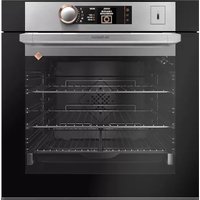
DOS 1160X CORIUM - Four encastrable DE DIETRICH - Notice d'utilisation et mode d'emploi gratuit
Retrouvez gratuitement la notice de l'appareil DOS 1160X CORIUM DE DIETRICH au format PDF.


| Marque | DE DIETRICH |
| Modèle | DOS 1160X CORIUM |
| Type de produit | Four encastrable |
| Catégorie | Four combiné vapeur |
| Capacité du réservoir d'eau | 1 litre |
| Fonctions de cuisson | Chaleur tournante, Chaleur combinée, Traditionnel Eco, Turbo gril, Gril fort, Gril moyen, Maintien au chaud, Décongélation, Traditionnel + vapeur, Gril pulsé + vapeur, Chaleur tournante + vapeur |
| Fonction Expert | Réglage manuel de la température, type de cuisson, durée, vapeur |
| Fonction Recettes | 17 programmes pré-enregistrés (viande, volaille, pain, gâteaux, plats cuisinés, décongélation) |
| Fonction Nettoyage | Pyrolyse (2 modes : Pyromax 2h, Pyrocontrol automatique) |
| Détartrage | Recommandé par l'affichage, cycle automatique avec vinaigre blanc |
| Type de pyrolyse | Pyromax (durée fixe) et Pyrocontrol (durée adaptative) |
| Verrouillage des commandes | Sécurité enfant (verrouillage/déverrouillage via boutons) |
| Éclairage intérieur | Ampoule (remplacement par SAV) |
| Alimentation électrique | 230 V / 16 A |
| Affichage | Numérique avec commandes tactiles |
| Mode veille | Extinction automatique de l'affichage après 4 min |
| Minuterie | Indépendante, jusqu'à 23h59 |
| Service après-vente | Disponible (coordonnées dans l'application) |
| Indice de réparabilité | Non spécifié |
FOIRE AUX QUESTIONS - DOS 1160X CORIUM DE DIETRICH
Questions des utilisateurs sur DOS 1160X CORIUM DE DIETRICH
0 question sur cet appareil. Repondez a celles que vous connaissez ou posez la votre.
Poser une nouvelle question sur cet appareil
Téléchargez la notice de votre Four encastrable au format PDF gratuitement ! Retrouvez votre notice DOS 1160X CORIUM - DE DIETRICH et reprennez votre appareil électronique en main. Sur cette page sont publiés tous les documents nécessaires à l'utilisation de votre appareil DOS 1160X CORIUM de la marque DE DIETRICH.
MODE D'EMPLOI DOS 1160X CORIUM DE DIETRICH
Four
Oven
Horno
Forno
Backofen
De Dietrich

Dear Customer.
You have just purchased a DE DIETRICH oven and we would like to thank you.
Our research teams have designed this new generation of appliances for you. Their quality, aesthetics, functions and technological developments make them exceptional products and proof of our ability and know-how.
Your new DE DIETRICH oven will fit harmoniously into your kitchen, combining top cooking performance with ease of use. We want you to enjoy a product of excellence.
In the DE DIETRICH range of products, you will also find a wide selection of cookers, hobs, extraction hoods, dishwashers and built-in refrigerators, which can be coordinated with your new DE DIETRICH oven.
Of course, with a view to meeting your requirements as closely as possible, our customer service department is available to answer any questions or listen to your suggestions (details at the end of this booklet).
You can also connect to our web site:
www.dedietrich-electromenager.com where you will find our latest innovations, as well as useful and additional information.
DE DIETRICH
New objects of value
As part of our commitment to constantly improving our products, we reserve the right to make changes to them based on advances in their technical and functional features and appearance.

Warning:
Before installing and using your appliance, please read this Installation and Use Guide carefully, which will allow you to quickly familiarise yourself with the appliance's operation.
1/ DESCRIPTION OF YOUR APPLIANCE
Presentation of your oven 4
Presentation of control panel 5
2/ USING YOUR APPLIANCE
- Cooking 6
- Settings when switching on for the first time 7
- Resetting the time 7
Using the drawer 8 - Standby mode 10
- "EXPERT" function 10
° Guide to “Expert” cooking 11
^ Grill+ option 14
° Starting cooking 15
-
"Steamer RECIPES" function 16
°Advice and tips 17 -
“SETTINGS” function 19
° Time 19
Sound 19
^ Display 19
^ Consumption 20
° Language 20
^ Services 21
- “CLEANING” function 22
Control panel locking (child safety device) 26
5/TROUBLESHOOTING PROBLEMS 27
6 / FUNCTION SUITABILITY TESTS 28
INTRODUCTION TO YOUR OVEN
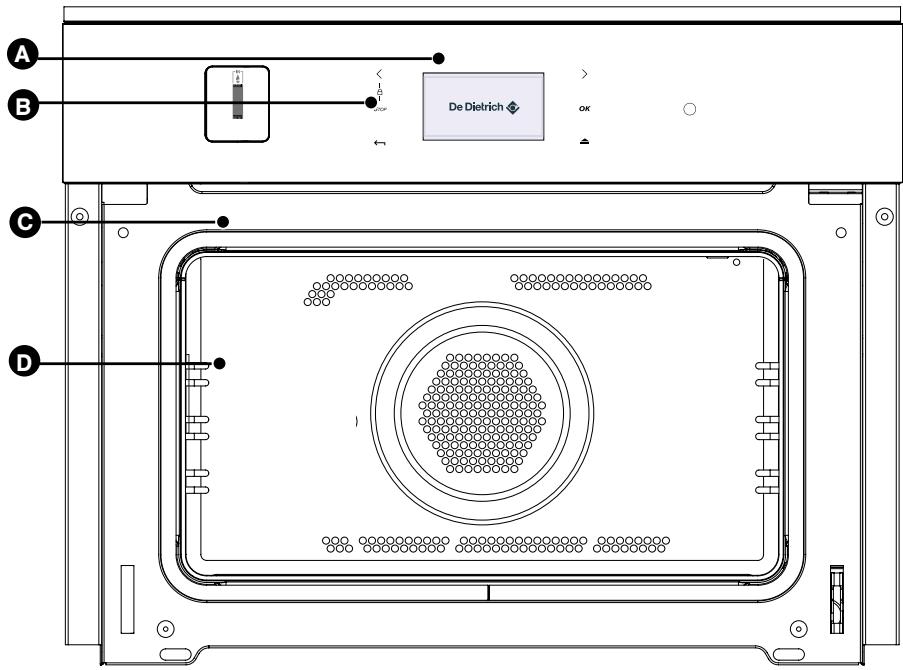
A Programmer
B Control buttons
Lamp
Wire shelf supports
DESCRIPTION OF CONTROLS
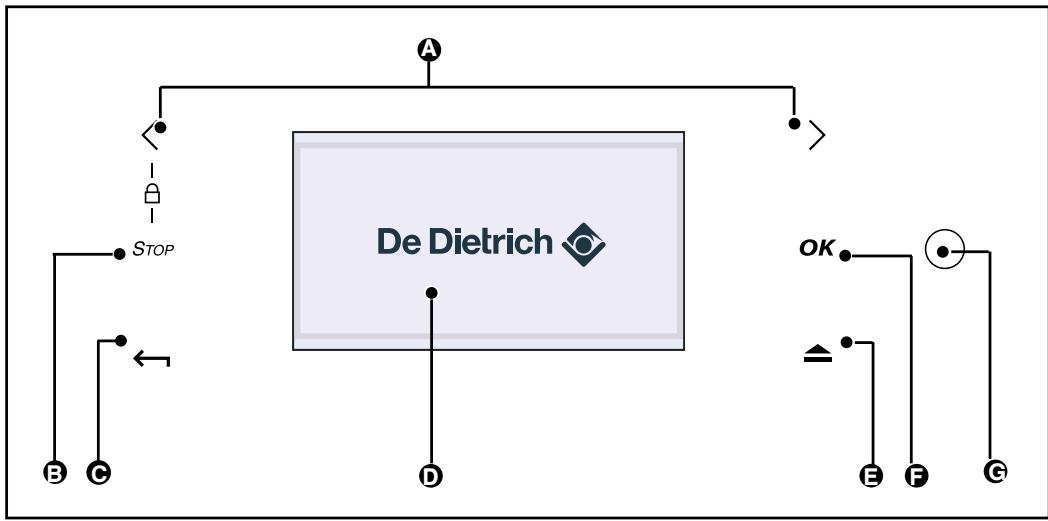
A Selector buttons
B Turn off oven or your cooking programme
Back to the previous level
D Information display
E 0
F Validation button
"Wake up" button (come out of standby)
Using for the first time: before using your oven for the first time, heat it up while empty with the door closed for approximately 15 minutes using the maximum setting in order to "cure" the appliance. The rock wool that surrounds the oven cavity may initially release a particular odour caused by its composition. Similarly, you may notice the release of some smoke. All of this is normal.
List of symbols:

Programming in progress

Door locked

Keypad locked

Cleaning recommended
De Dietrich

COOKING
COMBI STEAM OVEN
An efficient and economical oven
- More succulent cooking
- Food that keeps its crispness
- Food that is not dried out
- Beautiful presentation, food retains the texture it had before cooking
-
More gentle cooking that preserves flavour
-
The oven offers several modes
combined steam:
- Expert mode
With three combined steam functions, the user can manage all aspects of cooking.
- Cooking guide
The user chooses from 17 pre-programmed recipes (roasts, poultry, bread, cakes, cooked dishes, thawing).
- Multifunction Plus,
- 10 cooking functions,
- Reservoir capacity, 1 litre,
- Water level visible in the reservoir with blue backlight,
- Touch sensitive water drawer opening
- De-scaling recommendation.
-2 pyrolysis levels
De Dietrich

- SETTINGS WHEN SWITCHING ON FOR THE FIRST TIME
Language
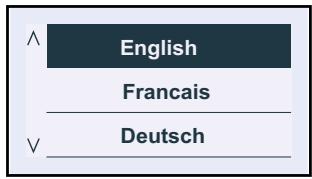
The oven automatically displays the following screen.
It allows you to select your language by pressing the < and > buttons.
Confirm by pressing OK.
Time
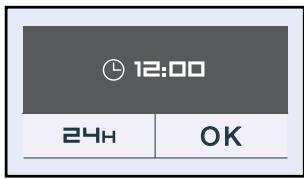
A second screen then appears, to allow you to set the time.
Set the time using the < and > buttons and then press OK.
The hour display flashes, you can adjust it using the < and > buttons and confirm by pressing OK.
Do the same for the minutes (1).
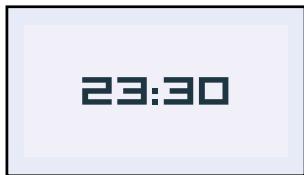
You can choose a 12-hour (am/pm) or 24-hour display (2).
Select using the < and > buttons and then confirm by pressing OK.
(1)
(2)
Digital display
- Resetting the time
- Press the OK button.
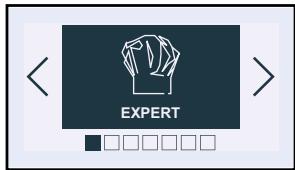
The oven displays the following screen by default ("Expert") function.
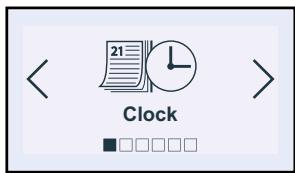
- Press the < and > buttons until the "Settings" screen appears, confirm with OK. The "time" screen is displayed; press OK again to access the time data screen and then proceed as for switching on for the first time.
- USING THE DRAWER
- Filling the reservoir
- Always fill the reservoir with water before you cook.
The reservoir capacity is as follows:
-a maximum of 1 litre.
- Only use tap water. Do not use softened or demineralised water.
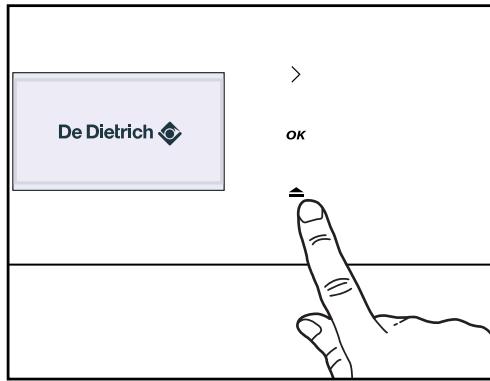
Press the button, the filling drawer pops outs (fig.1).
-Fill the reservoir.
Make sure that the reservoir is filled to its maximum capacity.
Use the maximum level mark visible on the front face of the drawer (fig.2).
Then, close the drawer by pushing it shut (fig. 3).
Your oven is now ready for Combi-steam cooking.

Tip
When filling the reservoir, leave the water level for a couple of seconds so that it can settle.
Readjust the level if necessary.

Note
The reservoir capacity is a maximum of 1 litre.
Do not use softened or demineralised water.
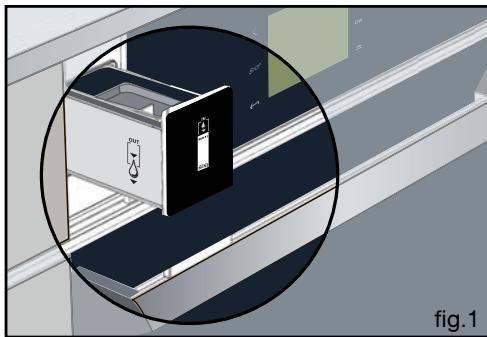
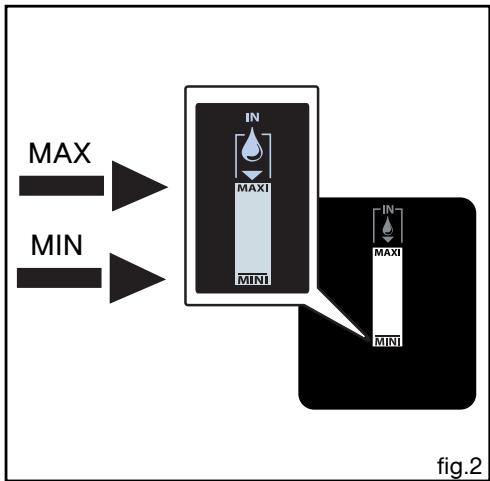
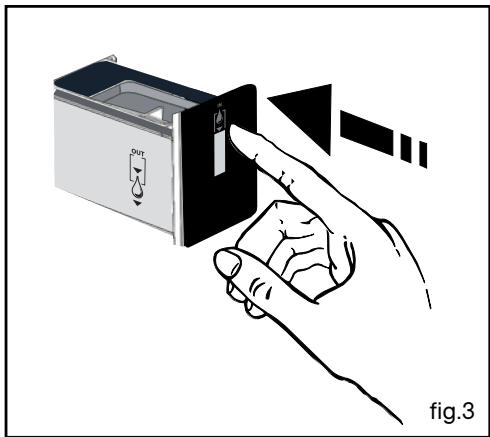
- USING THE DRAWER
- Emptying the reservoir
- Manual emptying
- Open your oven door so that it is easier to empty the reservoir.
Press the button, the filling drawer pops outs.
- Place a container under the drawer to collect any water (fig.1).
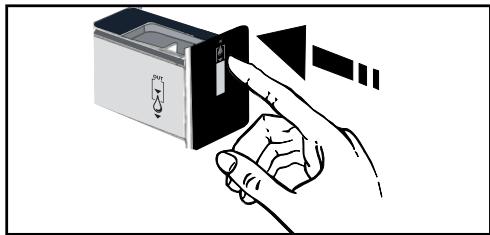
- Keep your finger on the button for the entire emptying cycle (fig.3), about 3 minutes for 1 litre.
- The pump is continuously activated and the water escapes through an opening located under the drawer (fig.1).
Automatic emptying
- Empty the reservoir after cooking with the Combi-steam oven.
- The display, the drawer and the flashing light indicate that you may proceed with the emptying cycle (fig.2)
Press the button, the filling drawer pops outs.
- Place a container under the drawer to collect any water (fig.1).
- Keep your finger on the button for 3 seconds (fig.3),
- The automatic emptying cycle begins.
The display indicates the time needed for emptying e.g. 2 minutes 20s. The emptying is finished when the display indicates 00 minutes. You may remove the container. Then, close the drawer by pushing it shut.
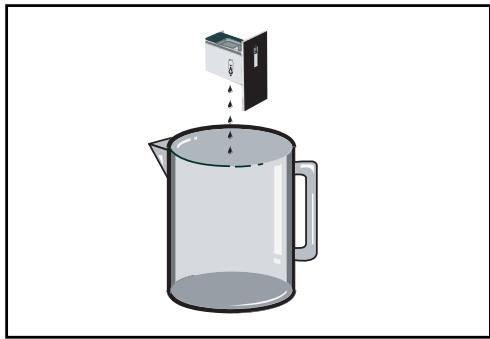


Note
The emptying cycle must be carried out after every Combi-steam Cooking. The automatic emptying cycle lasts for about 3 minutes/
STANDBY MODE
After 4 minutes with no action by the user, the display switches off to save energy (except for a delayed start) and the button starts flashing. The screen is then in standby mode.
To activate the oven and restore the display to full brightness, press the "wake up" button.
The screen shows the time again.
- THE "EXPERT" FUNCTION
- The "Expert" function
The Expert function lets you set the cooking parameters yourself: temperature, cooking type, cooking time.
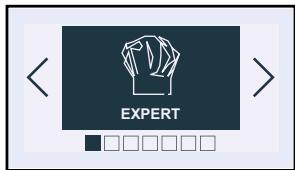
- Press the OK button. You access the "Expert" screen.
-
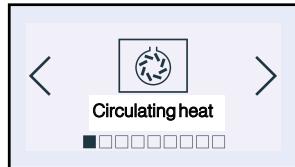
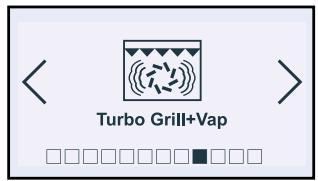
Press OK again to choose the type of cooking from the following list by pressing the < and > buttons (to make a selection, refer to the cooking guide on the next page):
-
Circulating heat
Combined heat
Traditional Eco - Turbo grill
High grill
Medium grill - Keep warm
- Defrost
- Traditional + steam
- Pulsed grill + steam
- Circulating heat + steam
Confirm your selection by pressing OK.
Example
. "EXPERT" COOKING GUIDE
FAN COOKING
(recommended temperature 190^ ,min 35^ max 250^)
- Cooking controlled by the heating element in the floor of the oven and by the fan.
- Quick temperature increase: Some dishes can be placed in the oven while it is still cold.
- Recommended for keeping white meat, fish and vegetables moist.
For cooking multiple items on up to three levels.

COMBINED HEAT
(recommended temperature 180^ ,min 35^ max 230^)
- Cooking controlled by the upper and lower heating elements and by the fan.
- Three combined sources of heat: a lot of heat from the bottom, a little circulating heat and a touch from the grill for browning.
- Recommended for quiches, pies, tarts with juicy fruits, preferably in an earthenware dish.
\*Eco TRADITIONAL ECO
(recommended temperature 200^ ,min 35^ max 275^)
- Cooking controlled by the upper and lower heating elements.
- This position allows for energy savings while maintaining the quality of the cooking.
- This position allows for energy savings while maintaining the quality of the cooking.
- All types of cooking are done without preheating.

TURBO GRILL
(recommended temperature 190^ ,min 100^ max 250^)
- Cooking is done by the upper element and the fan.
- Preheating is unnecessary. Roasts and poultry are juicy and crisp all over.
- Slide the drip tray on to the bottom shelf support.
- Recommended for all roasted poultry or meat, for sealing and thoroughly cooking a leg or a rib of beef. To retain the moist texture of fish steaks.

HIGH-POWER GRILL
(recommended setting 4 - min 1 - max 4)
- Cooking heat is provided by the upper element but without assistance from the fan.
- Preheat the oven for five minutes.
- Recommended for browning vegetable dishes, pasta, fruit, etc., placed under the grill.

MEDIUM GRILL
(recommended setting 2 - min 1 - max 4)
- Cooking controlled by the upper element.
- Preheating is unnecessary. Roasts and poultry are juicy and crisp all over.
- Slide the drip tray on to the bottom shelf support.
- Recommended for all roasts, for sealing and thoroughly cooking a leg or a rib of beef. To retain the moist texture of fish steaks.
- "EXPERT" COOKING GUIDE

KEEP WARM
(recommended temperature 60^ ,min 35^ ,max 100^)
- This position allows you to keep your food warm by spurts of heat from the element at the back of the oven combined with fan.
- Recommended for letting dough rise for bread, brioche, kouglof... without exceeding 40^ C (plate warming, defrosting).

DEFROST
(recommended temperature 35^ ,min 35^ max 75^)
- Dishes are defrosted using a limited amount of heat and the fan.
- Perfect for delicate dishes (fruit tart, custard pie, etc.).
- Meat, buns, etc. are defrosted at 50^ (meat should be placed under the grill with a dish underneath to catch drips from the defrosting which are not edible).

TRADITIONAL + STEAM
Default temperature: temperature previously used for cooking Min 150^ max 275^
Min steam 20% max 80%
- Cooking done by the upper and lower heating elements with a burst of steam.
- When cooking meat, vegetables, cooked dishes, etc.

PULSED GRILL + STEAM
Default temperature: temperature previously used for cooking Min 180^ max 250^
Min steam 20% max 80%
- Cooking done alternately by the upper element and by the fan with a burst of steam.
- When cooking poultry or roasts.

CIRCULATING HEAT + STEAM
Default temperature: temperature previously used for cooking
Min 120^ max 250^
Min steam 20% max 80%
- Cooking controlled by the heating element located at the back of the oven and by the fan with a burst of steam.
- When cooking white meat, cakes, whole fish.
- THE "EXPERT" FUNCTION
The oven then asks you to enter the other cooking parameters.
- Temperature
Based on the type of cooking you already selected, the oven will recommend the ideal cooking temperature. This can be adjusted as follows:
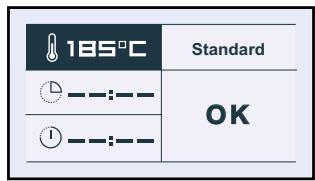
Select the "Temperature" symbol by pressing < or > . Confirm by pressing OK, the "Temperature" field flashes: select the desired temperature by pressing < or > and confirming.
In the grill position (medium or high), select the "grill power" symbol and use the < and > buttons to set the power to the desired level (between 1 and 4) and then confirm.
- Steam
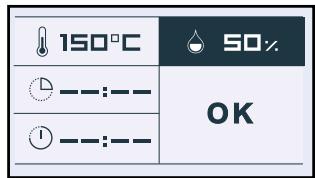
For the combined cooking code, the oven provides the recommended steam, which can be changed as follows:
Select the "Steam" field by pressing < and > .
Confirm by pressing the OK button and the "Steam" field will flash: select your desired steam by pressing < and > then confirm your choice by pressing OK.
- The filling drawer automatically opens.
-Fill the reservoir.
- Close the drawer again. The oven switches on.
The indicator shows the temperature rise inside the oven.
! Note All co
All cooking is done with the door closed.
To avoid any inadvertent operation of the oven controls in the event of steam on the panel when opening the door, the function buttons are inaccessible for 10 seconds.
After a cooking cycle, the cooling fan continues to run for a time, in order to guarantee optimum oven reliability.
- THE "EXPERT" FUNCTION
Cooking time and end of cooking time.
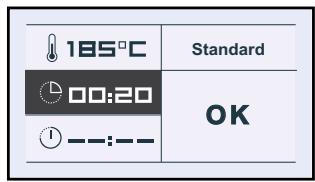
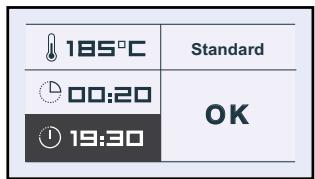
You may enter the cooking duration for your dish by selecting the field.
Press < or > and
then confirm so that the symbol flashes. Enter the cooking time by pressing < and > and then confirm. When you set the cooking time, the end of cooking time (field) automatically adjusts.
You can change this end of cooking time if you want to delay the programme start.
In this case, select the field and proceed as described for
setting the cooking time.
Once you have selected the cooking end time, confirm.
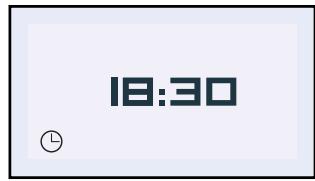
Your oven will display the time and the end of cooking time symbol until cooking starts.
- "Grill +"
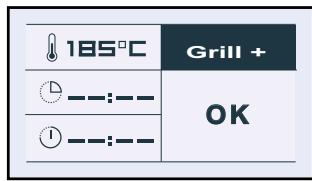
Select the "Standard" symbol and then confirm by pressing OK. "Standard" starts to flash. You can access the "Grill+" function by pressing the < and > buttons and confirming.
This function lets you finish your cooking programme by browning the dish for the last five minutes of the cooking time.
This function is represented by a flashing grill on the screen when it is activated five minutes before the end of cooking.
NB: "Grill +" may be used in the "Expert" and "Recipe" cooking modes except for some functions such as grill (high grill, variable grill), keep warm and traditional Eco.
NB: You may opt not to select a cooking time. In this case, leave the cooking time and cooking end time blank and go directly to "OK". Enter to start the cooking programme. To switch the oven off, press the "STOP" button twice, when you feel the dish has been cooked sufficiently.
- THE "EXPERT" FUNCTION
Starting a cooking programme
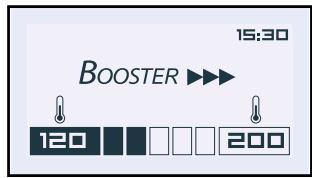
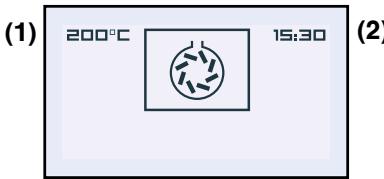
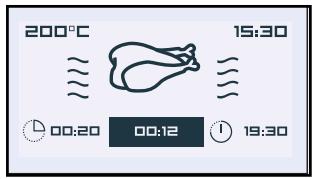
When cooking begins, the following screen is displayed, telling you that the oven is in rapid heating mode (Booster), depending on the type of cooking. You can monitor the progress of the temperature rise in the oven by looking at the shading in the arrow. The current oven temperature is indicated on the left and the recommended temperature is displayed on the right.
Once this temperature has been reached, the oven goes into cooking mode and the following screen is displayed:
Cooking with no specified duration
1) Temperature inside the oven
2) Time
3) Type of cooking selected (animation)
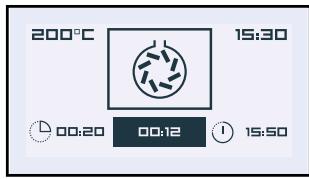
Cooking with defined duration
1) Temperature
2) Time
3) Type of cooking selected (animation)
4) Cooking time
5) Cooking time remaining (flashes)
6) End of cooking time
AT THE END OF A COOKING PROGRAMME:
Cooking with no specified duration
Turn off the oven when cooking is complete by pressing the STOP button.
Confirm the end of cooking by pressing OK.
Cooking with defined duration
The oven turns off automatically and beeps for 2 minutes.
Press OK to stop the beeping.
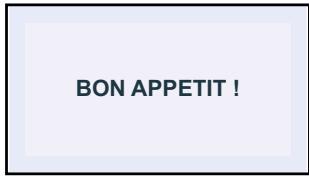
An animated display wishes you "Bon Appétit!"
(3)
(4) (5) (6)
- RECIPE FUNCTION
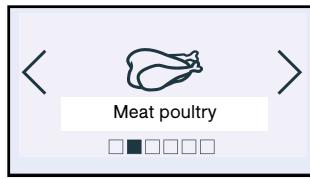
The RECIPE function makes things easier for you, since all you have to do is select the food category.
For some recipes, the oven will set the required cooking parameters based on the weight that you enter.
- Press the < and > buttons. Select "Recipes". Confirm by pressing OK.
- The oven then suggests different food categories.
Press the < and > buttons to choose from the categories offered:
- Meat
Poultry
Bread
Cakes
Ready-made dishes - Defrost
When you have made your choice, press OK to confirm.
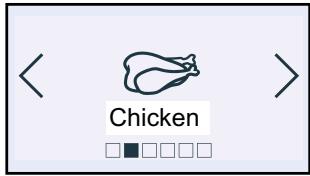
- Then choose the specific dish you are cooking and confirm.
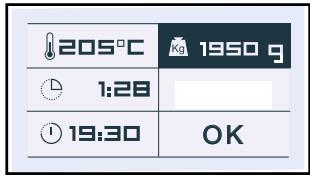
- Once you have chosen the food, the oven will ask you to re-enter the weight (Kg field).
Enter the weight and the oven will automatically calculate and display the ideal cooking time. If you wish, you can change the end of cooking time by selecting the field and displaying the new end of cooking time.
-
As soon as you confirm by pressing OK, The filling drawer automatically opens
-
Fill the reservoir.
- Close the drawer again manually.
FILL THE TANK
Fill the water container up to the maximum fill level and close it.
- RECIPE FUNCTION
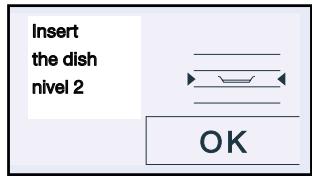
- The oven recommends the height of the shelf on which you should place the dish. Place your dish in the oven on the recommended shelf support level (from 1 at the bottom to 4 at the top).
Confirm by pressing OK; the oven switches on.
- The indicator shows the temperature rise inside the oven.
A series of beeps sounds when the oven reaches the selected temperature.
The oven beeps and switches off when the cooking time has finished and an animated display wishes you "Bon appetit!".
-
Press OK 2 times
-
Select AUTO SPEED
The drawer opens again for emptying.
- Press OK to empty
BON APPETIT!

Tip
Even more recipes are included in the
free cookbook with your appliance.
List of "Recipe function dishes
| Recipe menu categories | RECIPE |
| MEAT | Pork Veal Lamb |
| POULTRY | Chicken Duck Filet |
| BREAD | Bread Pre-cooked baguettes Pre-cooked bread Frozen pasta |
| CAKES | Cake Apple cake Walnut cake Coconut cream flan |
| READY-MADE DISHES | Vegetable clafoutis Baked confit of summer vegetables. Potatoes Risotto Salmon casserolewhole fish flat fee frozen meal |
| DEFROST | Meat Fish Bread |
- THE " SETTINGS" FUNCTION
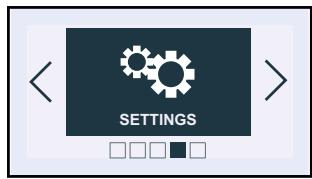
Press the < or > buttons until you reach the "Settings" screen.
Confirm by pressing OK.
You have access to the following settings:
-Time (see beginning of this chapter)
-Sound
-Display
- Consumption
- Language
- De Dietrich services
Sound:
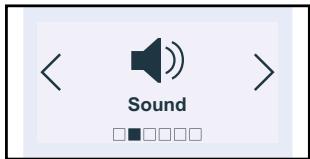
Press the < or > button until you reach "Sound".
Adjustment of the sound emitted when buttons are pressed:
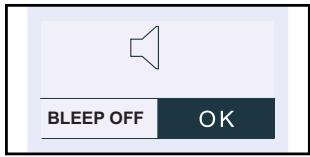
If you wish, you can mute the beeps emitted each time you press confirm.
To do this, go to this option and select:
Beep on (active) or Beep off (silent). Confirm by pressing OK.
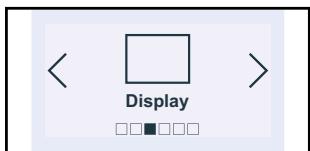
Display:
Adjusting screen contrast:
Select this field to set the brightness of the display.
Increase or decrease the brightness using the < or > buttons by selecting a position on the line and then confirm by pressing OK.

- THE " SETTINGS" FUNCTION
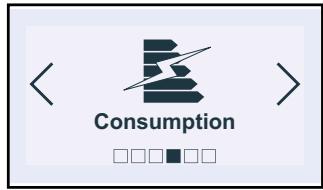
Consumption:
Adjusting electricity consumption:
By accessing this screen, you will be able to view the energy consumption of your oven since the last time it was reset to zero (RESET).
If you have an energy bill arrangement with off-peak hours, you can consult the corresponding time periods and obtain detailed information about your consumption during peak and off-peak hours.
To enter or modify this data, press OK, then enter the times for peak and off-peak periods.
End of
"Off-peak hours"
Start of
"Off-peak hours"
You may enter up to
3 different periods
OFF-PEAK HOURS
8:30
Period 1
23:30
OK
Note
If you entered off-peak hours, whenever you program a pyrolysis cycle your oven will automatically suggest that you schedule the cycle to begin cleaning during the next off-peak period.
Note
If you want to carry out an immediate pyrolysis cycle, you will have to cancel the programmed off-peak hours.
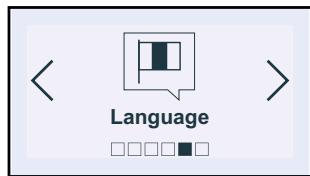
Language:
- Setting the language:
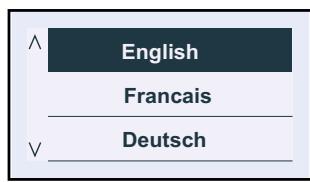
By choosing the screen, you can select the language used to communicate with your oven.
There are 18 languages available:
-French
- English
- German
- Dutch
- Danish
- Spanish
- Portuguese
- THE " SETTINGS" FUNCTION
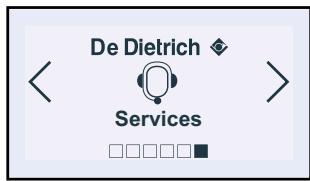
De Dietrich services
This option lets you obtain contact information for the Customer Service and After Sales Service departments.

- TIMER
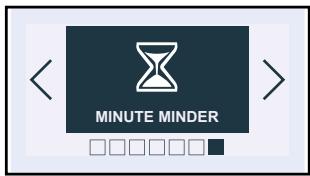
This function is accessible as long as the oven is not in pyrolysis mode..
Press the < or > button until you reach the "ICS" and then confirm.
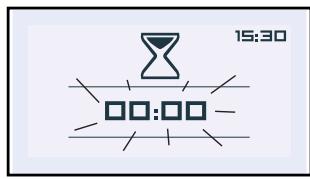
The displays flashes 00:00:00.
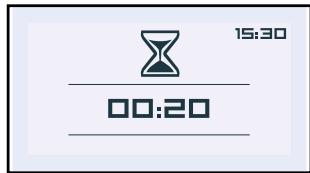
Enter the desired time using the < or > button and confirm with the OK button.
The timer starts to count down when OK is pressed and beeps at the end.
Press the Stop button to cancel the timer.
- CLEANING FUNCTION
This oven is equipped with a pyrolysis cleaning function:
- Pyrolysis is a cycle during which the oven cavity is heated to a very high temperature in order to eliminate dirt caused by splashes and spills.
Fumes and odours released are destroyed by passing through a catalytic converter.
- Pyrolysis is not necessary after each cooking cycle, but simply when the level of dirtiness warrants it; your oven will inform you when cleaning is required via the control panel (1).
As a safety measure, cleaning only occurs after the door locks automatically. Once the temperature inside the oven exceeds cooking temperatures, it is not possible to open the door.

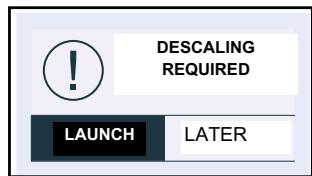
At the moment scaling indicator tells you scaling required, you perform possibité 5 cooking functions by blocking Combi-Steamer.
To unlock the functions you will perform the scaling.
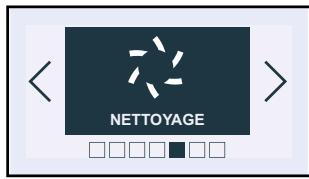
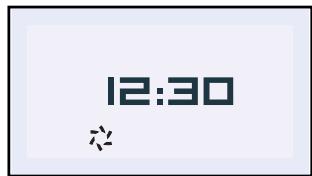
(1)
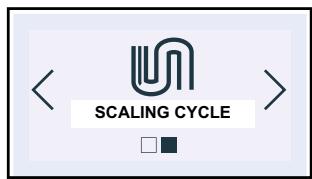
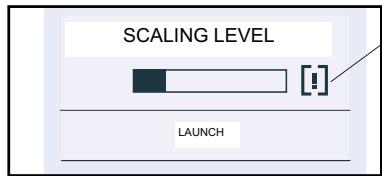
- DESCALING OF THE BOILER STEAM
When the display shows you scaling required, you must do the scaling of the boiler.
STEP1
-
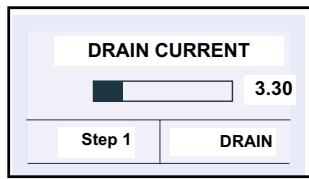
To drain.
-
Select "Start" and press OK.
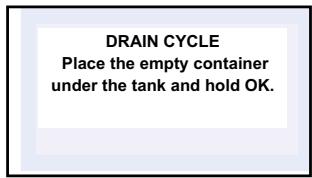
- The drawer opens.
- Place a container under the drawers and press OK.
- The drain starts the cycle is 3 min 30 s, an animation appears.
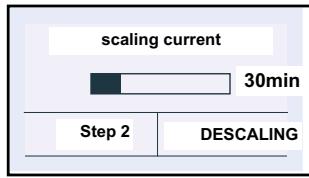
STEP2
-
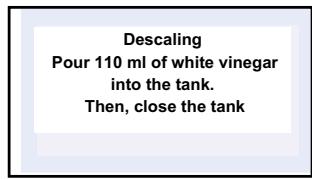
Proceed to scaling.
-
At the end of the cycle, put 110 ml of pure white vinegar in the drawer.
- Close the drawer manuellement. Le scaling starts the cycle time is 30 minutes, an animation appears (at the end of the cycle, a series of beeps will sound, the tank opens automatically.
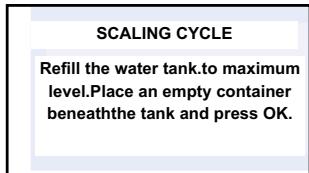
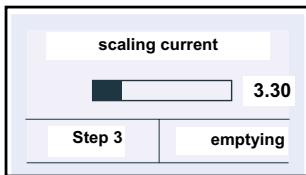
STEP 3 and 4
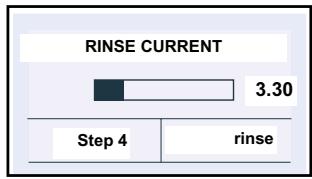
- Proceed to rinse.
Fill the water reservoir up to the MAX.
- Place a container under the tray and press OK.
Flushing starts the cycle is de3min30s, an animation appears.
Rinsing is complete
- DESCALING OF THE BOILER STEAM
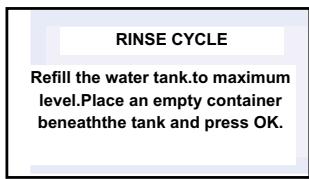
- Make the second rinse.
Refill the water reservoir up to the MAX.
- Place a container under the tray and press OK.
Flushing starts the cycle is 3min30s, an animation appears.
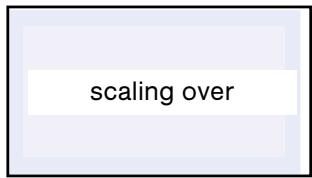
an animation "complete scaling" will appear.
Scaling is done your oven is again available.
IN WHAT SITUATIONS SHOULD PYROLYSIS BE USED?
If your oven releases smoke during preheating or releases a great deal of smoke during cooking or if there is an unpleasant odour after cooking various dishes (lamb, fish, grills, etc.).

Note
You should not wait until the oven is
coated in grease to initiate a cleaning
cycle.
| Relatively clean cooking | Biscuits, vegetables, pastry, quiches, soufflés... | Cooking without splashing: pyrolysis is not required. |
| Unclean cooking | Meats, fish (in a dish), stuffed vegetables. | Pyrolysis may be required after three cooking cycles. |
| Highly unclean cooking operations | Large cuts of spit roasted meat. | Pyrolysis can be done after cooking this type of dish, since there is a lot of splashing. |
HOW DO YOU PROGRAM A PYROLYSIS CYCLE?
Remove any large-scale food residue that may be in the oven, to avoid the risk of ignition or excessive smoke.
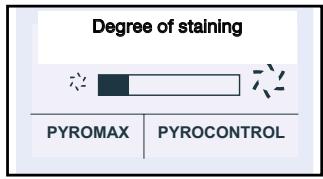
Select "Cleaning" from the main menu. Your oven indicates the dirtiness of the cavity and suggests two cleaning modes:
Pyromax and Pyrocontrol.
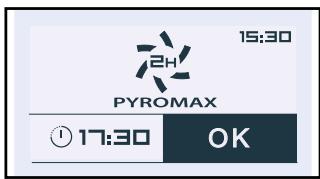
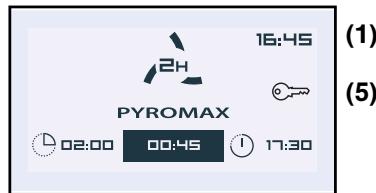
A) Pyromax
Pyromax is a pyrolysis system which lasts for a pre-determined period: it lasts for 2 hours and intensely and thoroughly cleans the oven cavity.
To delay the start time, select end time and change it by entering the desired end time for the pyrolysis cycle.
Note: If you entered the information for off-peak hours and peak hours (see Settings function), your oven recommends a cleaning cycle during off-peak hours to save on energy costs. However, you can change this recommendation by changing the end of pyrolysis time and starting the cleaning cycle immediately, if you choose.
Confirm by pressing "OK".
The cleaning cycle begins. Your screen indicates:
- Time (1)
- Total duration (2)
- Time remaining (3)
- Pyrolysis cycle end time (4)
- Locked door (5)
B) Pyrocontrol
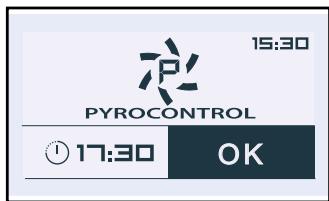
Pyrocontrol is a system that lets the oven automatically calculate the cleaning time depending on the amount of soiling, which makes it possible to save energy by adjusting the pyrolysis time to actual need.
If you with to delay the start time, select the end time and change it by entering the desired end time for the pyrolysis cycle.
Press OK to confirm.

Note
Surfaces may become hotter than during normal use. It is advisable to keep small children at a distance.
(2)
(3)
(4)
END OF PYROLYSIS
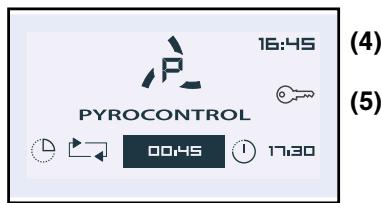
At the beginning of the cycle, the oven calculates the pyrolysis time based on the level of dirtiness. This step lasts a few minutes and is represented by rotating arrow on the screen (1).
The screen indicates:
- Rotating arrows (1)
- Time remaining (2)
- Planned pyrolysis cycle end time (3)
- Time (4)
- Locked door (5)
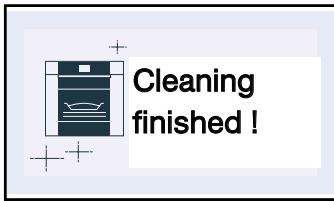
Your oven informs you that the pyrolysis cleaning cycle is complete
Once the door has been unlocked, the oven informs you that the cleaning cycle has finished.
Simply remove the ash residue in the cavity with a damp sponge.
(1)
(2)
(3)
- LOCKING THE CONTROLS (Child Safety)
You have the option of preventing access to the oven controls by taking the following steps:
When the oven is off, hold the button and stop simultaneously for a few seconds; a padlock will then be displayed on the screen and access to the oven controls is now blocked.
To unlock it, press the press the stop, then select the "Unlock" symbol and confirm.
The oven controls are once again accessible.

Although you may be unsure that your oven is operating correctly, this does not
| YOU NOTICE THAT... | POSSIBLE CAUSES | WHAT TO DO |
| Your oven does not get hot. | - The oven is not connected. - The fuse in your installation has blown. - The selected temperature is too low. | → Connect your oven. → Change the fuse in your installation and check its value (16A). → Increase the selected temperature. |
| The padlock flashes. | - Door locking fault. | → Call the after-sales department. |
| The lamp in your oven no longer works. | - The lamp has blown. - Your oven is not connected or the fuse has blown. | → Call the after-sales department. → Connect your oven or change the fuse.. |
| Pyrolysis fails to operate. | - The door is not closed properly. - The locking system is defective. | → Check the door closing mechanism. → Call the after-sales department. |
| Your oven emits beeps. | - During cooking. - At the end of cooking. | → The temperature you chose has been reached. → Your cooking programme is complete. |
| The cooling fan continues to run when the oven stops. | - Ventilation continues for a maximum of one hour after cooking or when the oven temperature is greater than 125℃. - If it does not stop after one hour. | → Open the door to accelerate the oven cooling. → Call the after-sales department. |
| There is water in the bottom of the oven. | - The boiler is suffering from excessive scale. | → Hold the button pressed and follow the procedure on p.11. |

Attention
Repairs to the appliance should only be done by a qualified professional. Repairs not carried out correctly could be a source of danger to the user.

Tip
In all cases, if you cannot solve the problem yourself, call the after-sales department.
FUNCTION SUITABILITY TEST STANDARDS
Function suitability tests in accordance with IEC 60350.
For this appliance, we recommend as follows:
| TEST | FUNCTION | °C | SHELVES | TIME / TIPS |
| 8.4.1. biscuits | circulating heat | 160° | 2nd | 20 -24 minutes on a baking sheet |
| 8.4.2 small cakes | combined | 160° | 2nd | 22 min baking sheet |
| circulating heat | 160° | 1st / 3rd | 21 min; preheat the oven | |
| 8.5.1.Savoie biscuit | circulating heat | 170° | 1st | preheat the oven mould on shelf 30 min |
| 8.5.2.apple tart | combined | 180° | 1st | mould on 1st shelf 50 min |
| circulating heat | 180° | 1st / 3rd | preheat the oven baking sheet: 1st level grid: 3rd level | |
| 9.1.grilling area | high grill | 4 | 2nd | preheat for 5 minutes. 2nd shelf. 2 - 3 minutes |
IEC 60350 proposed amendment proposal concerning the performance of steam and combined ovens: not relevant to this appliance.
FagorBrandt SAS, locataire-gerant - SAS tenant-manager - SAS with share capital of 20 000 000 euros RCS Nanterre 440 303 196.
- De Dietrich
- 1/ DESCRIPTION OF YOUR APPLIANCE
- 2/ USING YOUR APPLIANCE
- INTRODUCTION TO YOUR OVEN
- DESCRIPTION OF CONTROLS
- List of symbols:
- COOKING
- COMBI STEAM OVEN
- combined steam:
- - SETTINGS WHEN SWITCHING ON FOR THE FIRST TIME
- Language
- Time
- - Resetting the time
- - USING THE DRAWER
- - Filling the reservoir
- Tip
- Note
- - Emptying the reservoir
- - Manual emptying
- Automatic emptying
- STANDBY MODE
- - THE "EXPERT" FUNCTION
- "EXPERT" COOKING GUIDE
- FAN COOKING
- COMBINED HEAT
- \*Eco TRADITIONAL ECO
- TURBO GRILL
- HIGH-POWER GRILL
- MEDIUM GRILL
- - "EXPERT" COOKING GUIDE
- KEEP WARM
- DEFROST
- TRADITIONAL + STEAM
- PULSED GRILL + STEAM
- CIRCULATING HEAT + STEAM
- - Temperature
- - Steam
- ! Note All co
- Cooking time and end of cooking time.
- - "Grill +"
- Starting a cooking programme
- Cooking with no specified duration
- Cooking with defined duration
- AT THE END OF A COOKING PROGRAMME:
- - RECIPE FUNCTION
- FILL THE TANK
- - THE " SETTINGS" FUNCTION
- Sound:
- Adjustment of the sound emitted when buttons are pressed:
- Display:
- Adjusting screen contrast:
- Consumption:
- Adjusting electricity consumption:
- Language:
- De Dietrich services
- - TIMER
- - CLEANING FUNCTION
- - DESCALING OF THE BOILER STEAM
- STEP1
- STEP2
- STEP 3 and 4
- - Make the second rinse.
- IN WHAT SITUATIONS SHOULD PYROLYSIS BE USED?
- HOW DO YOU PROGRAM A PYROLYSIS CYCLE?
- A) Pyromax
- B) Pyrocontrol
- END OF PYROLYSIS
- - LOCKING THE CONTROLS (Child Safety)
- Attention
- FUNCTION SUITABILITY TEST STANDARDS
Marque : DE DIETRICH
Modèle : DOS 1160X CORIUM
Catégorie : Four encastrable