MODE D'EMPLOI PCTV SAT PRO PCI PINNACLE
PCTV Sat Pro PCI Hardware
PCTV Sat Pro PCI Hardware
GB February 2006
© Pinnacle Systems GmbH 2006
All rights reserved.
No part of this manual may be reproduced or transferred to other media without explicit written permission from Pinnacle Systems GmbH, Braunschweig, Germany.
All brand or product names are trademarks or registered trademarks of their respective holders.
Pinnacle Systems GmbH has written this manual to the best of its knowledge, but does not guarantee that the programs/systems will fulfill the users' intended applications.
The feature descriptions are not to be understood as a warranty.
Pinnacle Systems GmbH retains the right to make alterations to the contents of this manual without obligation to inform third parties.
All quotes, sales, supply and manufacturing contracts from Pinnacle Systems GmbH, including consulting, installation and other contractual services are subject exclusively to the General Sales and Delivery Terms of Pinnacle Systems GmbH.

Disposal and Recycling
Do not dispose of electric components in the garbage. Either return defective or unwanted devices to the retailer or take them to an appropriate recycling station for environmentally friendly disposal!
Table of Contents
Introduction 1
Package Contents 2
System Requirements 3
Operating System 3
Processor 3
Working Memory 3
Hard Disk 3
Graphics Card 3
Sound Card. 3
Expansion Slot 3
CD-ROM / DVD-ROM Drive or Recorder 3
For Your Own Safety 4
Hardware Installation 5
Preparing for Installation 5
PCTV Sat Pro PCI Hardware Installation 6
After Installation 6
Connections 7
Technical Data. 8
Bus System. 8
LNB Input 8
Tuner 8
Demodulator 8
TV Format. 8
DiSEqC 8
LNB Feed. 8
Declaration of conformity in accordance with ISO/IEC Guide 2............9
Congratulations on your purchase of PCTV Sat Pro PCI!
From your PC you can receive TV, radio and data signals via satellite (DVB-S) with your PCTV Sat Pro PCI:
Because PCTV Sat Pro PCI has a digital satellite tuner which allows reception via a digital satellite system (satellite dish and universal LNB) of any decoded TV and radio stations using the DVB-S standard.
Depending on the selected software, PCTV Sat Pro PCI not only offers you live TV and radio but also timeshift TV and radio, as well as quality program recording to your hard disk and DVD recorder.
You also get access to the free information services, teletext and the electronic program guide (EPG). These services allow simple and easy access to the desired information at any time, as well as scheduling of the shows you wish to record.
And now have fun with your PCTV Sat Pro PCI!
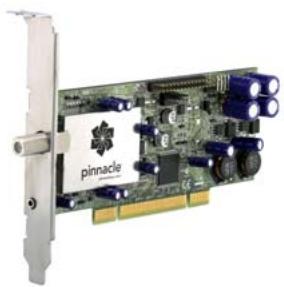
PCTV Sat Pro PCI
Installation CD
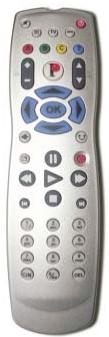
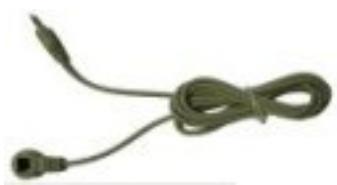
Remote control with batteries and receiver (images are samples)
Quick Install Guide

PDF files on the CD: user manual, ware operating instructions, control operating instructions

Depending on the version of your product, package contents may vary.
Your system must fulfill the following requirements if you want to guarantee proper PCTV Sat Pro PCI function:
Operating System
Windows XP (Home, Professional or Media Center Edition 2005) with the latest service pack
Processor
Minimum: Pentium IV 1.8 GHz or equivalent AMD Athlon XP
Recommended: Pentium IV 2.8 GHz or equivalent AMD Athlon 64
(SD and HD)
Working Memory
Minimum: 256 MB RAM
Recommended: 512 MB RAM
Hard Disk
Minimum: IDE hard disk with master mode drivers and 5 GB free disk space
Recommended: U-DMA hard disk with 20 GB free disk space
Graphics Card
Minimum: DirectX 9-compatible graphics card
Sound Card
Minimum: DirectX 9-compatible sound card
Expansion Slot
PCI 2.3-compatible expansion slot
CD-ROM / DVD-ROM Drive or Recorder
Minimum: CD-ROM or DVD-ROM drive
Recommended: CD or DVD recorder

If you purchased your PCTV Sat Pro PCI together with a PC and it is already installed, skip the following sections and continue with the section "Connecting the Equipment".
In the interest of your own safety and the flawless functioning of your new PCTV Sat Pro PCI and computer system, note the following before installing any hardware:
- Computer components are sensitive to static charge. Divert any electro-static charge from your body before touching the components with your hands or any tools.
- Before opening the computer, make sure that the power plug is disconnected from the wall outlet.
Preparing for Installation

You will need a screwdriver to install your hardware.
- Divert any possible electro-static charge from your body by touching the casing of your PC.
- Turn off your computer and all peripheral devices. Disconnect computer from the power supply and all necessary components.
- Loosen the computer cover screws and remove the cover.
- Select a free PCI (busmaster) slot. Remove the slot cover at the back of the computer. Be sure to keep the screws in a safe place.
PCTV Sat Pro PCI Hardware Installation
Plug the card into the selected PCI slot. To do so, hold the card at the top and push it down into the slot while applying even pressure at both ends. Press down on the upper edge so that the card fits firmly in the slot.
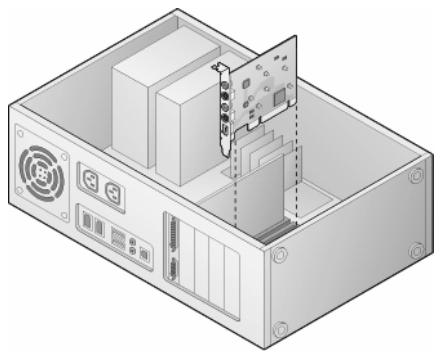
- If you cannot easily insert the card into the slot, do not use force since this may bend the contact springs on the socket connector. Instead, remove the card and try to insert it again.
After Installation
- After you have inserted the hardware, firmly tighten the card retaining bracket on the back of the computer.
- Now place the cover back onto your computer and reconnect the peripherals and the power supply.
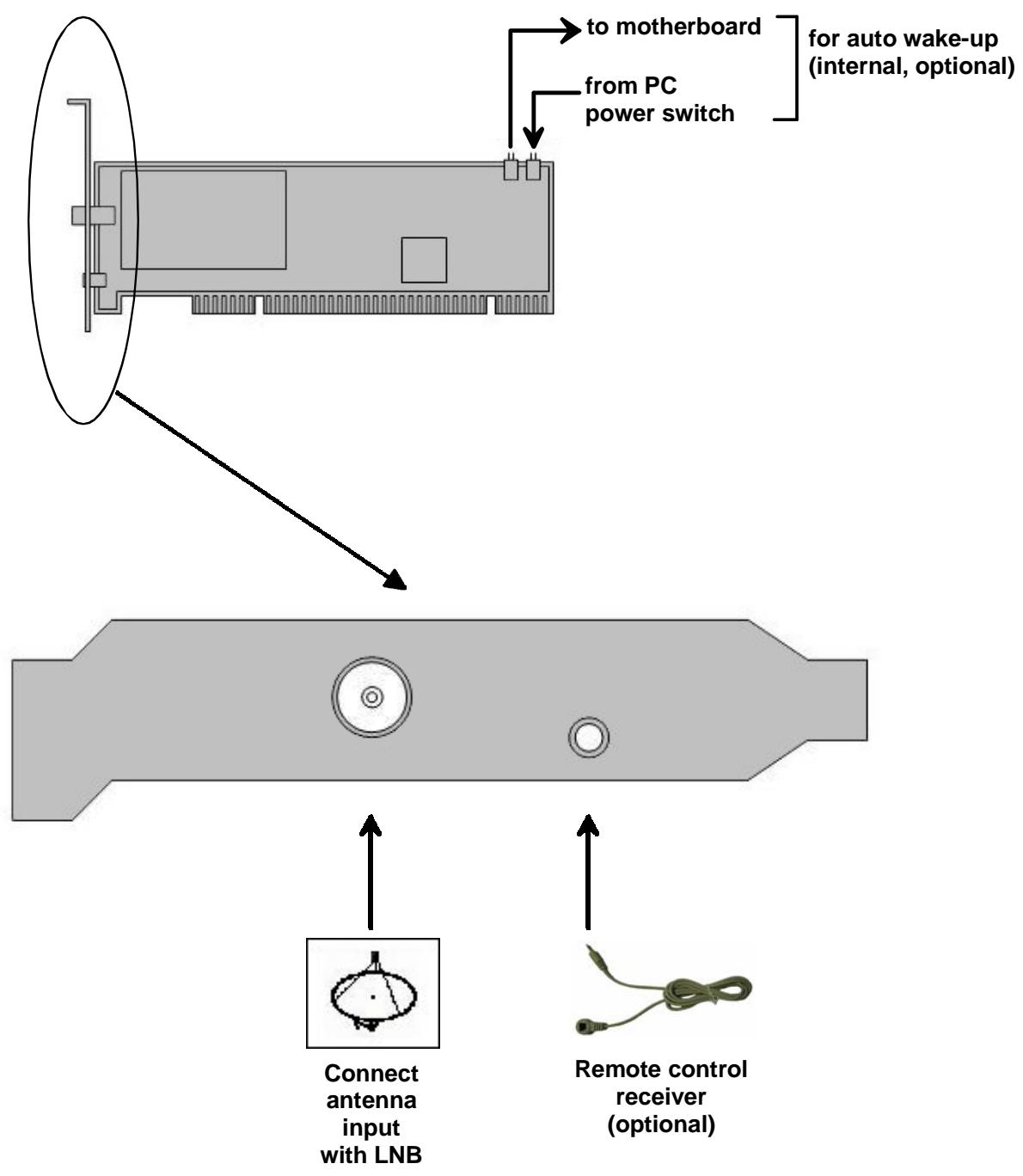
Bus System
PCI 2.3
75 Ohm, F connector
Tuner
Zarlink ZL10036
Demodulator
Zarlink ZL10313
DVB-S
DiSEqC
DiSEqC 1.1
LNB Feed
13V / 18V, maximum 350 mW

Declaration of conformity in accordance with ISO/IEC 17050-1
Nr. / No 1.00
Anbieter / Supplier :
Anschrift / Address :
Pinnacle Systems GmbH
Frankfurter Strasse 3c
38122 Braunschweig, Germany
Produkt / Product :
PCTV 4000i
Das oben beschriebene Produkt ist konform mit: / The product described above is in conformity with:
| Dokument-Nr. Document No. | Titel Title |
| EN 55013 : 2002 | Funkstör eigenschaften von Rundfunkempfängern und verwandten Geräten der Unterhaltungselektronik Limits and methods of measurement of radio disturbance characteristics of broadcast receivers and associated equipment |
| EN 55020 : 2003 | Störfestigkeit von Rundfunkempfängern und verwandten Geräten der Unterhaltungselektronik Electromagnetic immunity of broadcast receivers and associated equipment |
| EN 61000-4-2 : 2001 | Störfestigkeit gegen Entladung statischer Elektrizität Electrostatic discharge immunity test |
| EN 61000-4-3 : 2001 | Störfestigkeit gegen hochfrequente elektromagnetische Felder Radiated, radio-frequency, electromagnetic field immunity test |
| EN 61000-4-4 : 2002 | Störfestigkeit gegen schnelle transiente elektrische Stögrößen/BURST Electrical fast transient/burst immunity test |
| EN 61000-4-5 : 2001 | Störfestigkeit gegen Stoßspannungen/SURGE Surge immunity test |
| EN 61000-4-6 : 2001 | Störfestigkeit gegen leitungsgeführte Stögrößen, induziert durch hochfrequente Felder Immunity to conducted disturbances, induced by radio-frequency fields |
| EN 61000-4-8 : 2001 | Störfestigkeit gegen Magnetfelder mit energietechnischen Frenzen Power frequency magnetic field immunity test |
| EN 61000-4-11 : 2001 | Störfestigkeit gegen Spannungseinbrüche, Kurzzeitunterbrechungen und Spannungsschwankungen Voltage dips, short interruptions and voltage variations immunity tests |
| EN 61000-3-2 : 2001 | Grenzwerte für Oberschwungungsströme Limitations for harmonic currents |
| EN 61000-3-3 : 2002 | Grenzwerte für Spannungsschwankungen und Flicker Limitations of voltage fluctuations and flicker |
| EN 60950 : 2001 | Sicherheit von Einrichtungen der Informationstechnik Safety of information technology equipment |
Dieser Erklärung liegt zugrunde: Prüfbericht(e) des EMV-Prüflabors
This certification is based on: Test report(s) generated by EMI-test laboratory
Braunschweig, 15. Februar 2006 / February 15th, 2006
Dr. Alexander Roy
Director Hardware Engineering
VP Engineering
(Rechtsverbindliche Unterschrift / Legally Binding)