
002-206 - Radio Marquant - Free user manual and instructions
Find the device manual for free 002-206 Marquant in PDF.


| Product Type | Portable DAB+/FM Radio with Bluetooth |
| Brand | Marquant |
| Model | 002-206 |
| Power Supply | Batteries (3x R14/UM2/C) or USB power (5V via Micro-USB) |
| Battery Type | 3 x C size (R14/UM2) |
| Speaker Output | 1.4 W (8 ohm) |
| Bluetooth Version | 4.2 |
| Radio Bands | DAB+ and FM (87.5-108 MHz) |
| Preset Stations | 10 DAB + 10 FM |
| Alarm Function | Yes, with multiple modes (Daily, Once, Weekends, Weekdays) and beeper or radio alarm |
| Inputs | AUX (3.5mm), Micro-USB (power), USB port (for media), Micro SD card slot |
| Outputs | Earphone jack (3.5mm) |
| Display | LCD display with station info and settings |
| Antenna | Extendable telescopic antenna |
| Carry Handle | Yes, integrated handle |
| Media Playback | USB drive and Micro SD card (MP3, etc.) |
| Weight | Approx. 1.2 kg (with batteries) |
| Dimensions (approx.) | 280 x 160 x 120 mm |
| Material | Plastic casing |
| Colour | Black |
| Included Accessories | USB power cable |
| Safety Features | Overvoltage protection, do not expose to moisture, no user-serviceable parts |
| Cleaning | Clean with a soft, dry cloth |
| Spare Parts Availability | Contact manufacturer or authorized service centre |
Frequently Asked Questions - 002-206 Marquant
User questions about 002-206 Marquant
0 question about this device. Answer the ones you know or ask your own.
Ask a new question about this device
Download the instructions for your Radio in PDF format for free! Find your manual 002-206 - Marquant and take your electronic device back in hand. On this page are published all the documents necessary for the use of your device. 002-206 by Marquant.
USER MANUAL 002-206 Marquant
Bulanswaring original
Vikrigl Las brulsansisinger roggred innan azandring!
Operating instruction
Translation of the great instructors.
Important! Read the user instructs carefully before use.
Save them for future reference
vára um cíllónd
[år rör slæmas hland horbåssozon]
Instruments alter-intringation
He was a 25 arc produkty w/2 odradiam kurnalmenil Edukl. zawert.
Lone lot for environment
Must not be distracted with a reservoir waste. This product contains electrical
electronic components that should be recycled. Leave the product for recycling
at the designated station e.g. the local authority's recycling station
- We reserve the right to make changes, in the event of problems, please
contact to service department
www.jula.com
ilbapicare/ Prodavent/ Produerc/ Manufactur
Jola AB, Box 363, 532 24 SKARAI
Distributor/Distributor/Distributor/Distributor
.01 Poland Sp. 2024, 16
EC DECLARATION OF CONFORMITY
EG FÖRSÄKRAN OM ÖVERENSSTÄMMELSE
EF SAMSVARSERKLÆRING
DEKLARACJA ZGODNOSCI WE

Jula AB, Box 363, SE-532 24 SKARA, SWEDEN
certify that the design and manufacturing of this product
RoHS Directive 2011/65/EU
EN 50591:2012
This product was CE marked in year -17
Skara 2017-07-04

MATTIAS LIE
BUSINESS AREA MANAGER

- Check that the mains power supply corresponds to the rated voltage on the rating plate.
- Do not expose the product to rain or moisture – risk of fire and/or electric shock.
- Never remove the case – risk of electric shock. Service must only be carried out by qualified personnel.
- Do not allow the batteries to remain in the battery compartment too long. Remove the batteries to avoid leakage and damage.
- Do not expose the appliance to extreme temperatures or high relative humidity to ensure normal function and a long life.
- Never place the appliance in the bathroom, by stoves or heaters.
- If the appliance does not work correctly take it to the nearest service centre. Do not attempt to repair it yourself.
DESCRIPTION
FIG. 1
- Info/Menu
EN
-
Alarm
-
Preset
-
Select
-
Mode
-
Scan
-
Previous
-
Next
-
Carry handle
-
LCD display
-
Vol
-
Vol
-
Power
-
Speakers
-
USB port
-
Slot for a Micro SD cord
-
AUX input
-
Micro-USB Input
-
Earphone jack
-
Antenna
-
Battery lid
USB cable supplied.
TECHNICAL DATA
Battery 3x R14/UM2/C
Speakers 8 ohm
Output 1.4 W
Bluetooth
4,2
USE
BATTERY
Open the battery cover and insert the batteries in the direction shown in the battery compartment.
USB CABLE
Connect the USB power cord to a the mobile unit's USB port or a USB charger for a power outlet for operation without a battery.
SWITCH ON/OFF
- Fully extend the antenna and angle it for the best reception.
- Start the radio.
- Press Power. Press Power once again to activate
standby mode.
Press and hold Power to switch off.
- Press Mode to switch between DAB, FM, AUX-IN, BLUETOOTH, USB and CARD (memory card).
EN
VOLUME
- Press Vol+ to increase the volume and Vol- to lower the volume.
• The speakers are switched of when the headphone connection is used.
DAB MODE
Automatic station search
- Press MODE and select DAB mode.
- The first time the radio is switched on it selects automatic DAB mode and starts immediately to search for DAB stations. Allow the search process to finish.
- Use the arrows to go to the required station.
- Press Scan to make a new search.
Manual station search
- Press MODE and select DAB mode.
- Press and hold Menu/Info until Manual tune is shown on the display. Press Select to confirm.
- Use the arrows to scroll between the stations. Press Select to confirm.
FM RADIO
Press Select to switch audio modes between mono and auto
Automatic station search
- Press Mode and select FM mode.
- Press Scan for automatic frequency searching.
EN
- Press Scan once again to find the next station.
- Press and hold Scan to search backwards to the previous station.
Manual station search
- Use the arrows to set the station manually.
PRESET STATIONS
10 DAB and 10 FM stations can be saved. A saved frequency is erased when a new station is saved in its place.
- Set the required frequency in DAB or FM mode.
- Press and hold Preset until Preset Empty is shown on the display. Use the arrows to select the station location (1-10).
- Select the station number and confirm with Select. Once the station is saved, the saved frequency is shown instead of Preset Empty.
- Press Preset once and use the arrows to listen to a saved station. Confirm with Select.
AUX INPUT
- Press Mode and select AUX.
- Connect an AUX cable from the output on an audio unit, such as a portable MP3 player, to the AUX input.
- Start the audio playback on the audio unit
EN
USB & MEMORY CARD
NOTE:
A locked Micro SD card cannot be detected or played.
- Press Mode and select USB or CARD.
- Connect a USB unit or memory card.
- Press Scan to select play or pause. Use the arrows to change tracks.
BLUETOOTH
The connection is broken if the unit is moved out of range (approx. 10 m). Move the unit within range again to restore the connection.
- Press Mode and select Bluetooth.
- Activate Bluetooth on the unit and connect to the radio.
- Press Scan to select play or pause. Use the arrows to change tracks.
ALARM
- Start the radio.
- Press Alarm. Use the arrows to make the following selections, while the display flashes, confirm with Select:
-on/off
-time hour
-time minutes
EN
– alarm mode: Daily/Once/Weekends/Weekdays/
- types of alarm; Beeper1/FM/DAB/Beeper2
- alarm volume
- Press Alarm once to switch off the alarm.
FACTORY RESET
- In DAB or FM mode. Press and hold Info/Menu.
- Use the arrows to scroll to Factory Reset. Select Yes Confirm with Select.
- All settings are reset to the factory default settings.
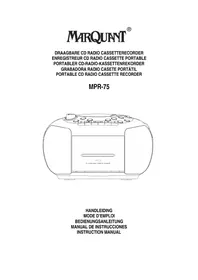
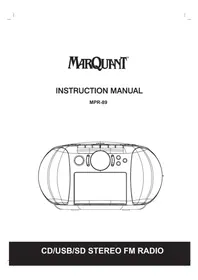
Brand : Marquant
Model : 002-206
Category : Radio