Smart BT - Keyboard Tracer - Free user manual and instructions
Find the device manual for free Smart BT Tracer in PDF.


| Brand | Tracer |
| Model | Smart BT |
| Product Type | Bluetooth Keyboard with Numeric Keypad and Touchpad |
| Connectivity | Bluetooth 3.0 (via USB receiver) |
| Power Source | 2 x 3V batteries (AAA or similar, not specified) |
| Battery Life | Approximately 6 months under normal use (estimated) |
| Low Battery Indicator | Blue LED flashing |
| Dimensions (L x W x H) | Approximately 380 x 130 x 20 mm (estimated from manual) |
| Weight | Approximately 400 g (estimated) |
| Number of Keys | 80+ (including 16 media keys) |
| Multimedia Keys | Yes: volume, play/pause, next/previous, email, internet, etc. |
| Special Features | Dual mode: numeric keypad and touchpad (mouse left/right/middle click via gestures) |
| Operating System Compatibility | Windows, likely others (USB receiver required) |
| Included Accessories | Bluetooth USB receiver, user manual |
| Storage | Switch off when not in use to preserve battery |
| Cleaning | Wipe with a dry, soft cloth; do not use liquids or abrasives |
| Safety | Keep away from water and excessive heat; do not disassemble |
| Spare Parts / Repairability | Battery replacement only; no other user-serviceable parts |
Frequently Asked Questions - Smart BT Tracer
- Single finger slide: move cursor / left-click.
- Two finger slide: middle-click / scroll.
- Three finger slide: right-click. You can also use the numeric keypad when switched to keyboard district (1).
User questions about Smart BT Tracer
0 question about this device. Answer the ones you know or ask your own.
Ask a new question about this device
Download the instructions for your Keyboard in PDF format for free! Find your manual Smart BT - Tracer and take your electronic device back in hand. On this page are published all the documents necessary for the use of your device. Smart BT by Tracer.
USER MANUAL Smart BT Tracer
PL
Bluetooth keyboard Tracer Smart BT Instructions for use
CZ
natural_image
Blank white image with no visible content, text, or symbolsnatural_image
Computer desktop screenshot showing a fish illustration with floating bubbles (no text or symbols)
Wstecz

Odtwarzanie / pauza

Do przodu

Zatrzymanie

- Media keys
- Bluetooth code key
- Battery compartment
- Documentation
EN
Bluetooth keyboard
Tracer Smart BT
Instructions for use
Set up your product
Paired with your computer devices
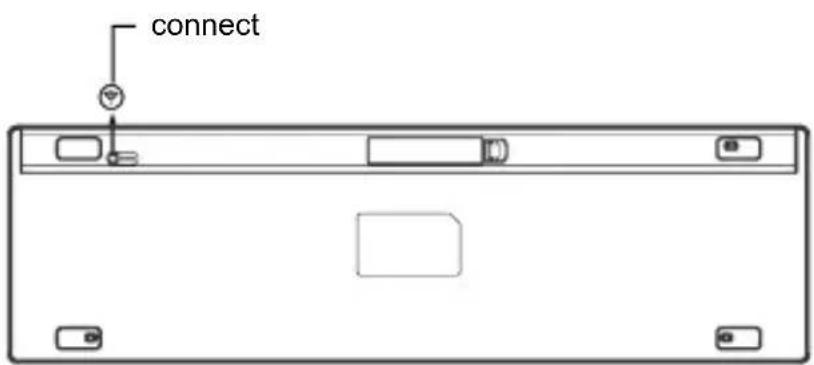
- Open the battery cover, put two 3V batteries, then close the battery cover.
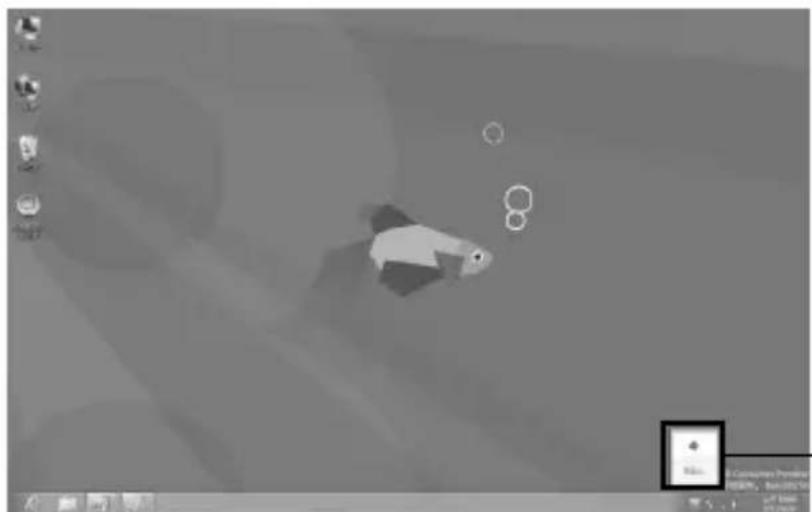
- Please put the bluetooth receiver into the USB port, at the lower right corner of the desktop, the Bluetooth icon appears.
natural_image
Grayscale illustration of a fish-like animal in flight, with no visible text or symbolsClick on the
Bluetooth icon
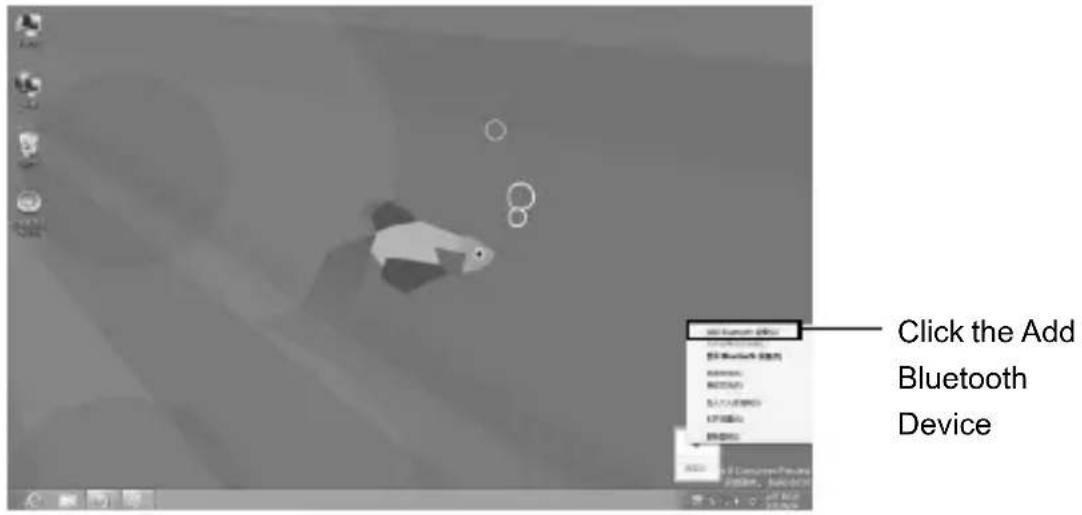
- Click on the Bluetooth icon, and add Bluetooth devices.
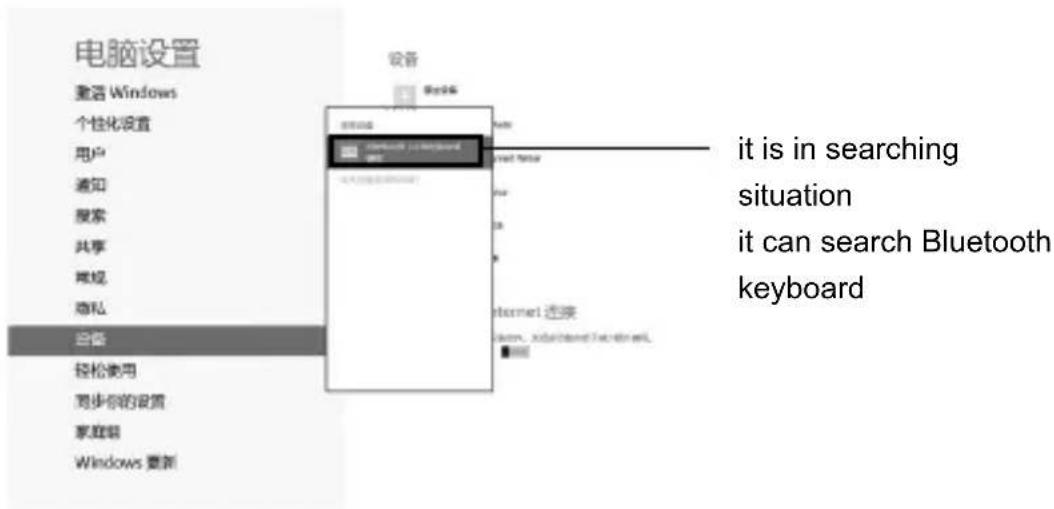
- When it is in searching situation, Click the Bluetooth code key, Bluetooth indicator flashes, it can search Bluetooth keyboard.
Instructions for use
- Enter the password and connect. Click enter after your enter password.
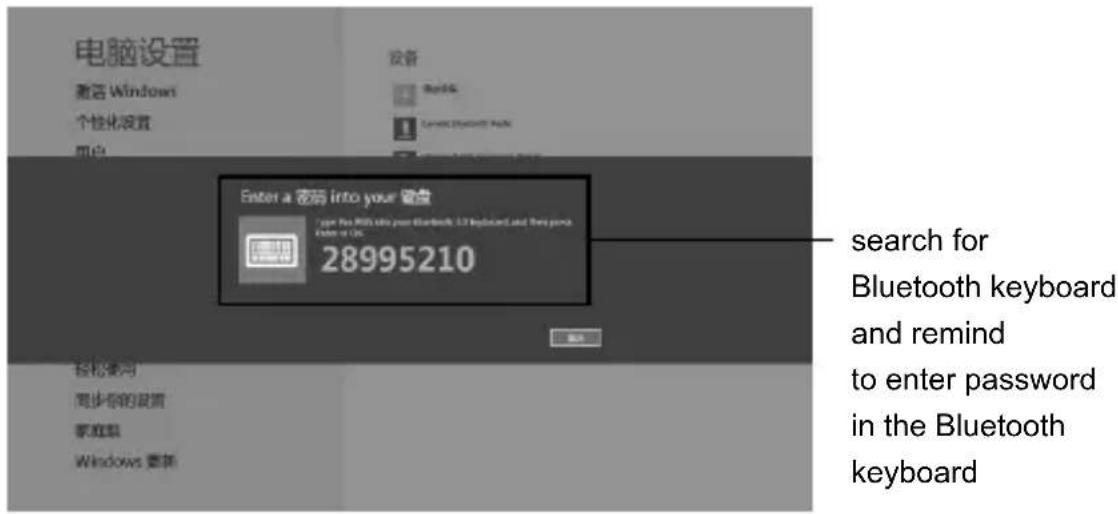
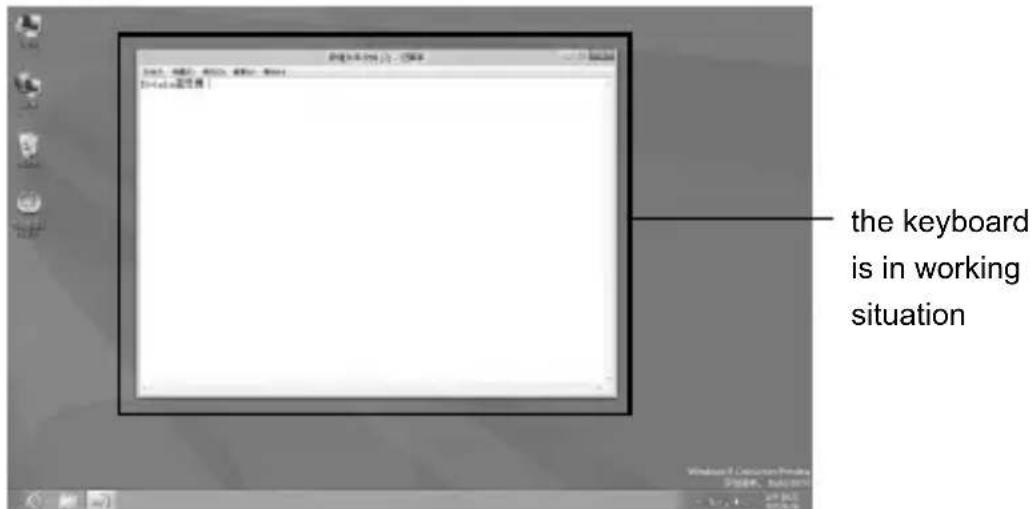
- All light will be off after it connect successfully, the keyboard is in working situation.
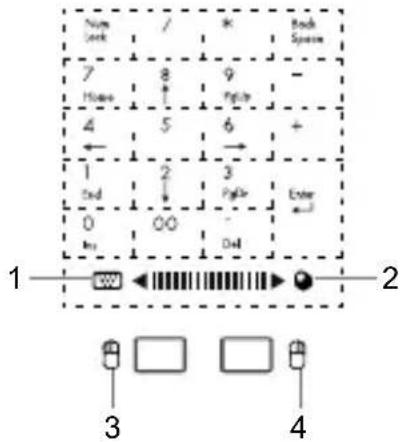
Can achieve small keyboard and mouse switch between the touch screen keyboard
- keyboard
- mouse
- the left mouse button
- the right mouse button
Usage:
This product has a numeric keypad and multi-touch dual operating mode.
- When sliding to a (keyboard district) (1), it can be used like a normal keyboard's numeric keypad.
- When the slide to (mouse district) (2), it can be used like a mouse. Use as follows: Single finger sliding on behalf of the left mouse button, hands means sliding on behalf of the middle mouse button, three the finger sliding representatives the right mouse button. Users can choose to use according to the demand.
EN
Bluetooth keyboard
Tracer Smart BT
Instructions for use
Product features


Back

Forward

Surf the internet


Player

Next

Play / Pause

Stop

Previous

Volume reduction

Volume plus

Mute
Check the batteries
The low tension indicator blue light keep flashing in your working, the keyboard is short of power. It is time to replace the battery.
Storage
When you are finished using your keyboard or you will be required after the keyboard to carry, so don't forget to set aside the keyboard to switch the source OFF, turn off the keyboard's power to extend battery life.
Note:
When you normally using the keyboard, or if you are not using the keyboard and didn't turn off the power switch, please don't fold or curly, so you will have been working at the keyboard, it will greatly decrease you using the keyboard.

Zpět

Přehrávání / pauza

Dopředu

Zastavení


Dozadu

Dopredu

Surfovanie po internete


Prehrávač

Nasledujúci

Prehrávanie / pauza

Stop

Predchádzajúci

Tichšie

Hlasnejšie

Vypnút' zvuk
Kontrola batérií

Назад

Вперед

Интернет


Воспроизведение

Следующий

natural_image
Blank white image with no visible content, text, or symbolsmegabajt
DEKLARACJA ZGODNOŚCI WE
Megabajt Sp. z o.o., Rydygiera 8, 01-793 Warszawa


Brand : Tracer
Model : Smart BT
Category : Keyboard