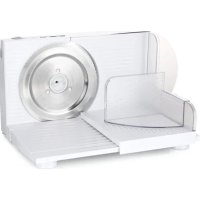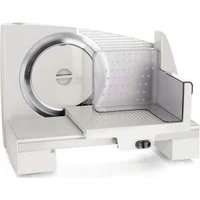
MS-111799 - Slicer Emerio - Free user manual and instructions
Find the device manual for free MS-111799 Emerio in PDF.


Pick your language and provide your email: we'll send you a specifically translated version.
| Product Type | Electric Slicer |
| Model | MS-111799 |
| Brand | Emerio |
| Power Consumption | 150 W |
| Voltage | 220-240 V ~ 50/60 Hz |
| Blade Material | Stainless Steel |
| Blade Diameter | Approx. 170 mm |
| Adjustable Thickness | 0 – 15 mm |
| Max Slice Width | Approx. 150 mm |
| Dimensions (L x W x H) | Approx. 35 x 25 x 28 cm |
| Weight | Approx. 2.5 kg |
| Housing Material | Plastic (ABS) |
| Food Tray | Removable, with carriage |
| Safety Switch | Two-hand operation required |
| Non-slip Feet | Yes |
| Power Cord Length | Approx. 0.9 m |
| Dishwasher Safe Parts | Blade, food tray, thickness plate |
| Cleaning | Wipe with damp cloth, dry thoroughly |
| Storage | Store in dry place, blade guard recommended |
| Spare Parts Availability | Blade, food tray, push block |
| Repairability | Blade replacement possible, consult service |
| Certifications | CE, RoHS |
| Manual Languages | DA, DE, EN, FI, NL, NO, SV and others |
Frequently Asked Questions - MS-111799 Emerio
How do I adjust the slice thickness on the Emerio MS-111799?
Turn the thickness adjustment knob located on the side of the slicer. The scale ranges from 0 to 15 mm. Turn clockwise for thicker slices, counterclockwise for thinner slices.
Can I slice frozen meat with this slicer?
It is not recommended to slice frozen or bone-in meat. For best results, use the slicer for raw or cooked meat that is firm but not frozen. Frozen meat can damage the blade.
How do I clean the slicer after use?
First unplug the slicer. Remove the blade carefully by pressing the blade release button. Wash the blade, food tray, and thickness plate in warm soapy water or dishwasher. Wipe the main body with a damp cloth and dry all parts thoroughly before reassembling.
Is the blade dishwasher safe?
Yes, the stainless steel blade is dishwasher safe. However, hand washing is recommended to preserve sharpness. Dry immediately after washing to prevent water spots.
Why does the motor stop during operation?
The slicer has an overload protection. If the food is too hard or you are slicing too fast, the motor may stop. Let it cool for a few minutes, then resume slicing at a slower pace.
What should I do if the blade becomes dull?
The blade can be sharpened using a fine-grained sharpening stone or replaced. Contact Emerio customer service for replacement blades. Do not attempt to sharpen while installed.
Can I slice bread with this slicer?
Yes, the slicer is suitable for slicing bread, especially firm or crusty loaves. Adjust the thickness to your preference. Use the food carriage to guide the bread.
How do I ensure safe operation?
Always use both hands to operate: one on the food carriage handle and one on the safety lock button. Keep fingers away from the blade. Unplug when not in use or before cleaning.
What accessories are included?
The package includes the main unit, stainless steel blade, removable food tray with carriage, thickness adjustment plate, pusher block, and a multi-language user manual.
Where can I download the manual?
The manual is available for free download at notice-facile.com or the Emerio official website. Search for model MS-111799. The manual is available in multiple languages.
User questions about MS-111799 Emerio
0 question about this device. Answer the ones you know or ask your own.
Ask a new question about this device
No questions yet. Be the first to ask one.
Download the instructions for your Slicer in PDF format for free! Find your manual MS-111799 - Emerio and take your electronic device back in hand. On this page are published all the documents necessary for the use of your device. MS-111799 by Emerio.