MS-111799 - Slicer Emerio - Free user manual and instructions
Find the device manual for free MS-111799 Emerio in PDF.


| Product Type | Electric Slicer |
| Model | MS-111799 |
| Brand | Emerio |
| Power Consumption | 150 W |
| Voltage | 220-240 V ~ 50/60 Hz |
| Blade Material | Stainless Steel |
| Blade Diameter | Approx. 170 mm |
| Adjustable Thickness | 0 – 15 mm |
| Max Slice Width | Approx. 150 mm |
| Dimensions (L x W x H) | Approx. 35 x 25 x 28 cm |
| Weight | Approx. 2.5 kg |
| Housing Material | Plastic (ABS) |
| Food Tray | Removable, with carriage |
| Safety Switch | Two-hand operation required |
| Non-slip Feet | Yes |
| Power Cord Length | Approx. 0.9 m |
| Dishwasher Safe Parts | Blade, food tray, thickness plate |
| Cleaning | Wipe with damp cloth, dry thoroughly |
| Storage | Store in dry place, blade guard recommended |
| Spare Parts Availability | Blade, food tray, push block |
| Repairability | Blade replacement possible, consult service |
| Certifications | CE, RoHS |
| Manual Languages | DA, DE, EN, FI, NL, NO, SV and others |
Frequently Asked Questions - MS-111799 Emerio
User questions about MS-111799 Emerio
0 question about this device. Answer the ones you know or ask your own.
Ask a new question about this device
Download the instructions for your Slicer in PDF format for free! Find your manual MS-111799 - Emerio and take your electronic device back in hand. On this page are published all the documents necessary for the use of your device. MS-111799 by Emerio.
USER MANUAL MS-111799 Emerio
natural_image
Close-up of a white medical imaging scanner with a circular lens and mechanical components (no visible text or symbols)Meat slicer (EN)
Allesschneider (DE)
Skärmaskin (SE)
Snijmachine (NL)
Lihaleikkuri (FI)
Kjøtthøvel (NOR)
Kødskærer (DK)
Content – Inhalt – Innehåll – Inhoud – Pitoisuus – Innhold – Indhold
Instruction manual – English ...... - 2 -
Before use make sure to read all of the below instructions in order to avoid injury or damage, and to get the best results from the appliance. Make sure to keep this manual in a safe place. If you give or transfer this appliance to someone else make sure to also include this manual.
In case of damage caused by user failing to follow the instructions in this manual the warranty will be void. The manufacturer/importer accepts no liability for damages caused by failure to follow the manual, a negligent use or use not in accordance with the requirements of this manual.
- Always disconnect the appliance from the supply if it is left unattended and before assembling, disassembling or cleaning.
- This appliance shall not be used by children. Keep the appliance and its cord out of reach of children.
-
Appliances can be used by persons with reduced physical, sensory or mental capabilities or lack of experience and knowledge if they have been given supervision or instruction concerning use of the appliance in a safe way and if they understand the hazards involved.
-
Children shall not play with the appliance.
-
If the supply cord is damaged, it must be replaced by the manufacturer, its service agent or similarly qualified persons in order to avoid a hazard.
-
Switch off the appliance and disconnect from supply before changing accessories or approaching parts that move in use.
-
There is a potential risk of injuries from misuse.
-
Before inserting the plug into the mains socket, please check that the voltage and frequency comply with the specifications on the rating label.
-
Disconnect the mains plug from the socket when the appliance is not in use and before cleaning.
- Ensure that the mains cable is not hung over sharp edges and keep it away from hot objects and open flames.
- Do not immerse the appliance or the mains plug in water or other liquids. There is danger to life due to electric shock!
- To remove the plug from the plug socket, pull the plug. Do not pull the power cord.
- Do not touch the appliance if it falls into water. Remove the plug from its socket, turn off the appliance and send it to an authorized service center for repair.
- Do not plug or unplug the appliance from the electrical outlet with a wet hand.
- Never attempt to open the housing of the appliance, or to repair the appliance yourself. This could cause electric shock.
- Never leave the appliance unattended during use.
- This appliance is not designed for commercial use.
- Do not use the appliance for other than intended use.
- Do not wind the cord around the appliance and do not bend it.
- The use of accessory attachment not recommended by the appliance manufacturer may cause injuries.
- Place the appliance on a stable, level surface and not close to hot objects or open flames (e.g. hotplates).
- Close supervision is necessary for any appliance being used by or near children.
- It is necessary to keep this appliance clean because it is in direct contact with food.
-
Unplug from outlet while not in use and let the appliance cool down, before putting on or taking off parts, and before cleaning. Never use the appliance outside and always place it in a dry environment.
-
Never use accessories, which are not recommended by the producer. They could constitute a danger to the user and risk to damage the appliance.
-
Avoid contact with moving parts. Keep hands, clothing, as well as spatulas and other utensils away from moving parts during operation to reduce the risk of injury to persons, and/or damage to the appliance.
-
The blade of the appliance is extremely sharp, always be careful when cleaning the appliance.
-
This kind of appliance cannot function continuously, it is not a professional type of appliance. It is necessary to make temporary stops.
-
This appliance must be used with the sliding feed table and the piece holder in position unless this is not possible due to the size or shape of the food.
-
Regarding the instructions for cleaning the surfaces which come in contact with food, please refer to the paragraph “cleaning and maintenance” of the manual.
-
Regarding the instructions for operation times and speed settings, please refer to the below paragraphs.
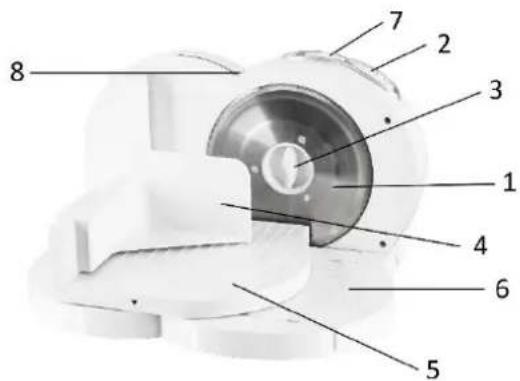
DESCRIPTION OF THE CONTROLS
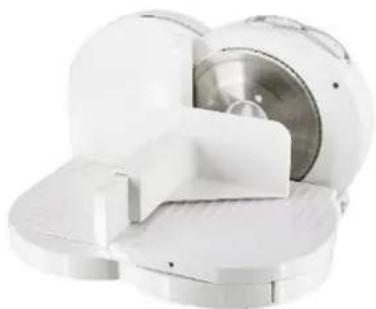
- Blade
- Safety Button
- Blade-locking Knob
- Piece holder
- Sliding Feed Table
- Support
- Speed Switch
- Slice Thickness Gauge
- Adjusting Knob
natural_image
White cylindrical device with internal components and a downward arrow indicating motion (no text or symbols)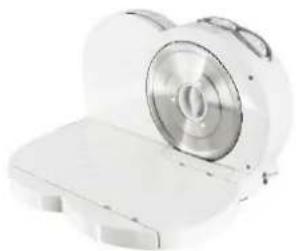
natural_image
White electronic device with a circular lens and rectangular base (no visible text or symbols)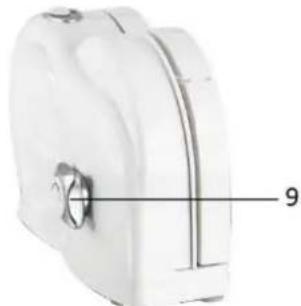
natural_image
Close-up of a white plastic cylindrical device with a knob and labeled part '9' (no text or symbols beyond the number)Fig.1
natural_image
White toilet seat with a dashed arrow indicating left angle (no text or symbols)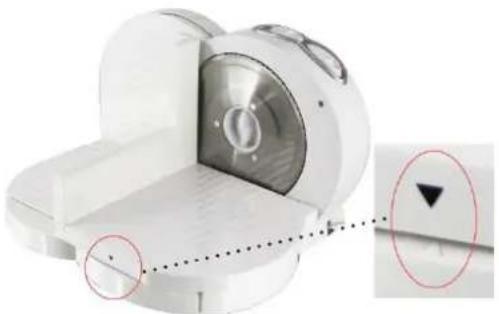
natural_image
Close-up of a white mechanical component with a circular inset showing a downward arrow and a black triangle (no text or symbols)Fig.2
natural_image
White medical imaging device with metallic components and a circular lens (no visible text or symbols)fig.3
USING THE SLICER
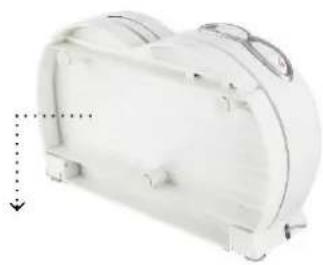
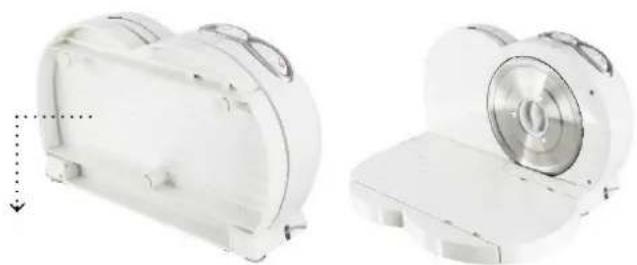
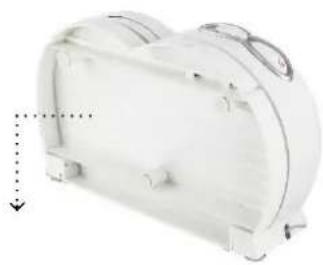
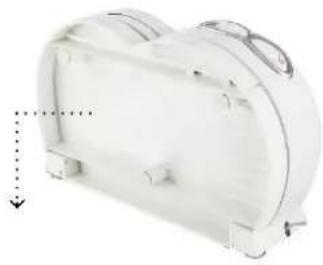
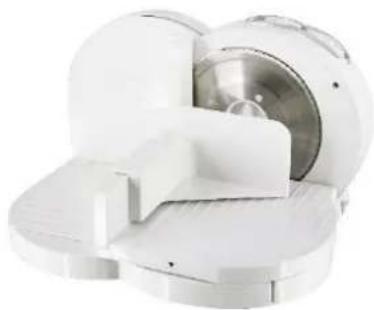
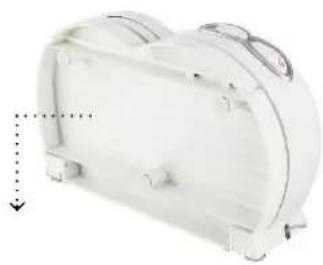
- Unfold the appliance and put it on a flat, stable table; see fig.1.
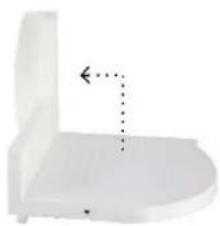
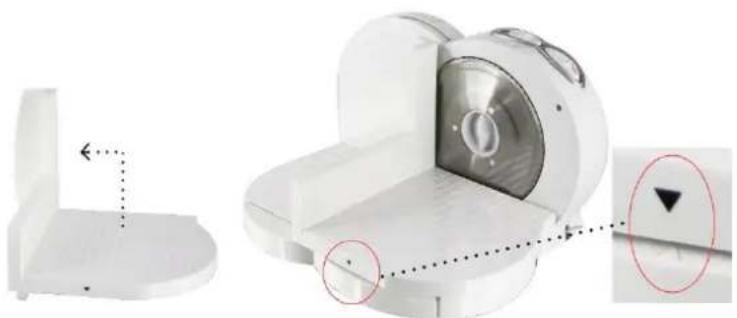
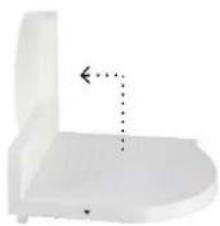
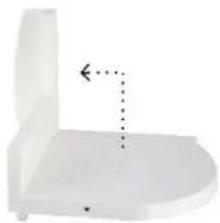
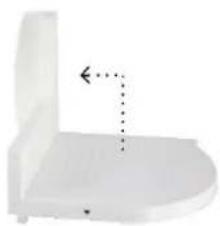
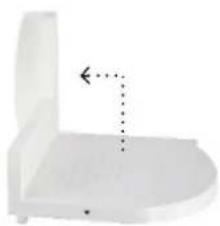
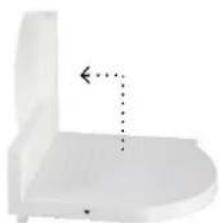
- Unfold the sliding feed table and assemble it onto the support; see fig.2.
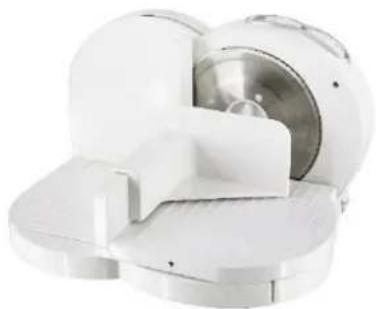
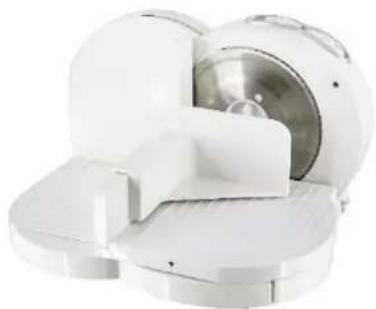
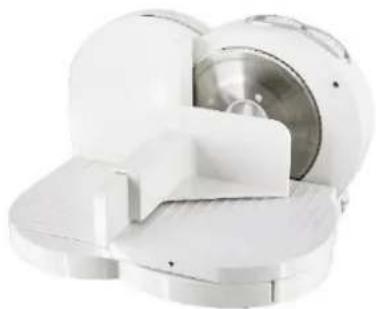
- Assemble the piece holder onto the sliding feed table; see fig.3.
Note: You can push the sliding feed table or piece holder back or forward according to the size of the food to be sliced.
- Select the slicing thickness (0 – 15mm) by turning the adjusting knob. And make sure speed button is in "0" position.
- Plug in the appliance. The slicer is now ready for use.
- Lay the food to be sliced between the blade and the piece holder.
- Press and hold the safety button; simultaneously, slide the speed switch to choose the desired speed (0: off; 1: low speed; 2: medium speed; 3: high speed), the blade will start rotating. For safety reasons, the appliance only works when the safety button is pressed.
- Push the sliding feed table with your right hand to bring the food to the blade.
- After use, release the safety button, switch the appliance off and unplug it from the power supply.
Notes:
- Before use, all parts must be assembled together tightly and securely.
- To avoid food sticking to the appliance, you can moisten the blade with a wet towel beforehand. This also allows you to slice more easily.
- Always use the sliding feed table and piece holder when slicing meat.
- Do not slice meat with bones, food with large seeds, rolled roast without removing the string, wrappers (i.e. aluminum foil), frozen food or any hard, inedible food parts.
Important information
Do not allow the appliance to operate for more than 3 minutes at a time. And the appliance needs to cool for 10 minutes before the next operation. After 5 cycles' operation, let the appliance rest 30 minutes to cool down to the ambient temperature to avoid overheating.
CLEANING
- Before cleaning, always unplug the appliance.
- Wipe the motor housing with a slightly damp cloth. Do not immerse in water or any other liquid.
- Do not clean the appliance with any abrasive scouring pad or steel wool as this will damage the finish.
- All loose parts can be cleaned in soapy water.
- The blade can be taken off by turning the blade-locking knob. Caution: the blade is very sharp. After having cleaned the blade, turn the knob anti-clockwise to lock the blade.
- Never use dishwasher to clean any part of this appliance.
- Dry all parts well before storage.
TECHNICAL SPECIFICATIONS
Operating voltage: 220-240V \~ 50/60Hz
Power consumption: 150W
Short time operation: 3 min
GUARANTEE AND CUSTOMER SERVICE
Before delivery our devices are subjected to rigorous quality control. If, despite all care, damage has occurred during production or transportation, please return the device to your dealer. In addition to statutory legal rights, the purchaser has an option to claim under the terms of the following guarantee: For the purchased device we provide 2 years guarantee, commencing from the day of sale. If you have a defective product, you can directly go back to the point of purchase.
Defects which arise due to improper handling of the device and malfunctions due to interventions and repairs by third parties or the fitting of non-original parts are not covered by this guarantee. Always keep your receipt, without the receipt you can't claim any form of warranty. Damage caused by not following the instruction manual, will lead to a void of warranty, if this results in consequential damages then we will not be liable. Neither can we hold responsible for material damage or personal injury caused by improper use if the instruction manual is not properly executed. Damage to accessories does not mean free replacement of the whole appliance. In such case please contact our service department. Broken glass or breakage of plastic parts is always subject to a charge. Defects to consumables or parts subjected to wearing, as well as cleaning, maintenance or the replacement of said parts are not covered by the warranty and are to be paid.
ENVIRONMENT FRIENDLY DISPOSAL
Recycling – European Directive 2012/19/EU
This marking indicates that this product should not be disposed with other household wastes. To prevent possible harm to the environment or human health from uncontrolled waste disposal, recycle it responsibly to promote the sustainable reuse of material resources. To return your used device, please use the return and collection systems or contact the retailer where the product was purchased. They can take this product for environmental safe recycling.
SICHERHEITSHINWEISE
natural_image
Two views of a white cylindrical device with circular components and mounting brackets, shown from different angles (no text or symbols visible)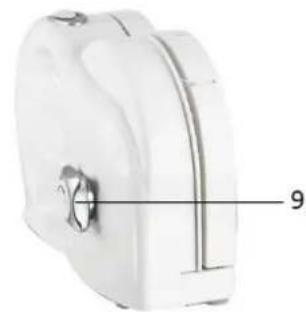
natural_image
White plastic container with a central knob and labeled measurement line (no text or symbols beyond the number 9)Abb. 1
natural_image
3D mechanical component diagram showing a left-side view and a close-up of a housing with a circular component, no visible text or symbols.Abb. 2
natural_image
Close-up of a white mechanical device with a metallic circular component and curved surfaces (no visible text or symbols)Abb. 3
natural_image
White cylindrical mechanical component with attached wires and a downward arrow indicating force or direction (no text or symbols)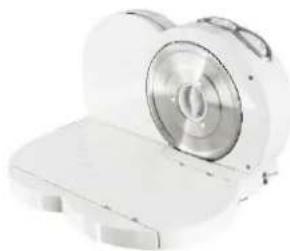
natural_image
White electronic device with a circular lens and rectangular base (no visible text or symbols)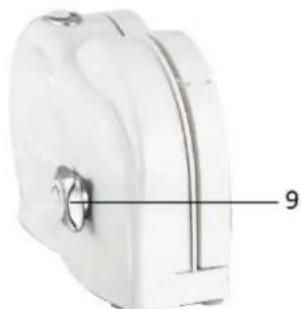
natural_image
Close-up of a white plastic mechanical component with a central knob and a numbered label '9' (no text or symbols on the object itself)Bild 1
natural_image
White toilet seat with a dashed arrow indicating left angle (no text or symbols)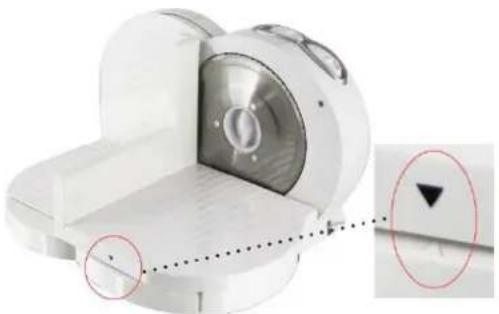
natural_image
3D mechanical component with highlighted section and magnified detail (no text or symbols)Bild 2
natural_image
White medical imaging device with metallic components and a circular housing (no visible text or symbols)Bild 3
ANVÄNDNING AV SKÄRMASKINEN
natural_image
White cylindrical device with internal components and a downward arrow indicating motion (no text or symbols)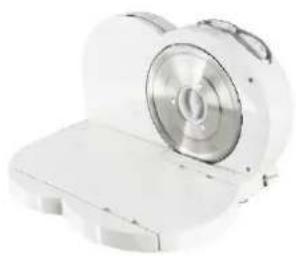
natural_image
White electronic device with a circular lens and rectangular base (no visible text or symbols)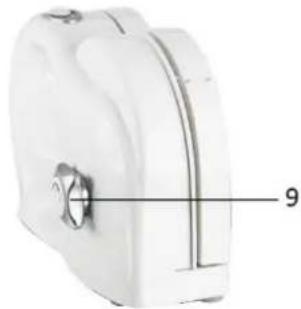
natural_image
White cylindrical device with a knob and labeled part '9' (no text or symbols on the device itself)Afb. 1
natural_image
White toilet or sink component with a dotted arrow indicating direction (no text or symbols)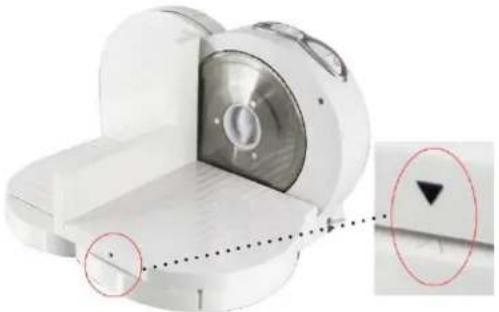
natural_image
3D rendered mechanical component with highlighted section and magnified detail (no text or symbols)Afb. 2
natural_image
Close-up of a white mechanical device with a metallic housing and circular components (no visible text or symbols)Afb. 3
DE SNIJMACHINE GEBRUIKEN
natural_image
White cylindrical device with attached wires and a dashed arrow indicating direction (no text or symbols)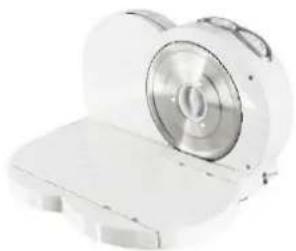
natural_image
White cylindrical device with a circular lens, possibly an electronic device or scanner (no visible text or symbols)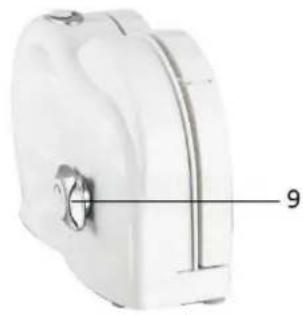
natural_image
Close-up of a white plastic bag with a black handle and a numbered label '9' pointing to the side (no other text or symbols visible)Kuva 1
natural_image
White toilet seat with a dashed arrow indicating left angle (no text or symbols)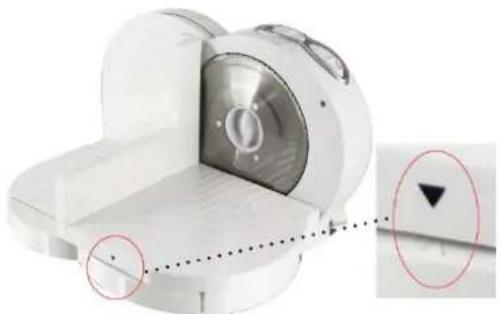
natural_image
3D rendered mechanical component with highlighted section and arrow indicator (no text or symbols)Kuva 2
natural_image
Close-up of a white mechanical device with a metallic component and circular base (no visible text or symbols)Kuva 3
LEIKKURIN KÄYTTÄMINEN
natural_image
White plastic cylindrical device with internal components and a downward arrow indicator (no text or symbols)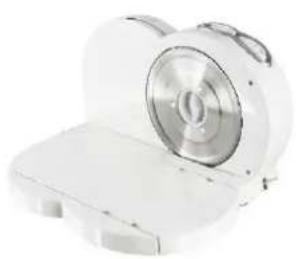
natural_image
White cylindrical device with a circular lens, shown from an open lid (no text or symbols visible)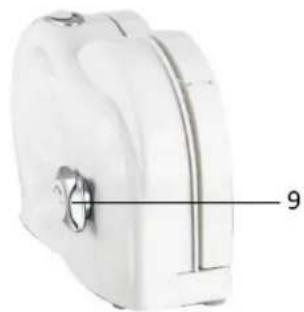
natural_image
White plastic container with a central knob and labeled measurement line (9), no text or symbols present.Fig.1
natural_image
White toilet seat with a dashed arrow indicating left angle (no text or symbols)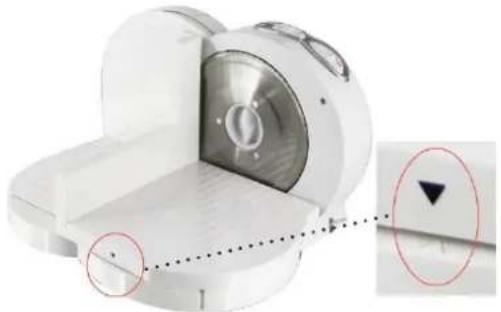
natural_image
3D rendered mechanical component with highlighted circular features and a red arrow indicator (no text or symbols)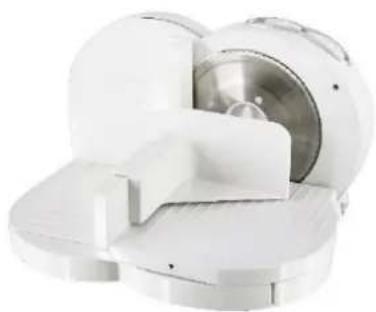
natural_image
Close-up of a white medical or laboratory device with metallic components and a central circular component (no visible text or symbols)Fig.2
fig.3
BRUKE SKIVEMASKINEN
natural_image
White cylindrical device with internal components and a downward arrow indicating motion (no text or symbols)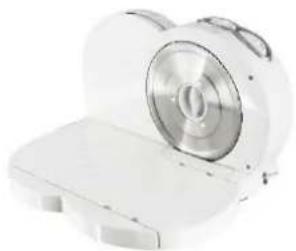
natural_image
White electronic device with a circular lens and rectangular base (no visible text or symbols)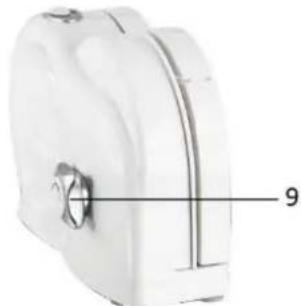
natural_image
Close-up of a white plastic cylindrical device with a knob and labeled part '9' (no text or symbols beyond the number)Fig.1
natural_image
White toilet seat with a dashed arrow indicating left angle (no text or symbols)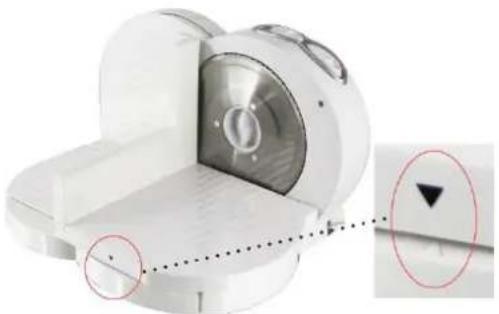
natural_image
Close-up of a white mechanical component with a circular inset showing a downward arrow and a black triangle (no text or symbols)Fig.2
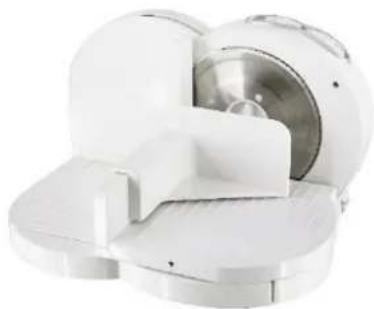
natural_image
White medical or laboratory device with metallic components and a central circular chamber (no visible text or symbols)fig.3
SÅ DAN BRUGES SKÆ REMASKINEN
- Content – Inhalt – Innehåll – Inhoud – Pitoisuus – Innhold – Indhold
- DESCRIPTION OF THE CONTROLS
- USING THE SLICER
- Notes:
- Important information
- CLEANING
- TECHNICAL SPECIFICATIONS
- GUARANTEE AND CUSTOMER SERVICE
- ENVIRONMENT FRIENDLY DISPOSAL
- SICHERHEITSHINWEISE
- ANVÄNDNING AV SKÄRMASKINEN
- DE SNIJMACHINE GEBRUIKEN
- LEIKKURIN KÄYTTÄMINEN
- BRUKE SKIVEMASKINEN
- SÅ DAN BRUGES SKÆ REMASKINEN
Brand : Emerio
Model : MS-111799
Category : Slicer