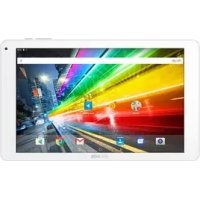
101 HELIUM - Tablet ARCHOS - Free user manual and instructions
Find the device manual for free 101 HELIUM ARCHOS in PDF.



User questions about 101 HELIUM ARCHOS
0 question about this device. Answer the ones you know or ask your own.
Ask a new question about this device
Download the instructions for your Tablet in PDF format for free! Find your manual 101 HELIUM - ARCHOS and take your electronic device back in hand. On this page are published all the documents necessary for the use of your device. 101 HELIUM by ARCHOS.
USER MANUAL 101 HELIUM ARCHOS
Package contents. 2
Getting started. 3
Description of the device. 4
Through the wizard. 6
Connecting to a WiFi network.. 7
The AndroidTM interface. 8
Getting familiar with AndroidTM 12
Troubleshooting 14
For more information, please consult the FAQs on www.archos.com. Make sure to read them before considering any product return. Your deal may be no big deal. As we are often updating and improving our products, your device's software may have a slightly different appearance or modified functionality than presented in this Quick Start Guide.
Package Content
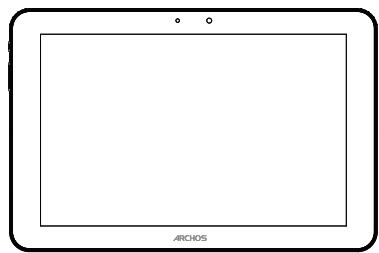
ARCHOS 101 PLATINUM
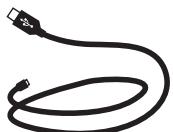
USB cable

QSG booklet
Warranty, legal & safety booklet
Charger
Getting Started
Charging
Connect the supplied power cable to the ARCHOS and to a wall outlet.
The ARCHOS device will turn on and start charging.
You can use your ARCHOS whilst it charges.
- Let your device charge completely the first time you use it.
- Use only the supplied charger.
TIPS:
To receive more complete service, please register your product.
From a computer, go to www.archos.com/register.
Description of the device
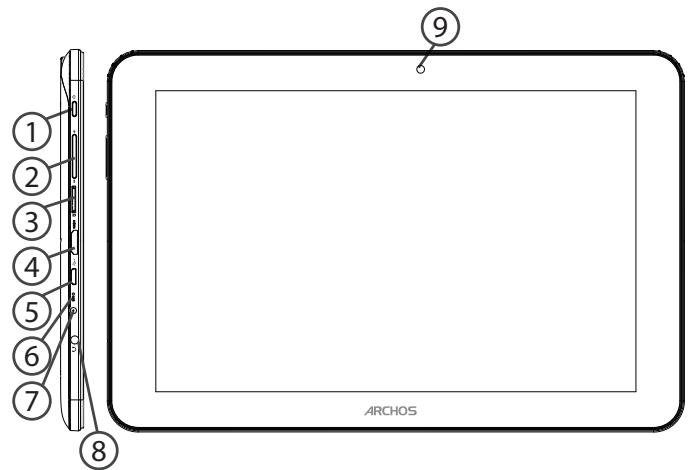
Back of the device
1 ON/OFF button
Volume buttons
Micro-SD card slot
(4) Mini-HDMI video output*
Micro-USB port
(6) Microphone
⑦ Power connector
Headphone jack
- With optional Mini-HDMI to HDMI cable.
⑨ Webcam
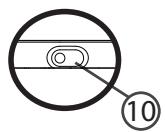
10 Camera
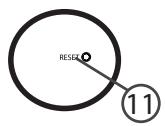
⑪ Reset button
Through the Wizard
The first time you start up your ARCHOS, the installation wizard will help you set up your device:
- Touch-screen calibration
- Language
- Date & time
- WiFi connection
- Location service options
- 3rd party apps
TIPS:
We recommend that you set up your device in the WiFi zone of the network that you will regularly be using.
Connecting to a WiFi Network
WARNING: Make sure that you are in a WiFi zone. You can access the WiFi settings quickly from the status bar in the bottom right corner of the screen.
- Touch the time in the status bar.
The status dashboard is displayed. - Touch the time a second time in the status dashboard.
The quick settings will be displayed.
- Touch "Settings" to open the WiFi settings menu.
- If the WiFi is off, slide the WiFi switch to the "ON" position.
Once the WiFi is on, the ARCHOS will scan for WiFi networks in range.
5. Touch the name of network you want to connect to.
Private networks are shown with a lock icon and will require you to enter your password.
TIPS:
- When entering a WiFi password, we recommend that you select "Show password" so you can see the characters you are typing.
- To get the correct WiFi password (or settings) for the network, contact the WiFi network provider.
- If your WiFi is on and you are in range of a network that you previously connected to, your ARCHOS will automatically attempt to connect to it.
The Android™ Interface
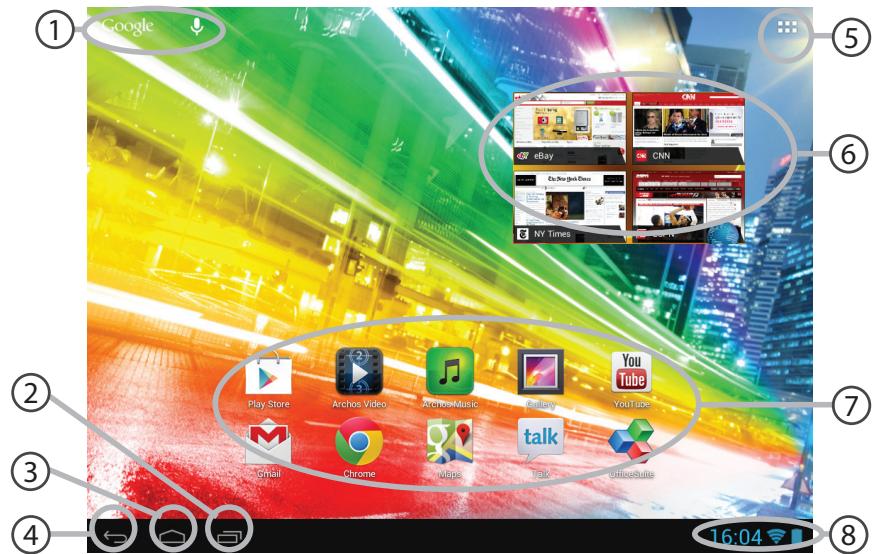
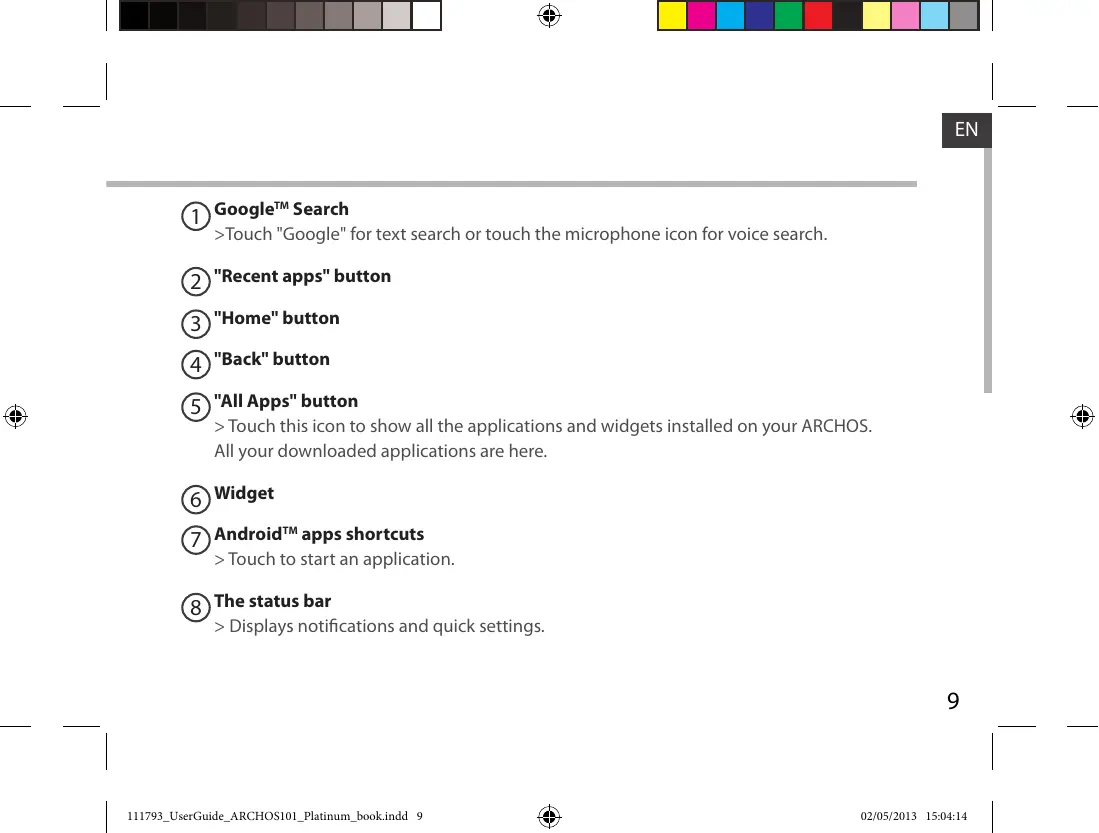
GoogleTM Search
Google™ Search >Touch "Google" for text search or touch the microphone icon for voice search.
(2) "Recent apps" button
③"Home" button
4"Back" button
"All Apps" button > Touch this icon to show all the applications and widgets installed on your ARCHOS. All your downloaded applications are here.
⑥ Widget
⑦ AndroidTM apps shortcuts > Touch to start an application.
The status bar > Displays notifications and quick settings.
The Android™ Interface
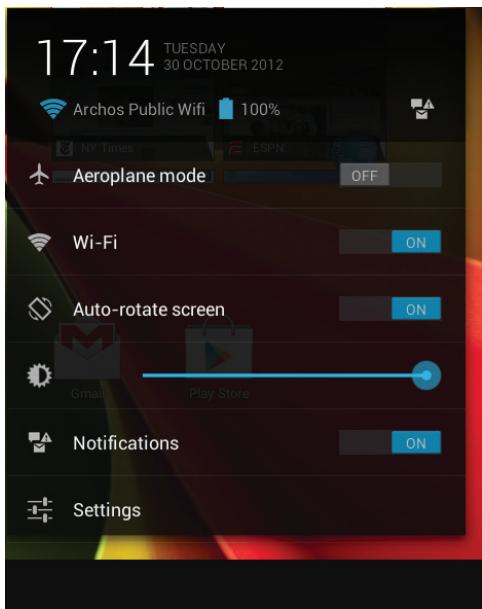
The Quick settings
-Aeroplane mode:
To activate/deactivate all wireless connections, especially when flying.
-WiFi:
To turn on/off your WiFi connection.
- Auto-rotate screen:
To activate/deactivate automatic screen orientation as you turn your ARCHOS.
- Brightness:
To adjust the screen brightness.
- Notifications:
To activate/deactivate incoming notifications.
- Settings:
To access all your settings.
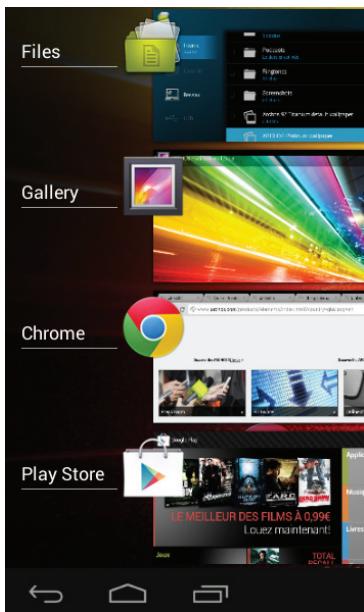
The Recent Apps
Opens a list of thumbnail images of apps you've worked with recently:
- To open an app, touch it.
- To close an app, swipe it left or right.
Getting familiar with Android™
Google account
A Google account lets you take full advantage of any Google apps and services that you may want to use.
- Go to "Settings" > "Accounts" > "Add account".
- Select the account type "Google" to add.
- Follow the onscreen steps to enter information about the account.
The extended home screen:
Navigate between different home screen panels by swiping left and right.
Moving a home screen item:
Touch and hold your finger onto it until the positioning gridlines appear, then slide it to the desired location, and release your finger.
Removing a home screen item:
Touch and hold it, slide your finger towards the top of the screen and drop it over the "Remove" icon.
Uninstalling an item:
From the "All apps" screens, touch and hold it, slide your finger towards the top of the screen and drop it over "Uninstall" bin.
Creating application folders:
Drop one app icon over another on a home screen and the two icons will be combined.
Widgets:
Touch the "All Apps" icon on your home screen. Touch "Widgets" at the top of the screen. From the main Widget screen, you can move around widgets just as you do for app icons.
Changing your wallpaper:
Hold your finger on a home screen at an empty location, then choose from the list.
Locking the touchscreen:
From the quick settings dashboard in the status bar, touch "Settings". In "Settings", scroll down and touch "Security". Touch "Screen lock". Touch the type of lock you would like to use. After you set a lock, a lock screen is displayed whenever your screen wakes up, requesting the pattern, pin or other specified key.
Troubleshooting
If your device is frozen:
Press the ON/OFF button for 10 seconds or use the reset button. To use the reset button, press the "pinhole reset" button by using a sharp object such as a toothpick.
If your device doesn't turn on:
- Charge your device.
- Press the ON/OFF button for 10 seconds or use the reset button. To use the reset button, press the "pinhole reset" button by using a sharp object such as a toothpick.
If the touchscreen doesn't function correctly:
From Settings, touch Touch-screen calibration.
If you want to extend the life of your battery:
Decrease the screen brightness and turn off the wireless connections if not in use.
If your device functioning is too slow:
Close all apps which are not currently used.
If your WiFi reception is too low:
Make sure you are not far from the WiFi hotspot.
Update the firmware of the device: http://www.archos.com/support.
Reset and redefine your connection parameters.
Contact your WiFi connection provider.
Table des matieres
WiFi-networkverbinding
Ecnn yctpojctBO He Bkliouaetc:
1.3apAunTe yctpoiCTBO.
2. Haxmte Ha KhoNkY BkJI/BblKJи yapedxnbaiTe b TeueHne 10 ckyHd.
Ecni ceHcOpHbI kPan fynKuOnHpyeT HnpaBnIbHO:
BbI6epuTe 3NaUOK Settings > BOCCTaHOBLeHne iΦOpMaTupOBaHne), HaxMIte Ha 3NaUOK
Touch-screen calibration (kaɪnɪbɒpɒkɑ cæncɒpɒhʊrə ᵋkpɑːha).
EcnBbXoNTe npoDnntb cpoK pa6Otb 6aTapeu:
Umehbinte npkocb 3kpaHa n BblKnIOuHte 6ecnpoBOdHbIe coeINHe n He nCnOJIb3yIOTcA.
EcInyucpOCTBOФункungOHpye cInuKOM MeIeHNo:
3aKpOteBce npInIOxKeHn, KOtOpbE B DaHHbIM MOMeHT He NcPOnJIb3yIOTcA.
Ecn npinHMaembl cnHnWi-Fi cnHsKom cna6:
Y6eIITecb, YTO He HaxoIITecb cIIuKOM daJIeKO OT y3na doCTyna Wi-Fi.
Обовиные BCtrpoeHHyю MmKpOnporpamMy yCtpoiCtBa: http://www.arnovatech.com/support.
C6pocbte nIOBTOPO BVEaIe npaMeTpbl coeHNHeHn.
06paTntecb K npobaipepy cetn Wi-Fi.
National restrictions
This device is intended for home and office use in all EU countries (and other countries following the EU directive 1999/5/EC) without any limitation except for the countries mentioned below:
| Country | Restriction | Reason/remark |
| Bulgaria | None | General authorization required for outdoor use and public service |
| France | Outdoor use limited to 10 mW e.i.r.p. within the band 2454-2483.5 MHz | Military Radiolocation use. Refarming of the 2.4 GHz band has been ongoing in recent years to allow current relaxed regulation. Full implementation planned 2012 |
| Italy | None | If used outside of own premises, general authorization is required. |
| Luxembourg | None | General authorization required for network and service supply (not for spectrum) |
| Norway | Implemented | This subsection does not apply for the geographical aera within a radius of 20 km from the centre of Ny-Alesund |
| Russian Federation | None | Only for indoor applications |
Note: Frequency 2454-2483.5MHZ are restricted to indoor use in France.
Consult the declaration of conformity on http://www.archos.com/products/declaration_conformity.html
Open Source Software Offer
The software bundled with this product includes software files subject to certain open source license requirements. Such open source software files are subject solely to the terms of the relevant open source software license. Such open source software is provided on an "AS IS" basis to the maximum extent permitted by applicable law.
For the open source files contained herein, please access "Open source license" section located at: Settings\About tablet\Legal information on the device for the relevant copyright and licensing terms. You may obtain a copy of Apache License, Version 2.0 at http://www.apache.org/licenses/License-2.0. You may also obtain a copy of GNU General Public License, Version 2 at the Free Software Foundation, INC, 51 Franklin Street, Fifth Floor, Boston, MA 02110-1301, USA.
Until the date that is three years after our last shipment of this product, you may obtain a copy of the source code corresponding to the binaries for any GPL-Licensed file by contacting ARCHOS customer service at http://www.archos.com and ARCHOS will send you a link to such source code or will provide instructions to get the source on a physical medium.
This offer is valid to anyone in receipt of this information.