
WT-7040SN - Heating Ravanson - Free user manual and instructions
Find the device manual for free WT-7040SN Ravanson in PDF.


| Product Type | Electric Fan (Models: WT-7040SN INOX, WT-7040SN GUN, WT-7050M) |
| Rated Voltage | 220–240 V |
| Rated Frequency | 50 Hz |
| Rated Power Input | 50 W |
| Fan Power Input | 44.00 W |
| Maximum Fan Flow Rate | 58.30 m³/min |
| Service Value | 1.30 (m³/min)/W |
| Standby Power Consumption | 0.00 W |
| Fan Sound Power Level | 65.00 dB(A) |
| Maximum Air Velocity | 3.00 m/s |
| Speed Settings | 3 speeds (1, 2, 3) plus Off (0) |
| Oscillation | Yes, automatic rotation around vertical axis (toggle button) |
| Tilt Adjustment | Yes, adjustable by loosening screw (10) |
| Construction | Motor, back basket, propeller, front basket, column, base, fastening nut, mounting screw, basket fixing screws, adjustment screw, stabilizer |
| Cleaning | Unplug, wipe with damp cloth and neutral detergent; no petrol or solvents |
| Safety Features | Do not use with damaged cord/blades; keep away from water; do not cover grid; children under 8 must be supervised |
| Intended Use | Household use only |
| Standard for Service Value Measurement | IEC 60879 |
| Manufacturer | RAVANSON Ltd., Sp. z o.o., ul. Mazowiecka 6, 09-100 Płońsk, Poland |
| Service Network | Quadra-Net (www.quadra-net.pl), helpline 61 853 44 44 |
Frequently Asked Questions - WT-7040SN Ravanson
User questions about WT-7040SN Ravanson
0 question about this device. Answer the ones you know or ask your own.
Ask a new question about this device
Download the instructions for your Heating in PDF format for free! Find your manual WT-7040SN - Ravanson and take your electronic device back in hand. On this page are published all the documents necessary for the use of your device. WT-7040SN by Ravanson.
USER MANUAL WT-7040SN Ravanson
ENG User's manual Fan
natural_image
Exterior view of a modern office desk fan with visible blades and central hub (no text or symbols)MODEL: WT-7040SN INOX; WT-7040SN GUN; WT-7050M
natural_image
Technical line drawing of a mechanical device with a bell and screen, no text or symbols presentnatural_image
Technical diagram of a mechanical device with a grid-patterned lid and labeled component '10' (no text or symbols beyond labels)WT-7040SN INOX; WT-7040SN GUN; WT-7050M
Before first use, always read the safety instructions and warnings included in this guide.
Failure to observe the below mentioned safety warnings and safety guidelines for may cause to electric shock, fire and/or serious injuries
Keep safety instructions and warnings at hand for future reference
GENERAL SAFETY GUIDELINESS
This appliance is not intended for use by children under the age of 8 or other persons, without assistance or supervision, if their physical, sensory or mental capabilities prevent them from using it safely or by persons without experience and knowledge on the use thereof. People using this product must understand the risks related to the use of the appliance. Do not allow children to use the appliance as a toy. Cleaning and maintenance by children without supervision is not allowed.
Children are not aware of dangers that may arise during the use of electric devices. Keep the appliance and corresponding cord out of the reach of children under the age of 8.
Children should be supervised to ensure that they do not play with the appliance.
Do not operate the appliance with a damaged cord.
Damaged power cord must be replaced by manufacturer, authorized service centre or other qualified persons in order to avoid risk.
The plug must fit the socket.
The plug must not be modified in any way.
Do not allow the power cord to touch sharp edges or hot surfaces. Damaged cord poses a risk of electric shock.
Do not place the appliance on hot surfaces.
Do not use outside. Do not expose to rain. Protect against humidity. Do not operate with wet hands.
During operation keep clothing, long hair away from the moving parts of the appliance.
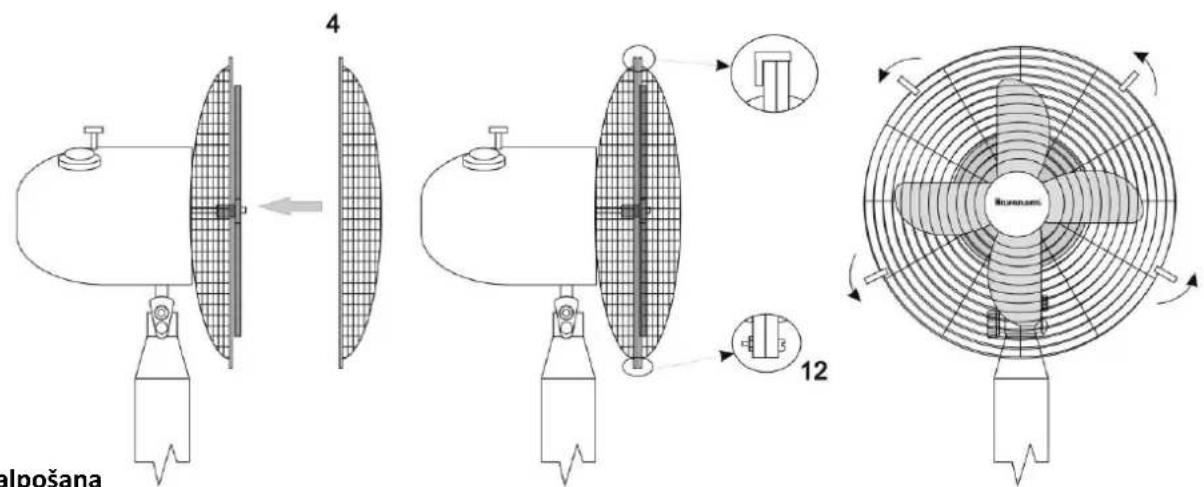
Do not plug the device in unless it is fully assembled.
Do not use the device with a broken or damaged blades.
Do not remove any parts of the housing.
Do not use the device in the immediate vicinity of a bathtub, shower or swimming pool.
Prevent the cord and plug from any contact with water or moisture. Do not spray any liquid on the device.
Unplug the device holding the plug; do not pull the cord.
Unplug the device if it is to be moved or is not going to be used for a longer time.
Do not use the device with the protection grid removed.
Transport in an original package protecting from mechanical damages.
The appliance must be repaired by a qualified person using only original spare parts.
Despite operating the unit in accordance with its intended use and in accordance with all safety guidelines, it is impossible to eliminate all residual risk factors.
The appliance is intended for home use only.
The appliance should only be used for private use, as intended for the appliance. This appliance is not intended for commercial use.
Before assembly and disassembly of the sieve, always make sure that the juicer is disconnected from its power source.
Do not cover the fan protection grid.
Do not put anything into the protection grid when the fan is on.
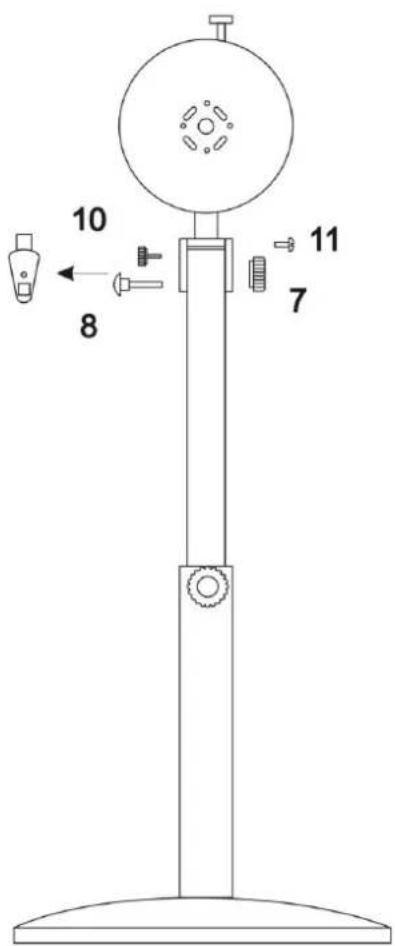
Parts:
Please check the fan is complete after you open the packaging.
Check if the components are not damaged.
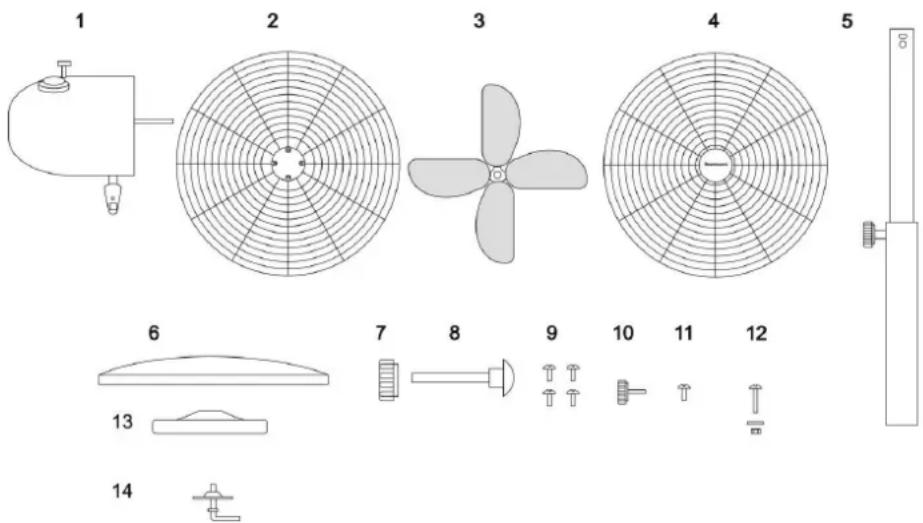
| 1 | Motor | 2 | Back basket |
| 3 | Propeller | 4 | Front basket |
| 5 | Column | 6 | Base |
| 7 | Fastening nut | 8 | Mounting screw |
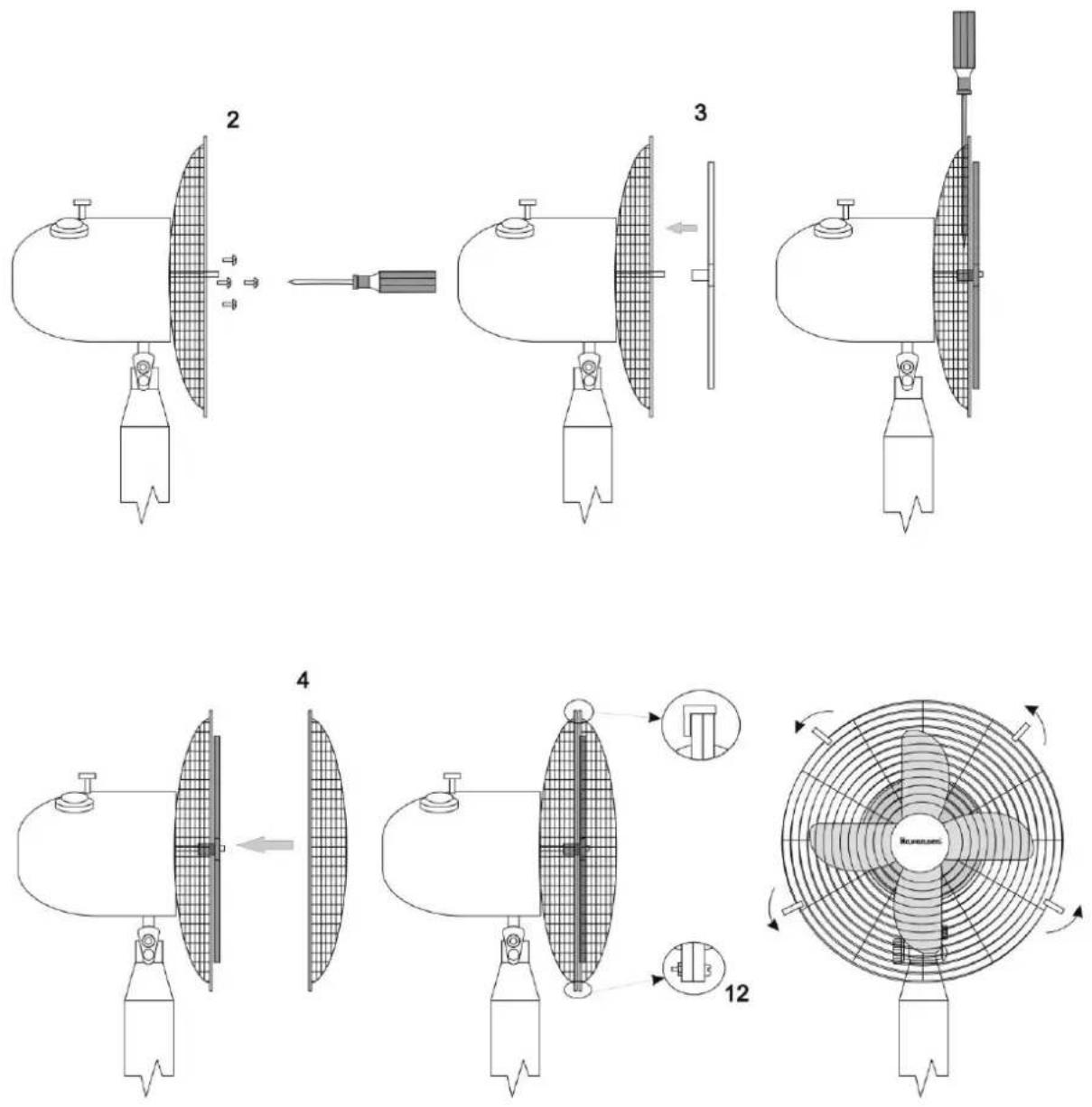
| 9 | Screws fixing the basket | 10 | Adjustment screw |
| 11 | Fixing screw | 12 | Screw fixing basket |
| 13 | Stabilizer | 14 | Screw fixing base |
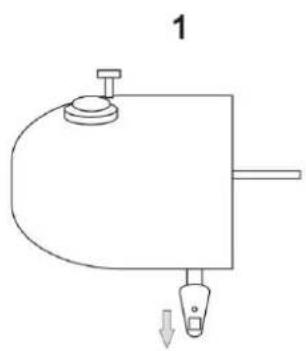
natural_image
Simple line drawing of a mechanical component with a curved base and two ports, no text or symbols present.5

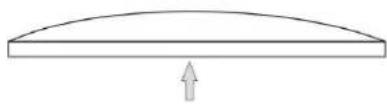
natural_image
Simple line drawing of a vertical cylindrical object with a small protruding knob (no text or symbols)6
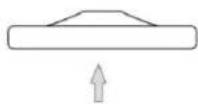
natural_image
Simple line drawing of a curved beam with an upward arrow at the base (no text or symbols)13
14

Attention! Make sure that the power source to which the appliance is to be connected is accordant with the parameters specified on the rating plate.
Attention! Before every use, inspect the device for any signs of mechanical damage. Inspect the power cord. If the power cord is damaged, do not plug the device in.
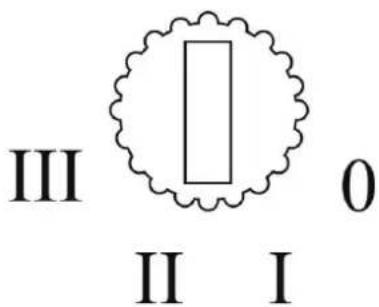
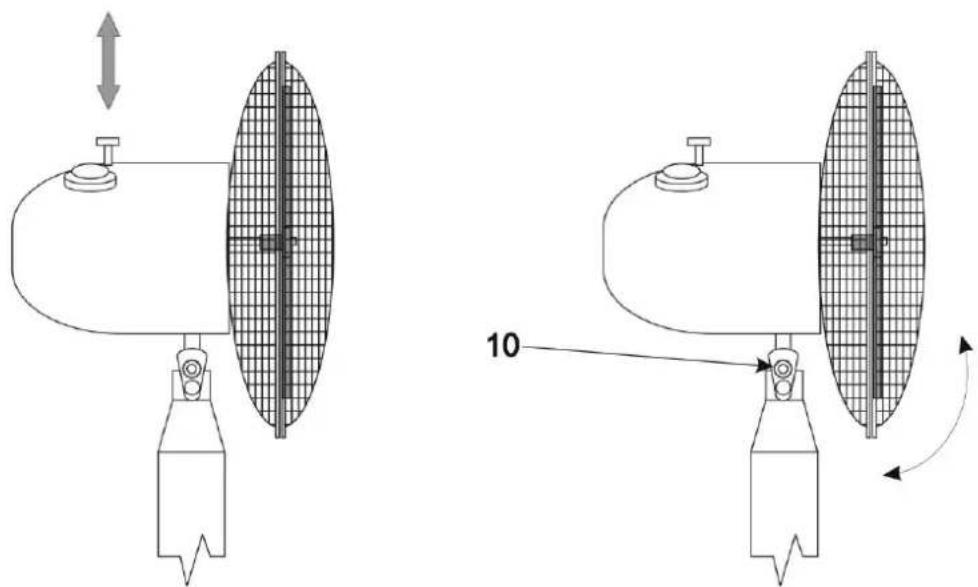
The speed can be set from 1 (slowest) to 3 (fastest). "0" position – switching the fan off. The fan is equipped with a rotational mechanism. Automatic rotation of the fan round its vertical axis is switched on by the button on the drive unit housing (1). To disable device rotation, pull the button out.
The fan head can be tilted in a horizontal axis by a slight inflection/deflection of the drive unit. Fan inclination angle can be adjusted by loosening the screw (10) in the drive unit housing, setting the appropriate angle and tightening the screw again.
Cleaning and care
Before starting the maintenance, ensure the fan is unplugged.
Clean the fan with moist (never wet) cloth with a neutral detergent. Do not use petrol or other solvents.
Transportation and storage
Before putting the device away, wait until it cools down. Keep and store in a package protecting from humidity and mechanical damages.
Troubleshooting
If the fan does not start, check the power supply in the mains. Repairs must be carried out solely by the authorised personnel.
SERVICE
The current list of service points can be found at: www.ravanson.pl
Service is provided by the Quadra-Net network, please visit: www.quadra-net.pl
And the helpline number: 61 853 44 44
Technical parameters
| Voltage | 220–240 V |
| Frequency | 50 Hz |
| Rated power | 50 W |
The manufacturer reserves the right to introduce technical modifications!
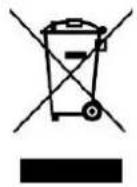
The symbol presented below indicates that the used equipment cannot be placed together with other household waste. The user is obliged to bring this item to the waste electrical and electronic equipment collection point where a suitable system is created to allow safe disposal of these items.
Dangerous components present in electrical and electronic equipment have negative consequences for the environment and human health therefore correct handling of the
equipment is very important. Certain substances which may adversely affect the environment over the life of the product and after use have been limited in this device.
WT-7040SN INOX; WT-7040SN GUN; WT-7050M
| Description | Symbol | Value | Unit |
| Maximum fan flow rate | [F] | 58,30 | m^3/min |
| Fan Power input | [P] | 44,00 | W |
| Sernice value | [SV] | 1,30 | (m^3/min)/W |
| Standy power consumption | [P_SB] | 0,00 | W |
| Fan sound Power level | [L_WA] | 65,00 | dB(A) |
| Maximum air velocity | [c] | 3,00 | m/s |
| Measurement standard for service value | IEC 60879 | ||
| Contact details obtaining more information | RAVANSON Ltd., Sp. z o.o.ul. Mazowiecka 6, 09-100 Płońsk, Poland | ||
DE

Instandhaltung
WT-7040SN INOX; WT-7040SN GUN; WT-7050M
Експлуатація
УВАГА!
natural_image
Diagram of a mechanical device with a bell and internal grid structure, no text or symbols present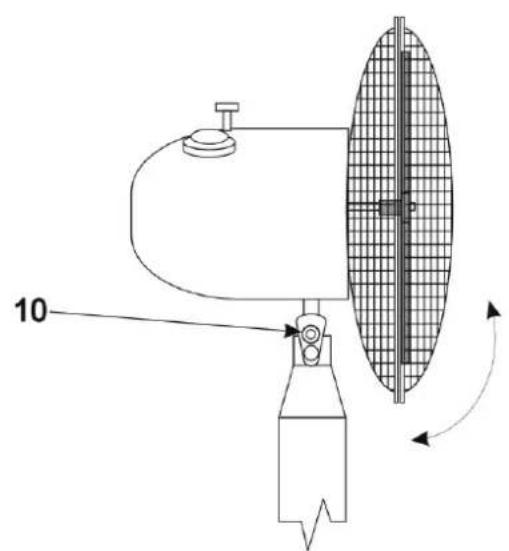
natural_image
Technical line drawing of a mechanical device with a grid-patterned lid and labeled component '10' (no text or symbols beyond label)WT-7040SN INOX; WT-7040SN GUN; WT-7050M
natural_image
Technical line drawings of two mechanical components with internal grid patterns and directional arrows (no text or symbols)Údržba:
WT-7040SN INOX; WT-7040SN GUN; WT-7050M
natural_image
Diagram of a mechanical device with a curved arm and a grid-patterned circular component, no text or symbols present.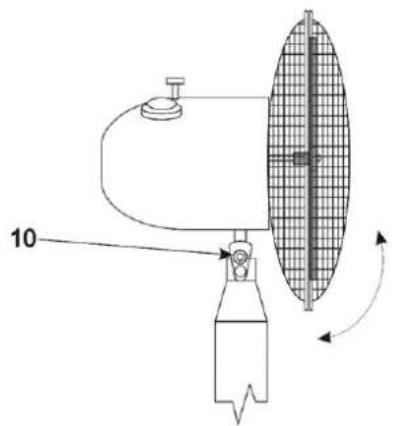
Vzdrževanje
WT-7040SN INOX; WT-7040SN GUN; WT-7050M
natural_image
Diagram of a mechanical device with a curved arm and a grid-patterned side panel, no text or symbols present.WT-7040SN INOX; WT-7040SN GUN; WT-7050M
ÜLDISED OHUTUSJUHISED
natural_image
Technical diagram of a mechanical device with a bell-shaped component and a grid-patterned side panel (no text or symbols)WT-7040SN INOX; WT-7040SN GUN; WT-7050M
natural_image
Diagram of a mechanical device with a curved arm and a grid-patterned side panel, no text or symbols present.WT-7040SN INOX; WT-7040SN GUN; WT-7050M
WT-7040SN INOX; WT-7040SN GUN; WT-7050M
Brand : Ravanson
Model : WT-7040SN
Category : Heating