
VT 4320 3in1 Multi Clean - Vacuum Cleaner ECG - Free user manual and instructions
Find the device manual for free VT 4320 3in1 Multi Clean ECG in PDF.


| Product Type | 3-in-1 Multi Clean Vacuum Cleaner (Handheld, Stick, and Upright modes) |
| Model | VT 4320 |
| Brand | ECG |
| Dimensions (L x W x H) | Approx. 26 x 18 x 115 cm (assembled) |
| Weight | Approx. 2.5 kg |
| Power Supply | Rechargeable lithium-ion battery, 22.2 V, 2000 mAh |
| Charging Time | Approx. 4-5 hours |
| Runtime | Up to 30 minutes (standard mode) |
| Dust Capacity | 0.5 L |
| Filtration System | HEPA filter and washable foam filter |
| Main Functions | Vacuuming, dusting, crevice cleaning; 3 modes: handheld, stick, upright |
| Accessories Included | Crevice tool, brush tool, upholstery nozzle, wall mount |
| Noise Level | ≤ 78 dB(A) |
| Suction Power | Approx. 10 kPa adjustable |
| Maintenance | Clean dust cup and filters regularly; wash foam filter and HEPA filter (air-dry before reusing) |
| Safety Features | Overheat protection, automatic shut-off when battery low |
| Spare Parts Available | Battery, filters, charger, brush roller, accessories (check official ECG website) |
| Repairability | User-replaceable battery and filters; other repairs by authorized service center |
| Warranty | 2 years (subject to conditions) |
| General Information | Designed for hard floors, carpets, and upholstery; lightweight and cordless for easy maneuverability |
Frequently Asked Questions - VT 4320 3in1 Multi Clean ECG
User questions about VT 4320 3in1 Multi Clean ECG
0 question about this device. Answer the ones you know or ask your own.
Ask a new question about this device
Download the instructions for your Vacuum Cleaner in PDF format for free! Find your manual VT 4320 3in1 Multi Clean - ECG and take your electronic device back in hand. On this page are published all the documents necessary for the use of your device. VT 4320 3in1 Multi Clean by ECG.
USER MANUAL VT 4320 3in1 Multi Clean ECG
natural_image
Illustration of a vacuum cleaner with green handle and black body (no text or symbols)VT 4220 3in1
VT 4320 3in1 Multi Clean
CORDLESS STICK VACUUM CLEANER INSTRUCTION MANUAL
AKKU-STIELSTAUBSAUGER
BEDIENUNGSANLEITUNG
AKUMULÁTOROVÝ TYČOVÝ VYSAVAČ NÁVOD K OBSLUZE
JUHTMETA VARSTOLMUIMEJA KASUTUSJUHEND
BATERIJSKI ŠTAPNI USISAVAČ UPUTE ZA UPORABU
BEZVADU SPIEKA TIPA PUTEKLUSÜCËJS ROKASGRÄMATA
BELAIDIS DULKIŲ SIURBLYS INSTRUKCIJŲ VADOVAS
AKKUMULÁTOROS NYELES PORSZÍVÓ HASZNÁLATI ÚTMUTATÓ
AKUMULATOROWY ODKURZACZ PIONOWY INSTRUKCJA OBSŁUGI
VENTILATOR PE STATIV INSTRUCTIUNI DE UTILIZARE
AKUMULÁTOROVÝ TYČOVÝ VYSÁVAČ NÁVOD NA OBSLUHU
AKUMULATORSKI SESALNIK NAVODILA
BATERIJSKI ŠTAPNI USISAVAČ UPUTSTVO ZA UPOTREBU
Čeština
- On/Off switch
- Speed setting button
- Release button of the hand-held vacuum cleaner
- Off switch of the handheld vacuum cleaner
- Container release button
- Battery
- Handheld vacuum cleaner
- HEPA filter
- Filter holder
- Dust container
- Tapered nozzle 2 in 1
- Power adapter
- Rotary brush
- Water tank lid
- WATER TANK
- Floor mop
Deutsch
Read carefully and save for future use!
Warning: The safety measures and instructions, contained in this manual, do not include all conditions and situations possible. The user must understand that common sense, caution and care are factors that cannot be integrated into any product. These factors must therefore be ensured by the user/users using and operating this appliance. We are not liable for damages caused during shipping, by incorrect use, voltage fluctuation or the modification or adjustment of any part of the appliance.
To avoid fire or electric shock, basic measures should always be followed when using electrical appliances, including the following:
- Read all instructions before using the appliance.
- Make sure that the voltage in your socket corresponds to the voltage on the appliance label and that the socket is properly grounded. The outlet must be installed in accordance with applicable electrical codes according to EN.
- Do not use the charging adapter if it shows signs of damage. All repairs, including the replacement of the power supply and the replacement of the vacuum cleaner battery, should be carried out by an expert service! Do not remove protective covers of the appliance, risk of electric shock!
- Protect the appliance from direct contact with water and other liquids and neither place containers with liquids to it to avoid possible electric shock.
- The hand-held vacuum cleaner is only partially charged after purchase and must therefore be fully charged before use by inserting it into the charging holder. Never use the vacuum cleaner without a filter.
-
Do not use the vacuum cleaner outdoors or in a damp environment. Do not touch the vacuum cleaner or the charging holder with wet hands. There is a risk of electric shock.
-
Do not allow children to play with the vacuum cleaner. A vacuum cleaner is not a toy. Be more attentive if you are using the vacuum cleaner near children.
- Only use with the supplied adapter, charger, attachment and accessories approved by the manufacturer.
- If the vacuum cleaner does not work properly, if it fell (e.g. into water), if it is damaged or if it was forgotten outdoors, have it inspected professionally at an authorized service centre.
- Keep the vacuum cleaner and battery away from heat sources, do not use the vacuum cleaner when plugged into the charging holder. Before maintenance of the charging holder unplug the power cable from the electrical outlet.
- Never pull the plug of the charging holder from the outlet by pulling the cable. Unplug the cable from the outlet by grasping the plug.
- Do not insert any objects into the vacuum cleaner openings. Do not use the vacuum cleaner if the openings are blocked in any way. Make sure that the vacuum cleaner and the filter are clean, free of any lint and other residual dirt that may reduce the suction power of the vacuum cleaner.
- Do not use the tapered nozzle close to eyes and ears! Use extra care when cleaning stairs.
- Do not vacuum sharp objects like glass, screws, coins, nails, etc.
- Do not vacuum hot or smouldering materials like embers, cigarettes or other burning objects.
- When used excessively or in extreme temperatures the batteries can leak. If the fluid comes into contact with your skin, wash immediately the affected area with soap and water or neutralize with a soft acid such as lemon juice or vinegar. If the fluid gets into your eyes, immediately rinse them out with clean water as soon as possible and seek medical help.
- Only use the vacuum cleaner in accordance with the instructions in this manual. This vacuum cleaner is designed for home use only. The manufacturer is not liable for damages caused by the improper use of this appliance.
- This appliance can be used by children aged 8 years and older and people with lower physical or mental abilities or lack of experience
and knowledge, if they are supervised or have been instructed to use the product in a safe manner and understand the potential dangers. Children must not play with the appliance. Cleaning and maintenance performed by the user should not be done by children unless they are older than 8 years and under supervision.
- Children under 8 years old must keep away from the appliance and its power supply.
USING THE VACUUM CLEANER
Assembling the appliance
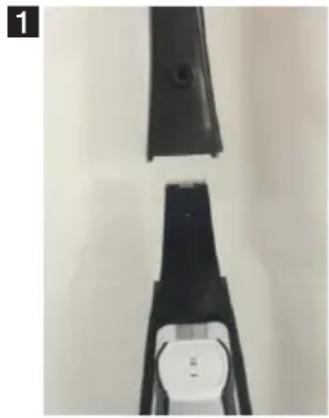
Note: Before assembling the handle, make sure the appliance is not connected to the charger.
- Remove the vacuum cleaner and all accessories from the box. Remove all stickers and protective foils.
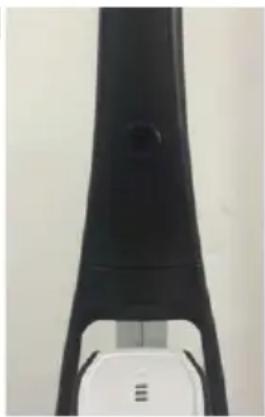
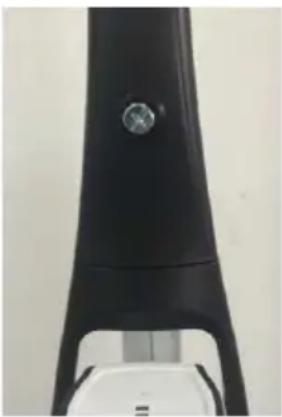
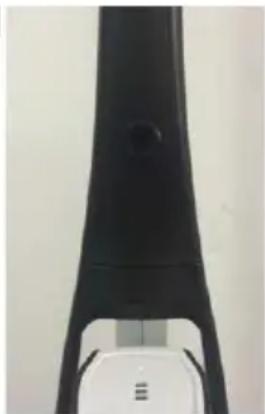
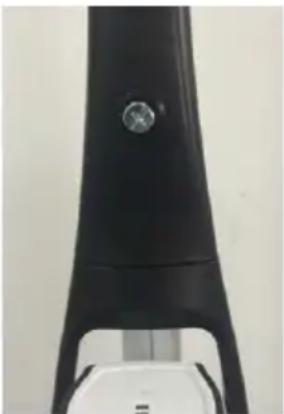
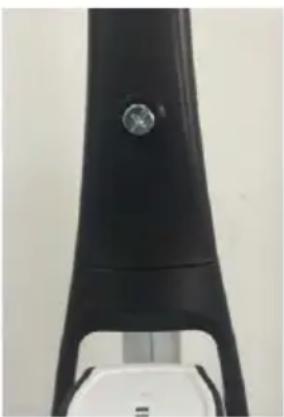
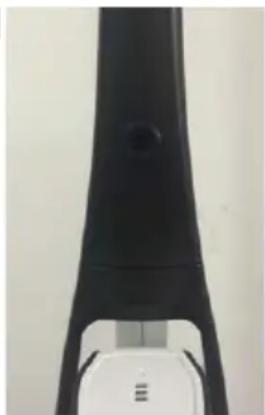
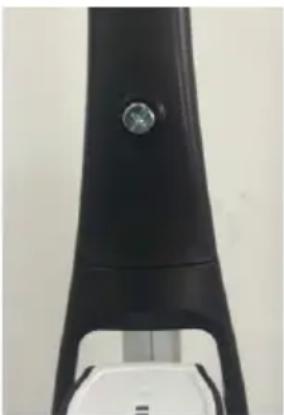
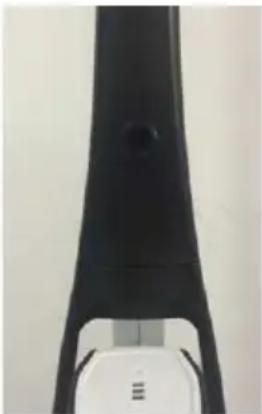
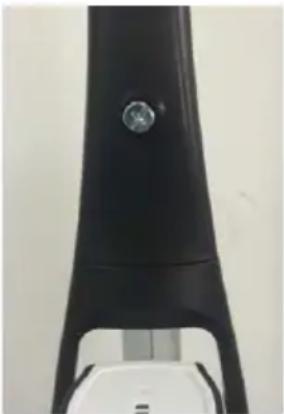
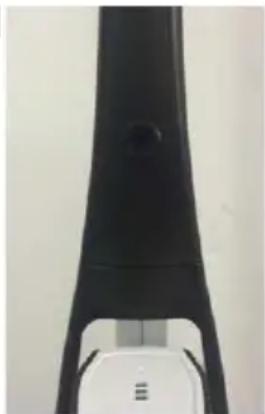
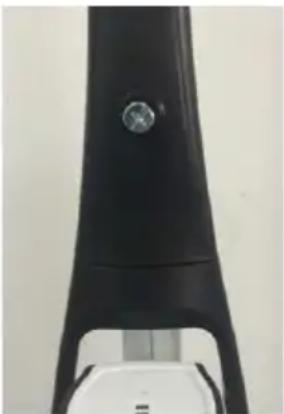
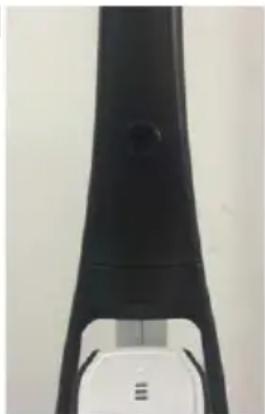
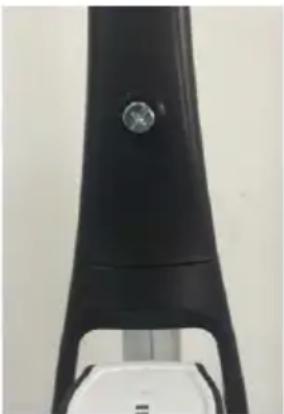
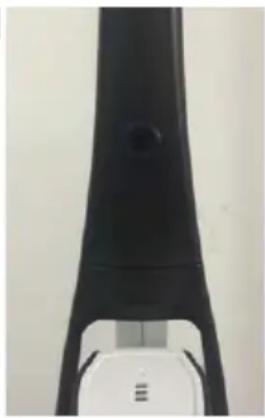
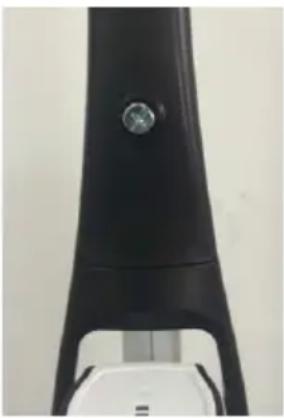
- Put the handle on the body of the appliance and fasten it with a screw as shown below.
natural_image
Two black mechanical components with a white circular button on the right, placed vertically against a plain background (no text or symbols visible)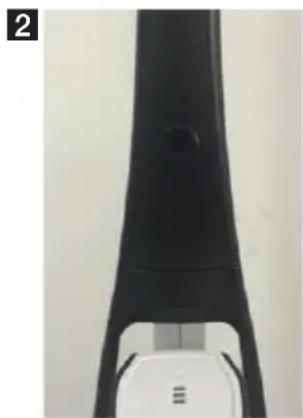
natural_image
Close-up of a black and white electronic device with a handle and control panel (no visible text or symbols)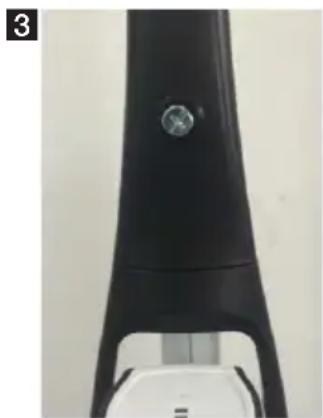
natural_image
Close-up of a black electronic device with a circular button and a white base (no visible text or symbols)Vacuum cleaner charging
Note: The hand-held vacuum cleaner and floor vacuum cleaner can not be used during charging.
- Place the vacuum cleaner near an electrical outlet and connect the power adapter to an electrical outlet.
- Connect the charger to the charging socket. The charging indicator light indicates that the vacuum cleaner is properly connected to the charger and is charging.
- The adapter may become hot during charging, this is normal.
- When not using the vacuum cleaner, leave it connected to the charger. This ensures that it is always ready for operation.
Dust container assembly
Note: Before cleaning the dust container, make sure the appliance is not connected to the charger.
- Remove the hand-held vacuum cleaner from the holder in the floor vacuum cleaner. Press the container lock (⑤) and remove and clean the dust container.
- Make sure that a dust filter is inserted into the dust container and then attach the dust container to the hand-held vacuum cleaner.
Removing the hand-held vacuum cleaner from the floor vacuum cleaner
Note: Before handling, make sure the appliance is not connected to the charger.
- To remove the hand-held vacuum from the floor vacuum cleaner press the handle release button of the hand-held vacuum cleaner (③).
-
Grasp the handle of the hand-held vacuum cleaner and pull it out of the floor vacuum cleaner.
-
If you want to return the hand-held vacuum cleaner to the holder in the floor vacuum cleaner, first insert the lower part of the hand-held vacuum cleaner into the floor vacuum cleaner holder and then push the hand vacuum cleaner in such a way that it clicks into place.
Vacuuming
Note: The floor vacuum cleaner is not working without a properly inserted and charged hand-held vacuum cleaner.
The vacuum cleaner is great for cleaning the stairs, making this unpleasant work a breeze.
-
Make sure that the handheld vacuum cleaner is properly installed in its place.
-
Press the switch button on the handle of the floor vacuum cleaner (①). The suction power of the vacuum cleaner can be controlled by the speed setting button (②).
Using the tapered nozzle 2 in 1
You can use the tapered nozzle directly with the handheld vacuum cleaner.
Mopping
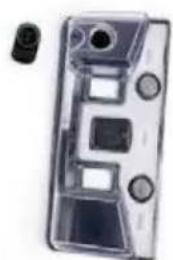
You can also mop the floors using the vacuum cleaner. Before you start mopping, you have to fill the tank with water.
-
Open the lid of the water tank (⑭) and fill the tank (⑮).
-
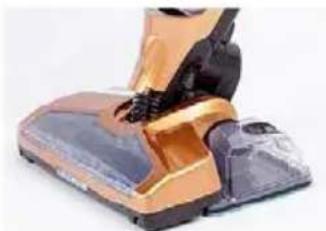
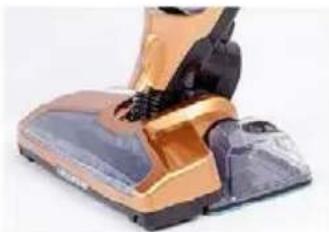
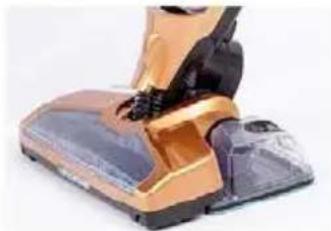
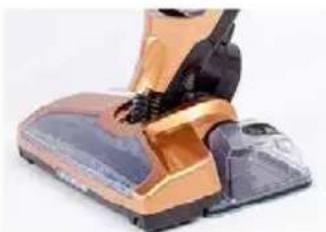
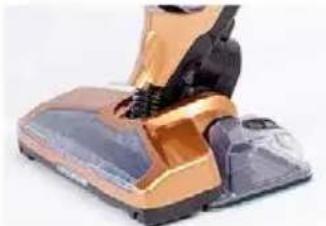
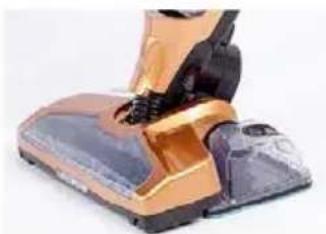
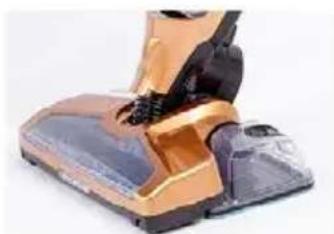
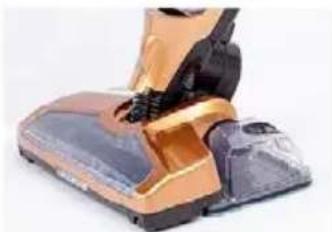
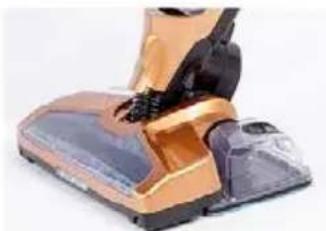
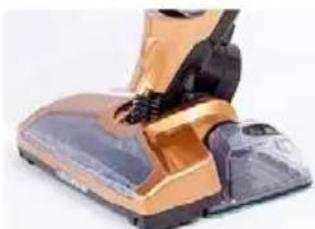
Attach the floor mop to the tank (16) and then snap it on the floor nozzle of the vacuum cleaner as shown below.
natural_image
Transparent cylindrical device with internal compartments and a small black component on the left (no text or symbols visible)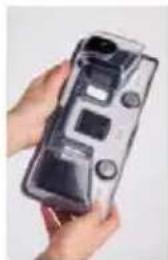
natural_image
Hand holding a transparent cylindrical device with control buttons and display screen (no visible text or symbols)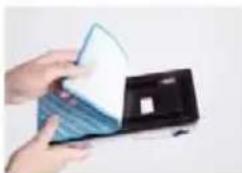
natural_image
Close-up of hands holding a white card over a blue card (no visible text or symbols)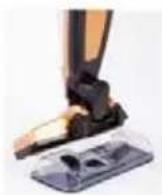
natural_image
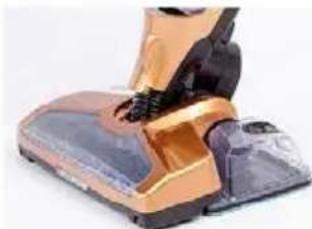
Close-up of a vacuum cleaner's foot and seat, showing orange and black components (no text or symbols visible)CLEANING AND MAINTENANCE
Replacement and cleaning of the dust container filter
To make sure that the vacuum cleaner always delivers optimum performance, empty the dust container after each use and clean the filter.
-
Remove the hand-held vacuum cleaner from the holder in the floor vacuum cleaner.
-
Press the dust container release button and remove the container.
-
Remove the dust container filter.
-
Empty the container.
-
Rinse the container in cold water and before inserting it back in the dust container allow the filter to dry thoroughly. Do not wash the dust container filter in the washer. For drying, do not use a hair dryer, allow the filter let to dry by itself.
-
Replace the filter carefully in the dust container. NEVER use the vacuum cleaner without inserted filter.
-
Insert the dust container in the handheld vacuum cleaner.
WARNING: The suction opening must be permeable and free of obstructions in all circumstances. Otherwise, it could lead to engine overheating and damage to the appliance.
Note: Depending on the intensity of use, we recommend replacing the filter every 3 to 6 months with a new one in order to guarantee top performance of the appliance.
Cleaning the vacuum cleaner
Make sure before cleaning that the vacuum cleaner is not connected to the charger.
Use soft and slightly moist cloth with a few drops of detergent to clean the vacuum cleaner. Never use solvents or other abrasive cleaners.
Never immerse the vacuum cleaner or the adapter in water or any other liquid and do not place it under running water.
During regular cleaning also clean the wheels and their bearings.
Cleaning the rotary brush
If the rotary brush is blocked for some reason, the vacuum cleaner will move more slowly. In this case, the rotary brush must be cleaned.
-
Press the rotary brush pull-out lock.
-
Remove the brush from the floor nozzle and clean it, then put it back in place.
TROUBLESHOOTING
| Problem Cause Correction | ||
| The handheld vacuum cleaner does not work | · The battery is empty.· Faulty battery (does not hold the charge).· Dirty contacts between the appliance and the charging contacts.· Charging adapter is connected to an outlet without voltage.· The charger is connected. | · Charge the appliance.· The battery is dead.· Clean the contacts.· Check the fuses, use different outlet.· Disconnect the charger. |
| The motorized brush of the floor vacuum cleaner does not work. | · The blade fan wheel is clogged with dirt.· Broken belt.· The handheld vacuum cleaner is not properly inserted. | · Remove dirt from the blade wheel. Cu tangled hair, etc. carefully with scissors.· Call service.· Insert the handheld vacuum properly. |
| The handheld vacuum cleaner does not collect dirt or has weak suction power. | · Dust container is full.· You must clean or replace the dust container filter.· The vacuum cleaner battery is empty. | · Empty the dust container.· Remove the filter and make sure the suction hole is not clogged. Clean or replace filter.· Charge the vacuum cleaner. |
| Dust escapes from the handheld vacuum cleaner. | · Dust container is full.· Incorrectly installed dust filter.· Torn dust filter. | · Empty the dust container.· Check proper insertion of the dust filter.· Replace the dust filter. |
| The battery does not hold the charge. | The battery has reached the end of its service life (after appr. 1000 charging and discharging cycles). | Contact service |
TECHNICAL DATA
Vacuuming dry and wet dirt
Washable filter HEPA H12
Charging time: appr. 4.5 hours
Operation time: 22 minutes at maximum power, up to
50 minutes at low level
Dust container capacity: 0.5 l
Charging battery indicator
Accessories: tapered nozzle, floor mop, 3× cleaning cushion
Nominal voltage: 22,2 V d.c.
Adapter:
AC 100–240 V \~ 50/60Hz, 0,5 A
27 V d.c. - 500 mA
Batteries:
Li-Ion battery 22,2 V (6 × 3,7 V), 2200 mAh
USE AND DISPOSAL OF WASTE
Wrapping paper and corrugated paperboard – deliver to scrapyard. Packing foil, PE bags, plastic elements – throw into plastic recycling containers.
PRODUCT DISPOSAL AFTER END OF LIFE
Disposal of electric and electronic equipment (valid in EU member countries and other European countries with an implemented recycling system)
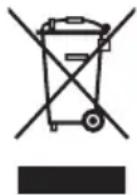
The represented symbol on the product or package means the product shall not be treated as domestic waste. Hand over the product to the specified location for recycling electric and electronic equipment. Prevent negative impacts on human health and the environment by properly recycling your product. Recycling contributes to preserving natural resources. For more information on the recycling of this product, refer to your local authority, domestic waste processing organization or store, where you purchased the product.
This product complies with EU directives on electromagnetic compatibility and electrical safety.
The operating manual is available on internet at www.ecg-electro.eu. Changes of text and technical parameters reserved.
08/05

SICHERHEITSHINWEISE
natural_image
Top-down view of a black mechanical device with a white circular button and a white base, no visible text or symbols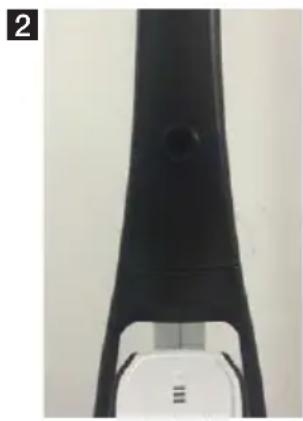
natural_image
Close-up of a black mechanical component with a circular hole, mounted on a white base (no visible text or symbols)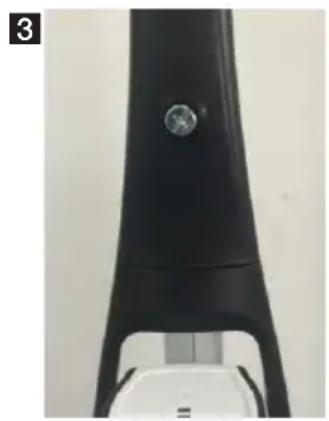
natural_image
Close-up of a black electronic device with a circular button and a white base (no visible text or symbols)natural_image
Transparent plastic cassette tape case with multiple slots and a small black connector (no text or symbols visible)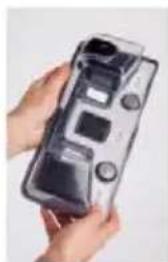
natural_image
Close-up of hands holding a transparent device with control buttons and display screen (no visible text or symbols)
natural_image
Close-up of hands holding a white card over a black electronic device (no visible text or symbols)
natural_image
Close-up of a vacuum cleaner's foot and seat, showing orange and black components (no text or symbols visible)natural_image
Two black plastic electronic devices with a white circular button on the right, placed vertically against a plain background (no text or symbols visible)2
natural_image
Close-up of a black and white electronic device component (no visible text or symbols)3
natural_image
Close-up of a black electronic device with a metallic knob and a white base (no visible text or symbols)Nabíjení vysavače
natural_image
Clear plastic case cover with internal compartments and a small black component (no text or symbols visible)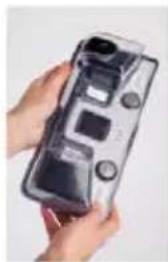
natural_image
Close-up of hands holding a transparent digital camera case (no visible text or symbols)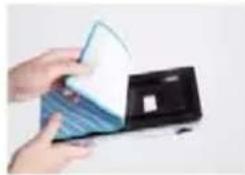
natural_image
Hand holding a card with a partially open card (no visible text or symbols)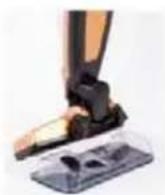
natural_image
Close-up of a person wearing a vacuum cleaner's hood with orange and black rubber bands (no visible text or symbols)ČIŠTĚNÍ A ÚDRŽBA
natural_image
Two black plastic electronic devices with a circular button on the right, placed vertically against a plain background (no text or symbols visible)2
natural_image
Close-up of a black electronic device with a metallic connector (no visible text or symbols)3
natural_image
Close-up of a black electronic device with a metallic knob and a white base (no visible text or symbols)Tolmuimeja laadimine
natural_image
Transparent plastic case with internal compartments and a small black component (no text or symbols visible)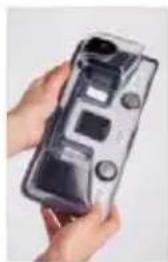
natural_image
Hand holding a transparent cylindrical device with control buttons (no visible text or symbols)
natural_image
Hand holding a white card over a black rectangular device (no visible text or symbols)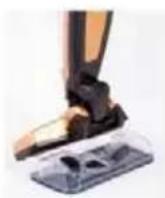
natural_image
Close-up of a person using a vacuum cleaner on a mechanical device (no visible text or symbols)natural_image
Close-up of a black mechanical device with a white circular button and a small white object on the side (no visible text or symbols)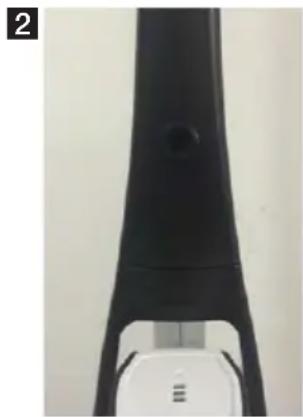
natural_image
Close-up of a black electronic device with a small circular component, possibly a sensor or connector (no visible text or symbols)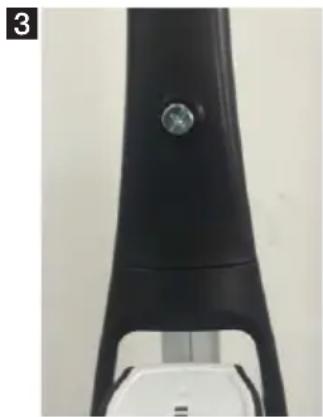
natural_image
Close-up of a black electronic device with a circular button and a white base (no visible text or symbols)Punjenje usisavača
natural_image
Clear plastic case with internal compartments and a small inset component (no text or symbols visible)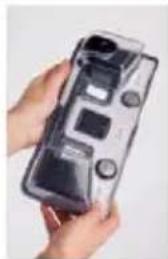
natural_image
Close-up of hands holding a transparent game controller with control buttons (no visible text or symbols)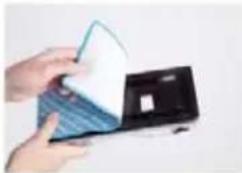
natural_image
Hand holding a card with a blue and white card partially open (no visible text or symbols)
natural_image
Close-up of a vacuum cleaner's foot and seat, showing orange and black components (no text or symbols visible)ČIŠĆENJE I ODRŽAVANJE
natural_image
Close-up of two black plastic electronic components with a circular connector, no visible text or symbols2
natural_image
Close-up of a black mechanical component with a circular hole, possibly a tool or device (no visible text or symbols)3
natural_image
Close-up of a black electronic device with a metallic knob and a white base (no visible text or symbols)natural_image
Clear plastic case with internal components and a small black object on the left (no text or symbols visible)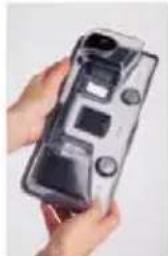
natural_image
Hand holding a transparent cylindrical device with control buttons and display screen (no visible text or symbols)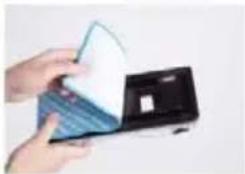
natural_image
Hand holding a card with a blue and white card partially visible (no text or symbols)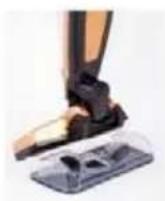
natural_image
Close-up of a vacuum cleaner's backrest and upper body (no visible text or symbols)TİRİŞANA UN APKOPE
natural_image
Close-up of a black mechanical device with a circular button and a white base (no visible text or symbols)2
natural_image
Close-up of a black ergonomic device with a handle and control panel (no visible text or symbols)3
natural_image
Close-up of a black electronic device with a metallic knob and a white base (no visible text or symbols)natural_image
Transparent cassette tape case with multiple slots and a small black connector (no text or symbols visible)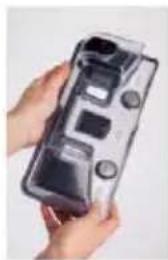
natural_image
Close-up of hands holding a transparent game controller case (no visible text or symbols)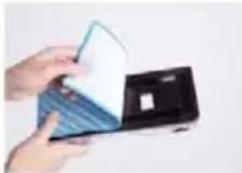
natural_image
Hand holding a card with a blue and white card partially visible (no text or symbols)
natural_image
Close-up of a vacuum cleaner's hood and seat, showing orange and black components (no text or symbols visible)VALYMAS IR TECHNINĖ PRIEŽIŪRA
natural_image
Two black mechanical components with a circular base and a white cap, placed on a plain surface (no text or symbols visible)2
natural_image
Close-up of a black electronic device with a metallic connector (no visible text or symbols)3
natural_image
Close-up of a black electronic device with a metallic knob and a white base (no visible text or symbols)natural_image
Transparent plastic case with internal compartments and a small black object on the right side (no text or symbols visible)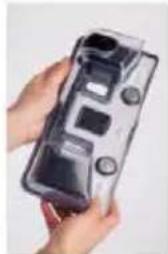
natural_image
Close-up of hands holding a transparent plastic case with control buttons (no visible text or symbols)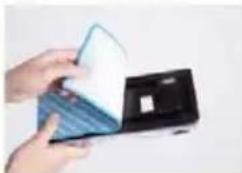
natural_image
Hand holding a card with a partially open card (no visible text or symbols)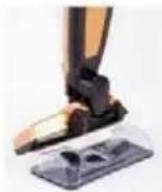
natural_image
Close-up of a vacuum cleaner's foot and seat, showing orange and black components (no text or symbols visible)natural_image
Close-up of a black mechanical component with a white base and circular head, no visible text or symbols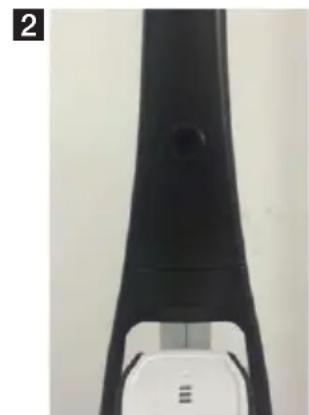
natural_image
Close-up of a black and white electronic device component (no visible text or symbols)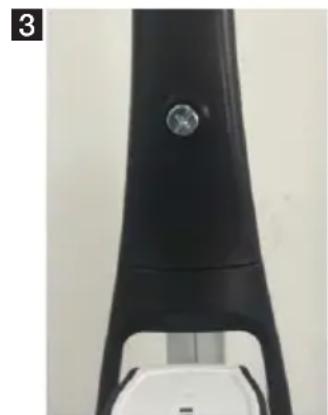
natural_image
Close-up of a black electronic device with a metallic knob and a white base (no visible text or symbols)natural_image
Clear plastic case with internal compartments and a small black component (no text or symbols visible)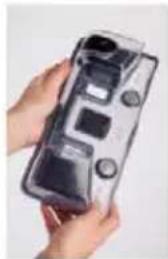
natural_image
Hand holding a transparent cylindrical device with internal components (no visible text or symbols)
natural_image
Hand holding a folded paper or plastic sheet over a black box (no visible text or symbols)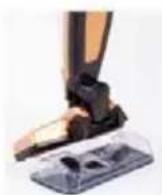
natural_image
Close-up of a vacuum cleaner's backrest and upper body (no visible text or symbols)CZYSZCZENIE I KONSERWACJA
natural_image
Close-up of two black mechanical components with a white base and circular head, no visible text or symbols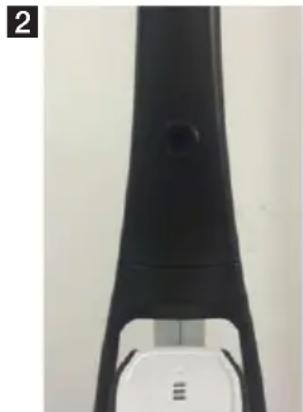
natural_image
Close-up of a black mechanical component with a circular hole, possibly a tool or device (no visible text or symbols)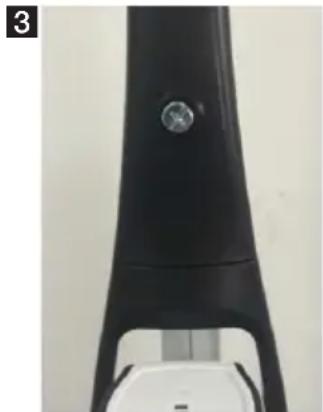
natural_image
Close-up of a black electronic device with a circular button and a white base (no visible text or symbols)natural_image
Transparent cassette tape case with plastic components and a small inset showing a black hole (no text or symbols visible)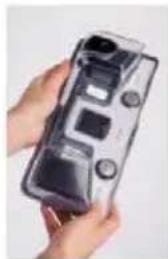
natural_image
Close-up of hands holding a transparent cylindrical device with control buttons (no visible text or symbols)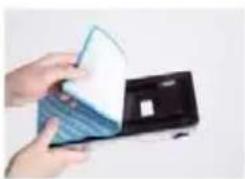
natural_image
Hand holding a white card over a black electronic device (no visible text or symbols)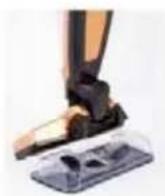
natural_image
Close-up of a vacuum cleaner's foot and legs, showing orange and black components (no text or symbols visible)natural_image
Two black plastic mechanical components with a white circular base, placed vertically against a plain background (no text or symbols visible)2
natural_image
Close-up of a black ergonomic device with a handle and control panel (no visible text or symbols)3
natural_image
Close-up of a black electronic device with a metallic knob and a white base (no visible text or symbols)Nabíjanie vysávača
natural_image
Two black mechanical components with a white circular base and a small circular inset, placed vertically against a plain background (no text or symbols visible)2
natural_image
Close-up of a black electronic device with a white base and a small circular component (no visible text or symbols)3
natural_image
Close-up of a black electronic device with a metallic knob and a white base (no visible text or symbols)Polnjenje sesalnika
natural_image
Transparent plastic case with internal compartments and a small black connector (no text or symbols visible)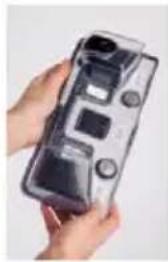
natural_image
Hand holding a transparent handheld device with control buttons (no visible text or symbols)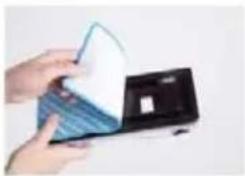
natural_image
Hand holding a folded paper or plastic sheet over a black electronic device (no visible text or symbols)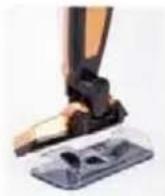
natural_image
Close-up of a vacuum cleaner's foot and seat assembly (no visible text or symbols)ČIŠČENJE IN VZDRŽEVANJE
natural_image
Two black mechanical components with a white base, vertically stacked on a plain surface (no text or symbols visible)2
natural_image
Close-up of a black electronic device with a white base and a small circular component (no visible text or symbols)3
natural_image
Close-up of a black electronic device with a metallic knob and a white base (no visible text or symbols)Punjenje usisivača
Napomena: Ručni usisivač i podni usisivač nije moguće koristiti za vreme punjenja.
- Postavite usisivač blizu električne utičnice i uključite adapter u utičnicu.
- Priključite punjač na utičnicu za punjenje. Svetlost lampice označava da je usisivač ispravno spojen na punjač i da se baterija puni.
- Adapter se za vreme punjenja može zagrevati; to je normalna pojava.
- Ako usisivač nećete upotrebljavati, ostavite ga priključenog na punjač. Time ćete osigurati da je uvek spreman za rad.
natural_image
Transparent plastic case with internal compartments and a small black connector (no text or symbols visible)
natural_image
Hand holding a transparent plastic case with control buttons and a camera module (no visible text or symbols)
natural_image
Close-up of hands holding a blue and white card or scanner device (no visible text or symbols)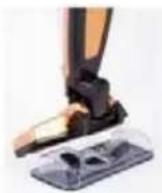
natural_image
Close-up of a vacuum cleaner's backrest and upper body (no visible text or symbols)ČIŠĆENJE I ODRŽAVANJE
Zamena i čišćenje filtera posude za prašinu
Perivi filter HEPA H12
Vreme punjenja: oko 4,5 sati
Vreme rada: 22 minute na najvećoj snazi,
natural_image
Close-up of a black mechanical component with a white circular button, no visible text or symbols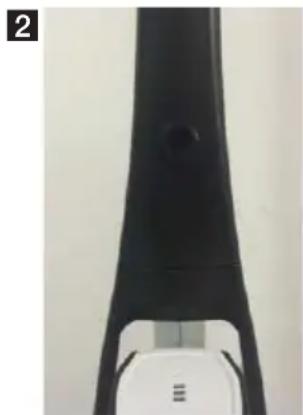
natural_image
Close-up of a black mechanical component with a circular hole, mounted on a white base (no visible text or symbols)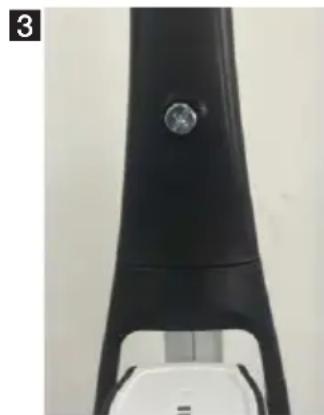
natural_image
Close-up of a black electronic device with a circular button and a white base (no visible text or symbols)natural_image
Clear plastic case with internal components and a small black connector (no text or symbols visible)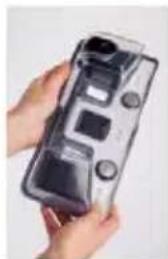
natural_image
Hand holding a transparent plastic case with control buttons and a small display (no visible text or symbols)
natural_image
Hand holding a white card next to a blue card partially open (no visible text or symbols)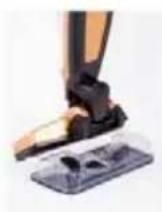
natural_image
Close-up of a person wearing a golden and black vacuum cleaner (no visible text or symbols)natural_image
Close-up of a black mechanical component with a white circular base and a small white top, no visible text or symbols.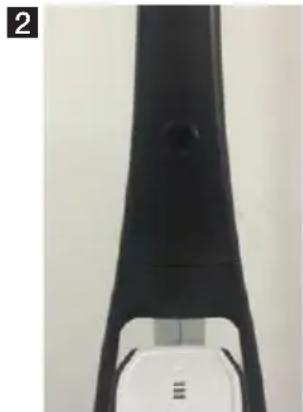
natural_image
Close-up of a black ergonomic device with a circular button and a white base (no visible text or symbols)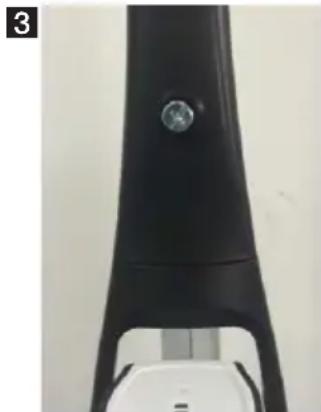
natural_image
Close-up of a black electronic device with a circular button and metallic connector (no visible text or symbols)Заряджання пилососу
natural_image
Transparent plastic case cover with internal compartments and a small black connector (no text or symbols visible)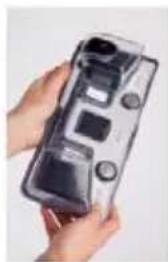
natural_image
Hand holding a transparent digital camera case with control buttons and display screen (no visible text or symbols)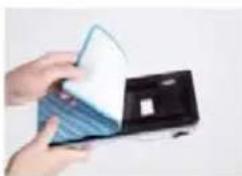
natural_image
Hand holding a card with a partially open card (no visible text or symbols)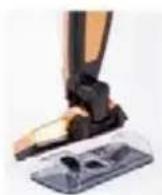
natural_image
Close-up of a vacuum cleaner's foot and arm, showing orange and black components (no text or symbols visible)250 69 Klíčany, Czech Rep. e-post: ECG@kbexpert.cz
Hrvatski
K+B Progres, a.s.
U Expertu 91 tel.: +420 272 122 111
250 69 Klíčany, Czech Rep. e-mail: informacije@kbprogres.cz
Bosanski
K+B Progres, a.s.
U Expertu 91 tel.: +420 272 122 111
250 69 Kličany, Czech Rep. e-mail: informacije@kbprogres.cz
Latviešu valoda
K+B Progres, a.s.
U Expertu 91 tel.: +420 272 122 111
250 69 Klíčany, Czech Rep. e-pasts: ECG@kbexpert.cz
Lietuvių kalba
K+B Progres, a.s.
U Expertu 91 tel.: +420 272 122 111
250 69 Klíčany, Czech Rep. el. paštas: ECG@kbexpert.cz
Magyar
K+B Progres, a.s.
U Expertu 91 tel.: +420 272 122 111
250 69 Kličany, Czech Rep. e-mail: ECG@kbexpert.cz
Polski
K+B Progres, a.s.
U Expertu 91 tel.: +420 272 122 111
250 69 Kličany, Czech Rep. e-mail: ECG@kbexpert.cz
Română
K+B Progres, a.s.
U Expertu 91 tel.: +420 272 122 111
250 69 Klíčany, Czech Rep. e-mail: ECG@kbexpert.cz
Slovenčina

- VT 4220 3in1
- VT 4320 3in1 Multi Clean
- Čeština
- Deutsch
- Read carefully and save for future use!
- USING THE VACUUM CLEANER
- Assembling the appliance
- Vacuum cleaner charging
- Dust container assembly
- Removing the hand-held vacuum cleaner from the floor vacuum cleaner
- Vacuuming
- Using the tapered nozzle 2 in 1
- Mopping
- CLEANING AND MAINTENANCE
- Replacement and cleaning of the dust container filter
- Cleaning the vacuum cleaner
- Cleaning the rotary brush
- TECHNICAL DATA
- USE AND DISPOSAL OF WASTE
- PRODUCT DISPOSAL AFTER END OF LIFE
- SICHERHEITSHINWEISE
- Nabíjení vysavače
- ČIŠTĚNÍ A ÚDRŽBA
- Tolmuimeja laadimine
- Punjenje usisavača
- ČIŠĆENJE I ODRŽAVANJE
- TİRİŞANA UN APKOPE
- VALYMAS IR TECHNINĖ PRIEŽIŪRA
- CZYSZCZENIE I KONSERWACJA
- Nabíjanie vysávača
- Polnjenje sesalnika
- ČIŠČENJE IN VZDRŽEVANJE
- Punjenje usisivača
- Zamena i čišćenje filtera posude za prašinu
- Заряджання пилососу
- Hrvatski
- Bosanski
- Latviešu valoda
- Lietuvių kalba
- Magyar
- Polski
- Română
- Slovenčina
Brand : ECG
Model : VT 4320 3in1 Multi Clean
Category : Vacuum Cleaner