SONY KV-32CS71E - Vidéo-projecteur

KV-32CS71E - Vidéo-projecteur SONY - Free user manual and instructions

Find the device manual for free KV-32CS71E SONY in PDF.
📄 68 pages English EN Download 💬 AI Question 10 questions ⚙️ Specs
Notice SONY KV-32CS71E - page 65
View the manual : Deutsch DE Ελληνικά EL English EN Türkçe TR
Pick your language and provide your email: we'll send you a specifically translated version.
Product Type Sony KV-32CS71E Color Video Projector
Display Technology FD Trinitron CRT
Screen Size 32 inches (diagonal)
Aspect Ratio 16:9 (Wide)
Dimensions (W x H x D) Approx. 800 x 600 x 550 mm
Weight Approx. 55 kg
Power Consumption Approx. 180 W (standby: <1 W)
Power Supply 220-240 V AC, 50/60 Hz
Key Features FD Trinitron technology, WEGA engine, Auto Format, Natural Picture
Inputs SCART, S-Video, Composite, Component (Y/Pb/Pr), RF
Outputs Audio out, Headphone jack
Remote Control Infrared (IR) with dedicated buttons
Clean the screen with a soft, dry cloth. Do not use solvents. Ventilation openings should be kept free of dust.
Safety Do not block ventilation slots. Keep away from moisture. Use only grounded outlets.
Spare Parts and Repairability Contact authorized Sony service centers. Some parts may be obsolete.
General Information Manufactured by Sony Corporation. EU compliance: Sony International (Europe) GmbH.

Frequently Asked Questions - KV-32CS71E SONY

How do I connect external devices like a DVD player?
Use the SCART or component inputs on the back. For best quality, connect via component (Y/Pb/Pr) or SCART. Ensure the device is turned off when connecting.
What is the 'Auto Format' function?
Auto Format automatically adjusts the picture size to match the input signal. It can be activated via the remote control or on-screen menu.
How do I clean the screen safely?
Use a soft, dry cloth to gently wipe the screen. Do not use any liquid cleaners or abrasive materials, as they may damage the anti-glare coating.
Why is the picture stretched or not filling the screen?
Check the aspect ratio settings. Press the 'Wide' button on the remote to cycle through modes: 4:3, 16:9, Zoom, etc. Also ensure the source device outputs the correct format.
How do I lock the TV to prevent children from changing settings?
Use the Child Lock feature in the Setup menu. You may need to set a PIN code. Refer to the manual for exact steps.
What does 'Natural Picture' do?
Natural Picture enhances color and contrast for a more lifelike image. It can be adjusted in the Picture menu under 'Advanced Settings'.
How can I reduce power consumption?
Enable the 'Eco' mode if available, or lower the brightness and contrast. The TV also has a low standby consumption (< 1 W).
My remote control is not working. What should I check?
First, replace the batteries (type AAA). Make sure there are no obstructions between the remote and the TV sensor. If still not working, try resetting the TV by unplugging for 30 seconds.
How do I access the on-screen menu?
Press the 'MENU' button on the remote control. Navigate using the arrow keys and select options with the 'OK' or 'ENTER' button.
Where can I find the model number and serial number?
They are located on the back panel of the TV. A sticker with 'KV-32CS71E' and the serial number is affixed near the power cord.

User questions about KV-32CS71E SONY

0 question about this device. Answer the ones you know or ask your own.

Ask a new question about this device

The email remains private: it is only used to notify you if someone responds to your question.

No questions yet. Be the first to ask one.

Download the instructions for your Vidéo-projecteur in PDF format for free! Find your manual KV-32CS71E - SONY and take your electronic device back in hand. On this page are published all the documents necessary for the use of your device. KV-32CS71E by SONY.

USER MANUAL KV-32CS71E SONY

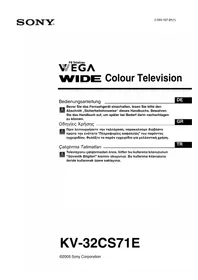
FD Trinitron WEGA WIDE Colour Television

Bedienungsanleitung

DE

©2005 Sony Corporation

natural_image Three-step diagram showing a cylindrical device with internal components and arrows indicating flow direction (no text or symbols)
flowchart
graph TD
    A["Grid with circles"] -->|Smart| B["Grid with circles"]
    B --> C["Grid with circles"]
    C --> D["Zoom"]
    D --> E["Wide Grid with circles"]

AUTO FORMAT

SONY KV-32CS71E - AUTO FORMAT - 1

natural_image Three-step diagram showing a cylindrical device with an arrow indicating direction, and its internal components being open (no text or symbols present)

Program Siralama....12

natural_image Three-step diagram showing a battery inside a cylindrical device, with arrows indicating the process (no text or symbols present)
natural_image Illustration of a hand pressing a button on a monitor, with no visible text or symbols

Environmental & Product Compliance Europe (EPCE)

Sony International (Europe) GmbH

Hedelfinger Strasse 61, 70327 Stuttgart, Germany

Tel : (0)711-5858-0, Fax : (0)711-5858-488

URL of EU DoC Database : http://www.compliance.sony.de/

Üretici Firma:

Sony Corporation

6-7-35 Kitashinagawa, Shinagawa-ku, Tokyo 141-001, Japan

natural_image Line drawing of two figures assembling a car chassis (no text or symbols)
Manual assistant
Powered by Anthropic
Waiting for your message
Product information

Brand : SONY

Model : KV-32CS71E

Category : Vidéo-projecteur