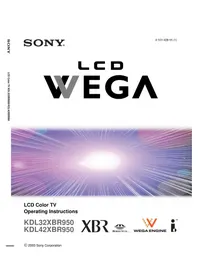
WEGA KDL-42XBR950 - Projector SONY - Free user manual and instructions
Find the device manual for free WEGA KDL-42XBR950 SONY in PDF.


Pick your language and provide your email: we'll send you a specifically translated version.
| Product Type | Rear Projection Television |
| Brand | Sony |
| Model | WEGA KDL-42XBR950 |
| Display Technology | LCD (Liquid Crystal Display) projection |
| Screen Size | 42 inches (107 cm diagonal) |
| Resolution | 1280 x 720 pixels (WXGA) |
| Aspect Ratio | 16:9 |
| Contrast Ratio | 1200:1 |
| Brightness | 500 cd/m² |
| Video Inputs | Composite, S-Video, Component, PC (15-pin D-sub) |
| Audio Output Power | 10 W + 10 W (stereo) |
| Built-in Tuner | ATSC / NTSC |
| Power Consumption | 250 W (max), standby <1 W |
| Dimensions (with stand) | 105.2 x 72.8 x 38.6 cm |
| Weight | 39.5 kg |
| Lamp Life | 6000 hours (low power mode up to 8000 hours) |
| Remote Control | Yes (RM-Y908 included) |
| Cleaning | Use a soft, dry microfiber cloth; do not spray liquids directly on screen |
| Safety Features | Class 1 laser product for lamp; internal thermal protection; ensure proper ventilation |
| Spare Parts & Repairability | Available through Sony authorized service centers; user-replaceable lamp and ventilation filter |
| Manual Information | 136 pages, English, available in PDF |
Frequently Asked Questions - WEGA KDL-42XBR950 SONY
How do I connect my DVD player to the WEGA KDL-42XBR950?
Use the component video inputs (Y, Pb, Pr) for the best picture quality. Connect the DVD player's component output to the corresponding jacks, and connect the audio output to the analog stereo inputs.
How do I replace the lamp in the projector?
Turn off the power and unplug the unit. Wait for the lamp to cool completely. Open the lamp cover on the bottom or back, unscrew the old lamp, and replace it with a genuine Sony lamp. Be careful not to touch the new lamp with bare fingers.
What is the maximum resolution supported for PC input?
The projector supports WXGA (1280x720) natively and can accept PC signals up to 1920x1080 via the 15-pin D-sub input, but the image will be scaled to the panel resolution.
How should I clean the screen and avoid damage?
Use a soft, dry microfiber cloth to gently wipe the screen in a linear motion. Do not use abrasive cleaners, ammonia, or spray liquids directly onto the surface, as they may damage the anti-glare coating.
Can I mount this TV on a wall?
Yes, the KDL-42XBR950 is compatible with a VESA 400x400 wall mount bracket. Always use a mounting kit designed for the TV's weight and follow the installation guide carefully to ensure safety.
Does this model have a composite video input?
Yes, the device includes composite video (yellow RCA) and S-Video inputs, which are ideal for connecting older devices like VCRs or camcorders.
How do I perform the initial setup of the projector?
Press the power button, select the language and channel source (Air/Cable), and run the Auto Program to store available channels. Follow the on-screen instructions displayed in the Setup menu.
What should I do if the projector overheats and shuts off?
Check that the ventilation holes are not blocked and that the air filter is clean. Under high ambient temperatures, the internal protection may turn off the unit to prevent damage. Let it cool for 30 minutes and restart.
Are spare parts still available for this model?
Sony has discontinued this model, but genuine spare parts such as lamps, filters, and remote controls can still be found through authorized service centers or online retailers specializing in replacement parts.
How do I access the parent control settings?
Press the Menu button on your remote, navigate to Parental Lock or Security, and enter the 4-digit password (default is usually 0000). From there, you can set channel restrictions.
User questions about WEGA KDL-42XBR950 SONY
0 question about this device. Answer the ones you know or ask your own.
Ask a new question about this device
No questions yet. Be the first to ask one.
Download the instructions for your Projector in PDF format for free! Find your manual WEGA KDL-42XBR950 - SONY and take your electronic device back in hand. On this page are published all the documents necessary for the use of your device. WEGA KDL-42XBR950 by SONY.
USER MANUAL WEGA KDL-42XBR950 SONY


Manual assistant
Powered by Anthropic
Waiting for your message
Product information
Brand : SONY
Model : WEGA KDL-42XBR950
Category : Projector