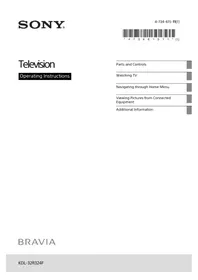
Bravia KDL-32R324F - Projector SONY - Free user manual and instructions
Find the device manual for free Bravia KDL-32R324F SONY in PDF.


Pick your language and provide your email: we'll send you a specifically translated version.
| Brand | Sony |
| Model | Bravia KDL-32R324F |
| Product type | LED television |
| Screen size | 32 inches (80 cm) |
| Display resolution | 1366 x 768 pixels (HD Ready) |
| Aspect ratio | 16:9 |
| Refresh rate | 50 Hz |
| Sound output | 2 x 5 W |
| Energy efficiency class | A+ |
| Power consumption (standby) | 0.5 W |
| Dimensions (without stand) | 73.4 x 44.0 x 8.0 cm |
| Weight (without stand) | 4.5 kg |
| VESA wall mount | 100 x 100 mm |
| HDMI ports | 2 |
| USB ports | 1 |
| Tuner | DVB-T/T2/C |
| Wi-Fi | No (wired LAN only) |
| Remote control | Included |
| Maintenance | Clean with a soft, dry cloth. Avoid abrasive cleaners. |
| Safety | Keep ventilation openings clear. Do not expose to rain or moisture. |
| Repairability index | 6.5 / 10 |
Frequently Asked Questions - Bravia KDL-32R324F SONY
How do I connect external devices to my Sony Bravia KDL-32R324F?
Use the HDMI ports on the back of the TV to connect devices such as a set-top box, game console, or Blu-ray player. Simply plug an HDMI cable into the device and the corresponding port on the TV. Select the correct input source using the Input button on the remote control.
What is the recommended cleaning method for the screen?
Turn off the TV and unplug it. Wipe the screen gently with a soft, dry, lint-free cloth. Do not use water, alcohol, or abrasive cleaners, as they may damage the anti-glare coating.
Does the TV support wall mounting? What VESA size?
Yes, the TV is compatible with VESA 100 x 100 mm wall mounts. Use a mounting bracket that is certified to support the weight of a 32-inch TV. Follow the instructions included with the bracket for safe installation.
How can I reset the TV to factory settings?
Press the HOME button, then go to Settings > Storage and reset > Factory data reset. Select Erase everything and confirm. The TV will restart and return to the initial setup screen.
Why is the TV not finding any digital channels?
Make sure the antenna cable is securely connected. In the Channel setup menu, select Auto-tune and ensure your region is set correctly. If you live in an area with weak signals, try repositioning the antenna or using a signal amplifier.
Can I play media files via USB?
Yes, connect a USB stick to the USB port and use the Media app to browse photos, music, and videos. The TV supports common formats such as MP4, JPEG, and MP3.
How do I activate the child lock?
Go to Settings > Parental lock and enter your PIN. You can then restrict access to specific channels or inputs. The default PIN is usually 1234 unless you changed it.
What should I do if the remote control stops working?
First, replace the batteries with two fresh AAAs. Make sure nothing is blocking the infrared sensor on the TV. If it still does not work, press the power button on the TV to turn it on, then try pressing the Home button on the remote to re-sync it.
How do I mount the TV on a wall safely?
Use a VESA 100x100 compatible wall bracket. Remove the stand, attach the bracket to the back of the TV using screws of the correct length (not too long to avoid damaging internal components). Anchor the bracket to concrete or brick walls with suitable plugs and bolts. Ensure the TV is level and secured.
What is the power consumption of the TV in standby mode?
In standby mode, the TV consumes approximately 0.5 W. For maximum energy saving, unplug the TV when it will not be used for a long time.
User questions about Bravia KDL-32R324F SONY
0 question about this device. Answer the ones you know or ask your own.
Ask a new question about this device
No questions yet. Be the first to ask one.
Download the instructions for your Projector in PDF format for free! Find your manual Bravia KDL-32R324F - SONY and take your electronic device back in hand. On this page are published all the documents necessary for the use of your device. Bravia KDL-32R324F by SONY.
USER MANUAL Bravia KDL-32R324F SONY


Manual assistant
Powered by Anthropic
Waiting for your message
Product information
Brand : SONY
Model : Bravia KDL-32R324F
Category : Projector