
Bravia KLV-32W550A - Projector SONY - Free user manual and instructions
Find the device manual for free Bravia KLV-32W550A SONY in PDF.


Pick your language and provide your email: we'll send you a specifically translated version.
| Product type | LCD TV |
| Brand | Sony |
| Model | Bravia KLV-32W550A |
| Screen size | 32 inches (80.1 cm) |
| Resolution | 1366 x 768 pixels (WXGA) |
| Refresh rate | 50 Hz |
| Brightness | 400 cd/m² |
| Contrast ratio | 3000:1 |
| HDMI inputs | 2 |
| VGA input | 1 |
| Component input | 1 |
| Composite input | 1 |
| Audio output | Optical (TOSLINK), headphone jack |
| Speaker power | 2 x 10 W |
| Dimensions with stand | 77.8 x 52.3 x 22.0 cm (W x H x D) |
| Dimensions without stand | 77.8 x 50.2 x 7.9 cm |
| Weight with stand | 12.5 kg |
| Weight without stand | 10.8 kg |
| Power consumption | 120 W (typical) |
| Standby power | < 0.5 W |
| Power supply | AC 110–240 V, 50/60 Hz |
| Wall mount interface | VESA 200 x 200 mm |
| Cleaning instructions | Wipe with a soft, dry cloth; do not use liquids or sprays. |
| Safety instructions | Do not block ventilation openings; keep away from direct sunlight and moisture. |
| Repairability | No user-serviceable parts; contact Sony service center. |
Frequently Asked Questions - Bravia KLV-32W550A SONY
Is this TV actually a projector?
No, the Sony Bravia KLV-32W550A is a 32-inch LCD TV. Some websites may misclassify it as a projector, but it is a flat-panel television.
What is the screen resolution?
The screen resolution is 1366 x 768 pixels, commonly known as HD Ready. It supports 720p content.
How many HDMI ports does it have?
It has two HDMI ports for connecting modern devices like set-top boxes, game consoles, and Blu-ray players.
Can I mount this TV on a wall?
Yes, it supports a VESA 200x200 mm wall mount. Make sure to use suitable screws and follow the instructions.
How do I reset the TV to factory settings?
Go to the Menu, then select Settings or Setup, and choose the Reset option. Confirm when prompted.
What should I do if there is no sound from the HDMI connection?
Check that the correct HDMI input is selected, ensure the connected device is also set to HDMI output, and verify that the TV speakers are turned on in the audio settings.
How should I clean the TV screen?
Use a soft, dry microfiber cloth. Dampen the cloth slightly if needed, but never spray liquid directly on the screen. Avoid ammonia-based cleaners.
What is the power consumption of this TV?
Typical consumption is 120 W during use, and less than 0.5 W in standby mode.
Does the USB port support media playback?
No, the USB port is for service only and does not support playback of movies or music from USB drives.
What is the refresh rate of this TV?
The refresh rate is 50 Hz, which is standard for PAL regions. It may not be optimal for fast-moving content, but it is adequate for normal viewing.
User questions about Bravia KLV-32W550A SONY
0 question about this device. Answer the ones you know or ask your own.
Ask a new question about this device
No questions yet. Be the first to ask one.
Download the instructions for your Projector in PDF format for free! Find your manual Bravia KLV-32W550A - SONY and take your electronic device back in hand. On this page are published all the documents necessary for the use of your device. Bravia KLV-32W550A by SONY.
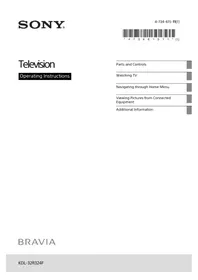
USER MANUAL Bravia KLV-32W550A SONY

Manual assistant
Powered by Anthropic
Waiting for your message
Product information
Brand : SONY
Model : Bravia KLV-32W550A
Category : Projector