KOM0656 - Console Quer - Free user manual and instructions
Find the device manual for free KOM0656 Quer in PDF.


User questions about KOM0656 Quer
0 question about this device. Answer the ones you know or ask your own.
Ask a new question about this device
Download the instructions for your Console in PDF format for free! Find your manual KOM0656 - Quer and take your electronic device back in hand. On this page are published all the documents necessary for the use of your device. KOM0656 by Quer.
USER MANUAL KOM0656 Quer
natural_image
Abstract blue fan-like graphic with gradient shading (no text or symbols)GAME CONSOLE
natural_image
Black Android game controller displaying a racing scene with speedometer and steering wheel (no readable text or symbols on device)Bedienungsanleitung
DE
Owner's manual
EN
Instrukcja obsługi
PL
KOM0656
Manual de utilizare
RO
■ HINWEISE
natural_image
Front view diagram of a device rear panel with labeled buttons (no text or symbols beyond basic labels)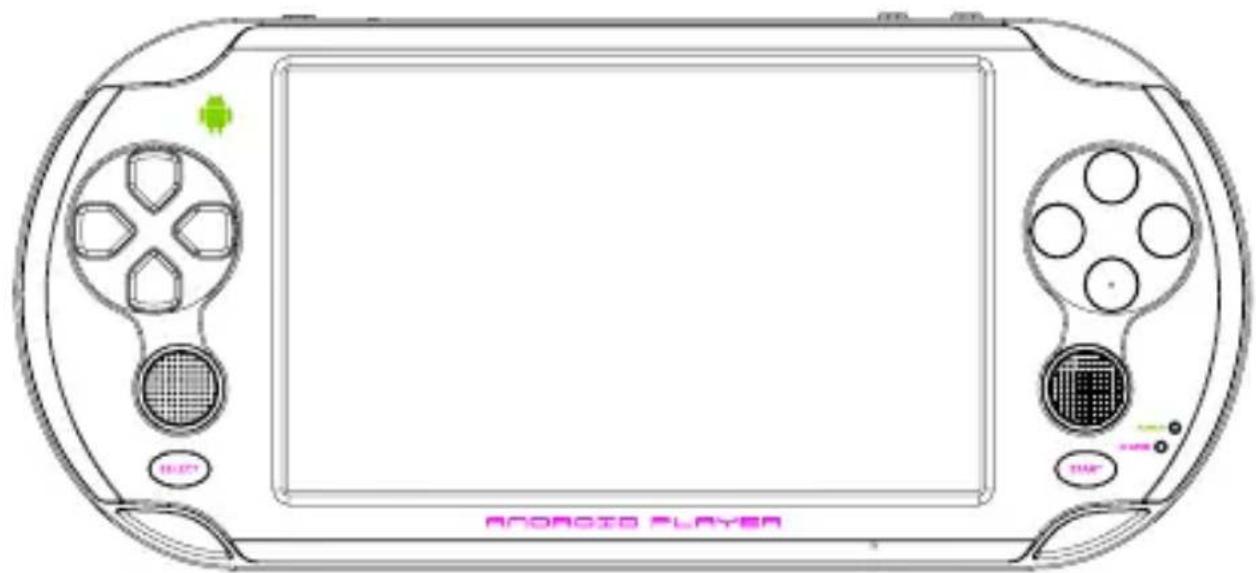
natural_image
Line drawing of a Nintendo 3.0 gaming controller with front and back panels, no text or symbols on the device itself
natural_image
Line drawing of a cylindrical object with four rectangular cutouts and a central rectangular feature (no text or symbols)DE
text_image
Objective: Don't get killed! Save/Hide Clean/Close Mode 1 Mode 2 Left Joystick Smaller Bigger Flight Joystick Visual Control L1 R1 131 10:41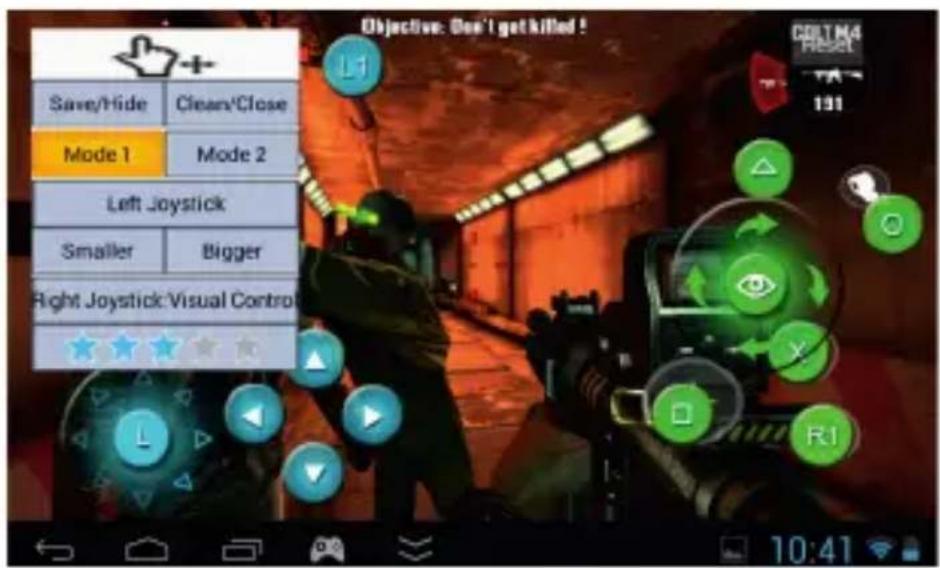
text_image
Objective: Don't get killed! Save/Hide Clean/Close Mode 1 Mode 2 Left Joystick Smaller Bigger Right Joystick Visual Control R1 10:41text_image
Game Center X All Games Android Game SONY PS1 Nintendo NS4 Arcade Game CBA MD FC CS_2 632 CutTheRope Dead Trigger v1 01 dino FruitNinja Raging Thunder 2 Samurai II Shining in the Dark Super Mario Target Renegade Temple Run WowFists 10:43 Game Center X Recommend Game Unknown Type Download Newest Game Temple Run_Oz Android Game EpicEvilTwins Download Android Game Flow_Frenzy Download Key Mapping Android Game Tiny_Troopers Download Simulator Game Lost_Levels Downloadtext_image
Settings Display Storage Battery Apps PERSONAL Location services Security Language & input Dead Trigger version 1.01 Force stop Uninstall Show notifications STORAGE Total 97.79MB App 8.25MB USB storage app 89.36MB Data 192KB SD card 0.00B Saving screenshot... Screenshot is being saved.DE
text_image
Settings WIRELESS & NETWORKS Wi-Fi ON home-kkk Connected Ethernet Data usage More... DEVICE HDMI Sound 10:46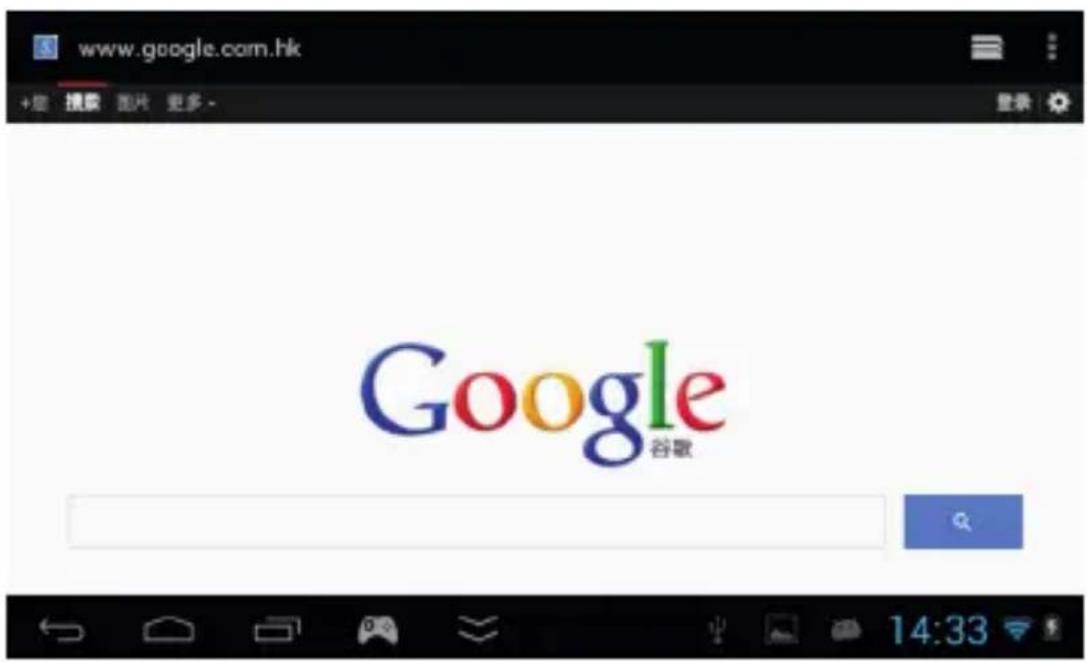
natural_image
Exterior view of a traditional Chinese temple with red pillars and tiled roof under blue sky (no signage)E-book
text_image
USB mass storage USB connected You've connected to your computer via USB. Touch the button below if you want to copy files between your computer and your Android's SD card. Turn on USB storage- HDMI Ausgang
Thank you for purchasing our product!
For better using and enjoying it, we highly recommend you to read the following information before starting to use it.
We try our best to make the content correct and complete, but it can't certify that there is no mistakes and omit of the introduction. Any further information, please refer to the product.
- DON'T use your device in very dry environment to avoid static impacts.
- DON'T leave your device near children.
- DON'T use your device when driving to avoid traffic accidents.
- AVOID leaving your device in high temperature, high humidity or dusty air-environment.
- AVOID crushing your device with any hard objects, which may cause its surface scratches or some hardware damage.
- DON'T disassemble your device individually.
- MUST insert or pull out the TF card in power-off status to avoid unpredictable damage to your device caused by transient current.
- DON'T disconnect your device from computers while formatting system or download/upload files, which may cause program errors.

■ BASIC PARAMETERS and FUNCTION CHARACTERISTICS
• OS Google Android 4.1.1
- CPU 1.5GHz dual-core Amlogic MX Cortex A9 CPU with Mali-400 GPU
- SCREEN 5.0-inch 5 point capacitive touch display with 800 by 480 resolution
• NETWORK Wi-Fi: Wireless Internet, support 802.11 b/g/n
- CAMERA 0.3M
- MUSIC Supports MP3, WMA, FLAC, OGG, etc.
- VIDEO Supports RMVB, AVI, MPEG-4, ASP, DIVX, WMV, F4V, FLV, etc.
- E-BOOK Supports PDF, TXT, CHM, UMD, HTML, etc.
- GAME CONTROL Buttons+Joysticks, Touch and Gravity Sensor
• GAMES
- Touch Games: Angry Birds, Fruit Ninja, Plants vs Zombies.
- Gravity Games: A Tilt 3D Labyrinth, Speed Forge 3D, Army Sniper.
- 9 kinds of emulator games: Arcade Games FBA97.27(CPS1/CPS2/Neo-Geo/IGS), PS1/N64/GBA/GBC/GB/SFC/FC/MD games.
• Virtual button mapping
The touch Android games can be played with new more precise and comfortable physical buttons.
- The second generation of game center GameX
- Intelligent game management center: All android games and 9 kinds of emulator games are detected automatically and Iconify display.
- Intelligent wireless game download service: Download all kinds of games through Wi-Fi, one key to download, install and active games and applications.
EN
BASIC OPERATION
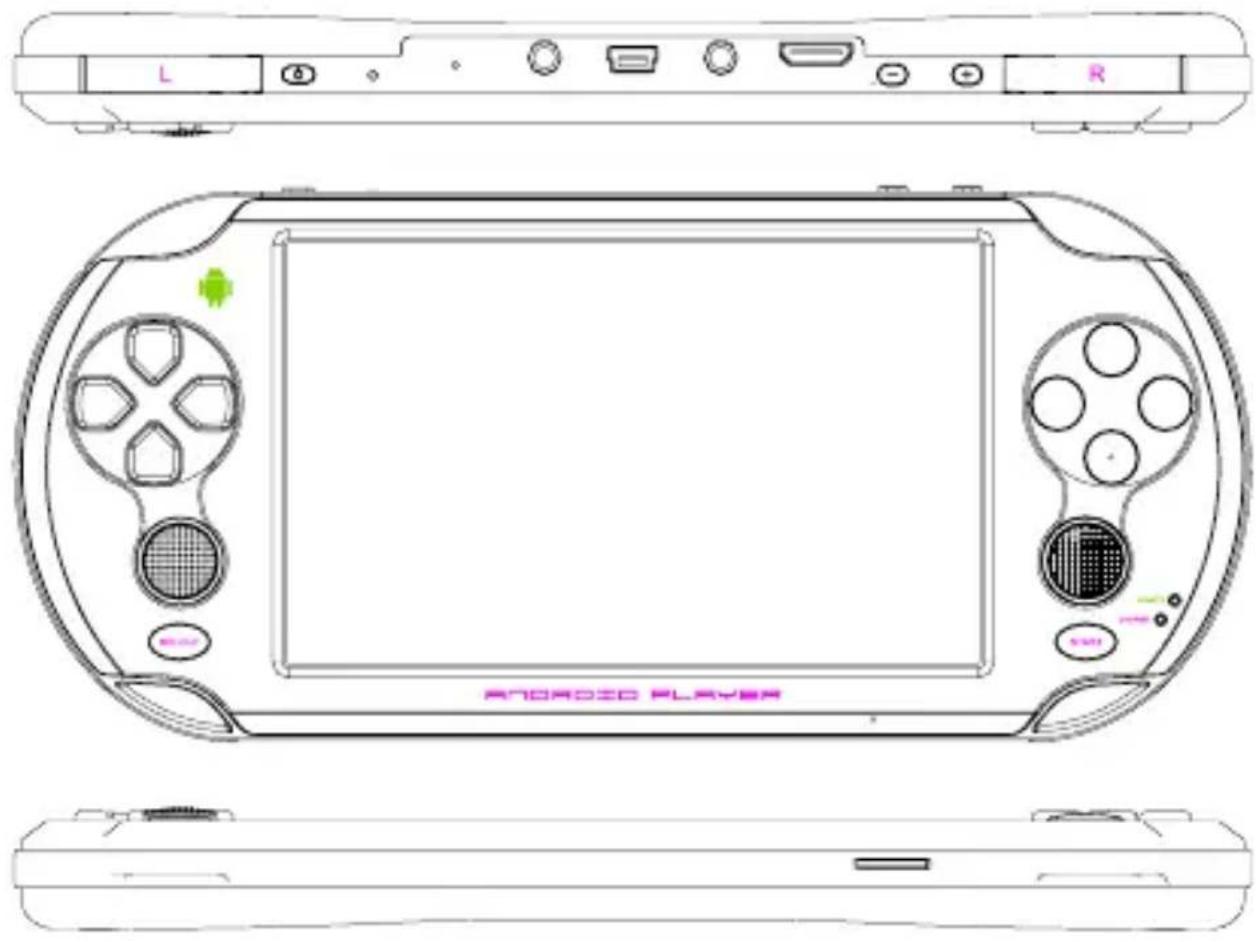
- Power on: Long press „POWER” key for several seconds to turn on the device which is enough charged.
- Standby: Shortly press „POWER” key to enter standby state, shortly press „POWER” key again to open screen again.
- Power off: Long press „POWER” key for several seconds under any interface to choose „POWER OFF”, then
click „OK” to turn off the device.
text_image
L R ARONDOO PLAYER
■ SUPER GAME FUNCTION: BUTTON MAPPING
- Button mapping function: dual joysticks and buttons control the games perfectly, besides the right joystick is able to rotate the field of view 360 degrees.
- 1080P console: HDMI output, along with the function of button mapping, players can directly see the big screen and play the android game with joystick and buttons.
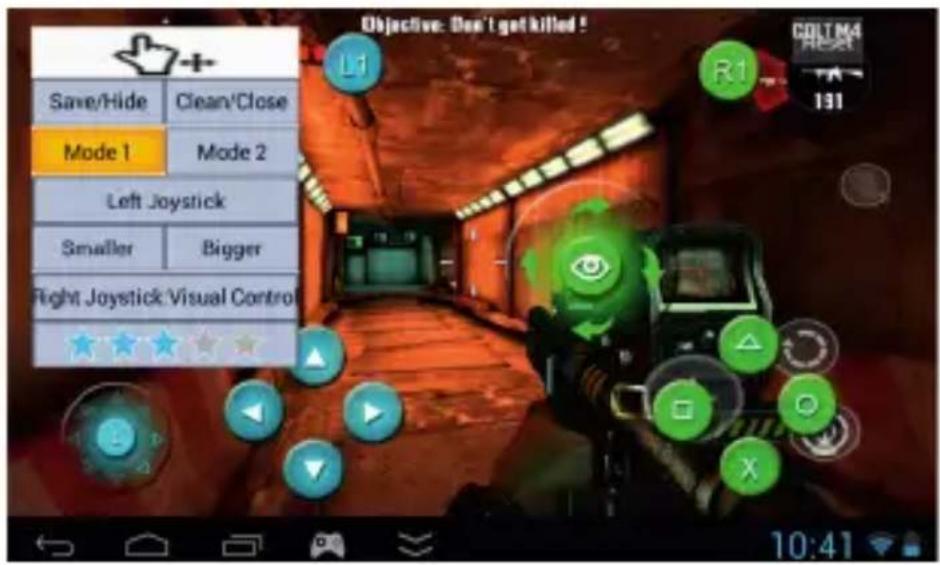
- The method of operation: in any game interface, click the bottom of taskbar, show the interface of button mapping on the screen, then drag the virtual buttons to the corresponding positions to achieve the button mapping function, as shown below:
text_image
Objective: Don't get killed! Save/Hide Clean\Close Mode 1 Mode 2 Left Joystick Smaller Bigger Flight Joystick Visual Control L1 R1 COLT N4 RESET 131 10:41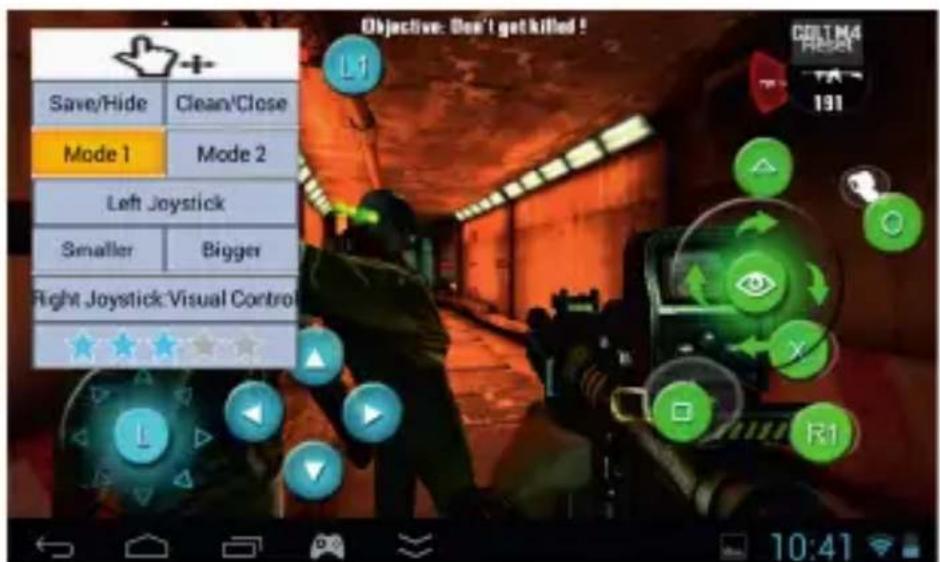
text_image
Objective: Don't get killed! Save/Hide Clean/Close Mode 1 Mode 2 Left Joystick Smaller Bigger Fight Joystick Visual Control L1 R1 DELMA Reset 191 10:41EN
Mapping Button Mode: 2 ways, the main difference is the right joystick, mode 1(right joystick control the view), mode 2(right joystick control the directions, suitable for the games with dual directions) Save the Mapping Button: The system would save the date automatically, there is no need to reset the mapping button next time you start the games.
Emulators
- Supports 9 kinds of emulators: PS1, N64, Arcade, CP1/CP2/Neo-Geo, GBA, SFC, MD and FC
- The user can install any other emulators freely
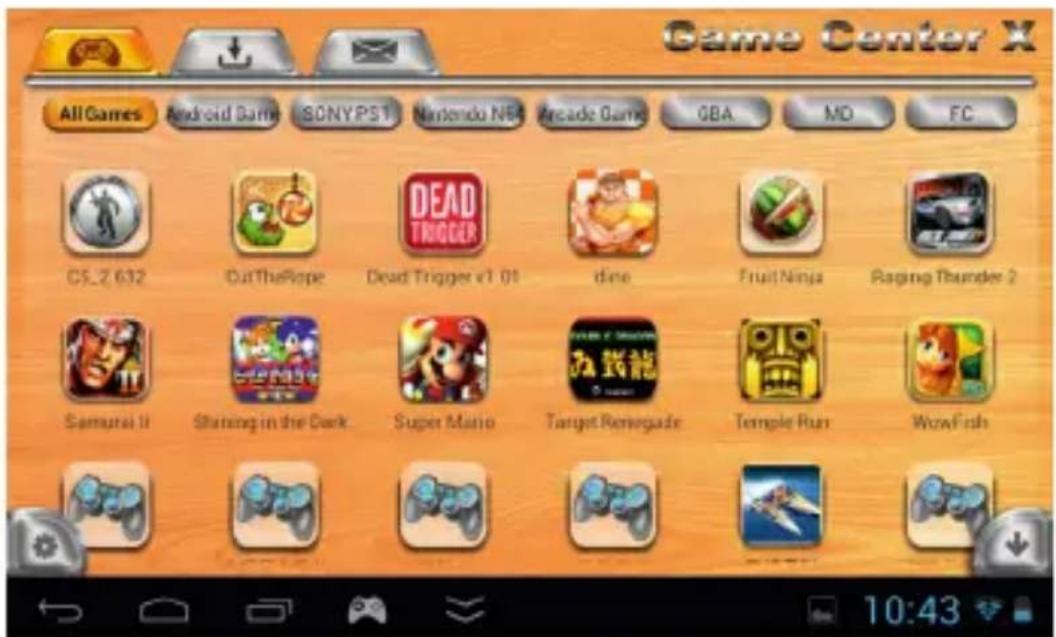
- Two ways to start the games: browse all the games through Game X; open the games from each emulator. Suggest use the game X to manage the games.
-
The games storage path: the root directory of internal storage or TF card/Games, all the games will be listed in “Games” folder, the program can recognize all the games through their post-xes, then automatically categorize and display.
-
Please ☐nd all the emulator games from below folders:
Arcade games: /roms/arcade/roms
GBA games: /roms/gbaroms/roms
FC game: /roms/nesroms/roms
MD game: /roms/mdroms/roms
N64 game: roms/n64roms/roms
The second generation of game center GameX
- Intelligent game management center: All the android games and emulator games will be identified automatically and displayed as icon.
It's easy to manage. - Local game storage path: Please create or ☐nd “Game” root folder in the memory or TF card, all games can be put into this folder directly, shown all the games both in the memory and TF card.
-
Intelligent wireless game download service: The second button at the top of main menu is game download center, you can download all the picked games through Wi-Fi. The game will be installed automatically after download with one key.
-
Games download method: Connect with Wi-Fi, click the "Game X" in the main interface, it will display all games which are in the cloud server; Click "Download" to download the games, you can find the Download Notification in the status bar; Click the icon of the game which is downloading to enter the download management interface, select "Cancel" to delete the download task.
text_image
Game Center X All Games Android Game SONYPS1 Nintendo N64 Arcade Game OBA MD FC CS_2 632 OutTheRope Dead Trigger v1 01 dino FruitNinja Raging Thunder 2 Samurai II Shining in the Dark Super Mario Target Renegade Temple Run WowFisls 10:43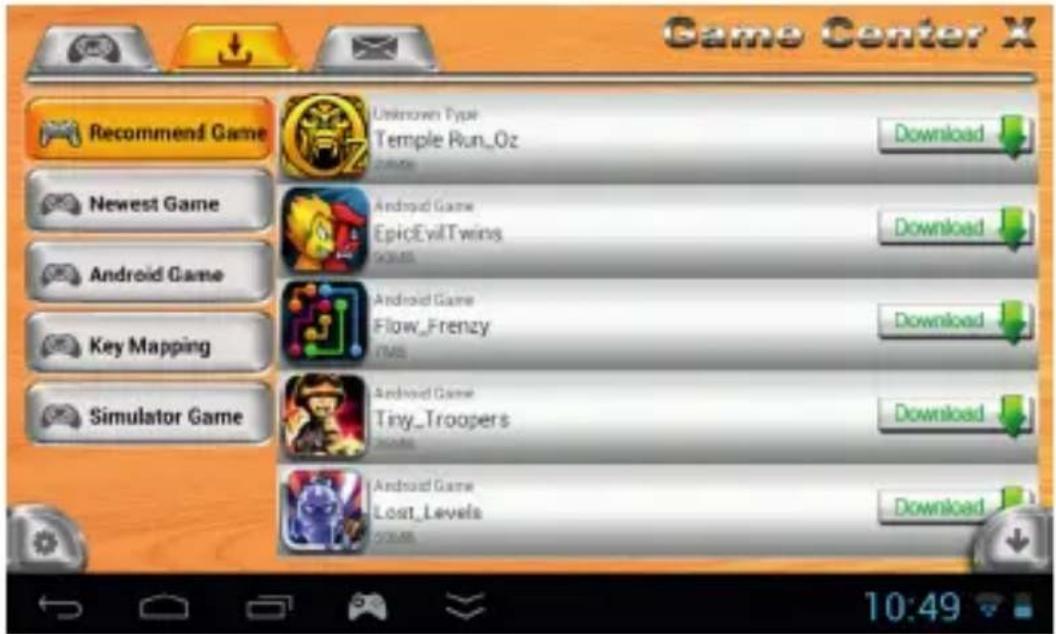
text_image
Game Center X Recommend Game Newest Game Android Game Key Mapping Simulator Game Unknown Type Temple Run_Oz Download Android Game EpicEvilTwins GAMES Download Android Game Flow_Frenzy TMS Download Android Game Tiny_Troopers GAMES Download Android Game Lost_Levels Download 10:49■ Games and Apps Management
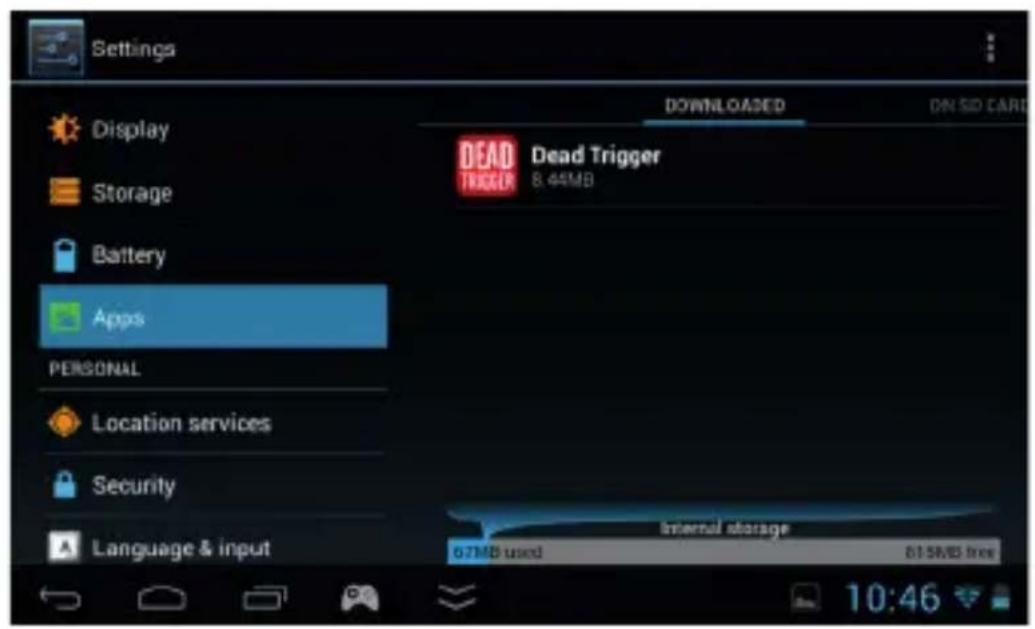
- Uninstall the Android games and apps: Click „Settings” ----“Apps”, then click the applications which need to manage.
text_image
Settings Display Storage Battery Apps PERSONAL Location services Security Language & input DOWNLOADS ON SID CARD DEAD TRIGGER Dead Trigger 8.44MB Internal storage 67MB used 81.5MB free 10:46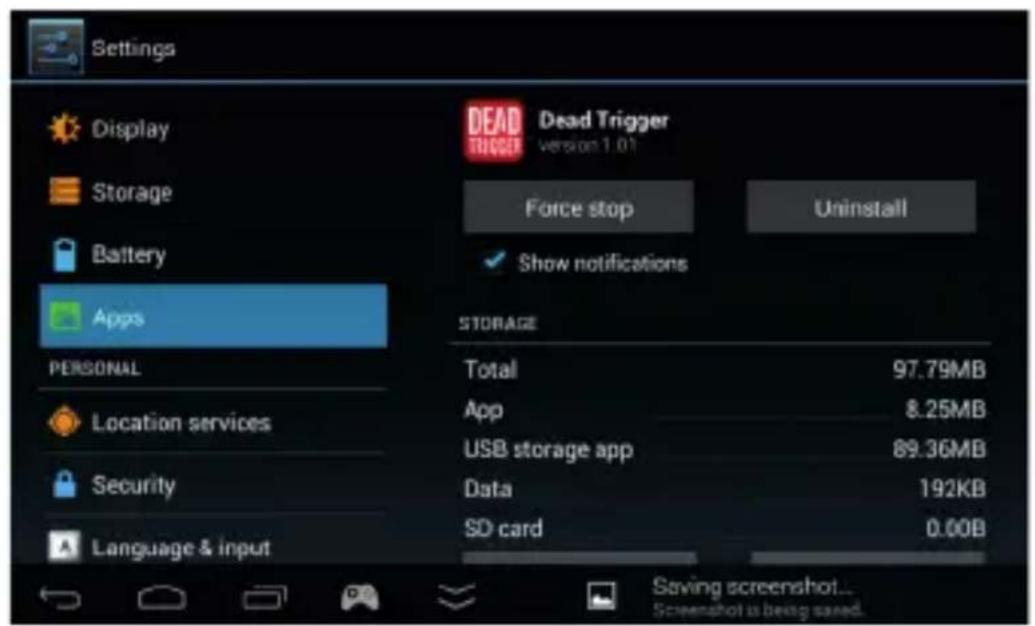
text_image
Settings Display Storage Battery Apps PERSONAL Location services Security Language & input Dead Trigger version 1.01 Force stop Uninstall Show notifications STORAGE Total 97.79MB App 8.25MB USB storage app 89.36MB Data 192KB SD card 0.00B Saving screenshot... Screenshot is being saved.- Remove emulator games: Connect device or TF card to PC, then remove the unwanted games in the „Games” folder of the root directly.
■ Network Setting
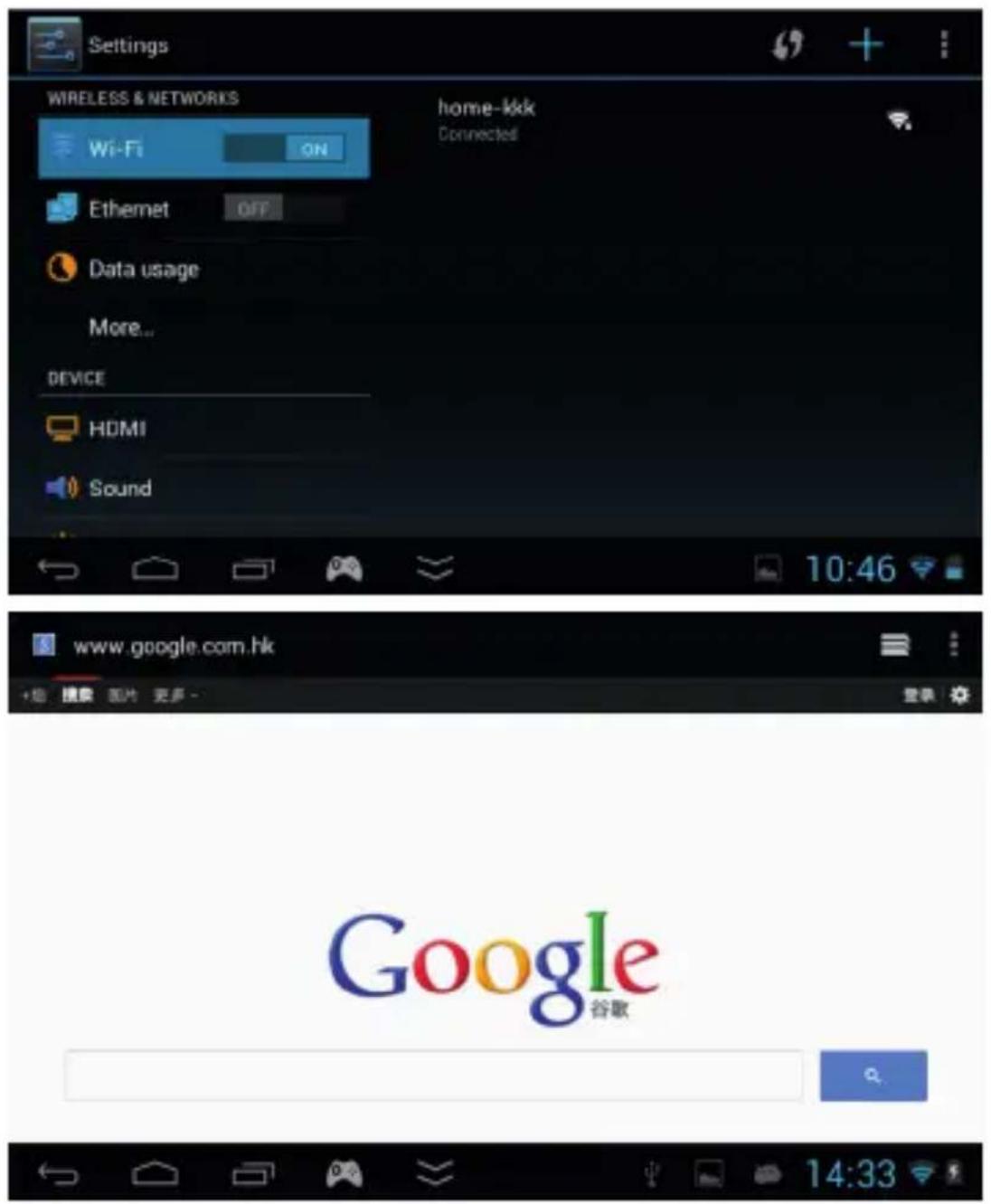
Click „Settings“, „Wi-Fi“, then click ON to „ON“, and then search the Wi-Fi and input password to connect to available Wi-Fi. Check photo as below:
text_image
Settings WIRELESS & NETWORKS home-kk Wi-Fi ON Connected Ethernet OFF Data usage More... DEVICE HDMI Sound 10:46 www.google.com.hk Google 谷歌Note: connecting to the Wi-Fi is not mean you can get to the Internet, because wireless router's Internet connection may be impassability, equipment connection is likely to be a wireless router which is not connected to the Internet, so please check the wireless router with Internet dial (cat) if it was connected and check whether the cat is connected to the Internet.
■ NETWORK APPLICATIONS & BROWSER & INPUT METHODS
1. Network applications
Please make sure you have already connected to Wi-Fi successfully before using all network applications. Such as run Skype, Twitter, Facebook, etc., these pre-installed network applications from the icons in the menu. More network applications, please download and install them by yourself.
- Web browsing: after connected to WIFI, some primary side view icon on the right side, enter the url you
can surf the Internet. If you don't like the default web browser, download third-party browser programs
such as QQ browser for web browsing, or watch online video network.
3.Input Methods
Click „Settings”---“Language&input”---“KEYBOARD&INPUT” to choose the input methods (user can choose all input methods you need)
User can download other input method applications to install in the device besides the default input methods.
User can click upper status bar to switch input method while inputting text.
■ CAMERA & E-BOOK
- Camera
User could use camera to take photos, record DV and video call (Support Skype, ICQ, etc., these third-party applications).
Choose DC/DV/ Panorama Mode from here
Click to set up White balance, Scene mode and Camera settings.


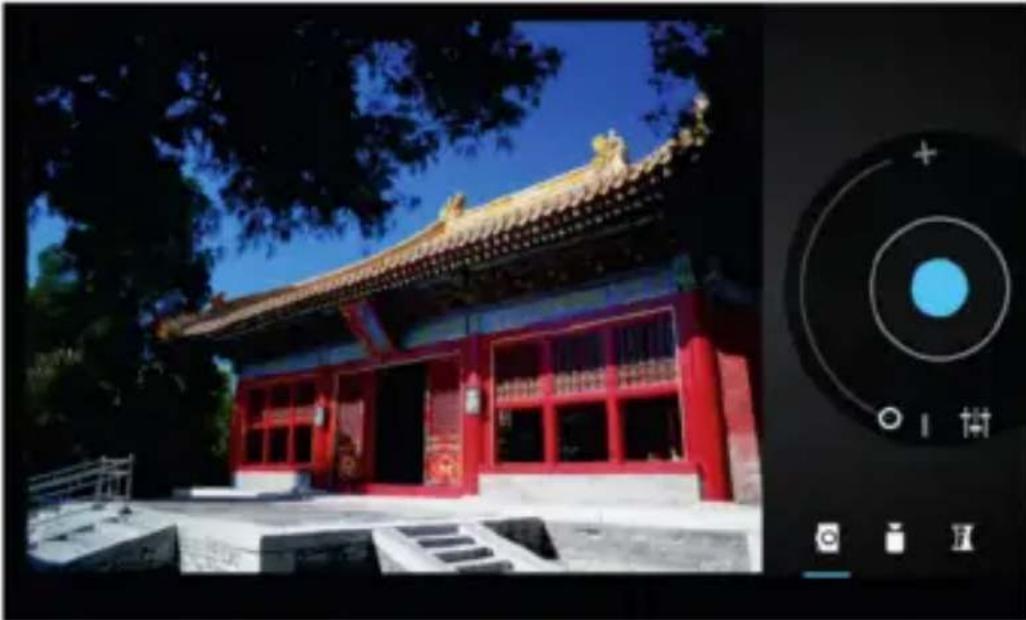
natural_image
Exterior view of a traditional Chinese temple with red walls and tiled roof under blue sky, displayed within a camera lens (no signage)E-book
The E-book file format depends on the E-book applications. User could download and install other E-book applications to extend E-book function.
■ VIDEO & MUSIC
- Video
Click Gaga Player
TF card, user could also download and install other video player applications to play the videos.
- Music
Click to play music in the device and TF card, user could also download and install other music player applications to play music.
- Online Video
User could watch online videos through network or installing online video applications like Youtube while Wi-Fi connects successfully.
- Online Music
User could enjoy online music through network or installing online music applications like Kugou while Wi-Fi connects successfully, user could also save music to device or TF card for offline play.
■ IMPORTANT OPERATION INSTRUCTIONS
- How to connect device to PC?
- Open U disk mode Connect device to PC via USB cable, Select „Turn on USB storage” to enter U disk mode.
- Close U disk mode Click „Turn off USB storage“, then take away U disk.
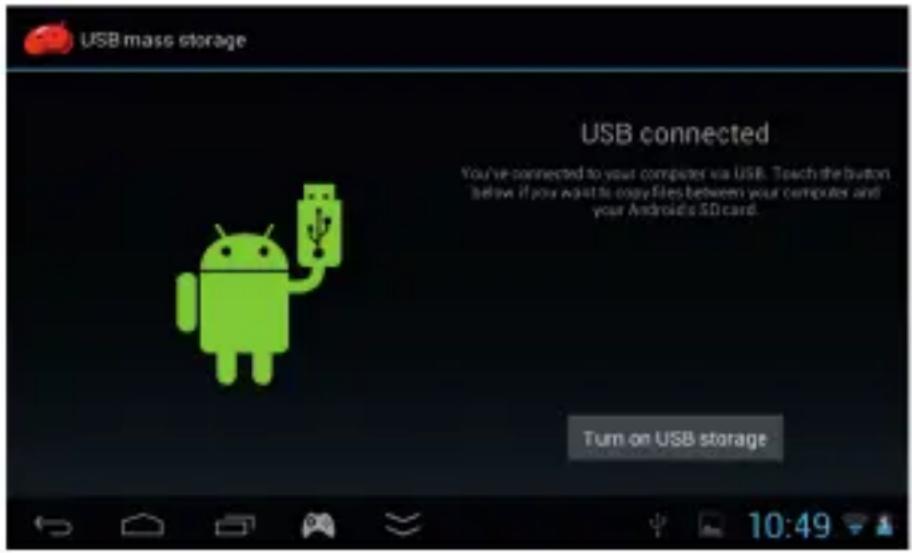
text_image
USB mass storage USB connected You've connected to your computer via USB. Touch the button below if you want to copy files between your computer and your Android's SD card. Turn on USB storage- HDMI Output
Connect device to TV through HDMI cable, set up the TV to HDMI status, TV would appear device screen interface while connecting successfully. Pull out HDMI cable to exit HDMI output mode.
- Reset
If software or system can not be controlled or without response, user could press the „RESET „ button to reset device or directly long press power button to close device and then turn on device again.
- Factory data reset
When device's function is not normal and running speed is slow which caused by software or system default, user could recover it through factory data reset. Operation method is as below:
Settings---Backup& reset---Factory data reset---reset tablet
Remark: Please do your data backup before this operation and operate this function in charger state.
SPECIFICATIONS
| Screen 5.0-inch (diagonal) Touch Screen, Resolution: 800-by-480-pixel | |
| Touch Screen 5 | point capacitive touch |
| Games Supported | Millions of Android Games, 9 Emulators (PS1, N64, Arcade, CP1/CP2/Neo-Geo, GBA, SFC, MD and FC), Game X Version 2.0 with cloud servers |
| Games Controls | Android Button mapping, 360 degree control, dual LR buttons, two analog sticks, Sensor |
| Button Button controls (Android buttons mapping, LR buttons, Joysticks, A B X Y ), G-sensor control | |
| Chip Amlogic MX-S dual core1.5GHz (CPU:cortex A9, GPU:ARM mali400 mp2) | |
| DDR 1GB DDR3 | |
| OS Android 4.1.1 | |
| Storage 4GB | |
| Internet 3 ways: | Wi-Fi (802.11 b/g/n), External connection to Ethernet and 3G |
| Sensor Czujnik | grawitacji 3 Axis Gravity Sensor |
| Camera Back 0 | 3M |
| Speaker Single | speaker |
| Video Supports | RMVB, AVI, MPEG-4, ASP, DIVX, WMV, F4V, FLV, etc.(Supports 3rd party extensions) |
| Audio Support M | MP3, WMA, FLAC, OGG, etc.(Supports 3rd party extensions) |
| Battery Built-in | rechargeable lithium-polymer battery Charging via 5V 2A DC power adapter or USB (slower) to PC |
| I/O USB2.0 High | Speed3.5-mm stereo headphone mini jackMicro TF Card Slot, Max 32GB |
| TV-out HDMI Dual-screen display, Up to 1080P | |
| Language Multi language support | |
| Operating Environments | Windows98SE/ME; Windows2000; Windows XP or above |
| Color Black and white | |
| Size Length: 195mm, Width: 86.6mm, Depth: 17.0mm, Weight: 232g | |
| In the box Device, USB cable, OTG cable, earphone, user manual | |
EN
English

Correct Disposal of This Product (Waste Electrical & Electronic Equipment)
(Applicable in the European Union and other European countries with separate collection systems)
This marking shown on the product or Its literature, indicates that It should not be disposed with other household wastes at the end of its working life. To prevent possible harm to the environment or human health from uncontrolled waste disposal, please separate this from other types of wastes and recycle it responsibly to promote the sustainable reuse of material resources.
Household users should contact either the retailer where they purchased this product, or their local government office, for details of where and how they can take this item for environmentally safe recycling. Business users should contact their supplier and check the terms and conditions of the purchase contract. This product should not be mixed with other commercial wastes for disposal
Made in China for LECHPOL Zbigniew Leszek, Miętne, 1 Garwolińska Street 08-400 Garwolin.


EN
INFORMACJA
- Gry na emulatory: Arcade Games FBA97.27(CPS1/CPS2/Neo-Geo/IGS), PS1/N64/GBA/GBC/GB/SFC/FC/MD.
text_image
Objective: Don't get killed! Save/Hide Clean/Close Mode 1 Mode 2 Left Joystick Smaller Bigger Right Joystick:Visual Control L1 R1 191 10:41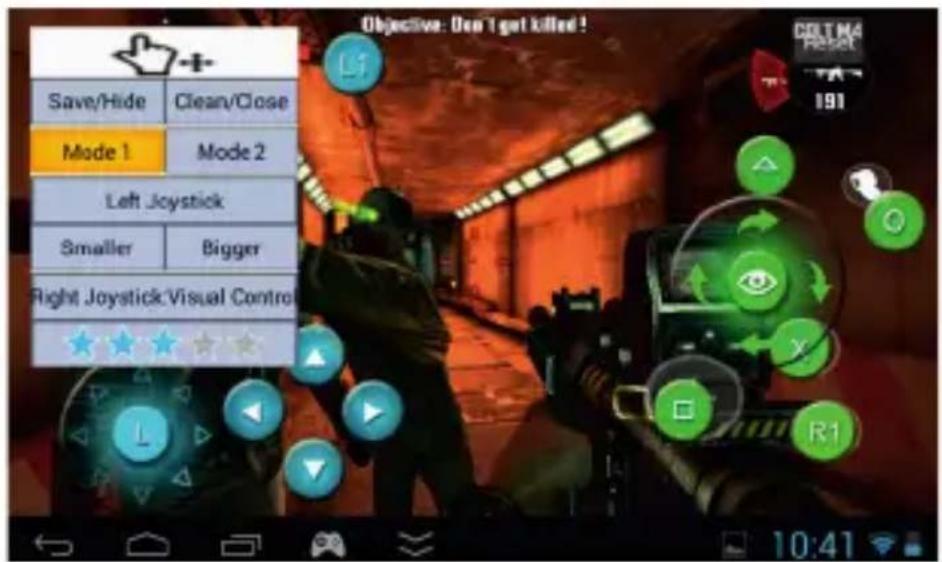
text_image
Objective: Don't get killed! Save/Hide Clean/Close Mode 1 Mode 2 Left Joystick Smaller Bigger Right Joystick:Visual Control R1 10:41PL
GBA games: /roms/gbaroms/roms
FC game: /roms/nesroms/roms
MD game: /roms/mdroms/roms
N64 game: roms/n64roms/roms
CENTRUM GameX
text_image
Game Center X All Games Android Game SONY PS1 Nintendo N54 Arcade Game QBA MO FC CS_2 632 OutTheRope Dead Trigger v1.01 dino Fruit Ninja Raping Thunder 2 Samurai II Shining in the Dark Super Mano Target Renegade Temple Run WowFish 10:43 Game Center X Recommend Game Unknown Type Download Newest Game Temple Run_Oz Android Game EpicEvilTwins Download Android Game Flow_Frenzy Download Key Mapping Tiny_Troopers Download Simulator Game Lost_Levels Download■ ZARZĄDZANIE APLIKACJAMI
text_image
Settings Display Storage Battery Apps PERSONAL Location services Security Language & input Dead Trigger version 1.01 Force stop Uninstall Show notifications STORAGE Total 97.79MB App 8.25MB USB storage app 89.36MB Data 192KB SD card 0.00B Saving screenshot... Screenshot is being saved.text_image
Settings WIRELESS & NETWORKS Wi-Fi ON home-kkk Connected Ethernet OFF Data usage More... DEVICE HDMI Sound 10:46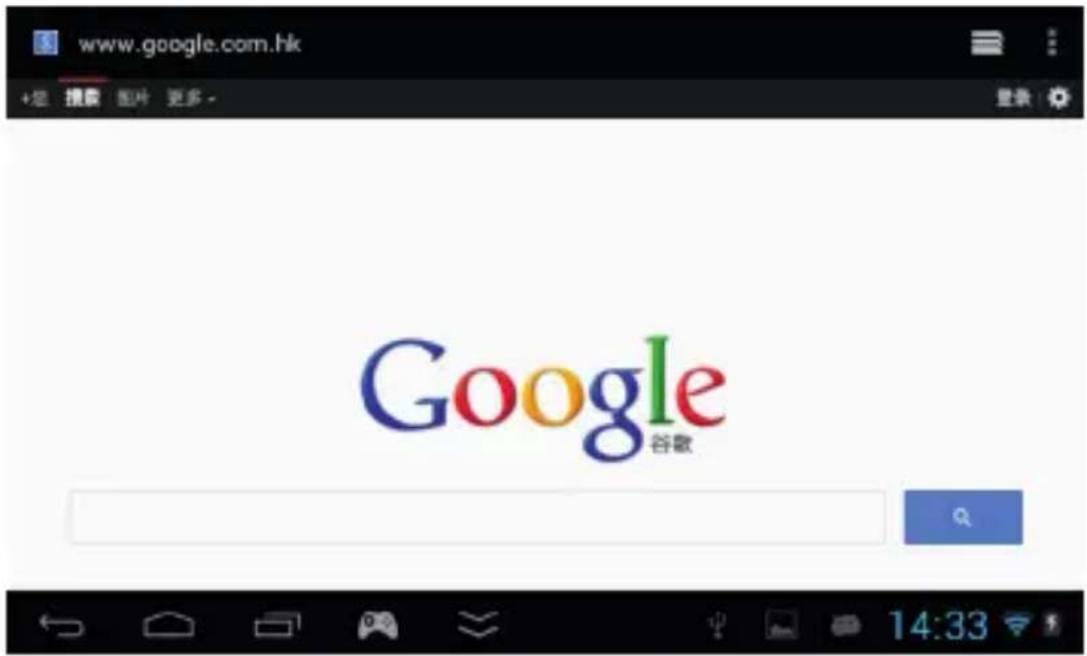
natural_image
Exterior view of a traditional Chinese temple with red pillars and tiled roof under blue sky (no signage)E-book
text_image
USB mass storage USB connected You've connected to your computer via USB. Teach the button below if you want to easy files between your computer and your Android's SD card. Turn on USB storage- Wyjście HDMI
text_image
Objective: Don't get killed! Save/Hide Clean/Close Mode 1 Mode 2 Left Joystick Smaller Bigger Right Joystick\Visual Control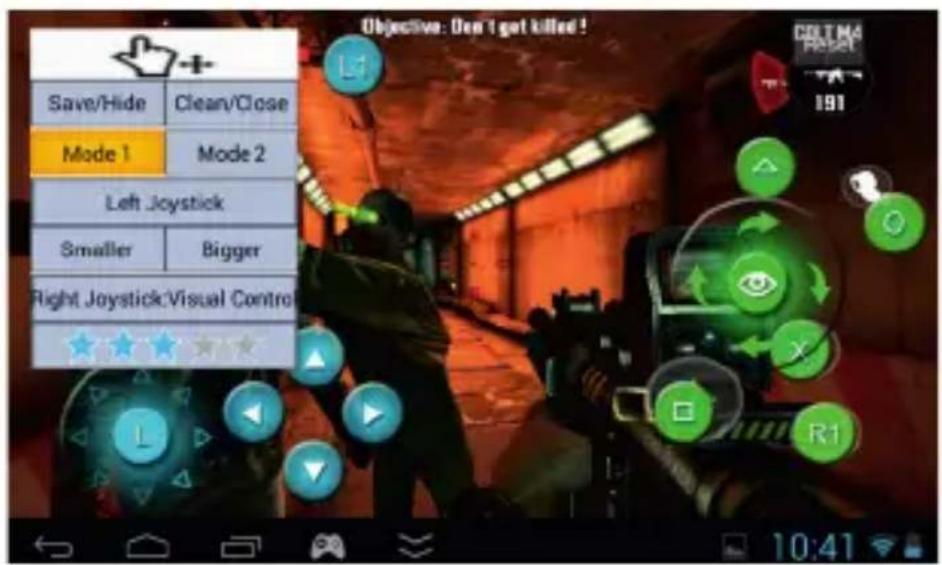
text_image
Objective: Don't get killed! Save/Hide Clean/Close Mode 1 Mode 2 Left Joystick Smaller Bigger Right Joystick:Visual Control L1 R1 191 DELMA Reset 10:41text_image
Game Center X Recommend Game Newest Game Android Game Key Mapping Simulator Game Unknown Type Temple Run_Oz Download Android Game Epic/EvilTwins Download Android Game Flow_Frenzy Download Android Game Tiny_Troapers Download Android Game Lost_Levels Download 10:49■ MANAGEMENT DE JOCURI SI APLICATII
text_image
Settings Display Storage Battery Apps PERSONAL Location services Security Language & input Dead Trigger version 1.00 Force stop Uninstall Show notifications STORAGE Total 97.79MB App 8.25MB USB storage app 89.36MB Data 192KB SD card 0.00B Saving screenshot... Screenshot is being saved.natural_image
Exterior view of a traditional Chinese temple with red pillars and tiled roof under blue sky (no signage)E-book