SMP-150AN - Soundbar SAMSUNG - Free user manual and instructions
Find the device manual for free SMP-150AN SAMSUNG in PDF.


| Product Type | CRT Color Monitor |
| Brand | Samsung |
| Model | SMP-150AN |
| Category | Soundbar (Manual reused for monitor) |
| Dimensions (W x H x D) | 365 mm x 342 mm x 391 mm (without packaging) |
| Weight (with packaging) | Approximately 14 kg |
| Power Supply | 90 - 260 V, internal regulation |
| Power Consumption | 85 Watts max |
| Screen Type | 15-inch CRT (diagonal), 0.28 Dot Pitch |
| Horizontal Resolution | More than 650 lines |
| Video Standard | NTSC / PAL |
| Video Inputs | Composite (A, B) and S-VHS (C) |
| Audio Output | 1.0 Watt |
| Available Adjustments | Contrast, Brightness, Color, Tint, Sharpness, Volume |
| Operating Temperature | 0 °C to 40 °C |
| Operating Humidity | 0 % to 90 % (non-condensing) |
| Maintenance and Cleaning | Unplug before cleaning; use a damp cloth; no liquid or aerosol |
| Safety | Do not open the chassis; follow warnings; avoid water |
| Spare Parts and Repairability | Use only Samsung certified parts; maintenance by qualified personnel |
| General Information | Manual in French; 115 pages; documentation available in several languages |
Frequently Asked Questions - SMP-150AN SAMSUNG
User questions about SMP-150AN SAMSUNG
0 question about this device. Answer the ones you know or ask your own.
Ask a new question about this device
Download the instructions for your Soundbar in PDF format for free! Find your manual SMP-150AN - SAMSUNG and take your electronic device back in hand. On this page are published all the documents necessary for the use of your device. SMP-150AN by SAMSUNG.
USER MANUAL SMP-150AN SAMSUNG
natural_image
Illustration of a vintage computer monitor with ventilation slots and control buttons (no text or symbols)
CAUTION
RISK OF ELECTRIC SHOCK DO NOT OPEN

CAUTION : TO REDUCE THE RISK OF ELECTRIC SHOCK, DO NOT REMOVE COVER (OR BACK). NO USER SERVICEABLE PARTS INSIDE. REFER SERVICING TO QUALIFIED SERVICE PERSONNEL.
Graphic Symbol Explanation
The lightning flash with arrowhead symbol, within an equilateral triangle, is intended to alert the user to the presence of uninsulated ‘dangerous voltage’ within the product’s enclosure that may be of sufficient magnitude to constitute a risk of electric shock to persons.
The exclamation point within an equilateral triangle is intended to alert the user to the presence of important operating and maintenance (servicing) instructions in the literature accompanying the appliance.

Warning - To Prevent Fire or Shock Hazard, Do Not Expose This Monitor To Rain or Moisture.
IMPORTANT SAFEGUARDS
Caution
Power source is indicated on the rear of the set. It contains high-voltage parts. If you remove the cover, it may cause fire or electric shock. Do not remove the cover by yourself. (Control switches are at the front of the monitor).
- Read Instructions : All the safety and operating instructions should be read before the appliance is operated.
- Retain Instructions : The safety and operating instructions should be retained for future reference.
- Heed Warnings : All warnings on the monitor and in the operating instructions should be adhered to.
- Follow Instructions : All operating and use instructions should be followed.
- Cleaning : Unplug this monitor from the wall outlet before cleaning. Do not use liquid cleaners or aerosol cleaners. Use a damp cloth for cleaning.
Exception. A monitor that is meant for uninterrupted service and that for some specific reason, such as the possibility of the loss of an authorization code for a CATV converter, is not intended to be unplugged by the user for cleaning or any other purpose, may exclude the reference to unplugging the monitor in the cleaning description otherwise required in Item 5.
- Attachments : Do not use attachments not recommended by SAMSUNG as they may cause hazards.
-
Water and Moisture : Do not use this monitor near water for example, near a bathtub, wash bowl, kitchen sink, or laundry tub, in a wet basement, or near a swimming pool and the like.
-
Accessories : Do not place this monitor on an unstable cart, stand, tripod, bracket, or table. The monitor may fall, causing serious injury to a child or adult, and serious damage to the appliance. Use only with a cart, stand, tripod, bracket, or table recommended by SAMSUNG, or sold with the monitor. Any mounting of the monitor should follow SAMSUNG's instructions, and should use a mounting accessory recommended by SAMSUNG.
-
Ventilation : Slots and openings in the cabinet are provided for ventilation and to ensure reliable operation of the monitor and to protect it from overheating, and these openings should never be blocked by placing the monitor on a bed, sofa, rug, or other similar surface. This monitor should never be placed near or over a radiator or heat register. This monitor should not be placed in a built-in installation such as a bookcase or rack unless proper ventilation is provided or SAMSUNG's instructions have been adhered to.
-
Power Sources : This monitor should be operated only from the type of power source indicated on the making label. If you are not sure of the type of power supply to your installation site, consult your SAMSUNG dealer or local power company.
-
Grounding or Polarization : For monitors equipped with a 3-wire grounding-type plug having a third(grounding)pin. This plug will only fit into a grounding type power outlet. This is a safety feature. If you are unable to insert the plug into the outlet, contact your electrician to replace your obsolete outlet. Do not defeat the safety purpose of the grounding-type plug.
-
Power : Cord Protection-Power supply cords should be routed so that they are not likely to be walked on or pinched by items placed upon or against them, paying particular attention to cords at plugs, convenience receptacles, and the point where they exit from the monitor.
-
Lightning : For added protection for this monitor during a lightning storm, or when it is left unattened and unused for long periods of time, unplug it from the wall outlet and disconnect the cable system. This will prevent damage to the monitor due to lightning and power-line surges.
-
Overloading : Do not overload wall outlets and extension cords as this can result in a risk of fire of electric shock.
-
Object and Liquid Entry : Never push objects of any kind into this monitor through openings as they may touch dangerous voltage points or short-out parts that could result in a fire or electric shock. Never spill liquid of any kind on the monitor.
-
Servicing : Do not attempt to service this monitor yourself as opening or removing covers may expose you to dangerous voltage or other hazards. Refer all servicing to qualified service personnel.
-
Damage Requiring Service : Unplug this monitor from the wall outlet and refer servicing to qualified service personnel under the following conditions.
a. When the power-supply cord or plug is damaged.
b. If liquid has been spilled, or objects have fallen into the monitor.
c. If the monitor has been exposed to rain or water.
d. If the monitor does not operate normally by following the operating instructions. Adjust only those controls that are covered by the operating instructions as an improper adjustment of other controls may result in damage and will often require extensive work by a qualified technician to restore the monitor to its normal operation.
e. If the monitor has been dropped or the cabinet has been damaged.
f. When the monitor exhibits a distinct change in performance-this indicates a need for service.
-
Replacement Parts: When replacement parts are required, be sure the service technician has used replacement parts specified by SAMSUNG or have the same characteristics as the original parts. Unauthorized substitutions may result in fire, electric shock or other hazards.
-
Safety Check : Upon completion of any service or repairs to this monitor, ask the service technician to preform safety checks to determine that the monitor is in proper operating condition.
FCC & ICES Information
Warning
This equipment has been tested and found to comply the limits for a class A digital device, pursuant to part 15 of the FCC Rules and ICES-003 of Industry Canada. These limits are designed to provide reasonable protection against harmful interference when the equipment is operated in a commercial environment. This equipment generate, uses, and can radiate radio frequency energy and, if not installed and used in accordance with the instruction manual, may cause harmful interference to radio communications. Operation of this equipment in a residential area is likely to cause harmful interference in which case the user will be required to correct the interference at his own expense.
User-Installer Caution
Your authority to operate this FCC verified equipment could be voided if you make changes or modifications not expressly approved by the party responsible for compliance to part 15 of the FCC Rules.
General
Scope
The information in this instruction manual covers the installation and operation of the Color Monitors.
These units should be installed using approved materials and wiring practices in accordance with the National Electrical Code and applicable local wiring ordinances.
Introduction
The Color Monitors, having a resolution of more than 650 lines at center, produce high quality pictures on a 14" (measured diagonally) screen.
Designed primarily for industrial applications this monitor accepts standard NTSC/PAL color input signals.
Operating controls (BRIGHT, CONTRAST, COLOR, TINT, SHARP, VOLUME) are located on the front panel. A power switch is also located on the front panel.
A regulated power supply maintains excellent performance during fluctuations in line voltage.
The Color Monitors are housed in a metallic dark-gray color cabinet.
User Guide
User Guide
Before operating the unit, please read this manual thoroughly, and retain it for future reference.
Contents
IMPORTANT SAFEGUARDS .... iii
General vii
Specifications ...... e-3
Front Panel Components and Controls ...... e-4
Rear Panel Components and Controls ...... c-6
Connections e-7
Maintenance ...... e-8
Specifications
| System NTSC/PAL | |
| CRT 15” diagonal, 0.28mm | Dot Pitch.90° deflection |
| Horizontal Resolution more | than 650 lines |
| Input Signal Video A/B : Composite 1Vp-pVideo C : S-VHS | |
| Subcarrier 3.579545MHz ± 400Hz (room temperature)Frequency Sync. Range 4.433618MHz ± 400Hz (room temperature) | |
| Horizontal 15.75kHz ± 500HzFrequency Stability 15.625kHz ± 500Hz | |
| Vertical 60Hz ± 5HzFrequency Stability 50Hz ± 5Hz | |
| High Voltage 25kV ± 1.5kV | |
| Convergence less than 0.3mm (at the center of display area) | |
| Power Consumption 85Watts (maximum) | |
| Operating Humidity 0 to 90% (non condensing)Condition | |
| Operating Temperature 0 to 40 °C (32°F to 104°F)Range | |
| Power Control range or main section 90V~260V or“indicated on the rear of the Monitor set” | |
| Dimensions (WxDxH) | 365mm x 342mm x 391mm (without packing) |
| Weight | Approx. 14kg (with packing) |
| Audio | 1.0Watts |
Front Panel Components and Controls

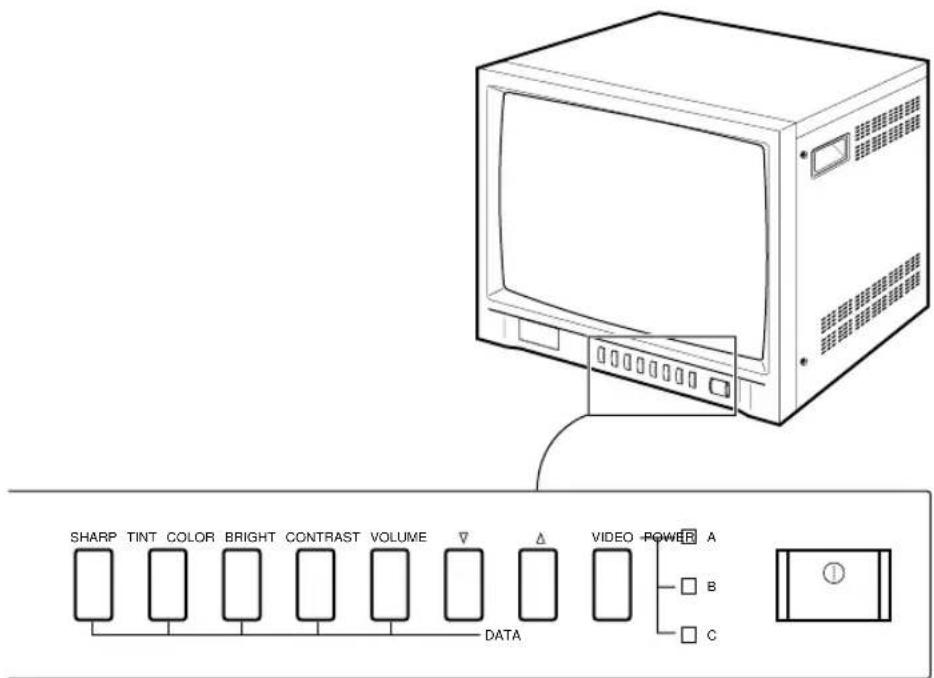
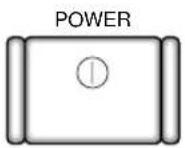
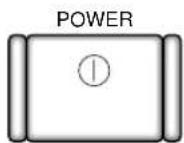
Power Switch
On/off switch. If you press this button, the monitor is turned on and the LED of selected input signal is lit.
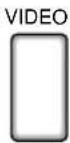
VIDEO Input Selection Switch
It selects video and audio input signal. To change input signal, press this button.
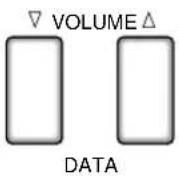
VOLUME, DATA Control Switch
VOLUME key has two functions :
• Volume Controls : To change volume, press only this key.
- Data Controls : If you press CONTRAST, BRIGHT, COLOR, TINT or SHARP and then VOLUME key, you can change the value of each key.
CONTRAST
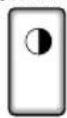
CONTRAST Switch
This control adjusts the contrast of the screen image. Press CONTRAST switch and then VOLUME(DATA) switch to control the contrast. (Default is 60).
BRIGHT
BRIGHT Switch
This control adjusts the brightness of the screen image. Press BRIGHT switch and then VOLUME(DATA) switch to control the brightness. (Default is 50).
COLOR
COLOR Switch
This control adjusts the color intensity of the screen image. Press COLOR switch and then VOLUME(DATA) switch to control the color intensity. (Default is 50).
TINT
TINT Switch
With this switch, you can control the color to be close to natural color. For the best result, control screen image with this switch so that skin color is natural. Press TINT switch then VOLUME(DATA) switch to control the color. (Default is 50).
SHARP
SHARP Switch
This control adjusts the sharpness of the screen image. Press SHARP switch and then VOLUME(DATA) switch to control the sharpness. (Default is 50).
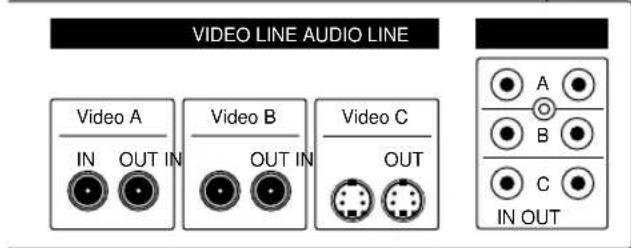
Rear Panel Components and Controls

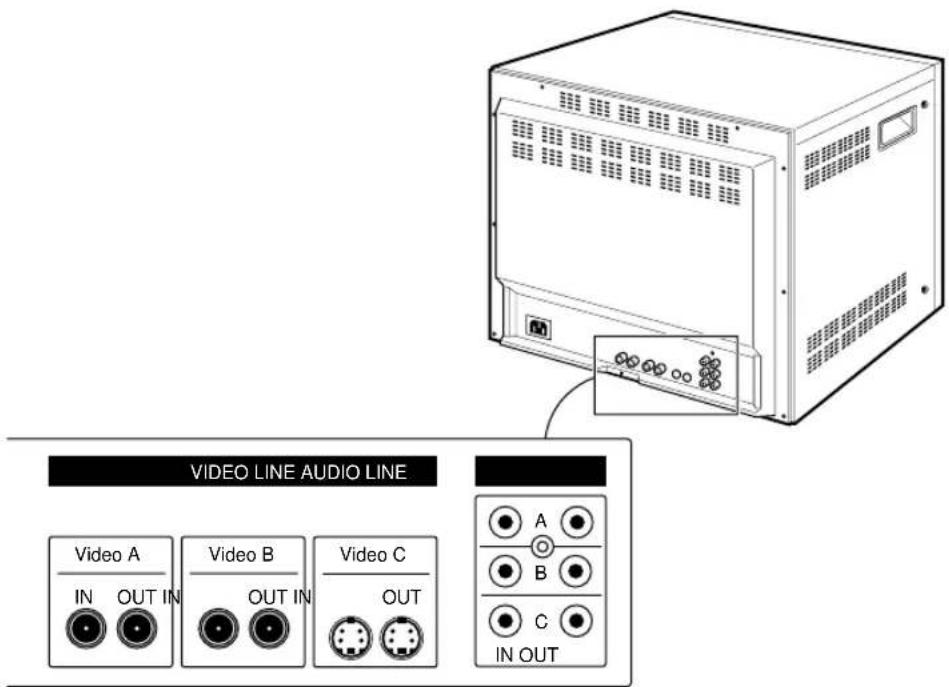
VIDEO LINE
Input/output terminals for video signal.
Video A and Video B are composite input/output terminals. Video C are S-VHS input/output terminals.
AUDIO LINE
Input/output terminals for audio signal.
A, B, and C must be selected with Video A, Video B, Video C respectively.
Connections
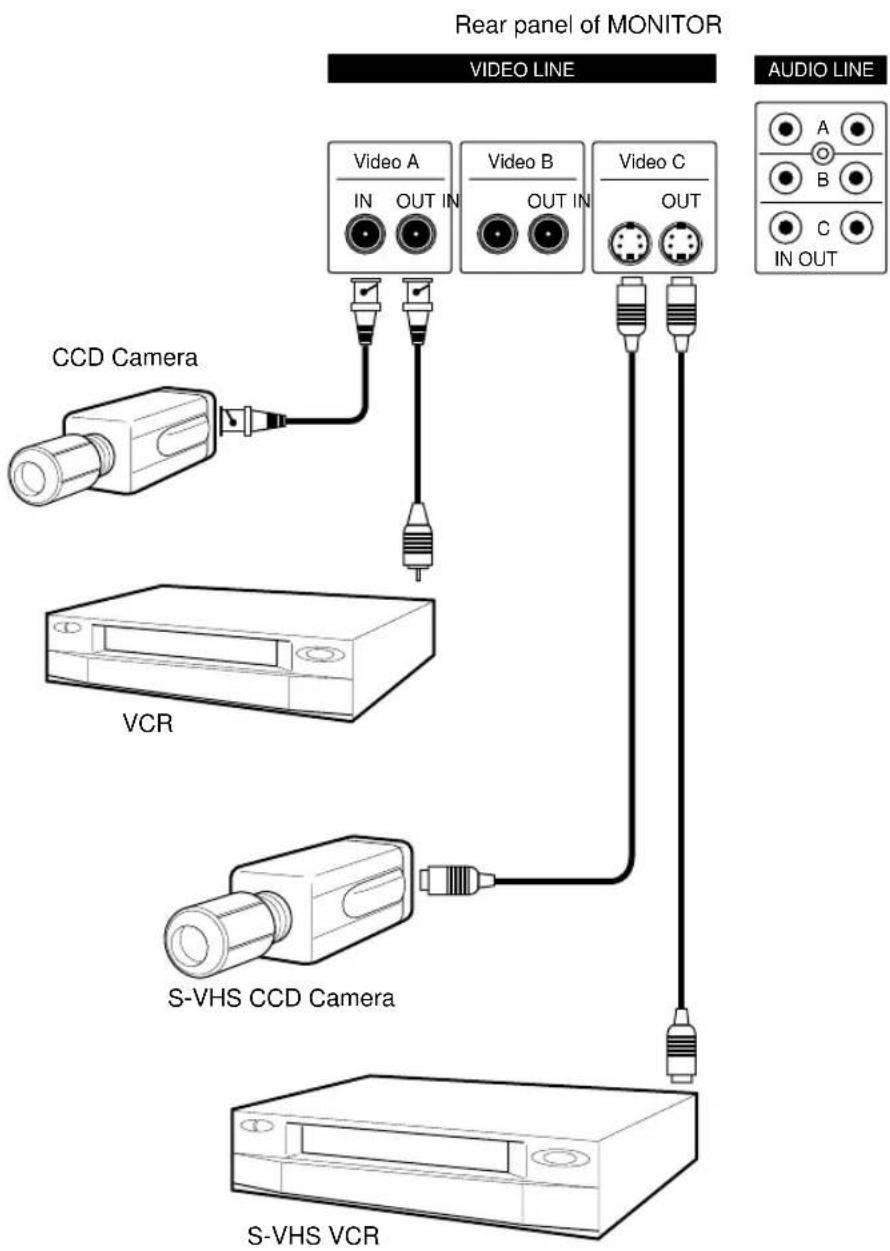
flowchart
graph TD
    A["CCD Camera"] --> B["Video A IN OUT IN"]
    C["VCR"] --> D["Video B OUT IN"]
    E["S-VHS CCD Camera"] --> F["Video C OUT"]
    G["S-VHS VCR"] --> H["Audio Line"]
    I["Rear panel of MONITOR"] --> J["VIDEO LINE"]
    K["AUDIO LINE"] --> L["A B C IN OUT"]
Maintenance
e-8
If the quality of the picture on the COLOR MONITOR is poor and cannot be improved, inspect all system connections and cable runs.
Repairs should be performed by a qualified technician with adequate test equipment and facilities.
Mode d'emploi
RISQUE D'ÉLECTROCUTION, N'OUVREZ PAS

PRÉCAUTION : POUR REDUIRE LE RISQUE D'ÉLECTROCUTION, NE SORTEZ PAS LE COUVERCLE (OU PARTIE ARRIÈRE). IL N'YA A PAS DE PIÈCES À L'UTILISATION DE L'USAGER. APPELEZ LES SERVICES DU PERSONNEL DE SERVICE QUALIFIÉ.
natural_image
Line drawing of a vintage CRT television set with front panel and control buttons (no text or symbols)
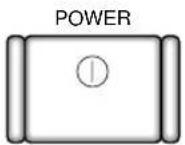
Bouton POWER
Bouton TINT (Nuance)
natural_image
Line drawing of a server rack with ventilation grilles and ports, no text or symbols presentnatural_image
Line drawing of a vintage CRT television set with front panel and control buttons (no text or symbols)
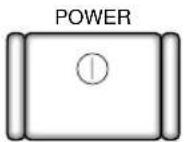
Netzschalter
natural_image
Line drawing of a server rack unit with ventilation grilles and control panel (no text or symbols)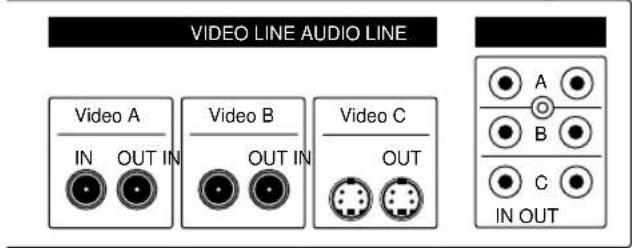
Anschlüsse Videoterminals
Anschlüsse Audioterminals
natural_image
Line drawing of a vintage CRT television set with front panel and control buttons (no text or symbols)

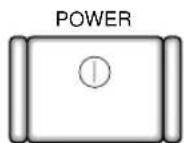
DATA
POWER 开关
natural_image
Line drawing of a server rack with ventilation grilles and ports, no text or symbols presentnatural_image
Line drawing of a vintage CRT television set with front panel and control buttons (no text or symbols)
POWER スイッチ
natural_image
Line drawing of a server rack with ventilation grilles and ports, no text or symbols present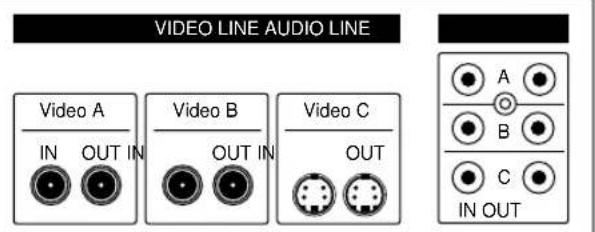
VIDEO LINE
音声信号用の入力/出力端子です。
natural_image
Line drawing of a vintage CRT computer monitor with ventilation slots and control buttons (no text or symbols)

Interruptor POWER (POTÊNCIA)
Interruptor TINT (TOM)
natural_image
Line drawing of a server rack with ventilation grilles and a separate panel showing ports (no text or symbols)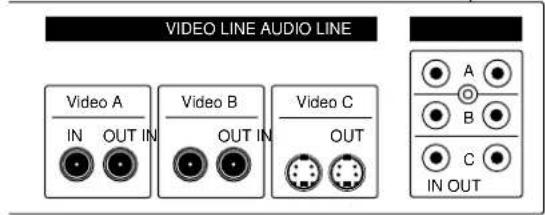
VIDEO LINE (LINHA DE VÍDEO)
Terminais de entrada/saída do sinal de vídeo.
natural_image
Line drawing of a vintage CRT computer monitor with front panel and control buttons (no text or symbols)
Клавиша POWER
natural_image
Line drawing of a server rack with ventilation grilles and a separate inset showing ports (no text or symbols)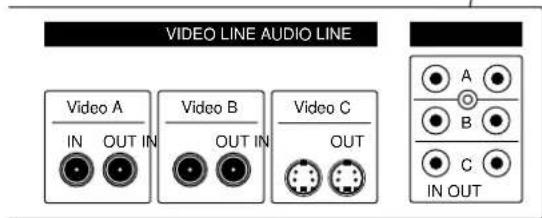
VIDEO LINE
natural_image
Line drawing of a vintage CRT television set with front panel and control buttons (no text or symbols)
natural_image
Line drawing of a server rack with ventilation grilles and ports (no text or symbols)