
SKSM 150 A1 - Coffee machine SILVERCREST - Free user manual and instructions
Find the device manual for free SKSM 150 A1 SILVERCREST in PDF.
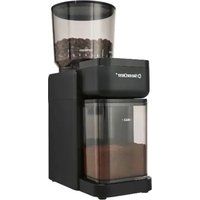


| Brand | SilverCrest |
| Model | SKSM 150 A1 |
| Type | Electric coffee grinder |
| Power | 150 W |
| Mains voltage | 220 – 240 V ~ 50 – 60 Hz |
| Protection class | II |
| Bean container capacity | 200 g |
| Ground coffee container capacity | 100 g (up to MAX mark) |
| Number of grind levels | 18 (3 groups: Espresso, Filter Coffee, French Press) |
| Cups quantity setting | 2 to 12 cups |
| Automatic shut-off | Yes, when the selected quantity is reached |
| Safety | Starts only with locked bean container |
| Material in contact with food | Does not affect taste or smell |
| Included accessories | Cleaning brush, measuring spoon |
| Dimensions (L x W x H) | Not specified |
| Weight | Not specified |
| Warranty | 3 years |
| Customer service France | 0800 919270 (toll-free) |
| Customer service Belgium | 0800 12089 (toll-free) |
| Customer service Switzerland | 0800 56 44 33 (toll-free) |
| Article number (IAN) | 527333_2504 |
| Standby consumption | ≤ 0.5 W |
Frequently Asked Questions - SKSM 150 A1 SILVERCREST
User questions about SKSM 150 A1 SILVERCREST
0 question about this device. Answer the ones you know or ask your own.
Ask a new question about this device
Download the instructions for your Coffee machine in PDF format for free! Find your manual SKSM 150 A1 - SILVERCREST and take your electronic device back in hand. On this page are published all the documents necessary for the use of your device. SKSM 150 A1 by SILVERCREST.
USER MANUAL SKSM 150 A1 SILVERCREST
- Overview 17
- Intended purpose 18
- Safety information 19
- Items supplied 21
- Unpacking and setting up 21
- Preparation 21
6.1 Connecting and switching on/off.... 21 6.2 Adding coffee beans.... 21 6.3 Setting the grinding level.... 22 6.4 Set the cup number or coffee powder quantity.... 22
- Grinding the coffee beans 22
- Cleaning 23
- Disposal 24
- Trouble-shooting 24
- Technical specifications 25
- Warranty of the HOYER Handel GmbH 26
1. Overview
1 Lid (of the bean hopper) 2 Bean hopper 3 Direction of rotation for releasing and locking the bean hopper 4 Button for selecting the cup number 5 Start/Stop button 6 LEDs; cup number display 7 Lid of the coffee powder container 8 MAX Coffee powder container with MAX marking 9 Cleaning brush 10 Coffee spoon 11 Power cable with mains plug 12 Marking for the grinding level 13 Grinding level scale on the bean hopper
Thank you for your trust!
Congratulations on the purchase of your new coffee grinder.
For safe handling of the device and in order to get to know the entire range of features:
- Read these operating instructions thoroughly prior to initial use.
- Above all, observe the safety information!
- The device should only be used as described in these operating instructions.
- Keep this copy of the operating instructions for reference.
- If you pass the device on to someone else, please include this copy of the operating instructions. The operating instructions are a part of the product.
We hope that you enjoy using your new coffee grinder!
2. Intended purpose
The coffee grinder is intended exclusively for grinding coffee beans in the integrated grinder:
The device is designed for private, domestic use. The device must only be used indoors. This device must not be used for commercial purposes.
Foreseeable misuse
WARNING! Risk of material damage!
- Do not use caramelised coffee beans. These can cause the grinder to stick together.
Symbols on the device

The food-safe material of devices with this symbol will not change the taste or smell of food.
3. Safety information
Warnings
If necessary, the following warnings are used in these operating instructions:

DANGER! High risk: failure to observe this warning may result in injury to life and limb.
WARNING! moderate risk: failure to observe this warning may result in injury or serious material damage.
CAUTION: low risk: ignoring this warning may result in minor injuries or material damage.
NOTE: circumstances and specifics that must be observed when handling the device.
Instructions for safe operation
- This device must not be used by children. The device and the power cable must be kept away from children.
- This device can be used by people with restricted physical, sensory or intellectual abilities or people without adequate experience and/or understanding if they are supervised or instructed on how to use this device safely and if they are aware of the resulting dangers.
- Children must not play with the device.
- The device must be disconnected from the power supply if left unattended and prior to assembly, disassembly or cleaning.
- Prior to the replacement of accessories or attachments which move when in operation, the device must be switched off and disconnected from the mains power supply.
- This device is equally intended for use in the home and in applications similar to the home, such as for example...
... in kitchens for staff in shops, offices and other commercial settings;
... on agricultural properties;
... by customers in hotels, motels and other residential facilities;
... in bed-and-breakfast establishments.
- This device is not intended to be operated using an external timer or a separate remote control system.
- The coffee grinder, the power cable and the mains plug must not be immersed in water or other liquids.
- If the power cable of this device should become damaged, it must be replaced by the manufacturer, the manufacturer's customer service de-
partment or a similarly qualified specialist in order to avoid any hazards.
- Please take note of the chapter on cleaning (see "Cleaning" on page 23).
- Make sure that no liquid overflows onto the device plug connection.
- Please observe the safety information in these instructions, as injuries are possible if the device is used incorrectly.

DANGER for children!
- Packing materials are not children's toys. Children should not be allowed to play with the plastic bags. There is a risk of suffocation.

DANGER to and from pets and livestock!
Electrical devices can represent a danger to pets and livestock. In addition, animals can also cause damage to the device. For this reason you should keep animals away from electrical devices at all times.

DANGER! Risk of electric shock due to moisture!
- Protect the device from moisture, water drops and water splashes: failure to observe this instruction may result in an electric shock hazard.
- If liquids get into the device, remove the mains plug immediately. Have the device checked before reusing.

DANGER! Risk of electric shock!
- Do not use the device if the device or the power cable has any visible damage, or if the device has previously been dropped.
- Only connect the mains plug to a properly installed and easily accessible wall socket whose voltage corresponds to the specifications on the rating plate. The
wall socket must still be easily accessible after the device is plugged in.
- Ensure that the power cable cannot be damaged by sharp edges or hot spots.
- Even after it has been switched off, the device is not completely disconnected from the mains power supply. In order to fully disconnect it, pull out the mains plug.
- When using the device, ensure that the power cable cannot be trapped or crushed.
- When removing the mains plug from the wall socket, always pull on the plug and never the cable.
- Pull the mains plug out of the wall socket:
- when a malfunction occurs
- when you are not using the coffee grinder
- prior to cleaning the coffee grinder
- during thunderstorms
- In order to avoid any hazards, do not make modifications to the device.
WARNING! Risk of injury by turning parts!
- Only plug the mains plug into a wall socket once the bean hopper has been attached and locked into place.
- To minimise the risk of injury, the grinder can only be switched on when the bean hopper is in place. Never bypass this safety function!
- Only operate the grinder when the lid is placed on the bean hopper.
- Do not hold any objects in the bean hopper during the grinding process. Keep long hair out of the way.
WARNING! Risk of material damage!
- The device is fitted with non-slip plastic feet. As furniture is coated with a variety of different varnishes and acrylics, and treated with different cleaning agents, it cannot be completely ruled out that components are contained in some of these substances that could damage and soften the plastic feet. If necessary, place a non-slip mat under the device.
- Only use the device with the original accessories.
- Place the device on a stable, level surface.
- Do not use any astringent or abrasive cleaning agents.
- Do not expose the device to temperatures below the freezing point.
4. Items supplied
1 coffee grinder, 1 cleaning brush, 9 1 coffee spoon, 10 1 complete copy of the operating instructions (available on the Internet), 1 copy of the short manual (enclosed with the device)
5. Unpacking and setting up
- Remove all packing material.
- Check to ensure that all parts are present and undamaged.
- Place the device on a dry, level, non-slip surface.
6. Preparation
6.1 Connecting and switching on/off

DANGER! Risk of electric shock!
- Only connect the device to an easily accessible wall socket whose voltage corresponds to the specifications on the rating plate. The wall socket must still be easily accessible after connection.
- Connect the mains plug 11 to a wall socket.
- If necessary, place the bean hopper 2 on the device.
- Turn the bean hopper towards the closed lock symbol 🔒 3 until the LEDs 6 for the cup number/coffee powder quantity, the button ⬇ 4 for setting the cup number and the Start/Stop button ▶ 5 light up. The LED 6 for the selected cup number and the button ⬇ 4 will then be permanently lit.
- To enter standby mode, turn the bean hopper towards the open lock symbol of 3 until the LEDs go out.
- To switch it off, unplug the mains plug 11.
6.2 Adding coffee beans
WARNING! Risk of injury by turning parts!
- Only operate the grinder when the lid 1 is placed on the bean hopper 2.
WARNING! Risk of material damage!
- Do not use caramelised coffee beans. These can cause the grinder to stick together.
- Remove the lid 1 of the bean hopper 2.
- Pour about as many coffee beans into the bean hopper as you use in one day.
- Put the lid back on.
6.3 Setting the grinding level
You can adjust the grinding level in a total of 18 settings, divided into 3 groups of 6 settings each:
- ESPRESSO (fine)
- FILTER COFFEE (medium)
- FRENCH PRESS (coarse)
- Turn the bean hopper 2 so that the marking ▲12 points to the desired grinding level on the bean hopper.
The grinding level influences the taste and should match the preparation method. The optimum grinding level also depends on the type of coffee.
6.4 Set the cup number or coffee powder quantity
- By pressing button 4, you can select the desired number of cups/coffee powder quantity between 2 and 12 cups. The LED 6 above the selected coffee powder quantity lights up.
NOTE: The cup number/coffee powder quantity setting remains stored even after the machine is switched off.
7. Grinding the coffee beans
WARNING! Risk of injury from rotating parts!
To minimize the risk of injury, the grinder can only be switched on when the bean hopper 2 is in place. Never bypass this safety function! - Only operate the grinder when the lid 1 is placed on the bean hopper 2. - Do not hold any objects in the bean hopper 2 during the grinding process. Keep long hair out of the way.
NOTE: Only remove the bean hopper 2 from the grinder when absolutely necessary (e.g., if it is blocked or for cleaning).
- Connect the mains plug 11 to a wall socket.
- If necessary, place the bean hopper 2 in the holder at the top.
- Switch on the device by turning it towards the closed lock symbol 🔒 3. All LEDs light up briefly.
- Fill the bean hopper 2 with coffee beans and put the lid 1 on.
- Set the desired grinding level.
- Press button ☐ 4 to select the desired number of cups/amount of coffee powder.
- Ensure that the coffee powder container 8 is correctly inserted.
- Start the grinding process by pressing the Start/Stop button ▶|| 5. The button lights up during the grinding process.
NOTES:
- The coffee grinder automatically stops grinding once the set amount of coffee powder or cup number has been reached.
- Do not fill the coffee powder container 8 beyond the MAX marking (approx. 100 g).
- Stop the grinding process by pressing the Start/Stop button ▶II 5 again. The button goes out.
- Remove the coffee powder container 8 with the freshly ground coffee powder and open the lid 7.
- You can use the supplied coffee spoon 10 to measure out the coffee powder.
8. Cleaning

DANGER! Risk of electric shock!
- Pull out the mains plug 11 from the wall socket before cleaning the coffee grinder.
- The coffee grinder and the power cable with mains plug 11 must not be immersed in water or other liquids.
WARNING! Risk of material damage!
- Do not use any astringent or abrasive cleaning agents.
Bean hopper
- Turn the bean hopper 2 towards the open lock symbol of 3 until it can be pulled upwards.
- Remove the lid 1.
- Clean the container and lid by hand using mild detergent.
- Dry both parts before using them again.
Grinder
The bean hopper 2 has been removed from the coffee grinder.
- Keep the coffee grinder horizontal.
- Clean the grinder at the top inside with the supplied cleaning brush 9.
- Empty out the coffee grounds.
Thorough cleaning
You can purchase cleaning granules for coffee grinders from specialist coffee retailers. To thoroughly clean the grinder, proceed as follows:
- Fill the empty bean hopper 2 with the cleaning granules as you would with conventional beans.
- Grind the granules using the medium grinding level.
- To regrind, place coffee beans in the bean hopper and grind them to remove any granule residue.
- Dispose of the first coffee grounds after cleaning, as they are a mixture of coffee and residues from the cleaning granules.
NOTES:
- The granules bind coffee residues such as fats and oils and clean the grinding discs.
- Use cheaper coffee beans for regrinding, not your favourite high-quality beans.
- Regular use ensures better flavour and extends the service life of your coffee grinder.
Coffee powder container
- Pull the coffee powder container 8 forward out of the coffee grinder and remove the lid 7.
- Pour out any loose coffee powder residue.
- Clean the container and lid by hand using mild detergent.
- Dry both parts before using them again.
Device
- Wipe the device with a damp cloth and mild detergent.
- Dry with a soft cloth.
9. Disposal
This product is subject to the provisions of European Directive 2012/19/EC. The symbol showing a wheelie bin crossed through indicates that the product requires separate refuse collection in the European Union. This applies to the product and all accessories marked with this symbol. Products identified with this symbol may not be discarded with normal household waste, but must be taken to a collection point for recycling electric and electronic appliances.
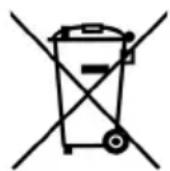
This recycling symbol marks e.g. an object or parts of the material as valuable for recycling. Recycling helps to reduce the consumption of raw materials and protect the environment.

Packaging
When disposing of the packaging, make sure you comply with the environmental regulations applicable in your country.
10. Trouble-shooting
If your device fails to function as required, please try this checklist first. Perhaps there is only a minor problem, and you can solve it yourself.

DANGER! Risk of electric shock!
- Do not attempt to repair the device yourself under any circumstances.
| Fault | Possible causes / Action |
| No function | Has the device been connected to the power supply?Check the connection. |
| The coffee grinder makes an unusual noise. | Pull out the mains plug and check if there is a foreign object in the grinder.The grinder may be blocked. Clean the grinder. |
| Fault | Possible causes / Action |
| No function | Has the device been connected to the power supply?Check the connection. |
| The coffee grinder makes an unusual noise. | Pull out the mains plug and check if there is a foreign object in the grinder.The grinder may be blocked. Clean the grinder. |
11. Technical specifications
| Model: SKSM 150 A1 | |
| Mains voltage: 220 – 240 V ~ 50 – 60 Hz | |
| Protection class: | II |
| Power rating: 150 W | |
| Filling volume of the bean hopper: | 200 g |
| Filling volume of coffee pow-der container: | 100 g to MAX |
| Power consumption when switched off: ≤ 0.5 watts | |
Symbols used
 | Double insulation |
 | Geprüfte Sicherheit (certified safety): devices must comply with the generally acknowledged rules of technology and the German Product Safety Act (Produkt-sicherheitsgesetz - ProdSG). (Not for UK) |
 | With the CE marking, HOYER Handel GmbH declares the conformity with EU guidelines. |
 | This symbol reminds you to dispose of the packaging in an environmentally friendly manner. |
 | Recyclable materials are marked with the recycling symbol (3 arrows). The material can be specified by the recycling number in the centre (here: 21) and/or an abbreviation (here: PAP). |
| ~ | AC voltage |
 | It is a recyclable product which is subject to an extended producer responsibility and for which the rules of waste separation apply. |
 | With the UKCA marking, HOYER Handel GmbH declares that the product is in conformity with the UKCA requirements. |
 | The symbol identifies the product manufacturer. |
Subject to technical modifications.
12. Warranty of the HOYER Handel GmbH
Dear Customer,
your device is provided with a 3 year warranty starting with the purchase date. In the event of product defects, you are entitled to statutory rights against the vendor. These statutory rights are not restricted by our warranty presented in the following.
Warranty conditions
The warranty period starts with the purchase date. Please keep the original purchase receipt in a safe place. This document is required to verify the purchase.
If within three years from the purchase date of this product a material or factory defect occurs, the product will be repaired or replaced by us – at our discretion – free of charge to you, or the purchase price will be refunded. This warranty implies that within the period of three years the defective device and the purchase receipt are presented, including a brief written description of the defect and the time it occurred.
If the defect is covered by our warranty, the repaired or a new product will be returned to you. No new warranty period starts with a repair or replacement of the product.
Warranty period and statutory claims for defects
The warranty period is not extended when the warranty has been claimed. This also applies to replaced and repaired parts. Any damages and defects already existing at the time of purchase must be reported immediately upon unpacking. Repairs arising after the expiration of the warranty period are subject to a charge.
Warranty coverage
The device was produced carefully according to strict quality guidelines and tested diligently prior to delivery. The warranty applies to material or factory defects.
Excluded from the warranty are wear parts subject to normal wear and damages to fragile parts, e.g. switches, lamps or other parts manufactured from glass.
This warranty expires if the product is damaged, not used as intended or not serviced. For the proper operation of the product, all instructions listed in the operating instructions must be observed carefully. Any form of use and handling that is advised against in the operating instructions or warned against must always be avoided.
The product is only intended for private and not for commercial use. In the case of incorrect and improper treatment, use of force and interventions not performed by our authorised Service Centre, the warranty shall cease.
Handling in case of a warranty claim
In order to ensure prompt processing of your matter, please observe the following notes:
- Please keep the article number IAN: 527333_2504 and the purchase receipt as a purchase verification for all inquiries.
- The article number can be found on the rating plate, an engraving, the title page of your instructions (in the bottom left), or as a label on the rear or underside of the device.
- If faulty operation or other defects occur, first contact the Service Centre listed in the following by telephone or email.
- Then, you are able to send a product reported as defective free of charge to the service address specified to you, including the purchase receipt and the information on the defect and when it occurred.
At www.lidl-service.com you can download this and many other manuals, product videos and installation software.
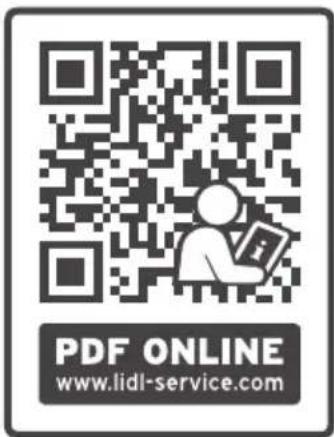
This QR code takes you directly to the Lidl Service website (www.lidl-service.com), where you can enter the article number (IAN) 527333_2504 to open your user instructions.

Service Centre
GB Service Great Britain Tel.: 0800 404 7657 E-Mail: hoyer@lidl.co.uk
IE Service Ireland Tel.: 1800 101010 E-Mail: hoyer@lidl.ie
MT Service Malta Tel.: 80062230 E-Mail: hoyer@lidl.com.mt
CY Service Cyprus Tel.: 8009 4241 E-Mail: hoyer@lidl.com.cy
IAN: 527333_2504

Supplier
Please note that the following address is no service address. First contact the aforementioned Service Centre.




- OVERVIEW
- THANK YOU FOR YOUR TRUST
- INTENDED PURPOSE
- FORESEEABLE MISUSE
- WARNING! RISK OF MATERIAL DAMAGE
- SYMBOLS ON THE DEVICE
- SAFETY INFORMATION
- WARNINGS
- INSTRUCTIONS FOR SAFE OPERATION
- DANGER FOR CHILDREN
- DANGER TO AND FROM PETS AND LIVESTOCK
- DANGER! RISK OF ELECTRIC SHOCK DUE TO MOISTURE
- DANGER! RISK OF ELECTRIC SHOCK
- WARNING! RISK OF INJURY BY TURNING PARTS
- ITEMS SUPPLIED
- UNPACKING AND SETTING UP
- PREPARATION
- CONNECTING AND SWITCHING ON/OFF
- ADDING COFFEE BEANS
- SETTING THE GRINDING LEVEL
- SET THE CUP NUMBER OR COFFEE POWDER QUANTITY
- GRINDING THE COFFEE BEANS
- WARNING! RISK OF INJURY FROM ROTATING PARTS
- NOTES
- CLEANING
- BEAN HOPPER
- GRINDER
- THOROUGH CLEANING
- COFFEE POWDER CONTAINER
- DEVICE
- DISPOSAL
- PACKAGING
- TROUBLE-SHOOTING
- TECHNICAL SPECIFICATIONS
- WARRANTY OF THE HOYER HANDEL GMBH
- WARRANTY CONDITIONS
- WARRANTY PERIOD AND STATUTORY CLAIMS FOR DEFECTS
- WARRANTY COVERAGE
- EXCLUDED FROM THE WARRANTY ARE WEAR PARTS SUBJECT TO NORMAL WEAR AND DAMAGES TO FRAGILE PARTS, E.G. SWITCHES, LAMPS OR OTHER PARTS MANUFACTURED FROM GLASS
- HANDLING IN CASE OF A WARRANTY CLAIM
- SERVICE CENTRE
- SUPPLIER
Brand : SILVERCREST
Model : SKSM 150 A1
Category : Coffee machine