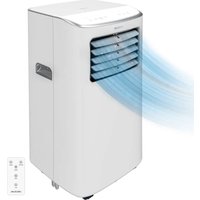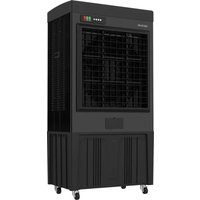
AirIndustry 135000 - Air Conditioning CECOTEC - Free user manual and instructions
Find the device manual for free AirIndustry 135000 CECOTEC in PDF.


| Product type | Evaporative air cooler |
| Brand | Cecotec |
| Model | AirIndustry 135000 |
| Reference | EU01_123694 |
| Power supply | 220-240 V~, 50-60 Hz |
| Power | 660 W |
| Main functions | Cooling by water and cold accumulators, automatic oscillation, 3 fan speeds |
| Tank capacity | Approximately 30 L (estimate) |
| Filling type | Manual from the top or side lid, and automatic filling possible via 13 mm hose |
| Included accessories | 5 cold accumulators, instruction manual |
| Controls | Control panel with on/off switches, cooling, oscillation, and speed buttons |
| Material | Plastic and metal materials |
| Use | Household only, do not use in bars/restaurants/hotels |
| Maintenance | Regular cleaning of the cooling pad and filter; drain and clean the tank every 3 days |
| Safety | Do not immerse, do not use near water or curtains, unplug before cleaning, supervise children |
| Spare parts | Cold accumulators, cooling pad, water pump, drain valve available via official after-sales service |
| Repairability | Repairs by qualified personnel; contact Cecotec after-sales service at +34 9 63 21 07 28 |
| Warranty | Legal compliance; contact after-sales service in case of defects |
| Manufacturer | Cecotec Innovaciones, S.L. (designed in Spain, manufactured in China) |
Frequently Asked Questions - AirIndustry 135000 CECOTEC
User questions about AirIndustry 135000 CECOTEC
0 question about this device. Answer the ones you know or ask your own.
Ask a new question about this device
Download the instructions for your Air Conditioning in PDF format for free! Find your manual AirIndustry 135000 - CECOTEC and take your electronic device back in hand. On this page are published all the documents necessary for the use of your device. AirIndustry 135000 by CECOTEC.
USER MANUAL AirIndustry 135000 CECOTEC
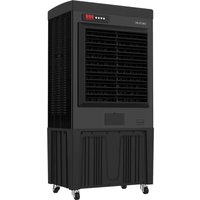
natural_image
Front view of a black industrial air conditioner unit with ventilation grilles and control panel (no visible text or symbols)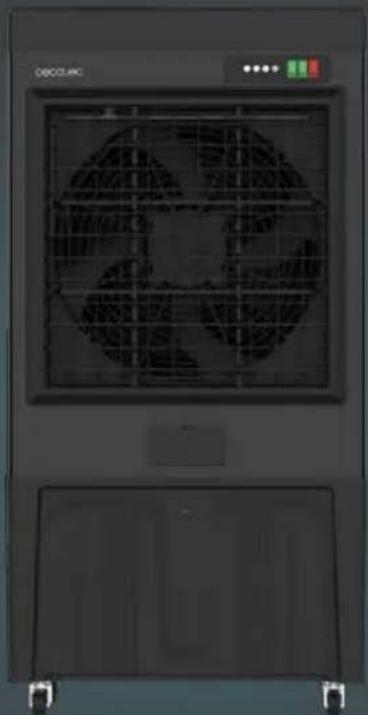
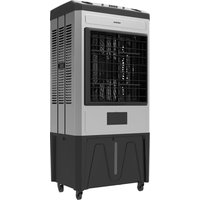
natural_image
Interior view of a server rack unit with ventilation grilles and control panel (no readable text or symbols)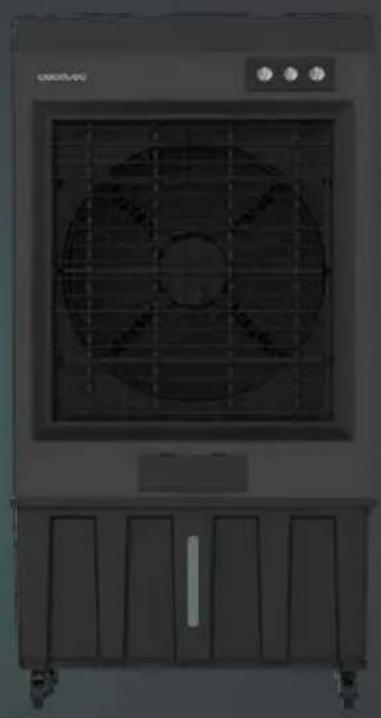
natural_image
Exterior view of a large outdoor air conditioner unit with grid and control panel (no visible text or symbols)SAFETY INSTRUCTIONS....5
ESPAÑOL....46
ENGLISH....52
FRANÇAIS....57
DEUTSCH....63
ITALIANO....69
PORTUGUÊS....75
NEDERLANDS....81
POLSKI 87
ČEŠTINA....93
MAGYAR....99
ΕΛΛΗΝΙΚΑ......105
TÜRKÇE....111
العربيئة 117
CATALÀ....122
FIGURES....128
NOTA
EU01_123693 AirIndustry 110000
EU01_123694 AirIndustry 135000
EU01_123695 AirIndustry 200000
EN • The coding in this manual is generic and applies to all code variants of the appliance.
Please read these instructions carefully before using the appliance. Keep this instruction manual for future reference or new users.
- All safety instructions must be closely followed when using the appliance.
- This appliance is not intended for use by people (including children) with reduced physical, sensory or mental capabilities, or lack of experience and knowledge unless they have been given supervision or instruction.
- Children must be supervised to prevent them from playing with the appliance.
- This appliance is intended for domestic use only and is not suitable for use in commercial establishments such as bars, restaurants, farms, hotels, motels, and offices.
- Make sure that the mains voltage matches the voltage stated on the appliance marking and that the wall outlet is earthed.
- Check the power cord regularly for visible damage. If the cable is damaged, it must be repaired by the official Cecotec Technical Support Service in order to avoid any type of danger.
- Do not immerse the cord, plug, or any other non-removable part of the appliance in water or any other liquid or expose electrical connections to water. Make sure your hands are dry before handling the plug
or switching on the appliance.
- If the appliance falls accidentally into water, unplug it immediately. Do not touch the water!
- Warning: micro-organisms may be present in the water or in the environment where the appliance is used or stored. These micro-organisms can cause serious health problems if the water inside is not renewed and the water tank is not cleaned every 3 days.
- Empty the tank and refill it every 3 days. Before refilling it, clean the tank with clear water. Remove any limescale, deposits, or films that have formed on the sides or interior surfaces of the tank. Dry all surfaces after cleaning.
- Do not operate the appliance if any fault or unusual sign is detected.
- Do not operate the product next to combustible or explosive gas.
- The appliance must not be placed immediately below a socket.
- Keep hair, loose clothing, fingers, and other parts of the body away from the openings and moving parts of the appliance.
- Make sure the appliance is placed on a flat and stable surface and do not move it during operation.
- Do not use the appliance near a window or places where it could get wet (2 metres away), as water could cause an electric shock.
- Do not operate the product under or next to curtains.
- Do not cover the air inlet and outlet and do not place the product's cord under carpets or other objects during operation. Keep the front, back, and sides of appliance at a minimum safety distance from walls and other objects.
- Do not leave the appliance unattended while in use.
- It is not recommended to use the product with an extension lead.
- Always turn off and unplug the device when not in use and before assembling, disassembling, or moving it. To unplug the appliance, pull the plug, not the cord.
- If the power cord is damaged, it must be replaced by Cecotec's Official Technical Support Service or similar qualified personnel to avoid risks.
- Cleaning and maintenance tasks should be carried out according to this manual to ensure the correct operation of the device.
- Supervise children to ensure they do not play with the product. Strict supervision is necessary if the product is being used by or near children.
- Unplug the appliance during filling and cleaning.
- Ensure that the fan is unplugged from the power supply before removing the protective grille.
1. Parts and components
Fig. 1
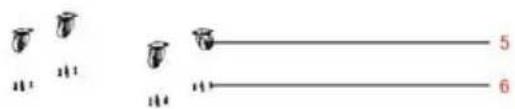
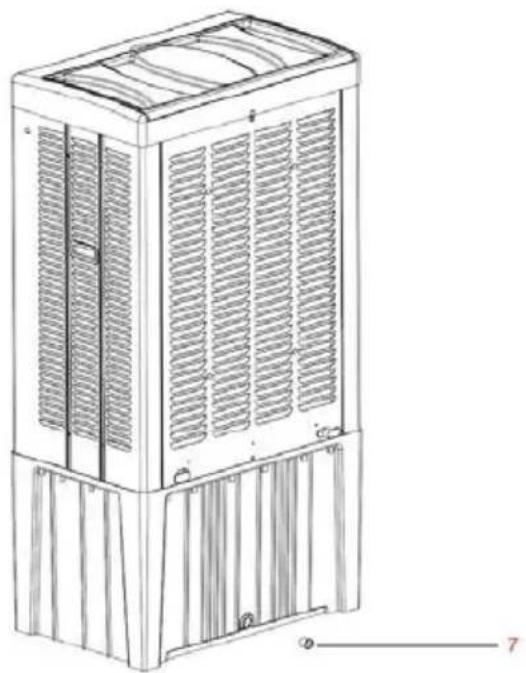
- Hinged top cover
- Main body
- Water filling port
- Water tank
- Wheel
- Screw
- Drainage plug
Note:
The graphics in this manual are schematic representations and may not exactly match the product.
2. Before use
- This appliance comes in a packaging designed to protect it during transport. Remove the appliance from its box. You can keep the original box and other packaging materials in a safe place to prevent damage to the appliance if you need to transport it in the future. If you wish to dispose of the original packaging, make sure all items are recycled properly.
- Check that all parts and components are included and in good condition. If any of them are missing or damaged, please contact Cecotec's Official Technical Support Service immediately.
Box content:
Air cooler
- Ice packs x5
- Instruction manual
- Do not remove the product's serial number in order to keep proper traceability if technical assistance is required.
3. Operation
Water filling
To fill the water tank, you have two options:
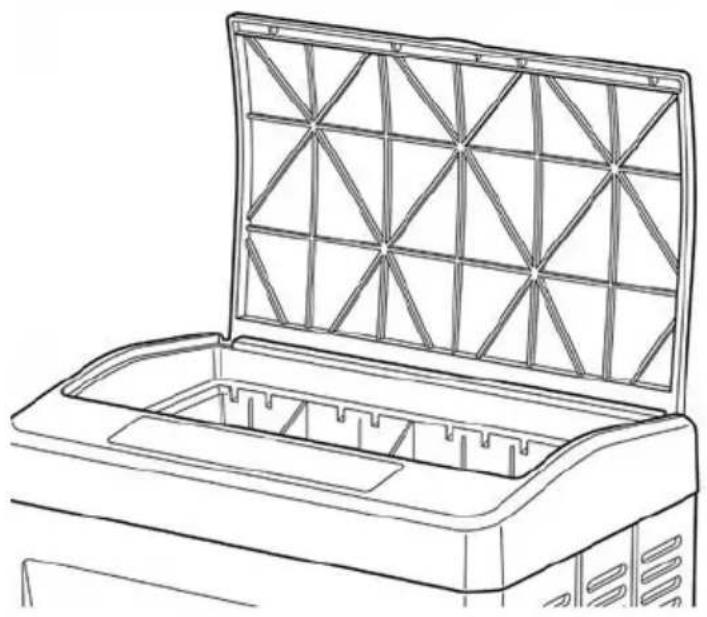
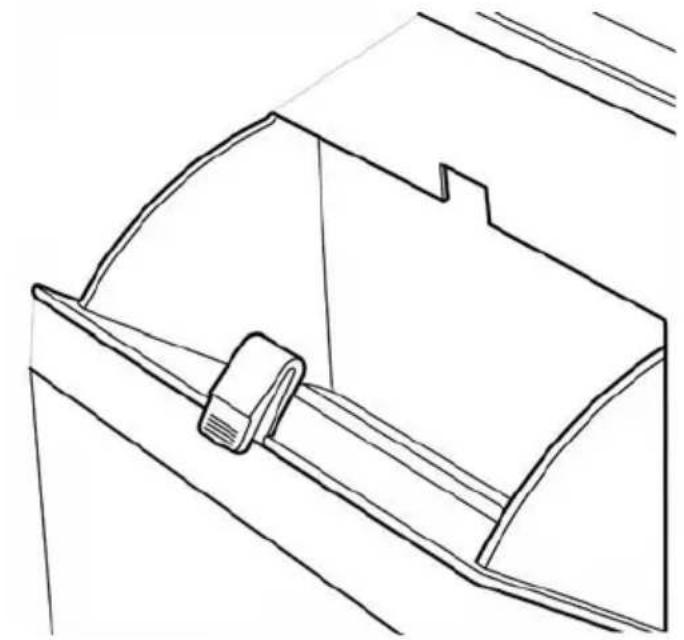
- Open the top part of the air cooler and fill it slowly with clean water, as shown in Figure 2.
- Open the water filling port and add water, as shown in Figure 3.
Automatic water filling
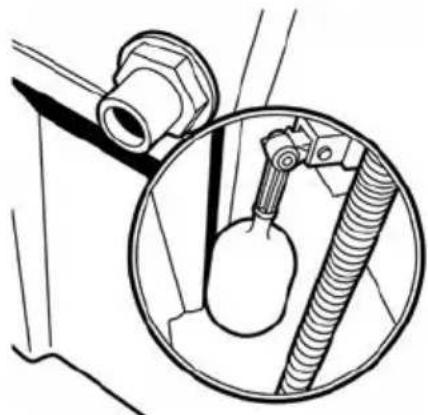
Fig. 4
This appliance features an automatic filling system.
Connect a 13 mm diameter hose to the water inlet.
The internal float valve will automatically adjust the water flow according to the tank level.
Using the ice packs
- If this is your first time using the ice packs, you must open the top cover of the air cooler, fill with water up to the indicated mark and ensure that you close the water tank properly.
- Allow to stand for 30 to 40 minutes so that the water mixes properly with the contents of the ice packs.
- Place the ice packs in the freezer for 2 hours.
- Once frozen, place the ice packs in the appropriate compartment of the air cooler to reduce the water temperature.
- If the contents of the ice packs turn to gel, simply refreeze them. The ice packs are recyclable and reusable.
Drainage plug
● The drainage plug is located at the bottom rear of the air cooler.
- Loosen the drainage plug and tilt the machine body to completely empty the water tank.
● The machine must be drained and cleaned regularly.
- If the appliance will not be used for an extended period, empty the water tank.
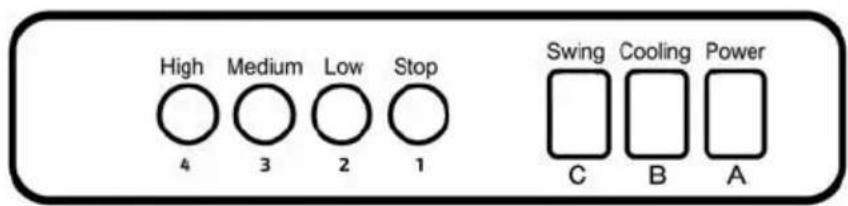
Control panel
Fig. 5
A. Power switch
B. Cooling system on/off switch
C. Oscillation function on/off switch
- Air cooler stop button
- Low speed button
- Medium speed button
- High speed button
Warning: Do not switch on the cooling system when the water tank is empty.
4. Cleaning and maintenance
Warning: Dust accumulation on the filters and cooling pad can affect performance. Regular cleaning is important.
Cleaning the cooling pad
Switch off the machine and remove the rear panel by loosening the screws.
- Remove the plastic nuts to take out the cooling pad.
- Clean with a soft brush and mild detergent, rinse with water and dry in sunlight before reinstalling.
- If the pad is heavily soiled, consider replacing it.
Cleaning the surface
- Switch off the machine and clean with a soft cloth and mild detergent.
Warning: Prevent the control panel from coming into contact with water.
5. Troubleshooting
| Problem | Possible cause | Possible solution |
| The water pump is not working | 1. Blockage in the water pipe. | 1. Use a small brush to clean the pipe. |
| 2. Prolonged lack of cooling damages the pump. | 2. Replace the water pump if damaged. Contact Cecotec's Official Technical Support Service. | |
| 3. Poor water quality produces limescale deposits. | 3. Clean dirt, lubricate and adjust the shaft. | |
| No airflow or slow airflow speed | 1. The air cooler blades are stuck. | 1. Check the air cooler blades. |
| 2. Filter blocked. | 2. Clean or replace the filter screen. | |
| 3. The fan blade is not fixed. | 3. Replace the air cooler blades. | |
| 4. Main control panel fault. | 4. Replace the main control panel. Contact Cecotec's Official Technical Support Service | |
| The motor is out of control | 1. Faulty main control panel button. | 1. Replace the main control panel. Contact Cecotec's Official Technical Support Service |
| 2. The motor and control panel wiring is disconnected. | 2. Replace the cable to connect the motor and control panel. Contact Cecotec's Official Technical Support Service | |
| Drainage valve leaking | 1. Faulty drainage valve. | 1. Replace the drainage valve. Contact Cecotec's Official Technical Support Service |
| 2. Loose rubber seal. | 2. Fit a new rubber seal. Contact Cecotec's Official Technical Support Service |
6. Technical specifications
Product: AirIndustry 110000
Product reference: EU01_123693
Voltage: 220-240 V\~
Frequency: 50-60 Hz
Power: 350 W
Water tank capacity: 110 L
T
Product: AirIndustry 135000
Product reference: EU01_123694
Voltage: 220-240 V\~
Frequency: 50-60 Hz
Power: 660 W
Water tank capacity: 135 L
T
Product: AirIndustry 200000
Product reference: EU01_123695
Voltage: 220-240 V\~
Frequency: 50-60 Hz
Power: 750 W
Water tank capacity: 200 L
T
Technical specifications may change without prior notice to improve product quality.
Made in China | Designed in Spain
7. Recycling of electrical and electronic equipment
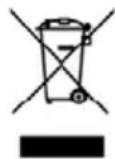
This symbol indicates that, according to the applicable regulations, the product and/or batteries must be disposed of separately from household waste. When this product reaches the end of its service life, you must remove the batteries/accumulators and take it to a collection point designated by local authorities.
For detailed information on how to properly dispose of electrical and electronic equipment and/or the corresponding batteries, consumers should contact their local authorities.
Information regarding national packaging recycling systems and their marking can be found on our website.
Compliance with the above guidelines will help protect the environment.
8. Technical support and warranty
Cecotec shall be liable to the end user or consumer for any lack of conformity that exists at the time of product delivery under the terms, conditions and deadlines established by applicable regulations.
Repairs should be carried out by qualified personnel.
If you detect any problem with the product or have any queries, please contact Cecotec's Official Technical Support Service at +34 96 321 07 28.
9. Copyright
The intellectual property rights over the texts in this manual belong to CECOTEC INNOVACIONES, S.L. All rights reserved. The content of this publication may not, either in part or in its entirety, be reproduced, stored in a retrieval system, transmitted or distributed by any means (electronic, mechanical, photocopying, recording or similar) without prior authorisation from CECOTEC INNOVACIONES, S.L.
10. Simplified EU Declaration of Conformity
CE Cecotec Innovaciones hereby declares that this appliance complies with the essential requirements and other relevant provisions of the regulations applicable in the European Union. This appliance has been designed, manufactured and tested in compliance with required safety and quality standards. The full text of the EU Declaration of Conformity can be found on the following website:
https://cecotec.es/es/information/declaration-of-conformity
FRANÇAIS
https://storececotec.it/it/information/declaration-of-conformity
PORTUGUÊS
https://cecotec.es/es/information/declaration-of-conformity
ČEŠTINA
natural_image
Line drawing of a multi-tiered industrial air conditioner unit with ventilation grilles and mounting feet (no text or symbols)FIG 2
natural_image
Line drawing of a laptop with a triangular mesh cover on the front panel (no text or symbols)FIG 3
natural_image
Line drawing of a car seatbelt buckle (no text or symbols)FIG 4
natural_image
Technical line drawing of a mechanical assembly with a flanged pipe fitting and a circular component (no text or symbols)FIG 5
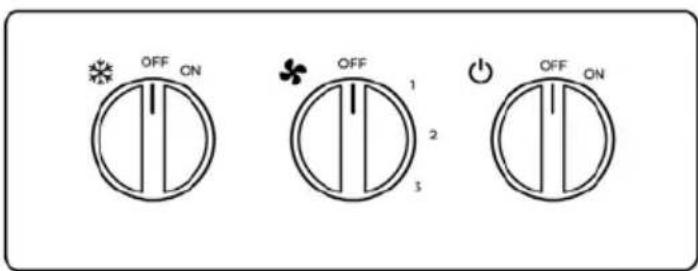
EN: This design corresponds exclusively to reference 123695 – AirIndustry 200000.