
H-10333 - Table Uline - Free user manual and instructions
Find the device manual for free H-10333 Uline in PDF.


User questions about H-10333 Uline
0 question about this device. Answer the ones you know or ask your own.
Ask a new question about this device
Download the instructions for your Table in PDF format for free! Find your manual H-10333 - Uline and take your electronic device back in hand. On this page are published all the documents necessary for the use of your device. H-10333 by Uline.
USER MANUAL H-10333 Uline
natural_image
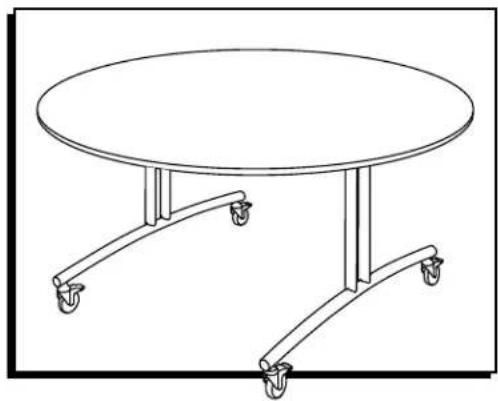
Line drawing of a round table with four wheels, no text or symbols presentSAFETY

CAUTION! These units should be operated only by adults who have read and understood these instructions.
- Movement and/or operation of these tables by children could result in serious injury.
-
It is dangerous to leave children unattended in the area of folded tables.
-
Do not use tables as room dividers.
- To avoid table tipping over, push from end of table; do not push from flat table side.
- Do not sit or stand on tabletop.
- If replacement or repair of leg assemblies is required, contact Uline Customer Service at 1-800-295-5510.
OPERATION
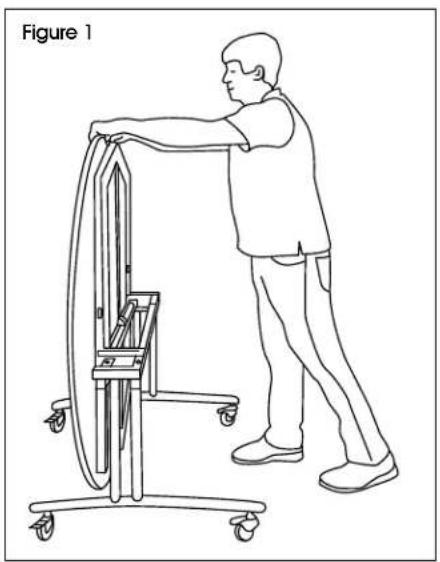
FLIPPING TOP TO USE
- Slowly pull the tabletop down. (See Figures 1-2)
natural_image
Line drawing of a person using a cart-mounted device to lift a wheel (no text or symbols)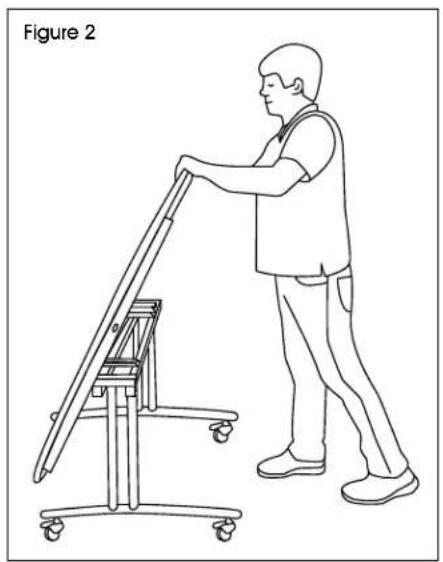
natural_image
Line drawing of a person using a mobility lift on a stationary platform, labeled 'Figure 2' (no text or symbols on the diagram itself)OPERATION (CONTINUED)
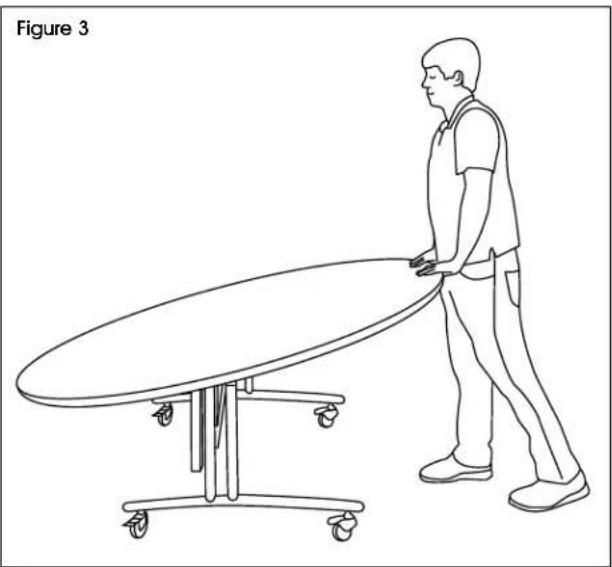
- The tabletop will lock when it reaches the horizontal position. (See Figure 3)
natural_image
Line drawing of a person pushing a large oval table on a table (no text or symbols)MOVING TABLE
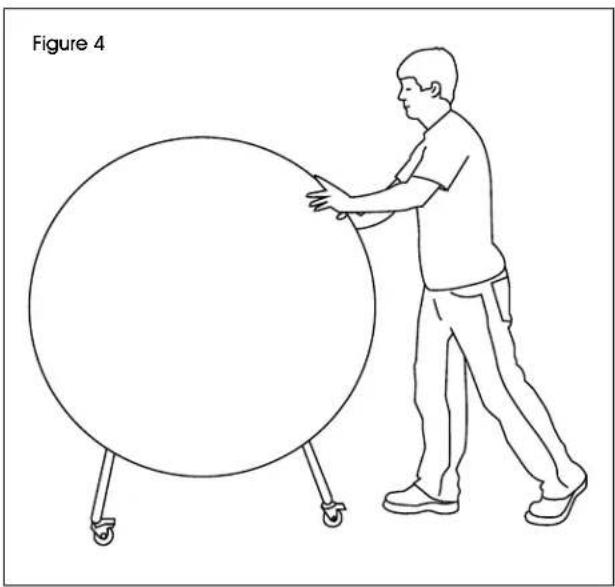
- To avoid table tipping over, push from the end of flipped table. (See Figure 4)

CAUTION! Pushing from the flat table side may cause tipping.
natural_image
Line drawing of a person pushing a large circular object on a wheeled platform (no text or symbols)FLIPPING TABLE TO STORE
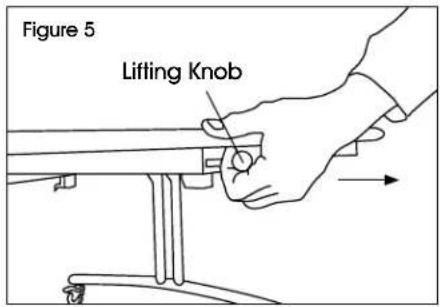
- Locate two lifting knobs. While gently pushing down on tabletop, pull out both knobs simultaneously to unlock. (See Figure 5)
text_image
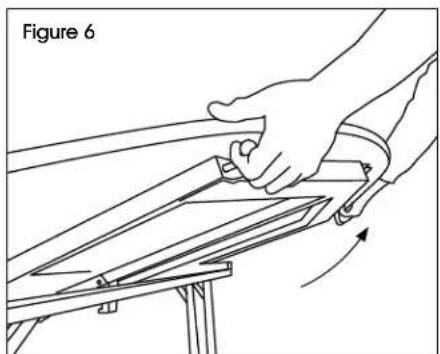
Figure 5 Lifting Knob- Slowly lift the tabletop to the upright position. (See Figures 6-7)
natural_image
Line drawing of a hand gripping a metal frame with an arrow indicating rotation (no text or symbols)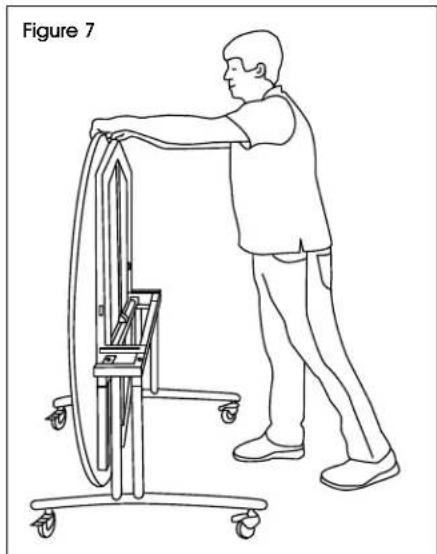
natural_image
Line drawing of a person using a cart-mounted device in a lift, no text or symbols presentMAINTENANCE

NOTE: Check nuts and bolts regularly. NOTE: Lubricate all pivot points as required.
TABLETOP EDGE DAMAGE REPAIR
If tabletop's edge is damaged but laminate surface is in good condition, edge filler (Uline model # S-25640) can be used to repair.

NOTE: Wear nitrile or latex gloves while using edge filler.
- Squeeze a small amount of edge filler onto a scrap piece of paper or cardboard.
- Using your finger, apply a small amount of filler to the chipped area. Ensure it covers all exposed areas.

NOTE: If chipped edge requires a second layer, wait 5-10 minutes between layers.
- Once filler has dried, use a razor blade to scrape excess from laminate surface. (See Figure 8)
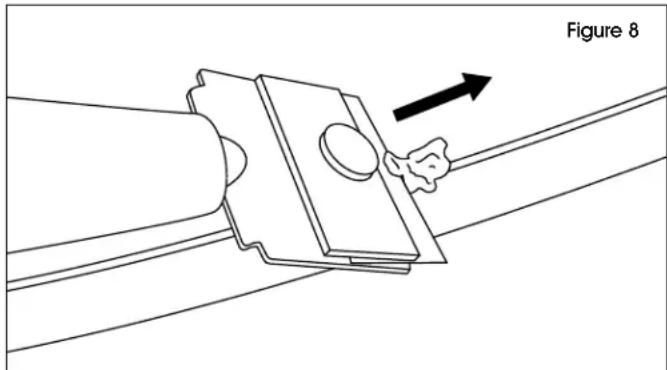
text_image
Figure 8CLEANING
- Wipe tabletop with a damp cloth or sponge and a mild soap or detergent. Rinse thoroughly with warm water and wipe dry.
- Difficult stains such as coffee or tea can be removed using a mild household cleaner/detergent and a soft bristled brush, repeating as necessary.

NOTE: Test the cleaner/detergent on a small, non-conspicuous area first to ensure there is no discoloration to the surface.
natural_image
Line drawing of a round table with four wheels, no text or symbols presentSEGURIDAD

natural_image
Line drawing of a person using a cart-mounted device to lift a wheel (no text or symbols)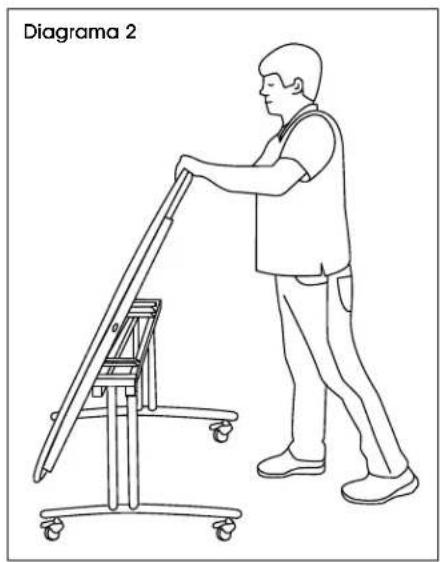
natural_image
Line drawing of a person using a mobility device on a lift (no text or symbols)natural_image
Line drawing of a person pushing a large cylindrical object on a table (no text or symbols)TRASLADO DE LA MESA
natural_image
Line drawing of a person using a cart-mounted device labeled 'Diagram 7' (no text or symbols on the diagram itself)MANTENIMIENTO

natural_image
Line drawing of a round table with four wheels, no text or symbols presentCONSIGNES DE SÉCURITÉ

natural_image
Line drawing of a person using a cart-mounted device to lift a wheel (no text or symbols)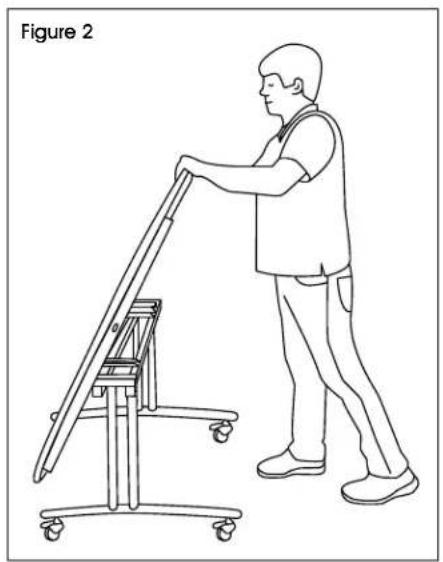
natural_image
Line drawing of a person pushing a cart with a ladder, labeled 'Figure 2' (no text or symbols on the diagram itself)FONCTIONNEMENT (SUITE)
natural_image
Line drawing of a person pushing a large oval table on a table (no text or symbols)DÉPLACEMENT DE LA TABLE
natural_image
Line drawing of a person pushing a large circular object on a wheeled platform (no text or symbols)BASCULEMENT DE LA TABLE POUR L'ENTREPOSAGE
natural_image
Illustration of a hand using a tool to cut or adjust a metal component, with an arrow indicating rotation (no text or symbols)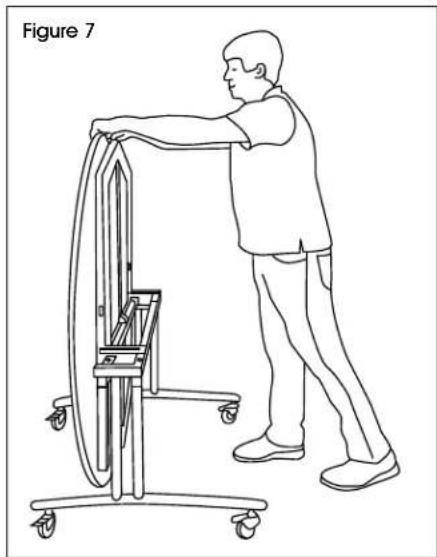
natural_image
Line drawing of a person using a cart-mounted device labeled Figure 7 (no text or symbols on the diagram itself)ENTRETIEN


