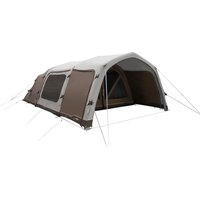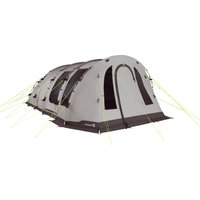
Edmonds 6 TC - Tent Outwell - Free user manual and instructions
Find the device manual for free Edmonds 6 TC Outwell in PDF.


User questions about Edmonds 6 TC Outwell
0 question about this device. Answer the ones you know or ask your own.
Ask a new question about this device
Download the instructions for your Tent in PDF format for free! Find your manual Edmonds 6 TC - Outwell and take your electronic device back in hand. On this page are published all the documents necessary for the use of your device. Edmonds 6 TC by Outwell.
USER MANUAL Edmonds 6 TC Outwell
natural_image
Two people sitting under a large arched tent at night, one using a smartphone to open the canopy (no visible text or symbols)UK: INSTRUCTION MANUAL UK: INSTRUCTION MANUAL

Important
Read the instructions before using the appliance. Keep these instructions for future reference.
WARNING
- Class III / SELV operation only — Supply via USB-C male plug; use only certified, undamaged USB-C power sources (not included) matching the device's rated voltage and current.
- Disconnect and remove power source and disconnect and unzip light from tent or awning before packing. Use the designated carry bag to store the light.
- Risk of electric shock — Do not modify, disassemble, or attempt to repair the unit; internal components are not user-serviceable.
- If the product does not operate correctly, see section 3: Troubleshooting. If the problem persists, contact Customer Service (see contact information on the back of the manual).
- Eye hazard — Do not stare directly into the light source. Prolonged exposure at close range may cause eye discomfort.
- IP44-rated — Protected against solid objects larger than 1 mm and splashing water from any direction. Do not submerge or expose to high-pressure water jets.
- Store only when dry. Remove before packing. The fabric sleeve with LED is zipped into the tent/awning during use; zip it out and disconnect all plugs before packing. Ensure the tent/awning is completely dry before storage to prevent mould, odours and damage to the fabric and light. Store the light in a cool, dry place.
- Do not connect the rope light to the power supply while it is in its packaging or wound onto a reel.
- Do not use the rope light when it is covered or recessed into a surface.
- Do not open or cut the rope light.
1. Product content
- Fabric sleeve with zipper and LED (supplied in carry bag)
- Power cable with connector socket (pre installed)
- Switch unit (pre installed)
- USB C plug
- Connector plug
- ON/OFF button
- DIM button

natural_image
Close-up of a metallic device with a green control knob and label '3' (no readable text or symbols beyond the label)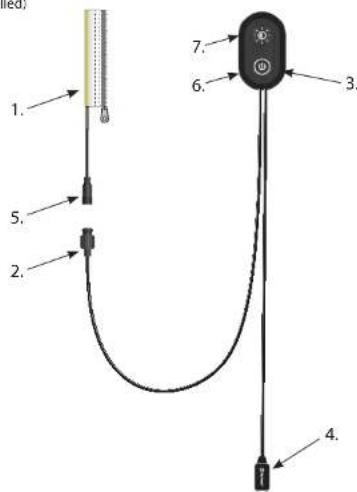
text_image
1. 2. 3. 4. 5. 6. 7.2
2. Installation & Use
The Outwell Light System (OLS) is included with selected Outwell tents and awnings. The switch unit (3) and power cable (2) are preinstalled. The fabric sleeve with zipper and LED (1) is supplied separately in its own designated carry bag and must be fitted before use.
text_image
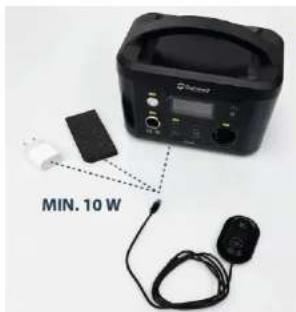
MIN. 10 WPower requirement: USB-C power source, minimum 5 V 2 A (10 W) (not included).
text_image
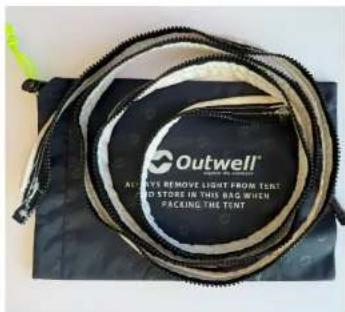
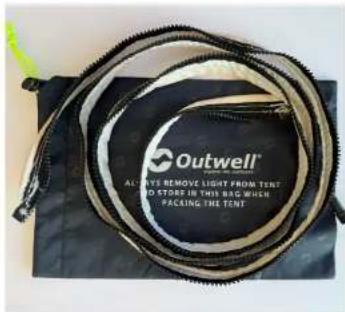
Outwell Always Remove Light from TENT RED STORE IN THIS BAG WHEN PACKING THE TENTTo use the light system in the tent or awning locate the fabric sleeve with zipper and LED (1) inside the carrybag.
2.1 Poled tents & awnings
natural_image
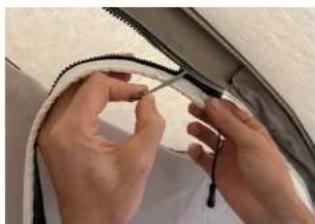
Close-up of hands tying a knot around a curved wire (no text or symbols visible)Locate the interior zipper and zip in the fabric sleeve with LED (1).
natural_image
Close-up of hands installing or adjusting a component on a curved surface (no visible text or symbols)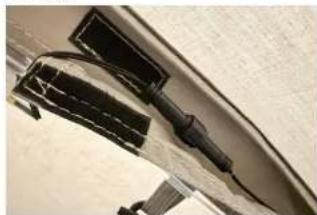
natural_image
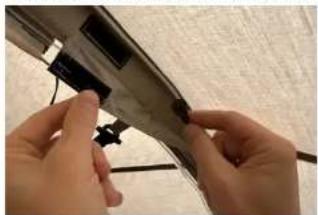
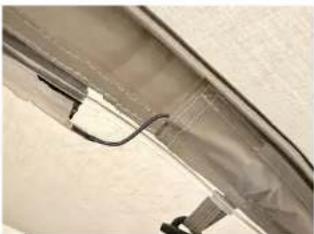
Close-up of a black plastic clip attached to a curved surface, with no visible text or symbols.In the cable sleeve, locate the pre installed connector plug (5). Open the sleeve (hook and loop) and connect it to the connector socket (2). Note notch inside plug need to match indent in socket.
UK: INSTRUCTION MANUAL UK: INSTRUCTION MANUAL
natural_image
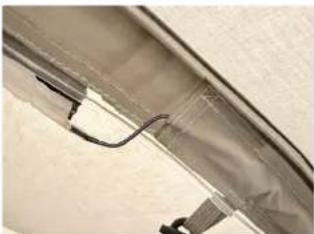
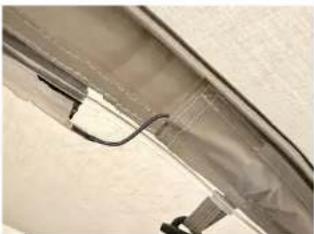
Close-up of a transparent fabric or panel with a curved seam and black connectors (no visible text or symbols)Tuck the connector back so it is hidden inside the cable sleeve.
natural_image
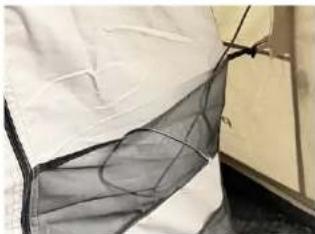
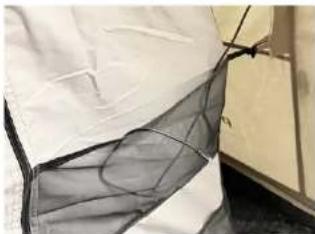
Close-up of a white fabric with a black mesh net, partially covered by a dark band (no text or symbols visible)Locate the USB C plug (4) in the pocket. Extend the cable carefully to avoid damaging the tent/awning.
2.2 Air tents

natural_image
Hand holding a handheld device connected to a wall-mounted device with a green button (no visible text or symbols)Insert the USB C plug (4) into a suitable power source (USB adapter, power bank or power station). The OLS is now ready.
natural_image
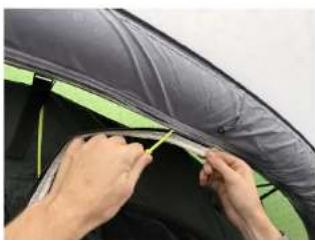
Close-up of hands installing or adjusting a dark fabric or panel on a green and black surface (no text or symbols visible)Locate the interior zipper and zip in the fabric sleeve with LED (1).

natural_image
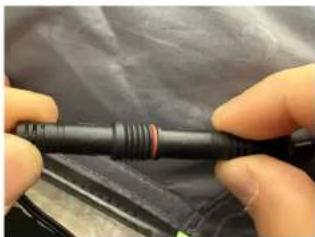
Close-up of a dark fabric or netting structure with green and yellow accents, no visible text or symbols.Locate the pre installed connector plug (5) in the slit in the air tube sleeve, and connect it to the connector socket (2). Note notch inside plug need to match indent in socket.
natural_image
Close-up of hands holding a black cylindrical object with red ring, against a dark background (no visible text or symbols)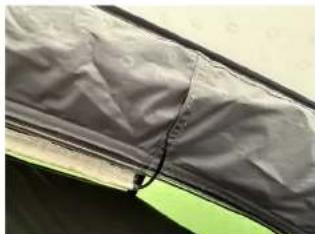
natural_image
Close-up of a dark fabric garment with a pointed seam, partially covered by a white trim (no text or symbols visible)Tuck the connector back so it is hidden inside the cable sleeve.
natural_image
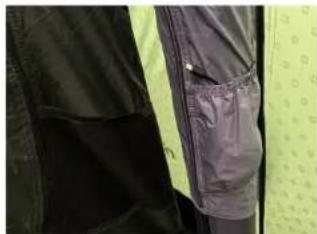
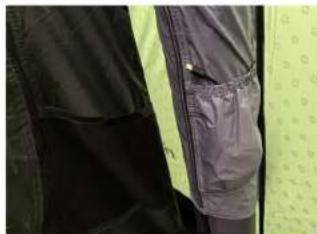
Close-up of a dark jacket with a pocket, partially covered in light green and yellow clothing (no visible text or symbols)Locate the USB C plug (4) in the pocket. Extend the cable carefully to avoid damaging the tent/awning.
natural_image
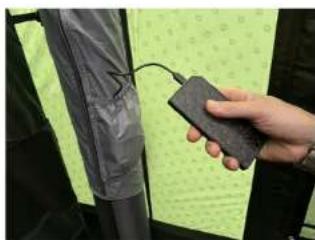
Hand holding a black device next to a green patterned fabric or panel, with no visible text or symbols.Insert the USB C plug (4) into a suitable power source (USB adapter, power bank or power station). The OLS is now ready.
natural_image
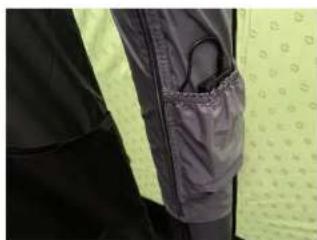
Close-up of a person's jacket and pants with visible pocketing (no text or symbols)Tip: The OLS pocket can store small power sources such as a power bank.
UK: INSTRUCTION MANUAL UK: INSTRUCTION MANUAL
2.3 Operation (all tents and awnings)
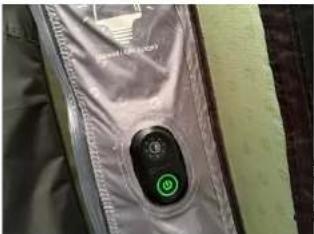
Press ON/OFF (6) to switch the light on.
Press DIM (7) to cycle brightness: 5% → 50% → 100%.
Press and hold DIM switch to dim to any brightness level between 5% and 100%
Press ON/OFF (6) to switch off.
Memory: The OLS recalls the last selected brightness after power off.
natural_image
Close-up of a metallic device's button with a green circular icon, no visible text or symbolse lig
not
urce
tire
text_image
g, source of this luminaire is viable. When the light earaches the end of its life, the light shall be replaced.- Troubleshooting
| Problem Possible Cause Solution | ||
| Light does not turn on Power source (battery pack or USB outlet) is not charged or powered | Charge the battery pack or connect to a powered USB port | |
| Light does not turn on Power source | ice or cable is damaged | Inspect for visible damage; replace if necessary (contact Customer Support for replacement parts, see back of manual) |
| Light does not turn on or flickers | USB-C plug not fully inserted into the power source | Firmly insert the USB-C plug until secure |
| Light does not turn on or flickers | Connector plug or socket has damage or bent/broken pins | Unplug the connector; inspect for bent or broken pins. Replace damaged parts, (contact Customer Support for replacement parts, see back of manual) |
| Light turns off immediately after turning on | Power source output is too low | Use a USB power source capable of supplying at least 5V 2A / 10W |
| ON/OFF switch backlight turns off after a while | Auto-off function of the power source | Turn power bank back on, or use a power source without auto-off |
If the problem persists, contact Customer Service (see contact information on the back of this manual).
Replacing components
Only use genuine Outwell parts. If in doubt, contact Customer Service.
3.1. Air tents & awnings
- Open the air tube cable sleeve (zipper).
- Locate the connector socket (2) and disconnect from the connector plug (5).
- Zip off the fabric sleeve with LED (1) if required.
- Release the switch unit (3) from its hook and loop mount.
- Reassemble in reverse order.
3.2. Poled tents & awnings
- Locate the connector socket (2) in the cable sleeve and disconnect from the connector plug (5).
- Zip off the fabric sleeve with LED (1) if required.
- Release the switch unit (3) from its toggle mount.
• Reassemble in reverse order.
4. Cleaning & maintenance
Visually check the general condition of the different components of the light system on a regular basis. The components can be cleaned by a damp cloth if necessary.
WARNING: Do not use sharp or hard objects or cleaning agents for cleaning as these may damage the product.
5. Light Source: LED
This product contains a light source of energy efficiency class F.
The light source of this luminaire is not replaceable. When the light source reaches the end of its life, the entire luminaire shall be replaced.
The LED module and control electronics are not designed to be replaced at component level by the user. If service is required, replace the complete fabric sleeve with LED (1) or switch unit (3) as applicable.
6. Disposal
Collect separately.
If the product is no longer functional, disconnect the product from any power source before starting the disassembly process.
To ensure the environment and human health do not dispose the product as unsorted municipal waste but collect separately.
Dispose electronic parts and all other components according to local regulations.
Use the return and collection systems available, irrespective of the producers or other operators which have set them up.
Contribute to re-use, recycling and other forms of recovery of the product.
7. Technical Data
5.0V 10.0W
Input: 5.0V


Class 3 appliance


Outwell Customer Service
e-mail: info@outwell.com
natural_image
Close-up of a device with a green button labeled '3' and a lightbulb icon, mounted on a dark surface (no readable text or symbols)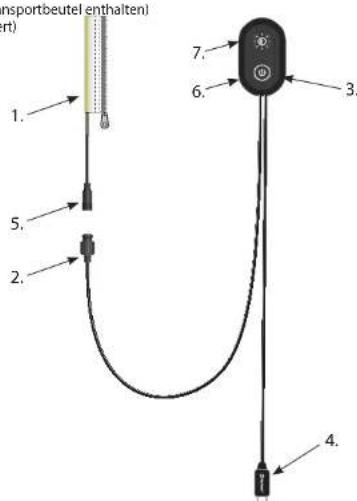
text_image
1. 2. 3. 4. 5. 6. 7. (msportbeutel enthalten) (art)8
text_image
MIN. 10 Wtext_image
Outwell® ALLY Remove LIGHT FROM TENT ELERY REMOVE IN THIS BAG WHEN PACKING THE TENTnatural_image
Close-up of hands adjusting a black cable or wire component (no visible text or symbols)natural_image
Close-up of hands installing or adjusting a metal panel with a cable (no visible text or symbols)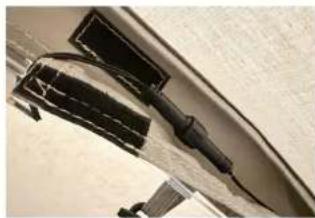
natural_image
Close-up of a black plastic object with a coiled cable or connector, partially enclosed by a curved metallic frame (no visible text or symbols)natural_image
Close-up of a curved panel or panel with visible internal structure and black connectors (no text or symbols)natural_image
Close-up of a person's arm wearing a white garment with a gray mesh net, partially covered by a dark band (no visible text or symbols)natural_image
Hand holding a handheld device connected to a wall-mounted device with a green circular indicator (no visible text or symbols)natural_image
Close-up of hands installing or adjusting a black and green blanket cover (no text or symbols visible)natural_image
Close-up of a dark, textured fabric or material with green and yellow accents (no visible text or symbols)natural_image
Close-up of hands holding a black cylindrical object with red ring, partially covered by a dark fabric background (no visible text or symbols)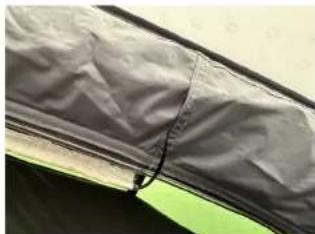
natural_image
Close-up of a dark fabric garment with visible stitching and a small black mark on the side (no text or symbols)natural_image
Close-up of a dark jacket with a pocket, partially covered by a light green textured background (no visible text or symbols)natural_image
Hand holding a black plastic object with a cable, next to a green patterned fabric (no text or symbols visible)natural_image
Close-up of a person's jacket with a pocket patch, partially covered by yellow and black clothing (no visible text or symbols)natural_image
Close-up of a metallic device with a green circular button on the left, showing a button symbol (no readable text or labels)
natural_image
Exterior view of a large dome-shaped tent with a black interior panel, set against a dark background (no text or symbols visible)- Fehlerbehebung
natural_image
Close-up of a device's internal components, including a green circular button labeled '3', with no visible text or symbols beyond the number.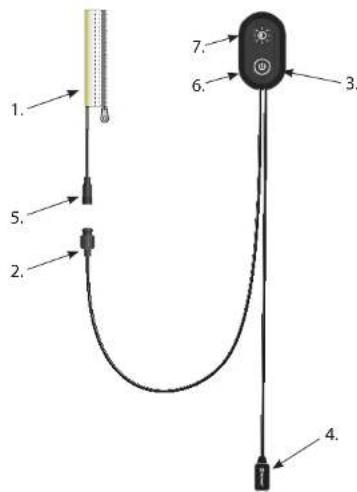
text_image
Diagram of a medical or laboratory device with numbered parts, likely for labeling or identification.14 15
text_image
MIN. 10 Wtext_image
Outwell® ALLY REMOVE LIGHT FROM TENT AND STORE IN THIS BAG WHEN PACKING THE TENTnatural_image
Close-up of hands tying a knot around a black string (no text or symbols visible)natural_image
Close-up of hands installing or adjusting a component with a black clip (no visible text or symbols)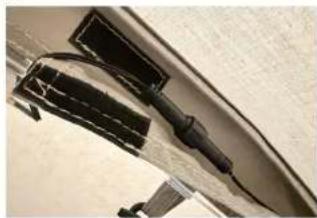
natural_image
Close-up of a mechanical component with attached parts, possibly a tool or bracket (no visible text or symbols)natural_image
Close-up of a curved glass panel with attached wires and connectors (no visible text or symbols)natural_image
Close-up of a white fabric with a black mesh net, partially covered by a dark border (no text or symbols visible)natural_image
Hand holding a handheld device connected to a wall-mounted device with a green control knob (no visible text or symbols)natural_image
Close-up of hands installing or adjusting a dark fabric or panel on a green and black surface (no text or symbols visible)natural_image
Close-up of a tent corner with black insulation covering the roof and green trim (no text or symbols visible)natural_image
Close-up of hands holding a black cylindrical object with red ring, partially covered by a dark surface (no visible text or symbols)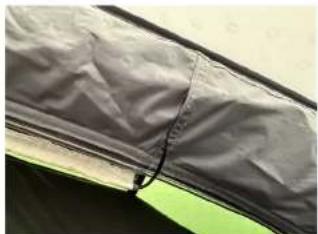
natural_image
Close-up of a dark fabric or mesh material with a small black mark, no visible text or symbols.natural_image
Close-up of a dark-colored jacket with a textured pocket, partially visible against a light green background (no text or symbols)natural_image
Hand holding a handheld device next to a dark gray fabric or material sample, with a dotted green pattern on the surface (no visible text or symbols)natural_image
Close-up of a jacket with dark jacket and yellow belt, partially covered by a white pocket (no visible text or symbols)natural_image
Close-up of a beige jacket with a green circular button on the chest, showing a control knob (no text or symbols visible)
natural_image
Exterior view of a large outdoor camping tent with a dome-shaped roof and patterned back cover (no visible text or symbols)- Fejlfinding
Outwell Kundeservice
e-mail: info@outwell.com
FR: MANUEL D'INSTRUCTIONS FR: MANUEL D'INSTRUCTIONS

IMPORTANT:
natural_image
Close-up of a transparent device with a green circular button labeled '3' and a small icon, no readable text or symbols beyond the number.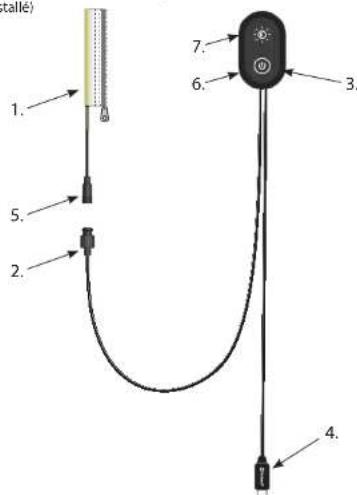
text_image
1. 2. 3. 4. 5. 6. 7. (talle)2021
text_image
MIN. 10 Wtext_image
Outwell® AVI WYE REMOVE LIGHT FROM TENT RED STONES IN THIS BAG WHEN PACKING THE TENTnatural_image
Close-up of hands tying a knot around a black rope (no text or symbols visible)natural_image
Close-up of hands installing or adjusting a mechanical component with a cable (no visible text or symbols)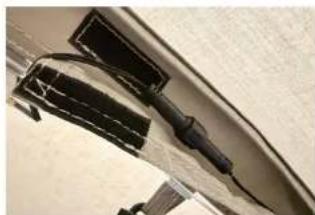
natural_image
Close-up of a curved mechanical component with attached black components (no visible text or symbols)FR: MANUEL D'INSTRUCTIONS FR: MANUEL D'INSTRUCTIONS
natural_image
Close-up of a curved glass panel with black cables and connectors, no visible text or symbolsnatural_image
Close-up of a person's arm wearing a white garment with a black mesh net, partially covered by crumpled fabric (no visible text or symbols)natural_image
Close-up of a dark fabric or mesh material with a small black mark, no visible text or symbols.natural_image
Close-up of a dark jacket with a white pocket, partially covered by a light green patterned garment (no visible text or symbols)natural_image
Hand holding a handheld device connected to a wall-mounted device with a green circular icon (no visible text or symbols)natural_image
Close-up of hands installing or adjusting a dark fabric or panel on a green and black surface (no text or symbols visible)natural_image
Hand holding a handheld device next to a dark gray fabric or material sample, with a dotted green pattern on the surface (no visible text or symbols)natural_image
Close-up of a jacket with dark jacket and yellow belt, partially visible pocket detail (no text or symbols)natural_image
Close-up of a tent canopy cover with black insulation and green trim (no text or symbols visible)natural_image
Close-up of hands holding a black cylindrical object with red ring, partially covered by a dark surface (no visible text or symbols)FR: MANUEL D'INSTRUCTIONS FR: MANUEL D'INSTRUCTIONS
natural_image
Close-up of a metallic device with a green circular button labeled 'Control knob' and a small black square button on the left (no readable text or symbols)
natural_image
Exterior view of a large dome-shaped camping tent with white and black panels (no text or symbols visible)- Dépannage
natural_image
Close-up of a transparent device with a green circular button labeled '3' and a sun icon, no readable text or symbols beyond the number.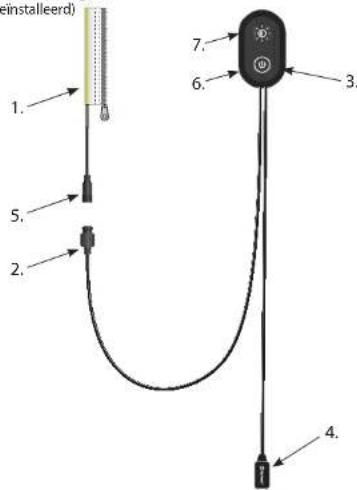
text_image
1. 2. 3. 4. 5. 6. 7. Einstalleerd)26 27
text_image
MIN. 10 Wtext_image
Outwell® ALWAYS REMOVE LIGHT FROM TENT AND STORE IN THIS BAG WHEN PACKING THE TENTnatural_image
Close-up of hands tying a knot around a black cable (no text or symbols visible)natural_image
Close-up of hands installing or adjusting a mechanical component with a cable (no visible text or symbols)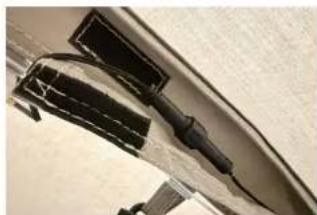
natural_image
Close-up of a metallic object with black rectangular components and a curved edge, possibly a tool or component (no visible text or symbols)natural_image
Close-up of a curved glass panel with black cables and connectors, no visible text or symbolsnatural_image
Close-up of a person's arm wearing a white garment with a gray mesh net, partially covered by a cloth (no visible text or symbols)natural_image
Hand holding a handheld device connected to a wall-mounted device with a green circular icon (no visible text or symbols)natural_image
Close-up of hands installing or adjusting a dark fabric or panel on a green and black surface (no text or symbols visible)natural_image
Close-up of a dark fabric or netting structure with green and yellow accents, no visible text or symbols.natural_image
Close-up of hands holding a black cylindrical object with red ring, partially covered by a dark surface (no visible text or symbols)
natural_image
Close-up of a dark fabric garment with visible stitching and a small black mark (no text or symbols)natural_image
Close-up of a dark jacket with a white pocket, partially covered by a light green patterned garment (no visible text or symbols)natural_image
Hand holding a small black object with a cable, next to a green patterned fabric or panel (no visible text or symbols)natural_image
Close-up of a jacket with dark jacket and yellow belt, partially obscured by a black pocket (no text or symbols visible)natural_image
Close-up of a metallic device button with a green circular icon on the left, against a plain background (no text or symbols visible)
natural_image
Exterior view of a large dome-shaped tent with a black interior panel, no visible text or symbols- Problemen oplossen
Outwell Klantenservice
E-mail: info@outwell.com
natural_image
Close-up of a metallic device with a circular button and green indicator light, labeled '3' (no readable text or symbols beyond the label)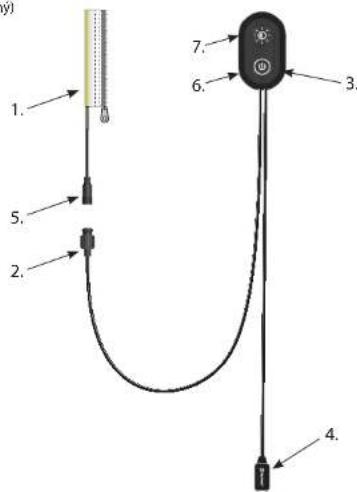
text_image
Diagram of a medical or laboratory device with numbered parts and labeled connections32 33
text_image
MIN. 10 Wtext_image
Outwell® ALWAYS REMOVE LIGHT FROM TENT AND STORES IN THIS BAG WHEN PACKING THE TENTnatural_image
Close-up of hands tying a knot around a black cable (no text or symbols visible)natural_image
Close-up of hands installing or adjusting a mechanical component with a tool (no visible text or symbols)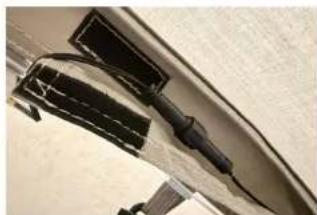
natural_image
Close-up of a mechanical component with black components and a curved surface (no visible text or symbols)natural_image
Close-up of a curved glass panel with black cables and connectors, no visible text or symbolsnatural_image
Close-up of a person's arm wearing a white garment with a black mesh net, partially covered by crumpled fabric (no visible text or symbols)natural_image
Hand holding a handheld device connected to a wall-mounted device with a green circular icon (no visible text or symbols)natural_image
Close-up of hands installing or adjusting a dark fabric or panel on a green and black surface (no text or symbols visible)natural_image
Close-up of a dark fabric or netting structure with green and yellow accents, no visible text or symbols.natural_image
Close-up of hands holding a black cylindrical object with red ring, partially covered by a dark surface (no visible text or symbols)
natural_image
Close-up of a dark fabric garment with visible stitching and a small black mark (no text or symbols)natural_image
Close-up of a dark jacket with a white pocket, partially covered by a light green textured background (no visible text or symbols)natural_image
Hand holding a black device next to a green patterned fabric or paper strip, with no visible text or symbols.natural_image
Close-up of a jacket with dark jacket and yellow belt, partially visible pocket detail (no text or symbols)natural_image
Close-up of a metallic device with a green circular button labeled 'E' on its side (no readable text or symbols beyond the button)
natural_image
Exterior view of a large, dome-shaped camping tent with patterned back cover (no text or symbols visible)- Rešení problémů
natural_image
Close-up of a device with a green circular button labeled '3' and a light bulb icon, mounted on a textured surface (no readable text or symbols)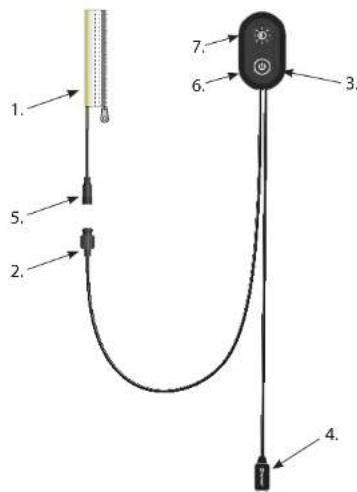
text_image
Diagram of a medical or electrical device with numbered components and labeled parts38 39
text_image
MIN. 10 WStrømkrav: USB-C-strømkilde, minimum 5 V 2 A (10 W) (Ikke inkludert).
text_image
Outwell® ALWAYS REMOVE LIGHT FROM TENT AND STORE IN THIS BAG WHICH PACKING THE TENTnatural_image
Close-up of hands adjusting a black cable or wire component (no visible text or symbols)natural_image
Close-up of hands installing or adjusting a dark mechanical component on a surface (no visible text or symbols)
natural_image
Close-up of a mechanical component with black clamps and wires (no visible text or symbols)Finn den forhåndsinstallerte kontaktpluggen (5) i kabelhylsen. Åpne hylsen (krok og løkke) og koble den til kontaktkontakten (2).
NO: BRUKSANVISNING NO: BRUKSANVISNING
natural_image
Close-up of a curved glass panel with visible internal components and connectors (no text or symbols)Merk at hakket inne i pluggen må passe med fordypningen i kontakten.
natural_image
Close-up of a white fabric with a black mesh net, partially covered by a dark border (no text or symbols visible)natural_image
Hand holding a handheld device connected to a wall-mounted device with a green circular icon (no visible text or symbols)natural_image
Close-up of hands installing or adjusting a dark fabric or panel on a green and black surface (no text or symbols visible)natural_image
Close-up of a tent corner with black insulation covering the roof and green cover (no text or symbols visible)natural_image
Close-up of hands holding a black cylindrical object with red ring, partially covered by a dark surface (no visible text or symbols)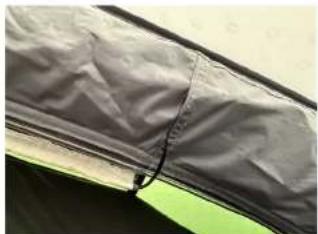
natural_image
Close-up of a dark fabric or mesh material with a small black mark, no visible text or symbols.Skyv kontakten tilbake slik at den er skjult inne i kabelhylsen.
natural_image
Close-up of a dark jacket with a pocket, partially covered by a light green patterned garment (no text or symbols visible)natural_image
Hand holding a handheld device next to a dark gray fabric or material sample, with a dotted green pattern on the surface (no visible text or symbols)natural_image
Close-up of a jacket with dark jacket and yellow belt, partially obscured by a black pocket (no visible text or symbols)natural_image
Close-up of a metallic device with a green circular button on the button (no visible text or symbols)
natural_image
Exterior view of a large, dome-shaped tent with patterned back cover (no visible text or symbols)- Feilsøking
E-post: info@outwell.com
natural_image
Close-up of a transparent plastic device with a green circular button labeled '3' and a small icon, no readable text or symbols beyond the number.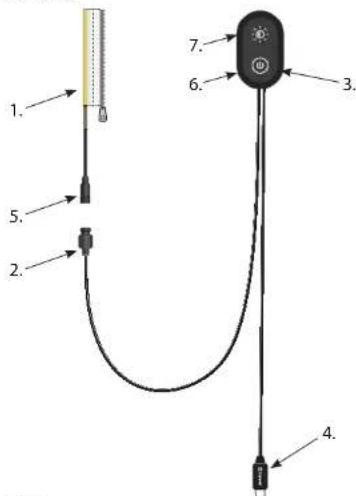
text_image
Diagram of a U-shaped device with labeled parts including sensor, connector, and indicator lights44 45
text_image
MIN. 10 Wtext_image
Outwell® ALWAYS REMOVE LIGHT FROM TENT AND STORE IN THIS BAG WHICH PACKING THE TENTnatural_image
Close-up of hands tying a knot around a black cable (no text or symbols visible)natural_image
Close-up of hands installing or adjusting a component on a curved surface (no visible text or symbols)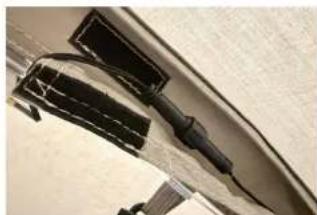
natural_image
Close-up of a black plastic clip attached to a curved surface, with no visible text or symbols.natural_image
Close-up of a curved glass panel with attached wires and connectors (no visible text or symbols)natural_image
Close-up of a white fabric with a black mesh net, partially covered by a dark border (no text or symbols visible)natural_image
Hand holding a handheld device connected to a wall-mounted device with a green control knob (no visible text or symbols)natural_image
Close-up of hands installing or adjusting a dark fabric or cable on a green and black surface (no text or symbols visible)natural_image
Close-up of a tent corner with black insulation covering the roof and green trim (no text or symbols visible)natural_image
Close-up of hands holding a black mechanical component against a dark fabric background (no visible text or symbols)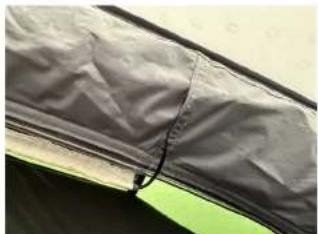
natural_image
Close-up of a dark fabric or mesh material with a small black mark, no visible text or symbols.natural_image
Close-up of a dark-colored jacket with a textured pocket, partially visible against a light green background (no text or symbols)natural_image
Hand holding a handheld device next to a dark gray fabric or material sample, with a dotted green pattern on the surface (no visible text or symbols)natural_image
Close-up of a jacket with dark jacket and yellow belt, partially covered by a white pocket (no visible text or symbols)natural_image
Close-up of a beige jacket with a green circular button on the chest, showing no text or symbols.
natural_image
Exterior view of a large camping tent with patterned walls and windows (no text or symbols visible)- Felsökning
E-post: info@outwell.com
explore the outdoors
CE UK CA
Outwell Customer Service
e-mail: info@outwell.com
Outwell ^® is a reg. trademark of Oase Outdoors
EU: Kornvej 9, DK-7323 Give, Denmark
UK: One Glass Wharf, Bristol, BS2 0ZX
FRANCEITALY

E