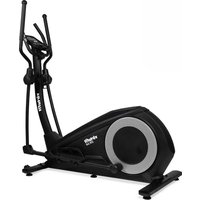
CTR 3.0i - Elliptical bike VirtuFit - Free user manual and instructions
Find the device manual for free CTR 3.0i VirtuFit in PDF.


| Product type | Elliptical bike |
| Brand | VirtuFit |
| Model | CTR 3.0i |
| Maximum user weight | 150 kg |
| Power supply | 9V, 1500mA adapter |
| Display | LED console with functions: Time, Speed, Distance, Calories, Heart rate, RPM, Watts |
| Training programs | 12 programs, Manual, H.R.C., WATT, User, Body Fat |
| Heart rate measurement | Hand pulse sensors and Bluetooth receiver (chest belt not included) |
| Recovery function | Heart rate recovery test (RECOVERY) |
| Connectivity | Bluetooth for fitness apps (iConsole+, Kinomap) |
| Dimensions (approx.) | Not specified in the manual |
| Device weight | Not specified in the manual |
| Usage | Domestic use only |
| Operating temperature | 10°C to 35°C |
| Storage temperature | 5°C to 45°C |
| Maintenance | Cleaning after each use, semi-annual bolt check, annual lubrication |
| Safety | Automatic shutdown after 4 minutes of inactivity, energy-saving mode |
| Spare parts | Contact the retailer for purchasing parts (e.g., heart rate belt) |
| Warranty | Excludes damage due to misuse or improper maintenance |
Frequently Asked Questions - CTR 3.0i VirtuFit
User questions about CTR 3.0i VirtuFit
0 question about this device. Answer the ones you know or ask your own.
Ask a new question about this device
Download the instructions for your Elliptical bike in PDF format for free! Find your manual CTR 3.0i - VirtuFit and take your electronic device back in hand. On this page are published all the documents necessary for the use of your device. CTR 3.0i by VirtuFit.
USER MANUAL CTR 3.0i VirtuFit
natural_image
Pure geometric L-shaped lines with no text, numbers, or symbols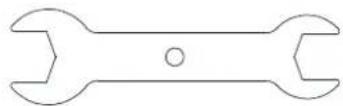
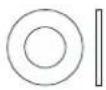
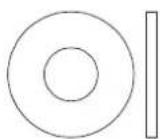
39 (2×) ∅6
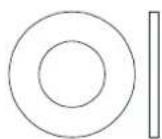
31 (5×) ∅ 8.5*20*t1.5
33 (6×) ∅10
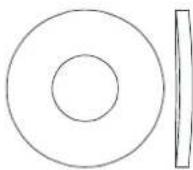
28 (10×) ∅10.5*R100*t2.0



102 (2x) ∅17
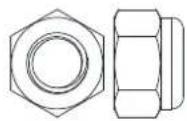
30 (1 x) ∅ 8
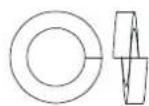
27 (12 x) ∅10
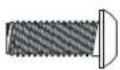
32 (2x) M10
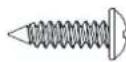
41 (2 x) ST4*15 37 (16 x) M4*10

natural_image
Technical line drawing of a bolt with threaded shaft and flange (no text or symbols)36 (2_x) M4*16
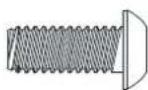
40 (2 x) M6*15
29 (4x) M8*20
107 (4×) M10*55*20
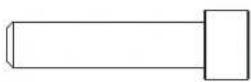
108 (1×) M8*30
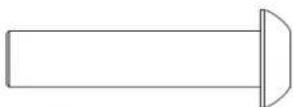
38 (2×) ∅10*45*M6*20
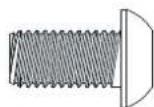
104 (4×) M10*20

109 (4x) ST4*12
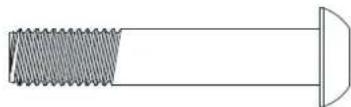
105 (2 ×) M10*55*25
natural_image
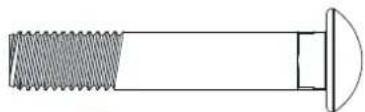
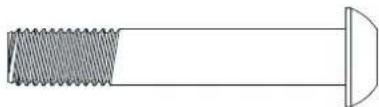
Technical line drawing of a bolt with threaded shaft and flange (no text or symbols)26 (4×) M10*60*25
STEP 01
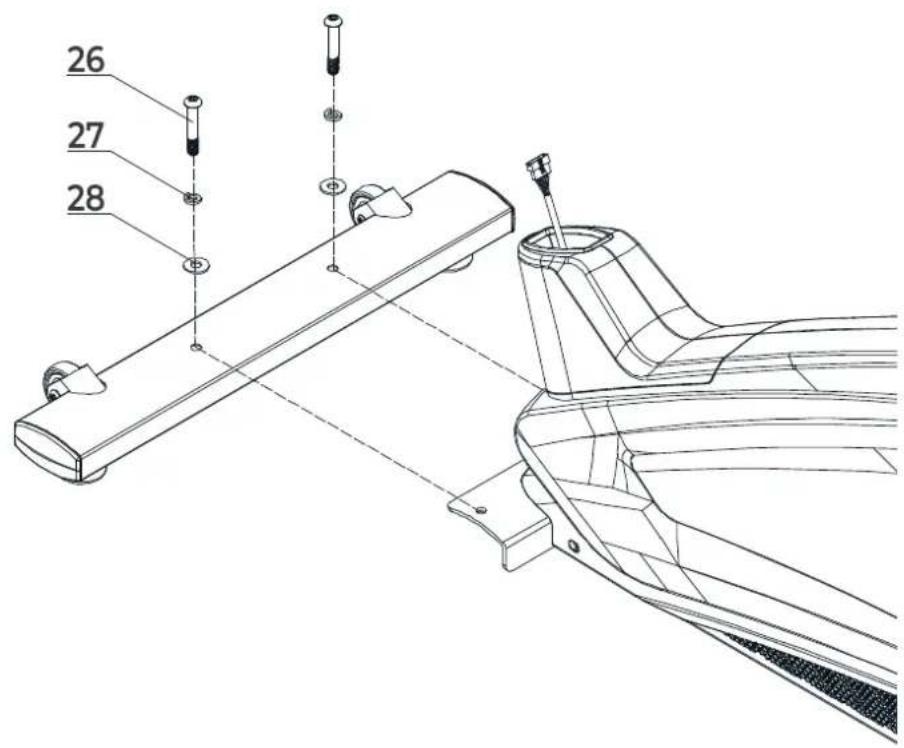
STEP 02
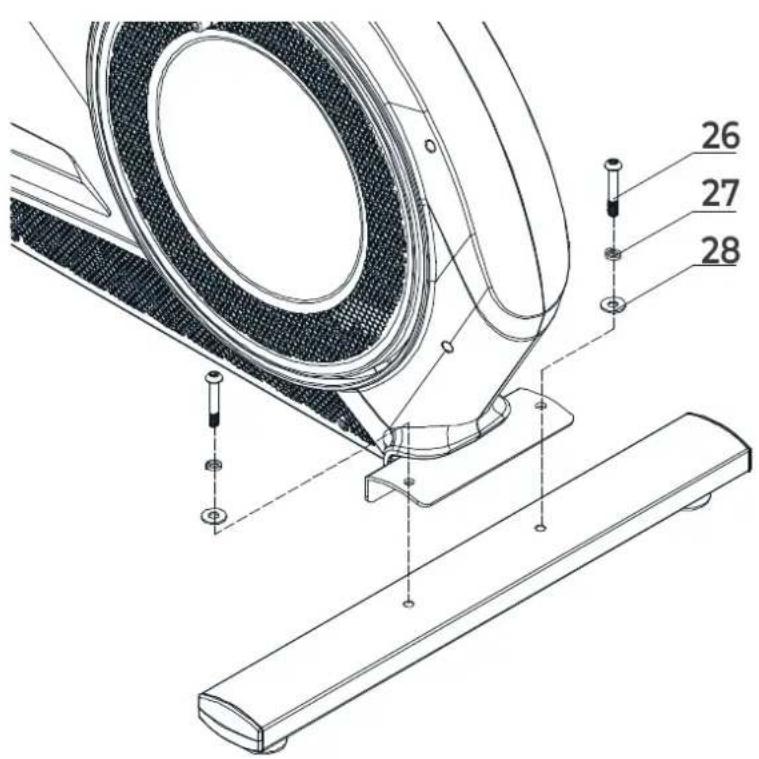
STEP 03
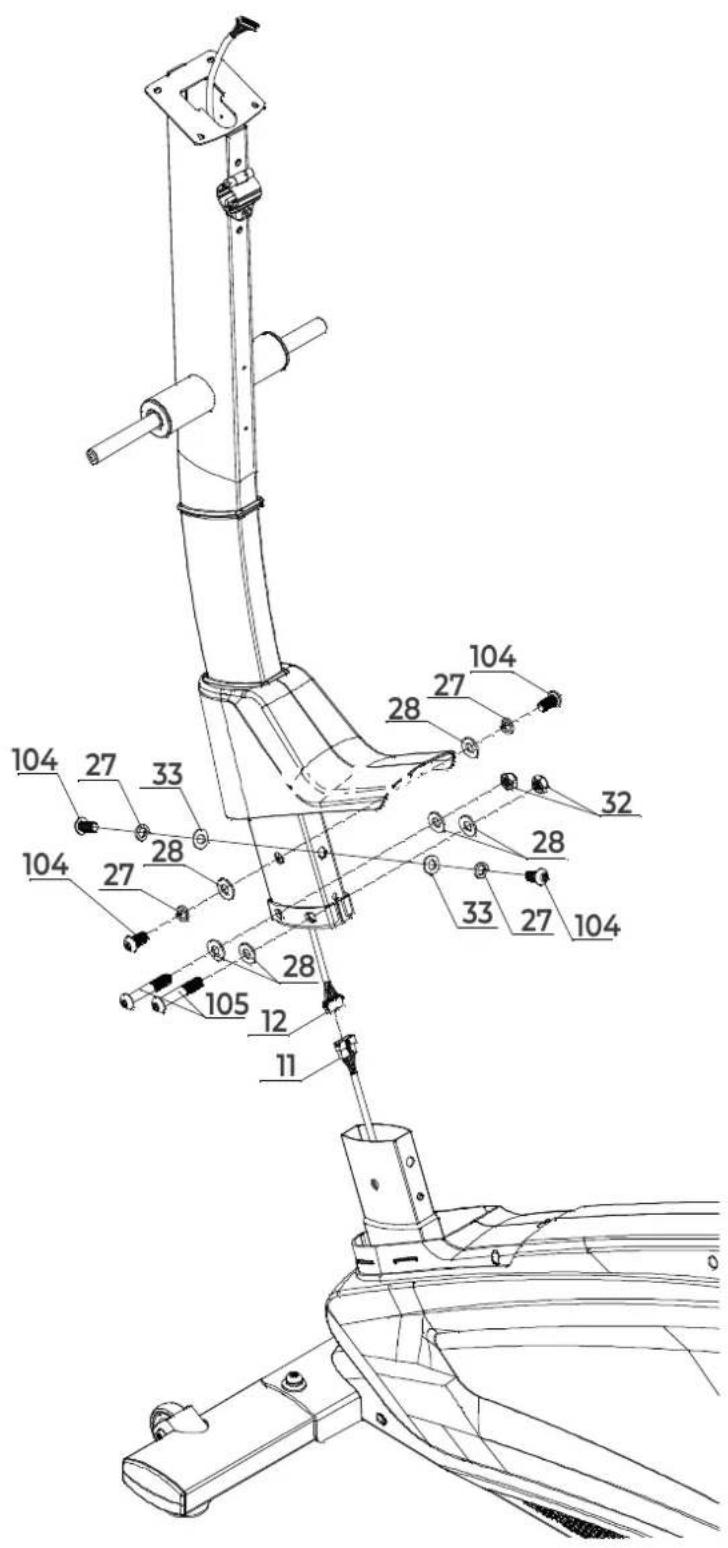
STEP 04
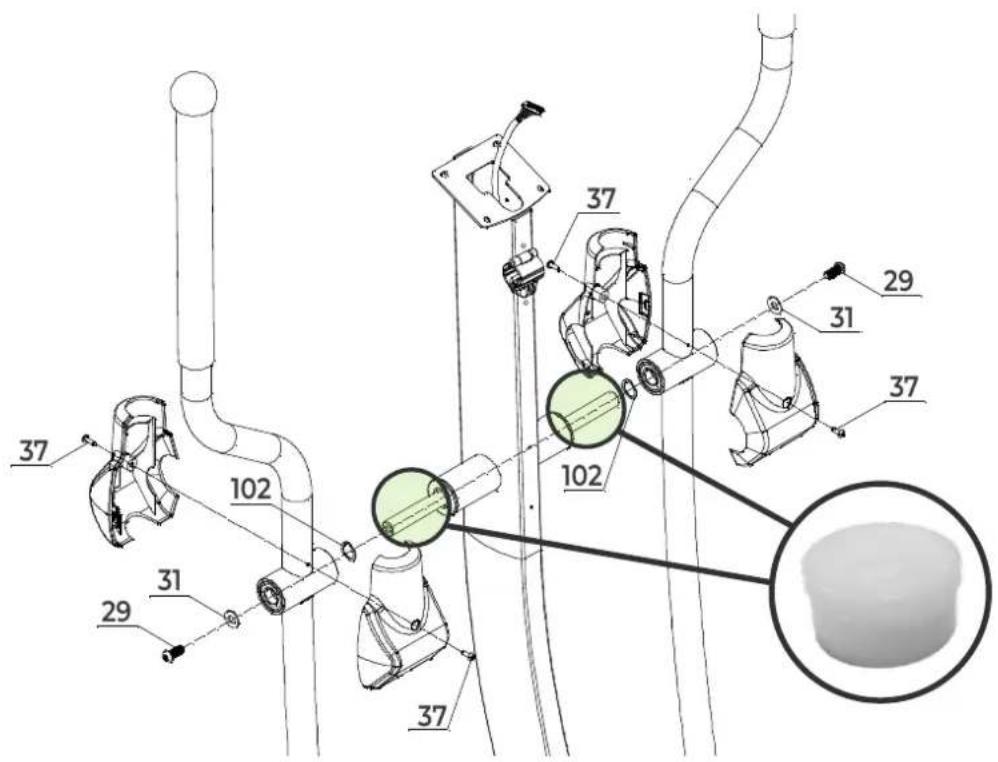
NOTE! Lubricate the shaft with petroleum jelly from the jar provided.
LET OP! Smeer de as in met vaseline uit het bijgeleverde potje.
HINWEIS! Schmieren Sie die Welle mit Schmierfett aus dem mitgelieferten Behälter.
REMARQUE! Lubrifiez l'arbre avec de la graisse provenant du bocal fourni.
STEP 05
STEP 06
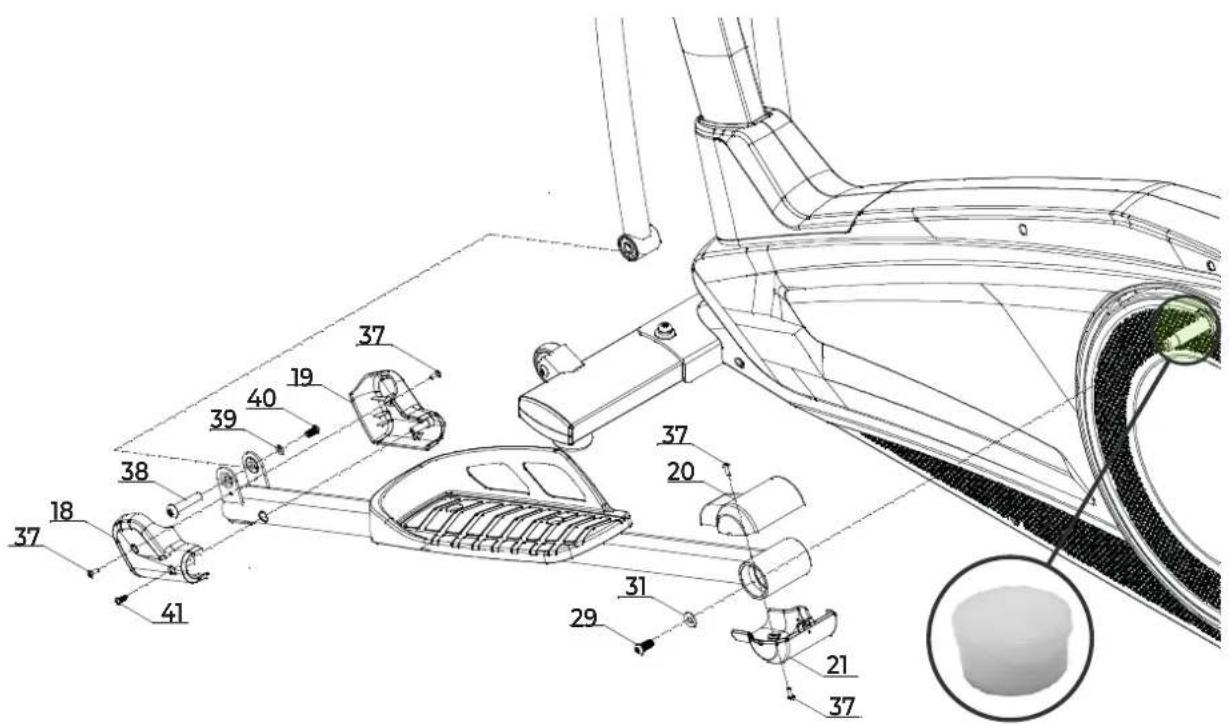
NOTE! Lubricate the shaft with petroleum jelly from the jar provided.
LET OP! Smeer de as in met vaseline uit het bijgeleverde potje.
HINWEIS! Schmieren Sie die Welle mit Schmierfett aus dem mitgelieferten Behälter.
REMARQUE! Lubrifiez l'arbre avec de la graisse provenant du bocal fourni.
STEP 07
STEP 08
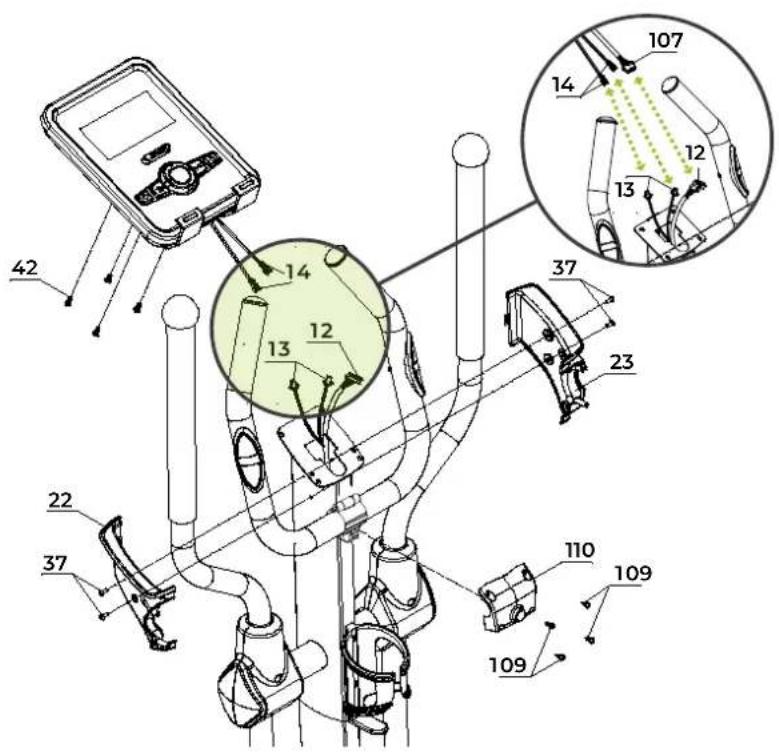
STEP 09 - ADAPTER
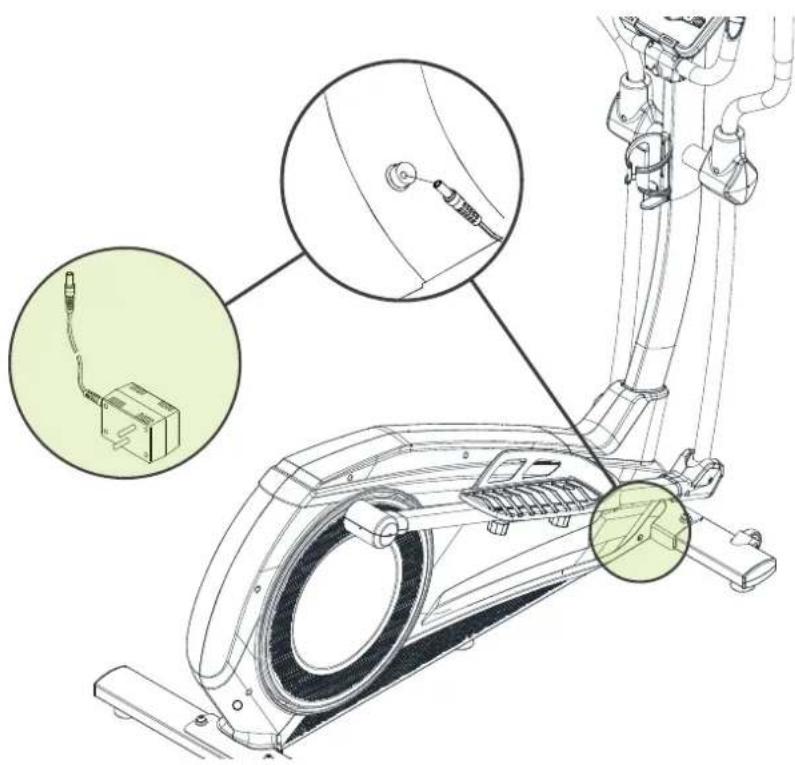
FIG. A
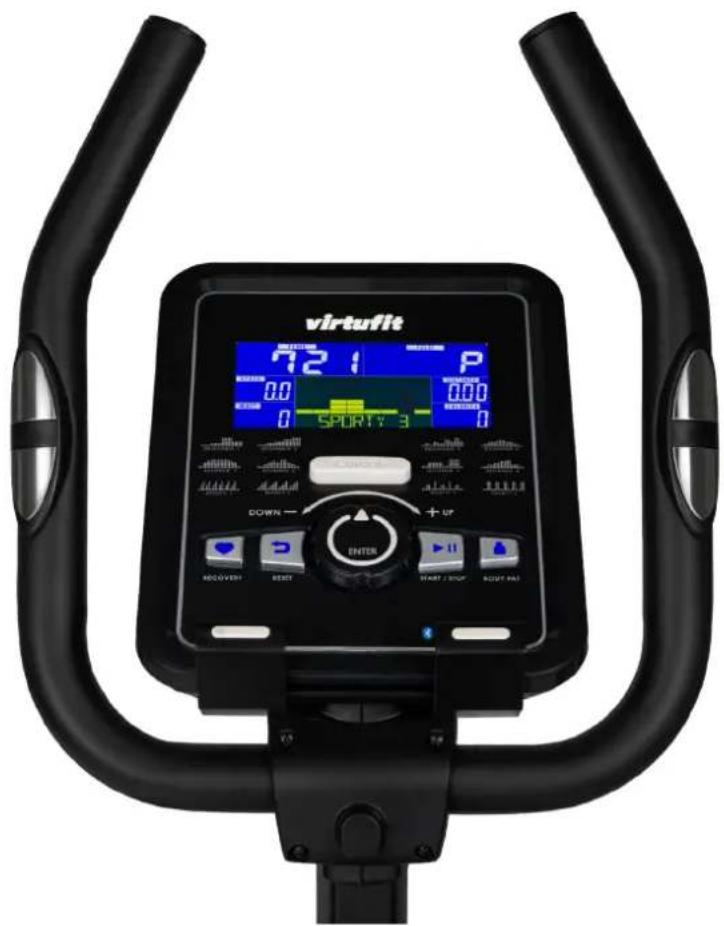
FIG. B-1 (MANUAL MODE)
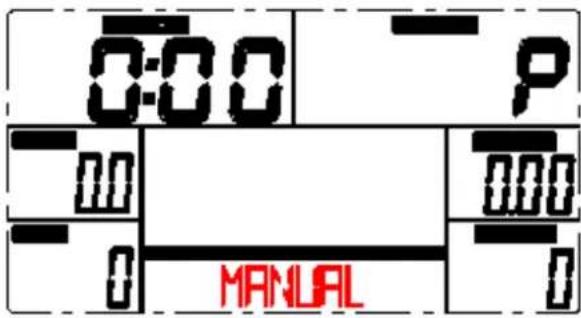
FIG. B-2 (PROGRAM MODE)
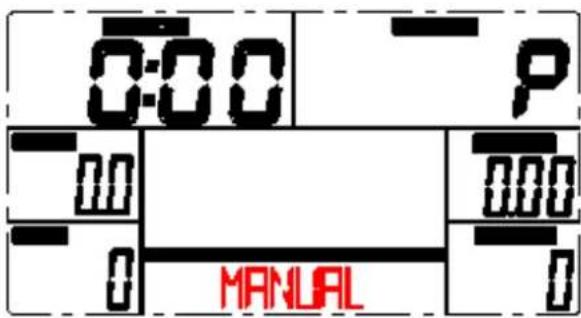
FIG. B-3 (H.R.C. MODE)
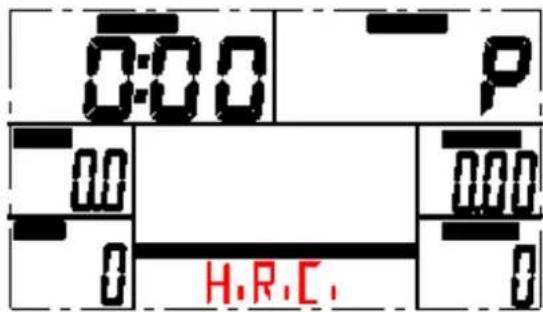
FIG. C
natural_image
Line drawing of a person bending forward with hands raised (no text or symbols)1

natural_image
Line drawing of a person sitting cross-legged, holding their head in thought (no text or symbols)2
natural_image
Line drawing of a person performing a seated stretch or exercise (no text or symbols)3

natural_image
Line drawing of a person in athletic attire performing a forward bend gesture (no text or symbols)4
natural_image
Line drawing of a person performing a stretching exercise with arms raised (no text or symbols)5
INDEX
| Safety instructions | 13 | ||
| Guarantee | 13 | ||
| Assembly instructions 13 | |||
| Moving and adjusting 14 | |||
| Training with heart rate 14 | |||
| Training with fitness applications 14 | |||
| Maintenance | 15 | ||
| Troubleshooting | 15 | ||
| Error codes | 15 | ||
| Console | 16 | ||
| Program | 16 | ||
| Training guidelines | 17 | ||
SAFETY INSTRUCTIONS

WARNING!
Consult your doctor before you start exercising. This is particularly important for people with health problems. Please read all instructions before using the machine. VirtuFit assumes no responsibility for injury or property damage resulting from the use of this equipment. Please read this manual carefully before assembling and/or using the machine.
- Make sure that the machine is properly assembled and that all nuts and bolts are tight before using it.
- Lubricate all moving parts annually with petroleum jelly (acid-free) or silicone spray.
- Do not wear loose clothing to avoid getting caught in moving parts.
• Install and use the unit on a solid, level surface.
• Always wear clean sports shoes when using the appliance. - Keep children and pets away from the appliance when in use.
- Maintain your balance when using the device.
- Do not place your fingers or other objects in the moving parts.
- Before exercising, consult your physician to determine the appropriate frequency, duration and intensity of exercise for your age and physical condition. Stop exercising immediately if you experience nausea, shortness of breath, fainting, headache,
chest pain, tightness or any other discomfort.
• This machine should only be used by one person at a time.
- This machine is designed for domestic use and the maximum user weight is 150 kg.
- Leave 1-2 metres of space behind the machine to avoid accidents.
- Place the machine on a clean, flat surface. Do not place it on a thick carpet, as this may hinder the ventilation of the machine. Do not place the machine outdoors or near water.
- Keep the storage area dry, clean and level to prevent damage. Do not use the device for any purpose other than training.
- Use the device only in an environment where the ambient temperature is between 10^ and 35^ . Store the device only in an environment where the temperature is between 5^ and 45^ .
GUARANTEE
Warranty claims are excluded if the cause of the defect is the result of:
- Maintenance and repair work not carried out by an official dealer, unless otherwise by the supplier specified.
- Improper use, negligence and/or poor maintenance.
- Failure to maintain the appliance in accordance with the manufacturer's instructions.
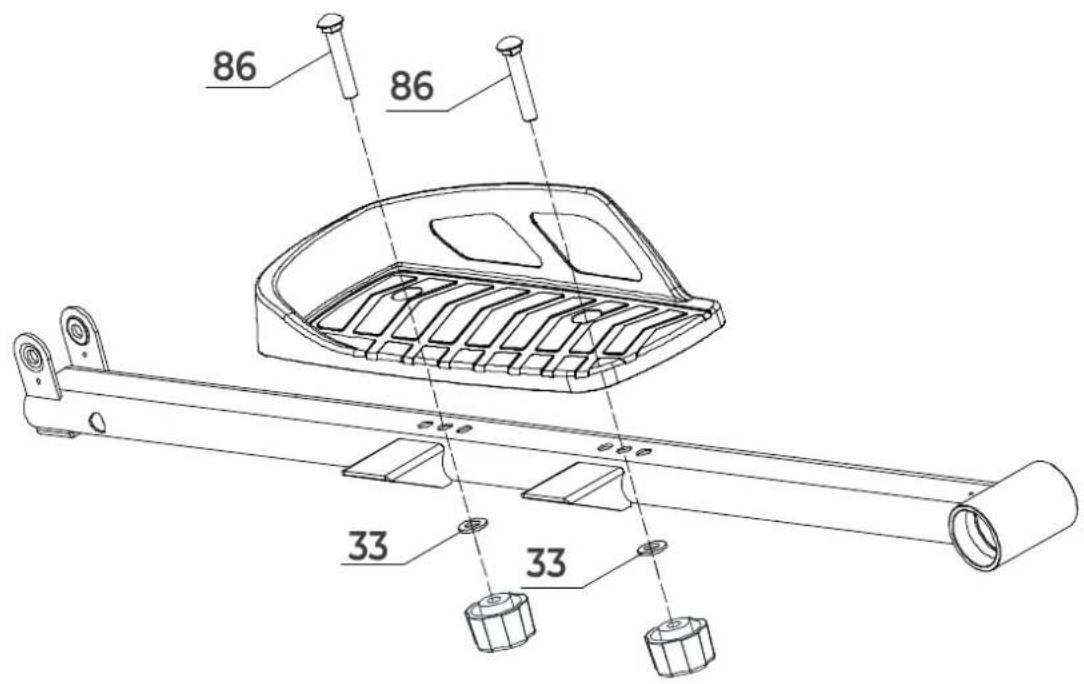
ASSEMBLY INSTRUCTIONS (STEP 01-09)
Missing parts: If any parts are missing from the packaging, carefully check the polystyrene foam and the appliance itself. Some parts (bolts, screws, etc.) are already attached to the unit.
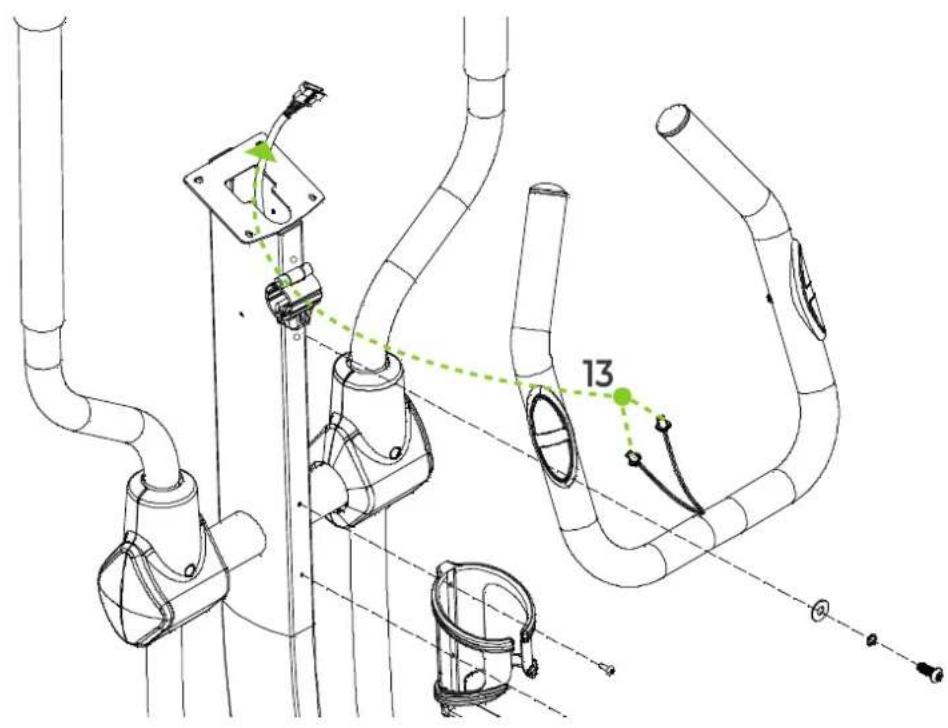
Error message: Make sure that all cables are carefully attached. The aluminium feet of the console are very sensitive and must be kept straight. If the console gives an error message after the machine has been mounted, the aluminium feet of the console may be bent. Straightening the aluminium feet may make the error message disappear.
Hex head bolts: Make sure that the hex head spanner is pushed into the bolt before applying force. This will prevent the head of the socket bolt from turning.
MOVING AND ADJUSTING
Moving
To move the crosstrainer, apply pressure to the handlebars until the transport wheels on the front stabilizer hit the ground. With the transport wheels on the ground, it is easy to move the crosstrainer to the desired location.
Level
Make sure the cross trainer is on a stable and level surface. A special rubber mat can be placed under the crosstrainer to give it a better grip on the surface.
Should the crosstrainer not yet be level, the adjustable legs can be adjusted. In this case, turn the adjustable leg on the left or right side of the frame to level the crosstrainer.
TRAINING WITH HEART RATE
Hand sensors
This VirtuFit fitness machine is equipped with hand sensors for measuring heart rate. The hand sensors are attached to the handle and only work if both sensors are held for a longer period of time. For optimal performance, it is important that the hands are slightly moist and exert constant pressure on the sensors. Hands that are too dry or moist may cause abnormal readings.
NOTE! To avoid interference, never use the hand sensors with a wireless heart rate monitor.
Wireless Heart Rate Monitor (Bluetooth)
This VirtuFit fitness device is equipped with a wireless heart rate receiver. To measure your heart rate with a wireless heart rate monitor, use a heart rate monitor that works on Bluetooth. With a wireless heart rate monitor, it is important that the electrodes are slightly moist and the heart rate monitor fits well to your body. Refer to your heart rate monitor's user manual for proper instructions. Incorrect use of the heart rate monitor may result in abnormal readings.
NOTE!
· A wireless heart rate monitor is not included as standard. Contact your dealer to purchase a wireless heart rate monitor.
- To avoid interference, never use the wireless heart rate monitor in combination with the hand sensors.
WARNING!
· If you have a pacemaker, we recommend that you consult your physician before using a wireless heart rate monitor
- In rooms with multiple heart rate monitors, it is recommended that you keep enough distance to avoid interference between different devices.
· Always try to keep the wireless heart rate monitor within a range of 1 meter from the console for optimal reception.
· Always wear a wireless heart rate monitor directly on the body, under clothing.
TRAINING WITH FITNESS APPLICATIONS
VirtuFit does not provide service for third party fitness applications such as Kinomap, iConsole, FitShow etc. If you encounter problems with a third party fitness application, please contact the developer of the application in question.
Instruction
- To scan the QR code with an Android or IOS phone or tablet, a QR code scanner is required. The app for scanning QR codes can be downloaded from the App Store or Google Play Store.
- Scan one of the QR codes below to go directly to the App Store or Google Play Store page where the fitness app can be downloaded.
- Scan the QR code on the right to access the fitness app manual. The manual describes step by step how to connect the fitness app to the device, how the fitness app works and what its capabilities are.
iConsole+

APP STORE
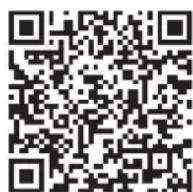
GOOGLE PLAY
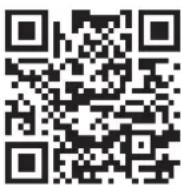
MANUAL
Kinomap

APP STORE

GOOGLE PLAY

MANUAL
MAINTENANCE
Safe and efficient use can only be achieved if the appliance is properly installed and maintained. It is your responsibility to ensure that the appliance is maintained regularly. Parts that have been used and/or damaged must be replaced before the appliance is used again. The appliance should only be used and stored indoors. Long-term exposure to weather and temperature/humidity changes can have a serious impact on the electrical components and moving parts of the unit. Always unplug the power cord from the unit before cleaning or servicing it.
Daily maintenance
- Clean and remove sweat and moisture after each use.
- Check that the unit is free of dust and dirt.
- Do not use aggressive cleaning agents and keep the device away from moisture.
Semi-annual maintenance
- Inspect all bolts and nuts connected to the moving parts of the unit. Tighten bolts and nuts as necessary and appropriate.
- Check the mobility of moving parts and components of the unit. Use Petroleum Jelly if necessary and appropriate.
We recommend the following:
- Clean the unit after use.
- Use a dry cloth to clean the control panel and the areas around the on/off switch.
- Use a soft, clean cloth and detergent to remove stubborn marks and dirt from the unit.
- Store the unit in a safe, dry place away from heat and water.
CAUTION!
· Repairs must be carried out by a professional technician, unless otherwise specified by the supplier or manufacturer.
Cleaning
General cleaning of the unit will extend its life. Keep the appliance clean by dusting it regularly.
Regular maintenance will prolong the life of your appliance and prevent injuries! For more information, please visit https://www.virtufit.nl/service/faq/
Adapter
This unit requires a 9V, 1500mA adapter. If the values on the console are not displayed correctly, unplug the power cord and plug it back in.
- If the user stops training for 4 minutes, the computer will go into power saving mode, all settings and training data will be saved until the user starts training again.
- If the computer shows abnormal values, unplug the power cord so that the power is off and plug it back in.
TROUBLESHOOTING
The display does not show any values: Check that the sensor and console cables are properly attached and undamaged. If this does not solve the problem, carefully bend the sensor.
Device squeaks: Check that all bolts and nuts are tight.
The hand sensors are not working properly: Wash your hands, dry them well and test the hand sensors again. If this does not solve the problem, check the handlebar cables for damage and ensure that they are properly connected to the connector. If this still does not correct the problem, replace the handlebar.
Console does not work: If there is no signal, check that the cable is correctly connected.
ERROR CODES
El The console is not receiving a FAT test signal
- Solution: Make sure you hold both hand sensors firmly during the body fat test.
E2
- Solution: Check if the motor exceeds the range of the console.
E4
- Solution: The set age, height and weight exceed the set range of the console, set them according to the user's actual values.
E5
- Solution: Check whether the connection wire between the console and the elliptical cross trainer is OK.
E7
- Solution: Check whether the connection wire between the console and the elliptical cross trainer is OK.
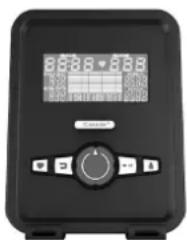
CONSOLE (FIG. A)
natural_image
Black electronic device with digital display and control buttons (no visible text or symbols)- ENTER To select desired mode or confirm desired value.
- UP/DOWN Press the button to increase/decrease the value of the selected function.
- RESET Press the button and the settings will be cleared.
- START/STOP - Start or stop the exercise.
- RECOVERY Press the "RECOVERY" button during exercise when the heart rate value is displayed to start the heart rate recovery function.
- BODY FAT During exercise, press the "BODY FAT" key when the value is displayed to start the fat percentage and BMI measurement.
Functions
• TIME The total time of the exercise will be displayed.
- SPEED Speed of the workout is displayed.
• DISTANCE Displays the distance traveled.
• CALORIES Total calories burned during the workout is displayed.
- PULSE When using the heart rate sensors, your heart rate will be displayed during exercise.
- RPM Shows the number of revolutions per minute (Rounds Per Minute).
- WATTS Displays the wattage during exercise.
- MANUAL Functions automatically change every 6 seconds.
- PROGRAM Select from 12 programs.
- USER User determines own resistance program.
• H.R.C. Heart Rate Control, heart rate program.
• WATT Constant training mode
PROGRAM (FIG. B, 1-3)
Manual Mode (FIG. B-1)
Press START in the main menu to start training in manual mode.
- Press UP or DOWN to select training program, choose Manual, and press ENTER to enter.
- Press UP or DOWN to set TIME, DISTANCE, CALORIES, PULSE and press ENTER to confirm.
- Press the START / STOP buttons to start your workout. Press UP or DOWN to adjust the charge level.
- Press the START / STOP buttons to pause the workout. Press RESET to return to main menu.
Program Mode (FIG. B-2)
- Press UP or DOWN to select training programme, choose Program and press ENTER.
- Press UP or DOWN to set training time.
- Press the START / STOP buttons to start your workout. Press UP or DOWN to adjust the charge level.
- Press the START / STOP button to pause the workout. Press RESET to return to the main menu.
H.R.C. Mode (FIG. B-3)
- Press UP or DOWN to select training programme, choose H.R.C. and press ENTER to enter.
- Press UP or DOWN to select 55%, 75%, 90% or TAG (TARGET H.R.) (default: 100). 21
- Press UP or DOWN to set the exercise duration.
- Press START / STOP button to start or stop your workout. Press RESET to return to the main menu.
NOTE! During this exercise the heart rate sensors must be held or a heart rate belt must be worn.
WATT Mode
- Press UP or DOWN to select the exercise program, choose WATT and press ENTER.
- Press UP or DOWN to set the target WATT. (Default: 120)
- Press UP or DOWN to set TIME.
- Press START / STOP button to start or stop the workout. Press RESET to return to main menu.
Recovery Mode/Recovery
- Make sure the unit is measuring the heart rate during exercise. When you take a heart rate reading during your workout, press "RECOVERY".
- Time and heart rate are displayed. The time counts down from 60 seconds and the current heart rate is displayed. You do not need to exercise.
• The faster the heart rate decreases, the better the fitness.
NOTE! During this exercise, the heart rate sensors must be held or a heart rate belt worn.
| 1.0 | OPTIMUM |
| 1.0 < F > 2.0 | GOOD |
| 2.0 < F > 2.9 | RELATIVELY GOOD |
| 3.0 < F > 3.9 | NORMAL |
| 4.0 < F > 5.9 | RELATIVELY POOR |
| 6.0 | POOR |
BODY FAT
- Press the Body Fat button.
- Place your hands on the heart rate sensors on the handlebar. After a few seconds, an approximate BMI and fat percentage will appear.
- Press the BODY FAT button again to return to the main menu.
B.M.I. (Body Mass Index)
| BMI SCHAAL | LOW | LOW/MID | MIDDLE | MID/HIGH |
| RANGE | < 20 | 20 - 24 | 24.1 - 26.5 | > 26.5 |
| SYMBOL | ■ | + | ▲ | ◇ |
| FAT | LOW | LOW/MID | MIDDLE | MID/HIGH |
| MALE | < 13% | 13 - 25.9% | 26 - 30% | > 30% |
| FEMALE | < 23% | 26 - 35.9% | 36 - 40% | > 40% |
TRAINING GUIDELINES (FIG. C, 1-5)
A successful training program includes a warm-up, the actual training and a cool-down. Perform the complete training program at least twice, but preferably three times a week and keep a rest day between
training sessions. After a few months, the intensity of the training can be increased, for example to four or five times a week.
The warm-up
The purpose of a warm-up is to prepare the body for training and to reduce the risk of injury. Warm up your body for two to five minutes before starting a cardio or strength training session. Do exercises that increase the heart rate and warm up the working muscles. Examples of this type of activity are running, jogging, jumping jacks, skipping and running in place.
Stretching
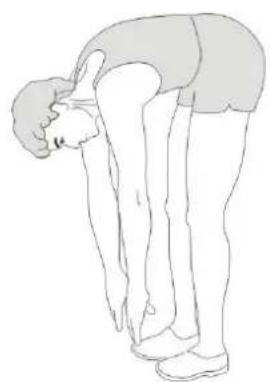
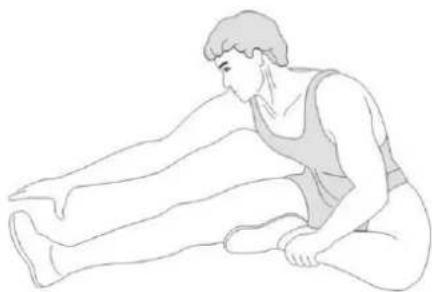
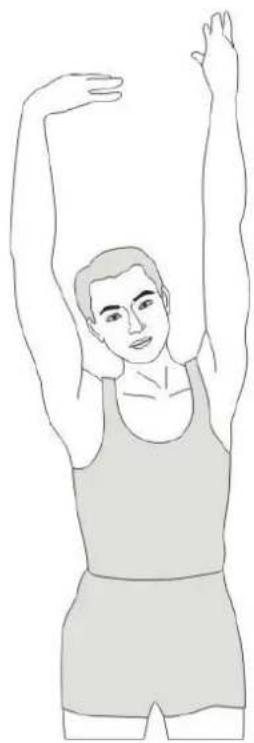
Stretching while the muscles are warm is very important after a good warm-up and cool-down. It reduces the risk of injury. Stretching exercises should be held for 15-30 seconds. Here are some examples of stretching exercises:
- Toe touch (Fig.C-1)
• Inner thight stretch (Fig. C-2)
• Hamstring stretch (Fig.C-3) - Achilles stretch (Fig. C-4)
- Side stretch (Fig. C-5)
Cooling down
The purpose of the cool-down is to return the body to its (near) normal resting position at the end of the workout. A good cool-down slowly reduces your heart rate and promotes recovery.
INHOUD
natural_image
Front view of a black electronic device with a digital display and control buttons (no visible text or symbols)PROGRAMMA'S (FIG. B, 1-3)
Handmatige Modus (FIG. B-1)
B.M.I. (Body Mass Index)
| BMI SCHAAL | LOW LOW/MID | MIDDLE MID/HIGH | ||
| RANGE | < 20 | 20 - 24 | 24.1 - 26.5 | >26.5 |
| SYMBOL | - | + | ▲ | ◇ |
| FAT | LOW | LOW/MID | MIDDLE | MID/HIGH |
| MALE | < 13% | 13 - 25.9% | 26 - 30% | >30% |
| FEMALE | < 23% | 26 - 35.9% | 36 - 40% | >40% |
TRAININGSRICHTLIJNEN (FIG. C, 1-5)
natural_image
Front view of a black electronic device with a digital display and control buttons (no visible text or symbols)PROGRAMME (FIG. B, 1-3)
Manueller Modus (FIG. B-1)
B.M.I. (Body Mass Index)
| BMI SCHAAL | LOW LOW/MID | MIDDLE MID/HIGH | |
| RANGE< 20 20 - 24 | 24.1 - 26.5 > 26.5 | ||
| SYMBOL | - | + | ▲ |
| FAT | LOW | LOW/MID | MIDDLE |
| MALE | < 13% | 13 - 25.9% | 26 - 30% |
| FEMALE | < 23% | 26 - 35.9% | 36 - 40% |
TRAININGSRICHTLINIEN (FIG. C, 1-5)
natural_image
Front view of a black electronic device with a digital display and control buttons (no visible text or symbols)PROGRAMMES (FIG. B, 1-3)
Mode Manuel (FIG. B-1)
Mode Programme (FIG. B-2)
Mode H.R.C. (FIG. B-3)
B.M.I. (Body Mass Index)
| BMI SCHAAL | LOW | LOW/MID | MIDDLE | MID/HIGH |
| RANGE | < 20 | 20 - 24 | 24.1 - 26.5 | > 26.5 |
| SYMBOL | - | + | ▲ | ◇ |
| FAT | LOW | LOW/MID | MIDDLE | MID/HIGH |
| MALE | < 13% | 13 - 25.9% | 26 - 30% | > 30% |
| FEMALE | < 23% | 26 - 35.9% | 36 - 40% | > 40% |
DIRECTIVES DE FORMATION (FIG. C, 1-5)
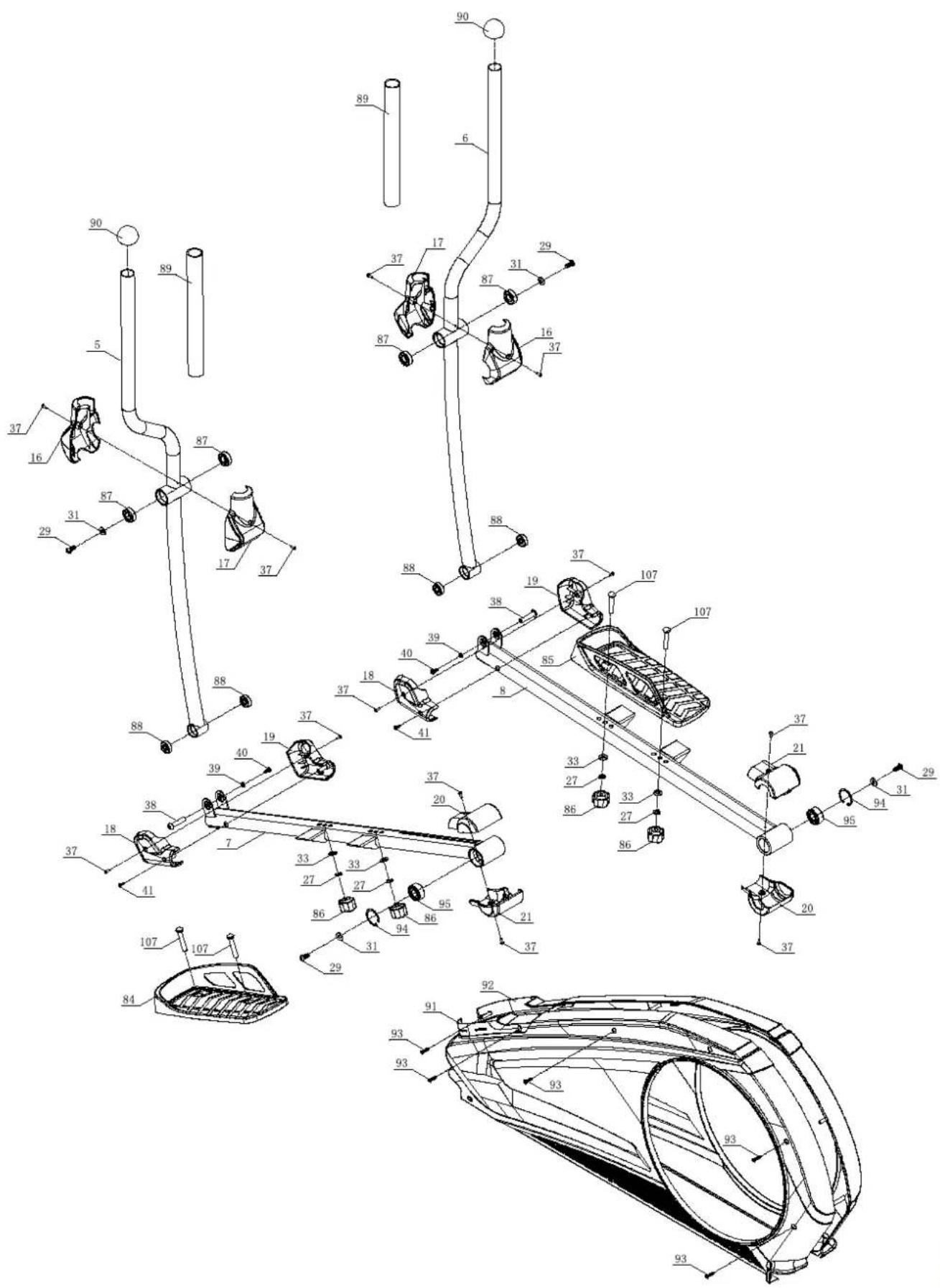
DESCRIPTION QTY.
| 1 Main frame 1 | ||
| 2 Front stabilizer 1 | ||
| 3 Rear stabilizer 1 | ||
| 4 Upper Upright post 1 | ||
| 5 Body arm(L) 1 | ||
| 6 Body are® 1 | ||
| 7 Pedal supporter(L) 1 | ||
| 8 Pedal supporter® 1 | ||
| 9 Handlebar | 1 | |
| 10 | Console | 1 |
| 11 | Motor communication wire | 1 |
| 12 | Console communication wire | 1 |
| 13 | Handle pulse connection wire | 2 |
| 14 | Console outset | 2 |
| 15 | Upright post cover | 1 |
| 16 | Body arm cover 2 2 | |
| 17 | Body arm cover | 2 |
| 18 | Front pedal supporter cover | 2 |
| 19 | Front pedal supporter cover | 2 |
| 20 | Rear pedal supporter cover | 2 |
| 21 | Rear pedal supporter cover | 2 |
| 22 | Handlebar cover(L) | 1 |
| 23 | Handlebar cover® | 1 |
| 24 | Bottle Holder | 1 |
| 25 | Axle ☐17×339.5 | 1 |
| 26 | Allen C.K.S. half thread screw M10×60×25 | 4 |
| 27 | Spring washer ☐10 | 8 |
| 28 | Curved washer ☐10.5×R100×t2.0 | 10 |
| 29 | Allen C.K.S. screw M8×20 | 11 |
| 30 | Spring washer ☐8 6 | |
| 31 | Flat washer ☐8.5×☐20×t1.5 | 6 |
| 32 | Hex self-locking nut M10 | 9 |
| 33 | Flat washer ☐10 | 8 |
| 34 | Idler stopper | 1 |
| 35 | Idler stopper | 1 |
| 36 | Philips pan head screw M4×16 | 2 |
| 37 | Philips pan headscrew M4×10 | 16 |
| 38 | Allen C.K.S. screw ☐10×45×M6×20 | 2 |
DESCRIPTION QTY.
| 39 | Flat washer ☐6 | 2 |
| 40 | Allen C.K.S. hollow screw M6×15 | 7 |
| 41 | Philips self-tapping screw ST4×15 | 2 |
| 42 | Philips C.K.S. screw M5×10 | 4 |
| 43 | Disc plastic buckle ☐12.4×13 | 12 |
| 44 | Philips CKS end-cutting selftapping screw ST4×10 | 12 |
| 45 | Crank iron | 2 |
| 46 | Hex half thread screw M10×55×20 | 2 |
| 47 | Hex half thread screw M4×12 | 2 |
| 48 | Flat key 5×5×15 | 2 |
| 49 | Allen full thread screw M6×15 | 2 |
| 50 | Flat washer ☐8×☐30×t3.0 | 2 |
| 51 | Fixed idler | 1 |
| 52 | Idler connecting shaft ☐15×30 | 1 |
| 53 | Hex nut M8 | 2 |
| 54 | Hex locking nut M8 | 6 |
| 55 | Tension pulley | 1 |
| 56 | Circlip shaft ☐10 | 1 |
| 57 | End cap | 4 |
| 58 | Feet pad | 5 |
| 59 | Wheels | 2 |
| 60 | Allen C.K.S. screw ☐8×33×M6×15 | 2 |
| 61 | Hex full thread screw M5×60 | 1 |
| 62 | Hex nut M5 2 | |
| 63 | Deep groove ball bearing 6004-2RS 2 | |
| 64 | Fixed magnetic induction | 1 |
| 65 | Philips self-tapping screw ST4×12 | 1 |
| 66 | Crank axle sleeve 1 | 1 |
| 67 | Crank axle sleeve 3 | 1 |
| 68 | Crank axle ☐20×115 | 1 |
| 69 | Belt pulley ☐308×22 1 | |
| 70 | Crank axle sleeve 2 | 1 |
| 71 | Fixed magnet set | 1 |
| 72 | Magnetic control fixed axle ☐12×50 | 1 |
| 73 | Brake tension spring | 1 |
| 74 | Magnet motor | 1 |
| 75 | Double way flywheel ☐280/9KG | 1 |
| 76 | Motor belt 540PJ6 | 1 |
DESCRIPTION QTY.
| 77 Upright post decoration strip 102×57×8 1 | ||
| 78 Plastic cover □42.5×30 2 | ||
| 79 Handle pulse 2 | ||
| 80 Philips C.K.S. self-tapping ST4×20 2 | ||
| 81 Pipe plug □28×t1.5 2 | ||
| 82 Foam grip □32×t3.0×480 2 | ||
| 83 Circlip for shaft □12 2 | ||
| 84 Pedal(L) 406×187×74 1 | ||
| 85 Pedal(R) 406×187×74 | 1 | |
| 86 Carriage bolt M10×55×20 | 4 | |
| 87 Deep groove ball bearing 6003-2RS | 4 | |
| 88 Deep groove ball bearing 6200-2RS | 4 | |
| 89 Foam grip □36×t3.0×720 | 2 | |
| 90 Pipe plug □32×t1.5 | 2 | |
| 91 Chain cover(L) 1291.1×72×616.2 | 1 | |
| 92 Chain cover(R) 1291.1×75.9×616.2 | 1 | |
| 93 Philips C.K.S. Self-tapping ST4×25 5 | ||
| 94 Cir-clip for holes □40 | 2 | |
| 95 Self-aligning ball bearing 2203-2RS | 2 | |
| 96 Hex full thread screw M8×120 | 1 | |
| 97 Power communication wire | 1 | |
| 98 Magnetic sensor | 1 | |
| 99 Power adapter | 1 | |
| 100 | Brake line | 1 |
| 101 | Disc □466.6×24.1] | 2 |
| 102 | Waved sprig washer □17 | 2 |
| 103 | Hex nut M10 | 5 |
| 104 | Allen C.K.S. screw M10×20 | 4 |
| 105 | Allen C.K.S. screw M10×55×20 | 2 |
| 106 | Philips C.K.S. Self-tapping ST4×16 12 | 12 |
| 107 | Bolt M10×55×20 | 4 |
| 108 | Allen full thread bolt M8×30 | 1 |
| 109 | Philips C.K.S. self-tapping ST4×12 | 4 |
| 110 | Handle bar front cover | 1 |
virtufit



- SAFETY INSTRUCTIONS
- WARNING!
- GUARANTEE
- ASSEMBLY INSTRUCTIONS (STEP 01-09)
- MOVING AND ADJUSTING
- Moving
- Level
- TRAINING WITH HEART RATE
- Hand sensors
- Wireless Heart Rate Monitor (Bluetooth)
- NOTE!
- TRAINING WITH FITNESS APPLICATIONS
- Instruction
- iConsole+
- MAINTENANCE
- Daily maintenance
- Semi-annual maintenance
- We recommend the following:
- CAUTION!
- Cleaning
- Adapter
- TROUBLESHOOTING
- ERROR CODES
- El The console is not receiving a FAT test signal
- E2
- E4
- E5
- E7
- CONSOLE (FIG. A)
- Functions
- PROGRAM (FIG. B, 1-3)
- Manual Mode (FIG. B-1)
- Program Mode (FIG. B-2)
- H.R.C. Mode (FIG. B-3)
- WATT Mode
- Recovery Mode/Recovery
- BODY FAT
- TRAINING GUIDELINES (FIG. C, 1-5)
- The warm-up
- Stretching
- Cooling down
- INHOUD
- PROGRAMMA'S (FIG. B, 1-3)
- Handmatige Modus (FIG. B-1)
- TRAININGSRICHTLIJNEN (FIG. C, 1-5)
- PROGRAMME (FIG. B, 1-3)
- Manueller Modus (FIG. B-1)
- TRAININGSRICHTLINIEN (FIG. C, 1-5)
- PROGRAMMES (FIG. B, 1-3)
- Mode Manuel (FIG. B-1)
- Mode Programme (FIG. B-2)
- Mode H.R.C. (FIG. B-3)
- DIRECTIVES DE FORMATION (FIG. C, 1-5)
- DESCRIPTION QTY.
- virtufit
Brand : VirtuFit
Model : CTR 3.0i
Category : Elliptical bike