
One X Mini - Keyboard Ducky - Free user manual and instructions
Find the device manual for free One X Mini Ducky in PDF.


| Product Type | Wireless Mechanical Keyboard |
| Brand | Ducky |
| Model | One X Mini |
| Dimensions (L x W x H) | 310 x 125 x 40 mm |
| Weight | 895 g |
| Switch Type | Inductive Switches |
| Keycap Material | PBT |
| Printing Method | Double-Shot or Dye-Sublimation |
| Connectivity | Wired (USB-C), 2.4 GHz Wireless, Bluetooth (up to 4 devices) |
| Customization Software | DuckyHub (http://duckyhub.io) |
| Special Features | Fn shortcuts: BT device selection, battery, minimize windows, Windows lock |
| Battery Life | Not specified, rechargeable via USB-C |
| Country of Manufacture | China |
| Maintenance and Cleaning | Unplug before cleaning, use a slightly damp soft cloth, avoid chemicals |
| Safety | Do not expose to water or extreme temperatures. Avoid shocks. |
| Spare Parts and Repairability | Contact regional distributor for parts and repairs |
Frequently Asked Questions - One X Mini Ducky
User questions about One X Mini Ducky
0 question about this device. Answer the ones you know or ask your own.
Ask a new question about this device
Download the instructions for your Keyboard in PDF format for free! Find your manual One X Mini - Ducky and take your electronic device back in hand. On this page are published all the documents necessary for the use of your device. One X Mini by Ducky.
USER MANUAL One X Mini Ducky
natural_image
Two computer keyboard keys with white and black shades, placed side by side (no visible text or symbols)
Redefining Analog Keyboard
User Manual
English 1
Ducky One X Mini Specs 1
Ducky One X Mini Fn Layout 2
Ducky One X Mini Fn Function 3
Ducky One X Mini Connection Function 4
Ducky Software 5
Deutsch 6
Model: Ducky One X Mini Wireless
■ Type:Mechanical Keyboard
Switch:Inductive switches
■ Keycap Material:PBT
■ Printing Method: Double-Shot or Dye-Sublimation
Origin of Production:China
60%
■ Size : 310 x 125 x 40 mm
Weight: 895g
For more information on the specs and details of our keyboards, please contact the distributor for your region.

text_image
Ducky Ione X ~
natural_image
Pure grid layout diagram of a computer keyboard (no text or symbols)Fn Layout
text_image
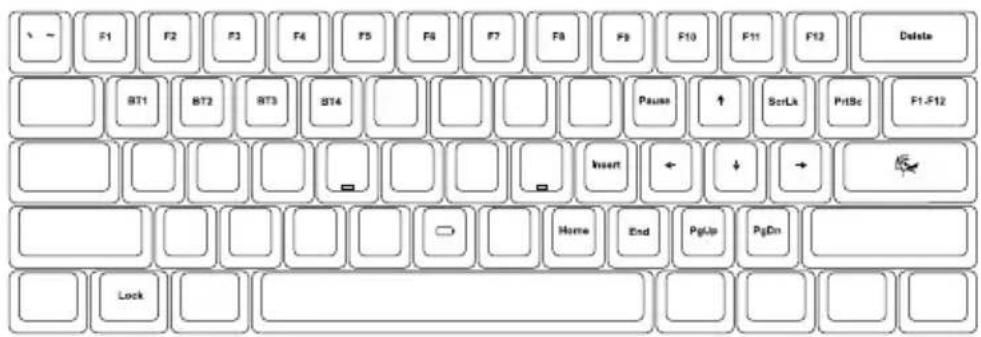
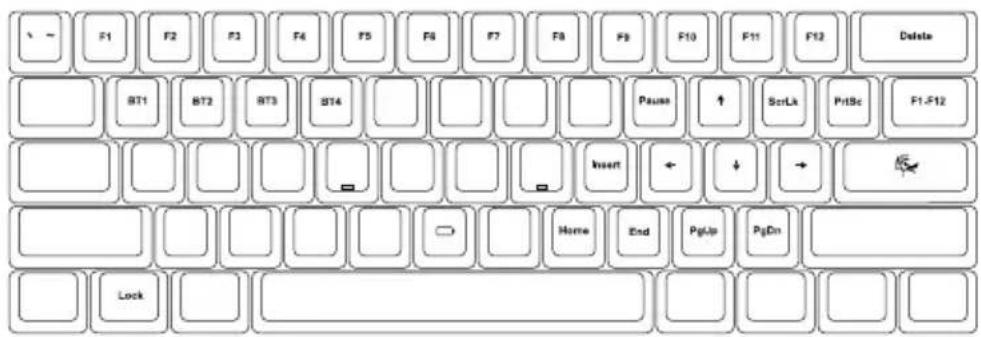
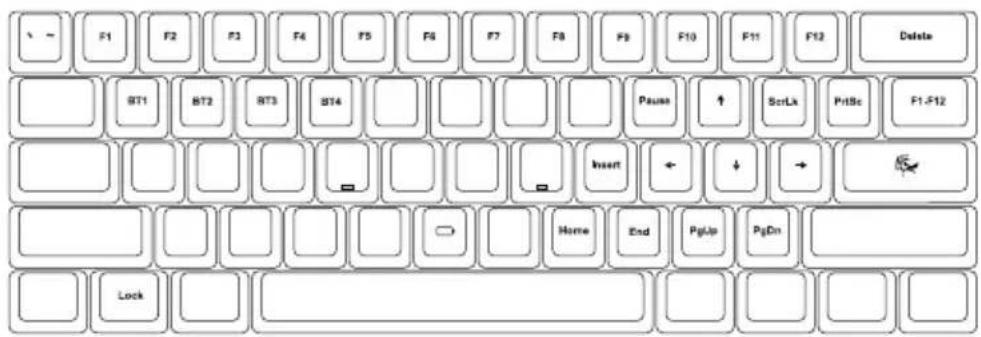
F1 F2 F3 F4 F5 F6 F7 F8 F9 F10 F11 F12 Delete BT1 BT2 BT3 BT4 Pause ↑ ScrLk PrlSc F1-F12 Insert ← ↓ → Home End PgUp PgOn LockFn Function
| Fn + | Q | = | BT1 device |
| W | BT2 device | ||
| E | BT3 device | ||
| R | BT4 device | ||
| Enter | Minimize all windows and mute audio | ||
| B | Hold to see battery status | ||
| Left Win | Enable / Disable Left Windows Key Function | ||
| Right Win | Enable / Disable Right Windows Key Function |
●Hold to see battery status (1 lights up = 10%, 1+2 lights up = 20%, etc.)
●Hold both Win keys for five seconds for factory reset.
Wireless 2.4G pairing method
After pressing and holding Fn+T for 5 seconds, the T light will flash faster. Re-plug and unplug the 2.4G receiver for pairing. After successful pairing, T will remain on.
Connection Function
Wired mode
● Switch the connection mode selector to the ✦ mode
- Connect the keyboard to a PC using the included Type-C® cable
2.4 GHz mode
- Switch the connection mode selector to the 模式
● Connect the included 2.4 GHz wireless dongle to a PC
BT mode
● Switch the connection mode selector to the BT mode
● Press Fn + Q/W/E/R to select the desired pairing host
● Press and hold FN + Q/W/E/R for three seconds to start pairing
● Turn on the BT connection on the device
● Follow the pairing instruction on the device
● Enter the pairing passkey on the keyboard when prompted
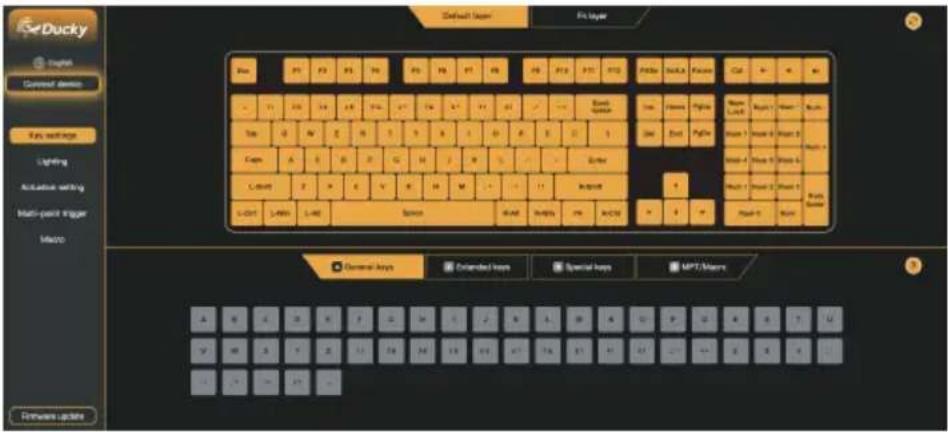
Ducky Software
text_image
Ducky English Counal Device Key settings Lighting Automatic setting Multi-point trigger Macro Emware updates Default Layer Fix layer Blue F1 F2 F3 F4 F5 F6 F7 F8 F9 F10 F11 F12 F13 F14 F15 F16 F17 F18 F19 F20 F21 F22 F23 F24 F25 F26 F27 F28 F29 F30 F31 F32 F33 F34 F35 F36 F37 F38 F39 F40 F41 F42 F43 F44 F45 F46 F47 F48 F49 F50 F51 F52 F53 F54 F55 F56 F57 F58 F59 F60 F61 F62 F63 F64 F65 F66 F67 F68 F69 F70 F71 F72 F73 F74 F75 F76 F77 F78 F79 F80 F81 F82 F83 F84 F85 F86 F87 F88 F89 F90 F91 F92 F93 F94 F95 F96 F97 F98 F99 GND1 FND2 FND3 FND4 FND5 FND6 FND7 FND8 FND9 FND10 FND11 FND12 FND13 FND14 FND15 FND16 FND17 FND18 FND19 FND20 FND21 FND22 FND23 FND24 FND25 FND26 FND27 FND28 FND29 FND30 FND31 FND32 FND33 FND34 FND35 FND36 FND37 FND38 FND39 FND40 FND41 FND42 FND43 FND44 FND45 FND46 FND47 FND48 FND49 FND50 FND51 FND52 FND53 FND54 FND55 FND56 FND57 FND58 FND59 FND60 FND61 FND62 FND63 FND64 FND65 FND66 FND67 FND68 FND69 FND70 FND71 FND72 FND73 FND74 FND75 FND76 FND77 FND78 FND79 FND80 FND81 FND82 FND83 FND84 FND85 FND86 FND87 FND88 FND89 FND90 FND91 FND92 FND93 FND94 FND95 FND96 FND97 FND98 FND99 FUND0000000000000000000000000000000000000000000000000000000000000000000000000000000000000000000000000000Note : For customization, please access the customization software at http://duckyhub.io
Ducky One X Mini
Deutsch
Modell: Ducky One X Mini Wireless
text_image
Ducky Ione X ~
natural_image
Pure diagram of a brick grid layout without any text, numbers, or symbolsFn Layout
text_image
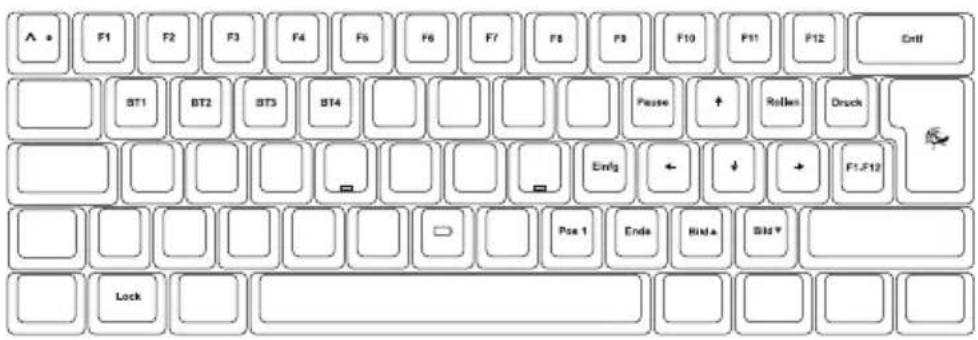
A • F1 F2 F3 F4 F5 F6 F7 F8 F9 F10 F11 F12 Ctrl BT1 BT2 BT3 BT4 Pause ↑ Rollen Druck Einfg ↓ → F1.F12 Pose 1 Enda Hid▲ Std▼ LockFn Funktionen
text_image
Ducky Ione X ~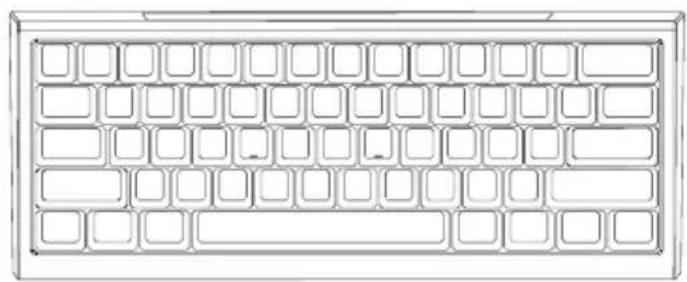
natural_image
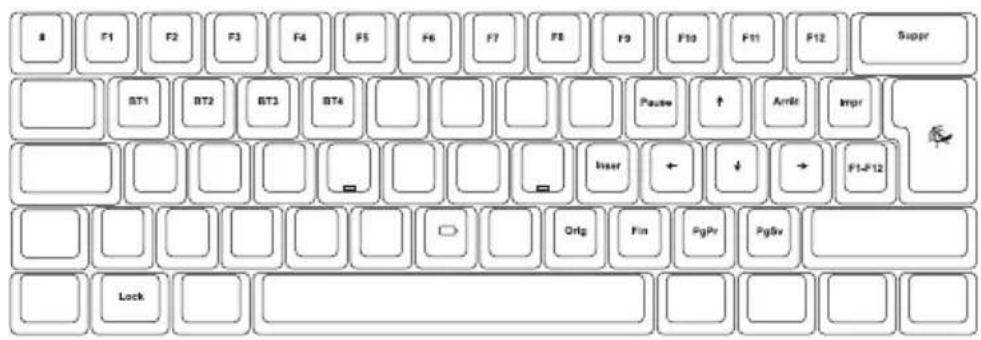
Pure diagram of a 24-pin grid layout without any text, numbers, or symbolsFonctions Fn
text_image
8 F1 F2 F3 F4 F5 F6 F7 F8 F9 F10 F11 F12 Suppr BT1 BT2 BT3 BT4 Paake ↑ Arrlt Impr User ← ↓ → F1-F12 Orig Fin PgPr PgSv LockFonctions Fn du
text_image
Ducky Cognes Connect device Key settings Lighting Acceleration setting Multi-point Fugar Maps Embottom keys General keys Extended keys Special keys HPT/Macro A G T B T F A C A R I J F K L M A C L P Q B S E F G H I J K L M M N O N P Q R S E F G H I J K L M M N O N P Q R S E F G H I J K L M M N O N P Q R S E F G H I J K L M M N O N P Q R S E F G H I J K L M M N O N P Q R S E F G H I J K L M M N O N P Q R S E F G H I J K L M M N O N N P Q R S E F G H I J K L M M N O N N P Q R S E F G H I J K L M M N O N N P Q R S E F G H I J K L M M N O N N P Q R S E F G H I J K L M M N O N N P Q R S E F G H I J K L M M N O N N P Q R S E F G H-I J K L M M N O N N P Q R S E F G H-I J K L M M N O N N P Q R S E F G H-I J K L M M N O N N P Q R S E F G H-I J K L M M N O N N P Q R S E F G H-I J K L M M N O N N P Q R S E F G H-I J K L M M N O N N N P Q R S E F G H-I J K L M M N O N N P Q R S E F G H-I J K L M M N O N N P Q R S E F G H-I J K L M M N O N N P Q R S E F G H-I J K L M M N O N N P Q R S E F G H-I J K L M M N O N N P Q R S E F G E-mail: embottom.kmres General keys Extended keys Special keys HPT/MacroMalli: Ducky One X Mini Wireless
text_image
Ducky Ione X~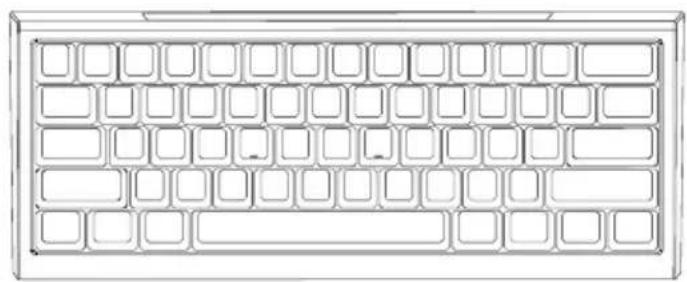
natural_image
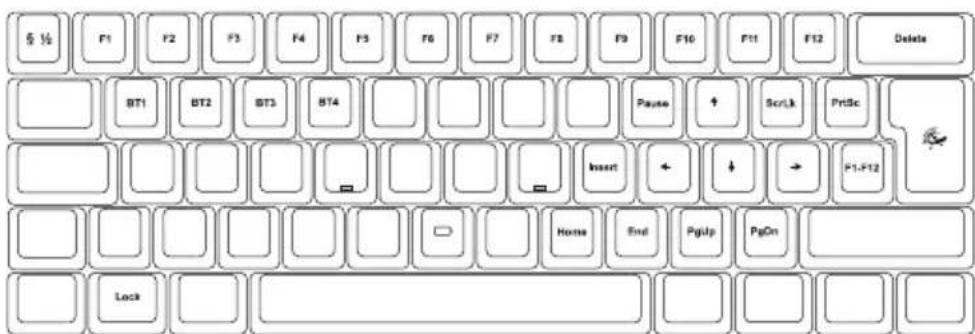
Pure grid layout diagram with no text, numbers, or symbolsFn -asettelu
text_image
§ ½ F1 F2 F3 F4 F5 F6 F7 F8 F9 F10 F11 F12 Delete BT1 BT2 BT3 BT4 Pause Scr/Lk PrlSc Insert ← ↓ → F1-F12 Lock Home End PgUp PgOnFn toiminto
text_image
Ducky Ione X ~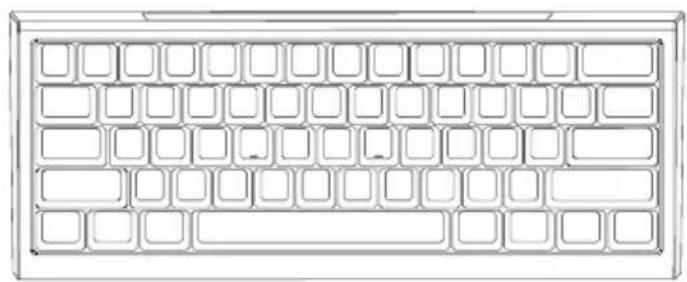
natural_image
Pure grid layout diagram with no text, numbers, or symbolsDiseño Fn
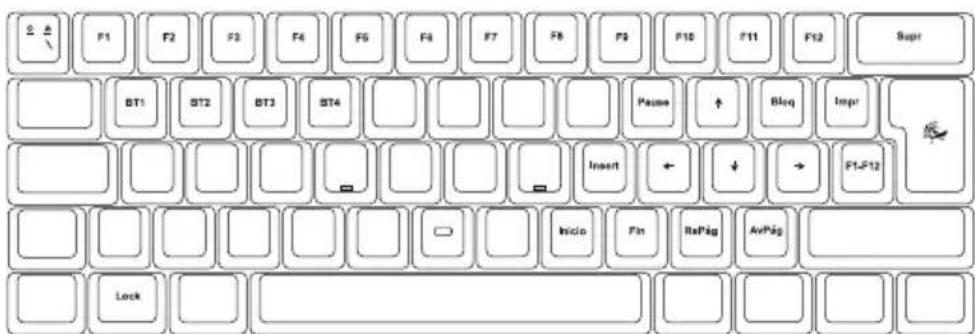
text_image
2 ▲ F1 F2 F3 F4 F5 F6 F7 F8 F9 F10 F11 F12 Supr BT1 BT2 BT3 ST4 Pause ↑ Blsq Impr Insert ← ↓ → F1-F12 Inicio Fin RePkg AvPkg Locktext_image
Ducky Ione X ~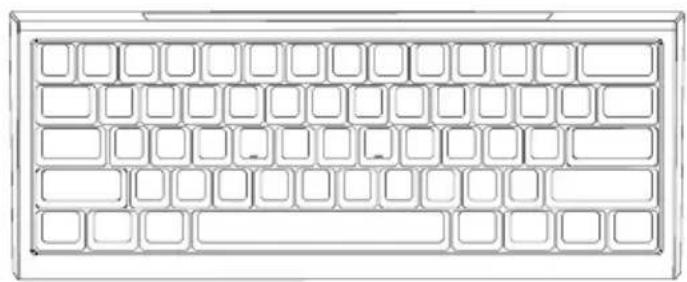
natural_image
Pure grid layout diagram of a computer keyboard (no text or symbols)Fn Layout
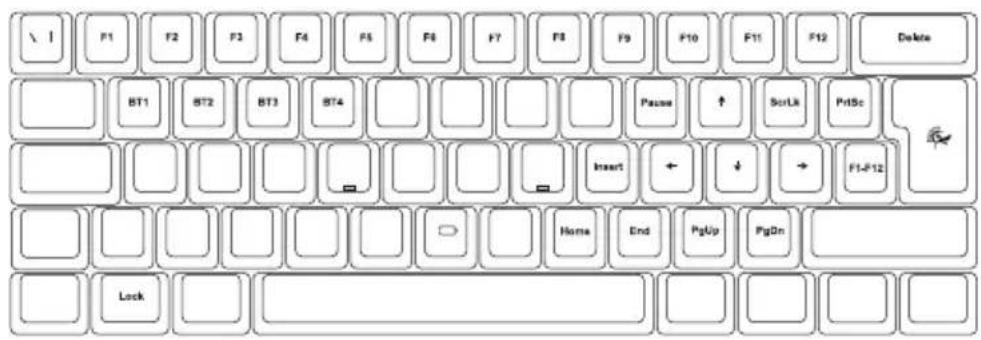
text_image
F1 F2 F3 F4 F5 F6 F7 F8 F9 F10 F11 F12 Delete BT1 BT2 BT3 BT4 Paste ↑ ScrLk PrtSc Insert Home End PgUp PgOn LockFunção Fn do
text_image
Ducky Ione X ~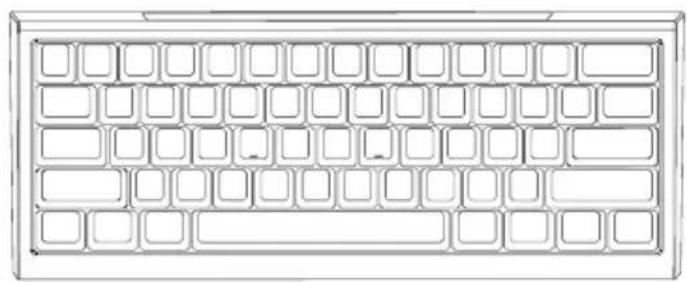
natural_image
Pure grid layout diagram with no text, numbers, or symbolsFn 佈局
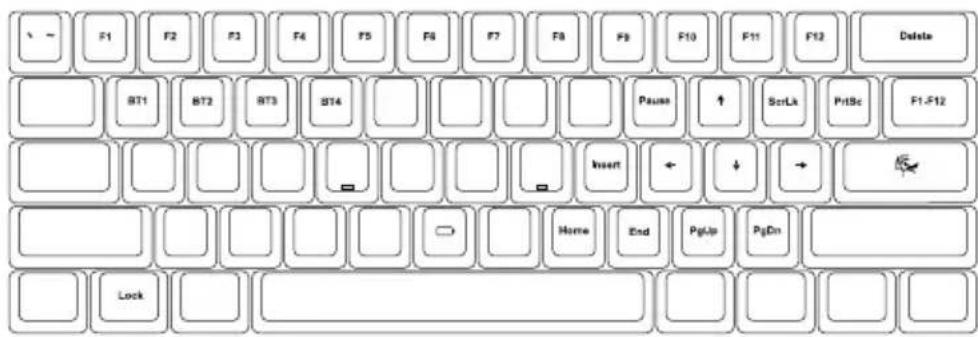
text_image
F1 F2 F3 F4 F5 F6 F7 F8 F9 F10 F11 F12 Delete BT1 BT2 BT3 BT4 Pause ↑ ScrLk PrlSc F1-F12 Insert ← ↓ → Home End PgUp PgDn Locktext_image
Ducky Ione X ~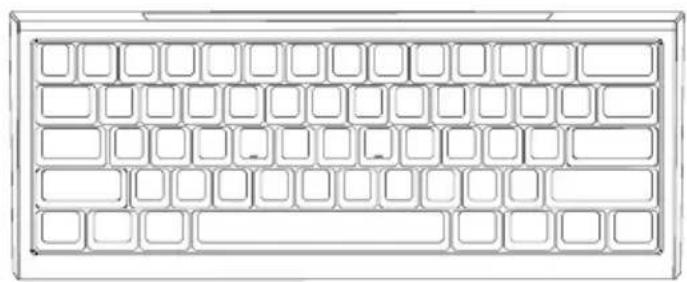
natural_image
Pure grid layout diagram of a computer keyboard (no text or symbols)Fn布局
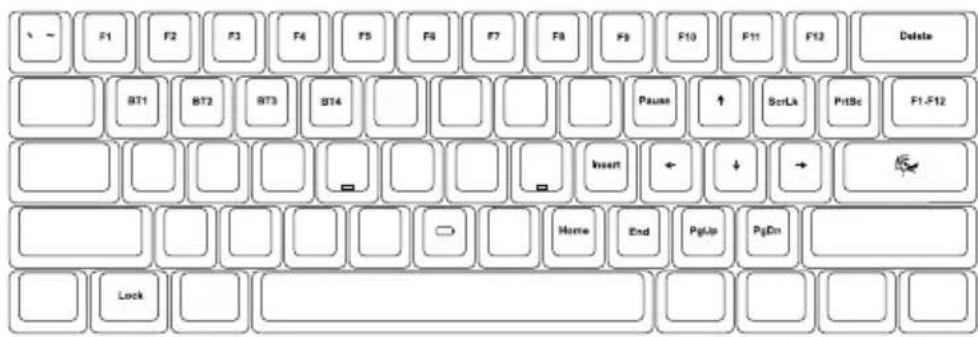
text_image
F1 F2 F3 F4 F5 F6 F7 F8 F9 F10 F11 F12 Delete BT1 BT2 BT3 BT4 Pause ↑ ScrLk PrlSc F1-F12 Insert ← ↓ → Home End PgUp PgDn LockFn功能
text_image
Ducky Ione X ~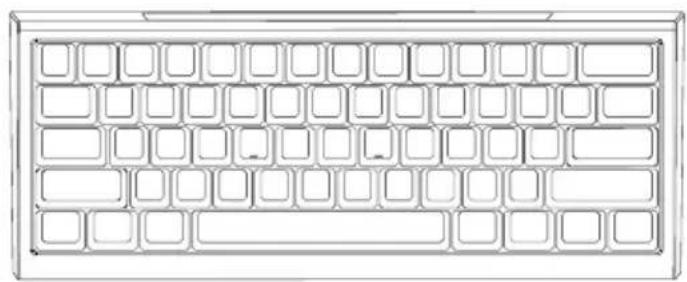
natural_image
Pure grid layout diagram of a computer keyboard (no text or symbols)Fn レイアウト
text_image
F1 F2 F3 F4 F5 F6 F7 F8 F9 F10 F11 F12 Delete BT1 BT2 BT3 BT4 Pause ↑ ScrLk PrlSc F1-F12 Insert ← ↓ → Home End PgUp PgOn Locktext_image
Ducky English Connect device Key settings Lighting Actuarial setting Multi-pair Yinger Macro Cockwell Screen Ris Layer General keys Extended keys Special keys MPT Maps Firmware updatestext_image
Ducky Ione X ~
natural_image
Pure grid layout diagram with no text, numbers, or symbolsFn 레이아웃
text_image
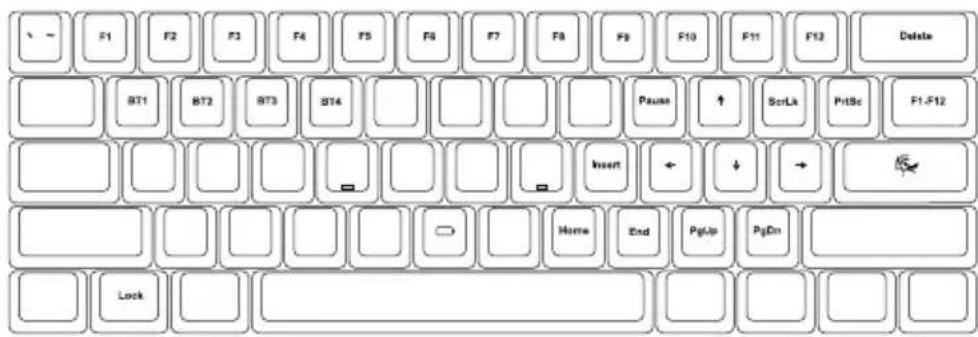
F1 F2 F3 F4 F5 F6 F7 F8 F9 F10 F11 F12 Delete BT1 BT2 BT3 BT4 Pause ↑ ScrLk PrlSc F1-F12 Insert ← ↓ → Home End PgUp PgDn Locktext_image
Ducky Ione X ~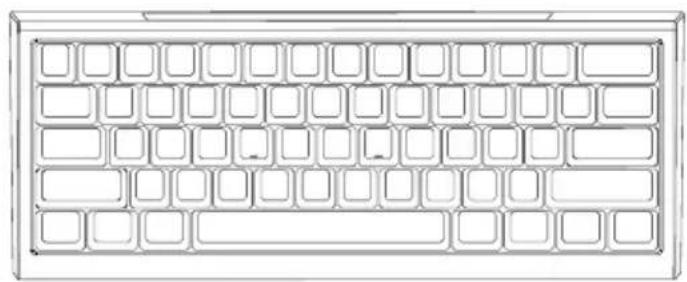
natural_image
Pure grid layout diagram of a computer keyboard (no text or symbols)Fn เค้าโครง
text_image
F1 F2 F3 F4 F5 F6 F7 F8 F9 F10 F11 F12 Delete BT1 BT2 BT3 BT4 Pause ↑ ScrLx PrlSc F1-F12 Insert ← ↓ → Home End PgUp PgOn Lockฟังก์ชัน Fn
text_image
Ducky Ione X ~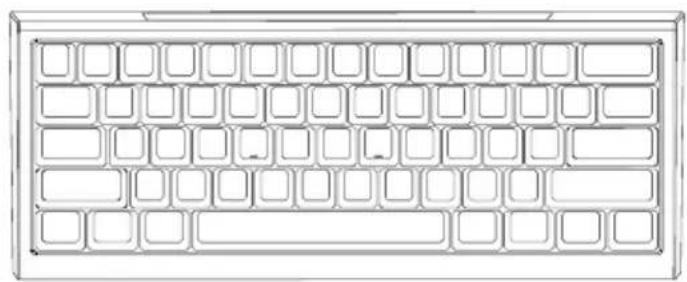
natural_image
Pure grid layout diagram with no text, numbers, or symbolsطي طخت Fn
text_image
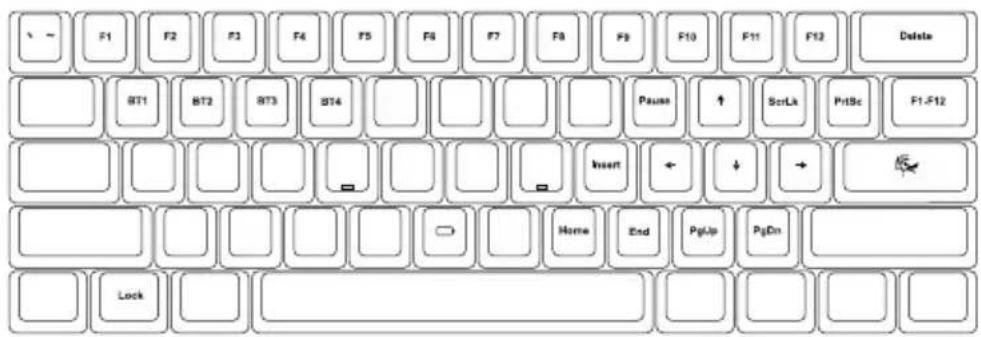
F1 F2 F3 F4 F5 F6 F7 F8 F9 F10 F11 F12 Delete BT1 BT2 BT3 BT4 Pause ↑ ScrLk PrlSc F1-F12 Insert ← ↓ → Home End PgUp PgOn LockONE X World's First Inductive Keyboard
Redefining Analog Keyboard

Ducky
www.duckychannel.com.tw