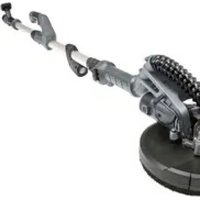
WDS900 - Sander SCHEPPACH - Free user manual and instructions
Find the device manual for free WDS900 SCHEPPACH in PDF.


| Product type | Wall and ceiling sander |
| Brand | Scheppach |
| Model | WDS900 |
| Rated voltage | 220-240 V~ |
| Rated frequency | 50 Hz |
| Power consumption | 710 W |
| Oscillation speed | 800 - 1800 min⁻¹ |
| Abrasive disc diameter | 215 mm |
| Protection class | II (double insulation) |
| Weight | 4.9 kg |
| Sound pressure level (L_PA) | 94.2 dB |
| Sound power level (L_WA) | 105.2 dB |
| Abrasive disc attachment type | Velcro (self-adhesive) |
| Peripheral brush | Yes (to prevent marks and reduce dust) |
| Integrated LED lighting | Yes |
| Electronic speed adjustment | Yes (by buttons) |
| Continuous operation function | Yes (lock button) |
| Vacuum connection | Yes (adapter for vacuum cleaner) |
| Power cable included | Yes |
| Delivery contents | Sander, flexible suction hose, 6 abrasive papers (different grits), 2 spare carbon brushes, Allen key, pin |
| Wear parts | Carbon brushes, backing pad, brush head, abrasive paper |
| Warranty | Legal (2 years in France) |
| Maintenance | Regular cleaning of ventilation slots and motor housing with cloth or compressed air (max 3 bar) |
| Repairability | Internal parts by qualified specialist; power cable replaceable by manufacturer or customer service |
Frequently Asked Questions - WDS900 SCHEPPACH
User questions about WDS900 SCHEPPACH
0 question about this device. Answer the ones you know or ask your own.
Ask a new question about this device
Download the instructions for your Sander in PDF format for free! Find your manual WDS900 - SCHEPPACH and take your electronic device back in hand. On this page are published all the documents necessary for the use of your device. WDS900 by SCHEPPACH.
USER MANUAL WDS900 SCHEPPACH
Installation (Abb. 2-3)
Explanation of symbols used on the device
| Warning! Failure to comply with possible danger to life, risk of injury or damage to the tool! | |
| Caution - Read the operating instructions to reduce the risk of inquiry | |
| Wear safety goggles! | |
| Wear ear-muffs! | |
| Wear a breathing mask! | |
| Protection class II | |
| The product complies with the applicable European directives. |
Table of contents: Page:
- Introduction 19
- Device description 19
- Scope of delivery 19
- Intended use 19
- General safety notes for power tools 20
- Technical Data 23
- Before starting the equipment 24
- Attachment and operation 24
- Cleaning, maintenance and repair 26
- Electrical connection 26
- Storage and transport 27
- Disposal and recycling 27
- Troubleshooting 28
1. Introduction
Manufacturer
Scheppach GmbH
Günzburgr Straße 69
D-89335 Ichenhausen
Dear customer,
We wish you much joy and success in working with your new device.
Note:
According to the applicable product liability laws, the manufacturer of the device does not assume liability for damages to the product or damages caused by the product that occurs due to:
- Improper handling,
- Non-compliance of the operating instructions,
- Repairs by third parties, not by authorized service technicians,
- Installation and replacement of non-original spare parts,
Application other than specified, - A breakdown of the electrical system that occurs due to the non-compliance of the electric regulations and VDE regulations 0100, DIN 57113 / VDE0113.
We recommend:
Read through the complete text in the operating instructions before installing and commissioning the device. The operating instructions are intended to help the user to become familiar with the machine and take advantage of its application possibilities in accordance with the recommendations. The operating instructions contain important information on how to operate the machine safely, professionally and economically, how to avoid danger, costly repairs, reduce downtimes and how to increase reliability and service life of the machine.
In addition to the safety regulations in the operating instructions, you have to meet the applicable regulations that apply for the operation of the machine in your country. Keep the operating instructions package with the machine at all times and store it in a plastic cover to protect it from dirt and moisture. Read the instruction manual each time before operating the machine and carefully follow its information.
The machine can only be operated by persons who were instructed concerning the operation of the machine and who are informed about the associated dangers. The minimum age requirement must be complied with.
In addition to the safety notices contained in this operating manual and the particular instructions for your country, the generally recognised technical regulations for the operation of identical devices must be complied with.
We accept no liability for damage or accidents which arise due to non-observation of these instructions and the safety information.
2. Device description
- Grinding plate
- Front handle
- Set Screw
- LED light
- Setting speed range
- Locking knob
- Main handle
- Power cord
- Additional handle
- Connection for dust extractor
- Telescopic extension
- Lock for telescopic extension
- ON/OFF switch
- Flexible suction hose
- Hose adaptor
- Sanding paper
- Allen key
- Carbon brushes
- Cotter pin
- ON/OFF switch LED
3. Scope of delivery
1 Drywall sander
1 flexible suction hose (14)
6 abrasive sheets (16) (different grain sizes)
2 replacement carbon brushes (18)
1 Allen key (17)
1 Cotter pin (19)
4. Intended use
The intended use of this power tool is the sanding of large areas of drywalls as a preparation before painting or wallpapering using suitable abrasive sheets.
This power tool is neither suited for the preparation of small areas, corners and edges, nor for the removal of wallpaper and the grinding of ceilings and wet grinding. Do not use the power tool for cutting or roughing or polishing. Do not use it together with wire brushes. Do not treat asbestos containing materials with this power tool.
This power tool is solely intended for private use. Do not use the power tool for any other purpose than for the intended one. Any other use beyond the intended use is improper.
For any resulting damage or injury, the user/Operator is held liable, not the manufacturer.
WARNING!
Neither power tools nor packaging materials are toys! Children must not play with plastic bags, foils and small parts! Danger of swallowing and suffocation!
5. General safety notes for power tools
WARNING: Read all safety warnings, instructions, illustrations and specifications provided with this power tool. Failure to follow all instructions listed below may result in electric shock, fire and/or serious injury.
Save all warnings and instructions for future reference.
The term "power tool" in the warnings refers to your mains-operated (corded) power tool or battery-operated (cordless) power tool.
Work area safety
a) Keep work area clean and well lit. Cluttered or dark areas invite accidents.
b) Do not operate power tools in explosive atmospheres, such as in the presence of flammable liquids, gases or dust. Power tools create sparks which may ignite the dust or fumes.
c) Keep children and bystanders away while operating a power tool. Distractions can cause you to lose control.
Electrical safety
a) Power tool plugs must match the outlet. Never modify the plug in any way. Do not use any adapter plugs with earthed (grounded) power tools. Unmodified plugs and matching outlets will reduce risk of electric shock.
b) Avoid body contact with earthed or grounded surfaces, such as pipes, radiators, ranges and refrigerators. There is an increased risk of electric shock if your body is earthed or grounded.
c) Do not expose power tools to rain or wet conditions. Water entering a power tool will increase the risk of electric shock.
d) Do not abuse the cord. Never use the cord for carrying, pulling or unplugging the power tool. Keep cord away from heat, oil, sharp edges or moving parts. Damaged or entangled cords increase the risk of electric shock.
e) When operating a power tool outdoors, use an extension cord suitable for outdoor use. Use of a cord suitable for outdoor use reduces the risk of electric shock.
f) If operating a power tool in a damp location is unavoidable, use a residual current device (RCD) protected supply. Use of an RCD reduces the risk of electric shock.
Personal safety
a) Stay alert, watch what you are doing and use common sense when operating a power tool. Do not use a power tool while you are tired or under the influence of drugs, alcohol or medication. A moment of inattention while operating power tools may result in serious personal injury.
b) Use personal protective equipment. Always wear eye protection. Protective equipment such as a dust mask, non-skid safety shoes, hard hat or hearing protection used for appropriate conditions will reduce personal injuries.
c) Prevent unintentional starting. Ensure the switch is in the off-position before connecting to power source and/or battery pack, picking up or carrying the tool. Carrying power tools with your finger on the switch or energising power tools that have the switch on invites accidents.
d) Remove any adjusting key or wrench before turning the power tool on. A wrench or a key left attached to a rotating part of the power tool may result in personal injury.
e) Do not overreach. Keep proper footing and balance at all times. This enables better control of the power tool in unexpected situations.
f) Dress properly. Do not wear loose clothing or jewellery. Keep your hair and clothing away from moving parts. Loose clothes, jewellery or long hair can be caught in moving parts.
g) If devices are provided for the connection of dust extraction and collection facilities, ensure these are connected and properly used. Use of dust collection can reduce dust-related hazards.
h) Do not let familiarity gained from frequent use of power tools allow you to become complacent and ignore power tool safety principles. A careless action can cause severe injury within a fraction of a second.
Power tool use and care
a) Do not force the power tool. Use the correct power tool for your application. The correct power tool will do the job better and safer at the rate for which it was designed.
b) Do not use the power tool if the switch does not turn it on and off. Any power tool that cannot be controlled with the switch is dangerous and must be repaired.
c) Disconnect the plug from the power source and/ or remove the battery pack, if detachable, from the power tool before making any adjustments, changing parts of insert tools, or storing power tools. Such preventive safety measures reduce the risk of starting the power tool accidentally.
d) Store idle power tools out of the reach of children and do not allow persons unfamiliar with the power tool or these instructions to operate the power tool. Power tools are dangerous in the hands of untrained users.
e) Maintain power tools and insert tools. Check for misalignment or binding of moving parts, breakage of parts and any other condition that may affect the power tool's operation. If damaged, have the power tool repaired before use. Many accidents are caused by poorly maintained power tools.
f) Keep cutting tools sharp and clean. Properly maintained cutting tools with sharp cutting edges are less likely to bind and are easier to control.
g) Use the power tool, accessories and tool bits etc. in accordance with these instructions, taking into account the working conditions and the work to be performed. Use of the power tool for operations different from those intended could result in a hazardous situation.
h) Keep handles and grasping surfaces dry, clean and free from oil and grease. Slippery handles and grasping surfaces do not allow for safe handling and control of the tool in unexpected situations.
Service
a) Have your power tool serviced by a qualified repair person using only identical replacement parts. This will ensure that the safety of the power tool is maintained.
Safety notes for all applications- General safety notes for grinding, sanding, working with wire brushes, polishing and cutting by grinding
a) This power tool must be used as a sandpaper grinder. Observe all safety notes, instructions, illustrations and data which are provided together with the tool. Nonobservance oft he following instructions may result in electric shock, fire and/or severe injury.
b) This power tool is not suited for grinding, Operations with wire brushes, polishing and cutting by grinding. Using the power tool for applications other than the intended ones may result in risks and injury.
c) Only use accessory parts especially provided for this tool and recommended by the manufacturer. The mere fact that you can mount accessory parts to your power tool does not ensure safe use.
d) The permissible speed of the insertion tool must be at least as high as the maximum speed specified on the power tool. Accessories with a higher speed may break and fly off.
e) The outer diameter and the thickness of the insertion tool must comply with the dimensions specified on your power tool. It is not possible to shield or control insertion tools with different dimensions.
f) Grinding disks, flanges, grinding plates or other accessory parts must exactly mate the grinding spindle of your power tool. Insertion tools which do not exactly mate the grinding spindle of your powertool will perform irregular rotations, cause high vibrations and thus the loss of control.
g) Do not use damaged insertion tools. Prior to each application, you must check insertion tools such as grinding disks for chippings and cracks, grinding plates for cracks, wear or major abrasion, wire brushes for loose or broken wires. If the power tool or insertion tool falls down, you must check it for damages, or use an undamaged insertion tool. After you have checked and inserted the insertion tool, both you and persons in the vicinity must stay out of the level of the rotating insertion tool, and the tool must be operated at maximum speed for one minute. Most of the damaged insertion tools will break within this test period.
h) Wear personal protective equipment. Depending on the application of the power tool, you must wear a full face shield, eye protection or goggles. If appropriate, you must wear a dust mask, hearing protection, protective gloves or a special apron which protects you against small grinding chips and material particles. Protect your eyes against foreign objects which fly off du ring different operations. The purpose of dust masks and breathing equipment is to filter the dust generated during the operation. Long-term exposure to high noise pollution may cause hearing loss.
i) Make sure that other persons stay a safe distance away from your working area. Persons accessing your working area must wear personal protective equipment. Fragments of the work piece or broken insertion tools may fly off and cause injury even outside the direct working area.
j) Always hold the tool by its insulated handles when the insertion tool may come into contact with hidden power lines or with the power cord of the power tool. Contact with live lines may energise metal tool parts and cause electric shock.
k) Keep the power cord away from rotating insertion tools. If you lose control of the power tool, the power cord may be cut or trapped, and your hand or arm may get into the path of the rotating insertion tool.
I) Never put aside the power tool before the complete halt of the insertion tool. Rotating insertion tools may get in contact with the place of deposit thus causing the loss of control of the tool.
m) Switch of the power tool while you carry it around. Your clothes may be trapped when unintentionally getting in contact with the rotating insertion tool and the insertion tool may penetrate your body.
n) The ventilation slots of your power tool must be cleaned on a regular basis. The motor fan sucks in dust, and the accumulation of metal dust may cause electrical risks.
o) Do not use the power tool in the vicinity of inflammable materials. Sparks may ignite these materials.
p) Do not use insertion tools which require liquid coolants. Using water or other liquid coolants may cause electric shock.
Further safety notes for all applications - kickback and corresponding safety notes
A kickback is the sudden reaction caused by rotating insertion tools such as a grinding disk, grinding plate, wire brush, etc. which has got caught or which blocks.
Getting caught or blocking results in the immediate stop of the rotating insertion tool.
This accelerates the uncontrolled power tool against the rotary direction of the insertion tool.
If for example a grinding disk gets caught or blocks in the work piece, the edge of the grinding disk which penetrates the work piece may get caught, the grinding disk will make a sudden movement or cause a kickback. As a result, the grinding disk moves towards the operator or away from the operator, depending on the rotary direction of the disk when it blocks. This may also cause the fracture of grinding disks.
Kickbacks are the result of the improper or incorrect use of power tools. Kickbacks can be avoided when observing the following precautionary measures.
a) Hold the power tool firmly in your hands and bring your body and arms in a position which allows you to adequately react to kickback forces. Always use the additional handle, if available. This ensures you the utmost control of kickback forces or reaction torques when starting your power tool. When taking appropriate precautions, the operator is in the position to control kickback and reaction forces.
b) Keep your hands away from rotating insertion tools. The insertion tool may move over your hand in the event of a kickback.
c) Keep your body away from the area where the power tool may move in the event of a kickback. Kickbacks always move the power tool in opposite direction to the movement of the grinding disk at the spot where it blocks.
d) Corners, sharp edges, etc. must be processed with special care. Make sure that the insertion tool does not bounce back or get trapped on the work piece. The rotating insertion tool tends to jam in corners, at sharp edges or when it bounces back. This may cause the loss of control or a kickback.
Additional safety notes regarding grinding with sandpaper-Special safety notes regarding grinding with sandpaper
a) Do not use oversized abrasive sheets; always observe the manufacturer's specifications for abrasive sheet dimensions. Abrasive sheets protruding the grinding plate may cause injury or result in the blocking or tearing apart of the abrasive sheet or in kickbacks.
Additional safety notes
a) Connect a vacuum cleaner to the supplied adapter before starting your operations.
b) Attention! Keep away grinding dust from open fire. Dust may be explosive.
c) Always wear goggles and a dust mask when grinding, in particular during overhead work and when processing critical materials! When grinding certain materials (e.g. lead paint, certain types of wood and metal) harmful or noxious dust may be generated. Touching or breathing in such dust may imply risks for the operator or people in the vicinity.
Notes regarding vibration and noise emissions Reduce noise emissions and vibrations to a minimum!
- Only use power tools which are free of defects.
- Maintain and clean the power tool on a regular basis.
- Adjust your way of working to the power tool.
- Do not overload your power tool.
- Have your power tool inspected, if necessary.
- Switch off the power tool when it is not in use.
Remaining risks
Even if you use this power tool in compliance with the regulations, there are still remaining risks. The following risks may occur due to the type and design of the power tool:
a) Damage caused to your health resulting from hand/arm vibrations if the power tool is used over a longer period of time or if it is not properly used and maintained.
b) Injury and damage to property caused by flying off insertion tools which are unexpectedly expelled from the power tool due to sudden damage, wear or incorrect insertion.
c) Burns and cuts if the insertion tools are touched directly after use and/or with your bare hands.
Warning! This electric tool generates an electromagnetic field du ring operation which may impair active or passive medical implants under certain circumstances. In order to reduce the risk of severe or lethal injury, we recommend that persons with medical implants consult their doctor and the manufacturer of the medical implant before using the power tool.
6. Technical Data
| Nominal voltage: 220-240 V~ | |
| Nominal frequency: 50 Hz | |
| Power consumption: 710 W | |
| Nominal speed (oscillation rate) n: | 800 - 1800 1/min |
| Spindle size: M14 | |
| Abrasive paper diameter: 215 mm | |
| Protection class: II | |
| Weight: 4,9 kg | |
| Sound level | |
| Sound pressure level LPA:: 94,2 dB | |
| Sound power level LWA:: 105,2 dB | |
| Uncertainty K 3 dB | |
| Hand-arm vibration | |
| When grinding with abrasive sheets an | 5,848 m/s2 |
| Uncertainty K: 1,5 m/s | 2 |
The specified hand-arm vibration value is based on grinding with an abrasive sheet. Different applications may result in different values.
The noise and vibration values were determined according to EN 60745-1 and EN 60745-2-3.
The specified vibration value was measured an the basis of a standard test method and can be used to compare any kind of power tools.
The specified vibration value can also be used for the initial evaluation of exposure.
Warning! Depending on how you use the power tool, the actual vibration values may deviate from the specified values!
Take measures to protect yourself against vibrations! Make sure to take into account the entire work process, i.e. also times when the power tool is operated without load or switched off! Appropriate measures include the regular maintenance and care of the power tool and its attachments, keeping your hands warm, regular breaks and well planned work processes!
Wear hearing protection.
The effects of noise can cause a loss of hearing.
7. Before starting the equipment
Open the packaging and remove the device carefully.
Remove the packaging material as well as the packaging and transport bracing (if available).
Check that the delivery is complete.
Check the device and accessory parts for transport damage.
If possible, store the packaging until the warranty period has expired.
ATTENTION
The device and packaging materials are not toys! Children must not be allowed to play with plastic bags, film and small parts! There is a risk of swallowing and suffocation!
Before you connect the equipment to the mains supply make sure that the data on the rating plate are identical to the mains data.
Report any damage immediately to the transport company which was used to deliver the power tool.
- Avoid long supply lines (extension cables).
- Do not operate the power tool in a damp or wet room.
- The power tool may only be operated in suitable rooms (well ventilated).
8. Attachment and operation
Installation (fig. 2-3)
- Fold the front and back part together. And then tighten the Set Screw (3).
Fitting the telescopic extension (fig. 4)
Insert the telescopic extension (11) into the connection for the telescopic extension (12) and lock it by twisting as shown in fig. 4.
Note: Adjust the Telescopic Plasterboard Sander with the telescopic extension (11) so that you can work with it most comfortably. The machine can also be used without telescopic extension.
Sandpaper
Selection
- The grain size of the sandpaper is specified on its rear side. The smaller the specified number, the coarser the graining.
- Use sandpaper with coarse grain for rough grinding, and sandpaper with fine grain for finishing. We recommend sandpapers with aluminium oxide, silicon carbide or other synthetic abrasives.
- If you can chose between sandpapers with different graining, you should start with coarse graining sandpaper and complete the grinding process with the finest possible graining. Thus you will get good and smooth grinding results.
How to apply and replace sandpaper
- Apply the sandpaper (16) to the grinding plate (1) using the Velcro strip mechanism.
- Align the sandpaper (16) with the grinding plate (1) and press it on evenly.
- Pull the sandpaper (16) off the grinding plate (1) and replace it with a new one / another one (fig. 7).
Dust extraction
WARNING! Harmfull noxious gases may be generated when e.g. lead-containing paint is processed. These gases entail a risk for the operator and the persons in the vicinity!
Therefore only use the power tool in combination with a dust extraction unit, and protect yourself and other persons in the working area with additional suitable personal protective equipment!
When working with this power tool, a lot of dust is generated. The dust extraction unit is very useful if you want to keep your workplace clean. It is possible to combine the extraction system or a vacuum cleaner with the extraction hose (14) which is connected to the adapter for dust extraction.
Insert the hose adaptor (15) into the connection for dust extraction (10 or 12) and lock it by twisting as shown in fig. 5 and 6.
Note: Connect your tool to an extraction unit or vacuum cleaner. This will provide excellent extraction of dust and debris.
m Attention! For health safety reasons it is imperative that you use a dust extractor.
Note: Make sure that the vacuum cleaner is suitable for being used together with a power tool.
Brush edge
The grinding head of this power tool is enclosed by a brush edge which offers the following two advantages:
a) The brush edge protrudes beyond the grinding plate (1) and touches the surface to be processed first. Thus, the grinding plate is positioned in parallel to the working area before the insertion tool comes in contact with the surface which is to be processed. This is to prevent the formation of sickle-shaped recesses caused by the grinding disk edge.
b) Furthermore, the brush edge prevents the generation of excessive dust. Dust generated du ring the grinding process is not transported towards the outside but is removed by the extraction system. Make sure before each operation with this power tool that the brush edge is not damaged. Have it replaced if there is damage or wear.
Connection to the power supply
- Make sure that the power tool is switched off. Always switch the on/off switch (13) to off position before connecting the power tool to the power supply.
- Plug the power plug into a correctly installed socket which complies with the requirements specified in the technical data.
- Your power tool is now ready for operation.
Switching on/off
To switch on:
Push the on/off switch (13)
Continuous operation: (fig. 9)
Secure the on/off switch (13) with the locking button (6)
To switch off:
Press the on/off switch (13) briefly.
Adjusting the oscillation rate (fig. 8)
Before you start working, adjust the oscillation rate according to the application. Use a low number of oscillations for rough grinding, increase the oscillation rate for fine work.
Adjust the oscillation rate by pressing the button (5).
- Press the button to increase the oscillation rate (fig. 8).
- Press the button to decrease the oscillation rate (fig. 8).
Note: The insertion tool moves for a short while after having it switched off. Do not put aside the power tool until the insertion tool has come to a complete halt.
Grinding
- Attach an appropriate abrasive sheet (16) and select the corresponding speed.
- Hold the power tool securely at the handle surfaces (7, 2) and switch it on as described.
- Wait until the insertion tool has reached its full operating speed.
- Hold the grinding plate (1) as parallel as possible to the wall, and touch the surface to be processed with the brush edge first.
- Apply some pressure to the grinding head (1) such that the insertion tool touches the surface to be processed.
- Constantly move the power tool over the surface. Note: If you want to avoid irregular grinding results, do not keep the power tool at one spot for too long.
- Lift the grinding plate (1) from the surface to be processed before switching off the power tool.
- Do not put aside the power tool until the insertion tool has come to a complete halt.
Ceiling grinding (fig. 11)
For working in ceiling area, fix the grinding head with a cotter pin (19) (included) as shown in figure 11.
LED light (fig. 10)
To ensure a well lit workplace, use the LED light (4) if necessary.
Press the switch (20) to switch ON/OFF the LED light (4).
After use
- Switch off the power tool as described, disconnect it from the power supply and let it cool down.
- Clean and maintain the power tool as described below, and store it carefully.
9. Cleaning, maintenance and repair
WARNING! Unplug the power tool before starting to work on it (e.g. transport, installation, retrofitting, cleaning and maintenance)!
Cleaning
a) Keep protective devices, ventilation openings and motor housings free from dust and dirt as far as possible.
b) Wipe the power tool with a clean cloth or remove dust and dirt with compressed air at low pressure (max. 3 bar).
c) Clean the power tool immediately after each use.
d) Do not use any detergents or solvents as they may affect the plastic parts of the power tool. Make sure to avoid any water ingress into the tool.
Maintenance
Check the power tool and accessory parts (e.g. insertion tools) for wear and damage before and after each operation. If necessary, replace worn out or damaged parts with new parts and make sure to comply with the operating instructions.
Observe any technical requirements.
Grinding plate, brush edge
Have a qualified specialist replace damaged or worn out grinding plates (9) and brush edges (10) with new ones of the same type.
Replacing the power supply line
Have a damaged power supply line of this power tool replaced by the manufacturer or the customer service or an equally qualified person in order to avoid risks.
Service information
Please note that the following parts of this product are subject to normal or natural wear and that the following parts are therefore also required for use as consumables. Wear parts*: carbon brushes, grinding wheel, brush head, sand paper
- not necessarily included in the scope of delivery!
Warning! There are no parts inside the power tool which can be serviced by the operator! Never open the power tool! Take it to a qualified specialist for further maintenance!
10. Electrical connection
The electrical motor installed is connected and ready for operation. The connection complies with the applicable VDE and DIN provisions.
The customer's mains connection as well as the extension cable used must also comply with these regulations.
- The product meets the requirements of EN 61000-3-11 and is subject to special connection conditions. This means that use of the product at any freely selectable connection point is not allowed.
- Given unfavourable conditions in the power supply the product can cause the voltage to fluctuate temporarily.
- The product is intended solely for use at connection points that
a) do not exceed a maximum permitted supply impedance “Z” (Zmax = 0.382 Ω), or
b) have a continuous current-carrying capacity of the mains of at least 100 A per phase. As the user, you are required to ensure, in consultation with your electric power company if necessary, that the connection point at which you wish to operate the product meets one of the two requirements, a) or b), named above.
Important information
In the event of an overloading the motor will switch itself off. After a cool-down period (time varies) the motor can be switched back on again.
Damaged electrical connection cable.
The insulation on electrical connection cables is often damaged.
This may have the following causes:
Passage points, where connection cables are passed through windows or doors.
- Kinks where the connection cable has been improperly fastened or routed.
- Places where the connection cables have been cut due to being driven over.
Insulation damage due to being ripped out of the wall outlet.
- Cracks due to the insulation ageing.
Such damaged electrical connection cables must not be used and are life-threatening due to the insulation damage.
Check the electrical connection cables for damage regularly. Make sure that the connection cable does not hang on the power network during the inspection. Electrical connection cables must comply with the applicable VDE and DIN provisions. Only use connection cables with the marking "H05VV-F".
The printing of the type designation on the connection cable is mandatory.
AC motor:
- The mains voltage must be 220-240 - 240 V~.
- Extension cables up to 25m long must have a cross-section of 1.5mm^2
Connection type Y
If the mains connection cable of this device is damaged, it must be replaced by the manufacturer, their service department or a similarly qualified person to avoid dangers.
Connections and repairs of electrical equipment may only be carried out by an electrician.
Please provide the following information in the event of any enquiries:
- Type of current for the motor
- Machine data - type plate
WARNING! There are no parts inside the power tool which can be serviced by the operator! Never open the power tool! Take it to a qualified specialist for further maintenance!
11. Storage and transport
- Whenever you do not use the power tool, you must keep it in a dry and well ventilated place out of the reach of children, e.g. on a high cabinet or in a closed place.
- Keep power tool, instruction manual and accessory parts, if any, together in the original packaging, if possible. Thus you have all information and parts available at any time.
- Always hold the power tool by its handle.
- To avoid transport damages, you must pack the power tool or use the original packaging.
- Protect the power tool against vibrations and shock, especially during transport in vehicles.
12. Disposal and recycling
Notes for packaging


The packaging materials are recyclable. Please dispose of packaging in an environmentally friendly manner.
Notes on the electrical and electronic equipment act [ElektroG]
![SCHEPPACH WDS900 - Notes on the electrical and electronic equipment act [ElektroG] - 1](/content/2026/04/739674/images/f44f92d6842c9591a77a92df1e57da81d8a4f164501affe3733f319e1903645d.jpg)
Waste electrical and electronic equipment does not belong in household waste, but must be collected and disposed of separately!
- Used batteries or rechargeable batteries that are not installed permanently in the old appliance must be removed non-destructively before disposal. Their disposal is regulated by the battery law.
- Owners or users of electrical and electronic devices are legally obliged to return them after use.
- The end user is responsible for deleting their personal data from the old device being disposed of!
- The symbol of the crossed-out dustbin means that waste electrical and electronic equipment must not be disposed of with household waste.
-
Waste electrical and electronic equipment can be handed in free of charge at the following places:
-
Public disposal or collection points (e.g. municipal works yards)
- Points of sale of electrical appliances (stationary and online), provided that dealers are obliged to take them back or offer to do so voluntarily.
-
Up to three waste electrical devices per type of device, with an edge length of no more than 25 centimetres, can be returned free of charge to the manufacturer without prior purchase of a new device from the manufacturer or taken to another authorised collection point in your vicinity.
Further supplementary take-back conditions of the manufacturers and distributors can be obtained from the respective customer service. -
If the manufacturer delivers a new electrical appliance to a private household, the manufacturer can arrange for the free collection of the old electrical appliance upon request from the end user. Please contact the manufacturer's customer service for this.
-
These statements only apply to devices installed and sold in the countries of the European Union and which are subject to the European Directive 2012/19/EU. In countries outside the European Union, different regulations may apply to the disposal of waste electrical and electronic equipment.
13. Troubleshooting
Supposed malfunctions, errors or damages are often caused by events which can be remedied by the operator. Therefore check the power tool on the basis of the following table before you contact a specialist. Many malfunctions may thus be remedied.
| Problem Possible cause Approach | ||
| Power tool does not start | Power supply interrupted Check power supply by connecting another power tool | |
| Power cord or plug defective Have an electrician check the tool | ||
| Other electrical defect of the power tool Have an electrician check the tool | ||
| Power tool does not operate with full power | Extension cord too long and/or cross-section too small | Use extension cord with permissible length and/or adequate cross-section |
| Power supply (e.g. generator) voltage too low | Connect power tool to an appropriate power supply | |
| Poor operation results | Power tool worn out | Replace insertion tool |
| Grinding plate worn out Have grinding plate replaced | ||
| Considerable dust formation | Brush edge worn out Have brush edge replaced | |
| Dust extraction not connected / switched on | Connect / switch dust extraction | |
EU Declaration of Conformity
| 2000/14/EG_2005/88/EG | |
| Annex V | |
| Annex VI Noise: measured LwA = xx dB; guaranteed LwA = xx dB P = xx KW; L/Ø = cm Notified Body: Notified Body No.: | |
2016/1628/EU
Emission. No:
Standard references:
EN 62841-1:2015/A11:2022; EN IEC 62841-2-3:2021/A11:2021; EN IEC 55014-1:2021; EN IEC 55014-2:2021;
EN IEC 61000-3-2:2019/A1:2021; EN 61000-3-3:2013/A2:2021
This declaration of conformity is issued under the sole responsibility of the manufacturer.
The object of the declaration described above fulfils the regulations of the directive 2011/65/EU of the European Parliament and Council from 8th June 2011, on the restriction of the use of certain hazardous substances in electrical and electronic equipment.
Subject to change without notice
Documents registrar: Matthias Herz Gunzburger Str. 69, D-105,2335 Ichenhausen
Garantie DE
Apparent defects must be notified within 8 days from the receipt of the goods. Otherwise, the buyer's rights of claim due to such defects are invalidated. We guarantee for our machines in case of proper treatment for the time of the statutory warranty period from delivery in such a way that we replace any machine part free of charge which provably becomes unusable due to faulty material or defects of fabrication within such period of time. With respect to parts not manufactured by us we only warrant insofar as we are entitled to warranty claims against the upstream suppliers. The costs for the installation of the new parts shall be borne by the buyer. The cancellation of sale or the reduction of purchase price as well as any other claims for damages shall be excluded.
Garantie FR




- Explanation of symbols used on the device
- Table of contents: Page:
- Introduction
- Manufacturer
- Scheppach GmbH
- Dear customer,
- Note:
- We recommend:
- Device description
- Scope of delivery
- Intended use
- WARNING!
- General safety notes for power tools
- Work area safety
- Electrical safety
- Personal safety
- Power tool use and care
- Service
- Additional safety notes
- Notes regarding vibration and noise emissions Reduce noise emissions and vibrations to a minimum!
- Remaining risks
- Technical Data
- Before starting the equipment
- ATTENTION
- Attachment and operation
- Sandpaper
- Selection
- Dust extraction
- Brush edge
- Grinding
- LED light (fig. 10)
- After use
- Cleaning, maintenance and repair
- Cleaning
- Maintenance
- Grinding plate, brush edge
- Replacing the power supply line
- Service information
- Electrical connection
- Important information
- Damaged electrical connection cable.
- AC motor:
- Connection type Y
- Storage and transport
- Disposal and recycling
- Notes for packaging
- Notes on the electrical and electronic equipment act [ElektroG]
- Troubleshooting
- EU Declaration of Conformity
- Standard references:
- Garantie DE
- Garantie FR
Brand : SCHEPPACH
Model : WDS900
Category : Sander