WR030-120 - Industrial robot Vevor - Free user manual and instructions
Find the device manual for free WR030-120 Vevor in PDF.
User questions about WR030-120 Vevor
0 question about this device. Answer the ones you know or ask your own.
Ask a new question about this device
Download the instructions for your Industrial robot in PDF format for free! Find your manual WR030-120 - Vevor and take your electronic device back in hand. On this page are published all the documents necessary for the use of your device. WR030-120 by Vevor.
USER MANUAL WR030-120 Vevor
Affordable. Reliable. Home Improvement.
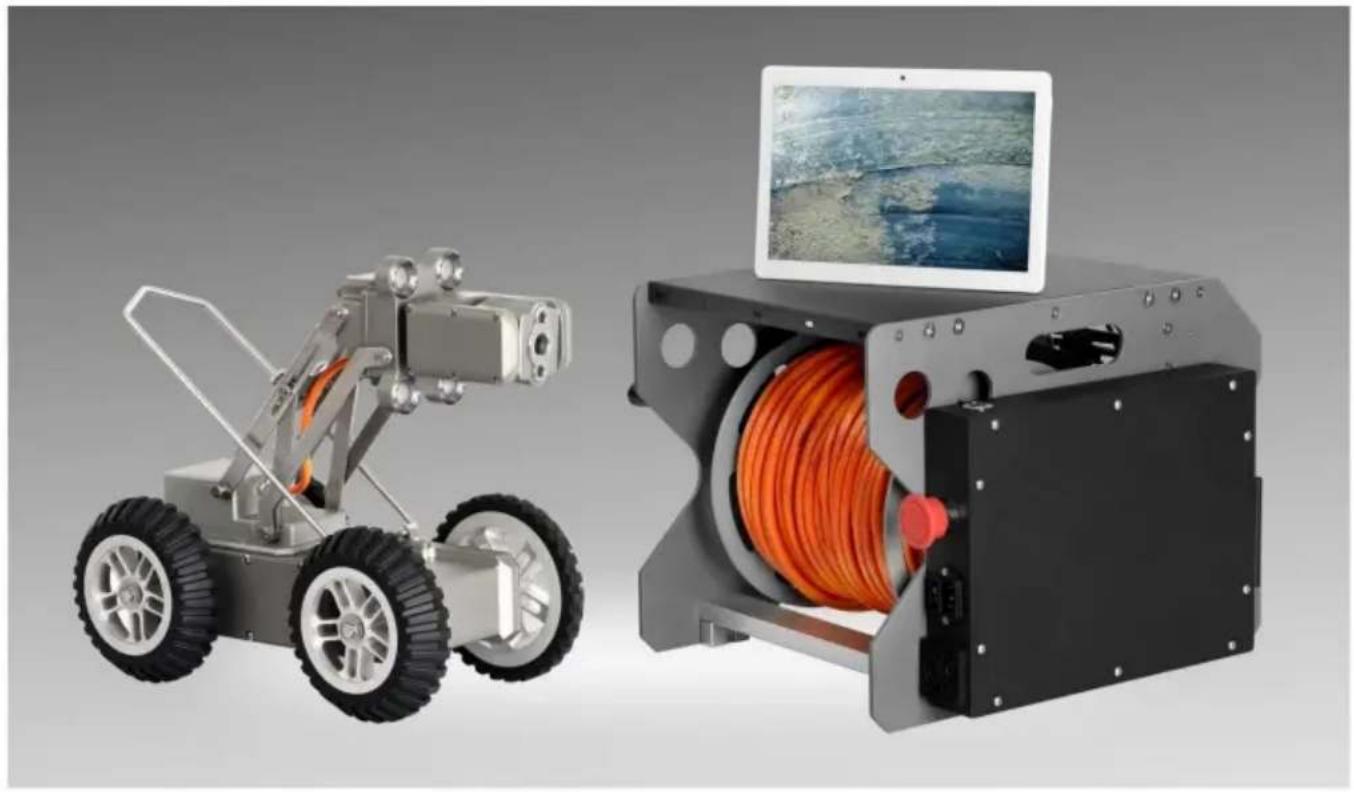
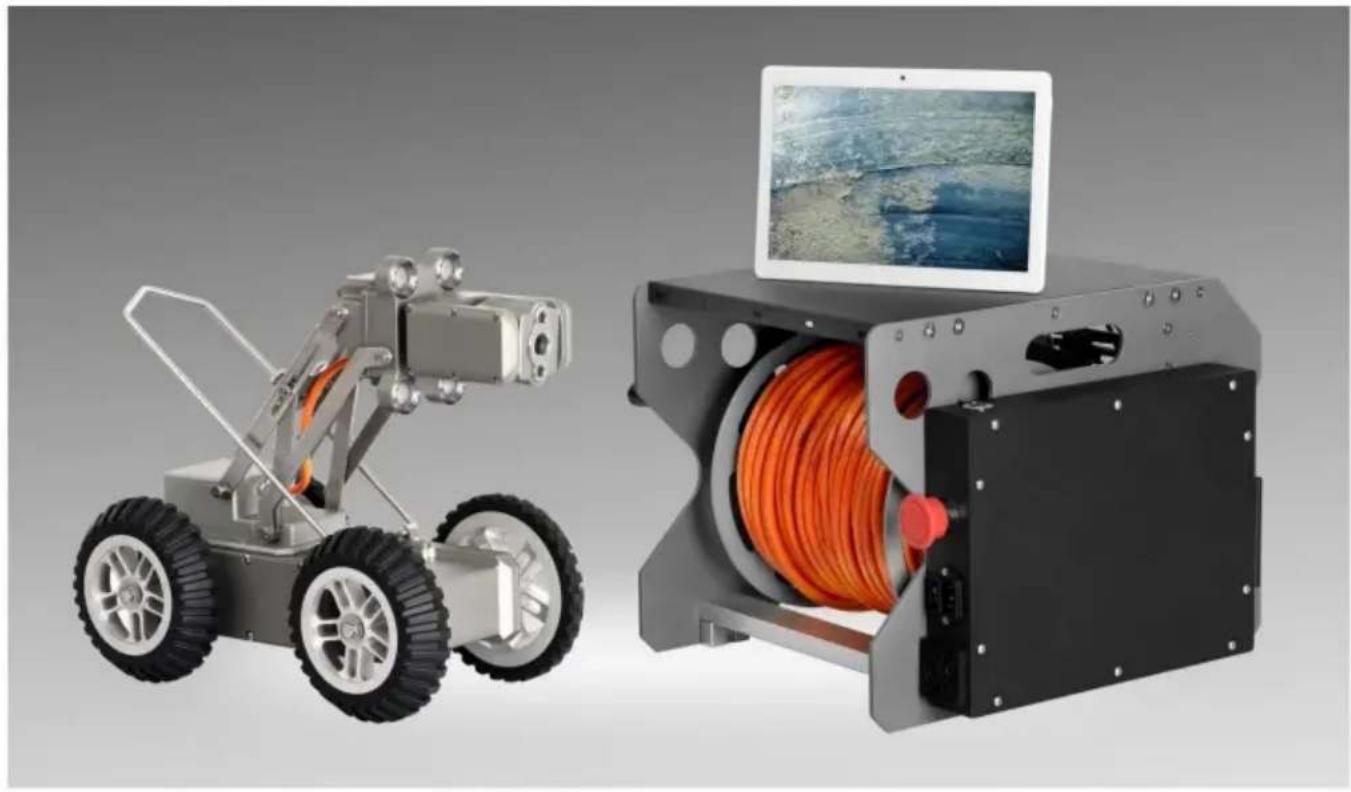
MUNICIPAL PIPELINE DETECTION ROBOT
MODEL:WR030-120, WR030-60
Technical Support and E-Warranty Certificate
www.vevor.com/support
VEVOR
Affordable. Reliable. Home Improvement.
MUNICIPAL PIPELINE
DETECTION ROBOT
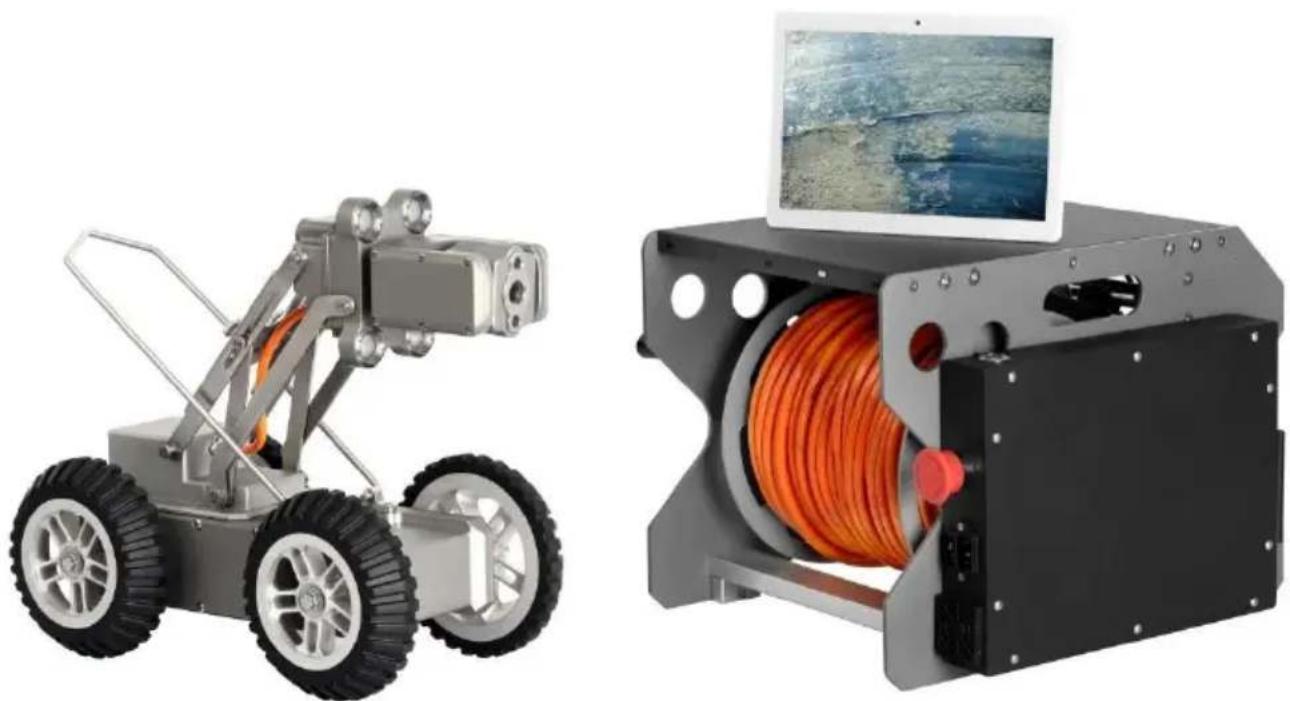
natural_image
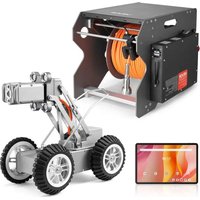
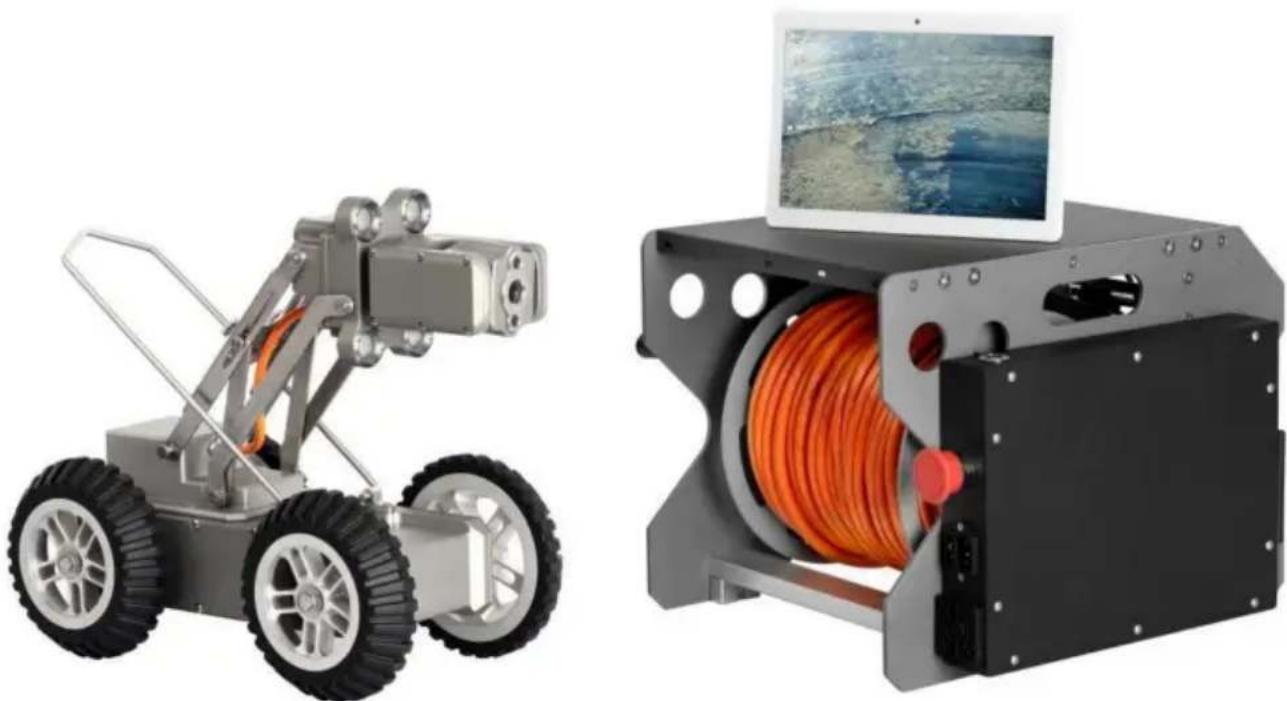
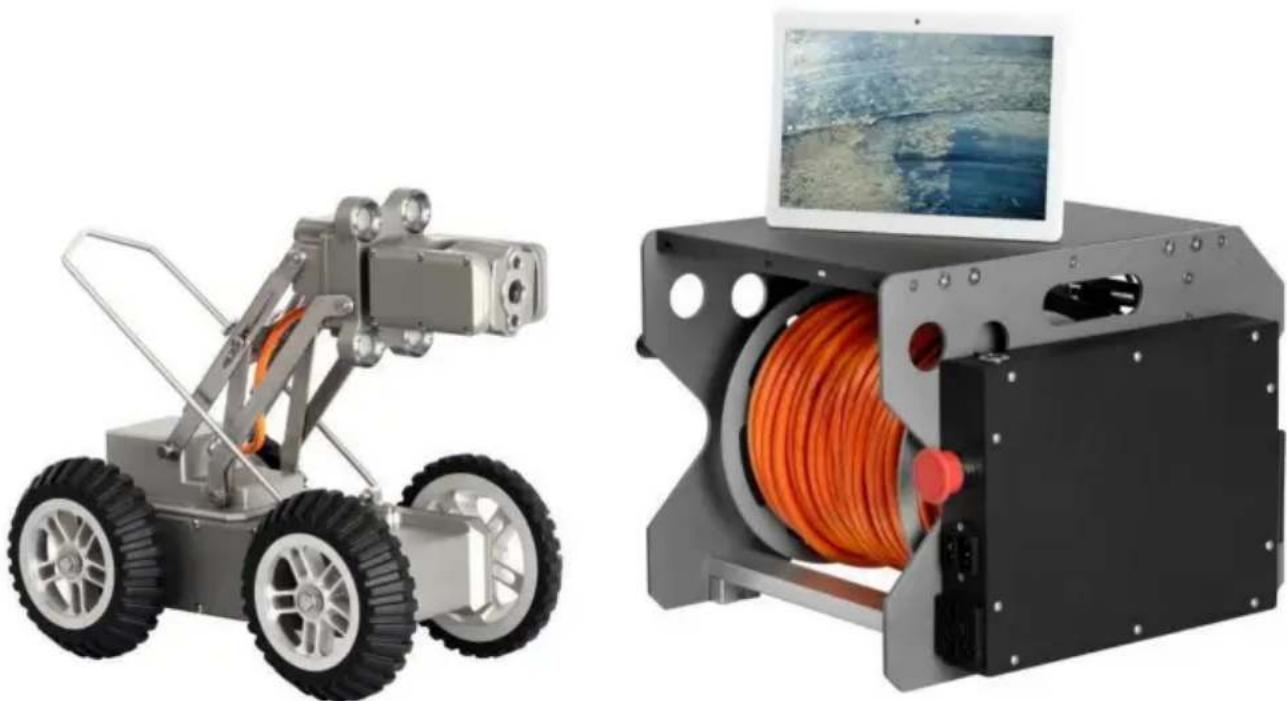
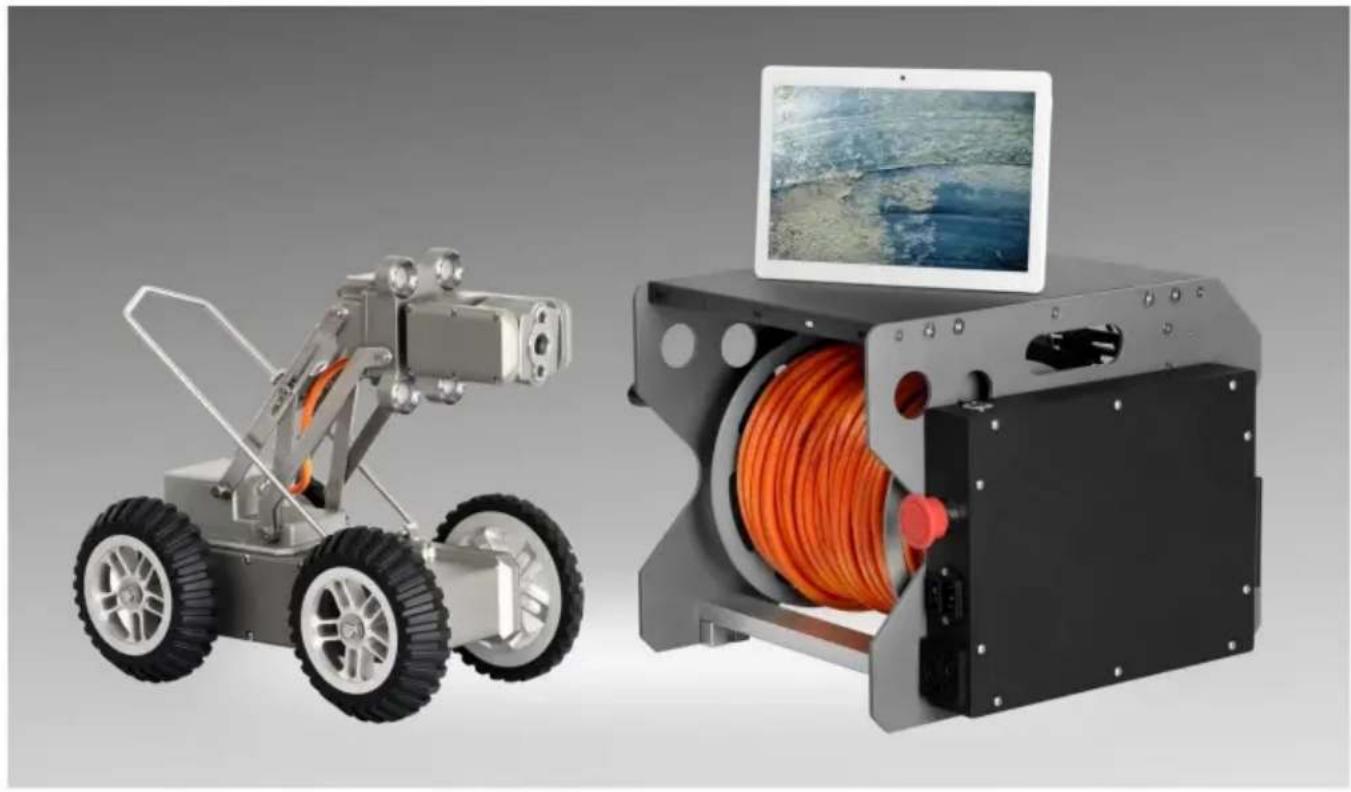
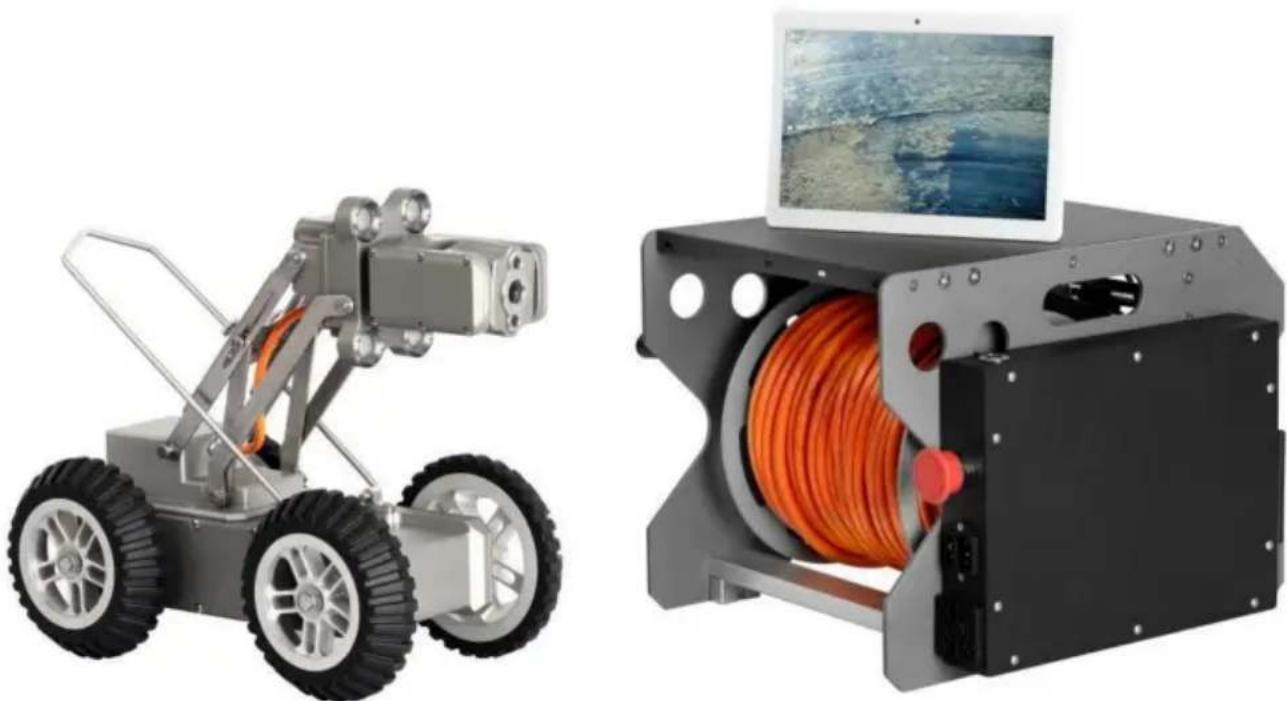
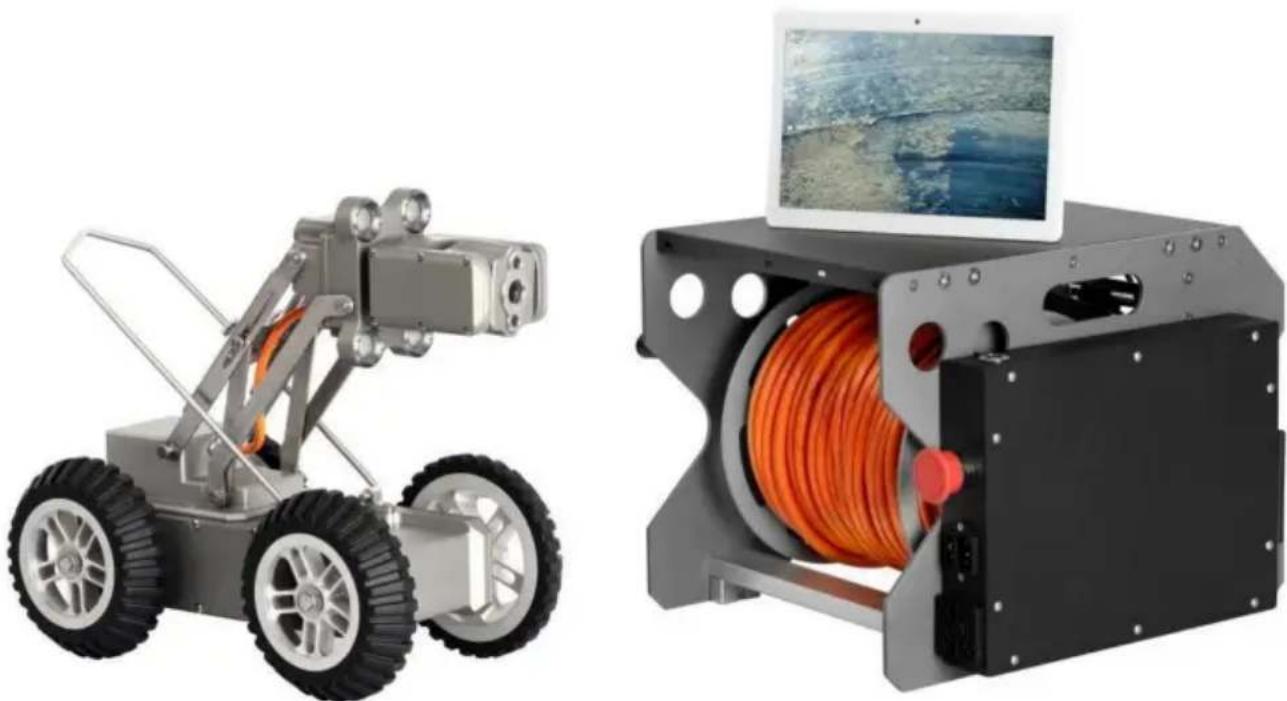
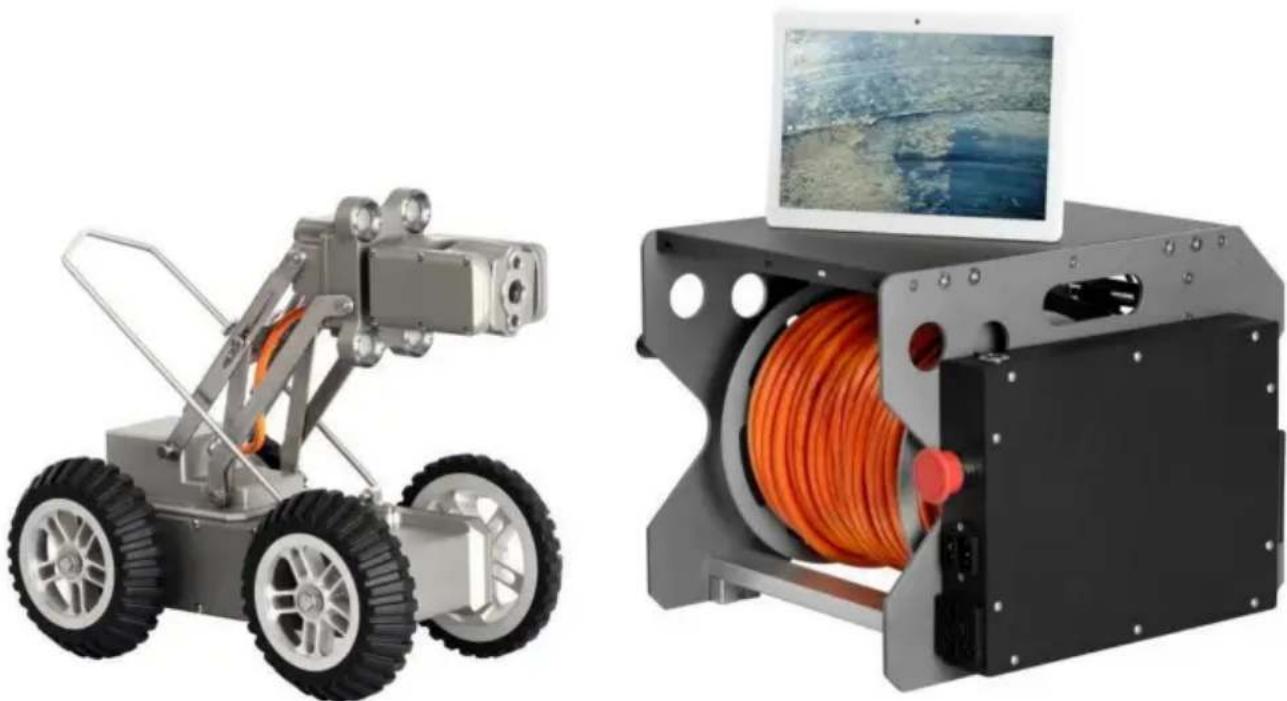
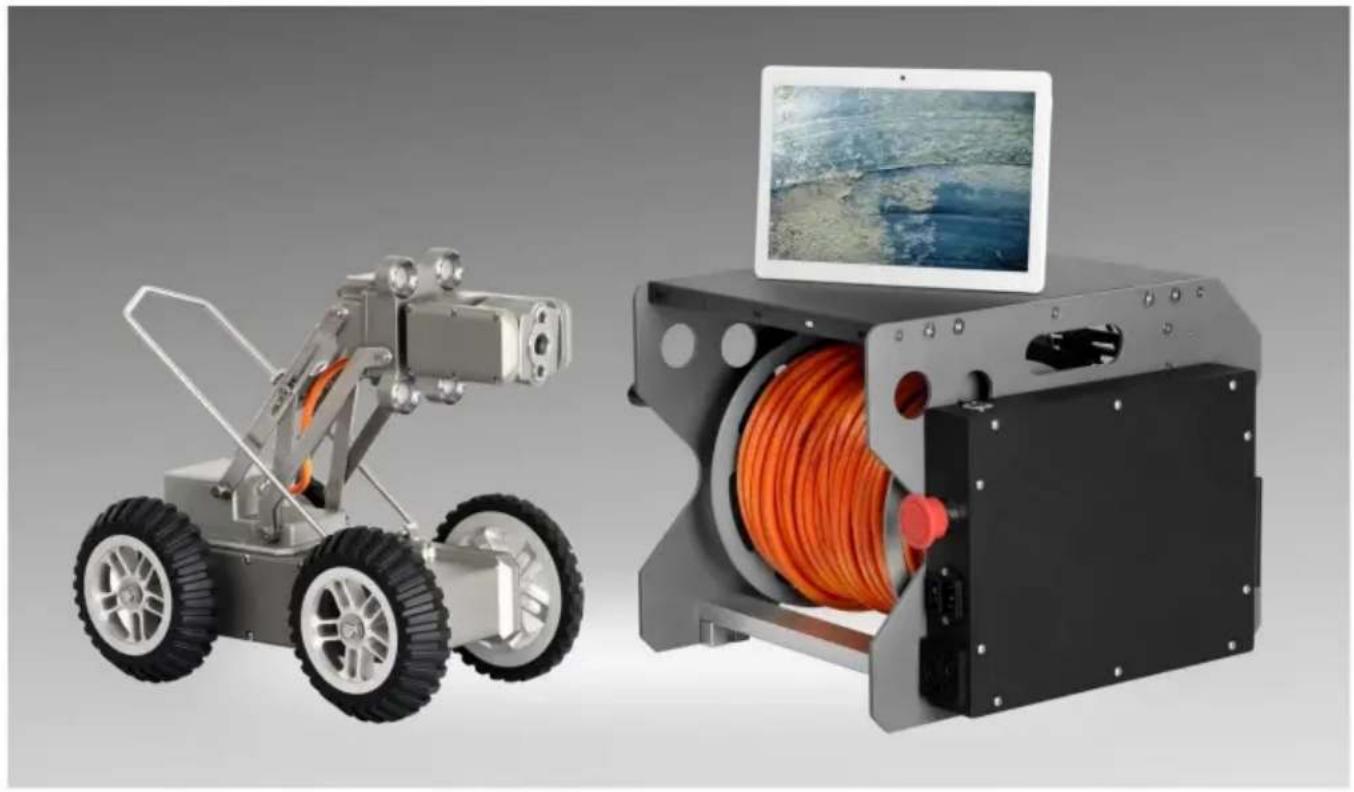
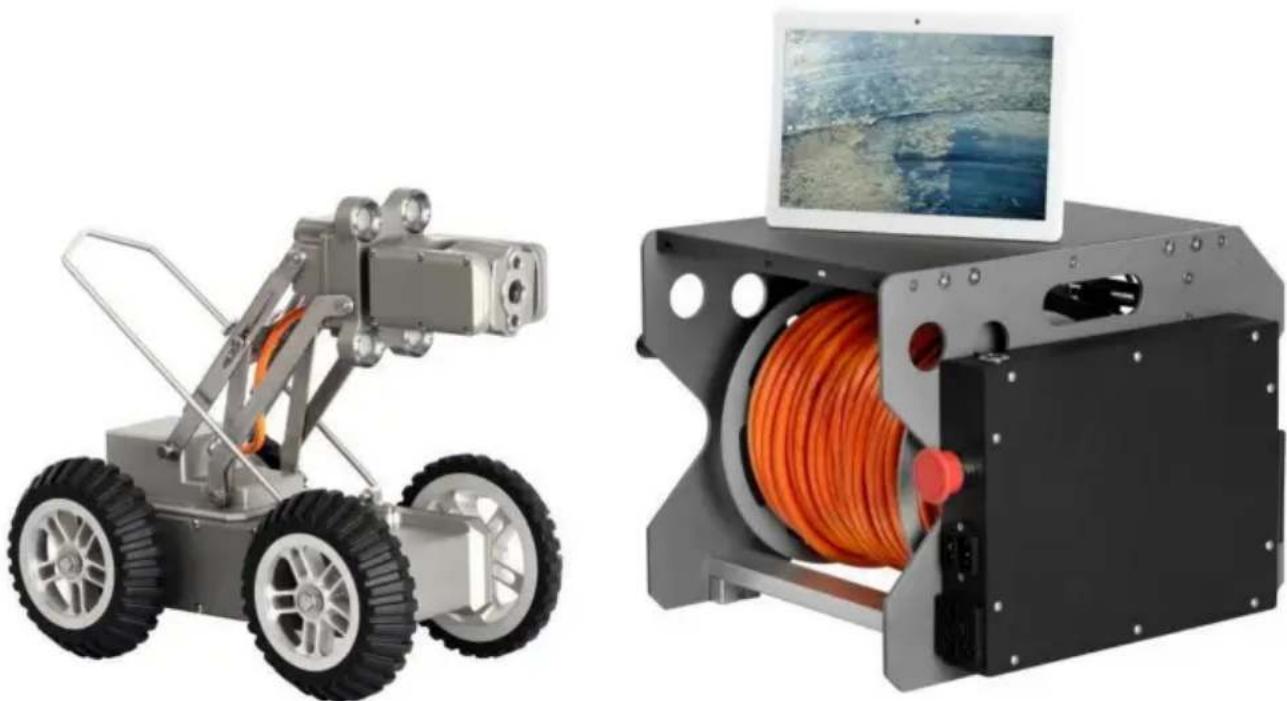
Two industrial robotic devices: a wheeled vehicle and a multi-wheeled device with orange cable spool, both shown without any visible text or symbols.This is the original instruction, please read all manual instructions care before operating. VEVOR reserves a clear interpretation of our user manual. The appearance of the product shall be subject to the product received. Please forgive us that we won't inform you again if there are technology or software updates on our product.

![]() | Warning-To reduce the risk of injury, user must read instructio manual carefully. |
![]() | CORRECT DISPOSALThis product is subject to the provision of european Directive 2012/19/EU. The symbol showing a wheelie bin crossed through indicates that the product requires separate refuse collection inEuropean Union. This applies to the product and all accessories marked with this symbol. Products marked as such may not be discarded with normal domestic waste, but must be taken to a collection point for recycling electrical and electronic devices. |

![]() | FCC Information:CAUTION: Changes or modifications not expressly approved by party responsible for compliance could void the user's authority operate the equipment!This device complies with Part 15 of the FCC Rules. Operatio subject to the following two conditions:1) This product may cause harmful interference.2)This product must accept any interference received, including interference that may cause undesired operation.WARNING: Changes or modifications to this product not expre approved by the party.responsible for compliance could void the user's authority to operate the product.Note: This product has been tested and found to comply with for a Class B digital device pursuant to Part 15 of the FCC These limits are designed to provide reasonable protection aga harmful interference in a residential installation.This product generates, uses and can radiate radio frequency and if not installed and used in accordance with the instructio cause harmful interference to radio communications. However, it is no guarantee that interference will not occur in a particular installation. If this product does cause harmful interference to television reception,which can be determined by turning the pro off and on, the user is encouraged to try to correct the inter one or more of the following measures.Reorient or relocate the receiving antenna.Increase the distance between the product and receiver.Connect the product to an outlet on a circuit different from which the receiver is connected.Consult the dealer or an experienced radio/TV technician for assistance. |
SAFETY INSTRUCTIONS
WARNING:
Read this material before using this product. Failure to do so can result in injury.
Precautions
- Please read the instruction carefully before use.
- Don't drop or press.
- Do not turn on power supply during installation, cleaning and repair.
- If product has abnormal sound or smell during use, cut off power supply immediately.
- Power supply box is not waterproof, keep it dry.
- Be sure to keep hands and plug dry when plug in or plug off.
- If the user disassembles the machine or there is loss, no warranty.
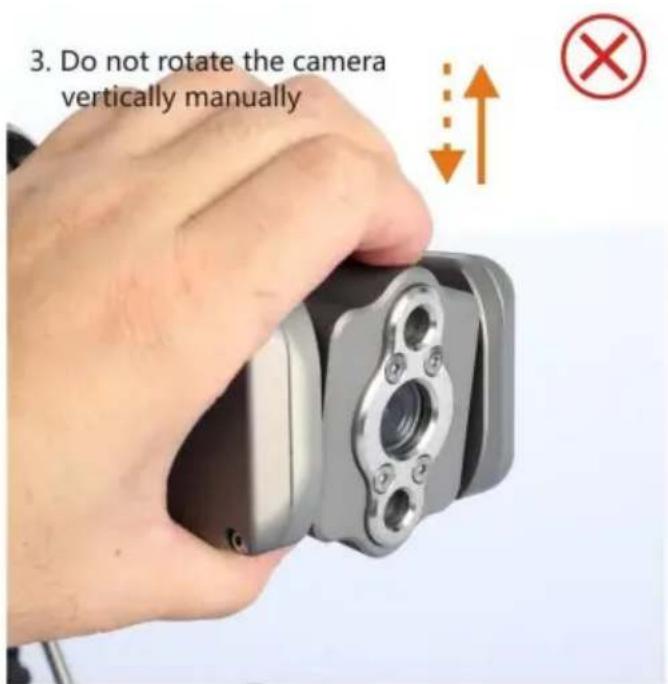
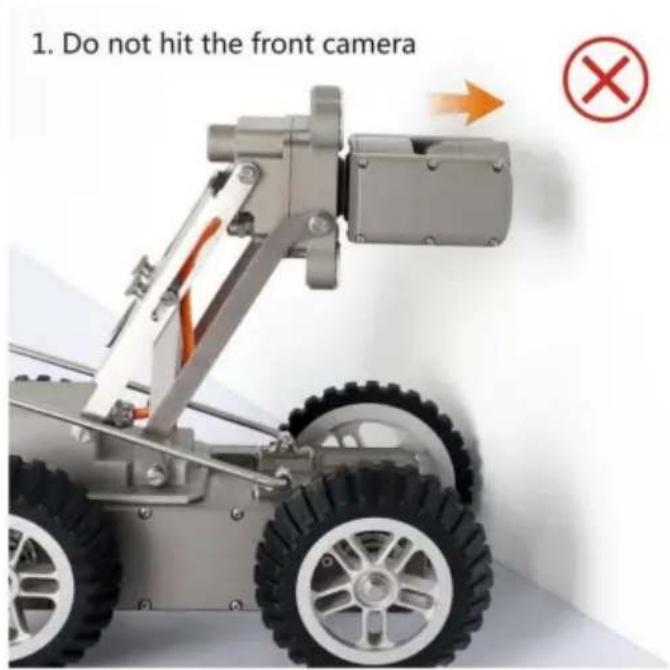
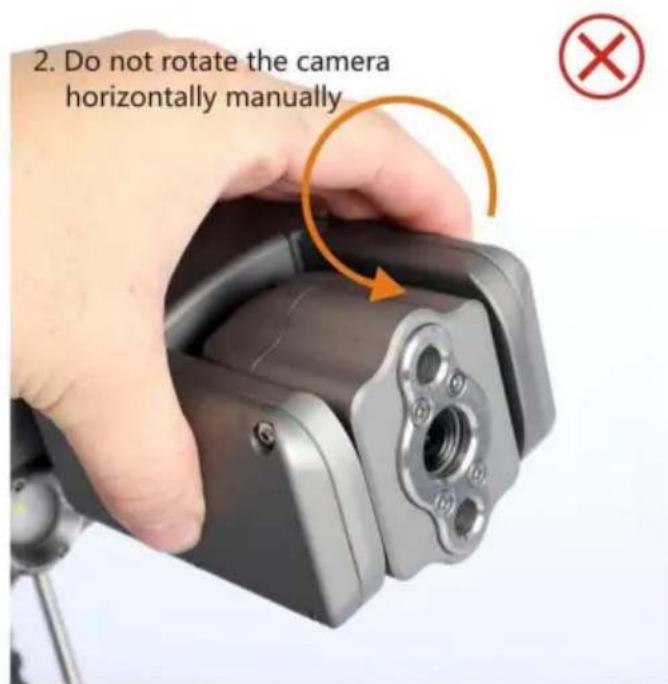
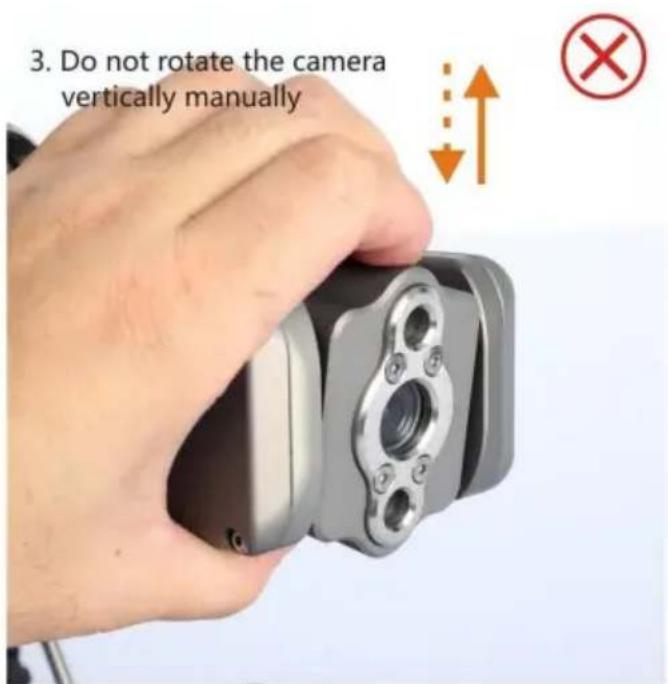
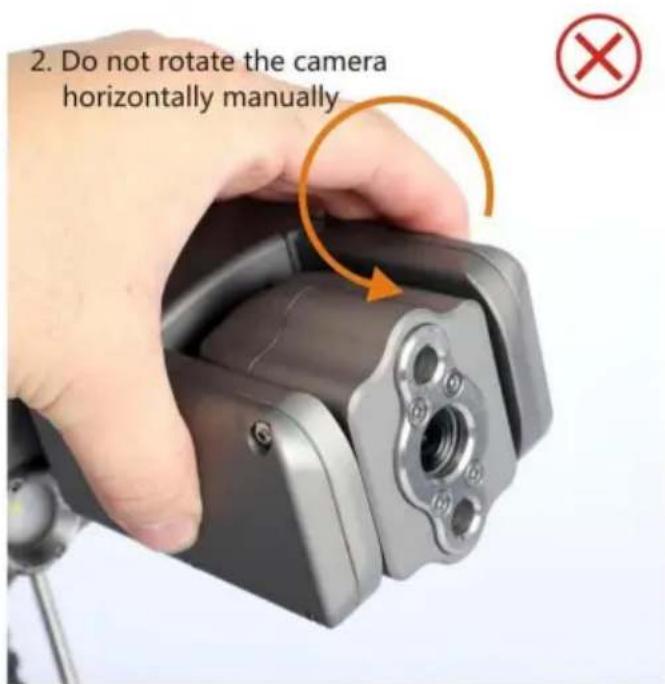
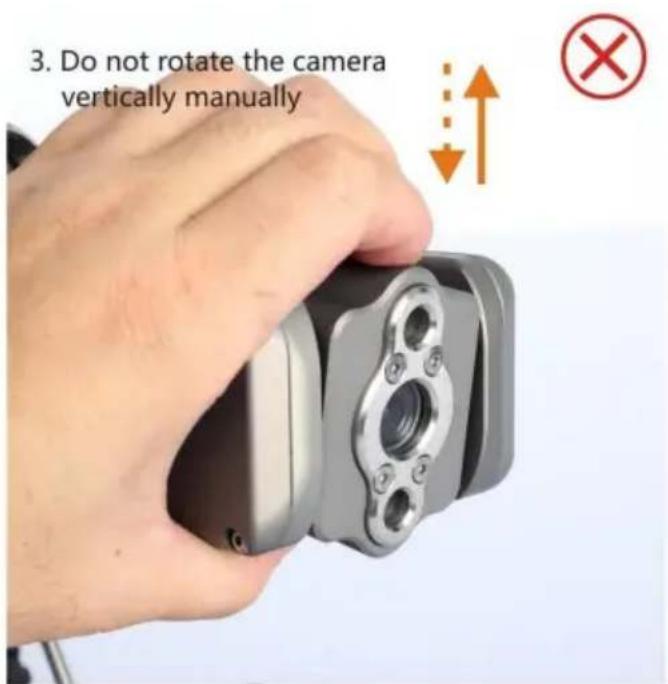
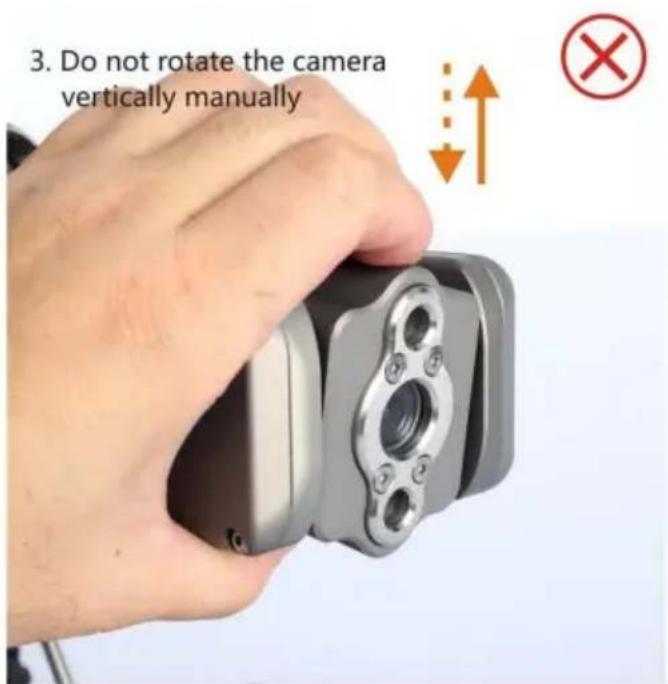
- The operation of the product should be standardized, otherwise it will lead bad camera and cable damage.
- If the product is upgraded, the instruction may be different from the product without prior notice.
Features
- All-metal anti-oxidation and corrosion resistant body, IP68 waterproof.
- With front and rear 2 megapixel, high-definition, low illumination cameras.
- The front camera is mounted on a Pan-Tilt, which can be adjusted horizo to 360 degrees and vertically to ±90 degrees. The height of the camera is adjustable.
- Four motor driven wheels, all-time stand by and powerful. The driving speed the machine can be adjusted in high, medium and low three levels.
- Special shaped non-skid tire, designed according to the force in the pipeline suitable for all kinds of wet and slippery scenes.
-
Eight high-power lights (six in front and two in rear), headlight is adjustab Good lighting effect.
-
All metal winch with automatic wire winding function. With automatic meter count function, vehicle driving distance can be displayed synchronously and ca appear in the screenshot.
- Special tensile, scratch and corrosion resistant cable.
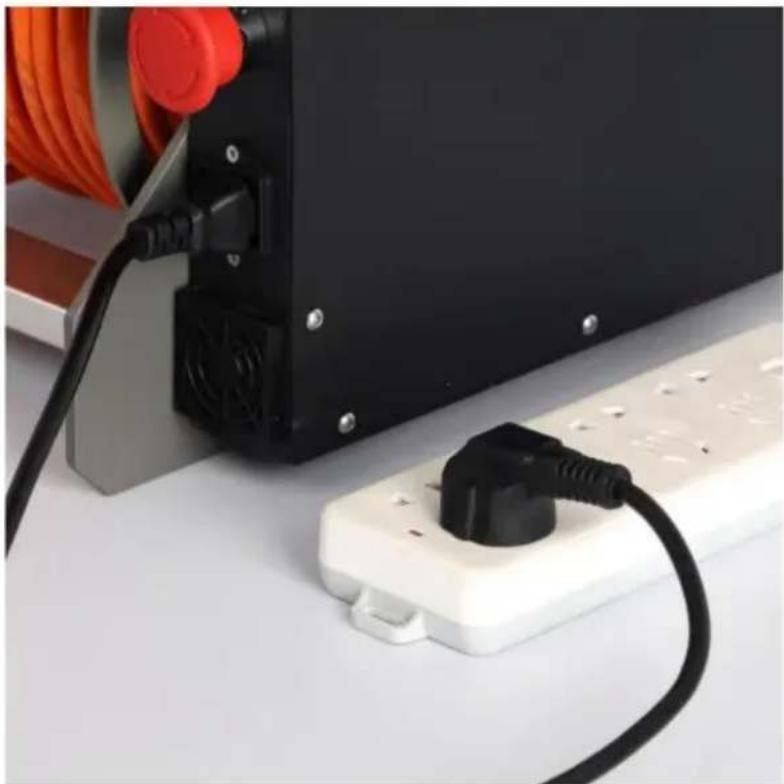
- Power input: 110V-220V, emergency inverter power supply can also be used
- Real-time display when machine is moving forward, backward and turning or right.
- With tablet, installed operating software, simple operation and easy to use
- With photo and video functions.
Specifications
| Part | Item | Specifications | |||
| WR030-120 | WR030-120 | WR030-60 | WR030-60 | ||
| Robot | Material | High Strength Alloy Material | |||
| Motoring Mode | Four-wheel Motoring | ||||
| Speed | Four-wheel Crawling | ||||
| Motor Power | 2-25 meters/min 3 levels speed, Adjusta | ||||
| Motor Power | 120W | ||||
| Camera Pixel | 2 Megapixel | ||||
| Lens Rotation Angle | 360 Degrees Constant Speed Infinite Rotation | ||||
| Lens Flip Angle | 180 Degrees | ||||
| The Lens Material | Alloy Steel | ||||
| Light Power | 40W | ||||
| Front Lens light Source | 4 Main Headlights, 2 Auxiliary Lens Lig | ||||
| Rear Lens Light Source | 2 | ||||
| Lightness | Adjustable | ||||
| Waterproof Grade | IP68 | ||||
| Wire Frame | Wire Frame Material | All Metal | |||
| Cable Length | 120m | 120m | 60m | 60m | |
| Cable Material | Tensile, Scratch and Corrosion Resistant Cable | ||||
| Wire Winding Mode | manual winding, automatic wiring | ||||
| Meter Count Mode | Electronic Counter | ||||
| Power Supply | 110-120V | 220-240V | 110-120V | 220-240V | |
Operating Environment and Conditions
Pipe diameter: >300MM
Temperature: -10 °C - +50 °C
Relative humidity: 0%-95%, no condensation.
Atmospheric pressure: 70-106Kpa.
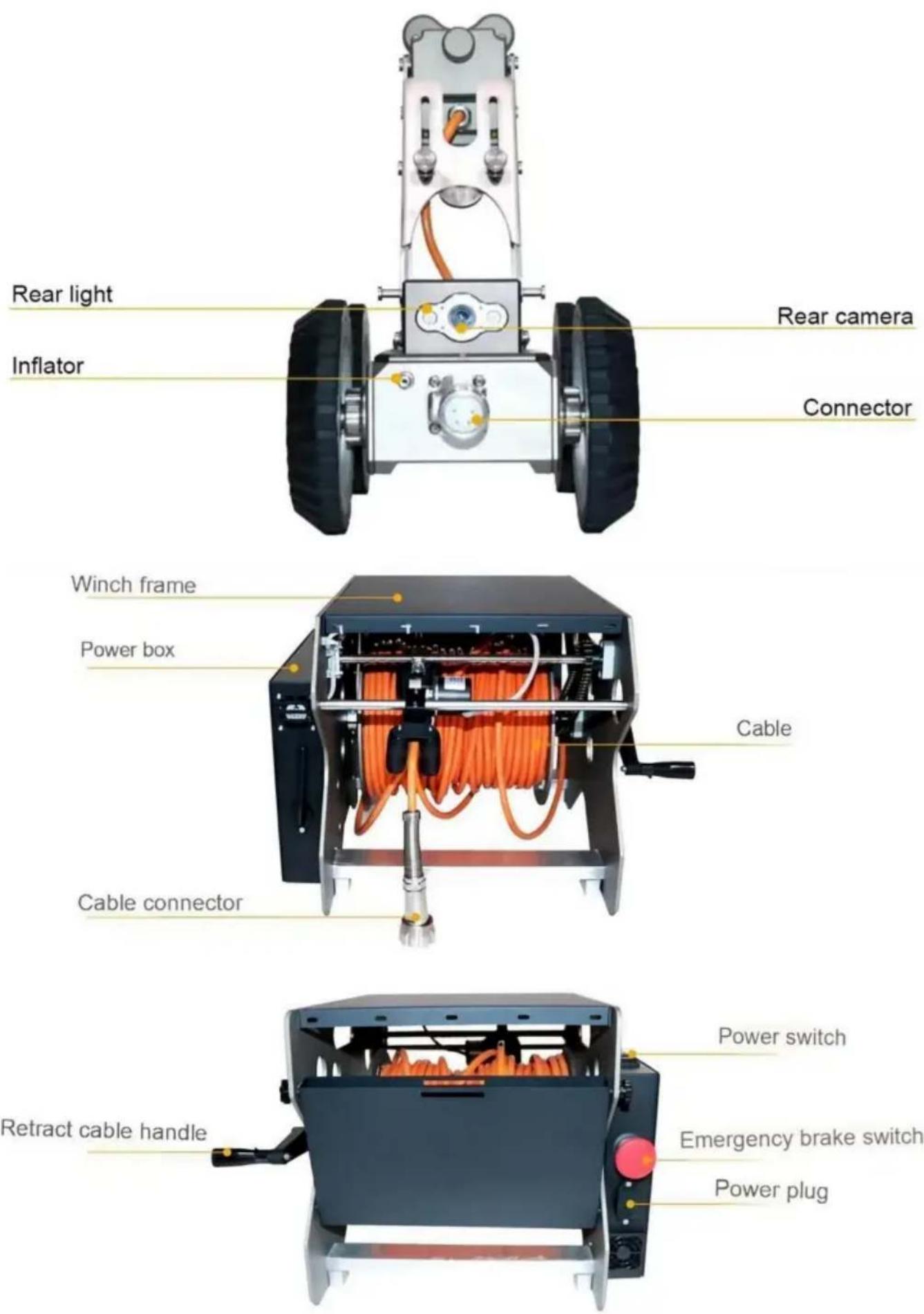
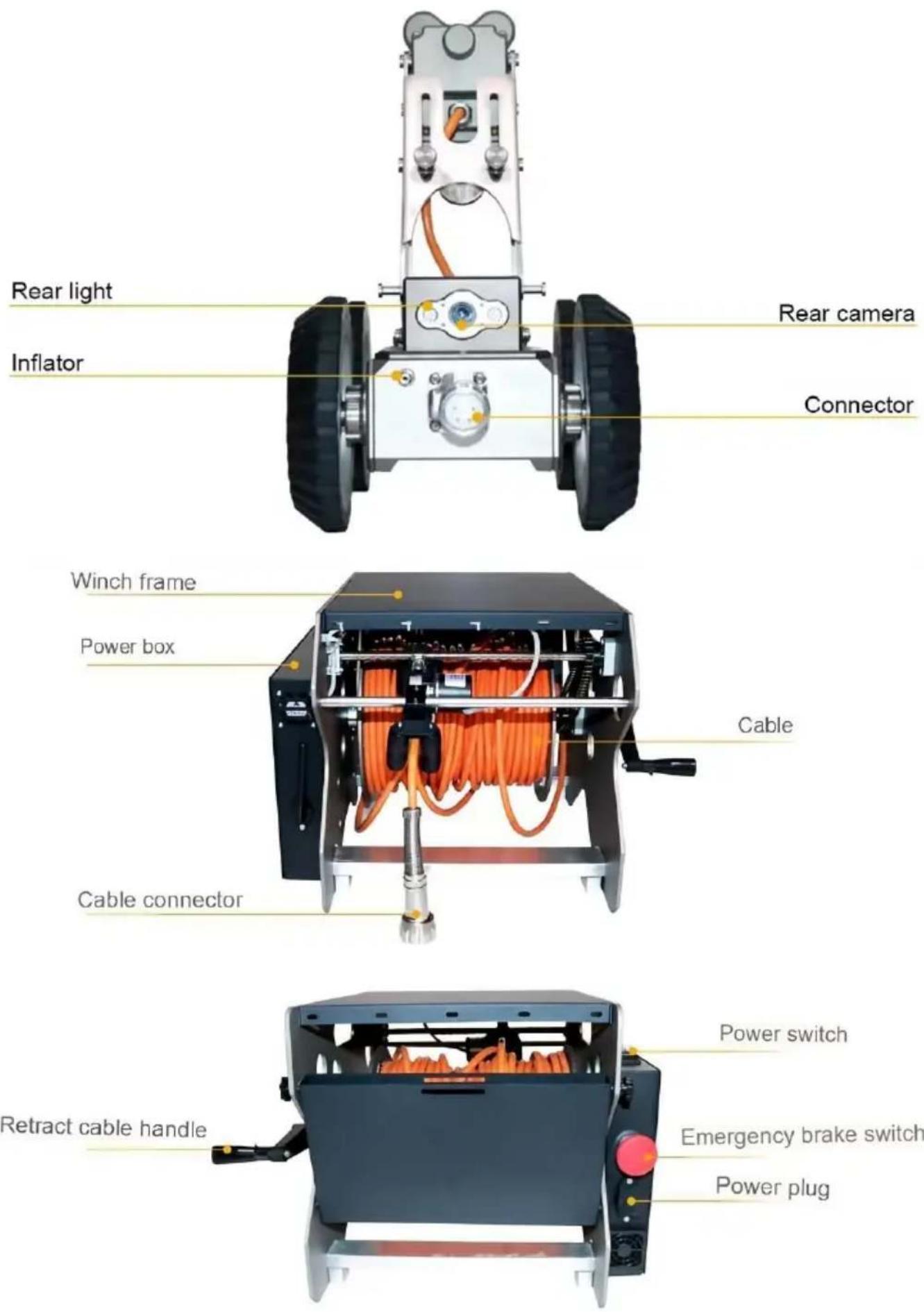
Parts Introduction
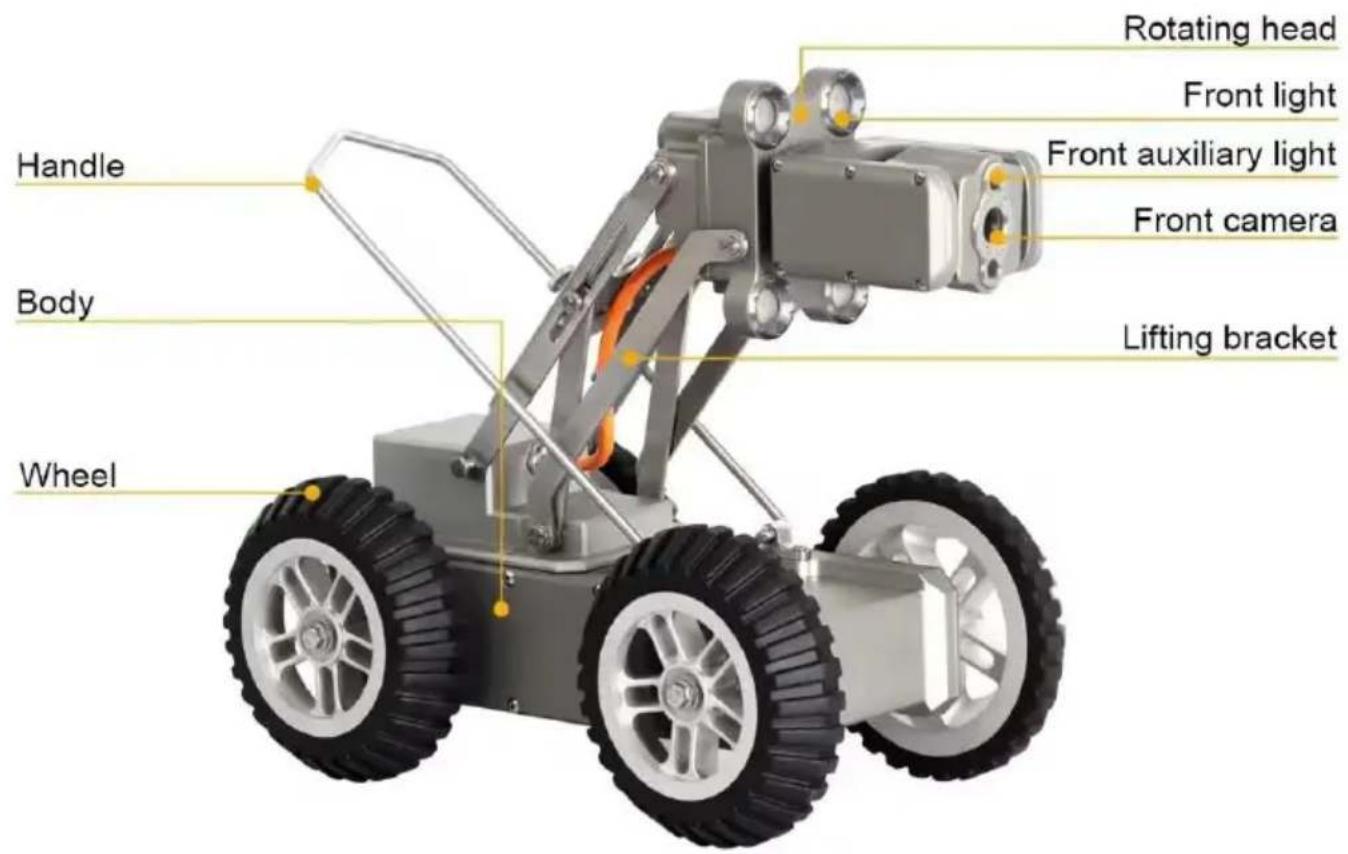
text_image
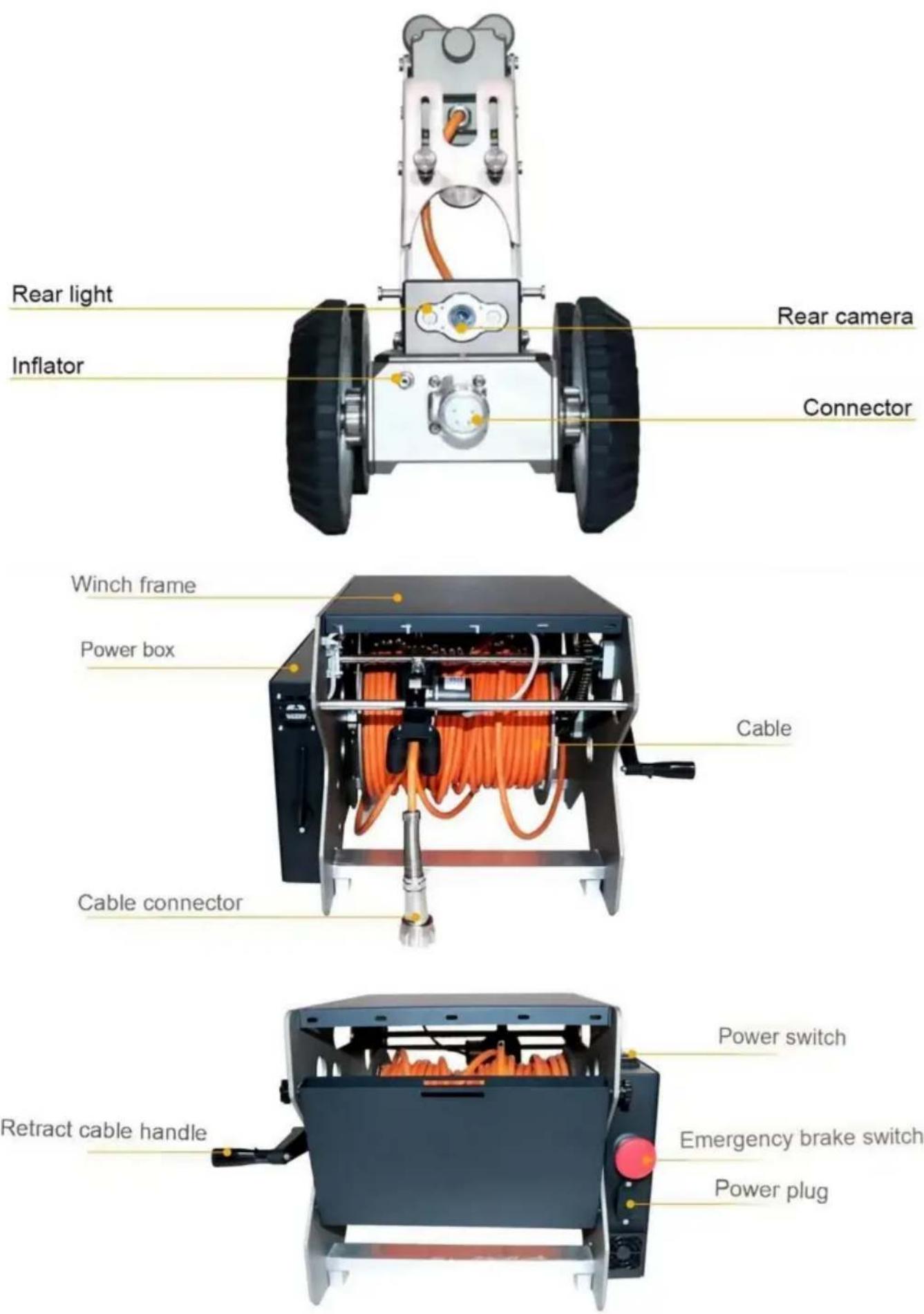
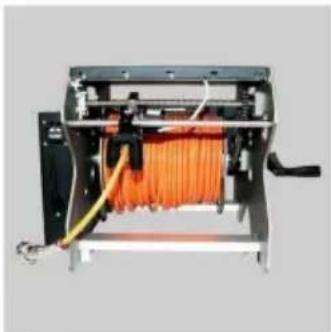
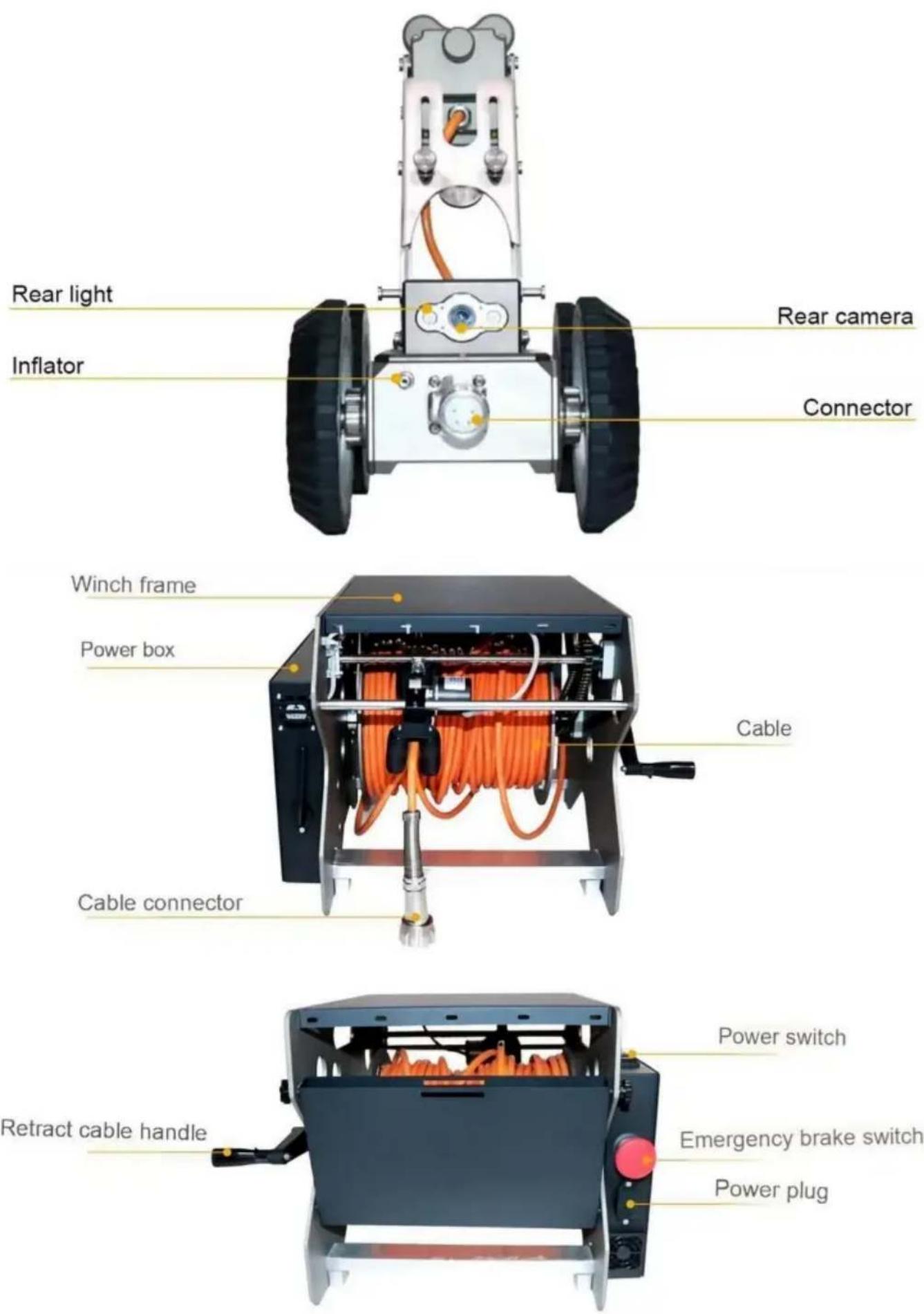
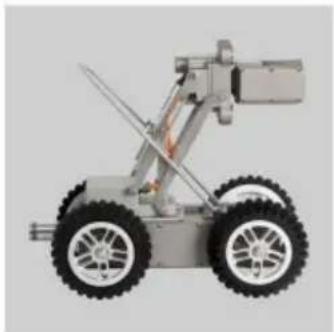
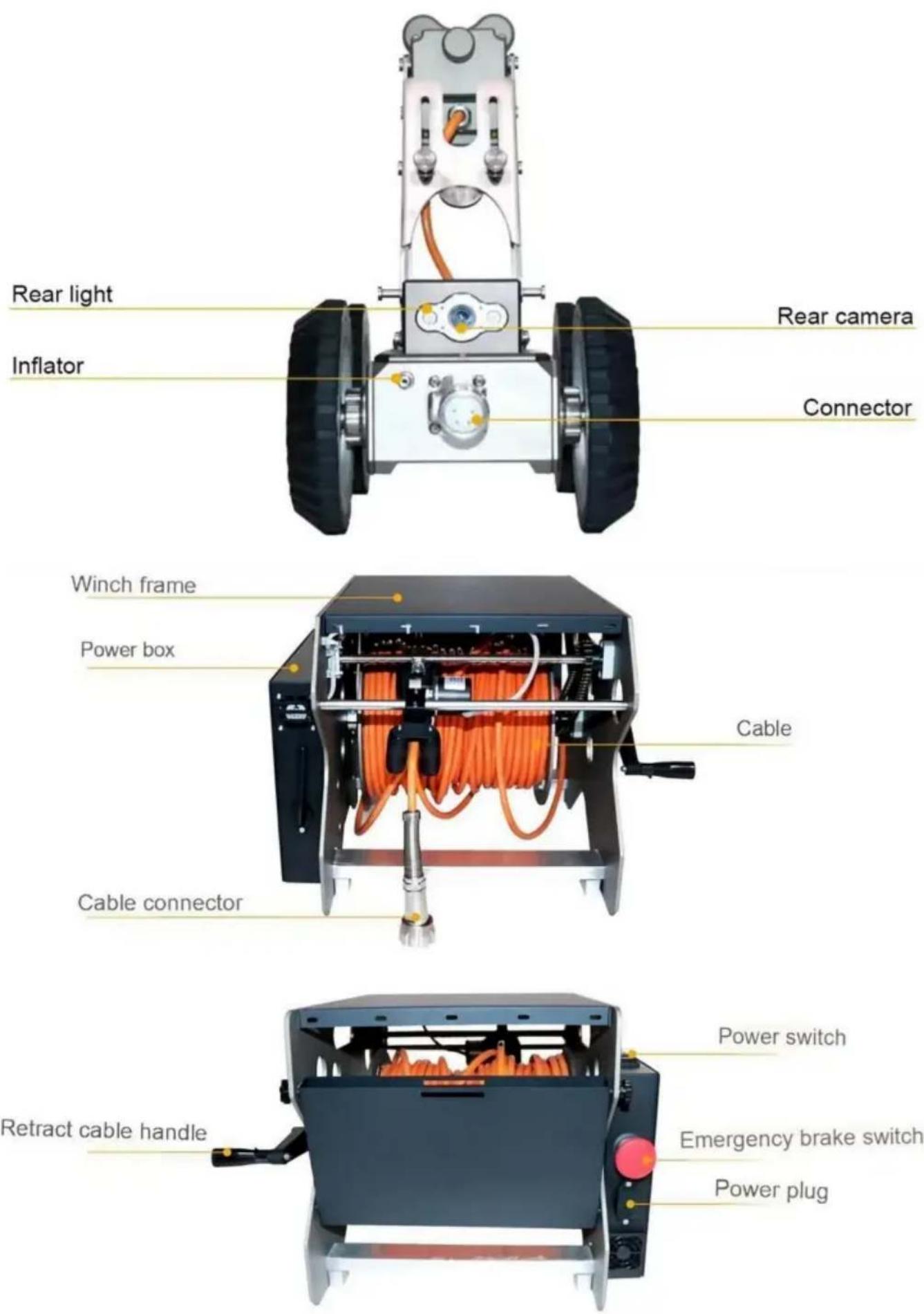
Handle Body Wheel Rotating head Front light Front auxiliary light Front camera Lifting bracket
text_image
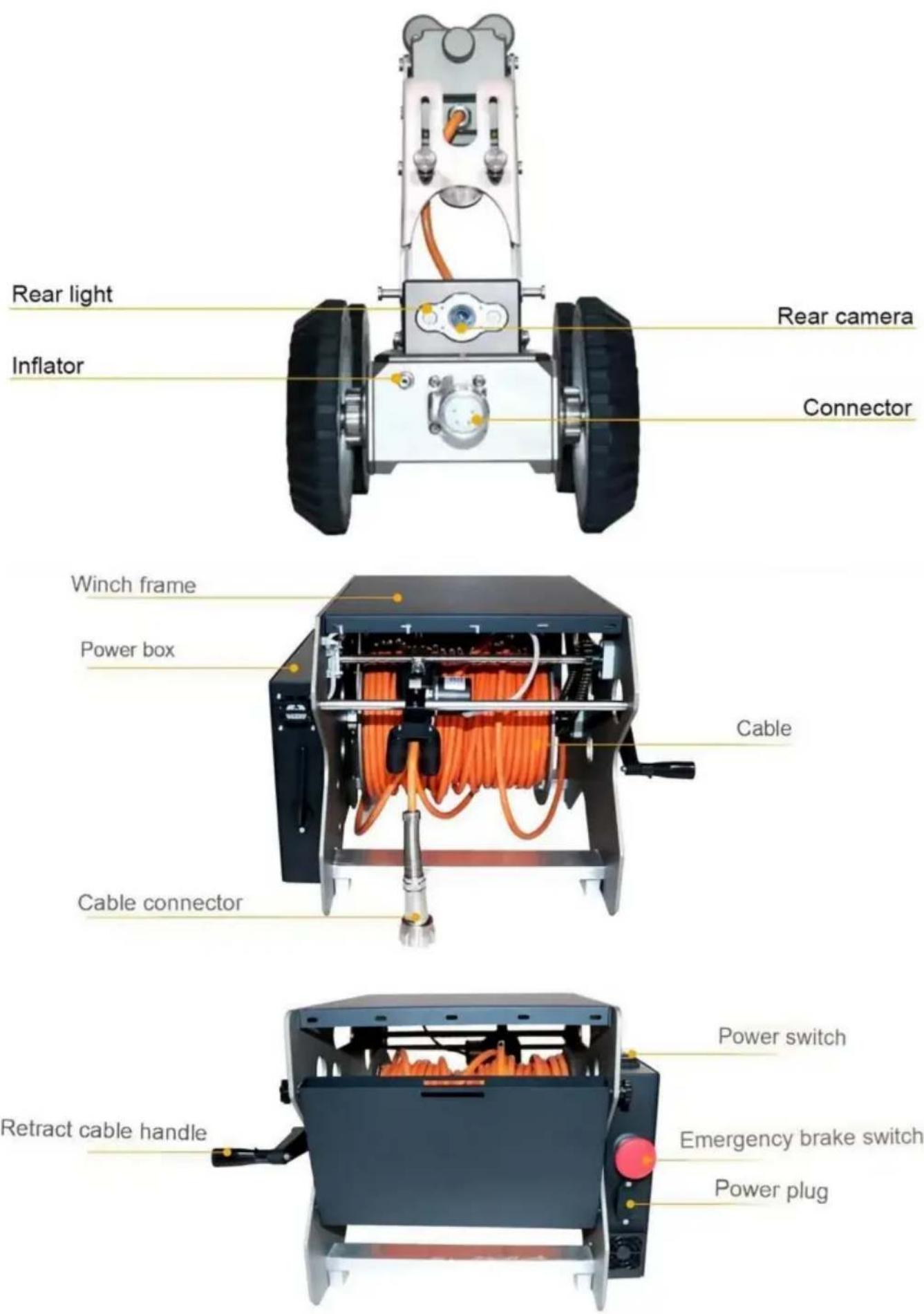
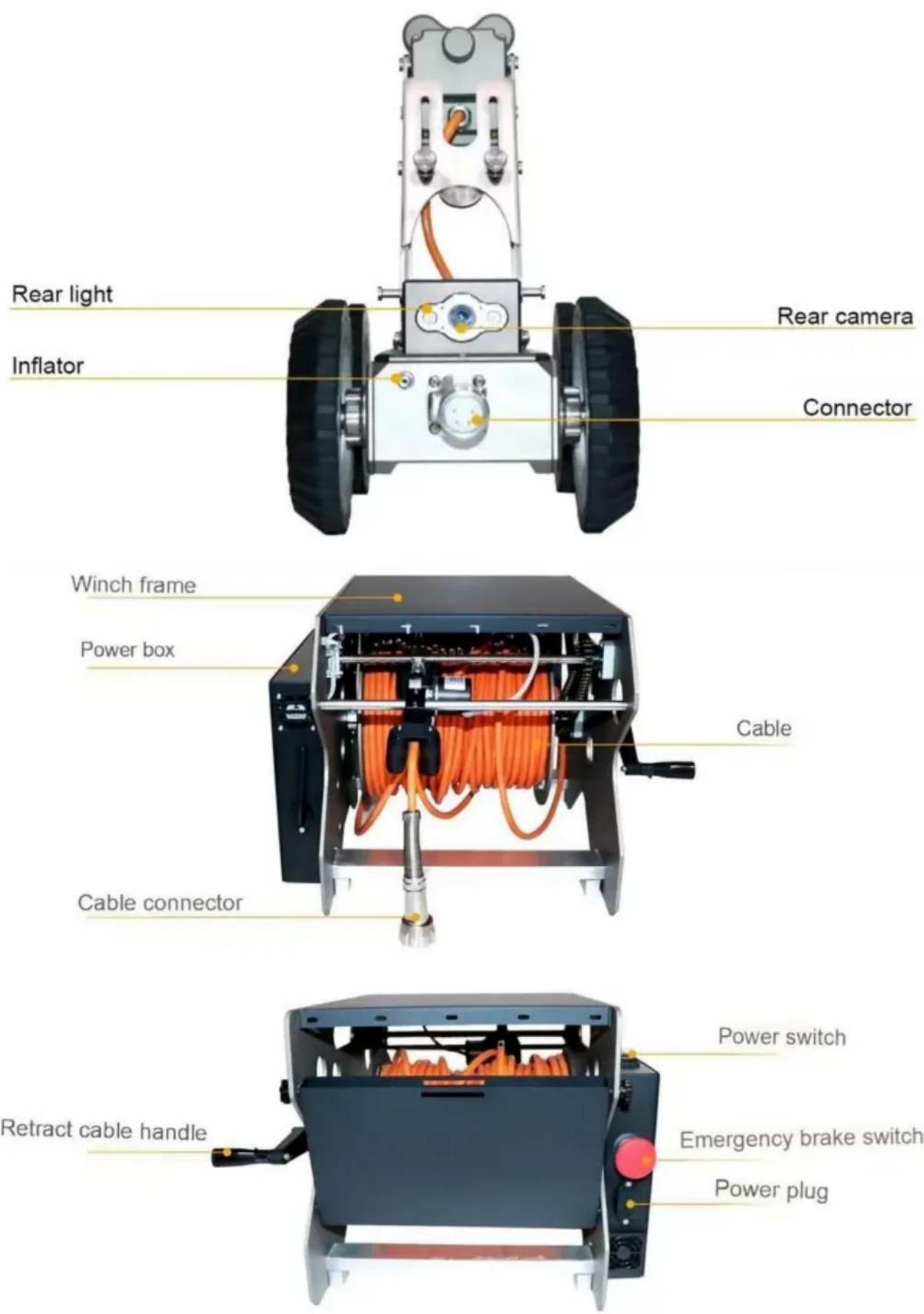
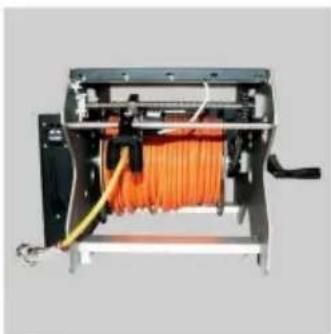
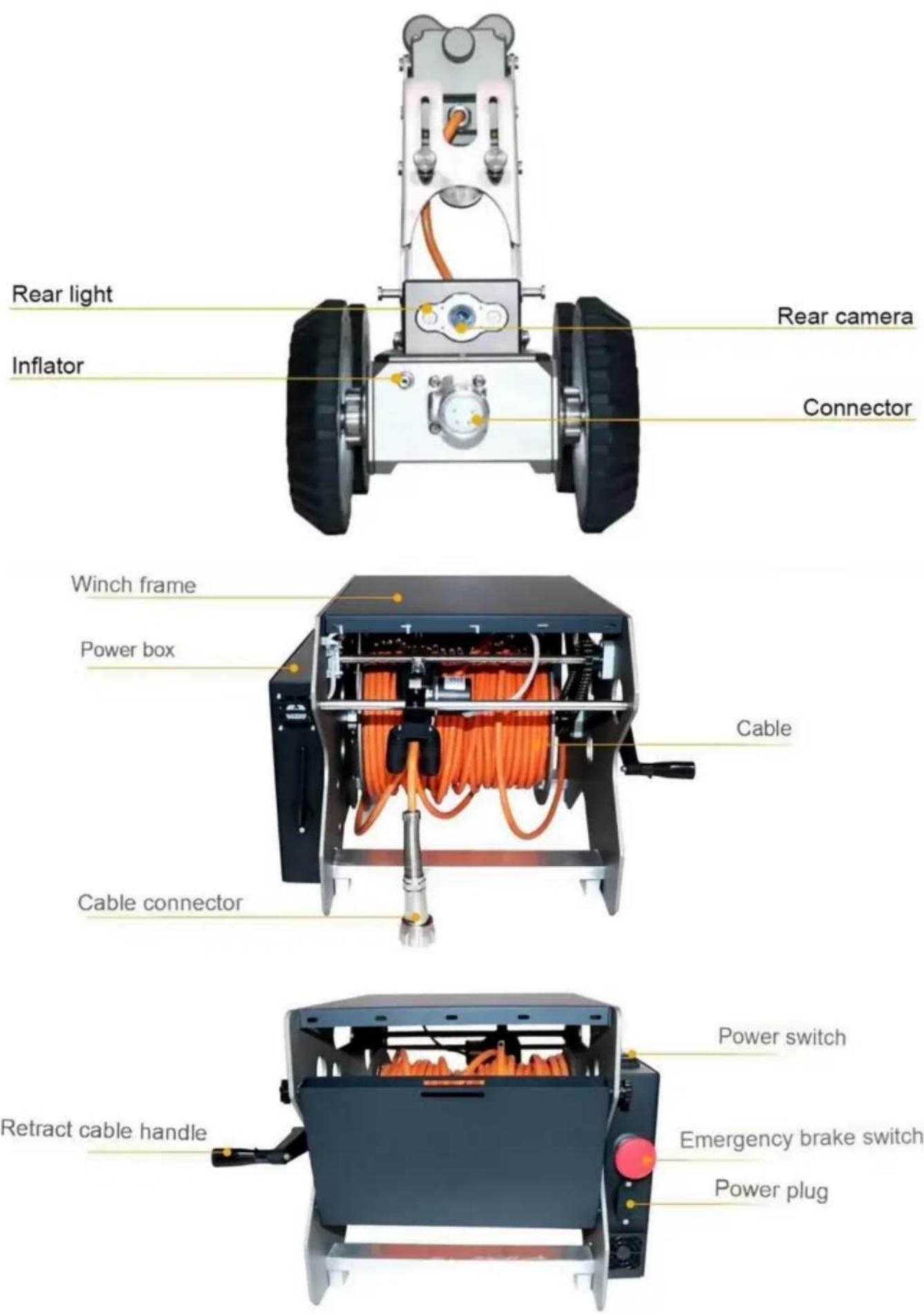
Rear light Inflator Rear camera Connector Winch frame Power box Cable Cable connector Retract cable handle Power switch Emergency brake switch Power plug
text_image
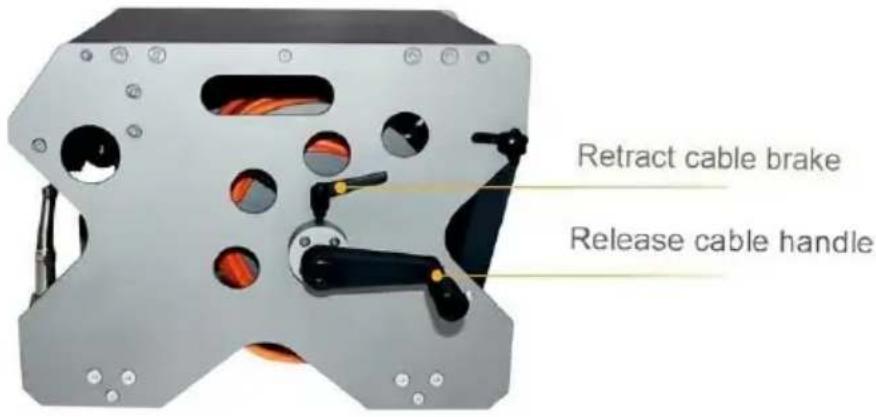
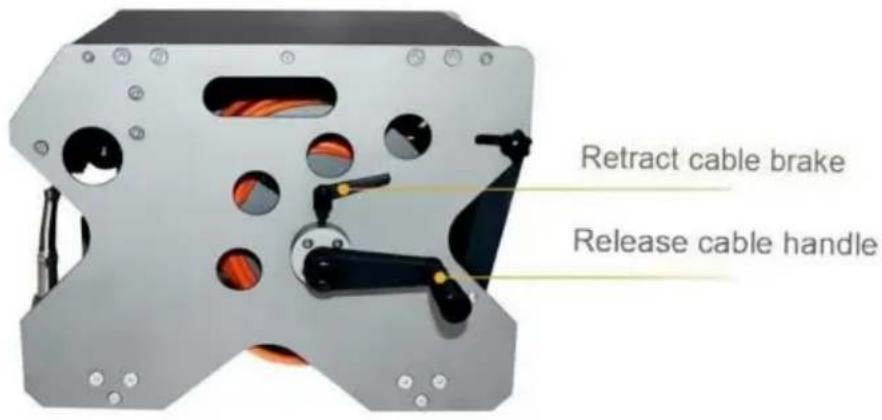
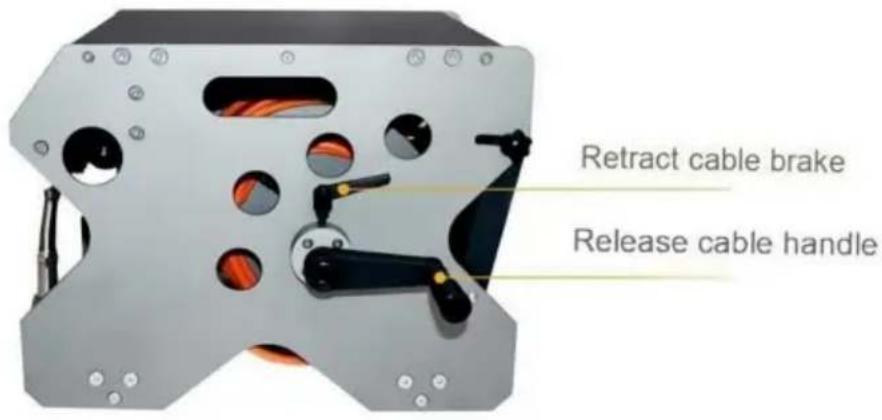
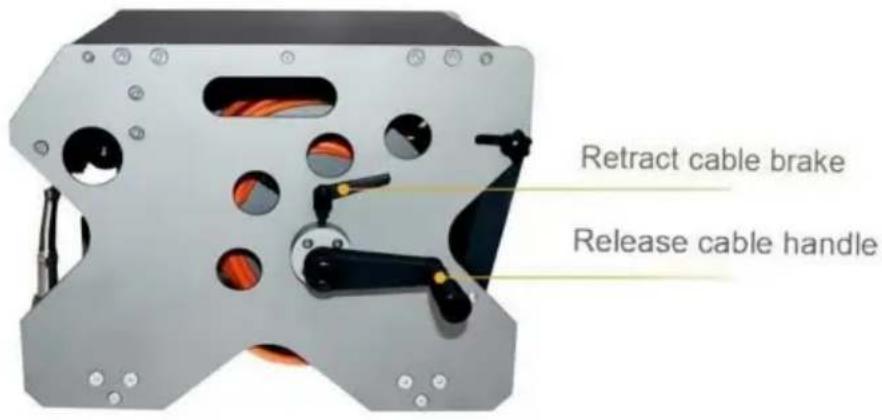
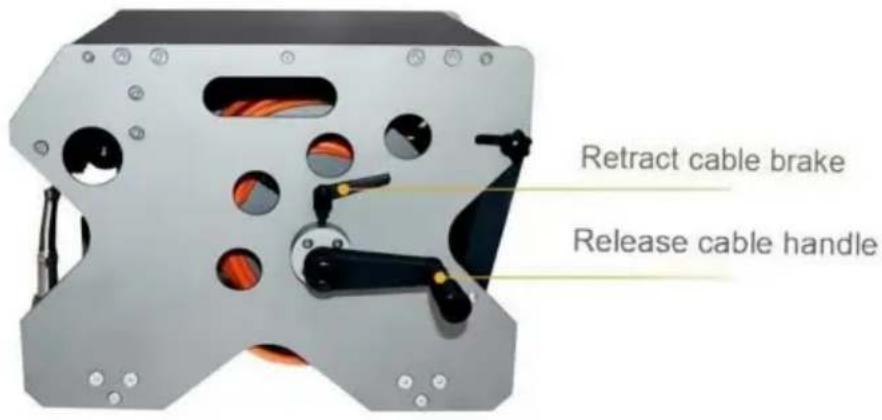
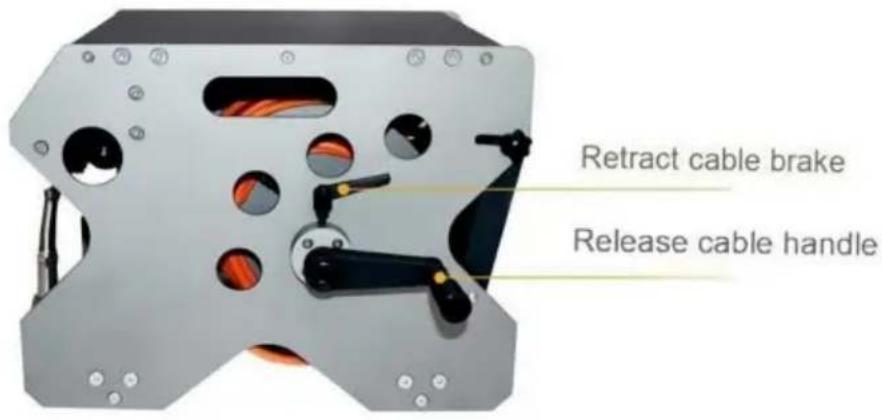
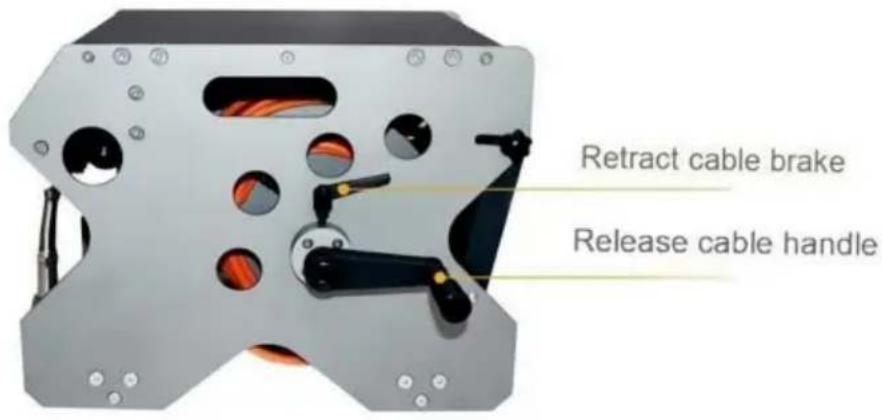
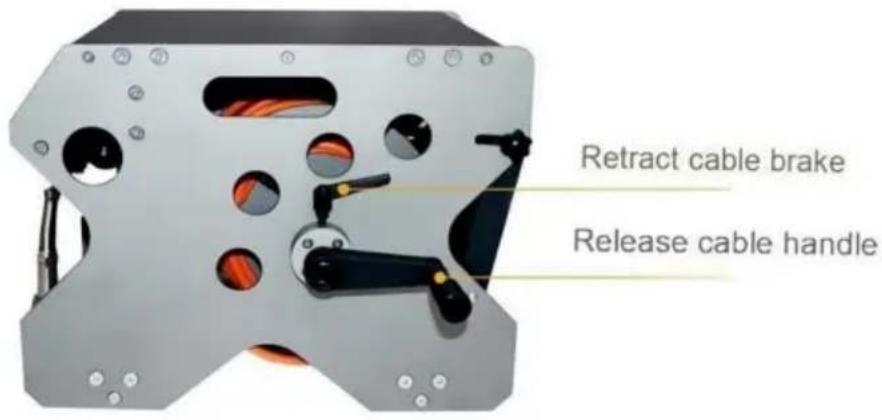
Retract cable brake Release cable handleTablet WIFI Connection and Control
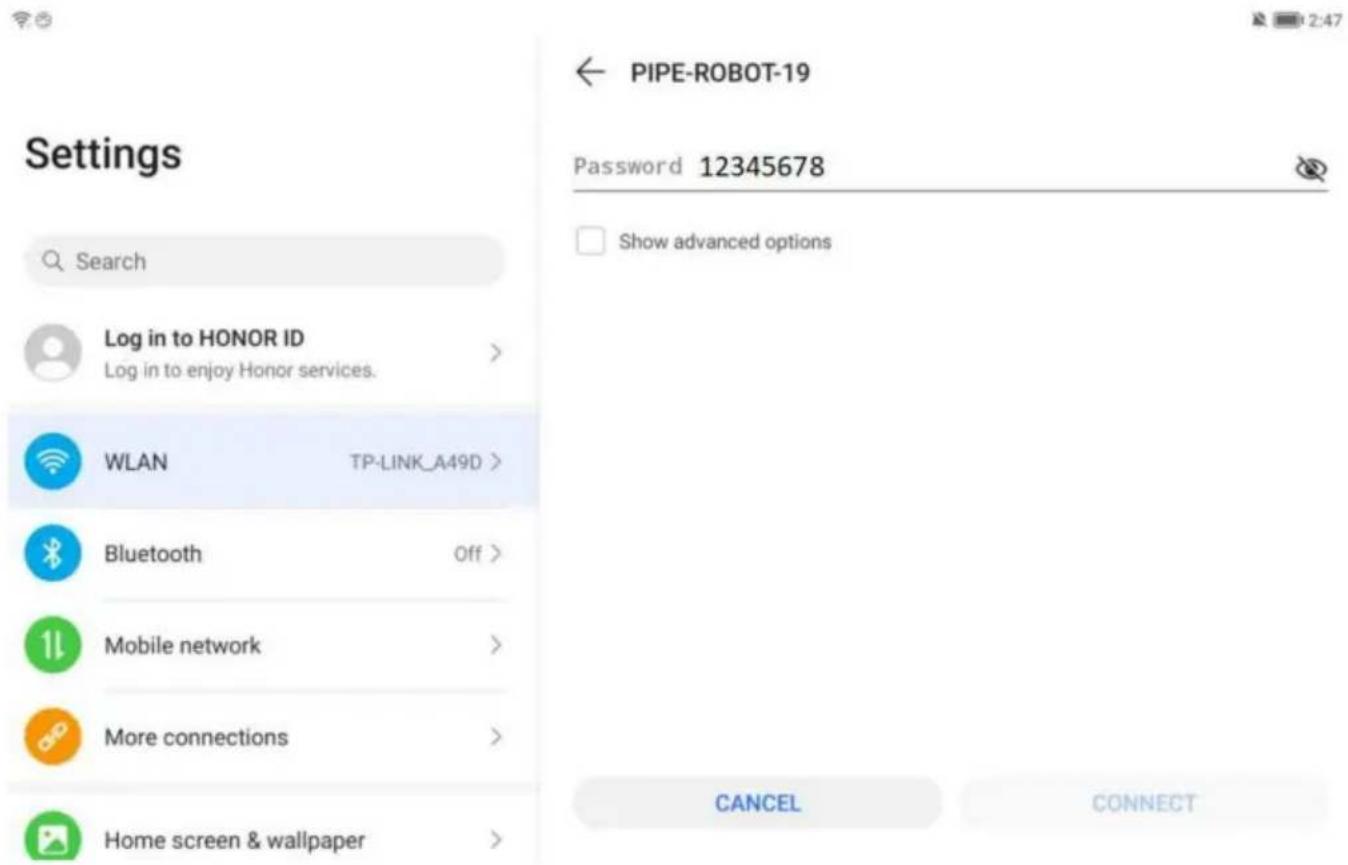
- Tablet WIFI Connection: Open WIFI, search for PIPE-Robot-19.
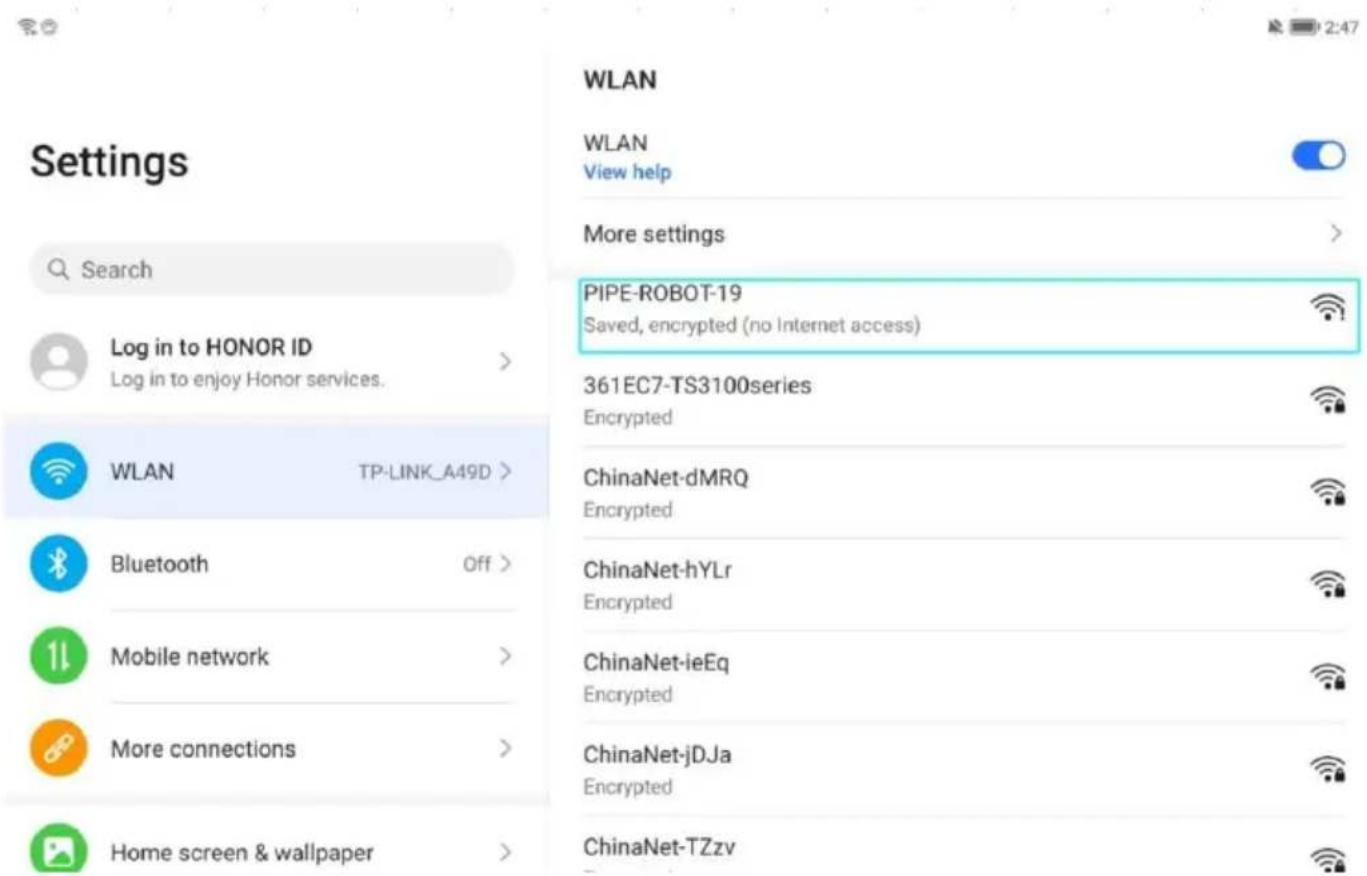
text_image
Settings Search Log in to HONOR ID Log in to enjoy Honor services. WLAN TP-LINK_A49D > Bluetooth Off > Mobile network > More connections > Home screen & wallpaper > WLAN View help More settings PIPE-ROBOT-19 Saved, encrypted (no Internet access) 361EC7-TS3100series Encrypted ChinaNet-dMRQ Encrypted ChinaNet-hYLr Encrypted ChinaNet-ieEq Encrypted ChinaNet-jDJa Encrypted ChinaNet-TZzv- Enter the original password: 12345678, connect to WIFI.
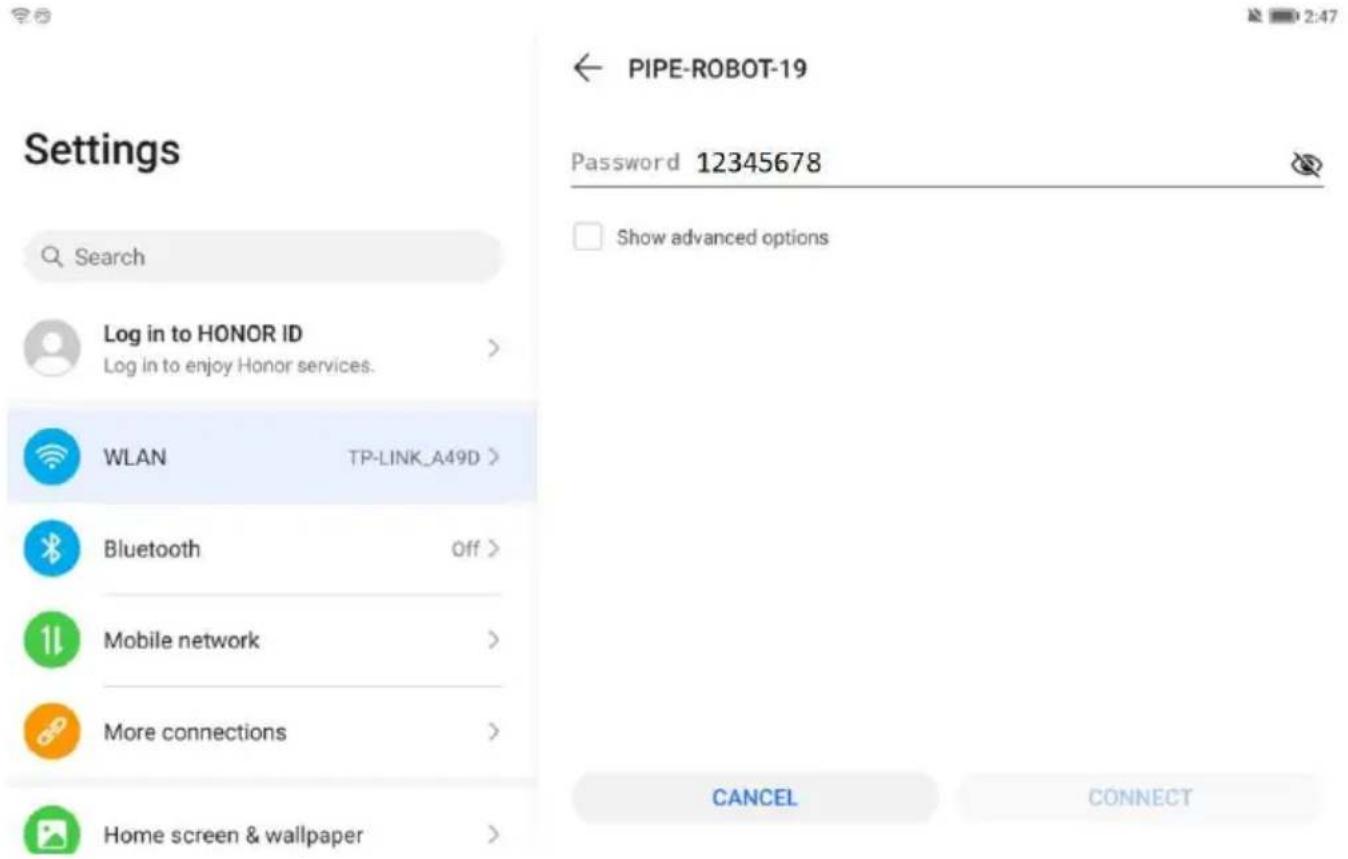
text_image
Settings Search Log in to HONOR ID Log in to enjoy Honor services. WLAN TP-LINK_A49D > Bluetooth Off > Mobile network More connections Home screen & wallpaper PIPE-ROBOT-19 Password 12345678 Show advanced options CANCEL CONNECT- Enter the interface: open the icon of the installed robot program and GO to enter the control interface.

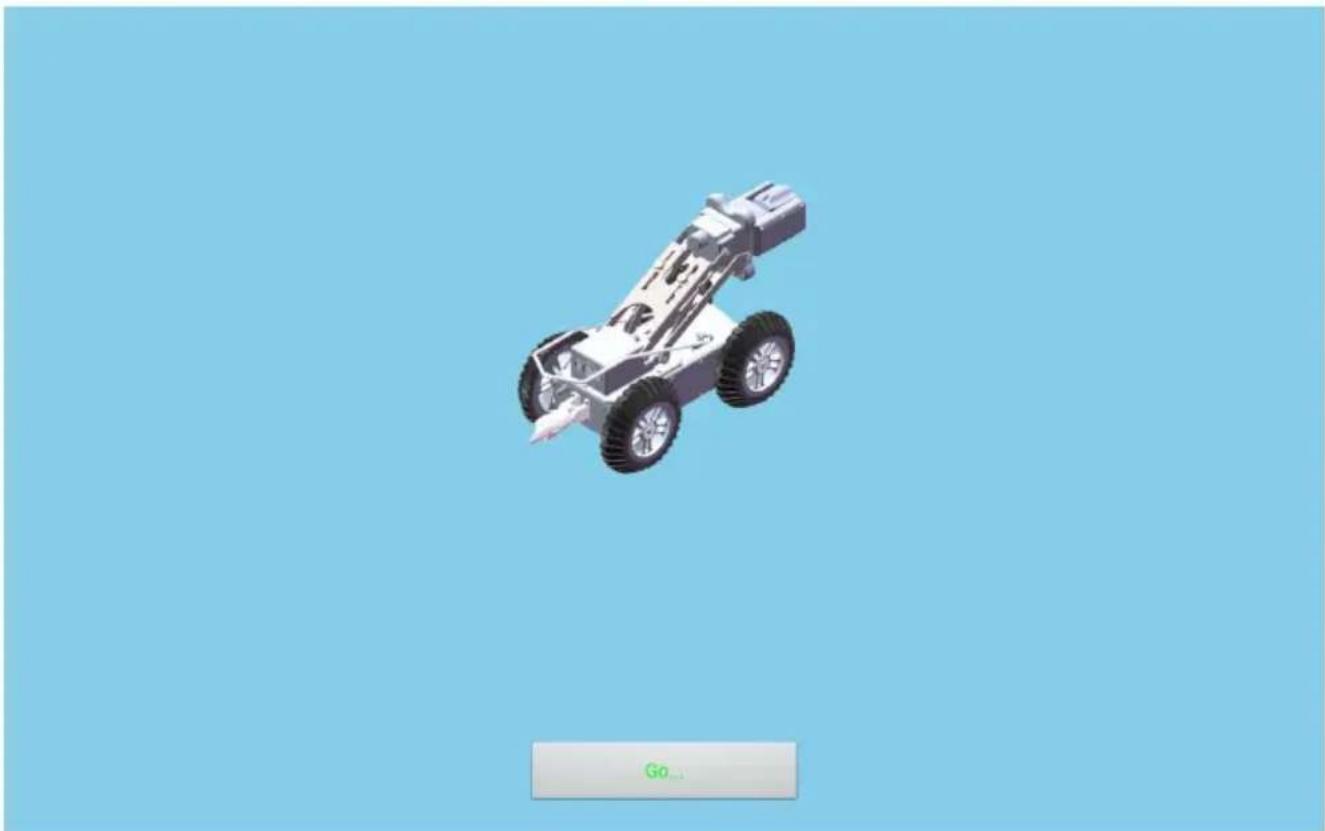
text_image
Robot_P2101
natural_image
3D model of a toy car with two wheels and a pointed tip, displayed against a solid blue background (no text or symbols on the vehicle itself)- Key Functions:

text_image
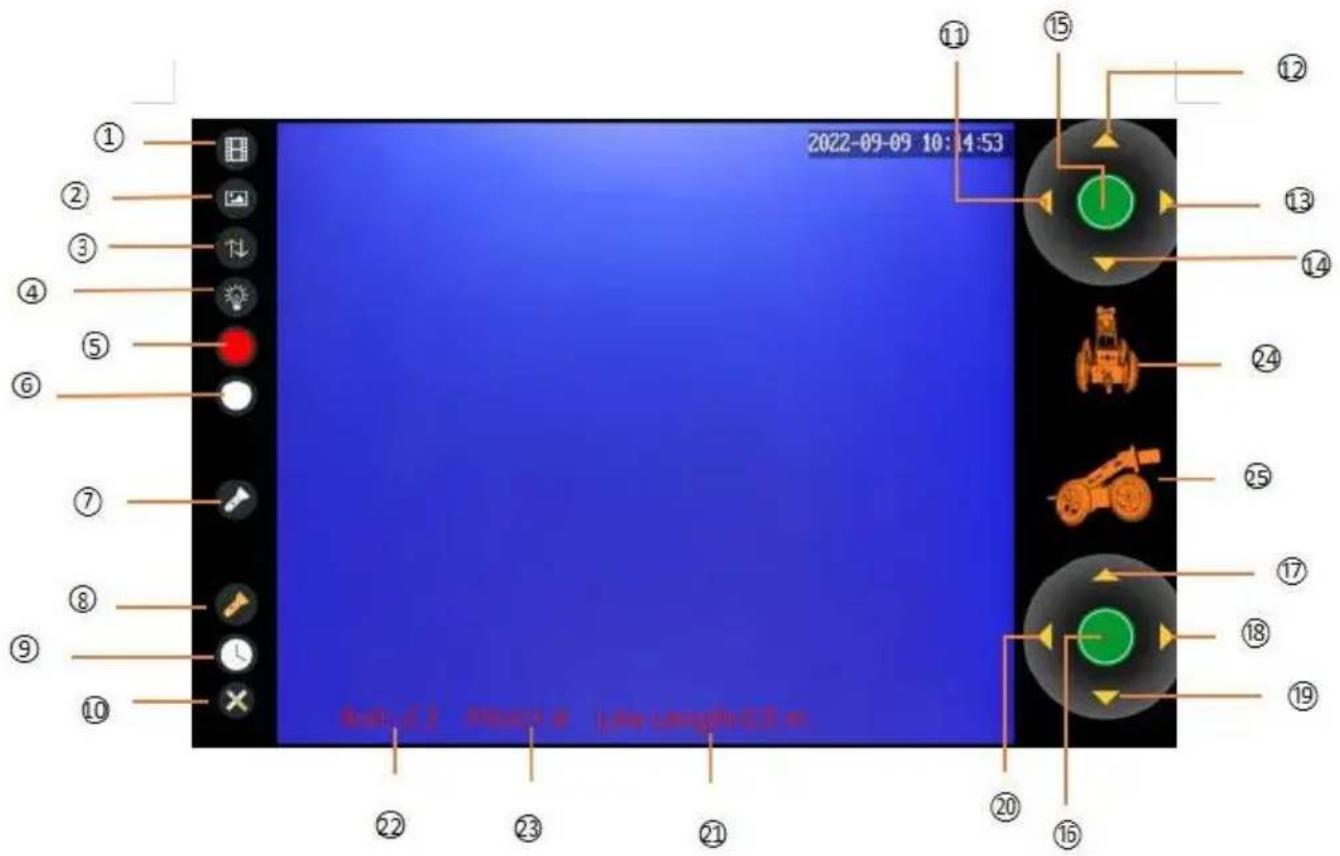
2022-09-09 10:34:53 ① ② ③ ④ ⑤ ⑥ ⑦ ⑧ ⑨ ⑩ ⑫ ⑬ ⑭ ⑮ ⑯ ⑰ ⑱ ⑲ ⑳ ㉑ ㉒ ㉓ ㉔ ㉕ ㉖ ㉗ ㉘ ㉙ ㉚ ㉛ ㉜ ㉝ ㉞ ㉟ ㉟oRecording Function:
- Video Play 2. Album 5. Video Recording 6. Photography
Light Control:
- Rear Light Switch 7. Front Light Brightness Adjusting Switch
- Front Auxiliary Camera Light Brightness Adjusting Switch
180° Rotation Function of Camera:
3.Front/Rear Camera 11.Front Camera Left Rotation
12.Front Camera Upward Rotation 13.Front Camera Right Rotation
14.Front Camera Downward Rotation 15.Front Camera Reset
Moving Function:
- High/Medium/Low Level Switch 17. Forward 18. Turning Right
- Back word 20. Turning Left
Distance Count Function:
10.Meter Counter Reset 21.Cable Meter Display
Time Synchronization:
9.Time Synchronization Button
Wheel Tilt Angle Display Function:
22.Roll Angel 23.Pitch Angel 24.Roll Angle Three-dimensional Display
25.Pitch Angle Three-dimensional Animation Display
Operation and Use
Preparation and Inspection Before Use:
- Connect the robot machine with the winch and lock it tightly.
- Make sure that the front camera horizontal, axial automatic reset function zoom function is normal.
- Make sure to switch between front and rear cameras is normal.
- Make main light and auxiliary light are adjusted properly.
- Make robot machine can flexibly go forward, backward, turn left and right.
- Make cable to release and retract properly.
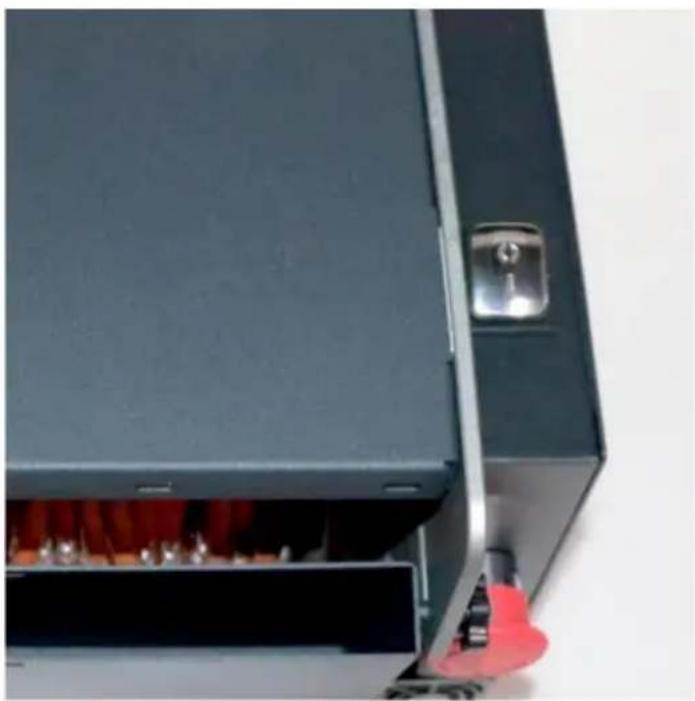
- Make sure to press the emergency stop button to shut down the robot s:
Operating procedures, methods, precautions and prevention measures for errors during startup and use:
- Hanging the robot machine to the sling, the body should be kept horizont and slowly downward, and avoid shaking and friction to damage device. Let car body horizontally and slowly landing, head up, tail down. When the body landed, remove the sling.
- Start the control system, control the vehicle slowly forward, move the cable the pipe entrance and fix it.
- Turn on the main light and auxiliary light, and adjust to meet the image requirements.
- After the cable transmission is normal, the vehicle speed can be adjusted according to the detective requirements.
- During the process, pay close attention to the state of various parameters, especially the information of vehicle tilt state, to prevent the vehicle from overturning.
- When the vehicle is retreating, turn on rear-view camera, and the cable winding machine speed should be match with the reverse key to slow down speed and retract cable.
- When turning in the pipe, drive slowly to prevent rollover.
- After the inspection, stop the robot machine in an appropriate position, has the sling hanger on the robot, and slowly lift it.
System Connection
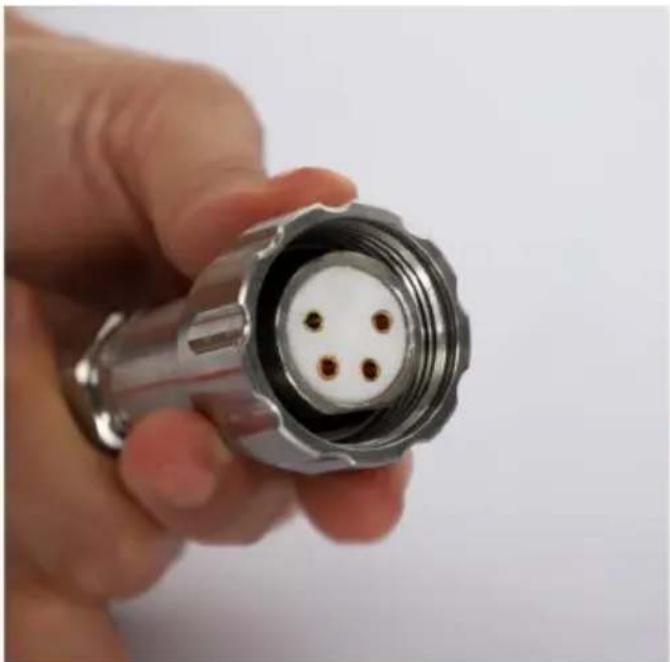
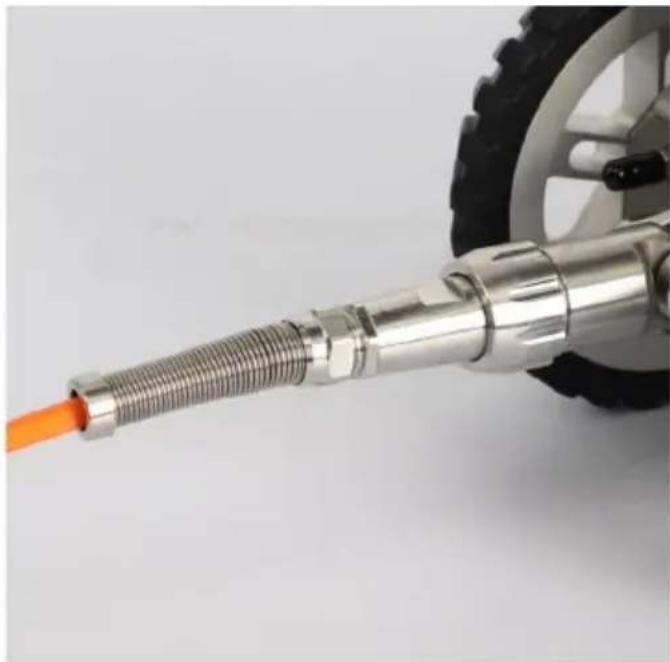
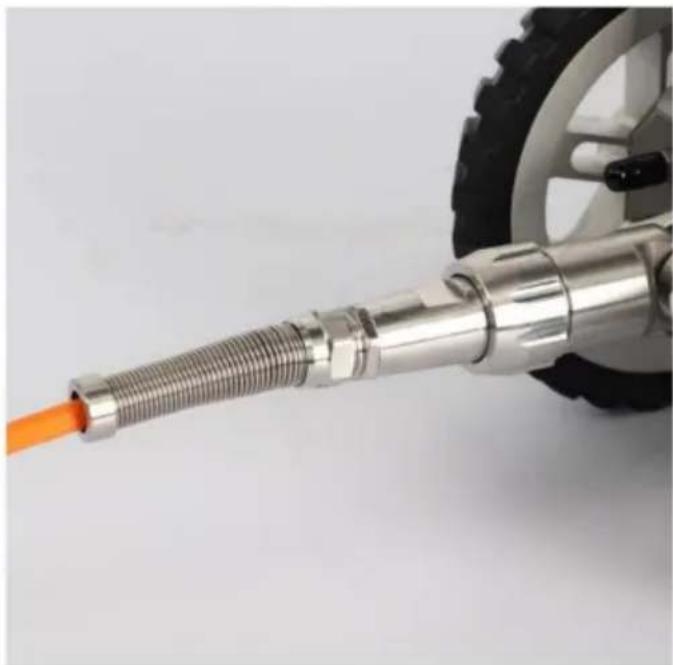
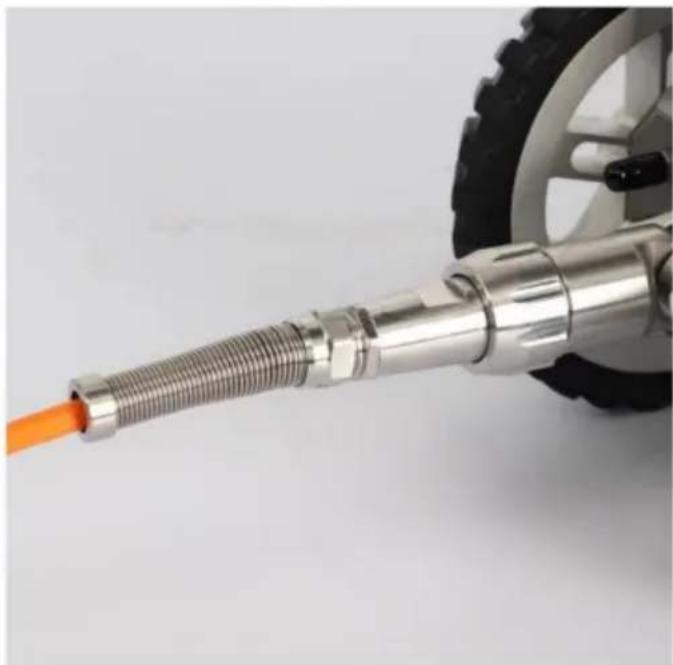
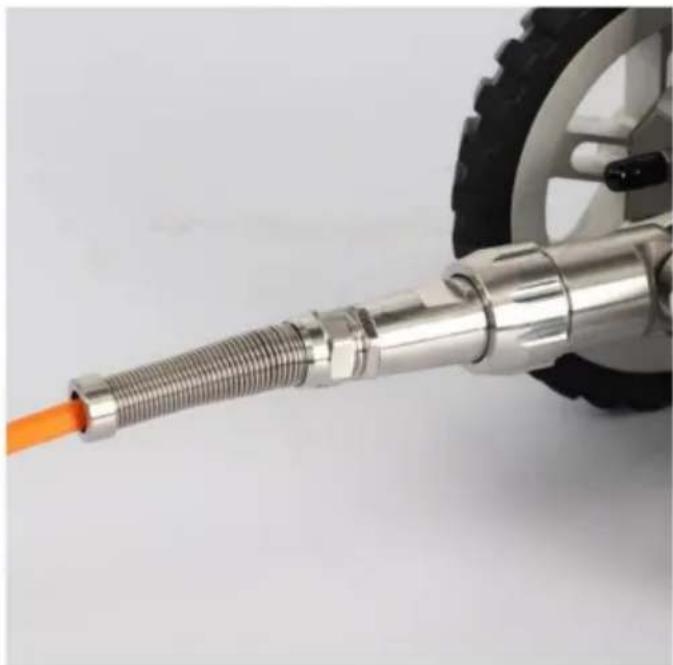
Connect cable and body connector
Note:
- Align pinhole position
- Check integrity of waterproof ring
- be sure the connector is clean

natural_image
Close-up of a hand holding a metallic connector with four small brown dots on its body (no text or symbols visible)
natural_image
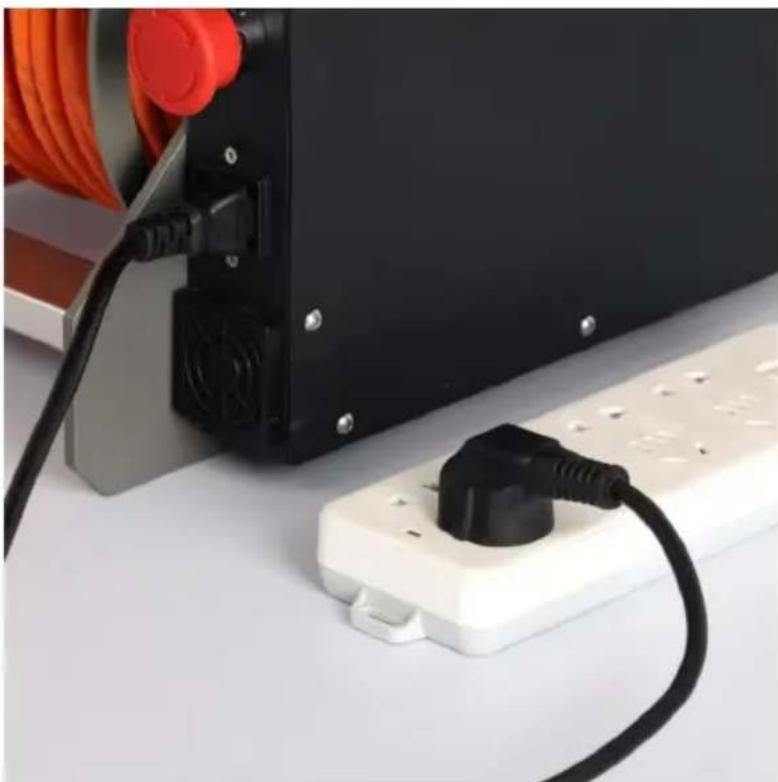
Close-up of a metallic mechanical component with threaded shaft and attached cable, no visible text or symbolsConnect the power supply(example)

natural_image
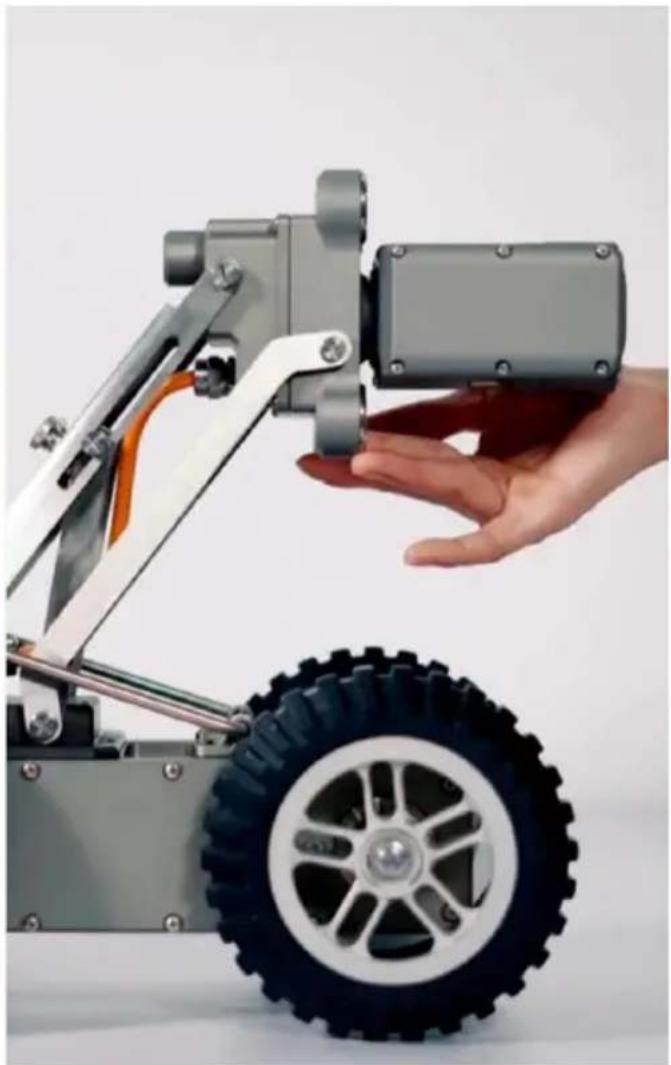
Close-up of a black plastic plug inserted into a white electrical outlet, with orange cables and red connectors visible (no text or symbols)Front camera lifting:
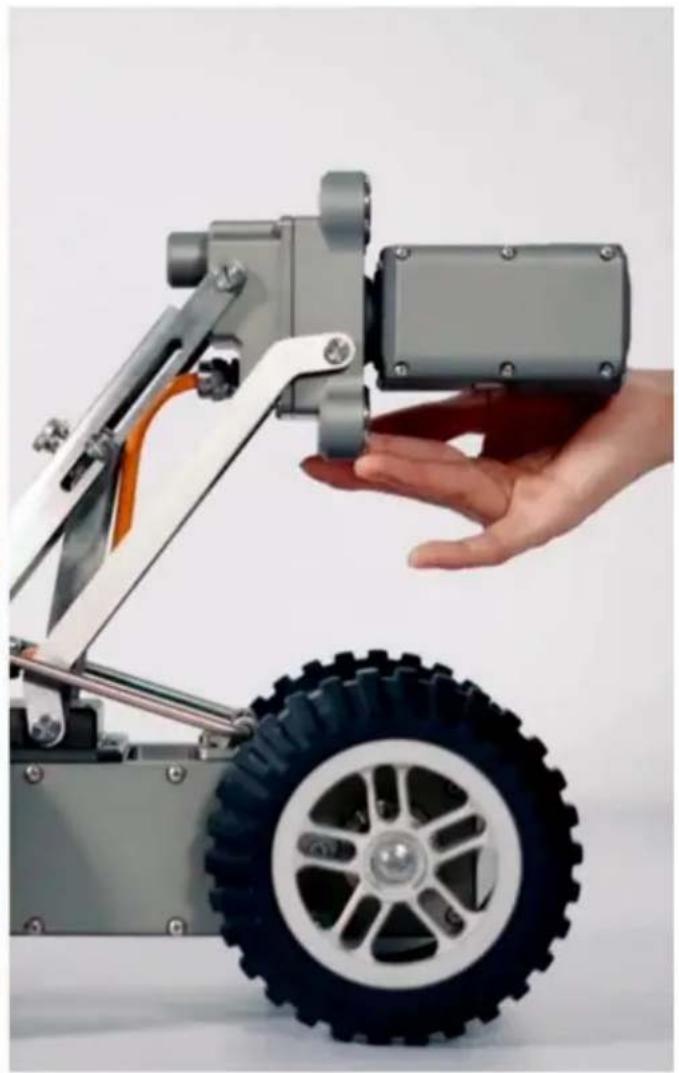
loosen the screw firstly, then adjusting the height of the camera, get a suitable position, and then tighten the screw.
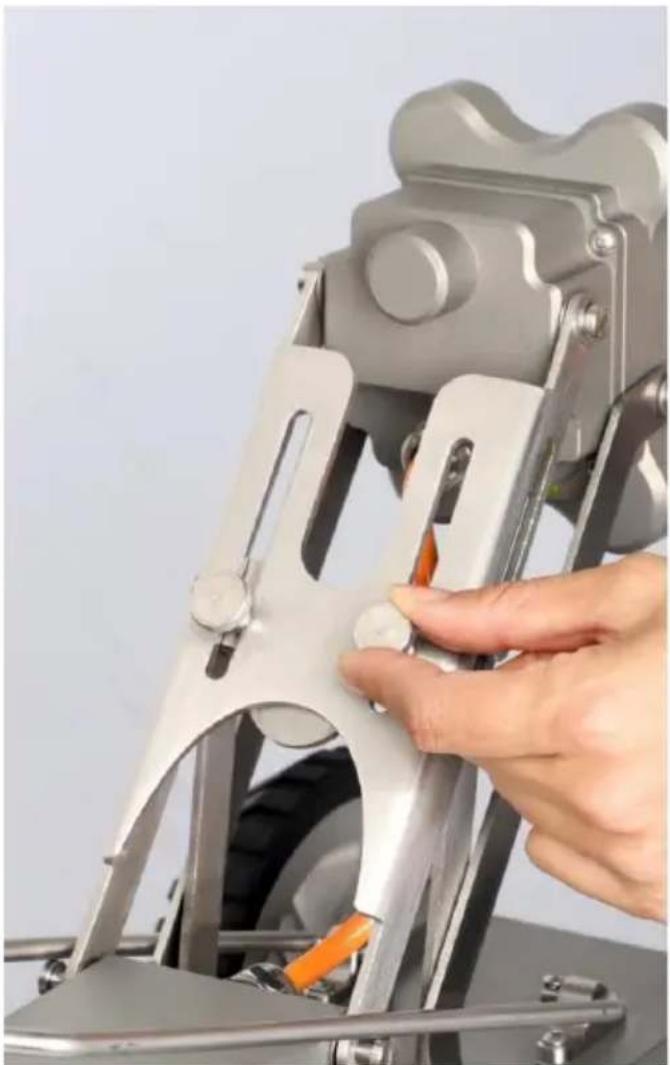
natural_image
Close-up of a hand operating a mechanical clamp or lever mechanism (no visible text or symbols)
natural_image
Close-up of a hand holding a small mechanical component next to a toy car with visible tire and wheels (no text or symbols)Put the device body into the demand position:
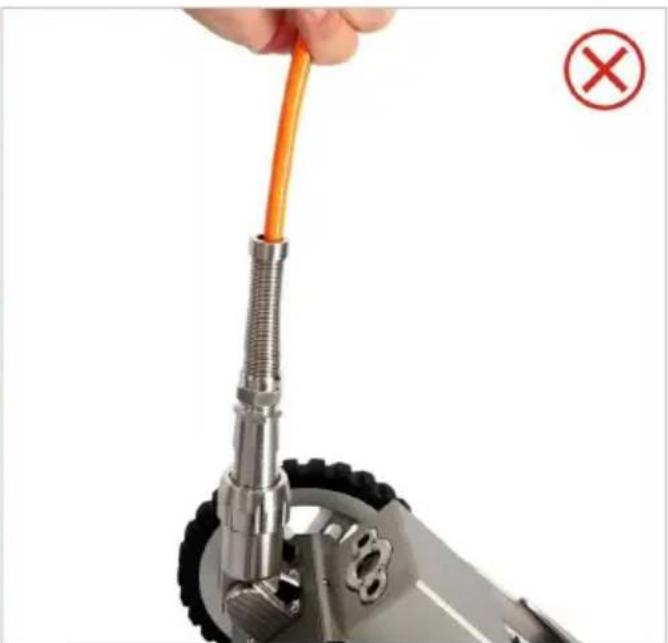
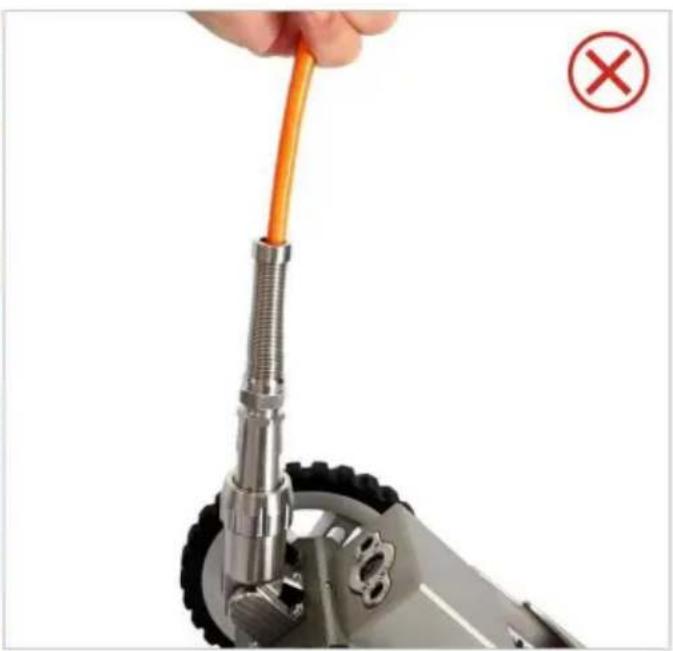
lift the handle when pulling the device body, do not lift the cable.
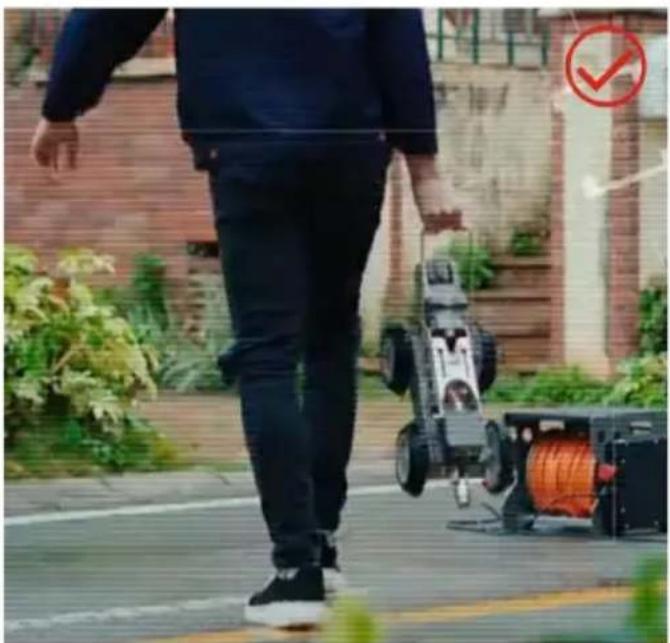
natural_image
Person walking outdoors near a robotic device and pump cart, with a red checkmark symbol in the corner (no readable text or symbols on the robot or background)
natural_image
Close-up of a hand holding an orange cable with a screwdriver, next to a mechanical component (no text or symbols visible)
natural_image
Close-up of a black metal enclosure with red LED lights inside, showing internal components and a handle (no text or symbols visible)
natural_image
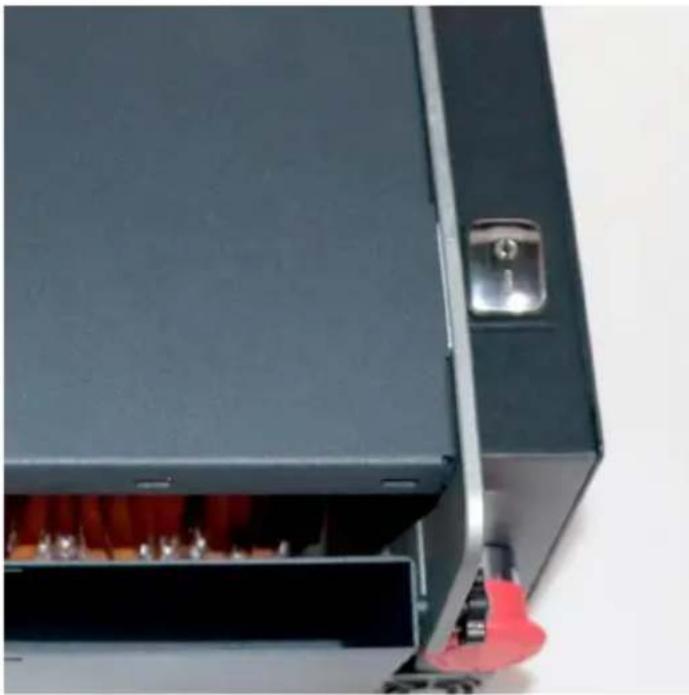
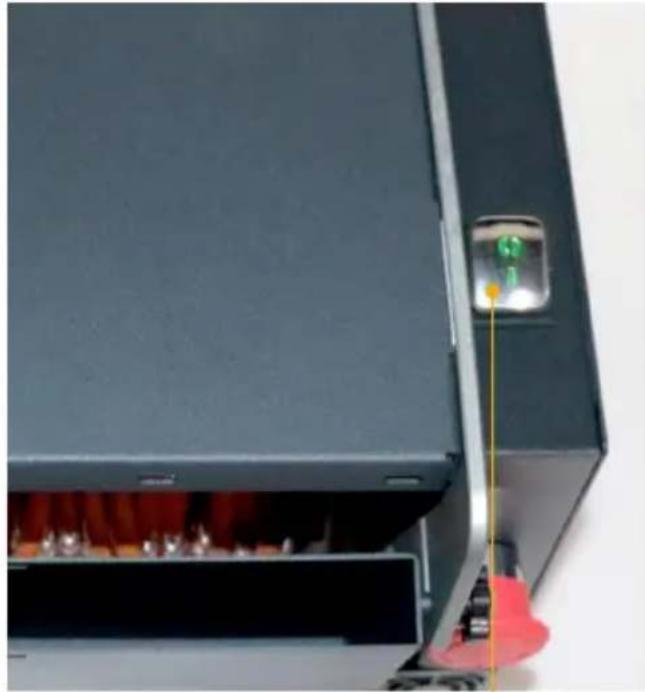
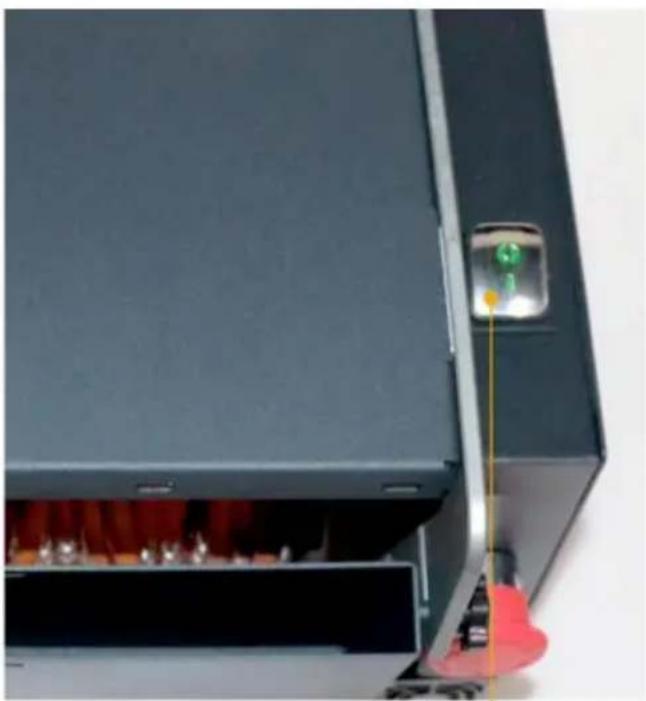
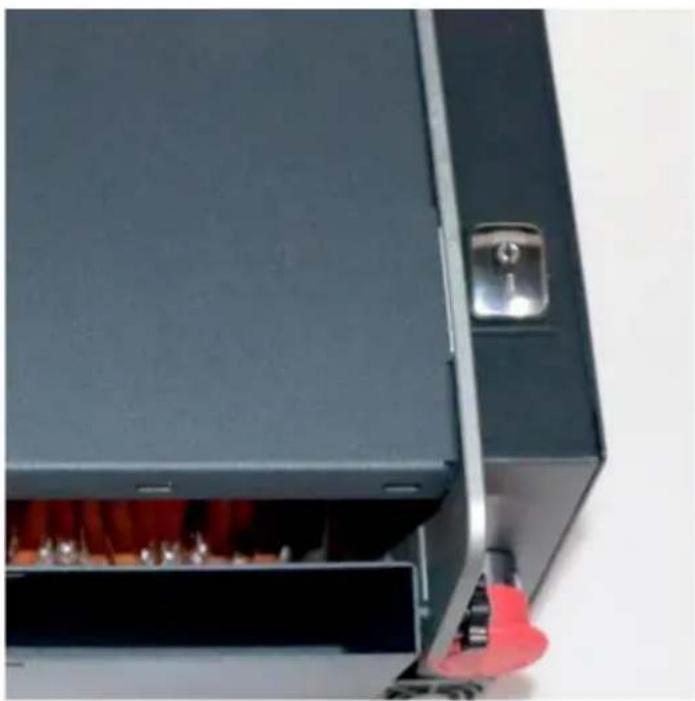
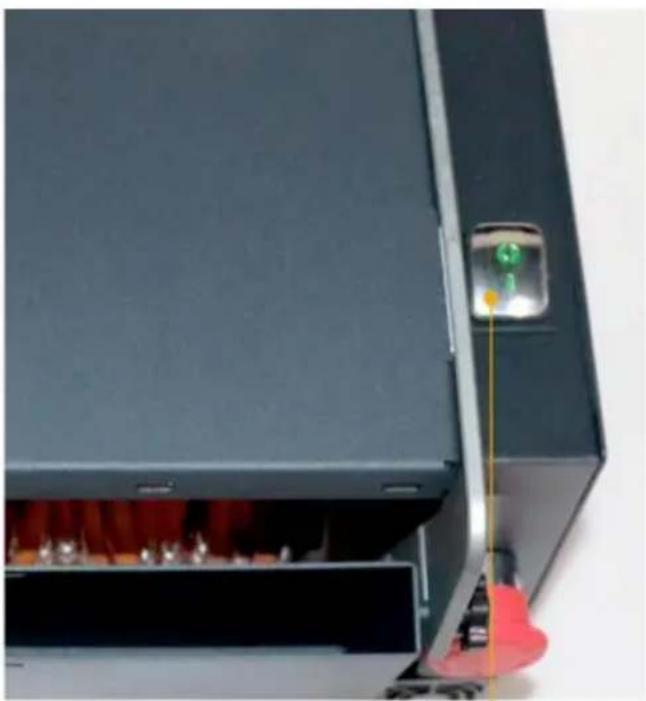
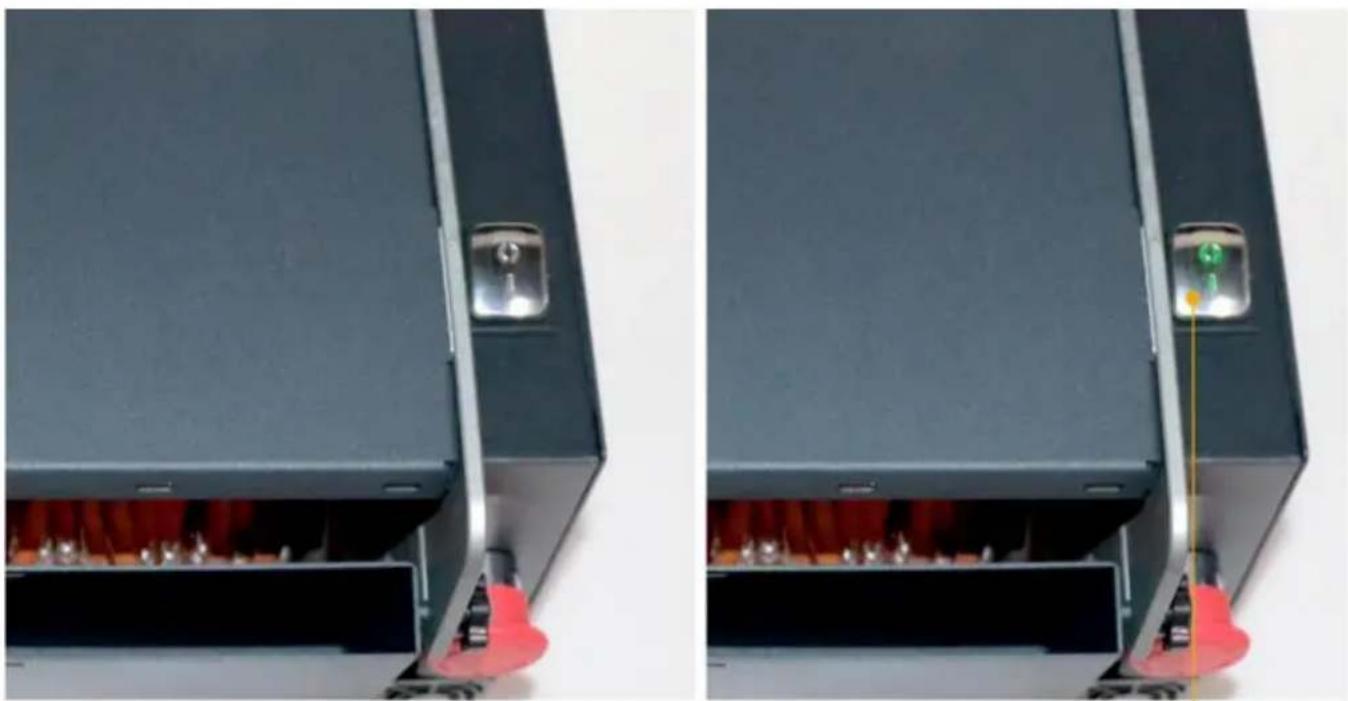
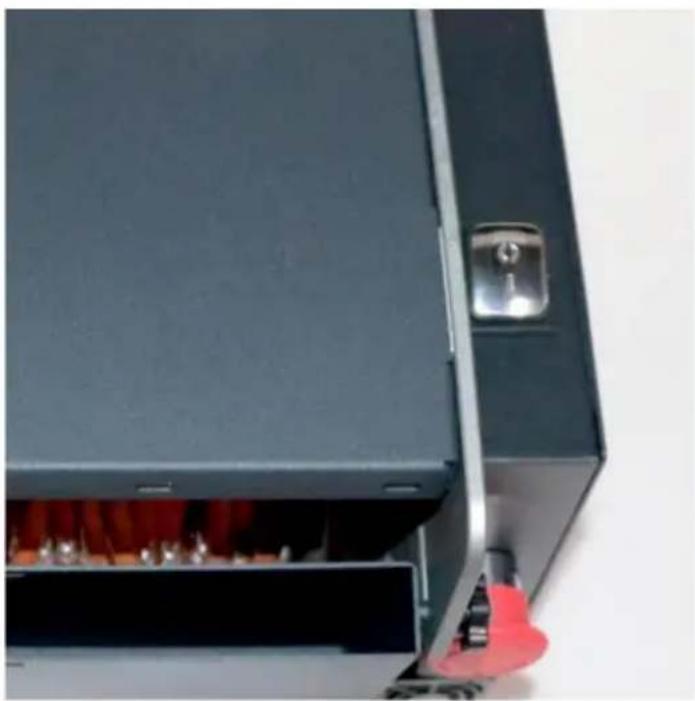
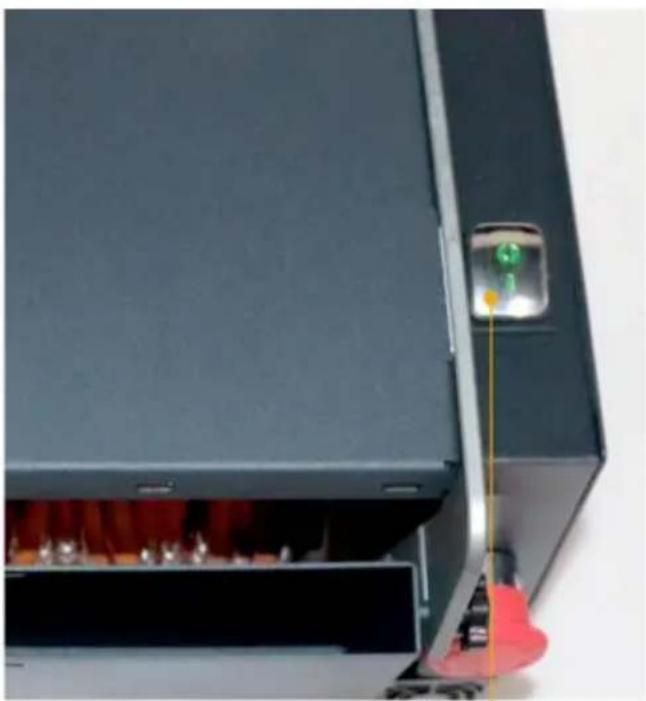
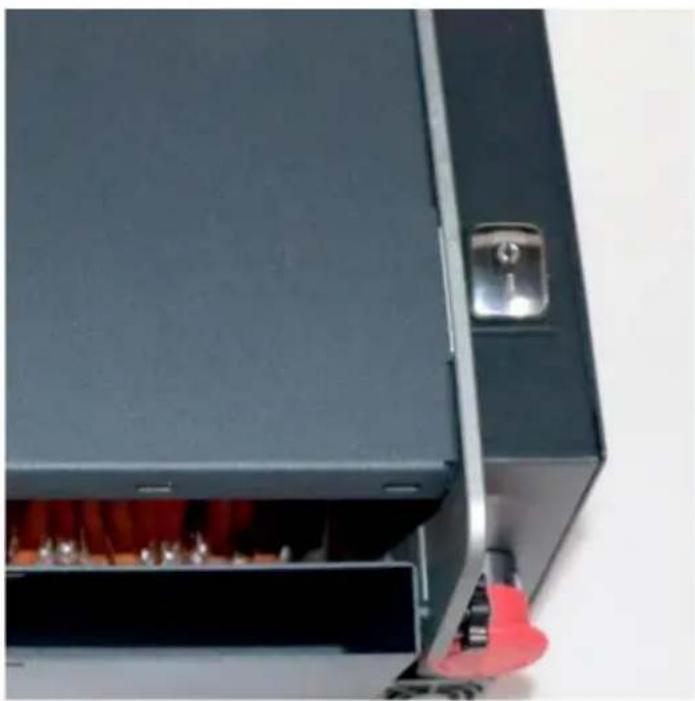
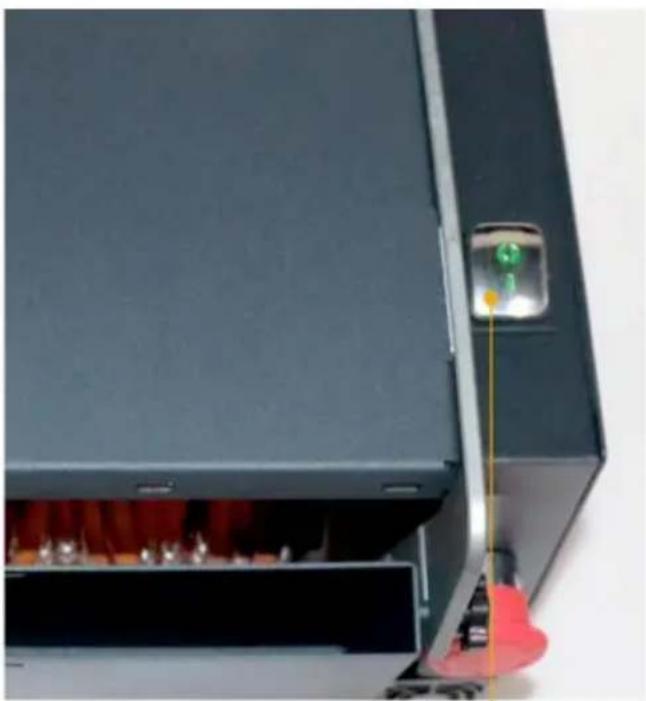
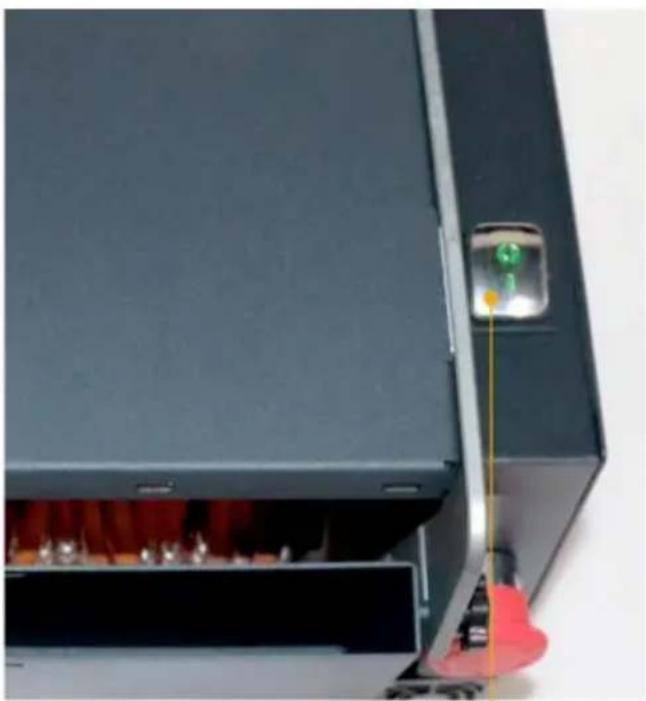
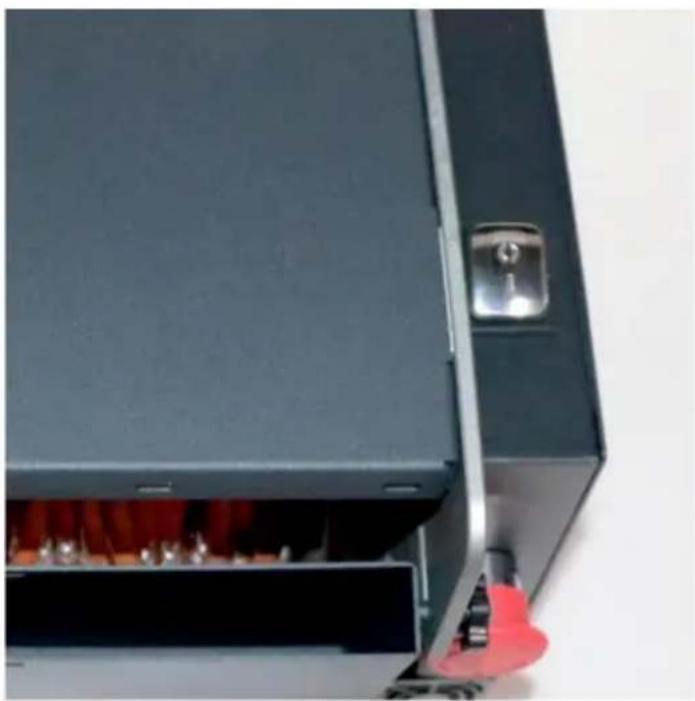
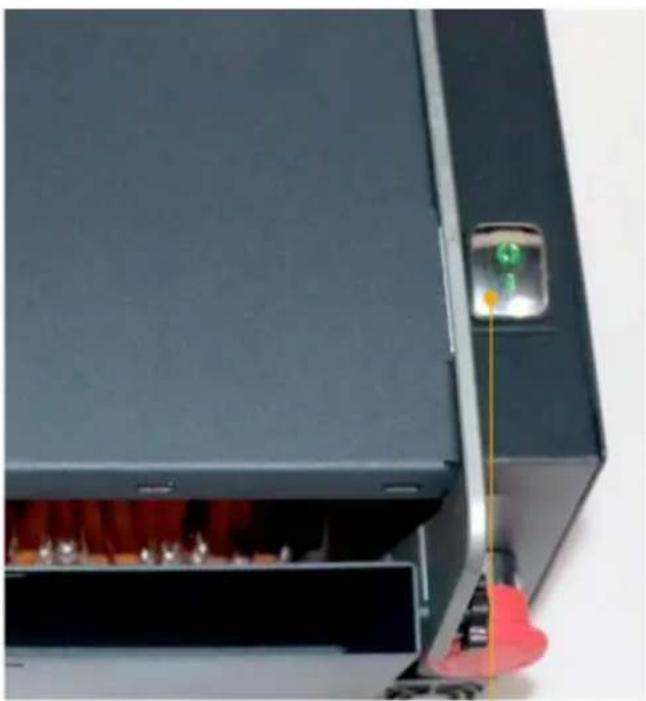
Close-up of a black industrial machine with red flames and a yellow indicator light, no visible text or symbolsTurn on the power switch 2 (the indicator light is on)
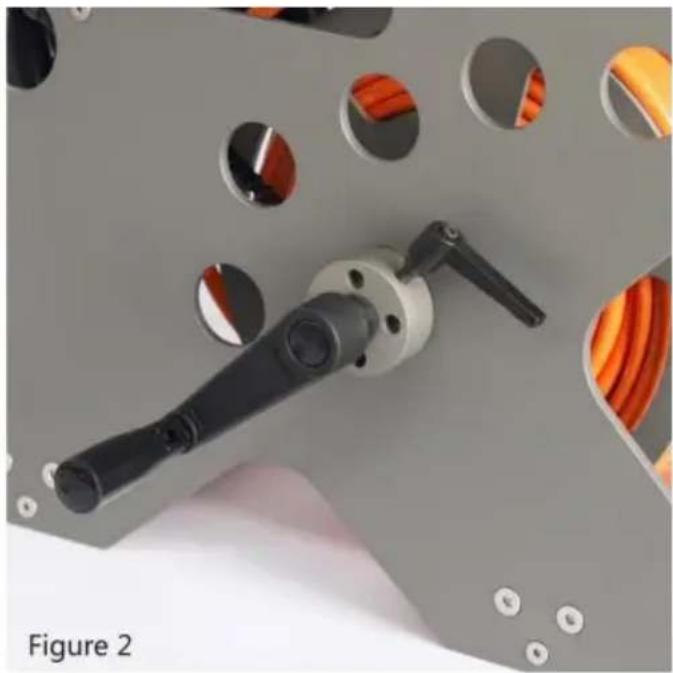
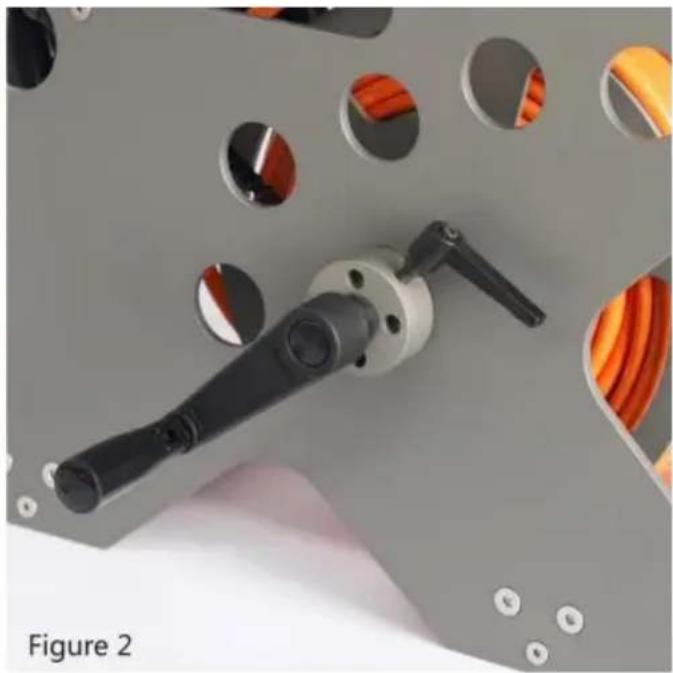
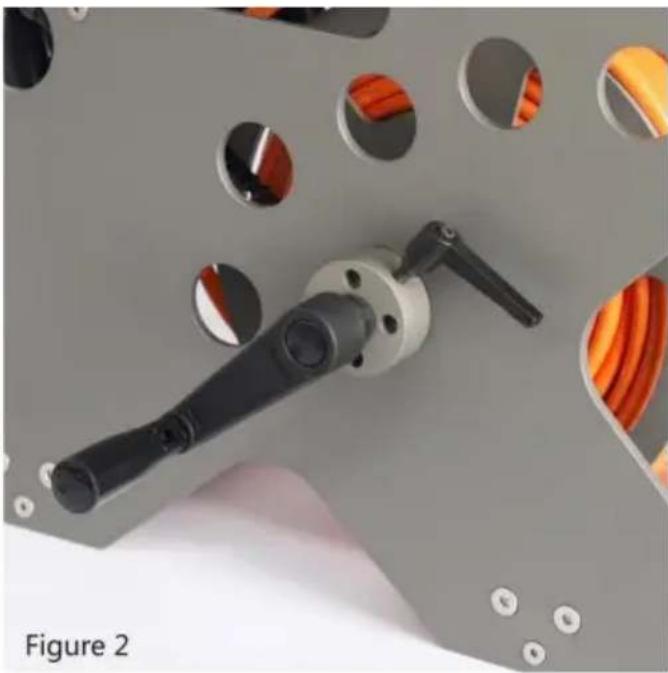
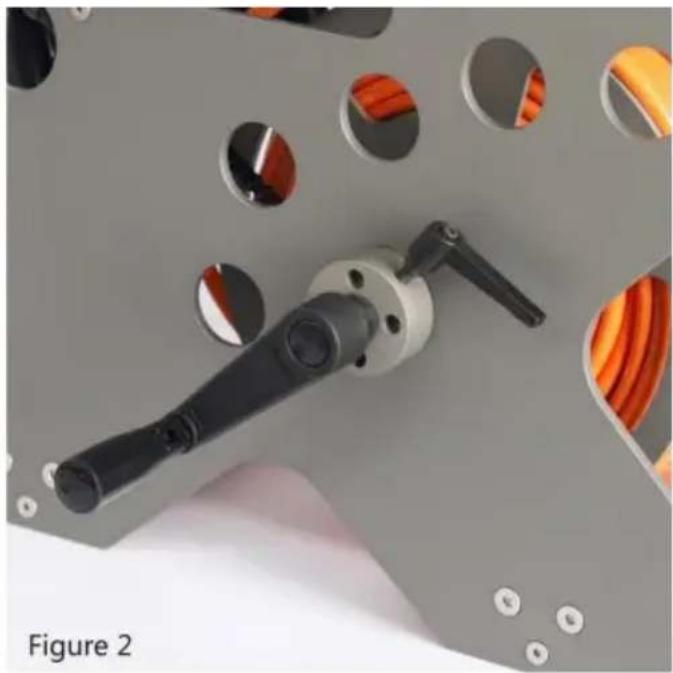
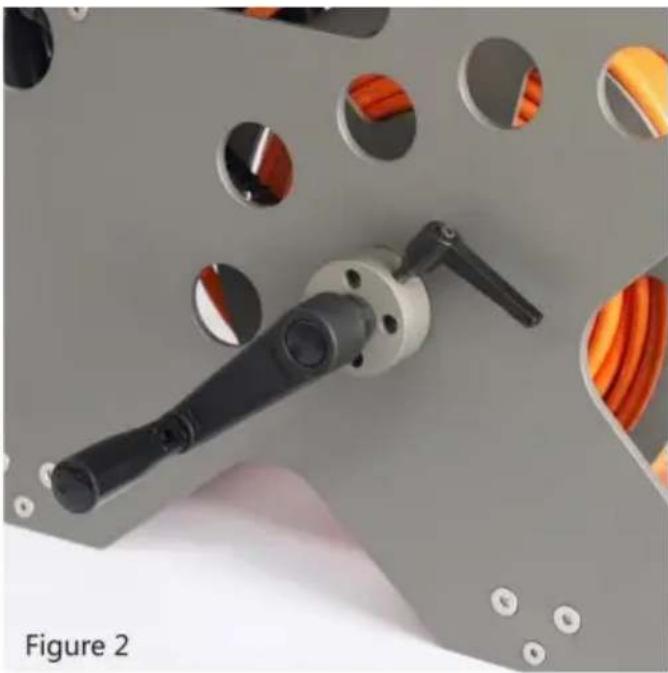
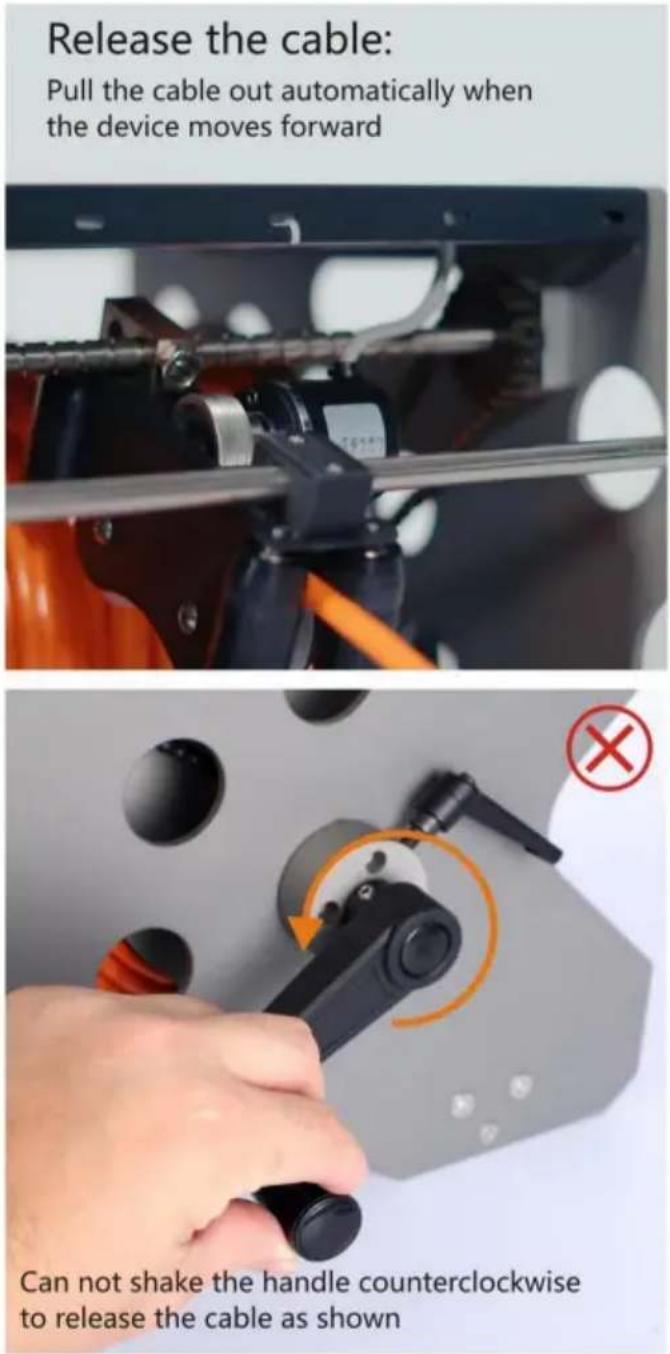
Open the cable reel brake
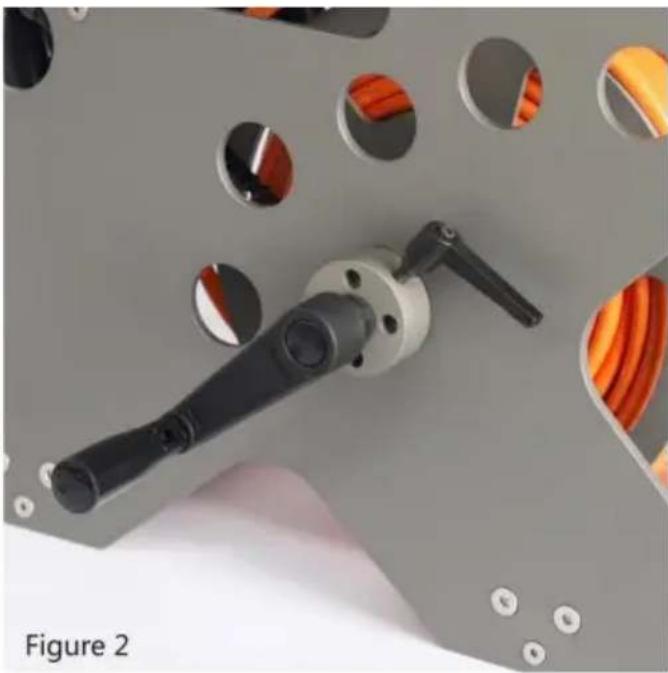
The power plug turns the brake lever 90 degrees from Figure 1 to 1
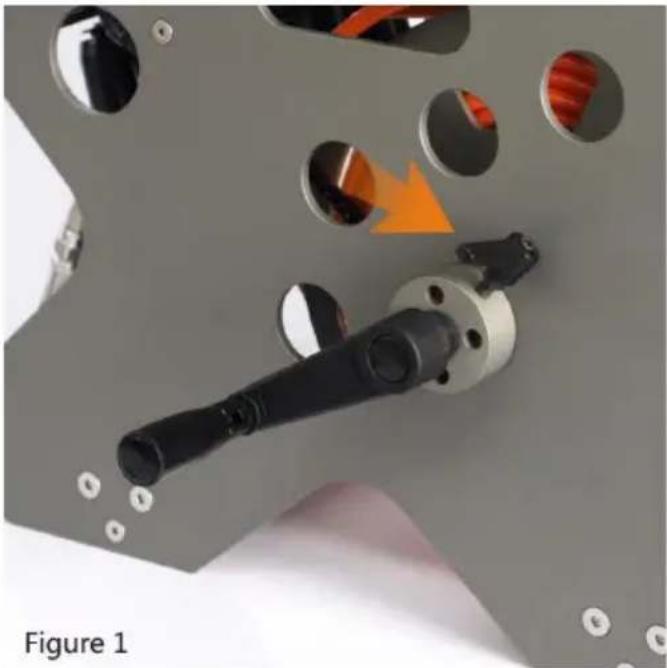
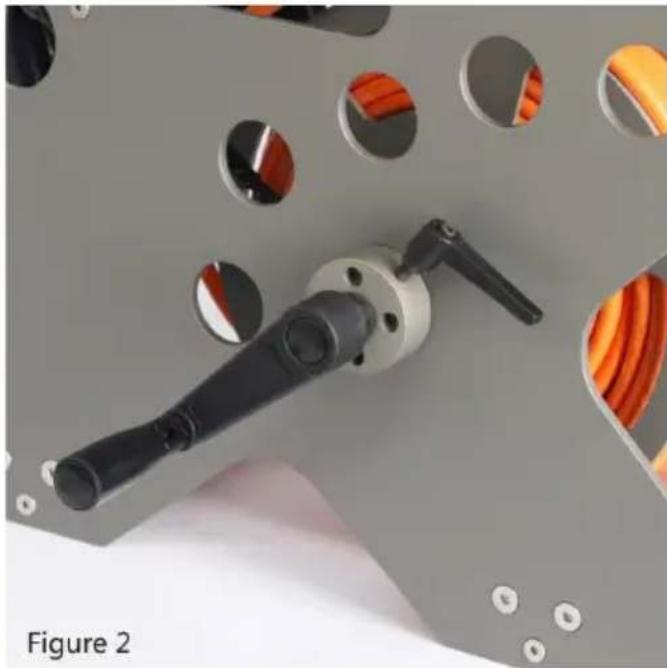
natural_image
Close-up of a mechanical component with circular holes and a highlighted orange arrow, labeled 'Figure 1' (no readable text or symbols)
natural_image
Close-up of a mechanical tool with circular holes and a black handle, labeled 'Figure 2' (no text or symbols on the tool itself)
text_image
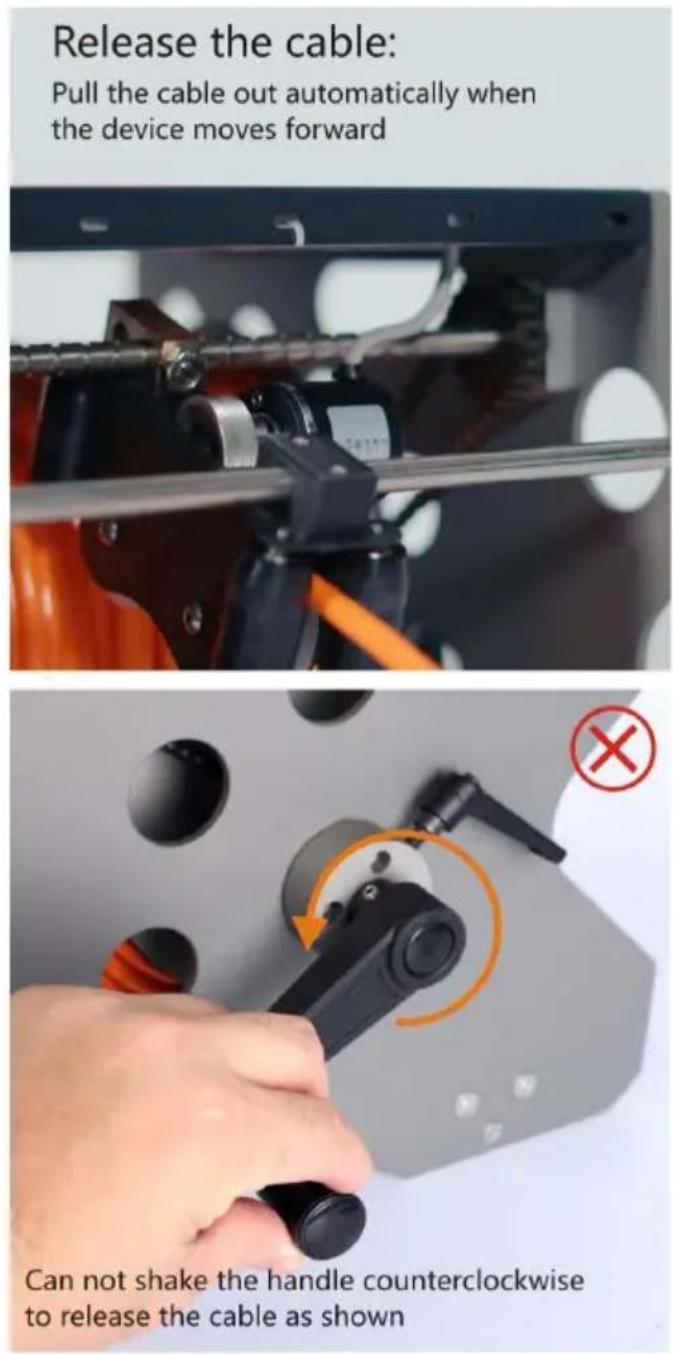
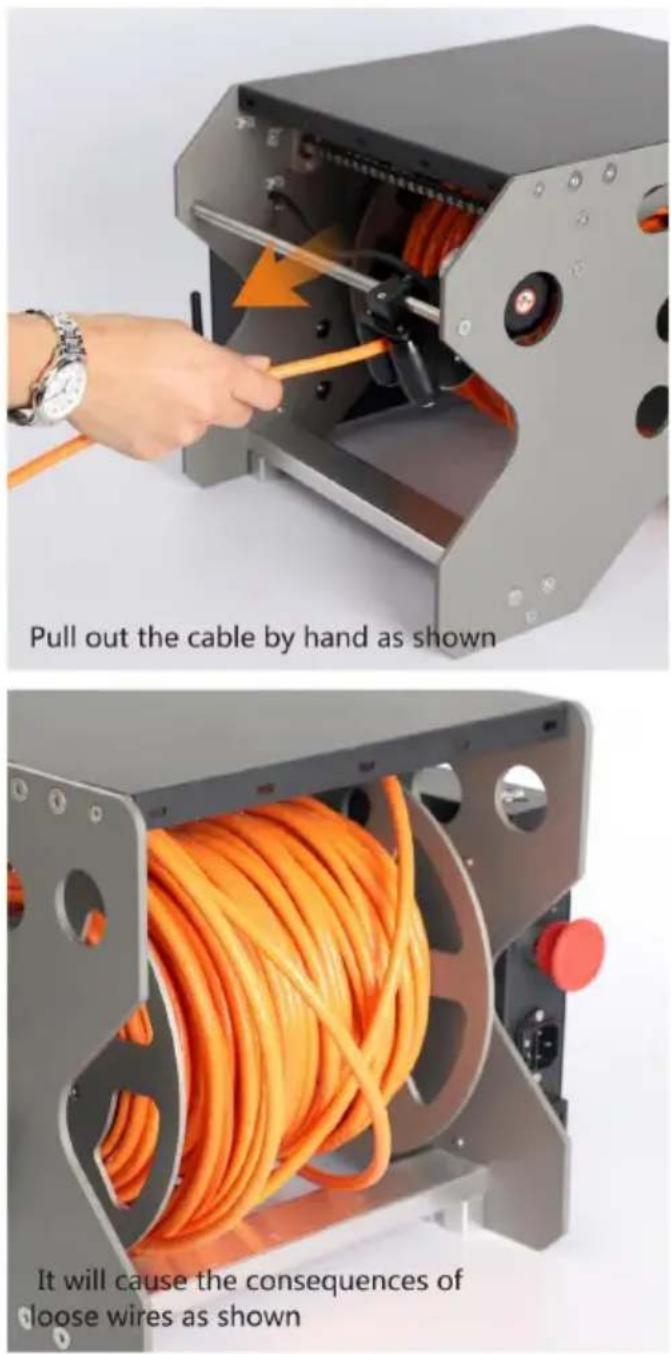
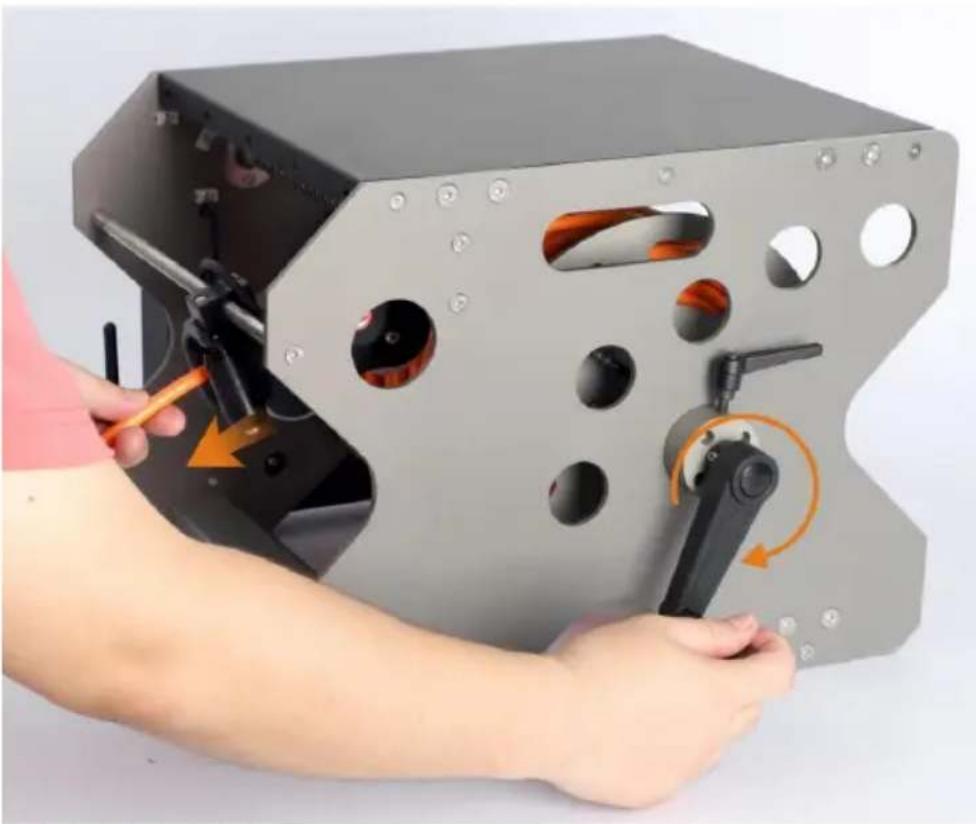
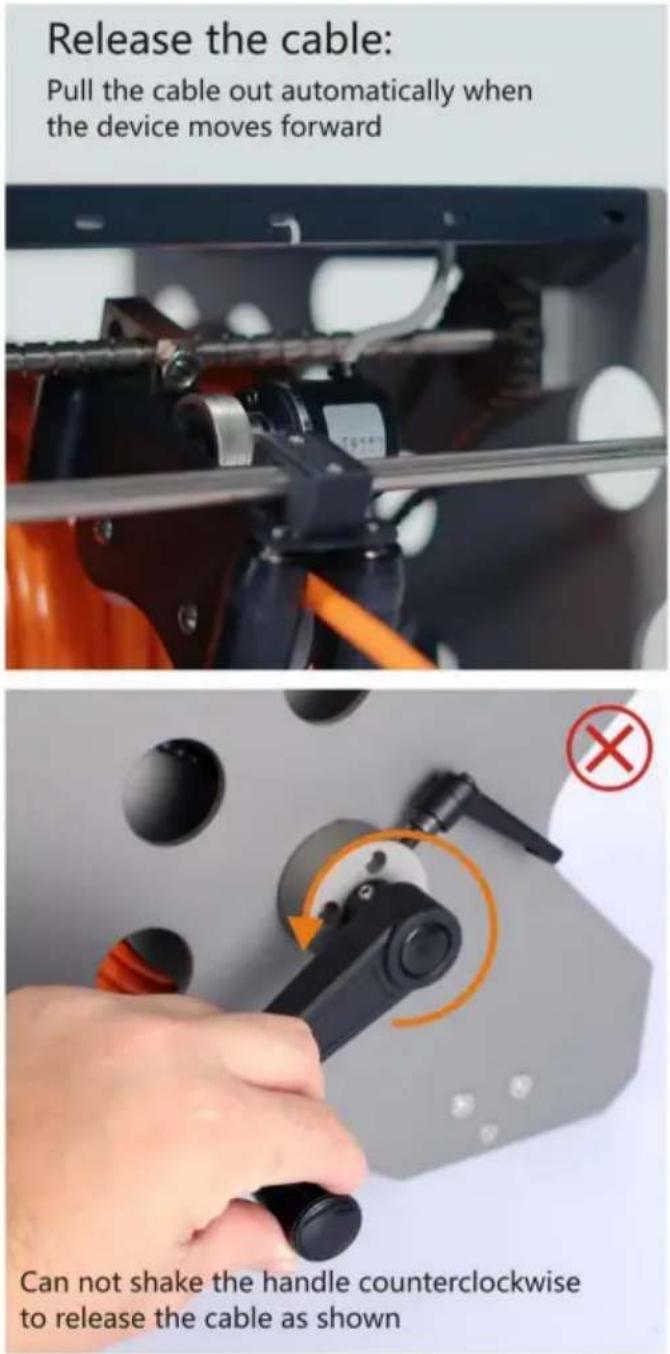
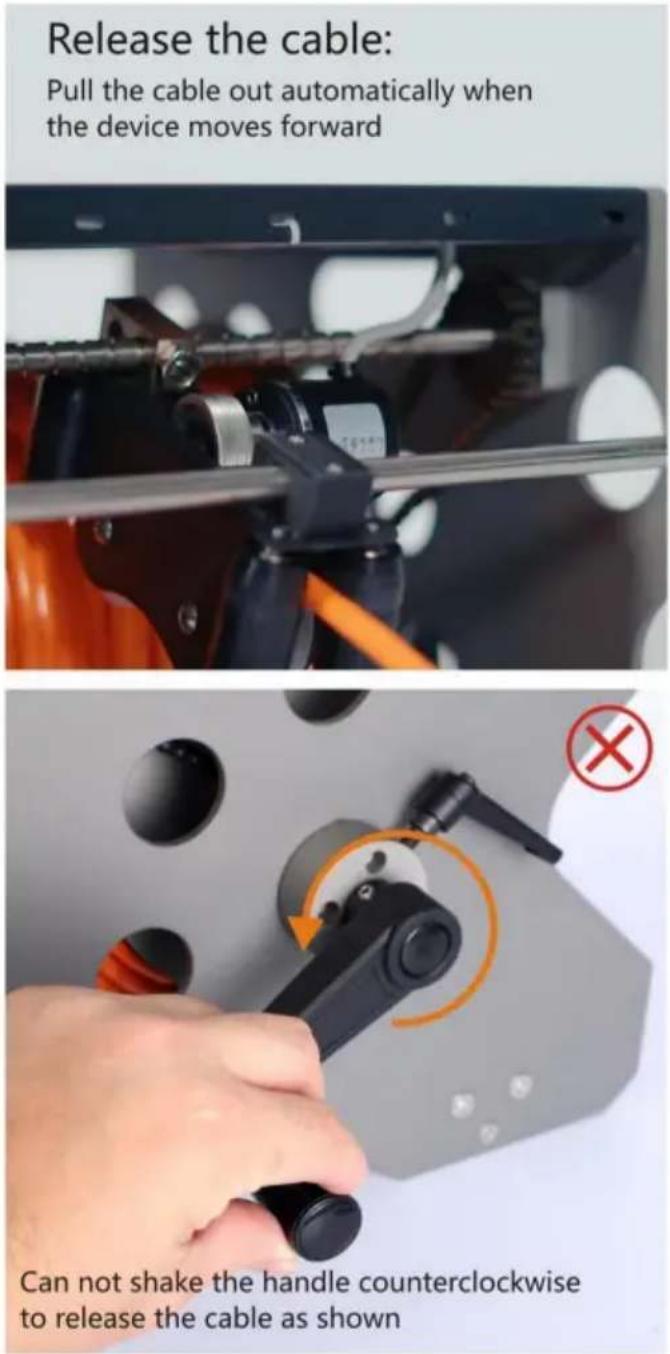
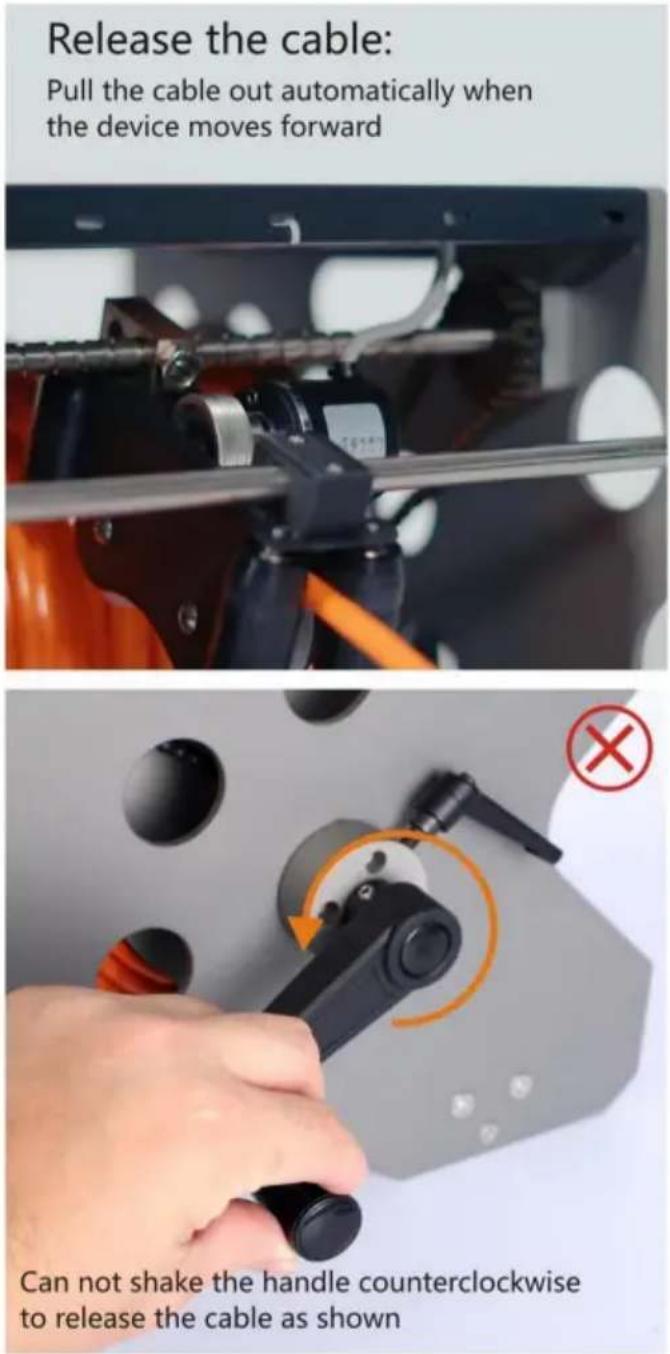
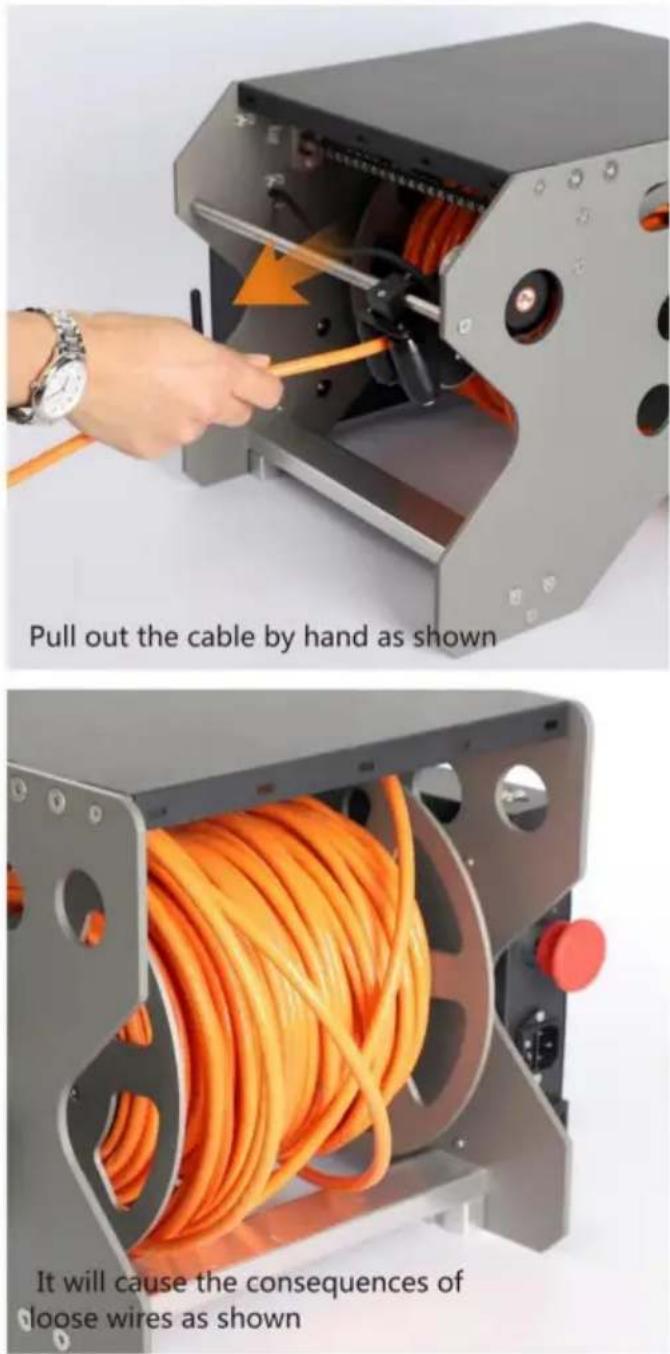
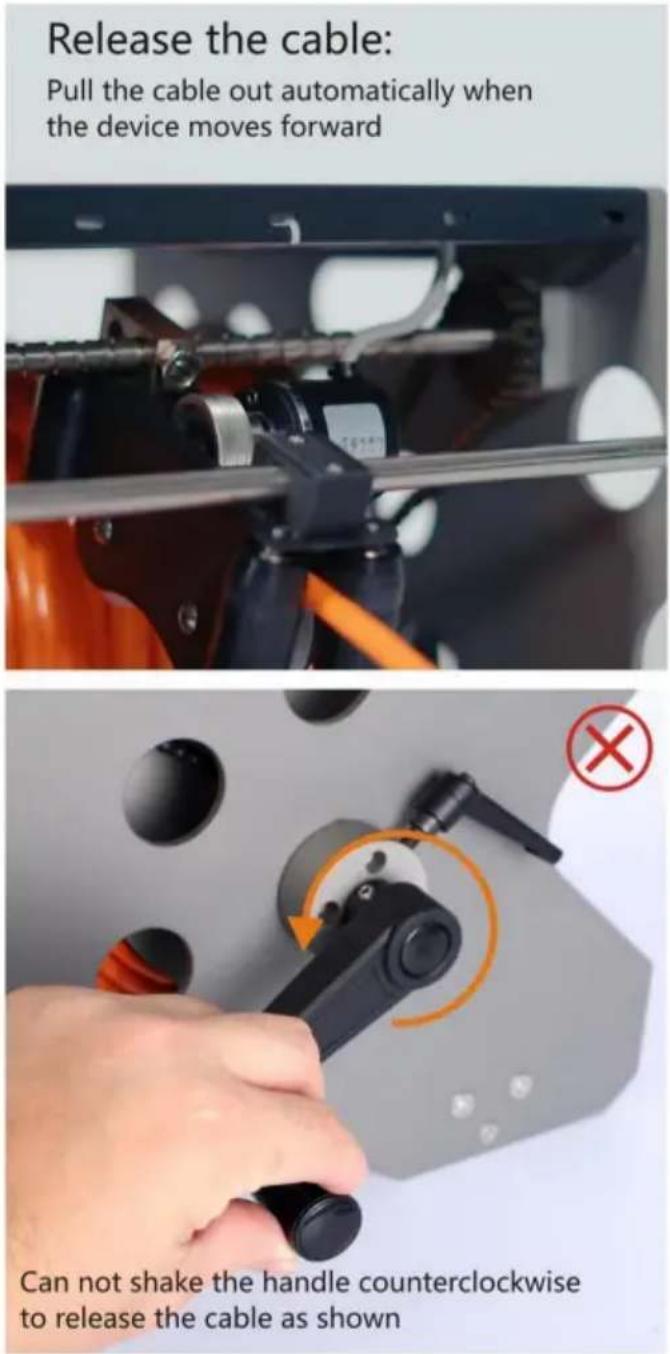
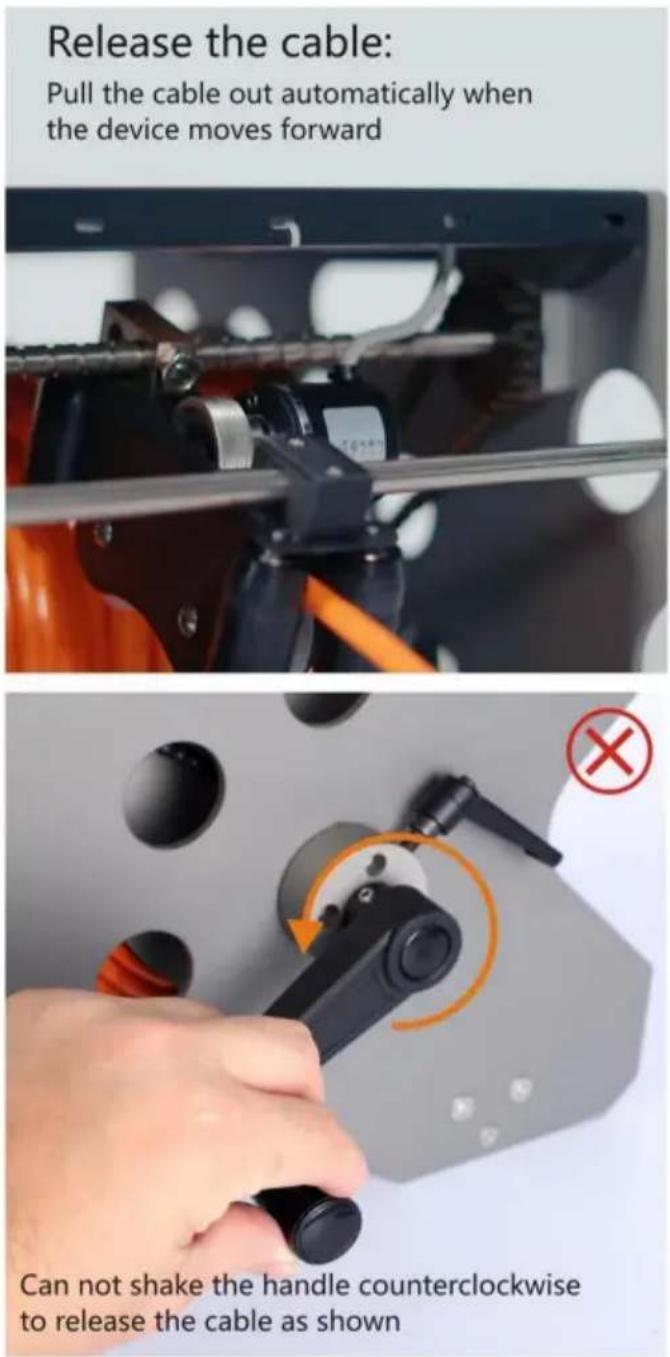
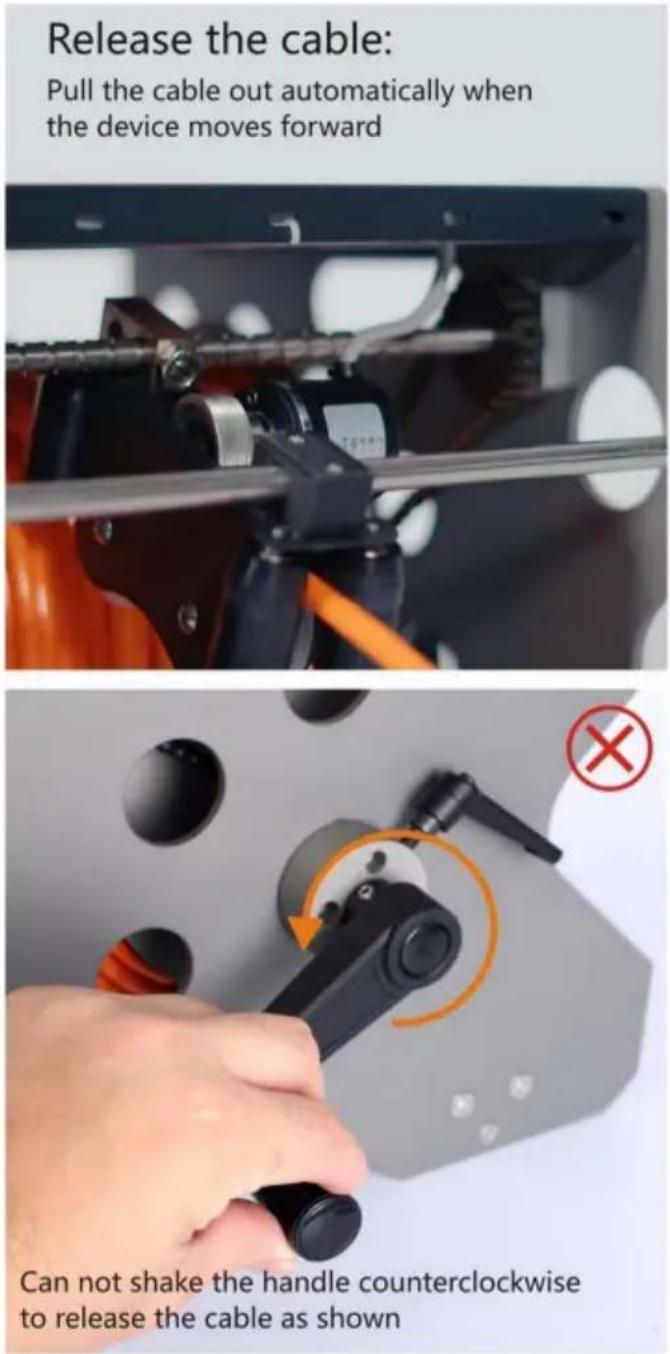
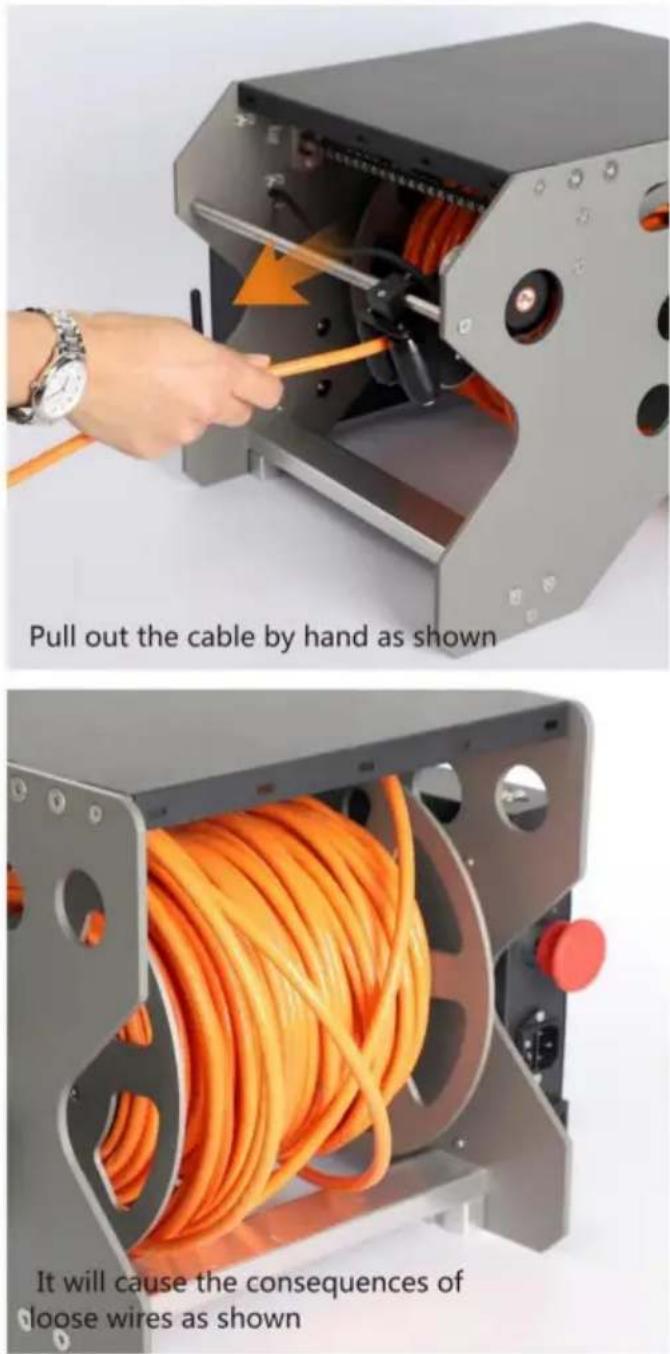
Release the cable: Pull the cable out automatically when the device moves forward Can not shake the handle counterclockwise to release the cable as shown
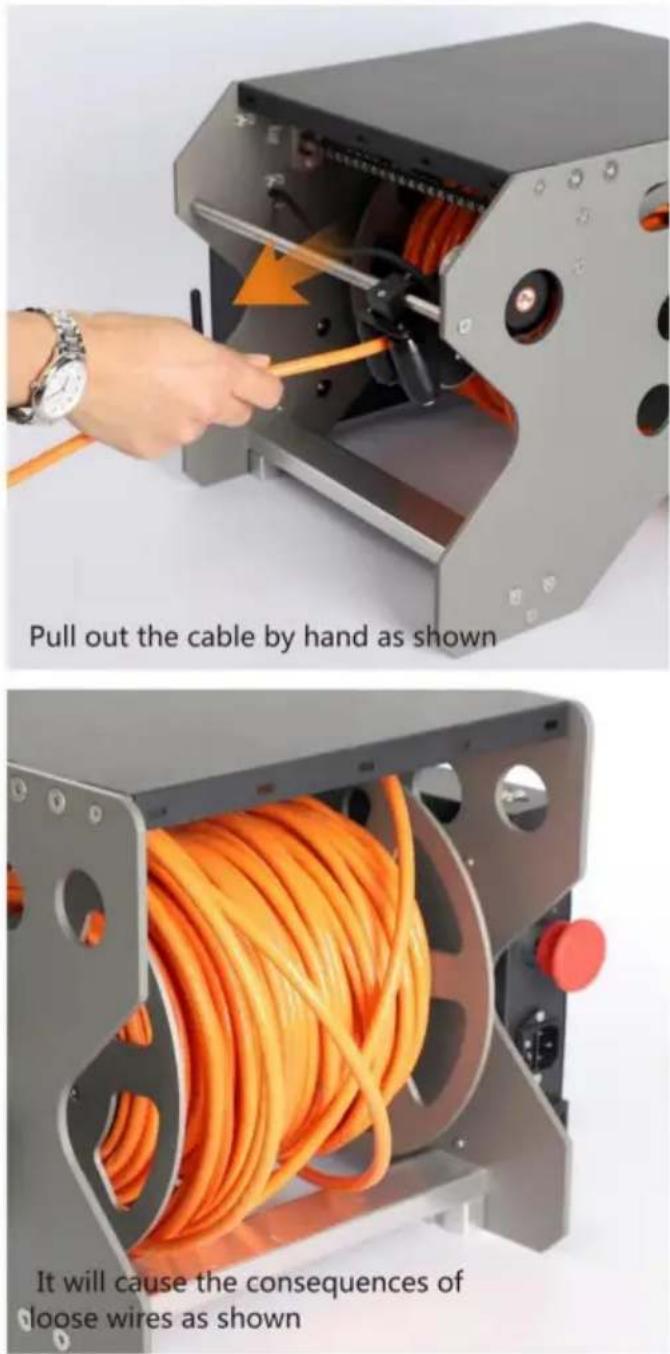
text_image
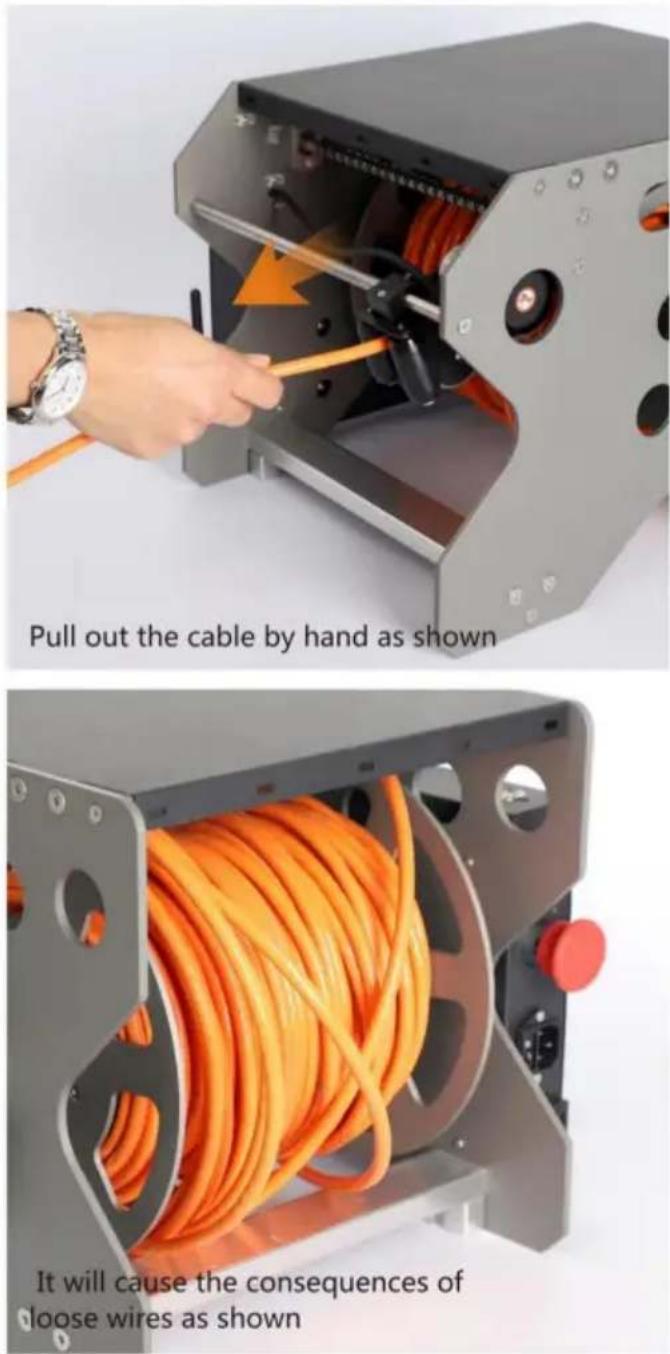
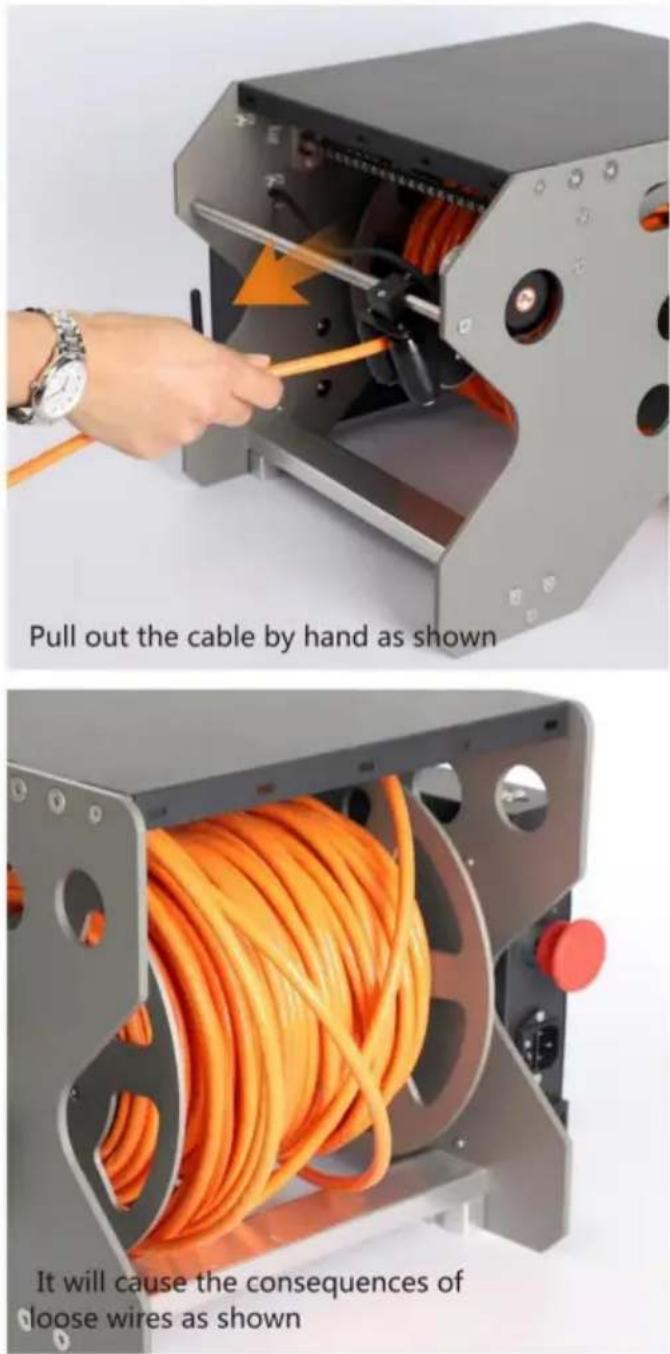
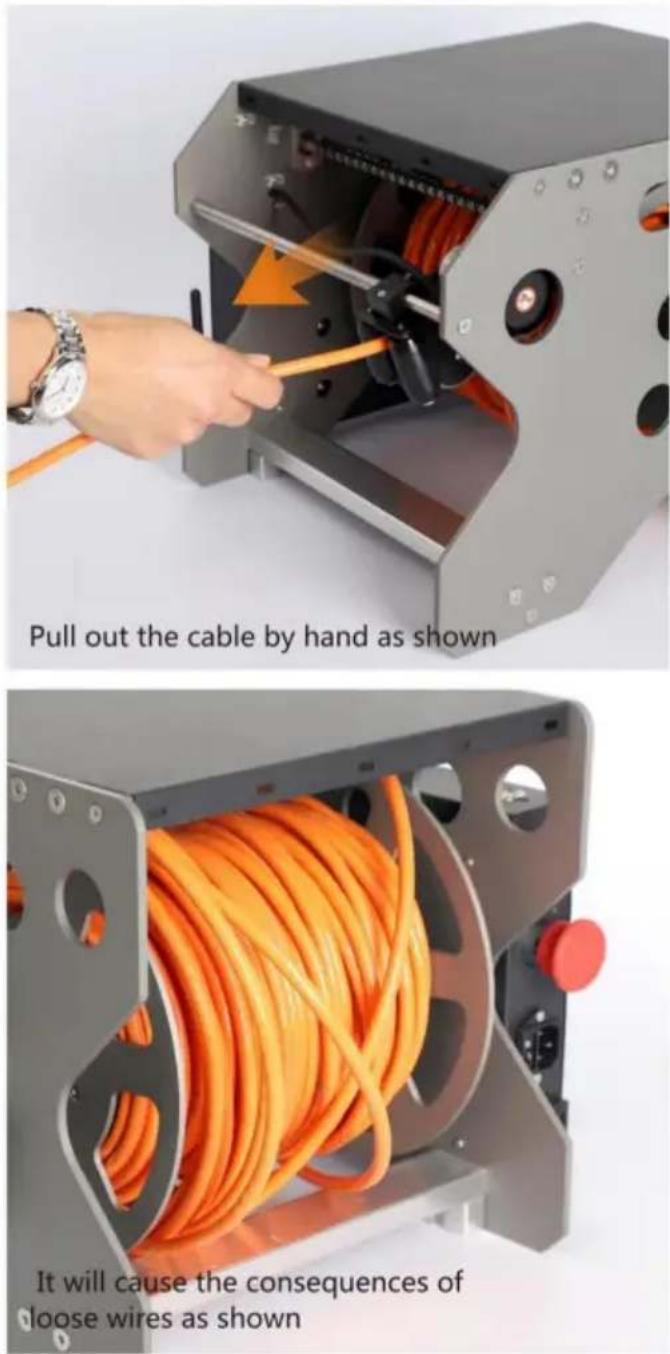
Pull out the cable by hand as shown It will cause the consequences of loose wires as shownRetract cable:
While turning the handle clockwise, slowly pull the cable out by hand ensure that the cable is closely

natural_image
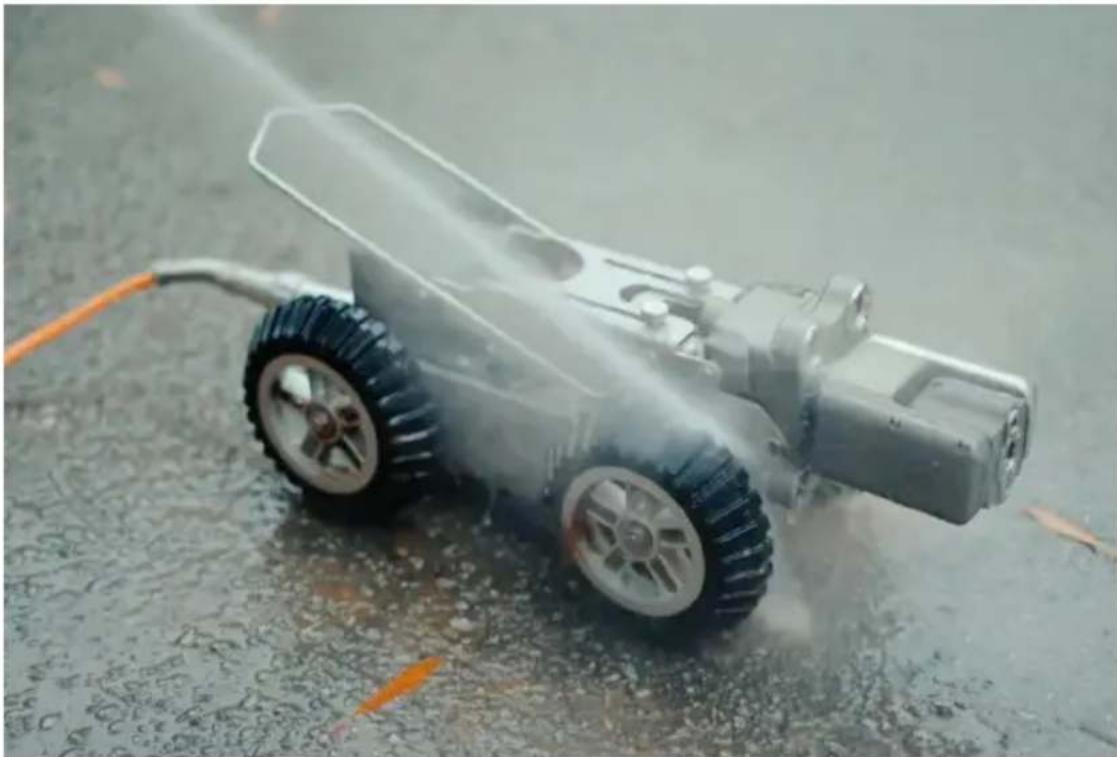
Close-up of a hand using a tool to adjust or install a mechanical component with orange arrows indicating motion (no text or symbols visible)Maintenance after used:
- Clean the body (do not pull the cable when cleaning)
- Wipe it with a dry cloth
natural_image
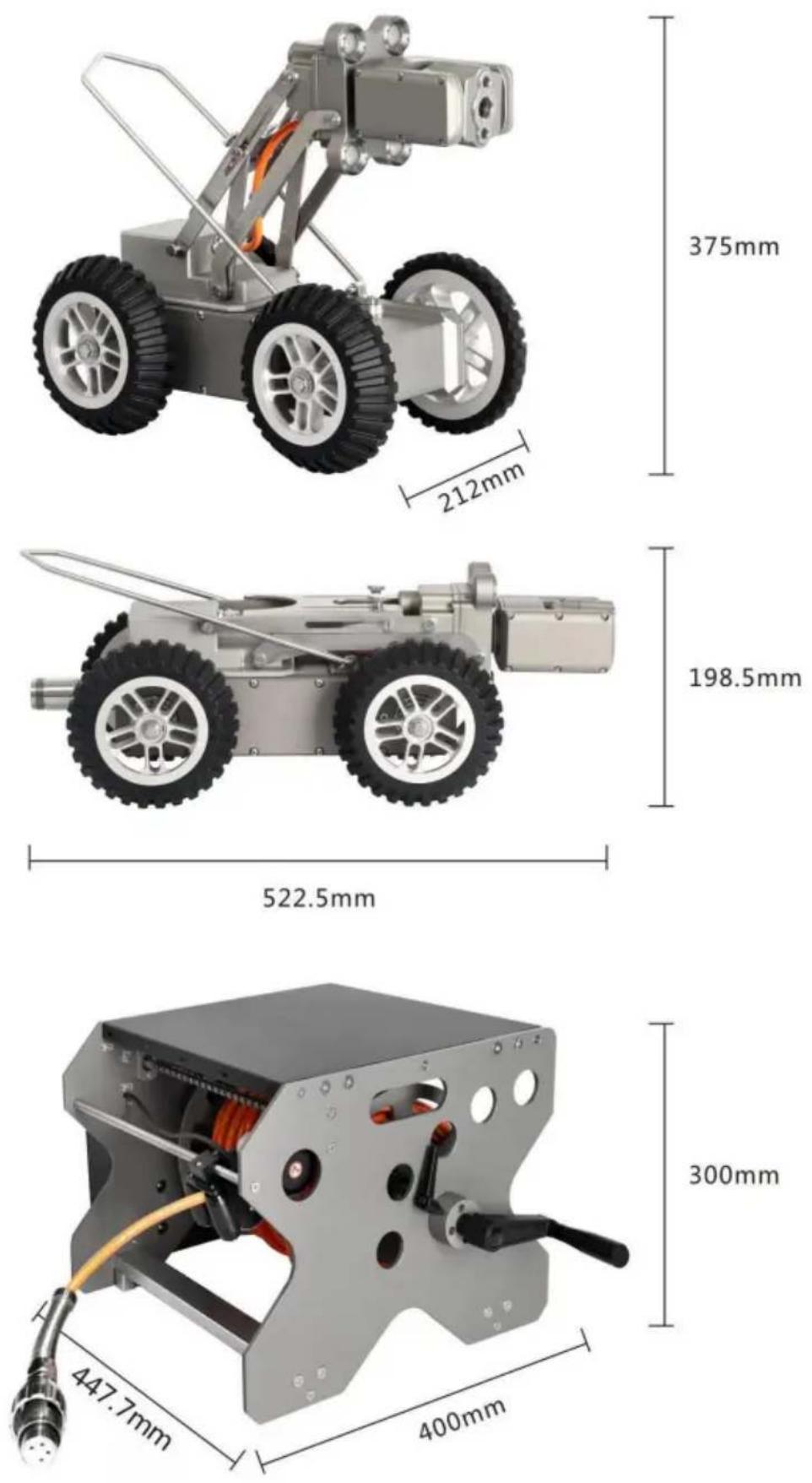
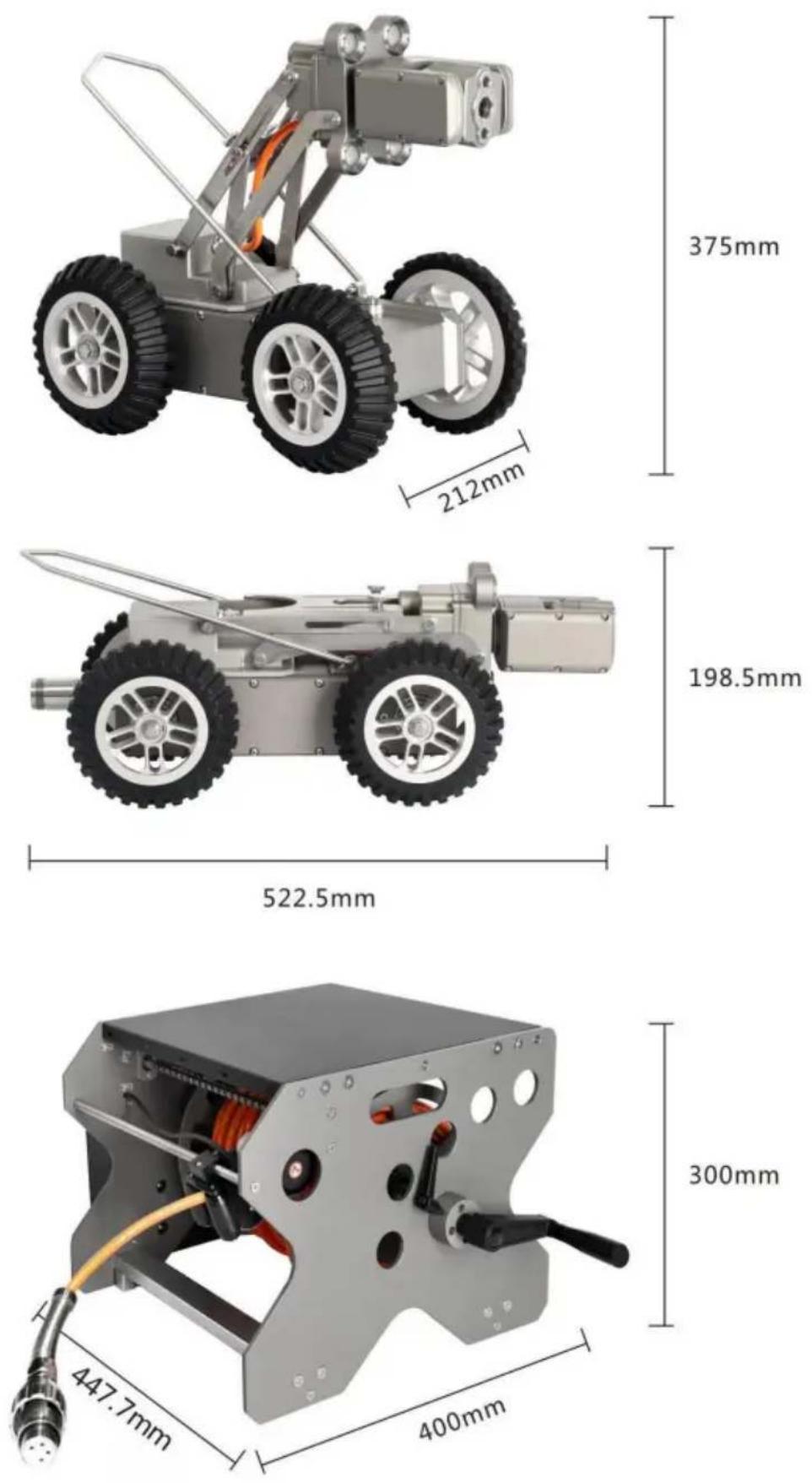
Model of a water spray gun on a wet pavement, spraying mist (no text or symbols visible)Product Size
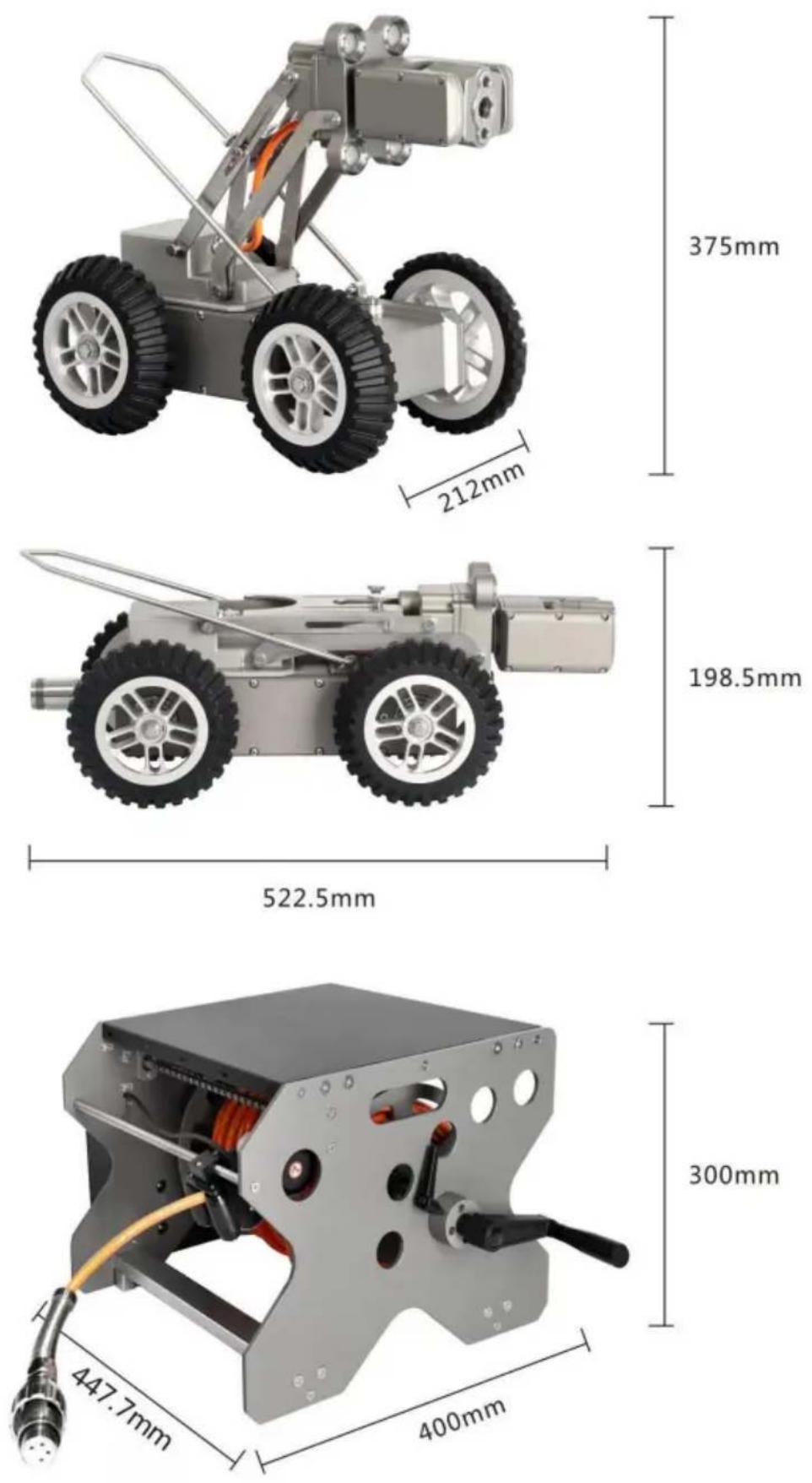
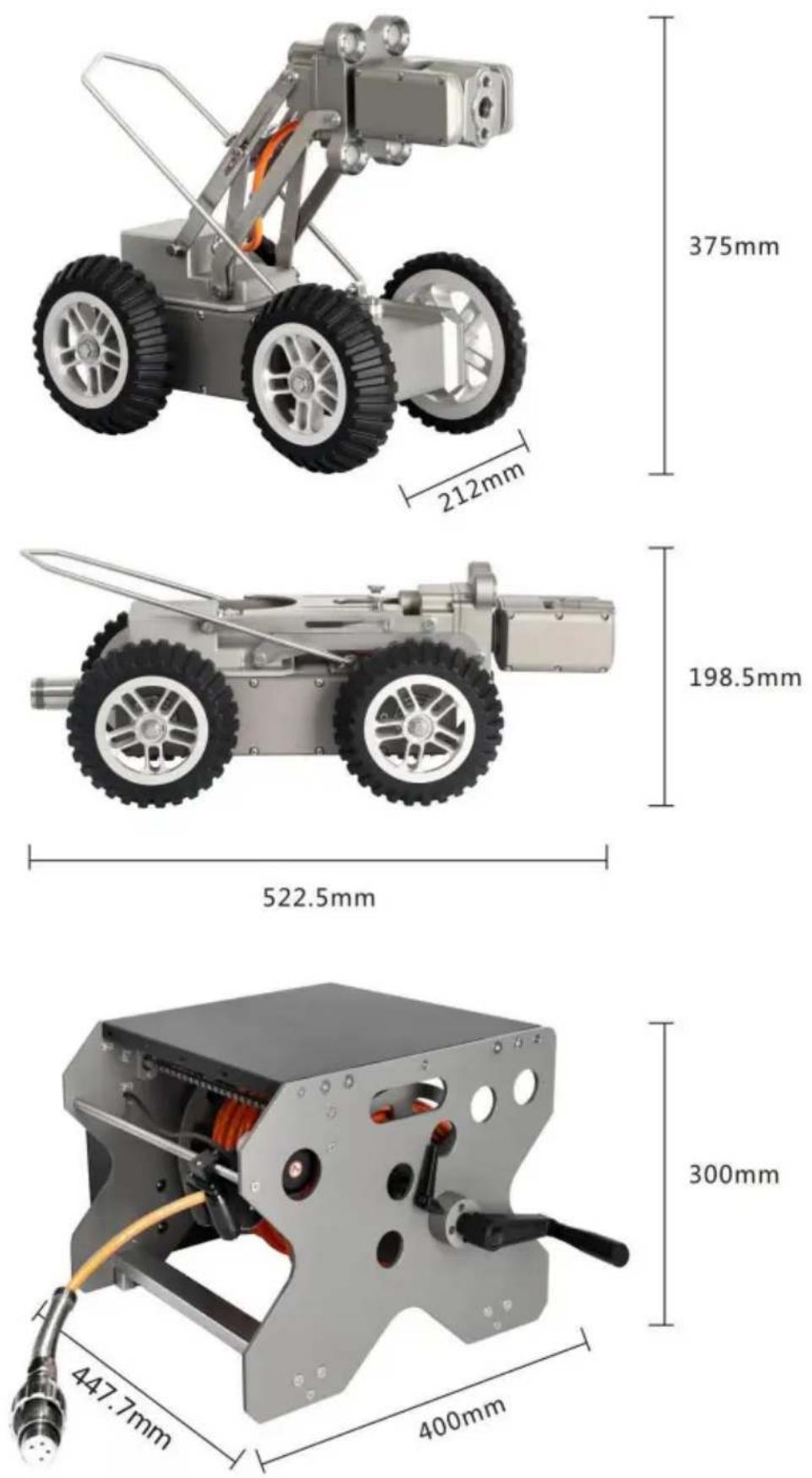
Product Size

375mm
198.5mm
300mm
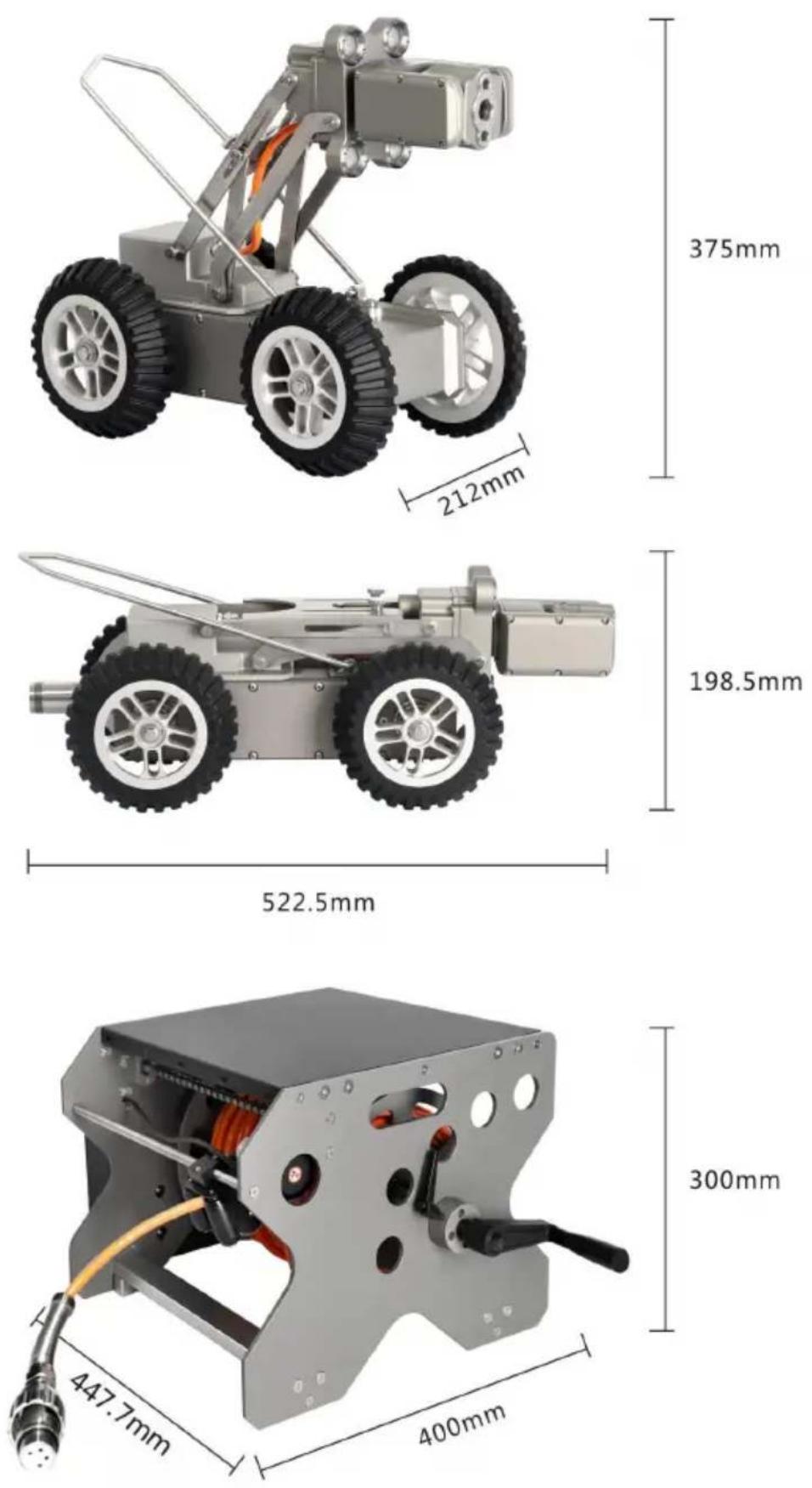
Package List
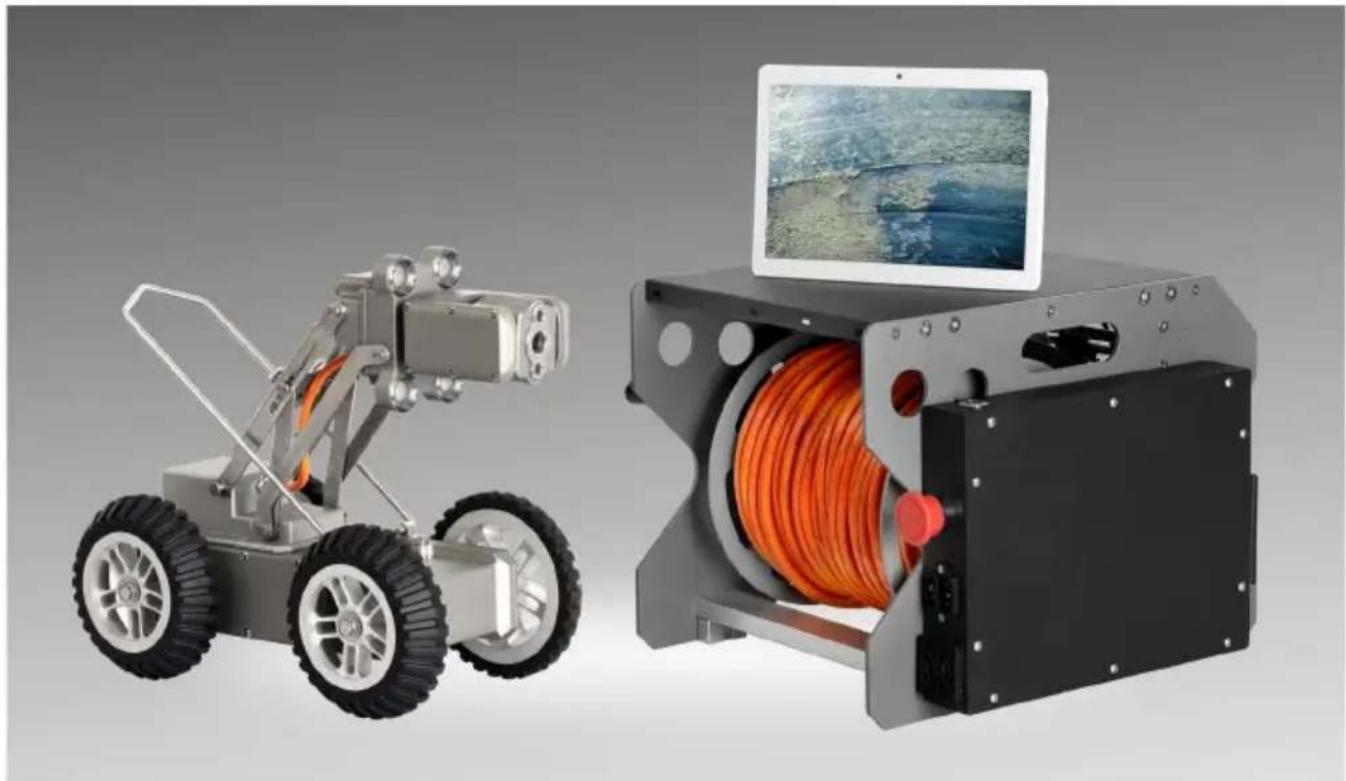
natural_image
Two industrial robotic devices: a wheeled robot and a handheld device with orange cable, both shown without any visible text or symbols.
natural_image
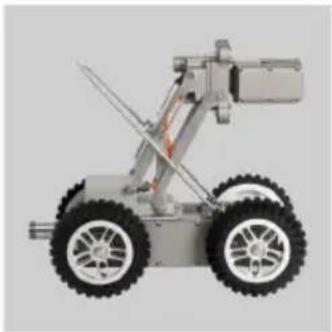
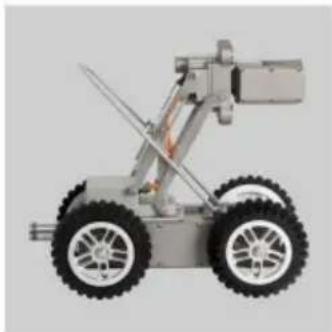
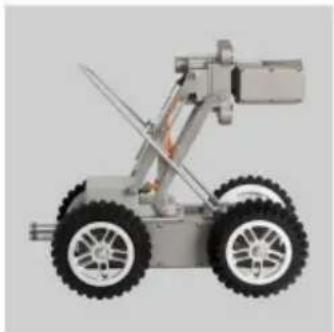
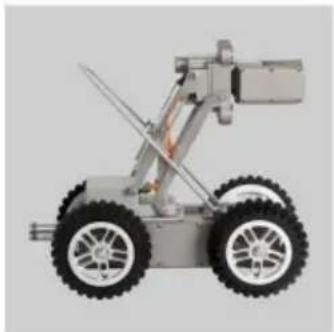
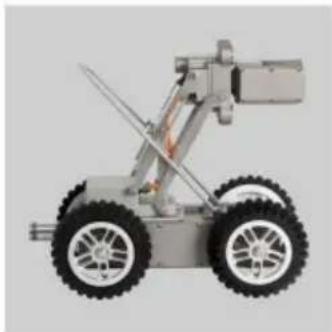
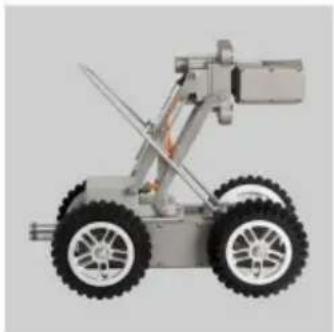
Side view of a wheeled robotic vehicle with four wheels and a mounted arm (no visible text or symbols)Metal body with camera

natural_image
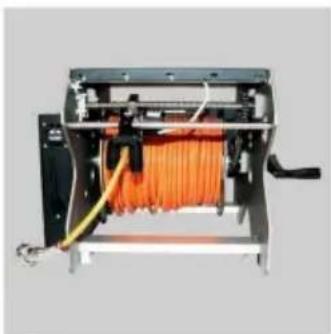
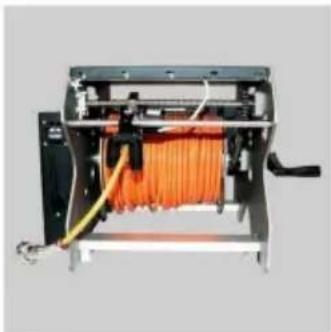
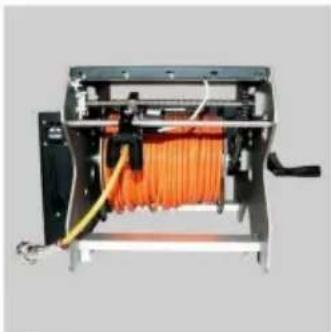
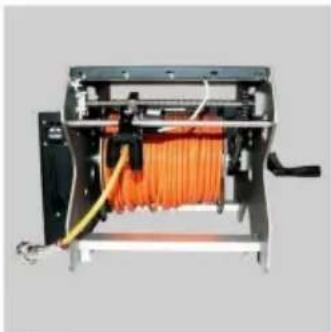
Interior view of an electronic device with orange fiber optic cables and wiring (no visible text or symbols)Metal frame with cable

natural_image
Simple diagram of a tablet with black and gray gradient panels (no text or symbols)Display screen

natural_image
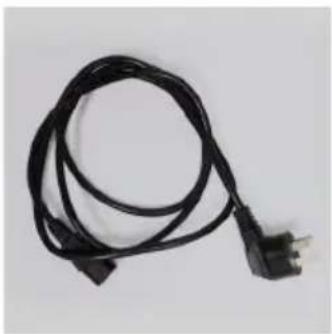
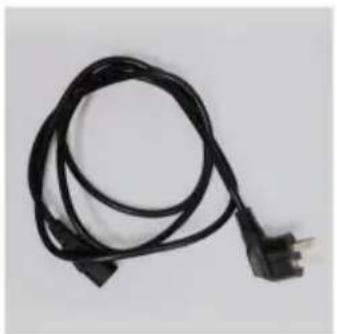
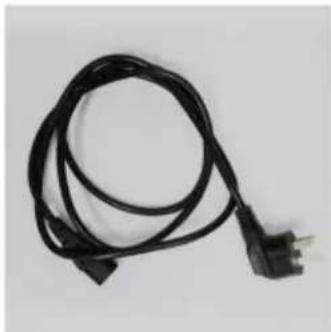
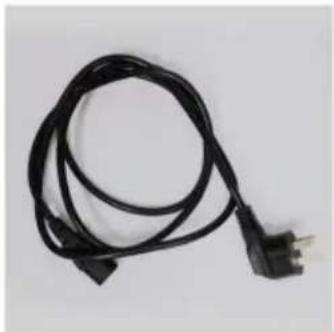
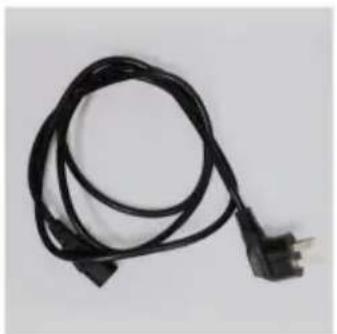
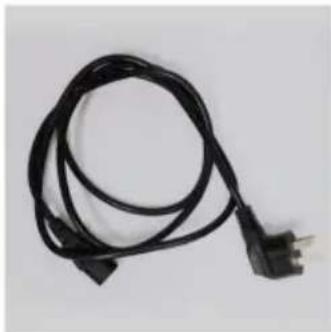
Coiled black electrical cable with a terminal connector (no text or symbols visible)Power cable
Attention

text_image
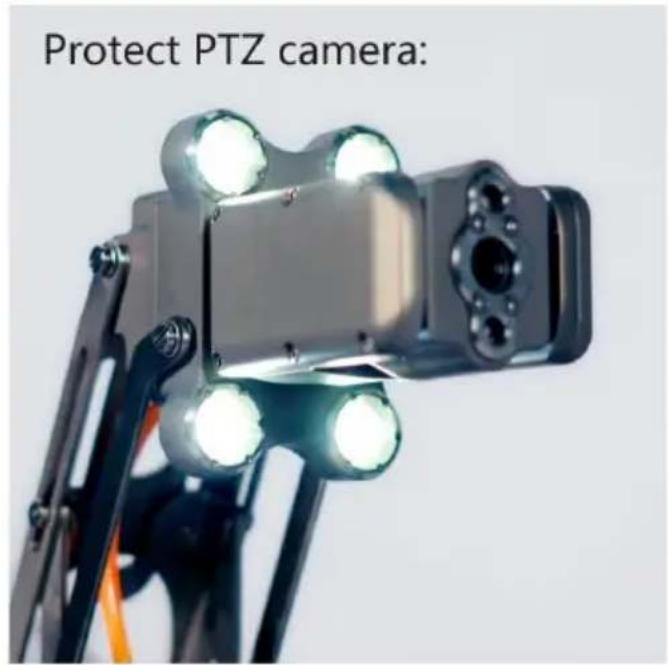
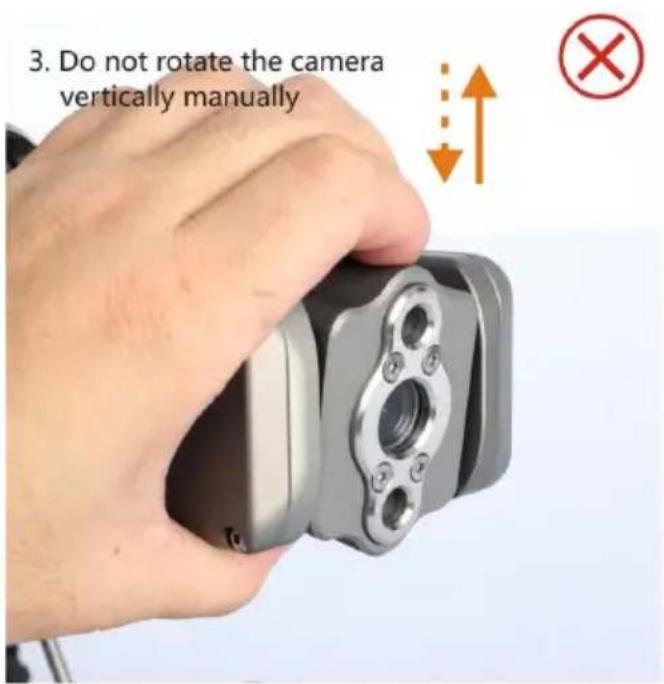
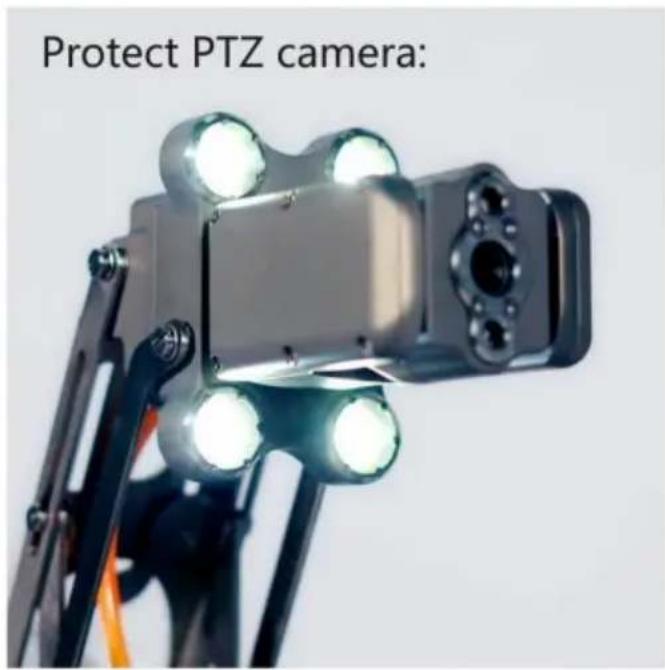
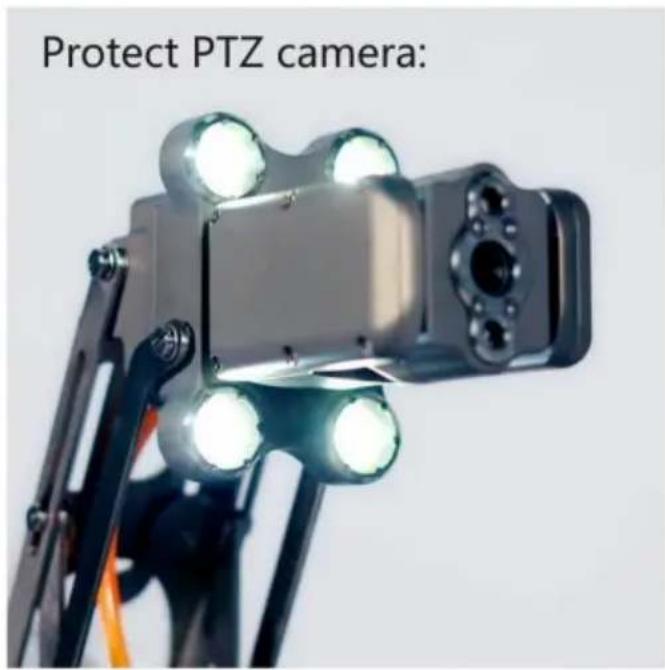
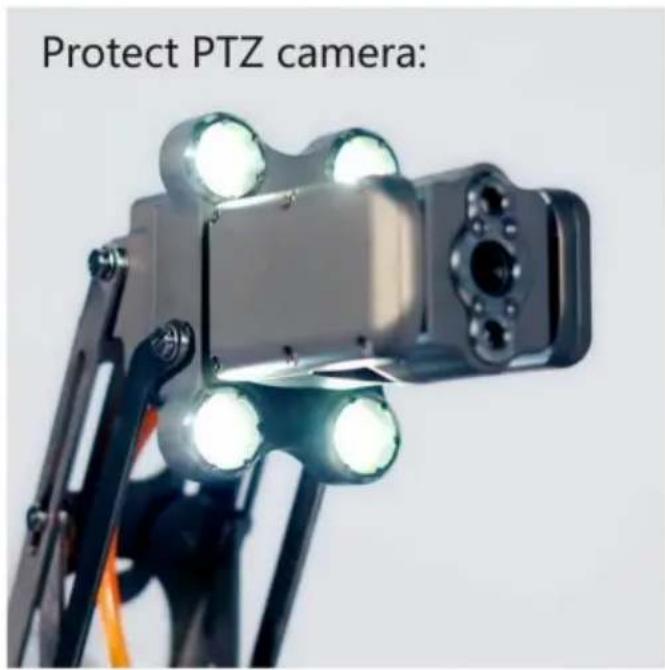
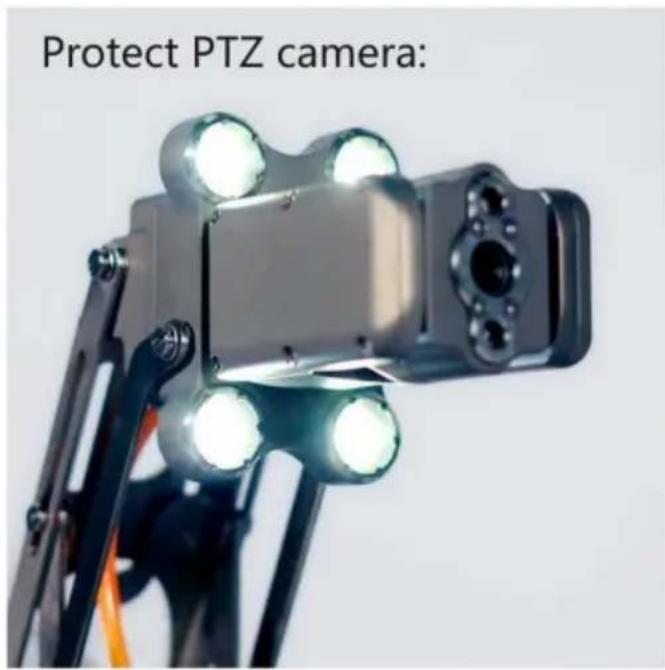
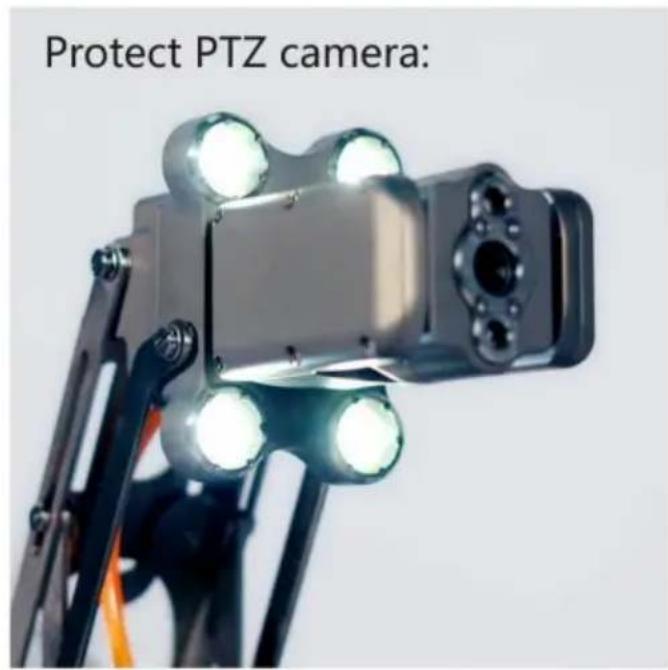
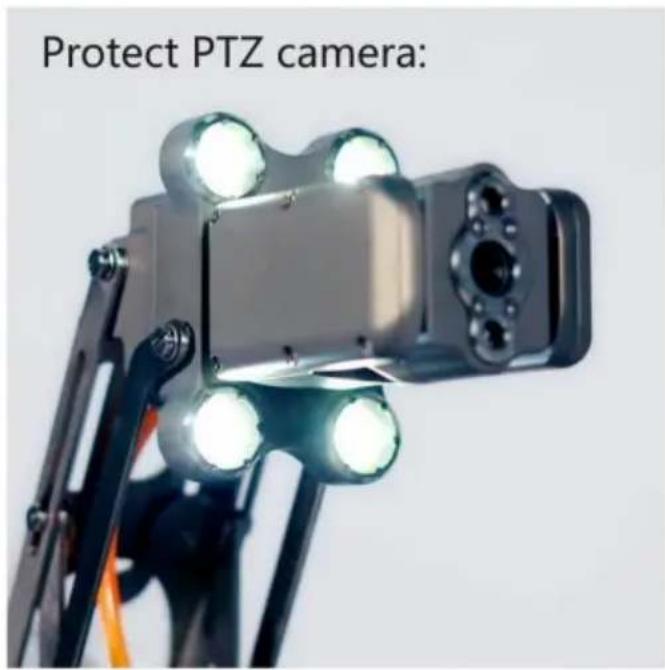
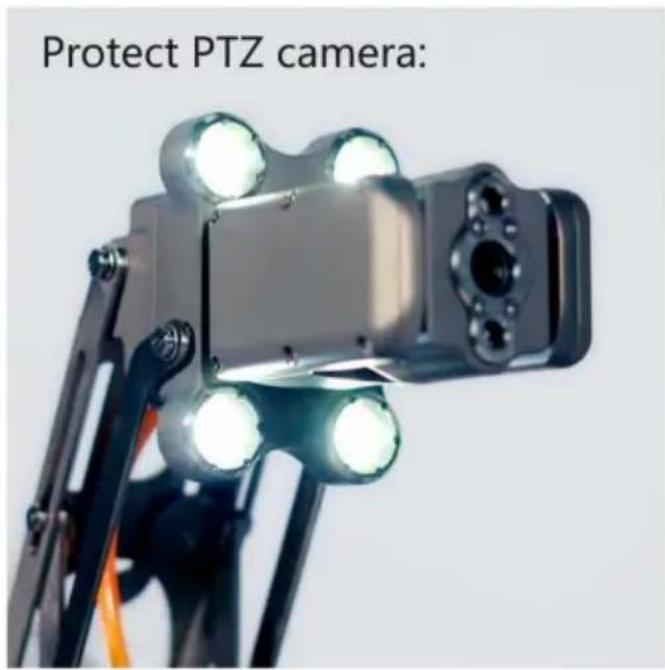
Protect PTZ camera:
text_image
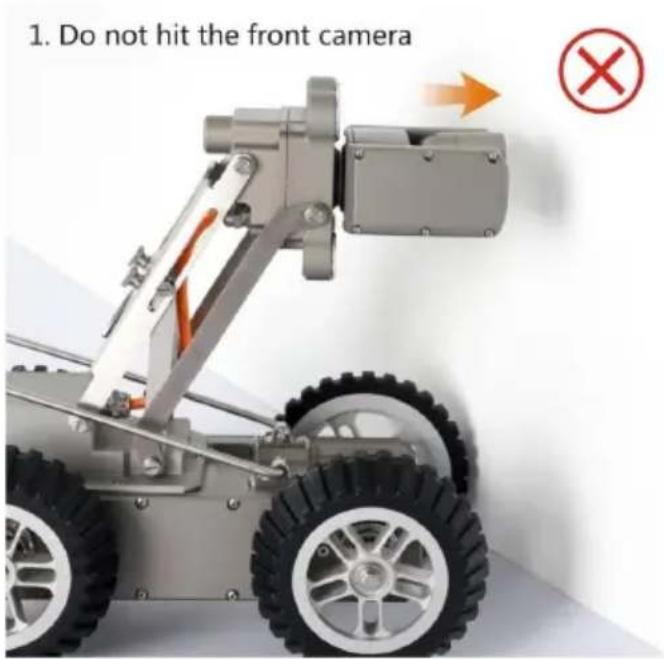
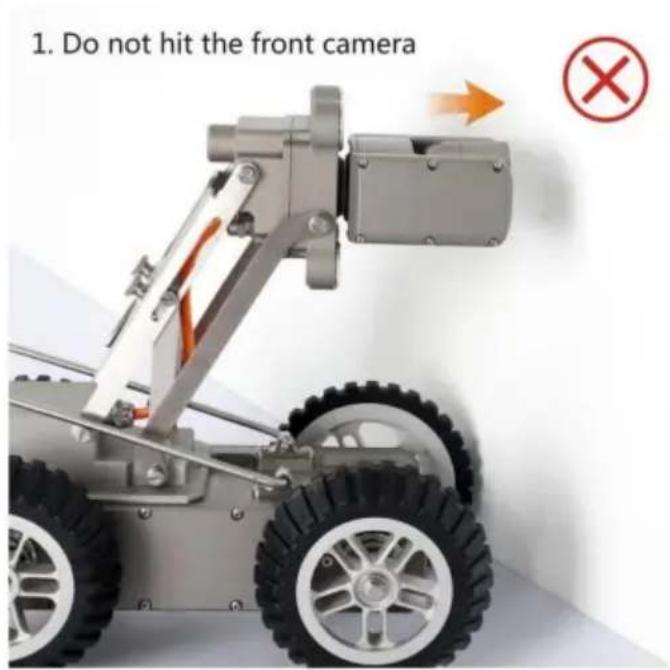
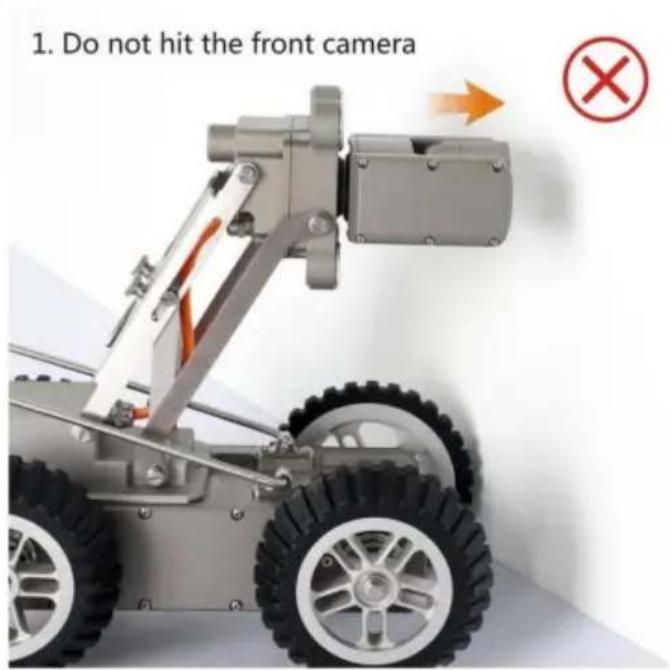
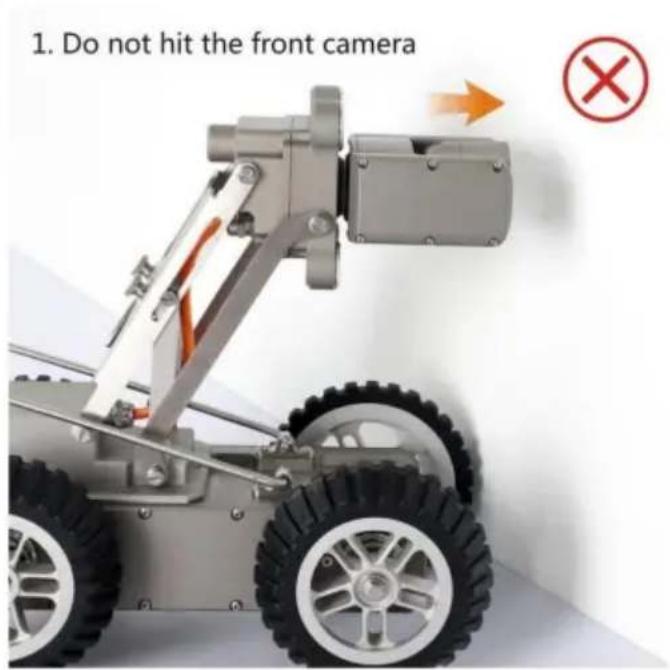
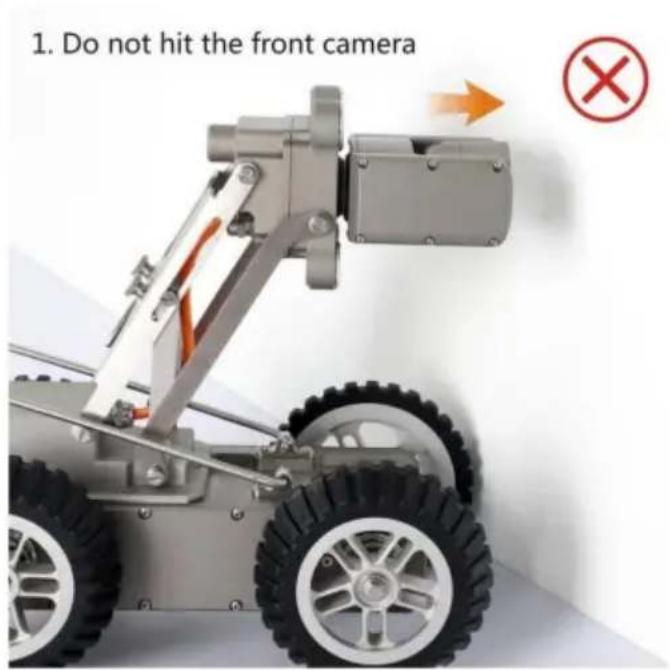
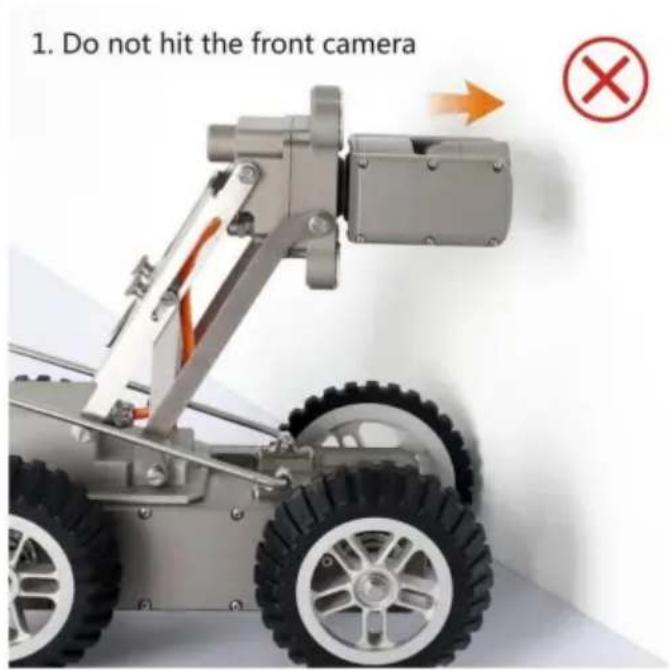
1. Do not hit the front camera ×
text_image
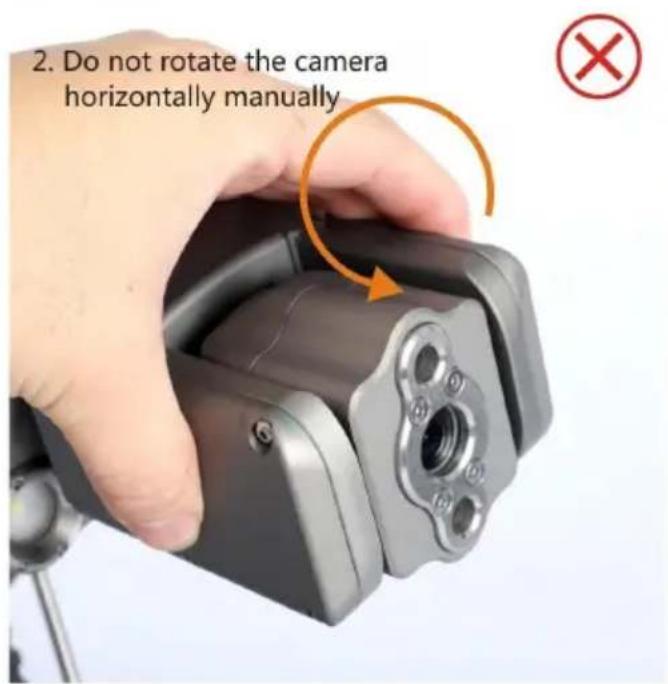
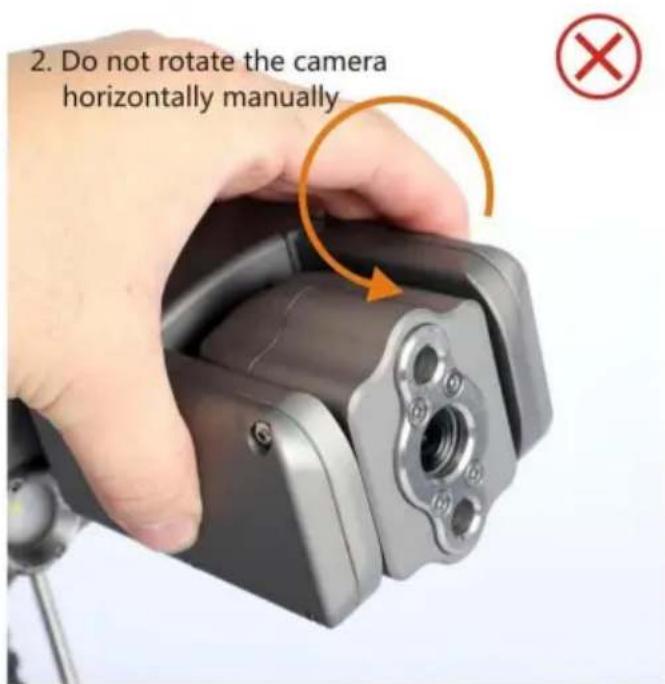
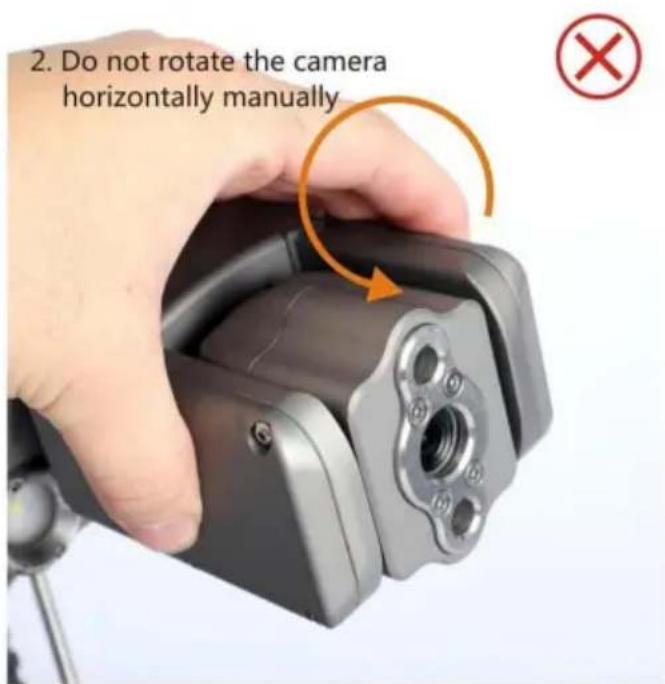
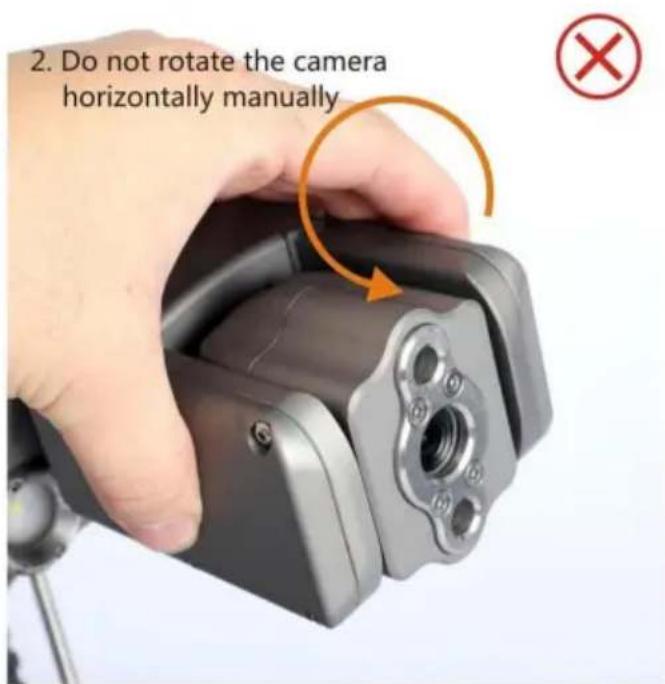
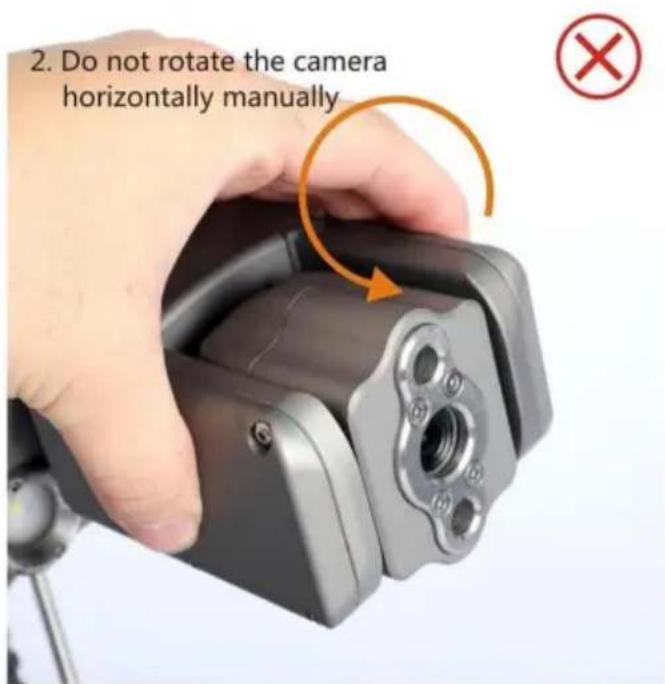
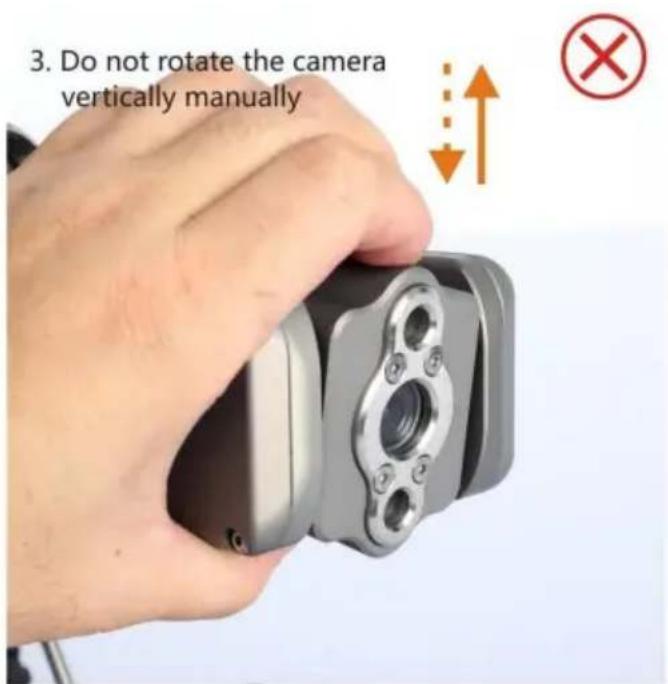
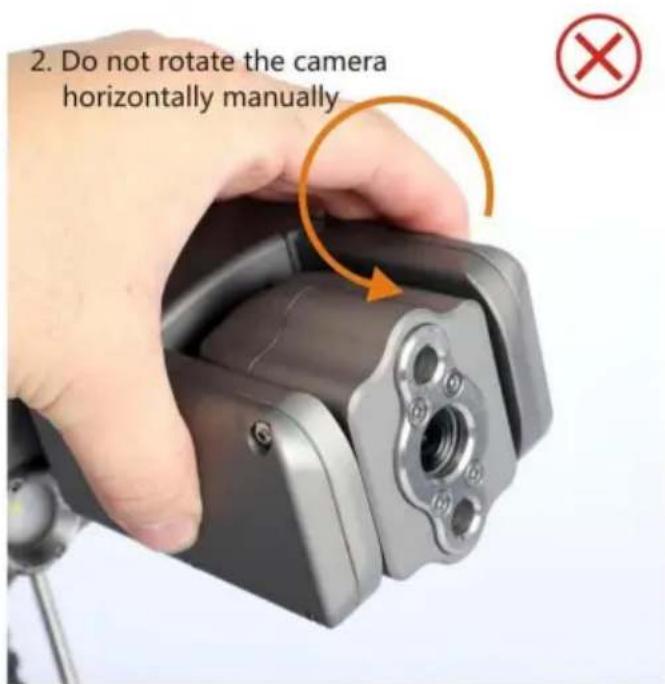
2. Do not rotate the camera horizontally manually
text_image
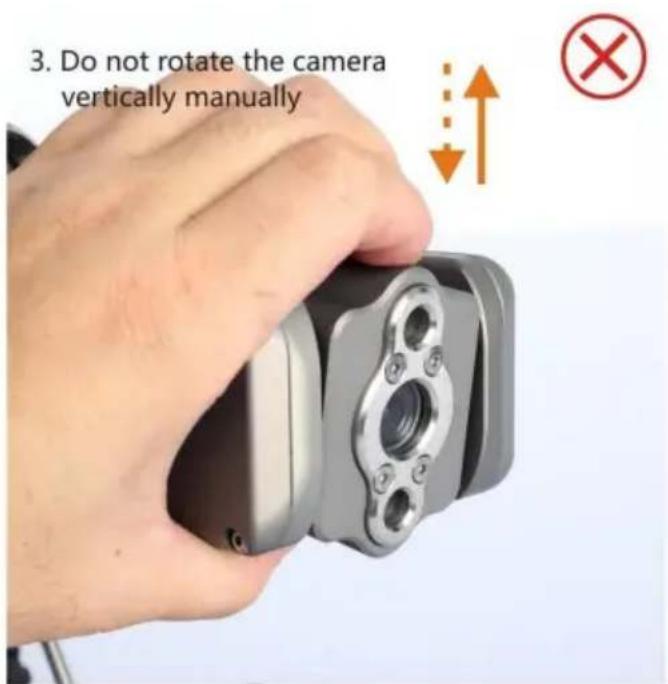
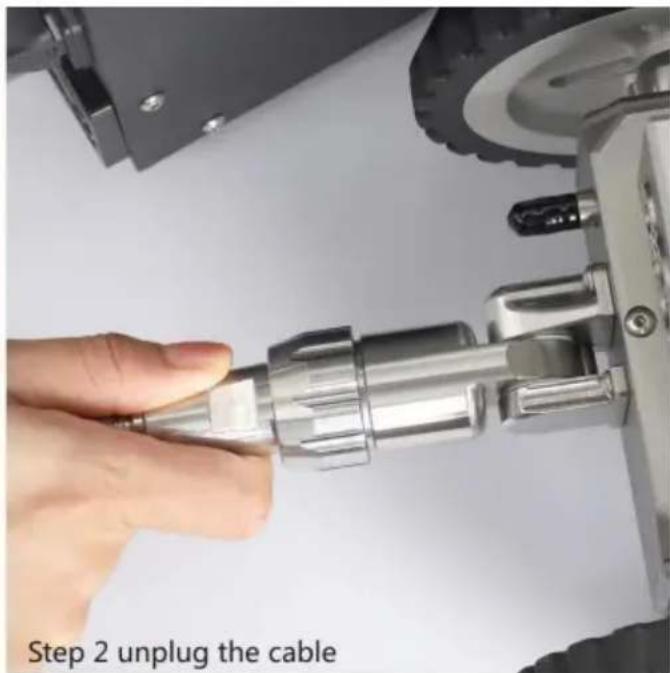
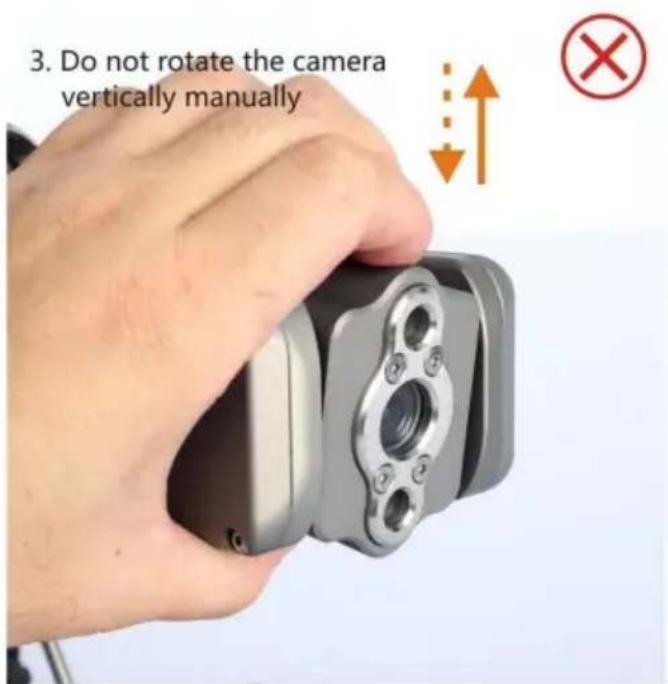
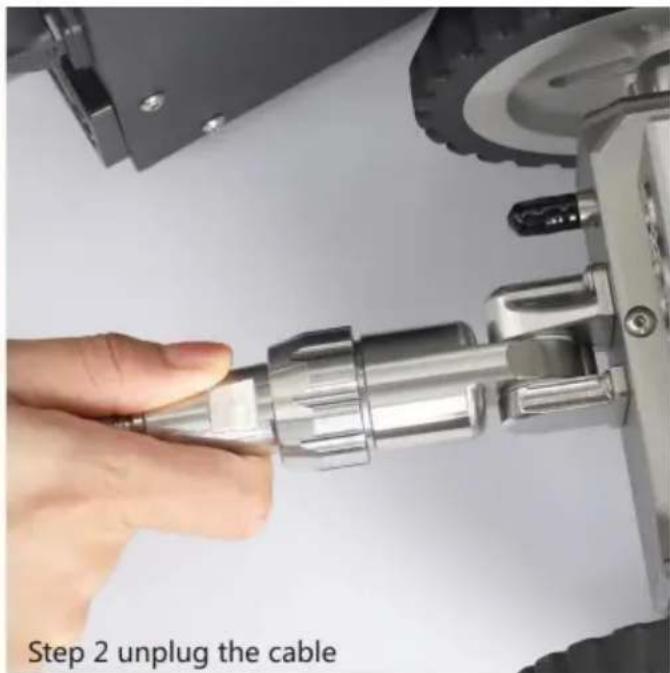
3. Do not rotate the camera vertically manuallyUnplug the cable connector until power off
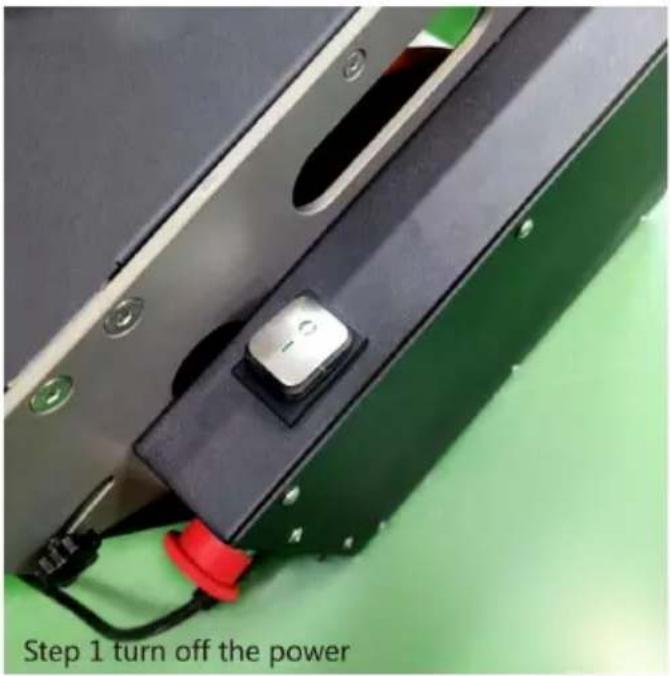
text_image
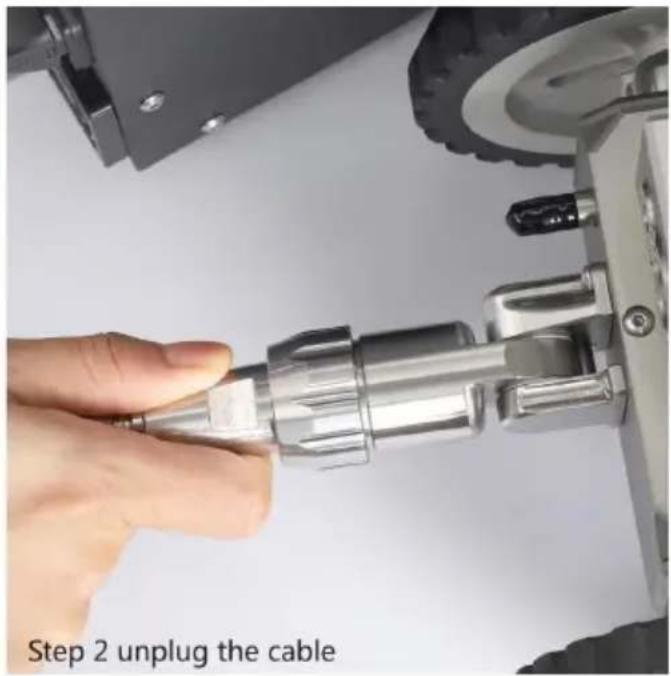
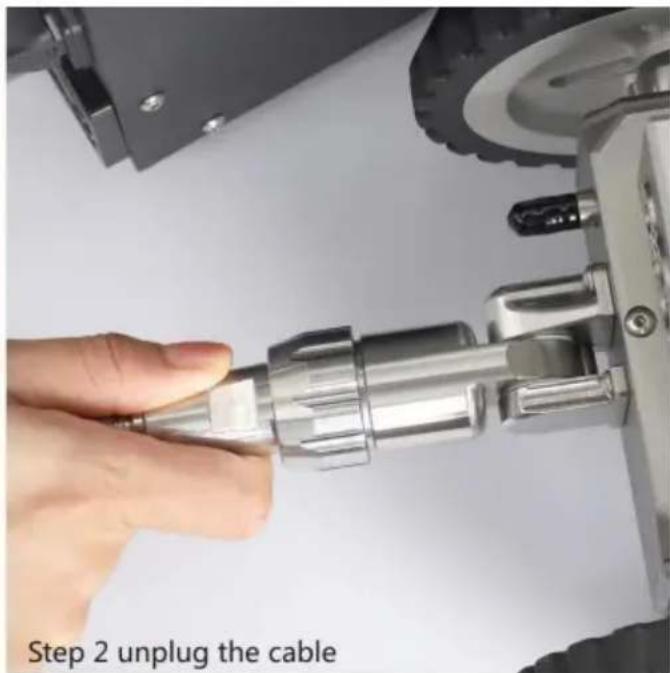
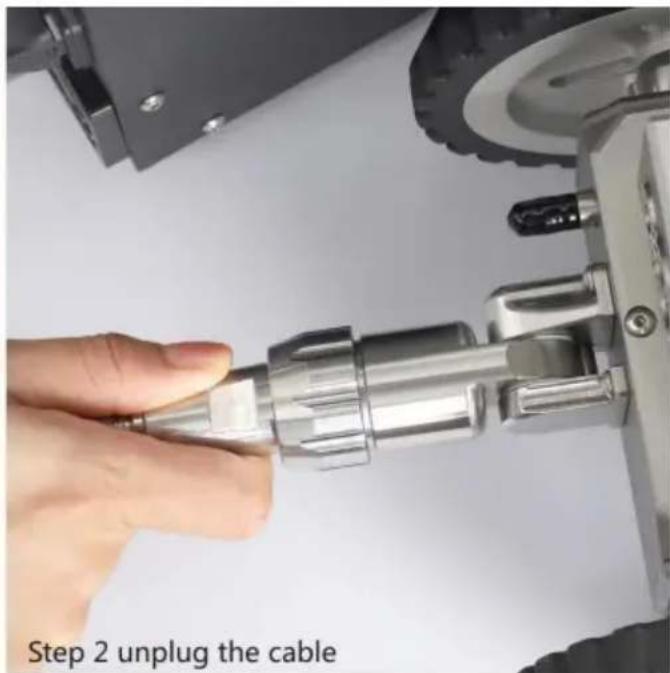
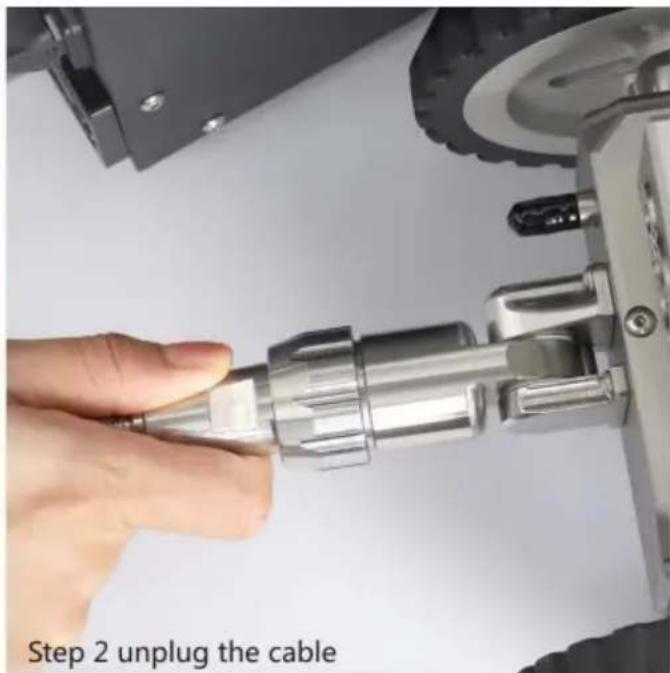
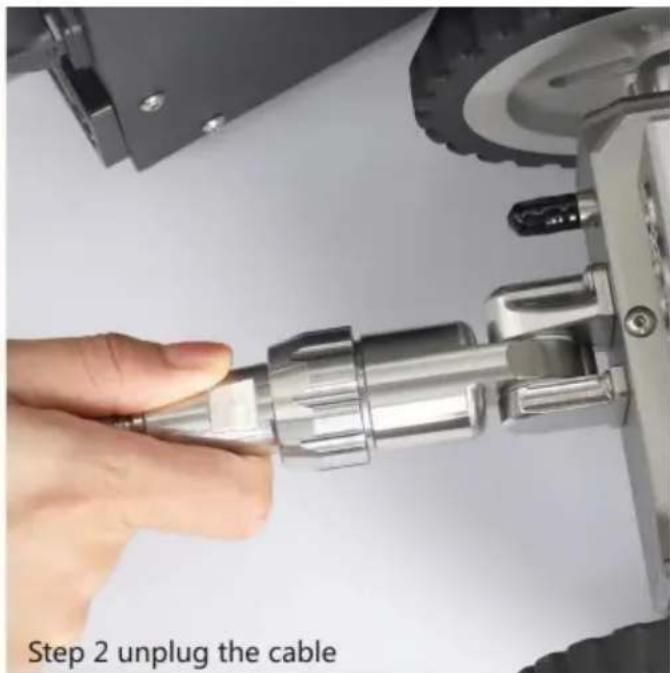
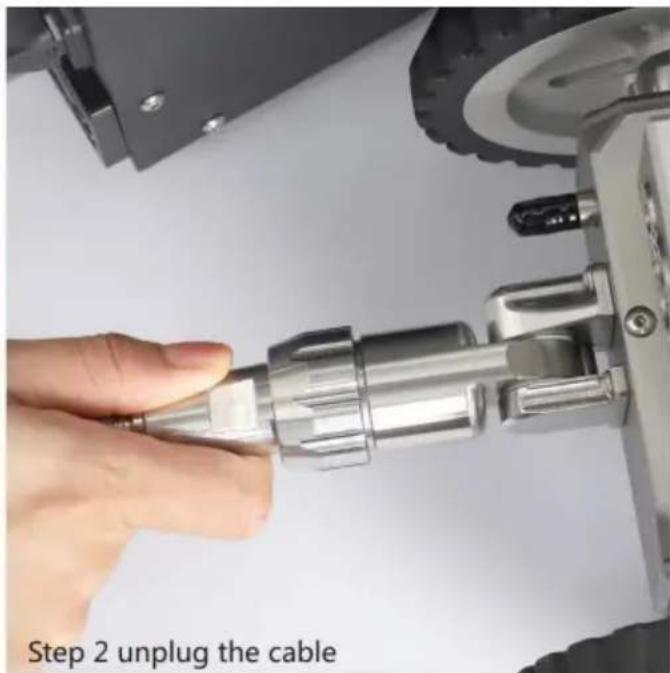
Step 1 turn off the power
text_image
Step 2 unplug the cableClean up cable rolling bearing timely to keep it clean and smooth
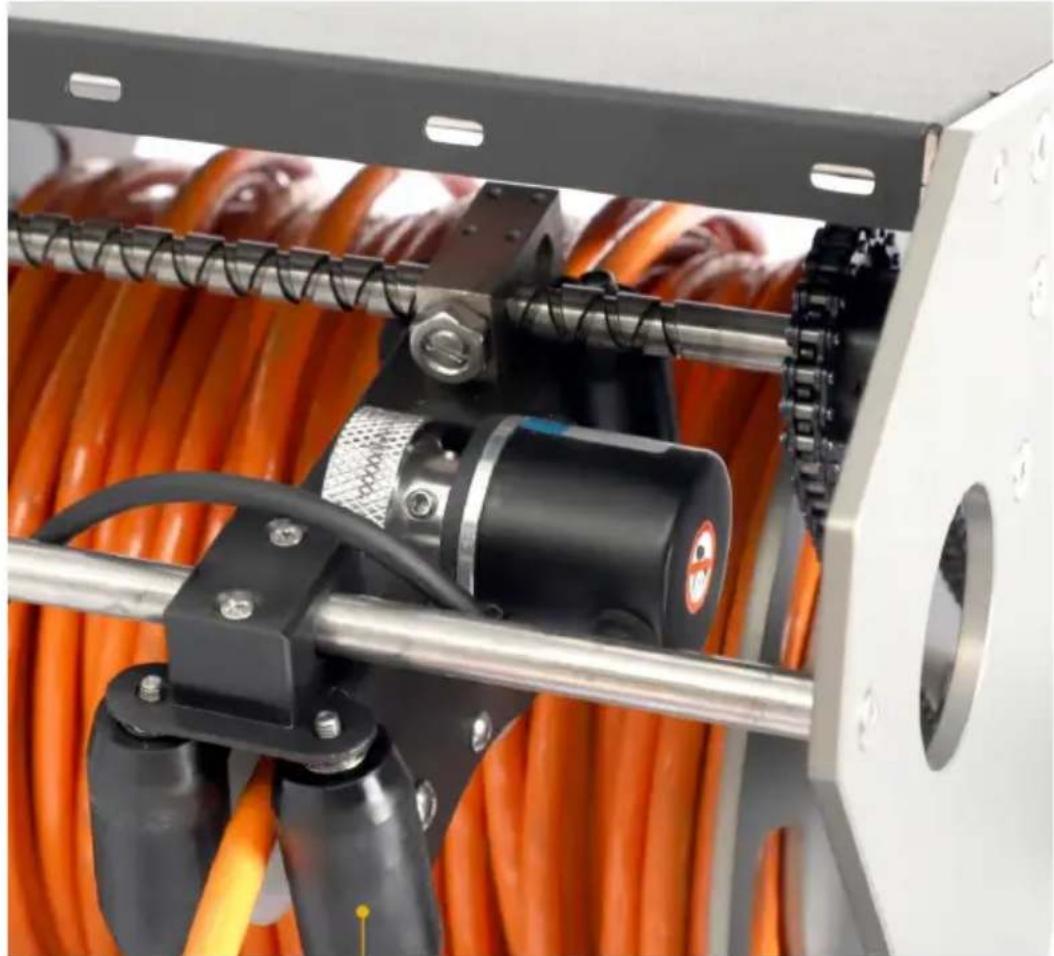
natural_image
Close-up of a mechanical device with orange cables and a black-and-white motor, no visible text or symbols.cable rolling
Fault Analysis and Troubleshooting
| Fault Analysis | Cause of the Fault and Precautions |
| No Power | 1. Check whether power is correctly connected.2. Check whether the main switch indicator is steady on or whether the plug is in good contact.3. Whether the emergency stop button is locked. |
| The robot can wa no image | 1. Check whether the interface is locked.2. Switch cameras and check whether they have in |
| No Meter Measurement Number Display or big measurement Error | 1. Check whether the meter counter wheel and cal in good contact, and whether there is dirt blocking meter counter wheel.2. Restart device and tablet. |
| Remote Control Failure | 1. Check whether the computer WIFI connection is 2. Restart the computer and reconnect the WIFI. |
| The Tail Joint of robot Cannot be Inserted | 1. Check whether the joint vacancy is one to one 2. Check whether the plug at the end of the vehi deformed. |
| Note | If the fault cannot be solved, do not disassemble yourself.Please contact after-sales maintenance personnel. |
Care and Maintenance
- Daily maintenance and care: The machine must be kept clean and tidy, a shall not be placed in places with volatile or corrosive substances. Personnel be appointed for daily maintenance and cleaning after each use. The storage place must be kept dry. Desiccant can be used if necessary.
- Maintenance cycle: quality and measurement inspection(maintenance) once a year, measurement qualified should be unified stored.
Manufacturer: Shanghaimuxinmuyeyouxiangongsi
Address: Shuangchenglu 803nong11hao1602A-1609shi, baoshanqu, shanghai 200000 CN.
Imported to AUS: SIHAO PTY LTD. 1 ROKEVA STREETEASTWOOD NSW : Australia
Imported to USA: Sanven Technology Ltd. Suite 250, 9166 Anaheim Place, Rancho Cucamonga, CA 91730
| UK | REP |
YH CONSULTING LIMITED. C/O YH Consulting
Limited Office 147, Centurion House, London
Road, Staines-upon-Thames, Surrey, TW18 4AX
| EC | REP |
E-CrossStu GmbH
Mainzer Landstr.69,
60329 Frankfurt am Main.

Technical Support and E-Warranty Certificate www.vevor.com/support
VEVOR
Affordable. Reliable. Home Improvement.
DÉTECTION DE CANALISATIONS MUNICIPALES
ROBOT
MODÈLE : WR030-120, WR030-60
Affordable. Reliable. Home Improvement.
PIPELINE MUNICIPAL
ROBOT DE DÉTECTION

natural_image
Two industrial robotic devices: a wheeled robot with orange cable and a black-and-white photo of a laptop displaying a river (no text or symbols visible)text_image
Handle Body Wheel Rotating head Front light Front auxiliary light Front camera Lifting bracket

text_image
Retract cable brake Release cable handletext_image
Settings Search Log in to HONOR ID Log in to enjoy Honor services. WLAN TP-LINK_A49D > Bluetooth Off > Mobile network > More connections > Home screen & wallpaper > WLAN View help More settings PIPE-ROBOT-19 Saved, encrypted (no Internet access) 361EC7-TS3100series Encrypted ChinaNet-dMRQ Encrypted ChinaNet-hYLr Encrypted ChinaNet-ieEq Encrypted ChinaNet-jDJa Encrypted ChinaNet-TZzvtext_image
Settings Search Log in to HONOR ID Log in to enjoy Honor services. WLAN TP-LINK_A49D > Bluetooth Off > Mobile network More connections Home screen & wallpaper PIPE-ROBOT-19 Password 12345678 Show advanced options CANCEL CONNECTnatural_image
Close-up of a hand holding a metallic connector with four small brown dots on its body (no text or symbols visible)
natural_image
Close-up of a metallic mechanical component with threaded connectors, attached to a wheeled vehicle wheel (no visible text or symbols)Connector l'alimentation (exemple)

natural_image
Close-up of a black 3D printer with orange cable and plug, placed on a white surface (no text or symbols visible)Levage de la caméra
natural_image
Two-panel image showing a robotic device with hands operating the left panel and a close-up of a small wheeled vehicle with a hand holding the right panel (no text or symbols visible)natural_image
Two-panel image: left shows a person walking with a robotic vehicle; right shows a hand holding an orange cable connected to a motor-like device (no text or symbols visible)
natural_image
Close-up of a black industrial machine with red components and a metallic handle (no visible text or symbols)
natural_image
Close-up of a black electronic device with a green indicator light and red ribbon inserted, showing internal components (no visible text or symbols)Turn on the power switch 2 (the indicator light is on)
natural_image
Close-up of a mechanical component with circular holes and a highlighted orange arrow, labeled 'Figure 1' (no readable text or symbols)
natural_image
Close-up of a mechanical tool with circular holes and a labeled section 'Figure 2' (no readable text or symbols on the tool itself)
text_image
Release the cable: Pull the cable out automatically when the device moves forward Can not shake the handle counterclockwise to release the cable as shown
text_image
Pull out the cable by hand as shown It will cause the consequences of loose wires as shownnatural_image
Close-up of hands operating a mechanical device with orange rotation arrows indicating motion (no text or symbols visible)natural_image
Model of a water spray gun on wet pavement, emitting mist (no text or symbols visible)natural_image
Two industrial robotic devices: a wheeled robot and a digital camera with orange cable inside a black enclosure (no visible text or symbols)
natural_image
Side view of a wheeled robotic vehicle with articulated arm and wheels (no visible text or symbols)Metal body with camera

natural_image
Interior view of an electronic device with orange internal components and wiring (no visible text or symbols)Metal frame with cable

natural_image
Simple geometric shape with black and gray diagonal division (no text or symbols)Display screen

natural_image
Coiled black electrical plug with a terminal terminal, isolated on white background (no text or symbols)Power cable
Attention

text_image
Protect PTZ camera:
text_image
1. Do not hit the front camera ✗
text_image
2. Do not rotate the camera horizontally manually
text_image
3. Do not rotate the camera vertically manuallytext_image
Step 1 turn off the power
text_image
Step 2 unplug the cableYH CONSULTING LIMITED. A/S YH Consulting Limited, bureau 147, Centurion House, London Road, Staines-upon-Thames, Surrey, TW18 4AX

text_image
REPRÉSENTANT DE LA CEE-CrossStu GmbH
Mainzer Landstr.69,
Affordable. Reliable. Home Improvement.
MODELL: WR030-120, WR030-60
Affordable. Reliable. Home Improvement.
STÄDTISCHE PIPELINE
Erkennungsroboter

natural_image
Two industrial robotic devices: a wheeled robot with orange cable and a multi-rotor device with orange cable inside, both shown without any visible text or symbols.text_image
Handle Body Wheel Rotating head Front light Front auxiliary light Front camera Lifting bracket

text_image
Retract cable brake Release cable handletext_image
Settings Search Log in to HONOR ID Log in to enjoy Honor services. WLAN TP-LINK_A49D > Bluetooth Off > Mobile network > More connections > Home screen & wallpaper > WLAN View help More settings PIPE-ROBOT-19 Saved, encrypted (no Internet access) 361EC7-TS3100series Encrypted ChinaNet-dMRQ Encrypted ChinaNet-hYLr Encrypted ChinaNet-ieEq Encrypted ChinaNet-jDJa Encrypted ChinaNet-TZzvtext_image
Settings Search Log in to HONOR ID Log in to enjoy Honor services. WLAN TP-LINK_A49D > Bluetooth Off > Mobile network More connections Home screen & wallpaper PIPE-ROBOT-19 Password 12345678 Show advanced options CANCEL CONNECTnatural_image
Close-up of a hand holding a metallic connector with four pins, alongside a close-up of a mechanical cable with orange filament (no text or symbols visible)natural_image
Close-up of a black 3D printer with orange cable and white power plug, no visible text or symbolsnatural_image
Two-panel image showing a robotic device with hands operating the left panel and a close-up of a small wheeled vehicle with a hand holding the right panel (no text or symbols visible)natural_image
Two-panel image: left shows a person walking with a scooter; right shows a hand holding an orange cable with a switch, both marked with red prohibition signs (no readable text or symbols)
natural_image
Close-up of a black metal enclosure with red flames inside, showing internal components and a handle (no text or symbols visible)
natural_image
Close-up of a black electronic device with a green indicator light and red ribbon inserted, showing internal components (no text or symbols visible)Turn on the power switch 2 (the indicator light is on)
natural_image
Close-up of a mechanical component with circular holes and a highlighted orange arrow, labeled 'Figure 1' (no readable text or symbols)
natural_image
Close-up of a mechanical tool with circular holes and a labeled section 'Figure 2' (no readable text or symbols on the tool itself)
text_image
Release the cable: Pull the cable out automatically when the device moves forward Can not shake the handle counterclockwise to release the cable as shown
text_image
Pull out the cable by hand as shown It will cause the consequences of loose wires as shownKabel einziehen:
natural_image
Close-up of hands operating a mechanical device with orange rotation arrows indicating motion (no text or symbols visible)natural_image
Model of a water spray gun on wet pavement, no visible text or symbolsProduktgröße
Product Size

Paketliste

natural_image
Two industrial robotic devices: a wheeled vehicle and a digital display unit with orange cable, both without visible text or symbols.
natural_image
Side view of a small wheeled robotic vehicle with four wheels and a mounted arm (no visible text or symbols)Metal body with camera

natural_image
Interior view of an electronic device with orange fiber and wiring (no visible text or symbols)Metal frame with cable

natural_image
Simple geometric shape with black and gray diagonal division (no text or symbols)Display screen

natural_image
Coiled black electrical plug with a terminal terminal (no text or symbols visible)Power cable
Aufmerksamkeit

text_image
Protect PTZ camera:
text_image
1. Do not hit the front camera No
text_image
2. Do not rotate the camera horizontally manually
text_image
3. Do not rotate the camera vertically manuallytext_image
Step 1 turn off the power
text_image
Step 2 unplug the cableYH CONSULTING LIMITED. C/O YH Consulting Limited,
Büro 147, Centurion House, London Road, Staines-upon-
Thames, Surrey, TW18 4AX

text_image
EG-VertreterE-CrossStu GmbH
Mainzer Landstr.69,
60329 Frankfurt am Main.

Affordable. Reliable. Home Improvement.
MODELLO: WR030-120, WR030-60
Affordable. Reliable. Home Improvement.
natural_image
Two industrial robotic devices: a wheeled robot with orange cable and a multi-rotor device with orange cable inside, both shown without any visible text or symbols.text_image
Handle Body Wheel Rotating head Front light Front auxiliary light Front camera Lifting bracket

text_image
Retract cable brake Release cable handletext_image
Settings Search Log in to HONOR ID Log in to enjoy Honor services. WLAN TP-LINK_A49D > Bluetooth Off > Mobile network > More connections > Home screen & wallpaper > WLAN View help More settings PIPE-ROBOT-19 Saved, encrypted (no Internet access) 361EC7-TS3100series Encrypted ChinaNet-dMRQ Encrypted ChinaNet-hYLr Encrypted ChinaNet-ieEq Encrypted ChinaNet-jDJa Encrypted ChinaNet-TZzvtext_image
Settings Search Log in to HONOR ID Log in to enjoy Honor services. WLAN TP-LINK_A49D > Bluetooth Off > Mobile network More connections Home screen & wallpaper PIPE-ROBOT-19 Password 12345678 Show advanced options CANCEL CONNECTnatural_image
Close-up of a hand holding a metallic connector with four pins, alongside a close-up of a mechanical cable with orange filament (no text or symbols visible)natural_image
Close-up of a white electrical plug with black socket connected to a black 3D printer, with orange cables and red connectors visible (no text or symbols)Sollevamento della
natural_image
Two-panel image showing a robotic device with hands operating the left panel and a close-up of a small wheeled vehicle with a hand holding the right panel (no text or symbols visible)natural_image
Two-panel image: left shows a person walking with a scooter; right shows a hand holding an orange cable with a switch, both marked with red prohibition signs (no readable text or symbols)
natural_image
Two identical photos showing a black electronic device with red LED indicators and a yellow-green indicator light, no text or symbols visible.Turn on the power switch 2 (the indicator light is on)
natural_image
Two-panel image showing a mechanical device with circular holes and an orange arrow indicating a specific feature, labeled Figure 1 and Figure 2 (no text or symbols on the devices themselves)
text_image
Release the cable: Pull the cable out automatically when the device moves forward Can not shake the handle counterclockwise to release the cable as shown
text_image
Pull out the cable by hand as shown It will cause the consequences of loose wires as shownCavo di ritrazione:
natural_image
Close-up of hands operating a mechanical device with orange rotation arrows indicating motion (no text or symbols visible)natural_image
Model of a water spray gun on wet pavement, no visible text or symbolsnatural_image
Two industrial robotic devices: a wheeled robot and a handheld device with orange cable, both shown without any visible text or symbols.
natural_image
Side view of a wheeled robotic vehicle with articulated arm and wheels (no visible text or symbols)Metal body with camera

natural_image
Interior view of an electronic device with orange wiring and mechanical components (no visible text or symbols)Metal frame with cable

natural_image
Simple geometric shape with black and gray diagonal division (no text or symbols)Display screen

natural_image
Coiled black electrical plug with a terminal terminal (no text or symbols visible)Power cable
Attenzione

text_image
Protect PTZ camera:
text_image
1. Do not hit the front camera No
text_image
2. Do not rotate the camera horizontally manually
text_image
3. Do not rotate the camera vertically manuallytext_image
Step 1 turn off the power
text_image
Step 2 unplug the cableImportato in AUS: SIHAO PTY LTD. 1 ROKEVA STREETEASTWOOD NSW 2122 Australia
Importato negli USA: Sanven Technology Ltd. Suite 250, 9166 Anaheim Place, Rancho Cucamonga, CA 91730

text_image
RAPPRESENTANTE DEL REGNO UNITOYH CONSULTING LIMITED. C/O YH Consulting Limited
Ufficio 147, Centurion House, London Road, Staines-
upon-Thames, Surrey, TW18 4AX

Affordable. Reliable. Home Improvement.
MODELO: WR030-120, WR030-60
Affordable. Reliable. Home Improvement.
GASODUCTO MUNICIPAL
ROBOT DE DETECCIÓN

natural_image
Two industrial robotic devices: a wheeled robot with orange cable and a multi-rotor device with orange cable inside, both shown without any visible text or symbols.text_image
Handle Body Wheel Rotating head Front light Front auxiliary light Front camera Lifting bracket

text_image
Retract cable brake Release cable handletext_image
Settings Search Log in to HONOR ID Log in to enjoy Honor services. WLAN TP-LINK_A49D > Bluetooth Off > Mobile network > More connections > Home screen & wallpaper > WLAN View help More settings PIPE-ROBOT-19 Saved, encrypted (no Internet access) 361EC7-TS3100series Encrypted ChinaNet-dMRQ Encrypted ChinaNet-hYLr Encrypted ChinaNet-ieEq Encrypted ChinaNet-jDJa Encrypted ChinaNet-TZzv- Ingrese la contraseña original: 12345678, conéctese a WIFI.

text_image
Settings Search Log in to HONOR ID Log in to enjoy Honor services. WLAN TP-LINK_A49D > Bluetooth Off > Mobile network More connections Home screen & wallpaper PIPE-ROBOT-19 Password 12345678 Show advanced options CANCEL CONNECTnatural_image
Close-up of a hand holding a metallic connector with four pins, alongside a close-up of a mechanical cable with orange filament (no text or symbols visible)natural_image
Close-up of a black 3D printer with orange cable and plug, placed on a white surface (no text or symbols visible)natural_image
Close-up of a hand operating a mechanical device with tools and components (no visible text or symbols)
natural_image
Close-up of a hand holding a small mechanical component next to a toy car with a tire (no visible text or symbols)natural_image
Person walking outdoors near a robotic device and pump cart, with a red checkmark on the right (no text or symbols on the robot or background)
natural_image
Close-up of a hand holding an orange cable with a screwdriver, next to a mechanical component (no text or symbols visible)
natural_image
Close-up of a black industrial machine with red components and a metallic handle (no visible text or symbols)
natural_image
Close-up of a black electronic device with a green indicator light and red decorative element, no visible text or symbols.Turn on the power switch 2 (the indicator light is on)
natural_image
Close-up of a mechanical component with circular holes and a highlighted orange arrow, labeled 'Figure 1' (no readable text or symbols)
natural_image
Close-up of a mechanical tool with circular holes and a labeled section 'Figure 2' (no readable text or symbols on the tool itself)
text_image
Release the cable: Pull the cable out automatically when the device moves forward Can not shake the handle counterclockwise to release the cable as shown
text_image
Pull out the cable by hand as shown It will cause the consequences of loose wires as shownCable retráctil:
natural_image
Close-up of hands operating a mechanical device with orange rotation arrows indicating motion (no text or symbols visible)natural_image
Model of a water spray gun on wet pavement, no visible text or symbolsTamaño del producto
Product Size

Lista de paquetes

natural_image
Two industrial robotic devices: a wheeled robot and a handheld device with orange cable, both shown without any visible text or symbols.
natural_image
Side view of a wheeled robotic vehicle with articulated arm and wheels (no visible text or symbols)Metal body with camera

natural_image
Interior view of an electronic device with orange internal components and wiring (no visible text or symbols)Metal frame with cable

natural_image
Simple geometric shape with black and gray diagonal division (no text or symbols)Display screen

natural_image
Coiled black electrical plug with a terminal terminal, isolated on white background (no text or symbols)Power cable
Atención

text_image
Protect PTZ camera:
text_image
1. Do not hit the front camera No
text_image
2. Do not rotate the camera horizontally manually
text_image
3. Do not rotate the camera vertically manuallytext_image
Step 1 turn off the power
text_image
Step 2 unplug the cableYH CONSULTING LIMITADA. A/C YH Consulting Limited
Oficina 147, Centurion House, London Road, Staines-upon-Thames, Surrey, TW18 4AX
text_image
Representante de la CEE-CrossStu GmbH
Mainzer Landstr.69,
Affordable. Reliable. Home Improvement.
DETEKCJA RUROCIĄGÓW KOMUNALNYCH
ROBOT
MODEL: WR030-120, WR030-60
Affordable. Reliable. Home Improvement.
RUROCIĄG KOMUNALNY
ROBOT DETEKCYJNY

natural_image
Two industrial robotic devices: a wheeled robot and a multi-wheeled device with orange cable, both shown without any visible text or symbols.text_image
Handle Body Wheel Rotating head Front light Front auxiliary light Front camera Lifting bracket

text_image
Retract cable brake Release cable handletext_image
Settings Search Log in to HONOR ID Log in to enjoy Honor services. WLAN TP-LINK_A49D > Bluetooth Off > Mobile network > More connections > Home screen & wallpaper > WLAN View help More settings PIPE-ROBOT-19 Saved, encrypted (no Internet access) 361EC7-TS3100series Encrypted ChinaNet-dMRQ Encrypted ChinaNet-hYLr Encrypted ChinaNet-ieEq Encrypted ChinaNet-jDJa Encrypted ChinaNet-TZzvtext_image
Settings Search Log in to HONOR ID Log in to enjoy Honor services. WLAN TP-LINK_A49D > Bluetooth Off > Mobile network More connections Home screen & wallpaper PIPE-ROBOT-19 Password 12345678 Show advanced options CANCEL CONNECTnatural_image
Close-up of a hand holding a metallic connector with four small brown dots on its body (no text or symbols visible)
natural_image
Close-up of a metallic mechanical component with threaded connectors, attached to a wheeled vehicle wheel (no visible text or symbols)natural_image
Close-up of a black 3D printer with orange cable and plug, placed on a white surface (no text or symbols visible)natural_image
Two-panel image showing a robotic device with hands operating the left panel and a close-up of a small wheeled vehicle with a hand holding the right panel (no text or symbols visible)natural_image
Two-panel image: left shows a person walking with a robotic vehicle; right shows a hand holding an orange cable with a switch, both marked with red prohibition signs (no readable text or symbols)
natural_image
Close-up of a black industrial machine with red components and a metallic handle (no visible text or symbols)
natural_image
Close-up of a black electronic device with a green indicator light and red ribbon inserted, showing internal components (no text or symbols visible)Turn on the power switch 2 (the indicator light is on)
natural_image
Close-up of a mechanical component with circular holes and a highlighted orange arrow, labeled 'Figure 1' (no readable text or symbols)
natural_image
Close-up of a mechanical tool with circular holes and a labeled section 'Figure 2' (no readable text or symbols on the tool itself)
text_image
Release the cable: Pull the cable out automatically when the device moves forward Can not shake the handle counterclockwise to release the cable as shown
text_image
Pull out the cable by hand as shown It will cause the consequences of loose wires as shownZwiń kabel:
natural_image
Close-up of hands operating a mechanical device with orange rotation arrows indicating motion (no text or symbols visible)natural_image
Model of a water spray gun on wet pavement, no visible text or symbolsnatural_image
Two industrial robotic devices: a wheeled robot and a handheld device with orange cable inside a black enclosure (no visible text or symbols)
natural_image
Side view of a wheeled robotic vehicle with articulated arm and wheels (no visible text or symbols)Metal body with camera

natural_image
Interior view of an electronic device with orange fiber and wiring (no visible text or symbols)Metal frame with cable

natural_image
Simple geometric shape with black and gray diagonal division (no text or symbols)Display screen

natural_image
Coiled black electrical plug with a terminal terminal (no text or symbols visible)Power cable
Uwaga

text_image
Protect PTZ camera:
text_image
1. Do not hit the front camera ✗
text_image
2. Do not rotate the camera horizontally manually
text_image
3. Do not rotate the camera vertically manuallytext_image
Step 1 turn off the power
text_image
Step 2 unplug the cableYH CONSULTING LIMITED. C/O YH Consulting Limited Biuro 147, Centurion House, London Road, Staines-upon-Thames, Surrey, TW18 4AX
| Przedstaw ciel UE |
E-CrossStu GmbH
Mainzer Landstr.69,
60329 Frankfurt nad Menem.

Affordable. Reliable. Home Improvement.
GEMEENTELIJKE LEIDINGDETECTIE ROBOT
MODEL:WR030-120ÿWR030-60
Technische ondersteuning en e-garantiecertificaat www.vevor.com/support
VEVOR
Affordable. Reliable. Home Improvement.
GEMEENTELIJKE PIJPLEIDING
DETECTIEROBOT

natural_image
Two industrial robotic devices: a wheeled robot with orange cable and a multi-rotor device with orange cable inside, both shown without any visible text or symbols.text_image
Handle Body Wheel Rotating head Front light Front auxiliary light Front camera Lifting bracket

text_image
Retract cable brake Release cable handleTablet WIFI-verbinding en -bediening
text_image
Settings Search Log in to HONOR ID Log in to enjoy Honor services. WLAN TP-LINK_A49D > Bluetooth Off > Mobile network > More connections > Home screen & wallpaper > WLAN View help More settings PIPE-ROBOT-19 Saved, encrypted (no Internet access) 361EC7-TS3100series Encrypted ChinaNet-dMRQ Encrypted ChinaNet-hYLr Encrypted ChinaNet-ieEq Encrypted ChinaNet-jDJa Encrypted ChinaNet-TZzvtext_image
Settings Search Log in to HONOR ID Log in to enjoy Honor services. WLAN TP-LINK_A49D > Bluetooth Off > Mobile network More connections Home screen & wallpaper PIPE-ROBOT-19 Password 12345678 Show advanced options CANCEL CONNECTnatural_image
Close-up of a hand holding a metallic connector with four small brown dots on its body (no text or symbols visible)
natural_image
Close-up of a metallic mechanical component with threaded connectors and a black tire, no visible text or symbols.natural_image
Close-up of a black 3D printer with orange cable and plug, placed on a white surface (no text or symbols visible)Om de camera aan de
natural_image
Two-panel image showing a robotic device with hands operating the left panel and a close-up of a small wheeled vehicle with a hand holding the right panel (no text or symbols visible)natural_image
Two-panel image: left shows a person walking with a robotic vehicle; right shows a hand holding an orange cable with a switch, both marked with red prohibition signs (no readable text or symbols)
natural_image
Close-up of a black industrial machine with red components and a metallic handle (no visible text or symbols)
natural_image
Close-up of a black electronic device with a green indicator light and red decorative element, no visible text or symbols.Turn on the power switch 2 (the indicator light is on)
natural_image
Close-up of a mechanical component with circular holes and a highlighted orange arrow, labeled 'Figure 1' (no readable text or symbols)
natural_image
Close-up of a mechanical tool with circular holes and a labeled section 'Figure 2' (no readable text or symbols on the tool itself)
text_image
Release the cable: Pull the cable out automatically when the device moves forward Can not shake the handle counterclockwise to release the cable as shown
text_image
Pull out the cable by hand as shown It will cause the consequences of loose wires as shownKabel intrekken:
natural_image
Close-up of hands operating a mechanical device with orange rotation arrows indicating motion (no text or symbols visible)natural_image
Model of a water spray gun on wet pavement, no visible text or symbolsProductgrootte
Product Size

Pakketlijst

natural_image
Two industrial robotic devices: a wheeled robot and a digital camera with orange cable inside a black enclosure (no visible text or symbols)
natural_image
Side view of a small wheeled robotic vehicle with four wheels and a mounted arm (no visible text or symbols)Metal body with camera

natural_image
Interior view of an electronic device with orange fiber and wiring (no visible text or symbols)Metal frame with cable

natural_image
Simple geometric shape with black and gray diagonal division (no text or symbols)Display screen

natural_image
Coiled black electrical plug with a terminal terminal (no text or symbols visible)Power cable
Aandacht

text_image
Protect PTZ camera:
text_image
1. Do not hit the front camera ✗
text_image
2. Do not rotate the camera horizontally manually
text_image
3. Do not rotate the camera vertically manuallytext_image
Step 1 turn off the power
text_image
Step 2 unplug the cableYH CONSULTING LIMITED. T.a.v. YH Consulting Limited
Kantoor 147, Centurion House, London Road, Staines-upon-Thames, Surrey, TW18 4AX
| EC | REP |
E-CrossStu GmbH
Mainzer Landstr.69,
60329 Frankfurt am Main.

Technische ondersteuning en e-garantiecertificaat www.vevor.com/support
VEVOR
Affordable. Reliable. Home Improvement.
KOMMUNAL RÖRLEDNINGSDETEKTION ROBOT
MODELL: WR030-120, WR030-60
Affordable. Reliable. Home Improvement.
KOMMUNAL RÖRLEDNING DETEKTIONSROBOT

natural_image
Two industrial robotic devices: a wheeled robot with orange cable and a multi-rotor device with orange cable inside, both shown without any visible text or symbols.text_image
Handle Body Wheel Rotating head Front light Front auxiliary light Front camera Lifting bracket

text_image
Retract cable brake Release cable handletext_image
Settings Search Log in to HONOR ID Log in to enjoy Honor services. WLAN TP-LINK_A49D > Bluetooth Off > Mobile network > More connections > Home screen & wallpaper > WLAN View help More settings PIPE-ROBOT-19 Saved, encrypted (no Internet access) 361EC7-TS3100series Encrypted ChinaNet-dMRQ Encrypted ChinaNet-hYLr Encrypted ChinaNet-ieEq Encrypted ChinaNet-jDJa Encrypted ChinaNet-TZzvtext_image
Settings Search Log in to HONOR ID Log in to enjoy Honor services. WLAN TP-LINK_A49D > Bluetooth Off > Mobile network More connections Home screen & wallpaper PIPE-ROBOT-19 Password 12345678 Show advanced options CANCEL CONNECTnatural_image
Close-up of a hand holding a metallic connector with four pins, alongside a close-up of a mechanical cable with orange filament (no text or symbols visible)natural_image
Close-up of a black 3D printer with orange cable and plug, placed on a white surface (no text or symbols visible)Lyftning av främre
natural_image
Two-panel image showing a robotic device with hands operating the left panel and a close-up of a small wheeled vehicle with a hand holding the right panel (no text or symbols visible)natural_image
Two-panel image: left shows a person walking with a robotic vehicle; right shows a hand holding an orange cable with a switch, both marked with red prohibition signs (no readable text or symbols)
natural_image
Close-up of a black industrial machine with red components and a metallic handle (no visible text or symbols)
natural_image
Close-up of a black electronic device with a green indicator light and red decorative element inserted, showing internal components (no text or symbols visible)Turn on the power switch 2 (the indicator light is on)
natural_image
Close-up of a mechanical component with circular holes and a highlighted orange arrow, labeled 'Figure 1' (no text or symbols on the main subject)
natural_image
Close-up of a mechanical tool with circular holes and a labeled section 'Figure 2' (no readable text or symbols on the tool itself)
text_image
Release the cable: Pull the cable out automatically when the device moves forward Can not shake the handle counterclockwise to release the cable as shown
text_image
Pull out the cable by hand as shown It will cause the consequences of loose wires as shownDra in kabeln:
natural_image
Close-up of hands operating a mechanical device with orange rotation arrows indicating motion (no text or symbols visible)natural_image
Model of a water spray gun on wet pavement, no visible text or symbolsProduktstorlek
Product Size

Paketlista

natural_image
Two industrial robotic devices: a wheeled vehicle and a digital display unit with orange cable, both without visible text or symbols.
natural_image
Side view of a wheeled robotic vehicle with four wheels and a mounted arm (no visible text or symbols)Metal body with camera

natural_image
Interior view of an electronic device with orange fiber and wiring (no visible text or symbols)Metal frame with cable

natural_image
Simple geometric shape with black and gray diagonal division (no text or symbols)Display screen

natural_image
Coiled black electrical plug with a terminal terminal (no text or symbols visible)Power cable
Uppmärksamhet

text_image
Protect PTZ camera:
text_image
1. Do not hit the front camera ✗
text_image
2. Do not rotate the camera horizontally manually
text_image
3. Do not rotate the camera vertically manuallytext_image
Step 1 turn off the power
text_image
Step 2 unplug the cableYH CONSULTING LIMITED. C/O YH Consulting Limited Office 147, Centurion House, London Road, Staines-upon-Thames, Surrey, TW18 4AX