
S20A - Binder Vevor - Free user manual and instructions
Find the device manual for free S20A Vevor in PDF.
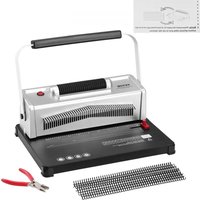


| Product Type | Binder |
| Brand | Vevor |
| Model | S20A |
| Max Paper Size | A4 |
| Punching Capacity | 20 sheets (A4 80g) |
| Binding Capacity | 500 sheets (A4) |
| Adjustable Margin | 3 / 5 / 7 mm |
| Number of Holes | 46 |
| Hole Diameter | 4 mm |
| Hole Spacing | 6.35 mm |
| Mobile Cutter | All |
| Machine Dimensions | 416 x 299 x 300 mm |
| Package Dimensions | 480 x 225 x 360 mm |
| Net Weight | 7.5 kg |
| Gross Weight | 8.4 kg |
| Power Supply | 110-120 V AC 60 Hz / 220-240 V AC 50 Hz |
| Power Source | Mains |
| Included Parts | PVC spiral coil (100 pieces), cutting pliers, blotting paper, user manual |
| Maintenance | Regular cleaning of the punching waste tray |
| Safety | Do not allow children to use without supervision; do not punch hard materials |
| Support and Warranty | Electronic warranty certificate available at www.vevor.com/support |
Frequently Asked Questions - S20A Vevor
User questions about S20A Vevor
0 question about this device. Answer the ones you know or ask your own.
Ask a new question about this device
Download the instructions for your Binder in PDF format for free! Find your manual S20A - Vevor and take your electronic device back in hand. On this page are published all the documents necessary for the use of your device. S20A by Vevor.
USER MANUAL S20A Vevor
Technical Support and E-Warranty Certificate
www.vevor.com/support
BINDING MACHINE
MODEL: S20A
We continue to be committed to providing you with tools at competitive prices. "Save Half", "Half Price", or any other similar expressions used by us only represent an estimate of savings you might benefit from buying certain tools with us compared to top brands, and does not necessarily mean to cover all categories of tools offered. We kindly remind you to verify carefully when placing an order with us that you are actually saving half in comparison with the top major brands.
MODEL: S20A
NEED HELP? CONTACT US!
Have product questions? Need technical support? Please feel free to contact us:
Technical Support and E-Warranty Certificate www.vevor.com/support
This is the original instruction. Please read all manual instructions carefully before operating. VEVOR reserves a clear interpretation of the user manual. The appearance of the product shall be subject to the product you received. Please forgive us that we won't inform you of any technology or software updates on our product.

Warning - To reduce the risk of injury, the user must read the instructions manual carefully.
WARNING & ATTENTIONS
Read this operation manual carefully before using.
Keep the machine away from children.
Keep the machine away from fire and liquid.
Place the machine on a stable and safe surface to prevent it from falling and causing injury to people or damage to the machine itself.
Test the machine with scrap paper before punching binding documents to ensure the punching position is correct.
Do not allow children to operate the machine alone.
Remove the surplus parts from the packing box. Place the machine on a balanced and safe surface to avoid it falling off and causing injury to people or damage to the machine.
Operate the machine strictly according to the manual, especially paying attention to the maximum punching and binding capacity.
Test the machine before punching official documents.
When punching plastic covers, we suggest that the cover be clipped between two pieces of paper.
Do not use the machine to punch hard materials such as metal, to avoid damage to the machine.
When clamping the plastic ring, do not put your fingers inside the area, otherwise you may get hurt.
The machine is dedicated to using plastic rings only.
Do not place the machine in wet places to avoid any liquid entering inside.
For the first use, punch a piece of blotting paper to absorb any lubricant from the blade.
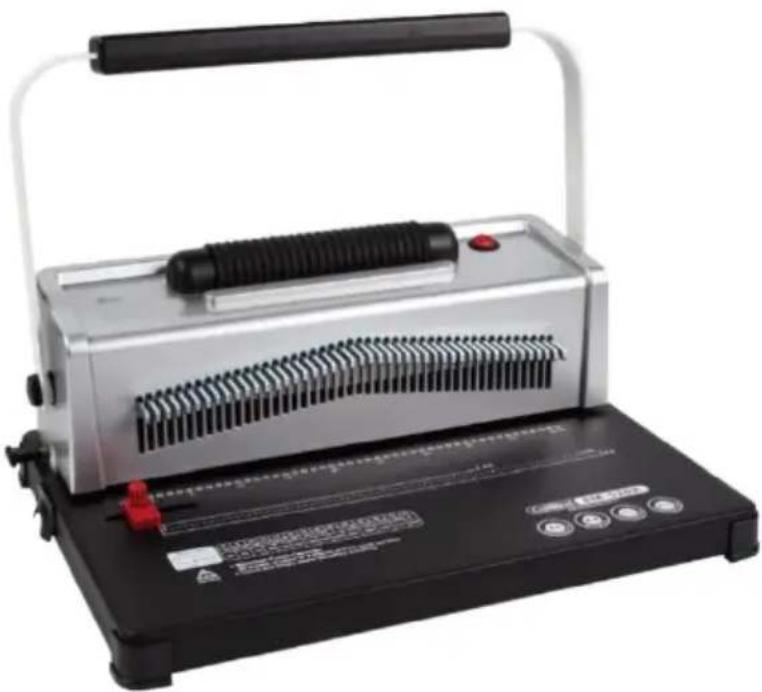
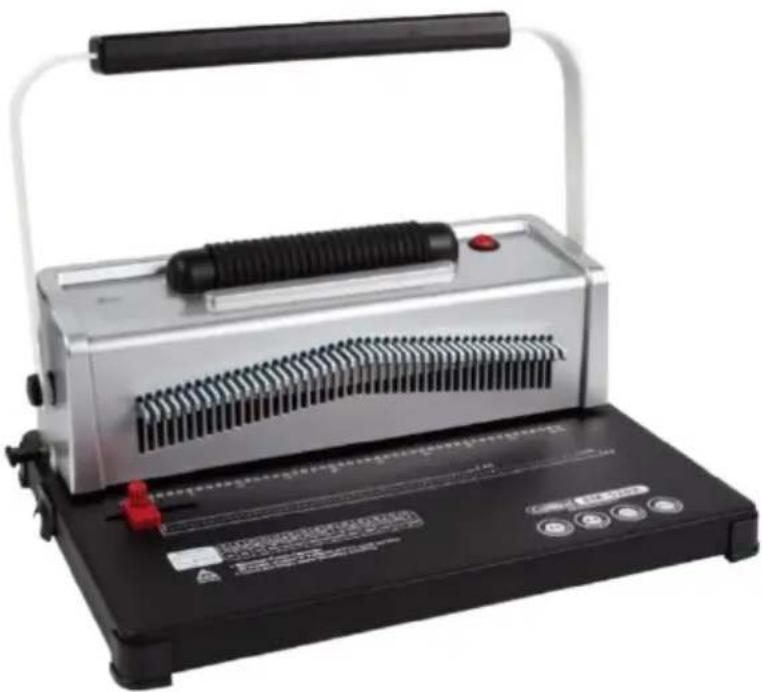
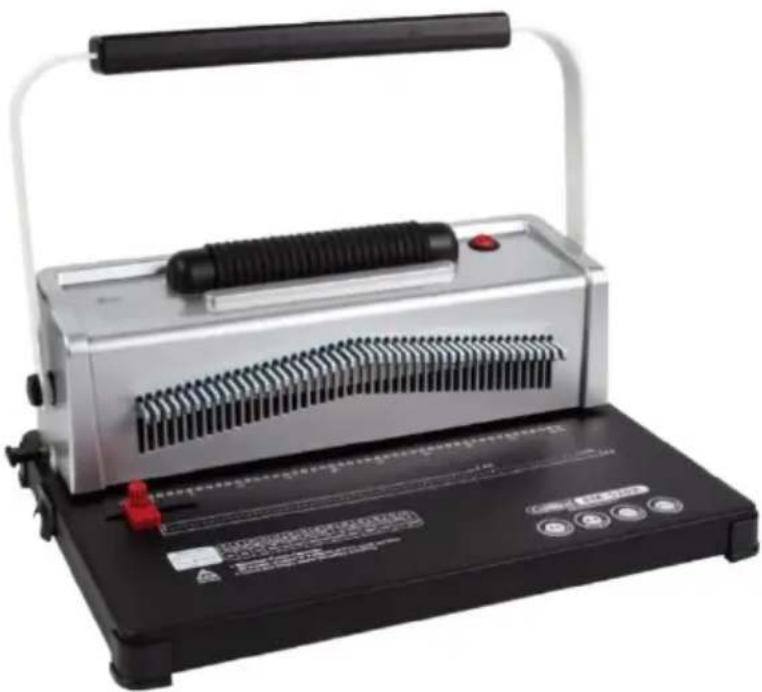
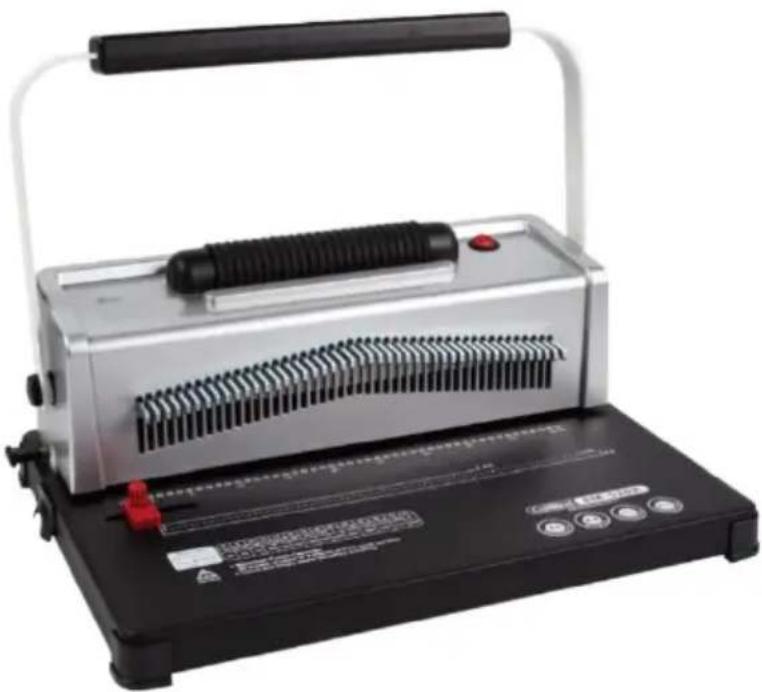
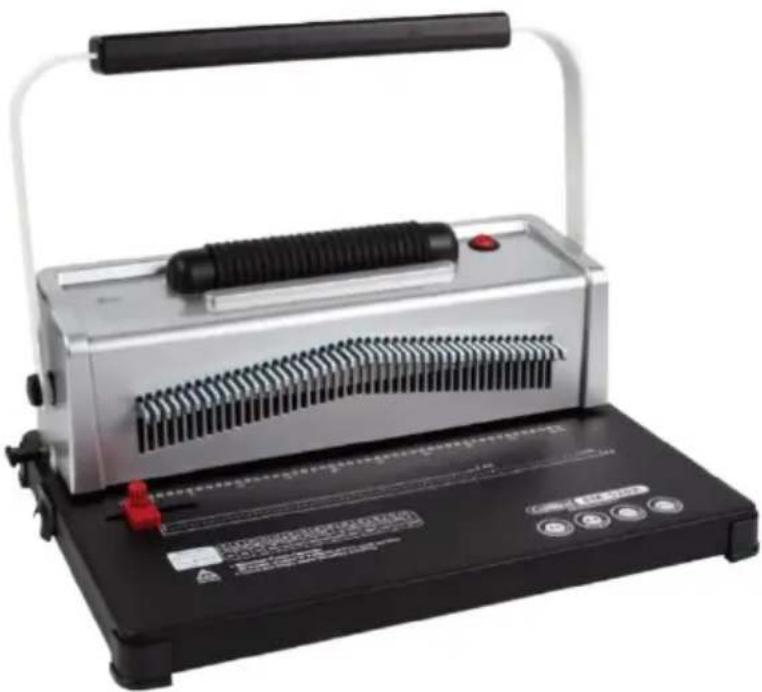
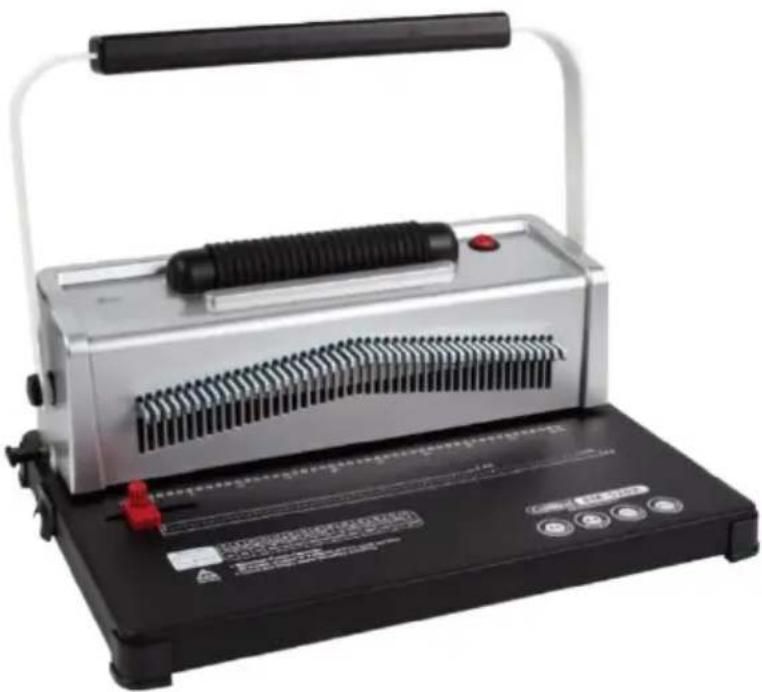
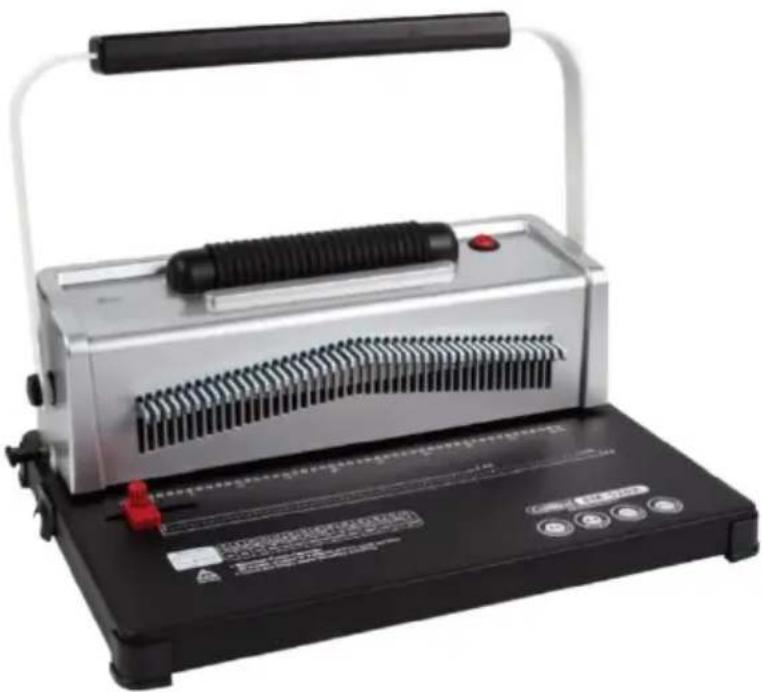
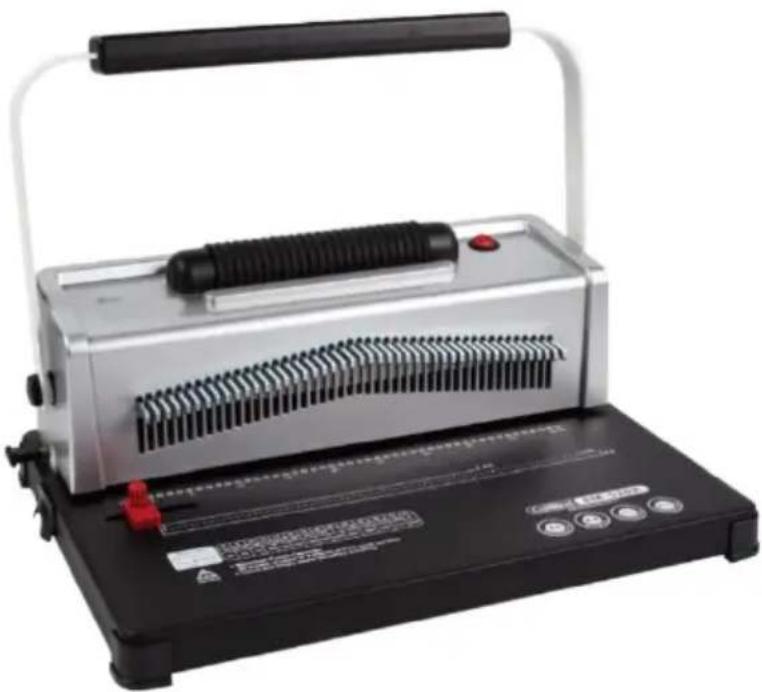
STRUCTURAL REPRESENTATION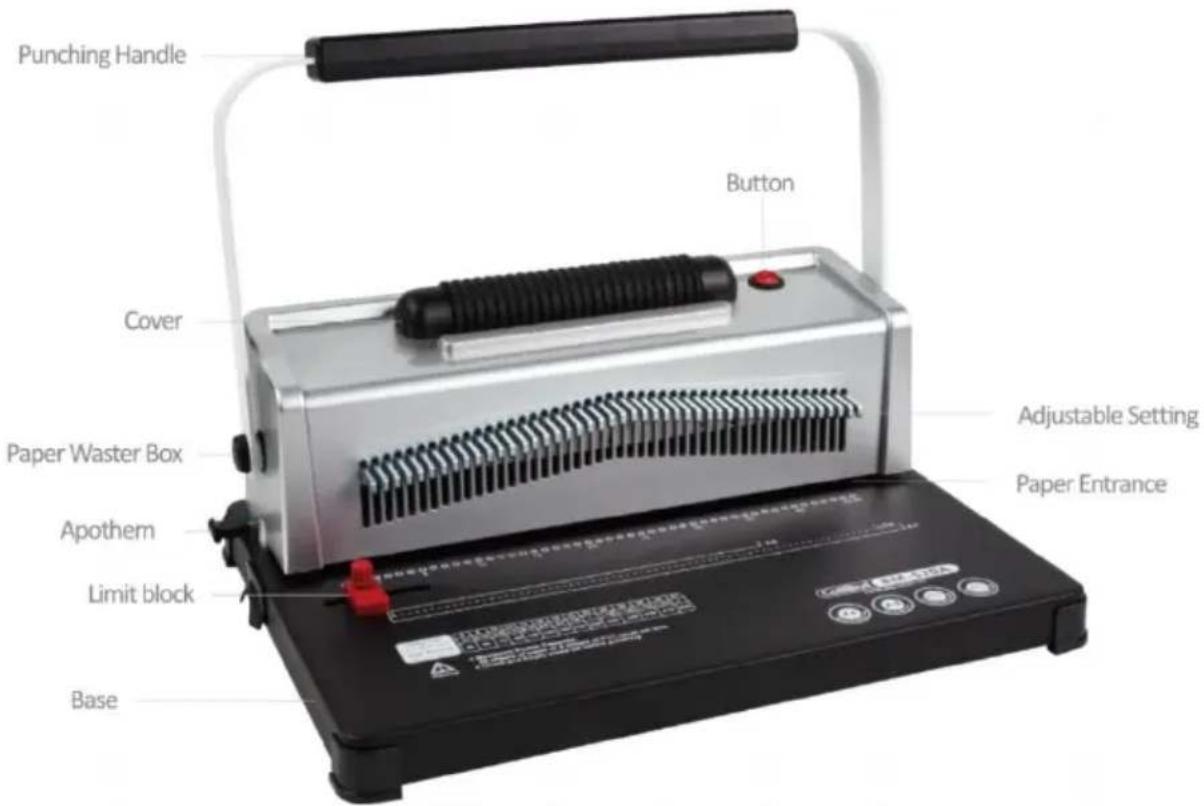
TECHNICAL SPECIFICATIONS
| Rating(s): | 110V~120VAC 60Hz 6.75±10%W220V~240VAC 50Hz 6.75±10%W |
| Punching Capacity: | 20 Sheets (A4 80g) |
| Binding Capacity: | 500 Sheets (A4) |
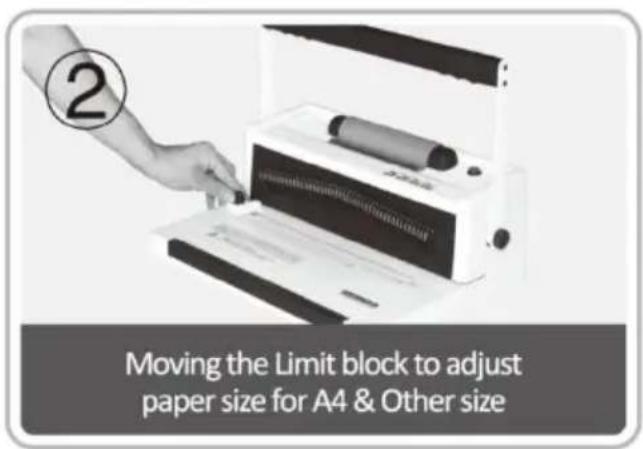
| Adjustable Margin: | 3/5/7 mm |
| Number of Holes | 46 holes |
| Square Hole Distance | 6.35mm |
| Round Holes Size | 4mm |
| Quantity of Movable Cutte | all |
| Paper Format: | A4 paper or smaller sizes |
| Machine Dimension: | 416*299*300mm |
| N.W.: | 7.5kg |
| Packing Dimension: | 480*225*360mm |
| G.W.: | 8.4kg |
PARTS LIST
| Parts Name | Quantity |
| PVC spiral coil | 100 pcs |
| Wire cutters | 1 pc |
| Blotting paper | 1 pc |
| Instructions | 1 pc |
OPERATING GUIDE

Place the machine on a steady and even place before using!
For the first use, make a punch with blotting paper to suck up lube from the blade.
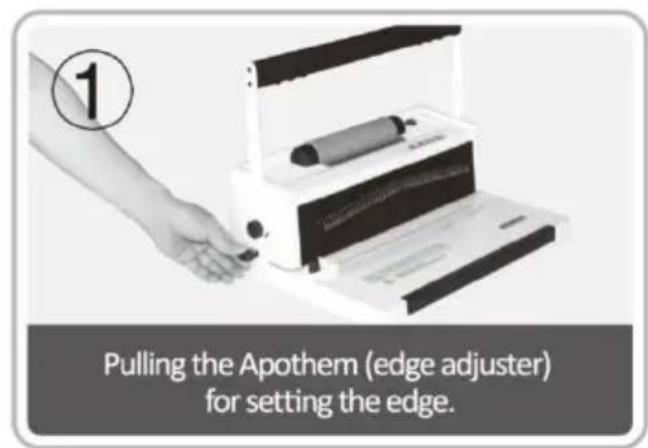
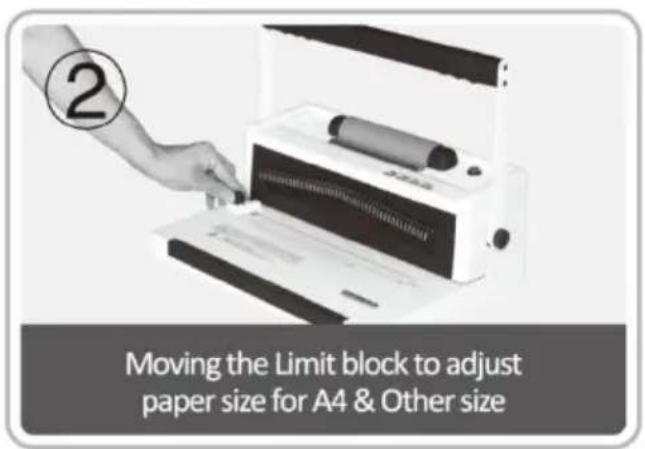
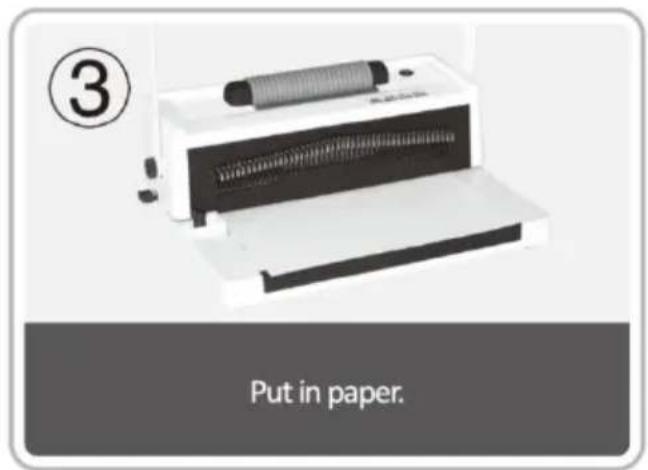
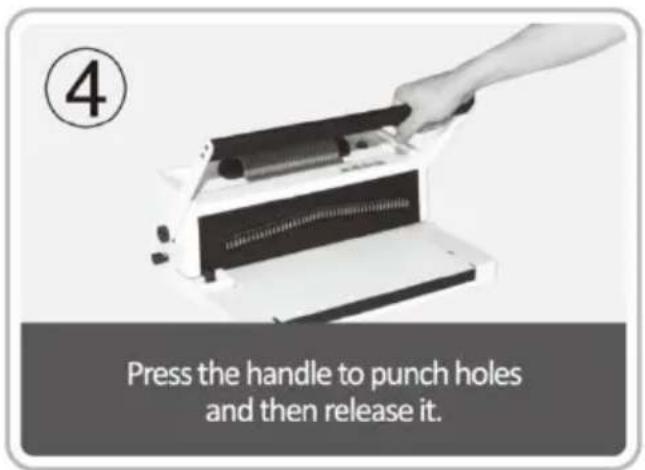
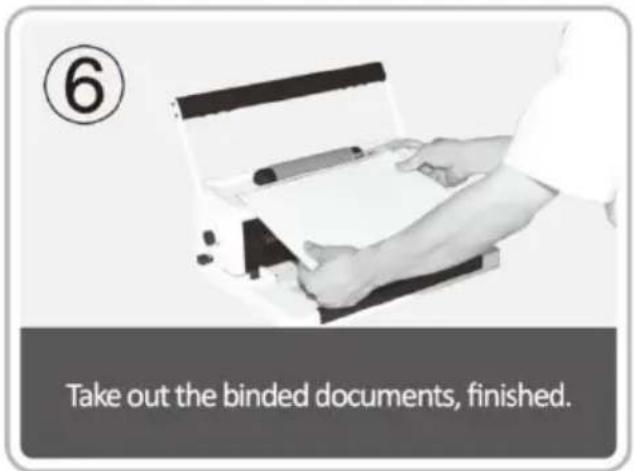
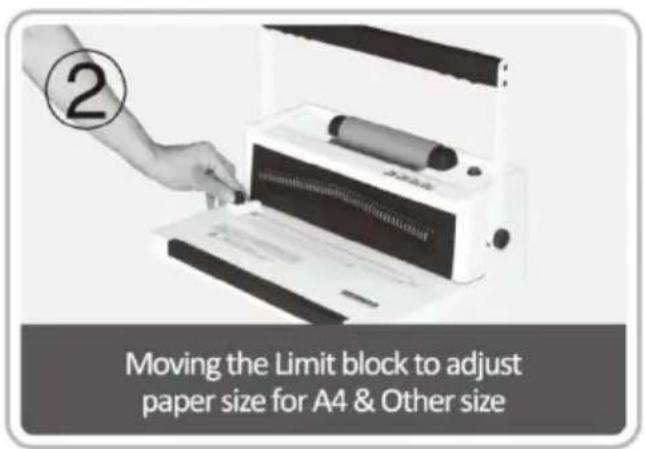
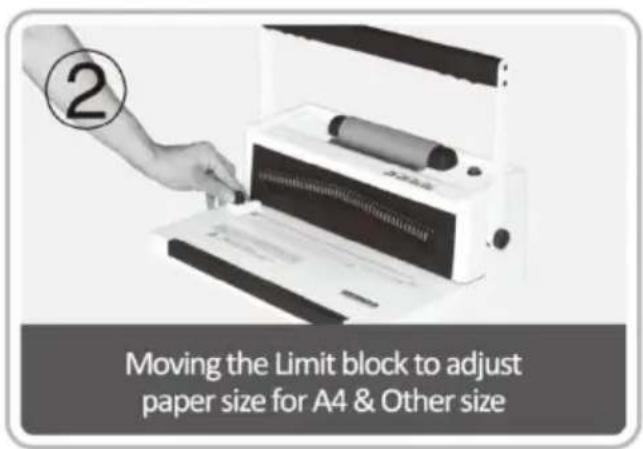
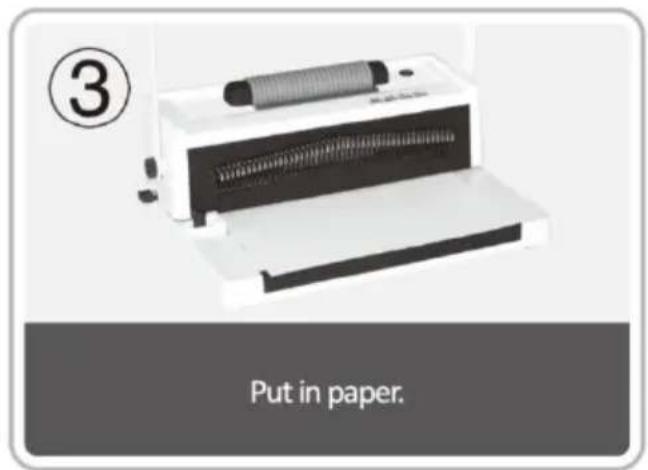
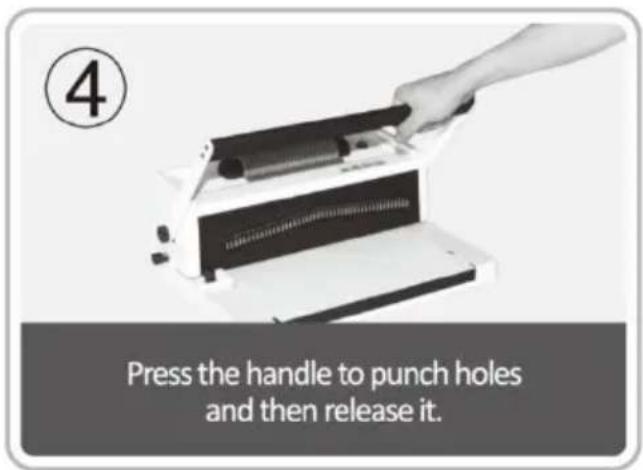
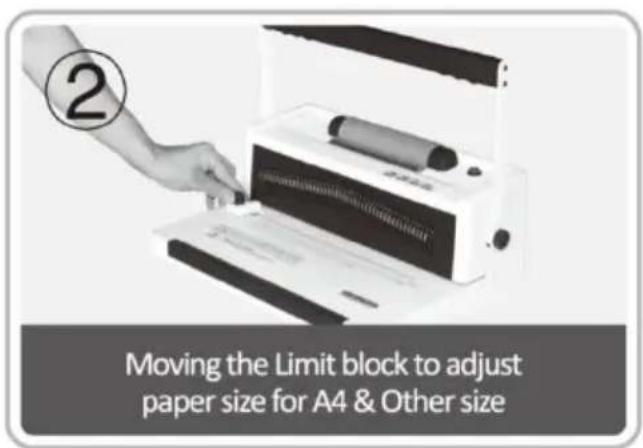
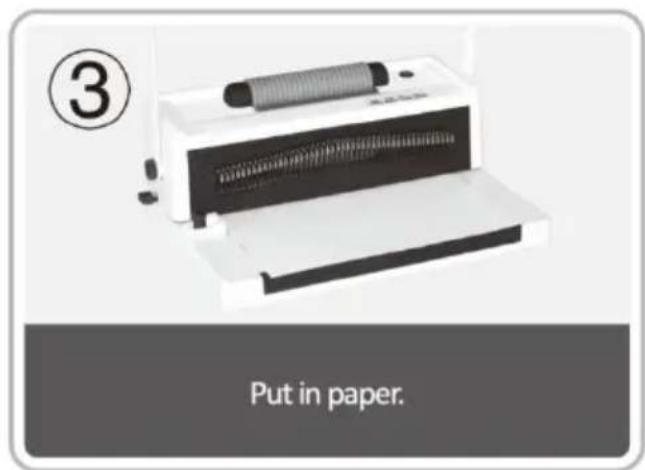
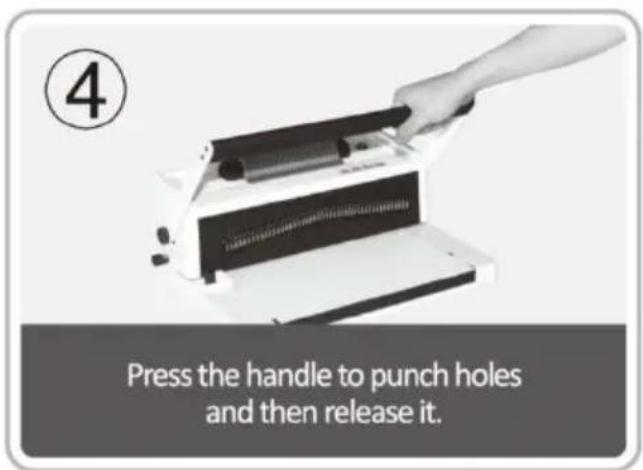
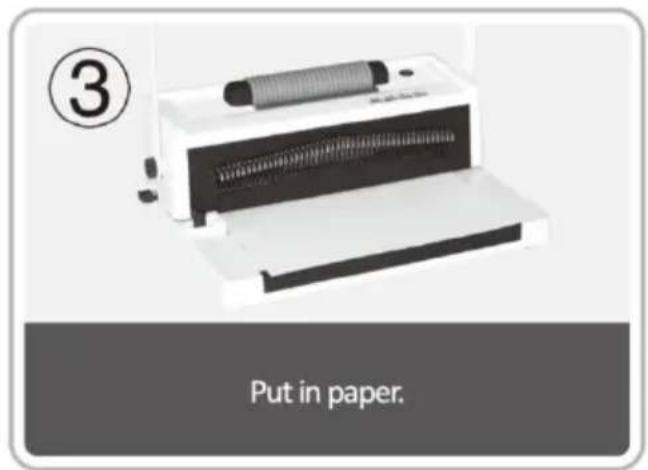
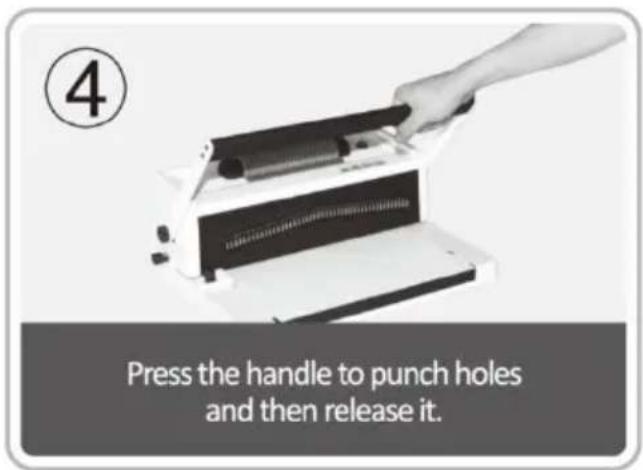
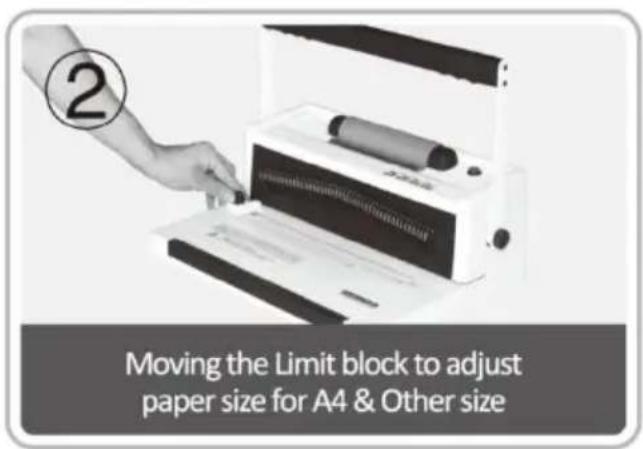
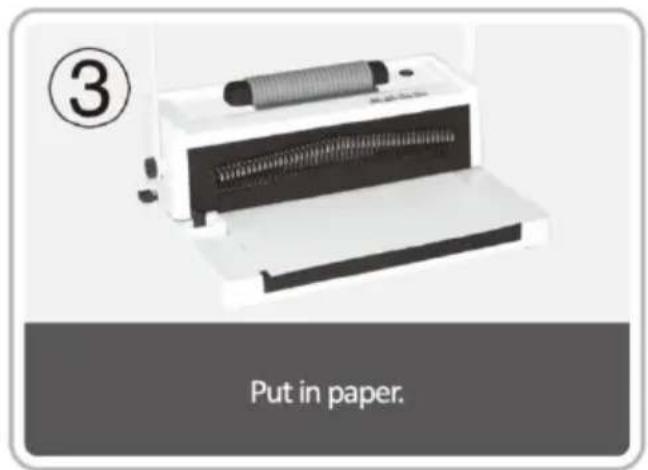
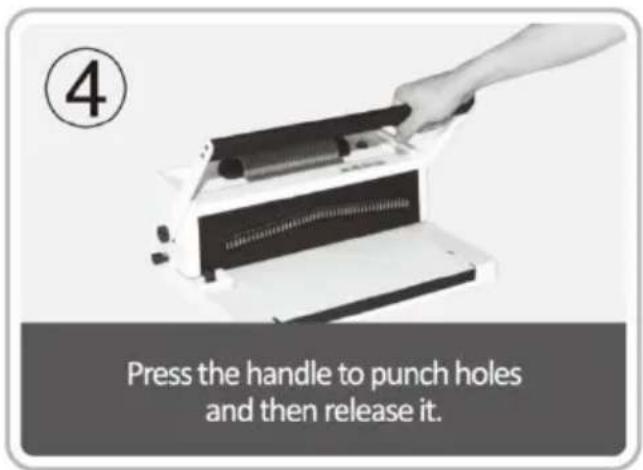
1. Punching Operation
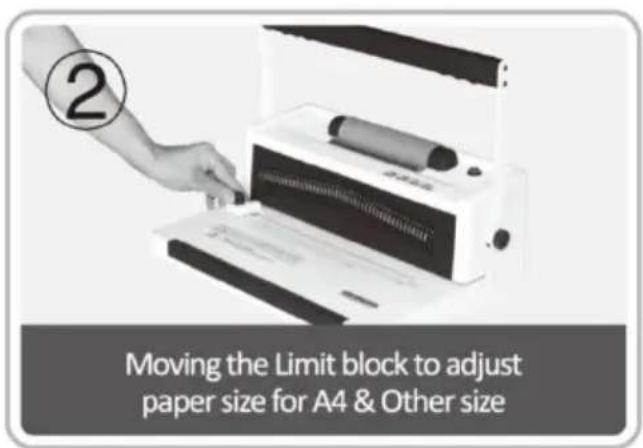
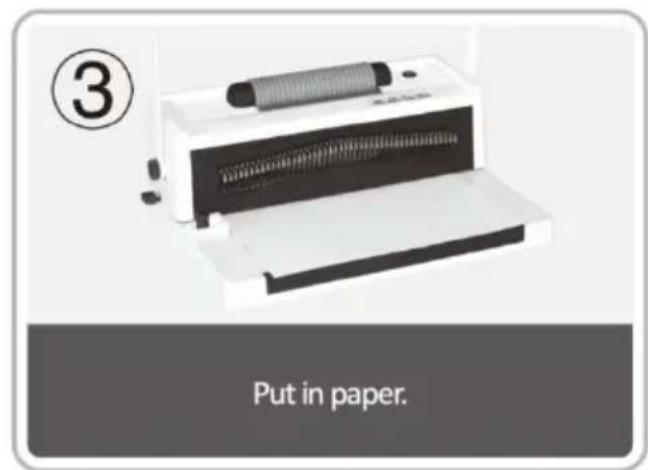
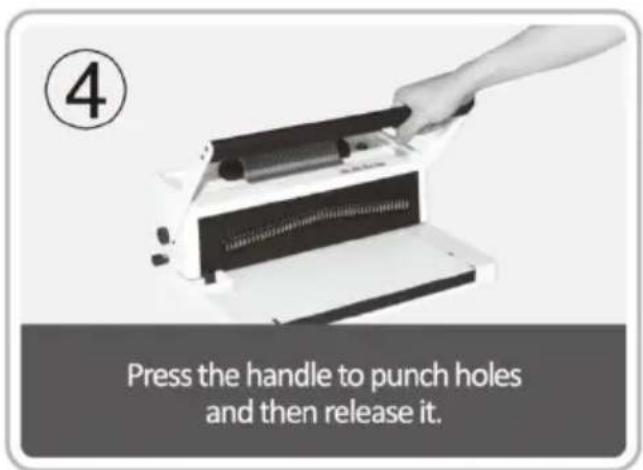
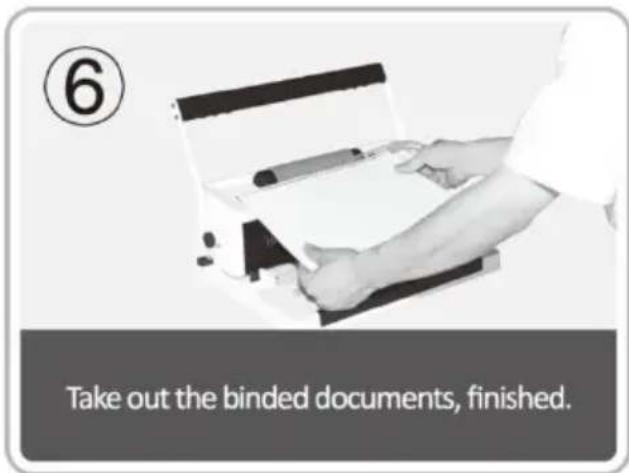
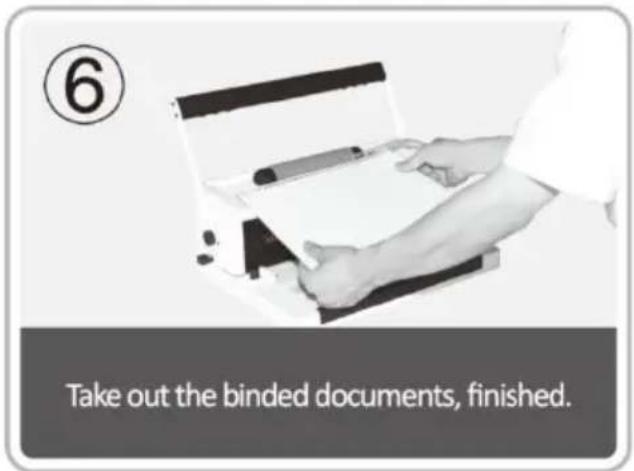
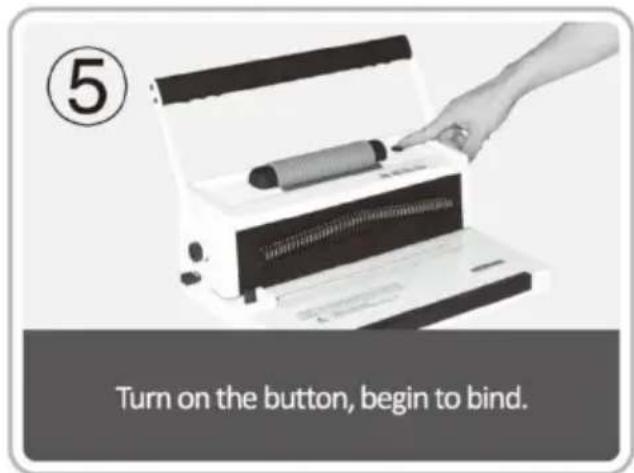
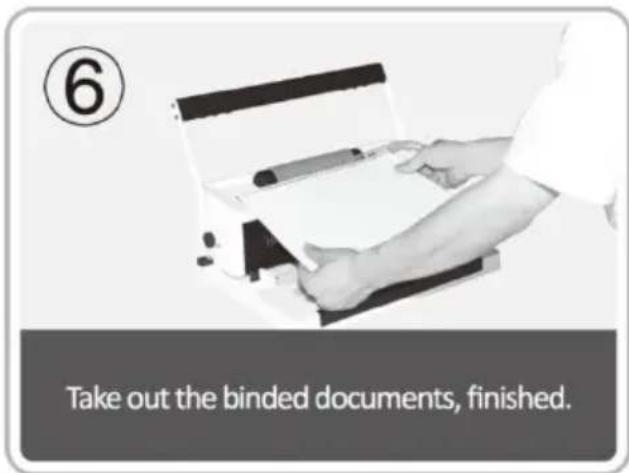
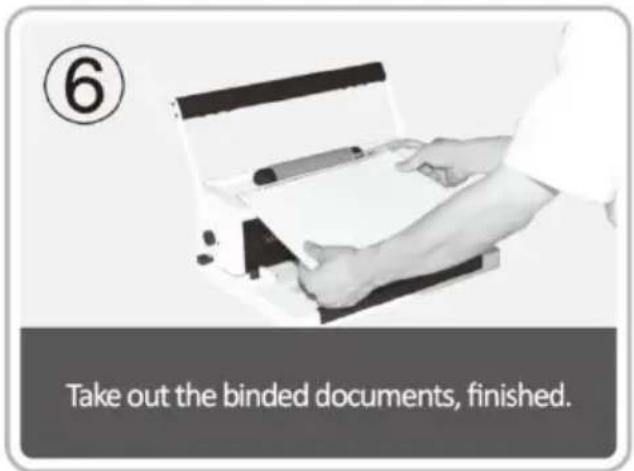
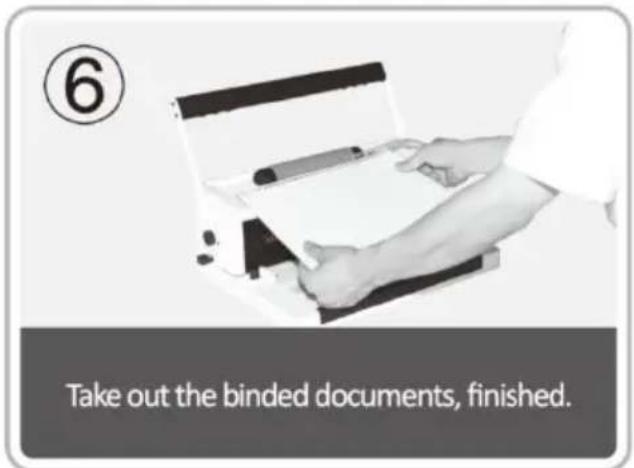
2. Binding Operation
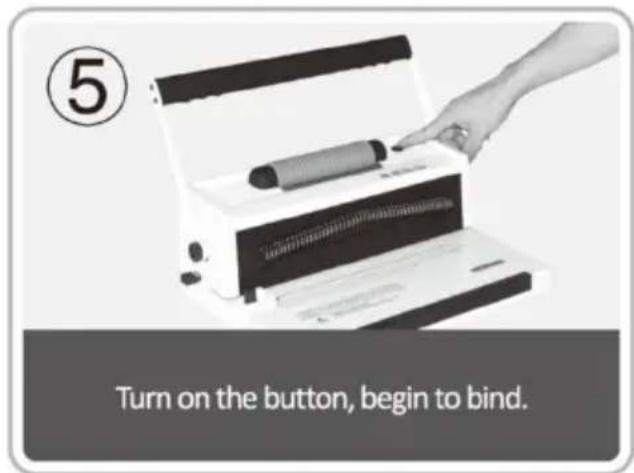
Choose the spiral coil according to the thickness of the document. The following form is for your reference to choose the proper spiral coil.
| Spiral size (mm) | Spiral size (inch) | Max.Binding sheets | Spiral size (mm) | Spiral size (inch) | Max.Binding sheets |
| 6 | 1/4 | 30 | 22 | 7/8 | 190 |
| 8 | 5/16 | 50 | 25 | 1 | 220 |
| 10 | 3/8 | 70 | 28 | 1-1/8 | 250 |
| 12 | 1/2 | 95 | 32 | 1-1/4 | 280 |
| 14 | 9/16 | 120 | 38 | 1-1/2 | 325 |
| 16 | 5/8 | 145 | 44 | 1-3/4 | 410 |
| 19 | 3/4 | 165 | 51 | 2 | 500 |
MAINTENANCE
Clean up the waste bin
The waste bin, which is located at the back of the machine, is dedicated to the waste of punching. The frequency of cleaning up the waste bin depends on the frequency you use the machine.
- Pull out the waste bin from the back of the machine
- Pour the waste into the rubbish bin. 3. And insert the waste bin again.
Please clean up the waste bin frequently!
PROBLEMS & SOLUTIONS
| Problems | Reasons | Solutions |
| 1.The lever couldn't be pressed down when punching | Paper scraps or other hard materials stay inside the paper cutter | Clean up the rubbish w hardboard |
| Exceeding the punching capacity | Operate according to the manual | |
| 2.Slanting paper margin | The paper is lopsided whe inserting | Take out the paper and put in again |
| Paper scraps or other hard materials stay inside the paper cutter | Clean up the rubbish w hardboard | |
| 3.Slanting plastic comb open | The binding mechanism is distorted | Just the binding teeth of the rack |
| The comb opening hook is distorted | Press opens the comb opening mechanism and just the hook | |
| 4.Paper punching is not complete and it hard to pull out the paper | Exceeding the max. Punching capacity | Lessen the punching thickness (follow the manual) |
| 5.Paper couldn't touch the rack when inserting | The paper is old with the rolling up | Smooth the paper and insert again |
VEVOR®
TOUGH TOOLS, HALF PRICE
Technical Support and E-Warranty Certificate www.vevor.com/support
VEVOR®
TOUGH TOOLS, HALF PRICE
We continue to be committed to provide you tools with competitive price. "Save Half", "Half Price" or any other similar expressions used by us only represent estimate of savings you might benefit from buying certain tools with us compared to top brands and does not necessarily mean to cover all categories of tools offered. We kindly remind you to verify carefully when you are placing an order with us to ensure you are actually saving half in comparison with the top major brands.
MODEL: S20A
NEED HELP? CONTACT US!
Have product questions? Need technical support? Please feel free to contact us:
Technical Support and E-Warranty Certificate www.vevor.com/support
This is the original instruction. Please read all manual instructions carefully before operating. VEVOR reserves a clear interpretation of the user manual. The appearance of the product shall be subject to the product you received. Please forgive us that we won't inform you of any technology or software updates on our product.

WARNING & ATTENTIONS
TECHNICAL SPECIFICATIONS
PROBLEMS & SOLUTIONS
www.vevor.com/support
VEVOR®
TOUGH TOOLS, HALF PRICE
www.vevor.com/support
BINDING MACHINE
MODEL: S20A
We continue to be committed to provide you tools with competitive price. "Save Half", "Half Price" or any other similar expressions used by us only represent estimate of savings you might benefit from buying certain tools with us compared to top brands and does not necessarily mean to cover all categories of tools offered. We kindly remind you to verify carefully when you are placing an order with us that you are actually saving half in comparison with the top major brands.
MODEL: S20A
NEED HELP? CONTACT US!
Have product questions? Need technical support? Please feel free to contact us:
Technical Support and E-Warranty Certificate www.vevor.com/support
This is the original instruction. Please read all manual instructions carefully before operating. VEVOR reserves a clear interpretation of the user manual. The appearance of the product shall be subject to the product you received. Please forgive us that we won't inform you of any technology or software updates on our product.

WARNING & ATTENTIONS
TECHNICAL SPECIFICATIONS
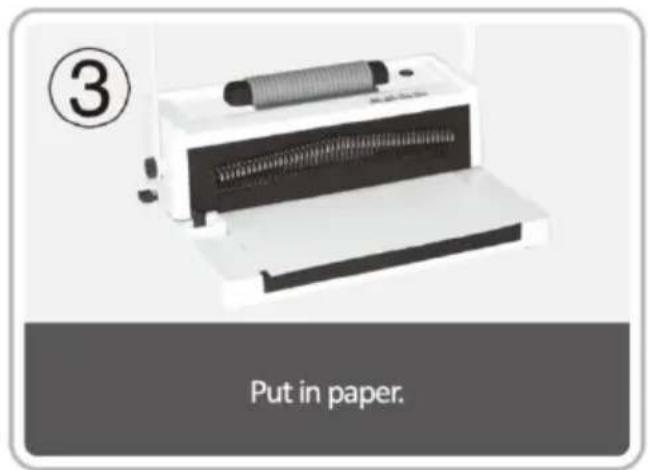
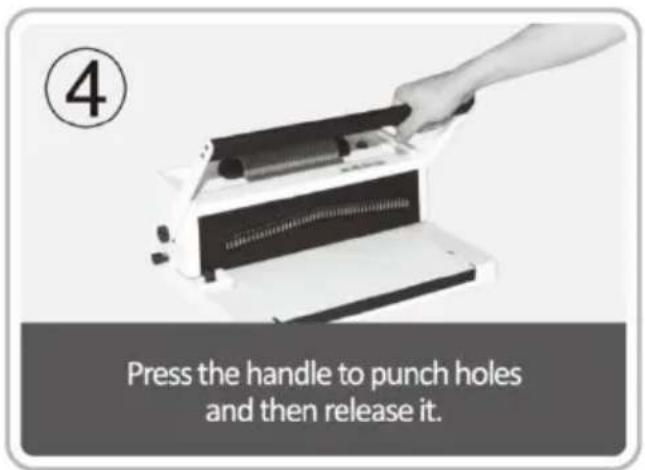
2. Binding Process
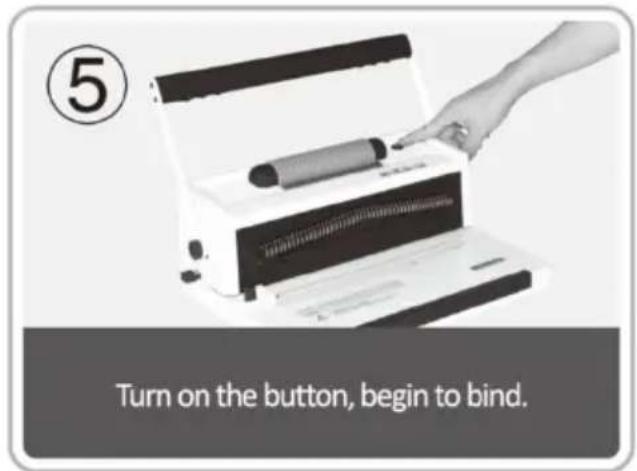
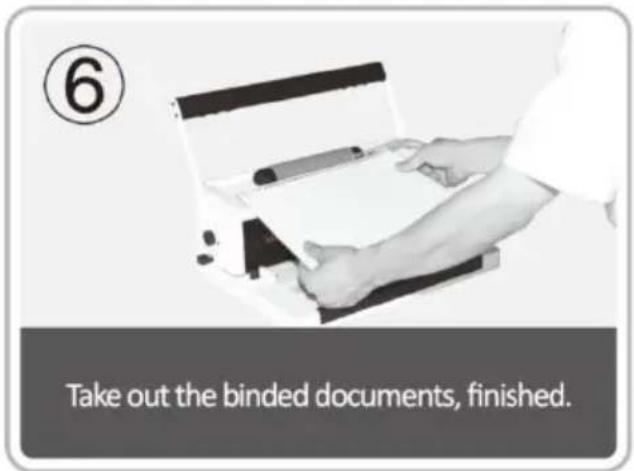
PROBLEMS & SOLUTIONS
We continue to be committed to provide you tools with competitive price. "Save Half", "Half Price" or any other similar expressions used by us only represent estimate of savings you might benefit from buying certain tools with us compared to top brands and does not necessarily mean to cover all categories of tools offered. We kindly remind you to verify carefully when you are placing an order with us that you are actually saving half in comparison with the top major brands.
MODEL: S20A
NEED HELP? CONTACT US!
Have product questions? Need technical support? Please feel free to contact us:
Technical Support and E-Warranty Certificate www.vevor.com/support
This is the original instruction. Please read all manual instructions carefully before operating. VEVOR reserves a clear interpretation of the user manual. The appearance of the product shall be subject to the product you received. Please forgive us that we won't inform you of any technology or software updates on our product.

WARNING & ATTENTIONS
TECHNICAL SPECIFICATIONS
PROBLEMS & SOLUTIONS
We continue to be committed to providing you with tools at competitive prices. "Save Half", "Half Price" or any other similar expressions used by us only represent an estimate of savings you might benefit from buying certain tools with us compared to top brands and does not necessarily mean to cover all categories of tools offered. We kindly remind you to verify carefully when placing an order with us that you are actually saving half in comparison with the top major brands.
MODEL: S20A
NEED HELP? CONTACT US!
Have product questions? Need technical support? Please feel free to contact us:
Technical Support and E-Warranty Certificate www.vevor.com/support
This is the original instruction. Please read all manual instructions carefully before operating. VEVOR reserves a clear interpretation of the user manual. The appearance of the product shall be subject to the product you received. Please forgive us that we won't inform you of any technology or software updates on our product.

WARNING & ATTENTIONS
TECHNICAL SPECIFICATIONS
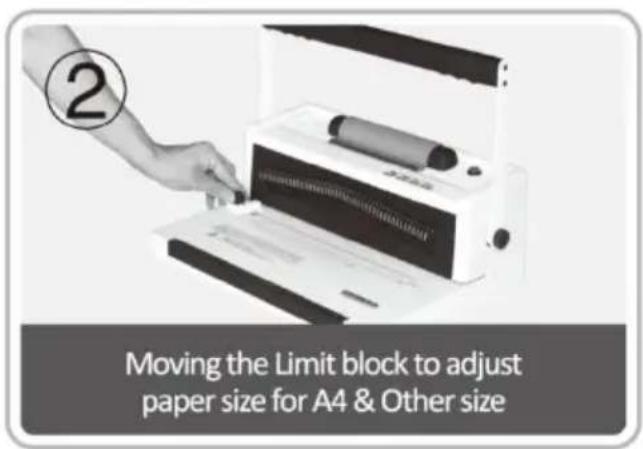
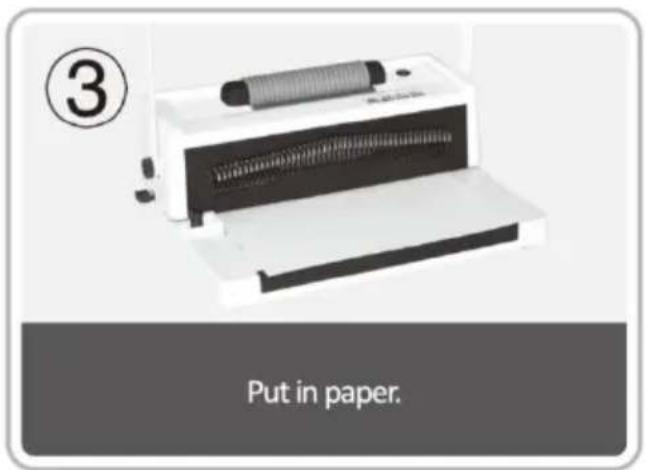
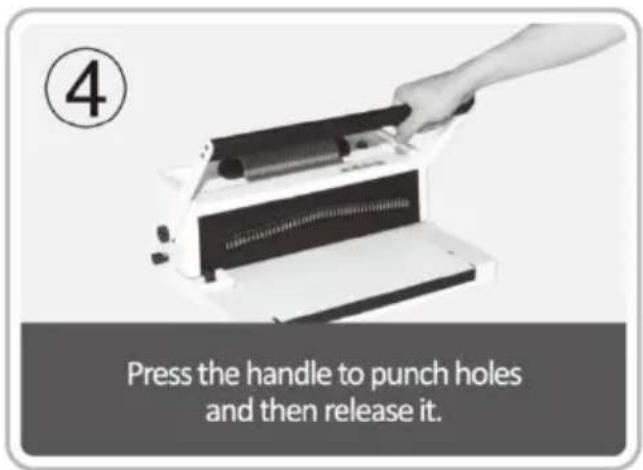
2. Binding operation
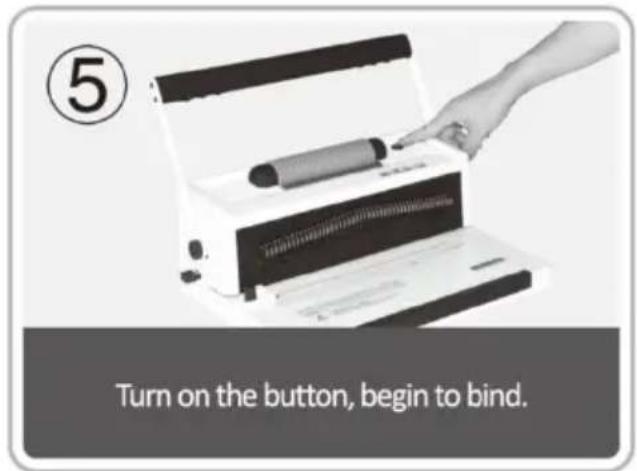
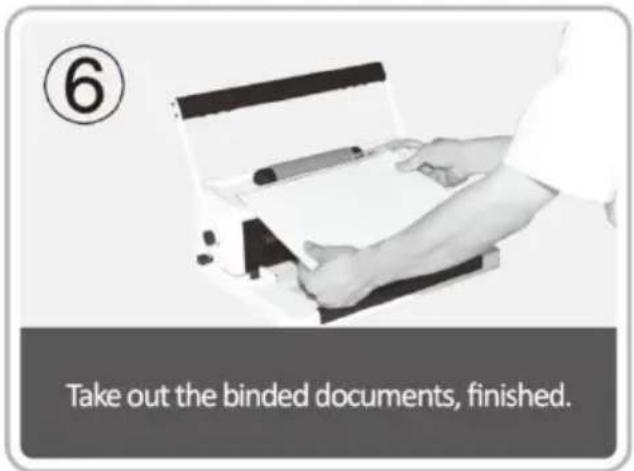
PROBLEMS & SOLUTIONS
www.vevor.com/support
BINDING MACHINE
MODEL: S20A
We continue to be committed to provide you tools with competitive price. "Save Half", "Half Price" or any other similar expressions used by us only represent estimate of savings you might benefit from buying certain tools with us compared to top brands and does not necessarily mean to cover all categories of tools offered. We kindly remind you to verify carefully when you are placing an order with us that you are actually saving half in comparison with the top major brands.
MODEL: S20A
NEED HELP? CONTACT US!
Have product questions? Need technical support? Please feel free to contact us:
Technical Support and E-Warranty Certificate www.vevor.com/support
This is the original instruction. Please read all manual instructions carefully before operating. VEVOR reserves a clear interpretation of the user manual. The appearance of the product shall be subject to the product you received. Please forgive us that we won't inform you of any technology or software updates on our product.

WARNING & ATTENTIONS
TECHNICAL SPECIFICATIONS
2. Binding operation
PROBLEMS & SOLUTIONS
www.vevor.com/support
VEVOR®
TOUGH TOOLS, HALF PRICE
We continue to be committed to provide you tools with competitive price. "Save Half", "Half Price" or any other similar expressions used by us only represent estimate of savings you might benefit from buying certain tools with us compared to top brands and does not necessarily mean to cover all categories of tools offered. We kindly remind you to verify carefully when you are placing an order with us that you are actually saving half in comparison with the top major brands.
MODEL: S20A
NEED HELP? CONTACT US!
Have product questions? Need technical support? Please feel free to contact us:
Technical Support and E-Warranty Certificate www.vevor.com/support
This is the original instruction. Please read all manual instructions carefully before operating. VEVOR reserves the right to interpret the user manual. The appearance of the product shall be subject to the product you received. Please forgive us that we won't inform you of any technology or software updates on our product.

WARNING & ATTENTIONS
TECHNICAL SPECIFICATIONS
PROBLEMS & SOLUTIONS
We continue to be committed to provide you tools with competitive price. "Save Half", "Half Price" or any other similar expressions used by us only represent estimate of savings you might benefit from buying certain tools with us compared to top brands and does not necessarily mean to cover all categories of tools offered. We kindly remind you to verify carefully when you are placing an order with us that you are actually saving half in comparison with the top major brands.
MODEL: S20A
NEED HELP? CONTACT US!
Have product questions? Need technical support? Please feel free to contact us:
Technical Support and E-Warranty Certificate www.vevor.com/support
This is the original instruction. Please read all manual instructions carefully before operating. VEVOR reserves a clear interpretation of the user manual. The appearance of the product shall be subject to the product you received. Please forgive us that we won't inform you of any technology or software updates on our product.

WARNING & ATTENTIONS
TECHNICAL SPECIFICATIONS
PROBLEMS & SOLUTIONS
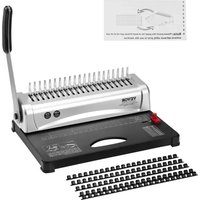
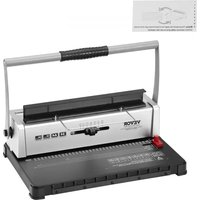
Brand : Vevor
Model : S20A
Category : Binder