
DSH-D1 - Heat gun Vevor - Free user manual and instructions
Find the device manual for free DSH-D1 Vevor in PDF.
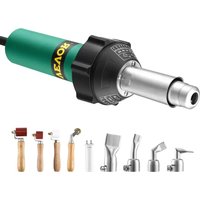


| Product Type | Heat Gun |
| Brand | Vevor |
| Model | DSH-D1 / ST2000 |
| Supply Voltage | 230 V~ or 120 V~ (depending on version) |
| Rated Power | 1600 W |
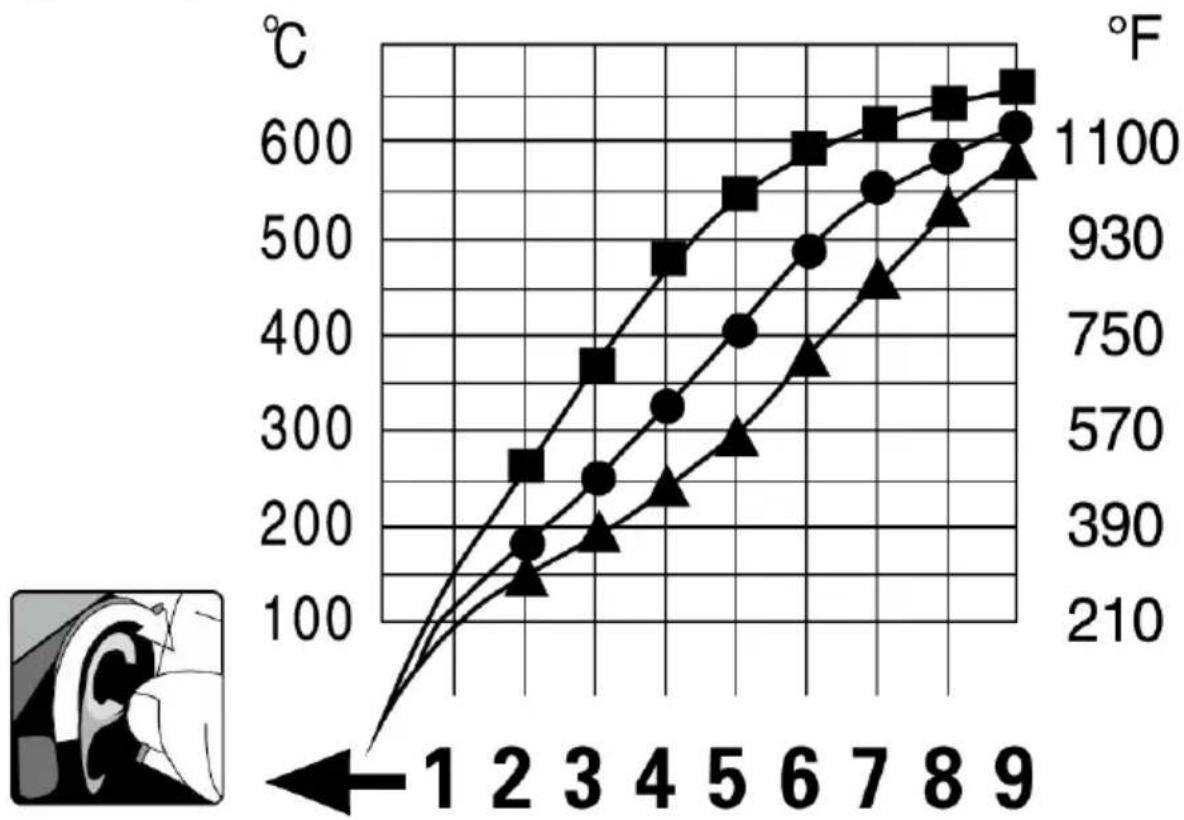
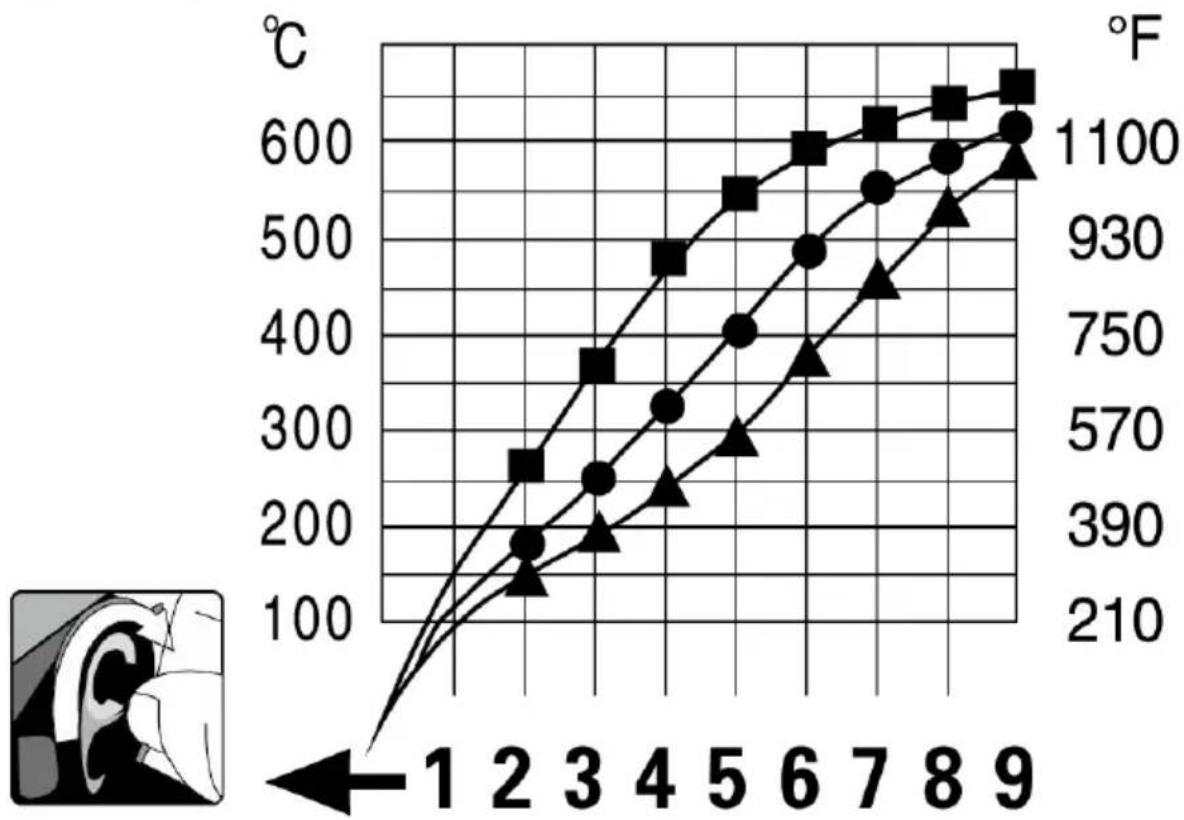
| Temperature Range | 50 °C to 600 °C (122 °F to 1112 °F) |
| Max Air Flow | 240 L/min (8.48 CFM) |
| Noise Level | 78 dB(A) |
| Nozzle Diameter | 90 mm (3.5 inches) |
| Tool Length | 338 mm (13.3 inches) |
| Body Diameter | 56 mm (2.2 inches) |
| Approximate Weight | 1.0 kg |
| Temperature Adjustment | Gradual via potentiometer |
| Air Flow Adjustment | Variable (max 240 L/min) |
| Overheat Protection | Yes, automatic shutoff |
| Heating Indicator | Indicator light (not specified) |
| Cool-down After Use | Wait 5 minutes before turning off |
| Heating Type | Ceramic or metal heating element |
| Motor | With replaceable carbon brushes |
| Included Accessories | Standard nozzle, user manual |
| Nozzle Options | Multiple sizes available (not included) |
| Regular Maintenance | Clean air intakes, check carbon brushes |
| Repairability | Spare parts available (heating element, motor, brushes) |
| Warranty | Manufacturer warranty (see terms) |
| Certifications | FCC Part 15, WEEE directive (2012/19/EU) |
Frequently Asked Questions - DSH-D1 Vevor
User questions about DSH-D1 Vevor
0 question about this device. Answer the ones you know or ask your own.
Ask a new question about this device
Download the instructions for your Heat gun in PDF format for free! Find your manual DSH-D1 - Vevor and take your electronic device back in hand. On this page are published all the documents necessary for the use of your device. DSH-D1 by Vevor.
USER MANUAL DSH-D1 Vevor
Technical Support and E-Warranty Certificate www.vevor.com/support
HOT AIR TOOL User Manual
MODEL: DSH-D1 / ST2000
We continue to be committed to provide you tools with competitive price. "Save Half", "Half Price" or any other similar expressions used by us only represents an estimate of savings you might benefit from buying certain tools with us compared to the major top brands and does not necessarily mean to cover all categories of tools offered by us. You are kindly reminded to verify carefully when you are placing an order with us if you are actually Saving Half in comparison with the top major brands.
VEVOR®
TOUGH TOOLS, HALF PRICE
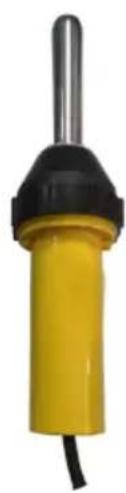
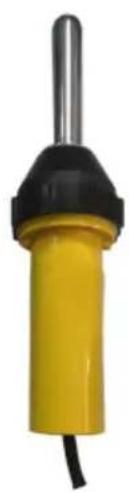
HOT AIR TOOL
MODEL: DSH-D1/ST2000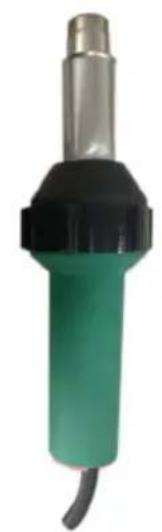
DSH-D1
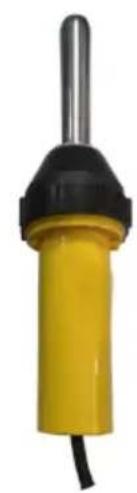
ST2000
NEED HELP? CONTACT US!
Have product questions? Need technical support? Please feel free to contact us:
Technical Support and E-Warranty Certificate www.vevor.com/support
This is the original instruction, please read all manual instructions carefully before operating. VEVOR reserves a clear interpretation of our user manual. The appearance of the product shall be subject to the product you received. Please forgive us that we won't inform you again there are any technology or software updates on our product.
Technical Data
 | V~ | 230 | 120 | 230 |
| W | 1600 | 1600 | 100 | |
 | gibs | 12002.18 | ||
 | °C°F | 50-600122-1112 | ||
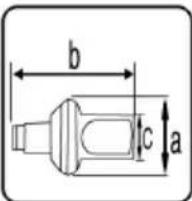 | a=Φmm/inch | 90/3.5 | ||
| b=mm /ibch | 338/13.3 | |||
| c=Φmm/inch | 56/2.2 | |||
 | l/min(20°C)cfm(68F) | max:240max: 8.48 | ||
 | DB(A) | 78 | ||
 | ||||
Warning
  | DANGER! Danger when opening up the tool, as live component and connections are exposed. Therefore, before opening it, unplug the too!to ensure disconnection from the mains. Before putting into operation,check power supply cord and connector well as extension cable for electrical and mechanical damageIncorrect use of the hand exlruder (eg overheating of the material) can present a fire and explosion hazard, especially combustible materials and explosive gases. |
 | Do not touch the element housing, air nozzle and discharging plastized material when they are hot as they can cause burns. Let the tool cool down. Do not point the hot air flow and discharging plasizised material in the direction of people or animals. |
Caution
 | The nominal voltage specified on the device must match the local supply voltage. |
 | If the device is being used on job sites, a residual current breaker must be used to protect site personnel. |
 | The tool must be operated under supervision. Heat can ign flammable materials which are not in view.The machine ma only be used by qualified specialists or under their supervision.children are not authorized to use this machine. |
 | Protect the device from moisture and wet conditions. |
 | Repairs must only be carried out by an authorized Service Center.Only genuine accessories and spare parts maybe used.If the supply cord is damaged, it must be replaced by manufacturer, its service agent or similarly qualified persons order to avoid a hazard. |
Trouble Analysis And Removal
| Phenomenon | Cause | Elimination Method | Prevention Measures |
| Temperature is too high,can't adjust low | SCR short circuit and temperature controller failure | change SCR and temperature controller | finished with attention to cool the gun |
| Temperature is not stable | Potentiometer damage | Change potentiometer | |
| suddenly cool | Temperature controller failure Heater burn out | change the temperature controller/change the heating element | use the original factory quality accessories |
| motor snapped with spark | carbon brush broken | change the carbon brush | Regularly check the carbon brush |
| Speed decreases suddenly | motor damage | repair of motor | Moistureproof and anticorrosion preservation |
| Strange sounds | impeller friction | adjust the impeller clearance | handle with care, to prevent falling from height |
| the power failure | switch failure or power line broken | replace the switch or the power cord | don't fold or pulling wire |
Service and repairs
- From the date of purchase, the user is entitled to a one-year free warranty (appearance is beyond the scope of the warranty), except for heating elements, motors, carbon brushes, and consumable goods. The effective documents obtained at the time of purchase shall prevail.
- Under this warranty card and valid purchase documents, the machine should also show the card and the valid purchase documents when the user needs maintenance services. Please send the machine together with the repair and upgrade valid documents.
- The following are not within the scope of the warranty, and only repair service is provided with charges for labor and cost: All man-made damage, including damage caused by abnormal operating conditions, use not in accordance with instructions, and improper safekeeping, etc.
User to tear open machine, maintenance, modification, maintenance by
without our company authorized unit, there is no warranty card and valid documents.
After the upgrade from poor to transport or other force majeure factors (such as flood, fire, lightning, and earthquake, etc.) Caused by the damage.
- Our company reserves the rights of modification and interpretation of the above terms and conditions
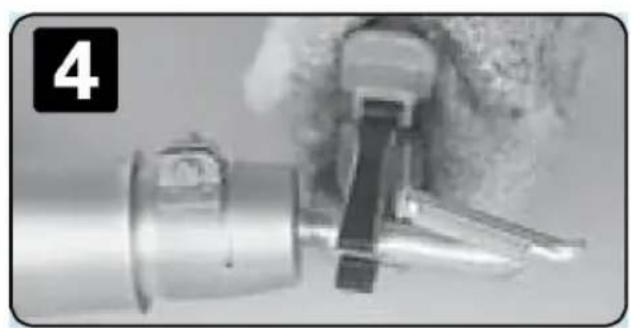
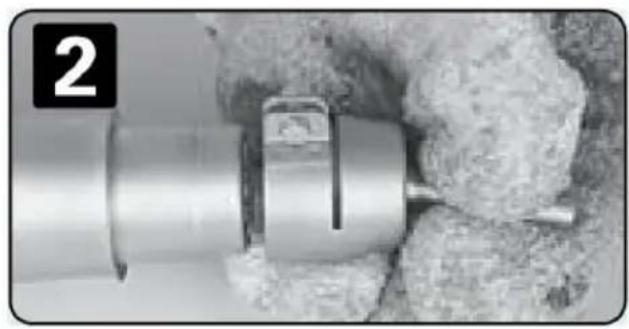
Before attaching or replacing a nozzle, allow the unit to cool down completely or use a suitable tool.
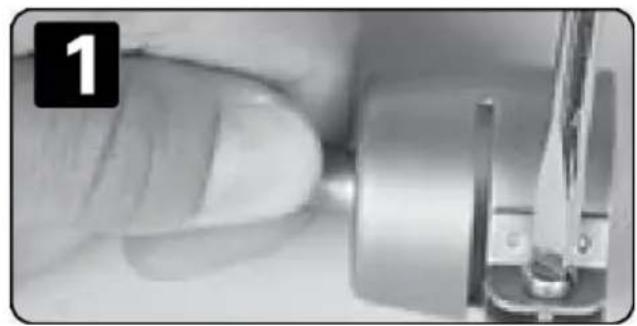
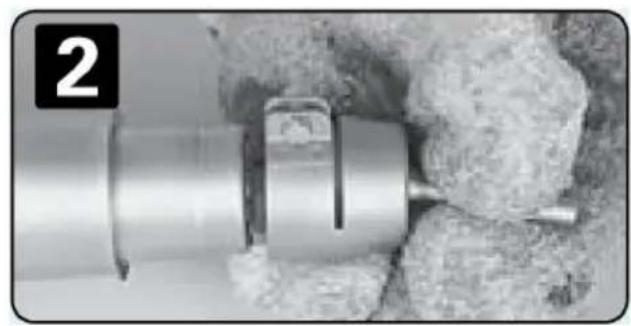
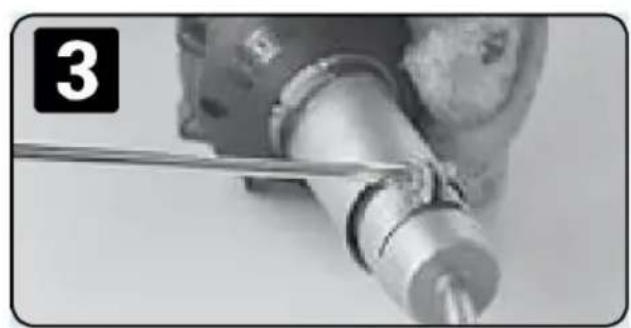
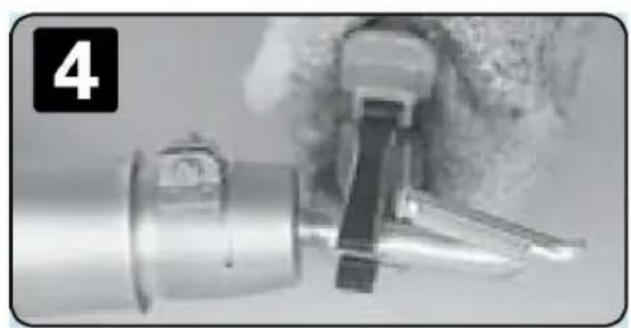
Start-up
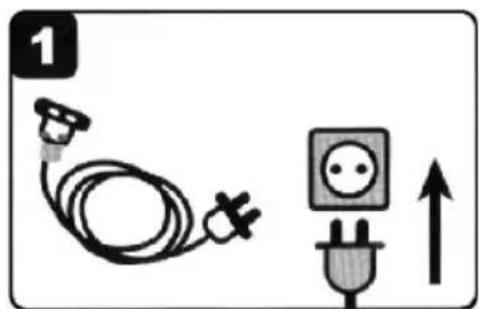
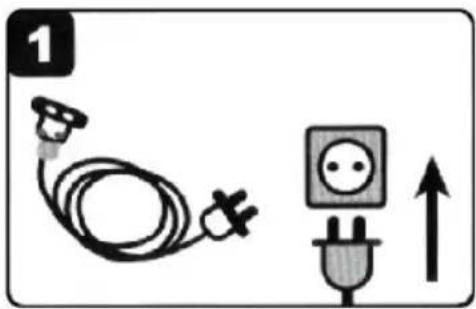
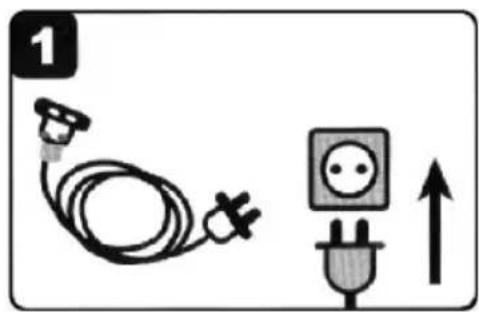
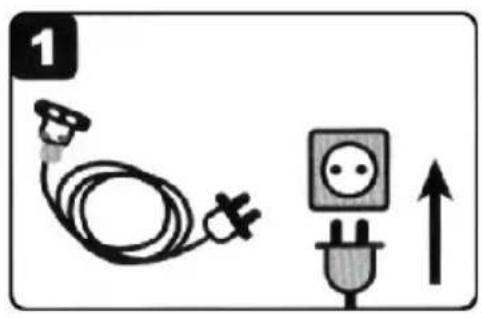
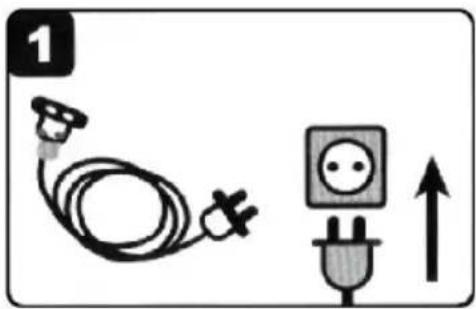
Plug in the rated power
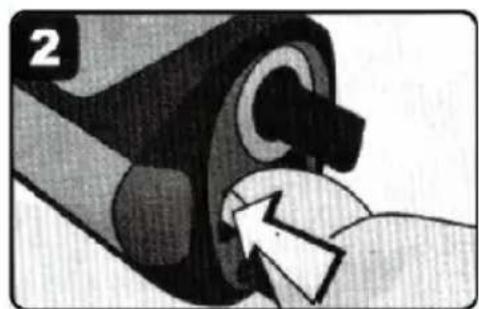
Press the power switch
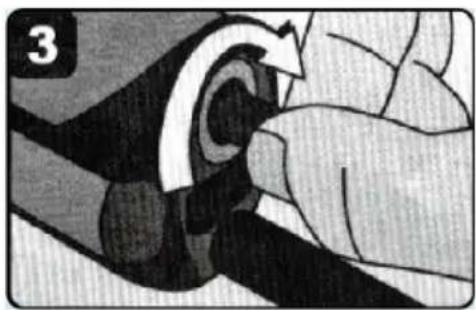
Temperature adjustment knob to the right position
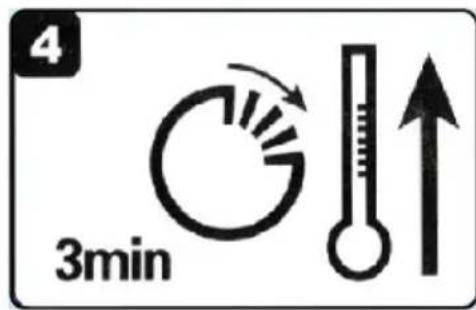
After waiting for three minutes to work
Switching off
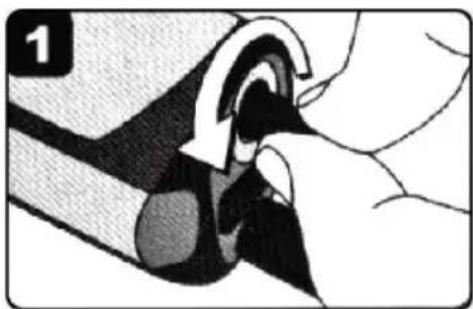
The temperature knob back "0"
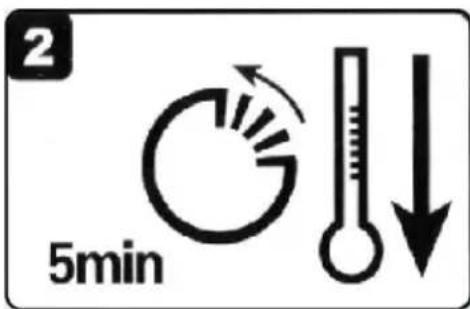
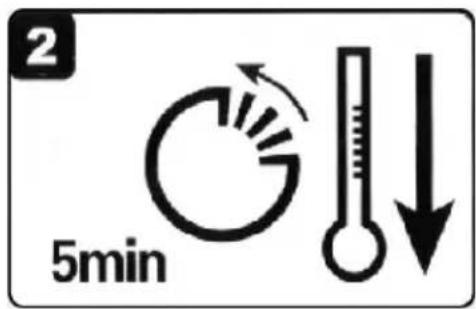
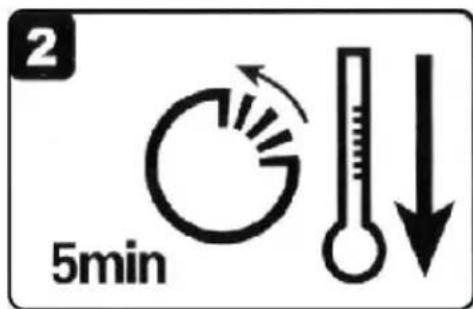
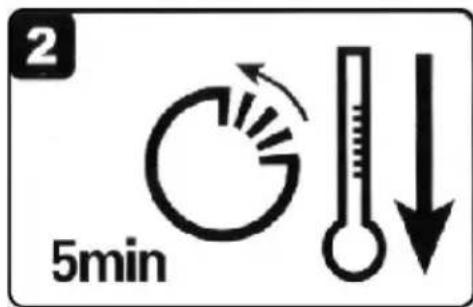
Cooling heater, wait for 5 minutes
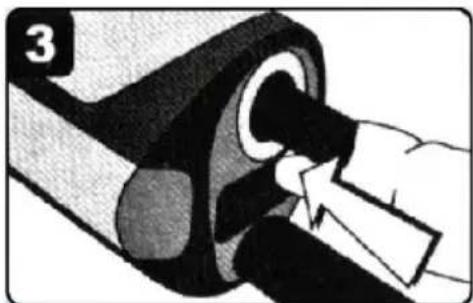
Shut off the power switch
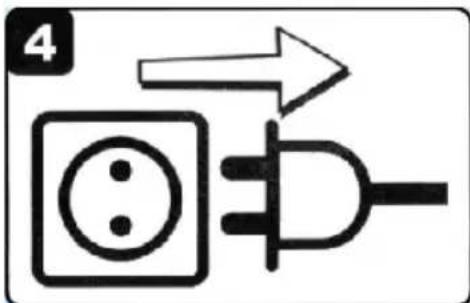
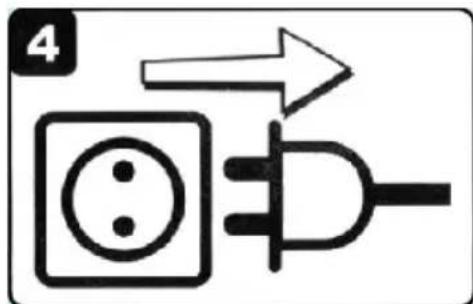
Pull the plug
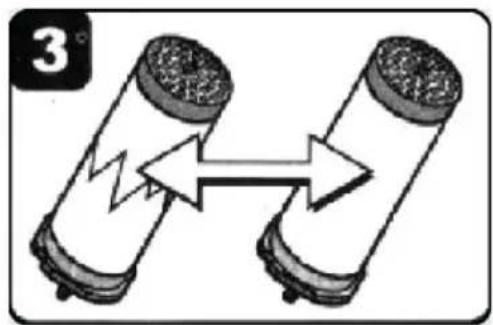
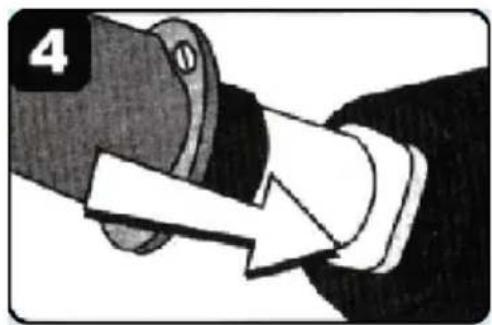
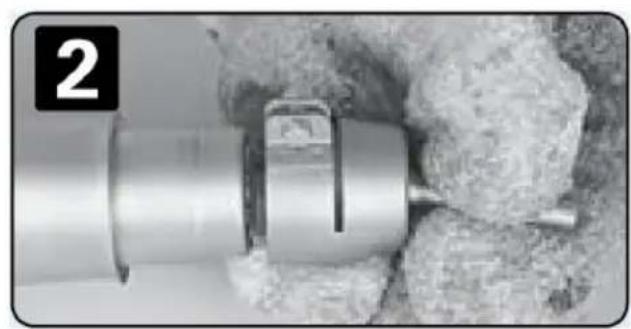
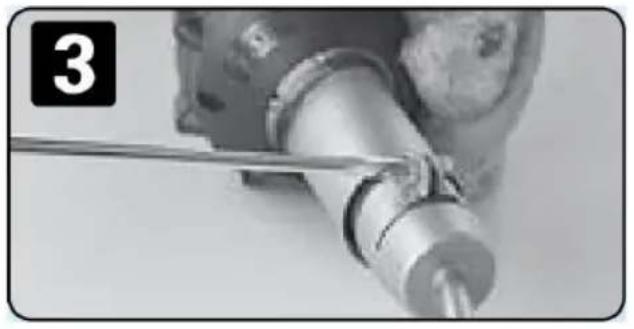
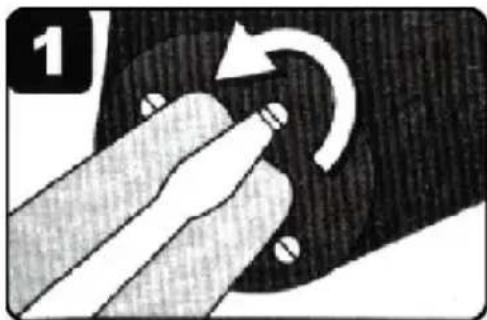
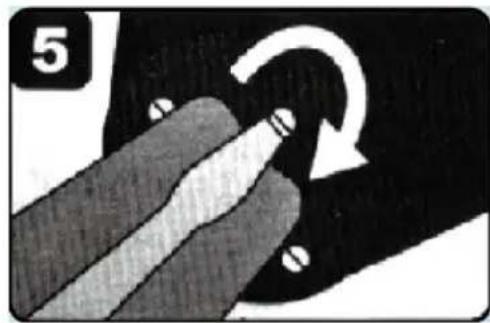
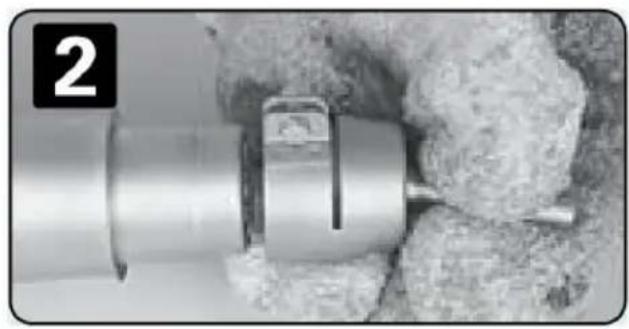
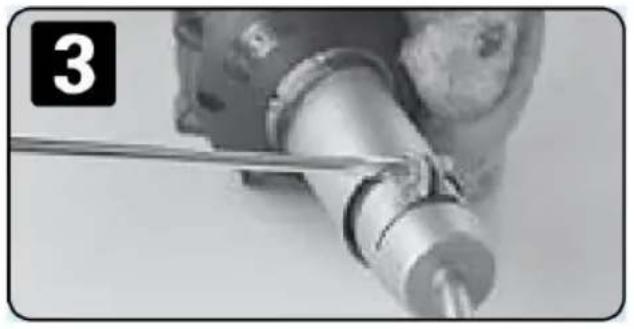
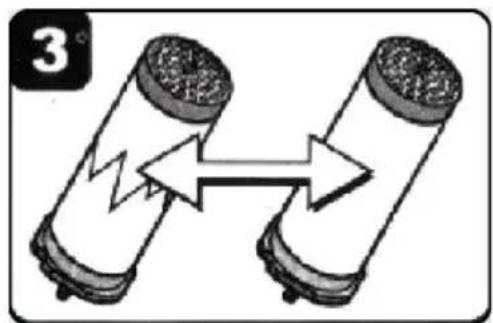
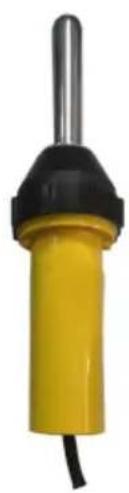
Changing heating element
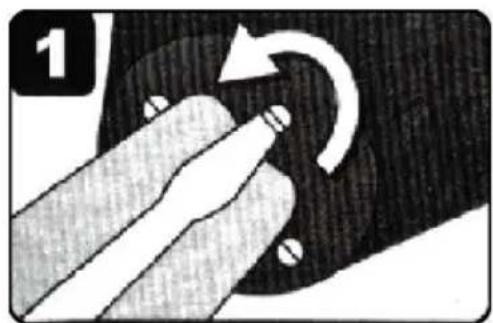
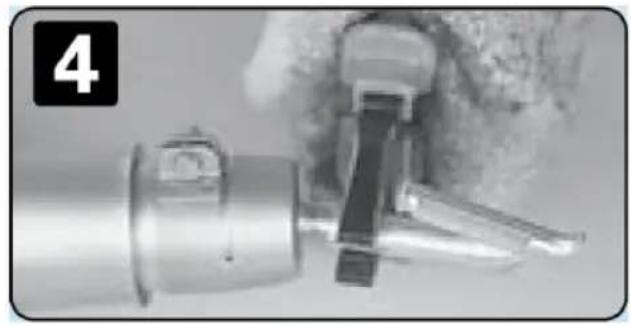
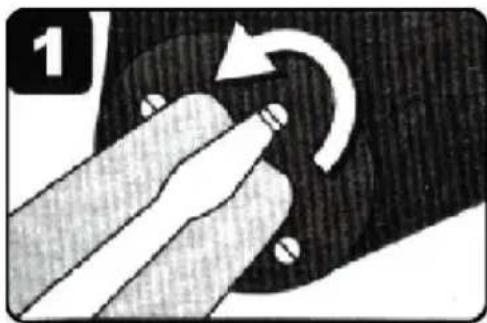
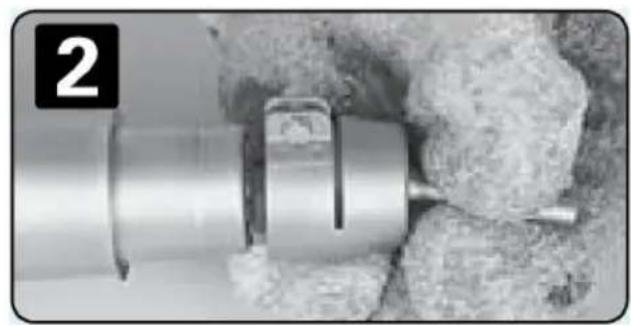
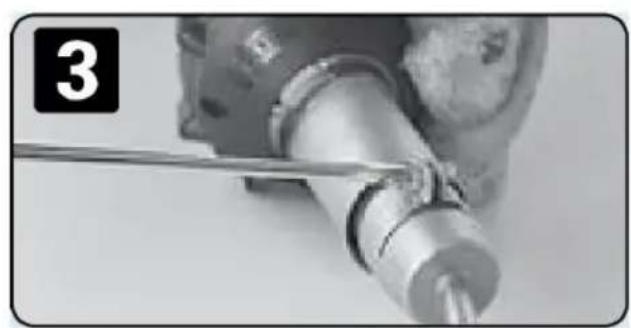
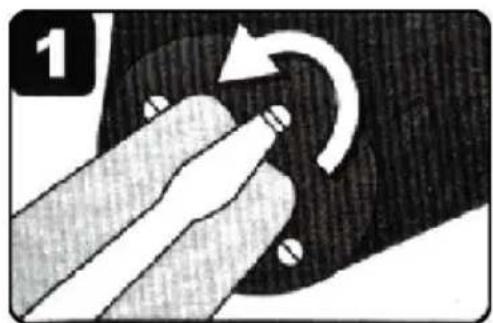
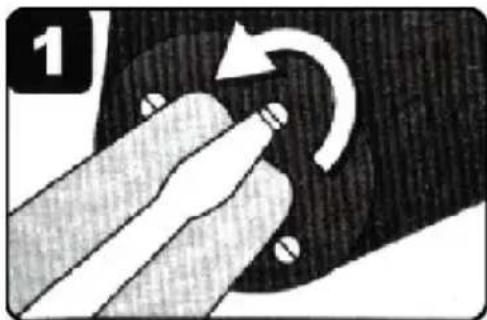
Loosen the former cover rose

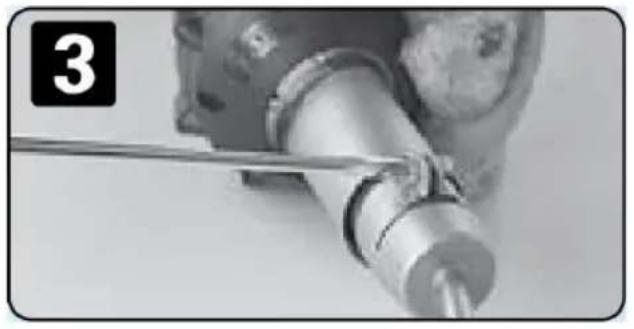
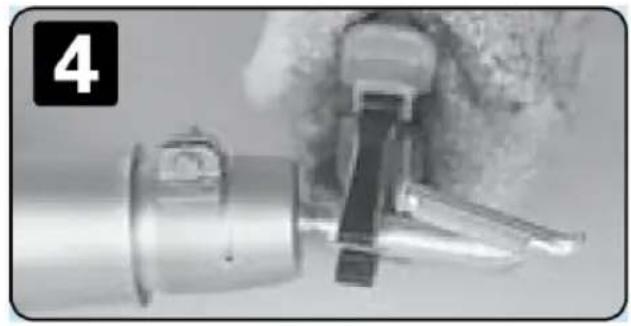
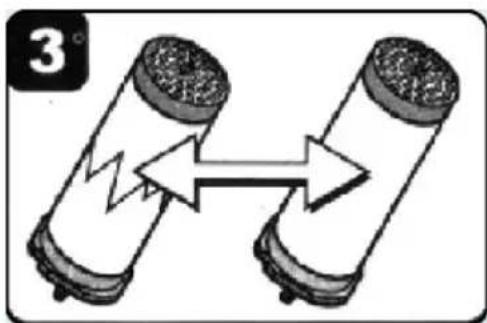
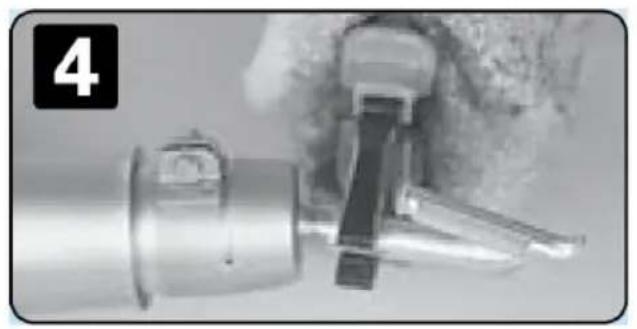
Pull out the heater
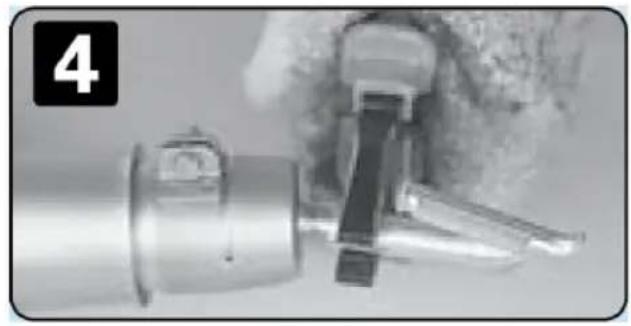
Replace the new heater
Plug in heater
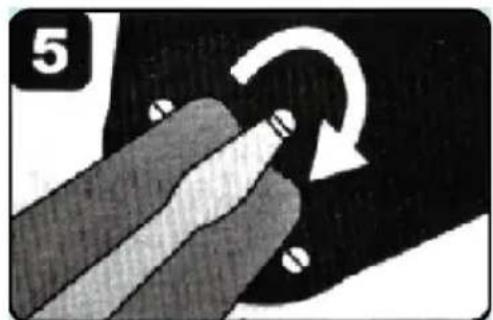
Lock screw
Corresponding code for the number of parts
| Number of parts | codes | |
| 1 | 4 | E |
| 2 | 5 | F |
| 3 | 7 | H |
| 4 | 9 | J |
| 5 | 11 | L |
| 6 | 14 | O |
| 7 | 17 | R |
FCC Information
CAUTION: Changes or modifications not expressly approved by the party responsible for compliance could void the user's authority to operate the equipment!
This device complies with Part 15 of the FCC Rules. Operation is subject to the following two conditions:
1) This product may cause harmful interference. 2) This product must accept any interference received, including interference that may cause undesired operation.
WARNING: Changes or modifications to this product not expressly approved by the party responsible for compliance could void the user's authority to operate the product.
Note: This product has been tested and found to comply with the limits for a Class B digital device pursuant to Part 15 of the FCC Rules. These limits are designed to provide reasonable protection against harmful interference in a residential installation.
This product generates, uses and can radiate radio frequency energy, and if not installed and used in accordance with the instructions, may cause harmful interference to radio communications. However, there is no guarantee that interference will not occur in a particular installation. If this product does cause harmful interference to radio or television
reception, which can be determined by turning the product off and on, the user is encouraged to try to correct the interference by one or more of the following measures.
- Reorient or relocate the receiving antenna.
- Increase the distance between the product and receiver.
- Connect the product to an outlet on a circuit different from that to which the receiver is connected.
- Consult the dealer or an experienced radio/TV technician for assistance.
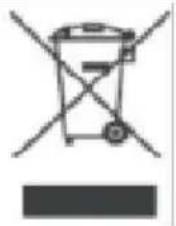
CORRECT DISPOSAL
This product is subject to the provisions of European Directive 2012/19/EU. The symbol showing a wheelie bin crossed out indicates that the product requires separate refuse collection in the European Union. This applies to the product and all accessories marked with this symbol. Products marked as such may not be discarded with normal domestic waste, but must be taken to a collection point for recycling electrical and electronic devices.
Manufacturer: Shanghai Muxin Muye Youxian Gongsi
Address: Shuangcheng Road 803, Lane 11, Room 1602A-1609, Baoshan District, Shanghai 200000, CN.
Imported to AUS: SIHAO PTY LTD. 1 ROKEVA STREET EASTWOOD NSW 2122 Australia
Imported to USA: Sanven Technology Ltd. Suite 250, 9166 Anaheim Place, Rancho Cucamonga, CA 91730
| UK | REP |
YH CONSULTING LIMITED. C/O YH Consulting Limited Office 147, Centurion House, London Road, Staines-upon-Thames, Surrey, TW18 4AX
| EC | REP |
Technical Support and E-Warranty Certificate
www.vevor.com/support
VEVOR®
TOUGH TOOLS, HALF PRICE
DSH-D1
ST2000
NEED HELP? CONTACT US!
Start-up
Changing heating element
Plug-in heater
Locking screw
Corresponding code for the number of parts
YH CONSULTING LIMITED. C/O YH Consulting Limited Office 147, Centurion House, London Road, Staines-upon-Thames, Surrey, TW18 4AX
| EC | REP |
www.vevor.com/support
VEVOR®
TOUGH TOOLS, HALF PRICE
DSH-D1
ST2000
Start-up
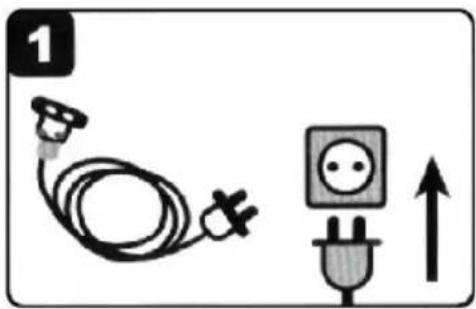
Changing heating element
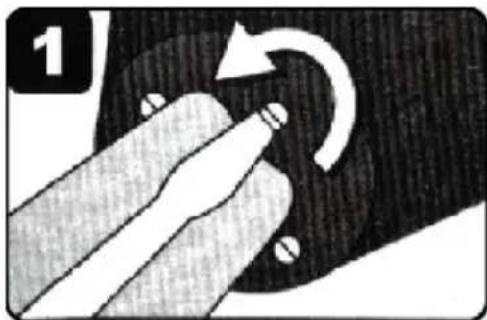
Plug heater
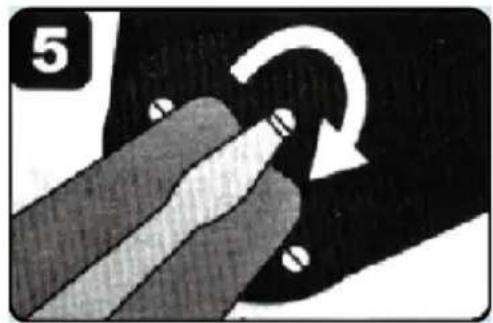
Locking screw
Corresponding code for the number of parts
YH CONSULTING LIMITED. C/O YH Consulting Limited Office 147, Centurion House, London Road, Staines-upon-Thames, Surrey, TW18 4AX
| EC | REP |
www.vevor.com/support
VEVOR®
TOUGH TOOLS, HALF PRICE
www.vevor.com/support
DSH-D1
ST2000
NEED HELP? CONTACT US!
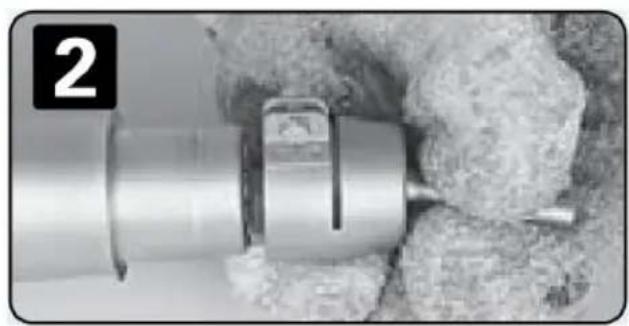
Start-up
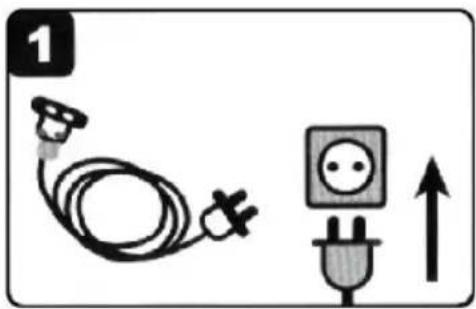
Changing heating element
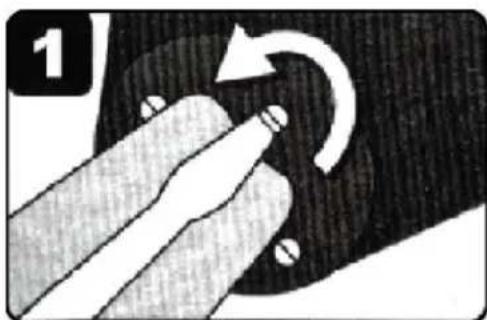
Remove the heating element
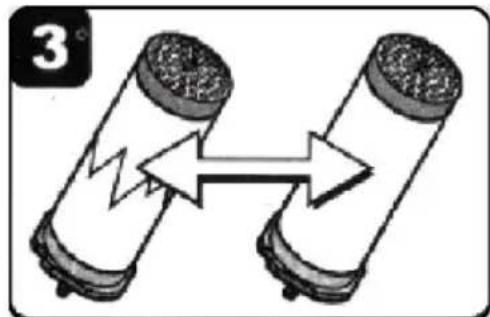
Locking screw
Corresponding code for the number of parts
CORRECT DISPOSAL
Location, Rancho Cucamonga, CA 91730
| UK | REP |
YH CONSULTING LIMITED. C/O YH Consulting Limited Office 147, Centurion House, London Road, Staines-upon-Thames, Surrey, TW18 4AX
| EC | REP |
DSH-D1
ST2000
NEED HELP? CONTACT US!
Trouble Analysis And Removal
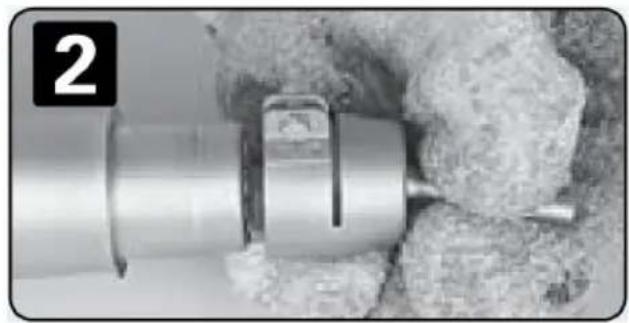
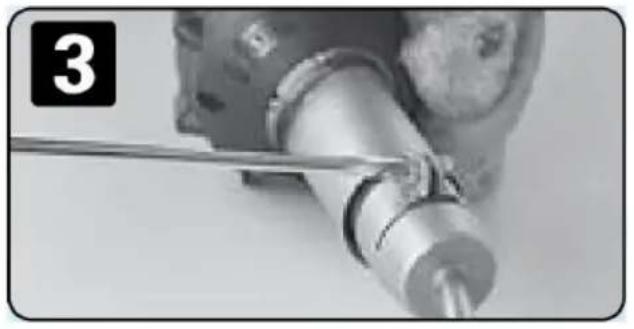
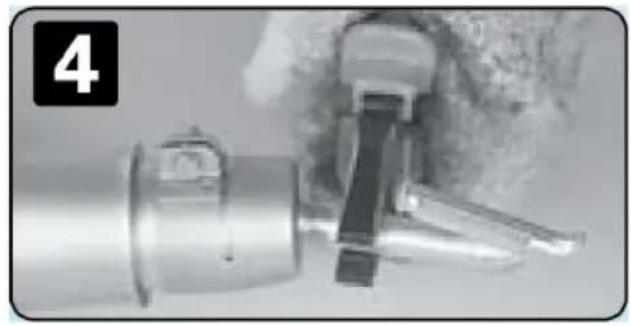
Start-up
Switch the switch
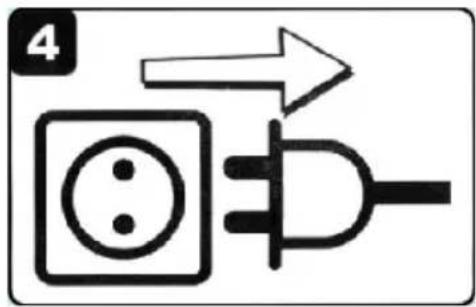
Pull out the plug
Changing heating element
Pull the heater
Plug into the heater
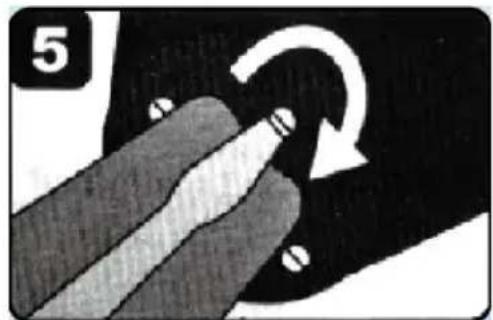
Locking screw
Corresponding code for the number of parts
YH CONSULTING LIMITED. C/O YH Consulting
Limited Office 147, Centurion House, London
Road, Staines-upon-Thames, Surrey, TW18 4AX
| EC | REP |
E-CrossStu GmbH
Mainzer Landstr.69,
60329 Frankfurt am Main.
VEVOR®
TOUGH TOOLS, HALF PRICE
www.vevor.com/support
VEVOR®
TOUGH TOOLS, HALF PRICE
DSH-D1
ST2000
NEED HELP? CONTACT US!
Start-up
Turn temperature back to "0"
Changing heating element
Pull out heater
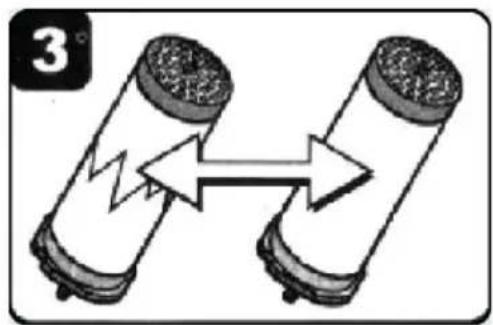
Replace with new heater

Connect the heater
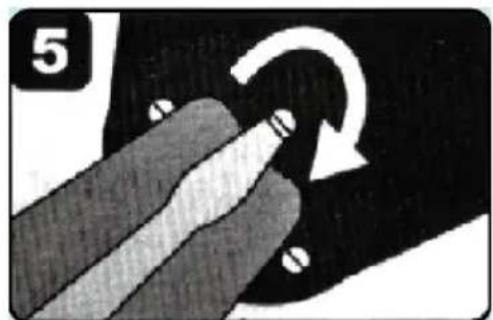
Lock screw
Corresponding code for the number of parts
| Antal delar | koder | |
| 1 | 4 | E |
| 2 | 5 | F |
| 3 | 7 | H |
| 4 | 9 | J |
| 5 | 11 | L |
| 6 | 14 | O |
| 7 | 17 | R |
FCC Information
YH CONSULTING LIMITED. C/O YH Consulting Limited Office 147, Centurion House, London Road, Staines-upon-Thames, Surrey, TW18 4AX
| EC | REP |
www.vevor.com/support
VEVOR®
TOUGH TOOLS, HALF PRICE
DSH-D1

ST2000
Start-up
Turn off the power switch
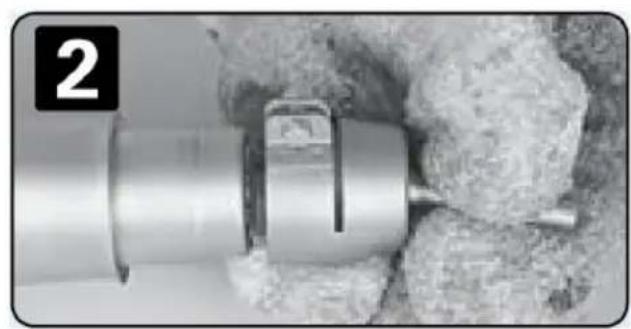
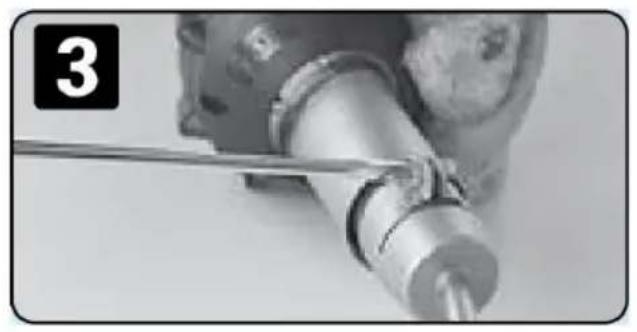
Changing heating element
Remove the heater
Locking screw
Corresponding code for the number of parts
YH CONSULTING LIMITED. C/O YH Consulting Limited Office 147, Centurion House, London Road, Staines-upon-Thames, Surrey, TW18 4AX
| EC | REP |
MODELLO DSH-D1
ST2000
Trouble Analysis And Removal
Start-up
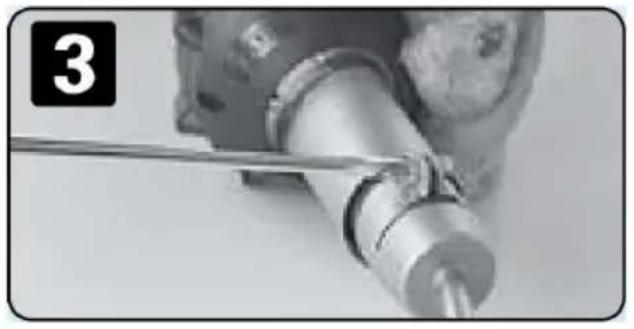
Turn the temperature knob back to "0"
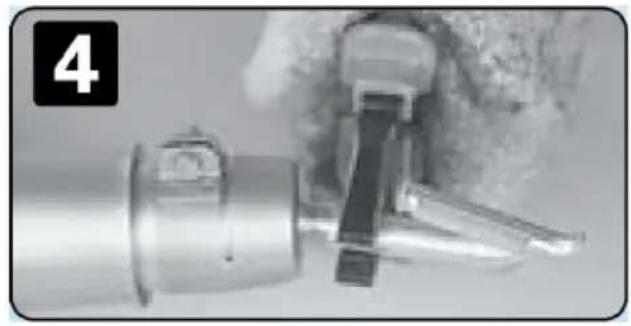
Changing heating element
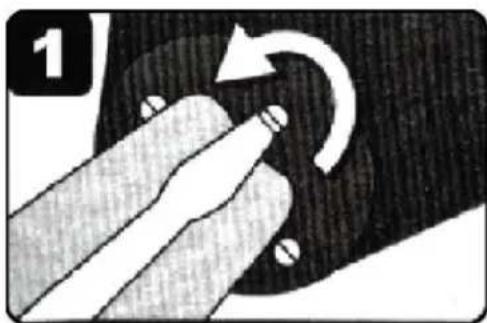
Locking screws
Corresponding code for the number of parts
YH CONSULTING LIMITED. C/O YH Consulting Limited Office 147, Centurion House, London Road, Staines-upon-Thames, Surrey, TW18 4AX
| EC | REP |
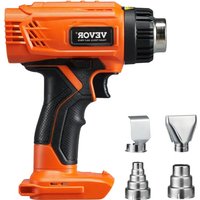
Brand : Vevor
Model : DSH-D1
Category : Heat gun