211I - Desktop Computer Vevor - Free user manual and instructions
Find the device manual for free 211I Vevor in PDF.
User questions about 211I Vevor
0 question about this device. Answer the ones you know or ask your own.
Ask a new question about this device
Download the instructions for your Desktop Computer in PDF format for free! Find your manual 211I - Vevor and take your electronic device back in hand. On this page are published all the documents necessary for the use of your device. 211I by Vevor.
USER MANUAL 211I Vevor
Affordable. Reliable. Home Improvement.
COMPUTER CASE
MODEL:211I
Technical Support and E-Warranty Certificate www.vevor.com/support
VEVOR
Affordable. Reliable. Home Improvement.
Computer Case
MODEL:211I
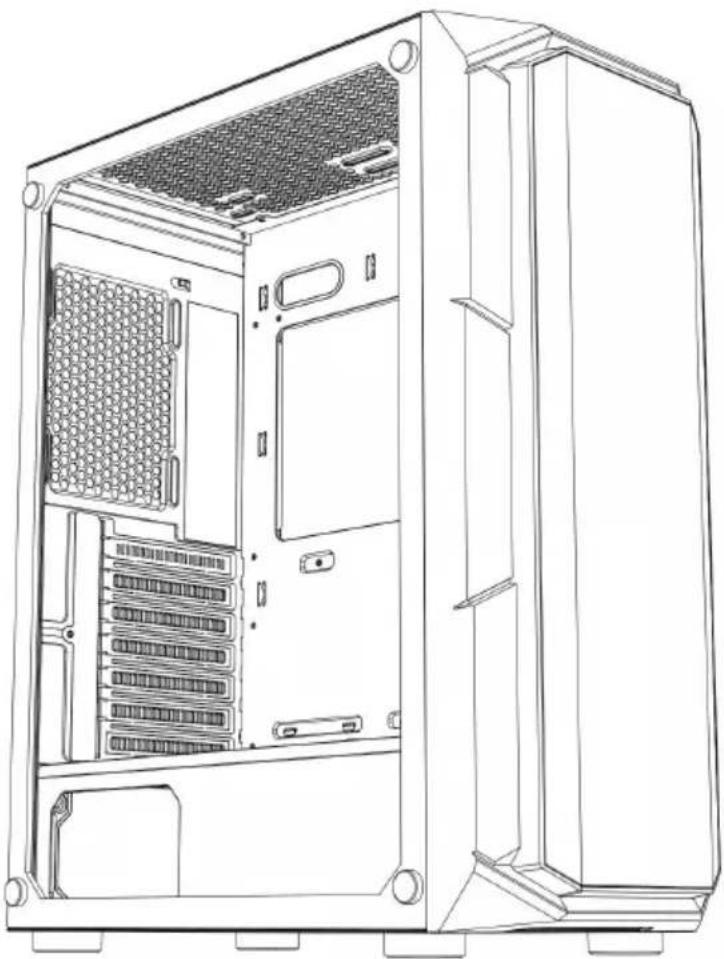
natural_image
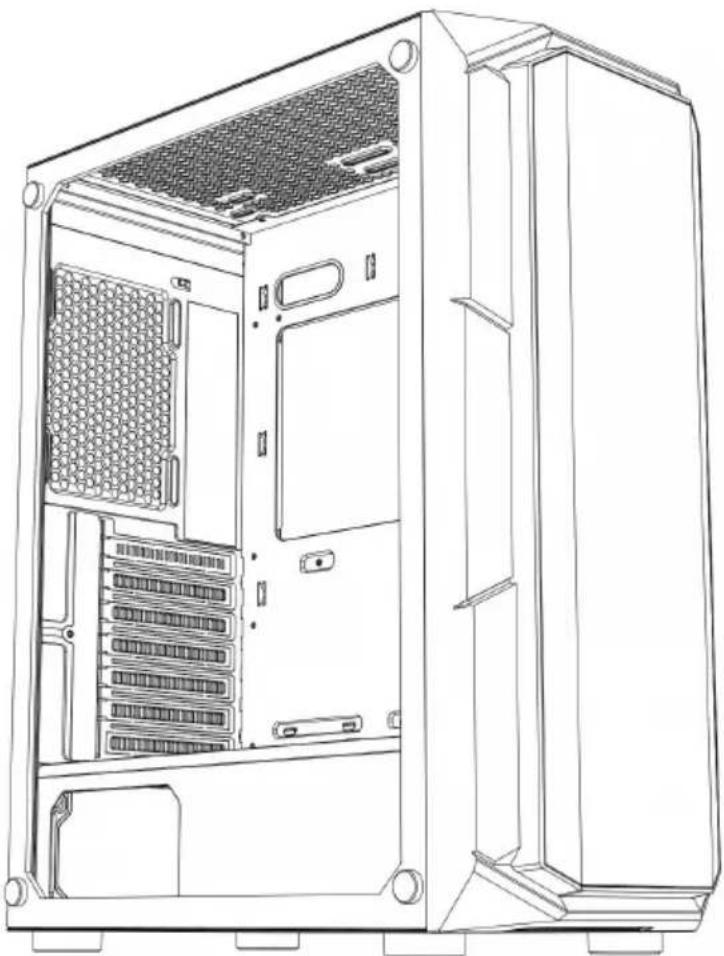
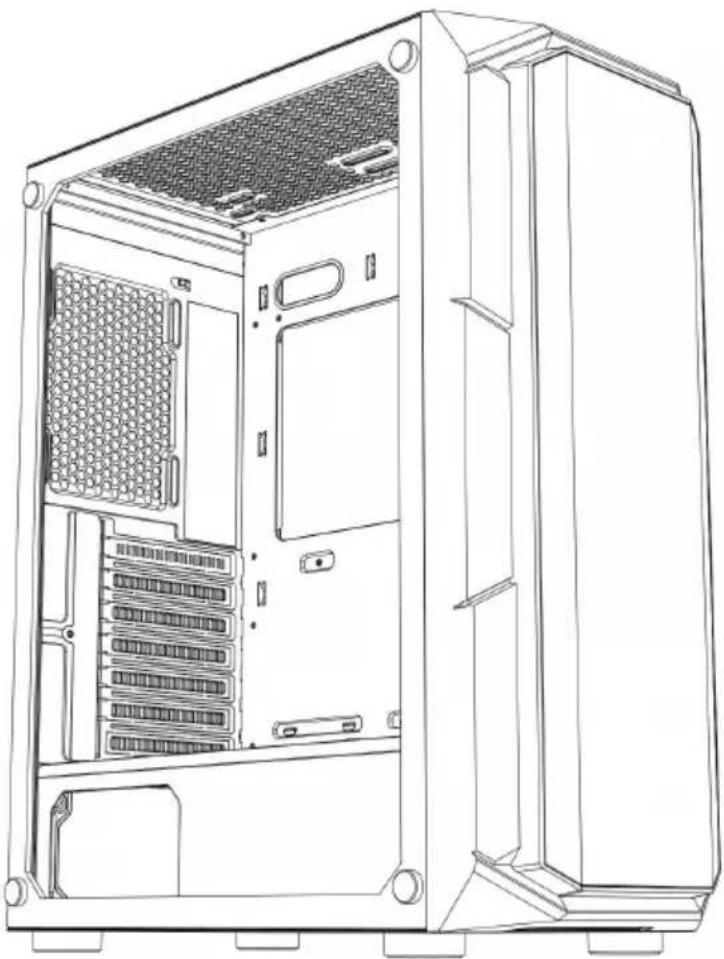
Line drawing of a desktop computer tower case showing internal components like drive bays and rack (no text or labels)(The picture is for reference only, please refer to the actual obje
This is the original instruction, please read all manual instructions carefully before operating. VEVOR reserves a clear interpretation of o user manual. The appearance of the product shall be subject to the product you received. Please forgive us that we won't inform you ag there are any technology or software updates on our product.

![]() | Warning-To reduce the risk of injury, user must read in manual carefully. |
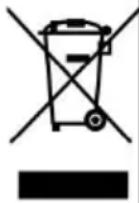
![]() | This product is subject to the provision of European Di 2012/19/EC. The symbol showing a wheelie bin crossed through indicates that the product requires separate refus collection in the European Union. This applies to the pr and all accessories marked with this symbol. Products r as such may not be discarded with normal domestic wa must be taken to a collection point for recycling electric electronic devices |
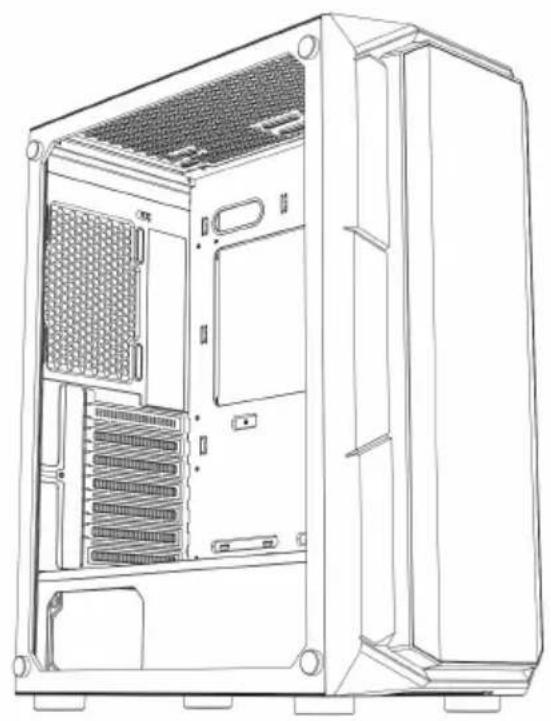
natural_image
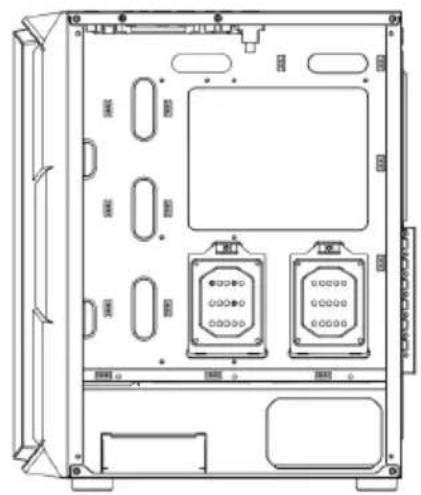
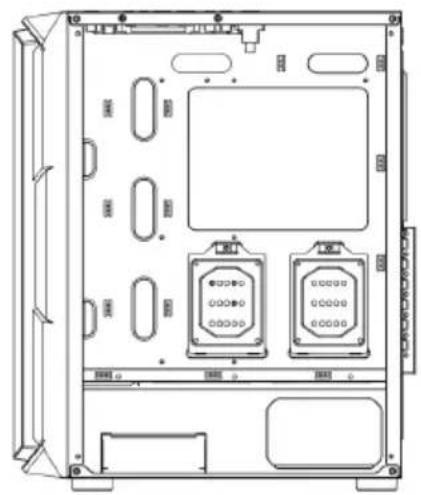
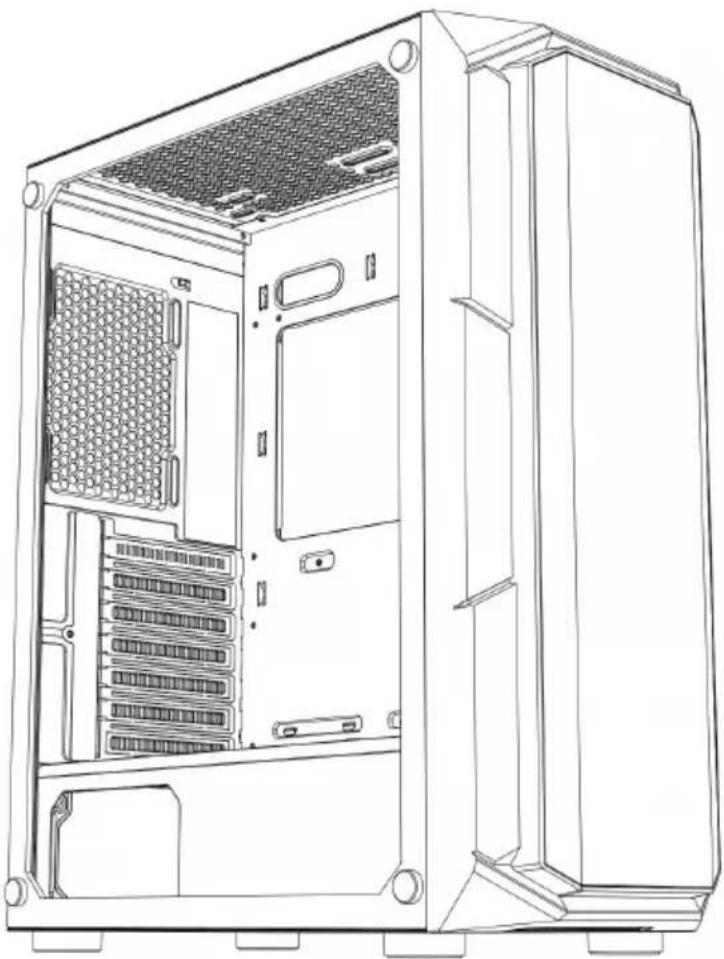
Line drawing of a desktop computer tower case showing internal partition and ventilation slots (no text or labels)A: Accessories package
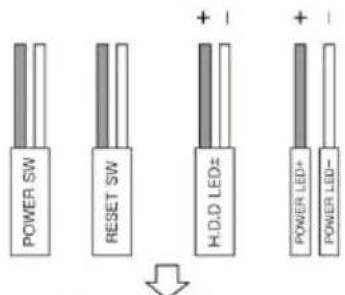
B : Wire interface
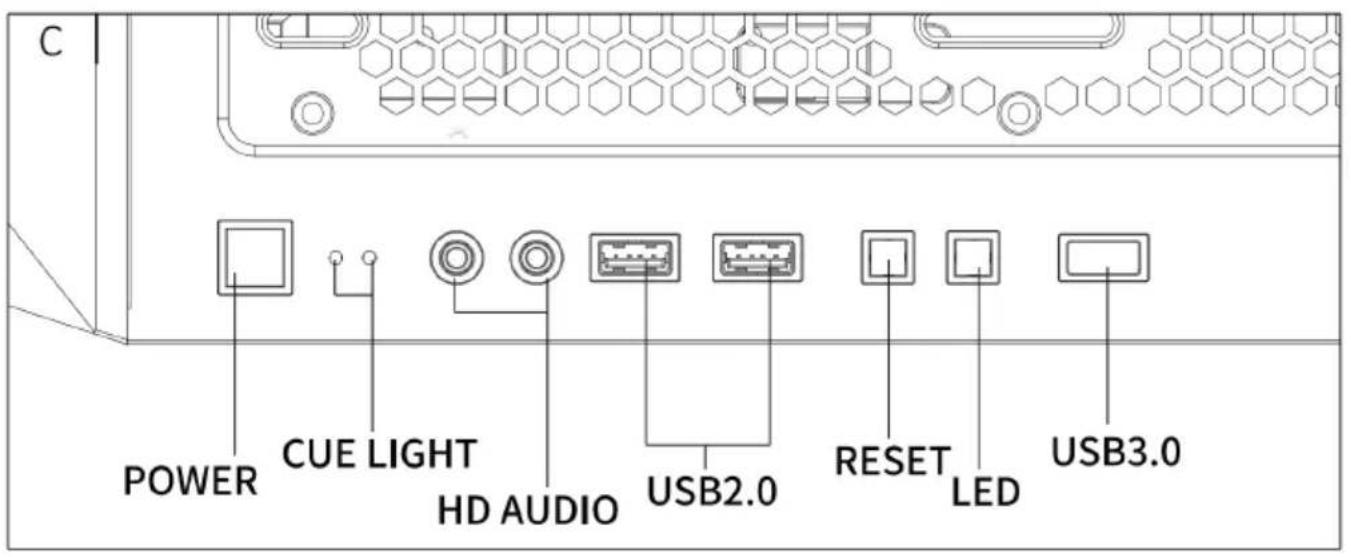
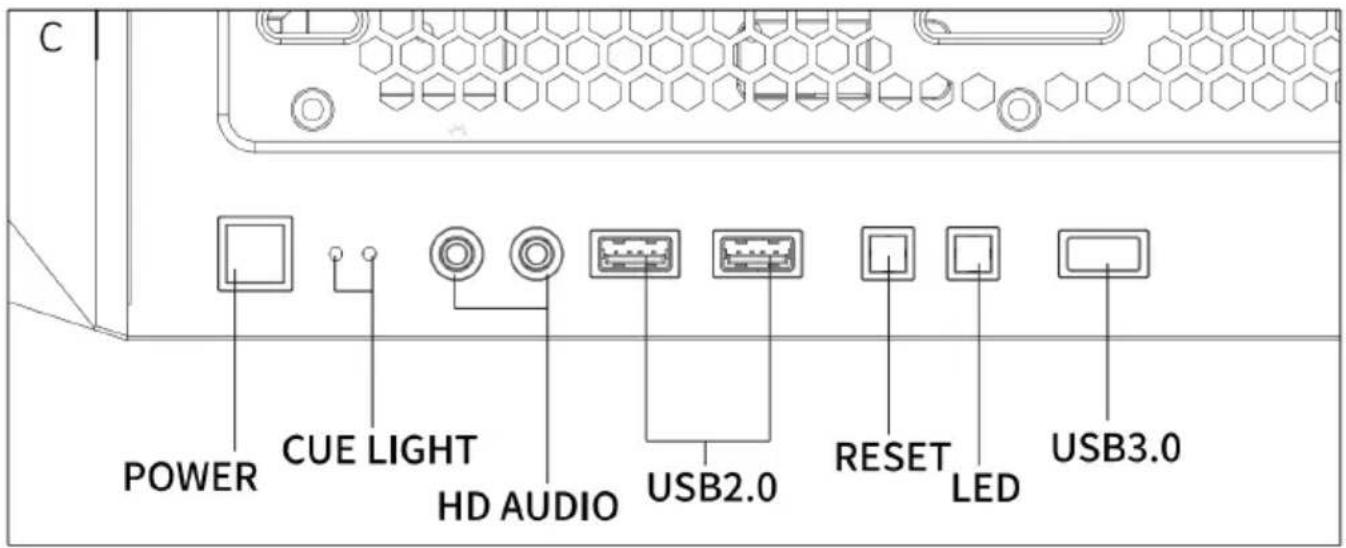
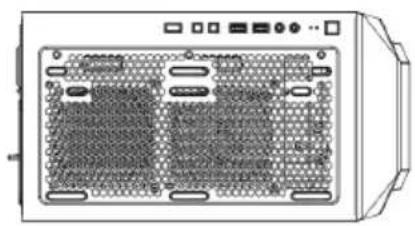
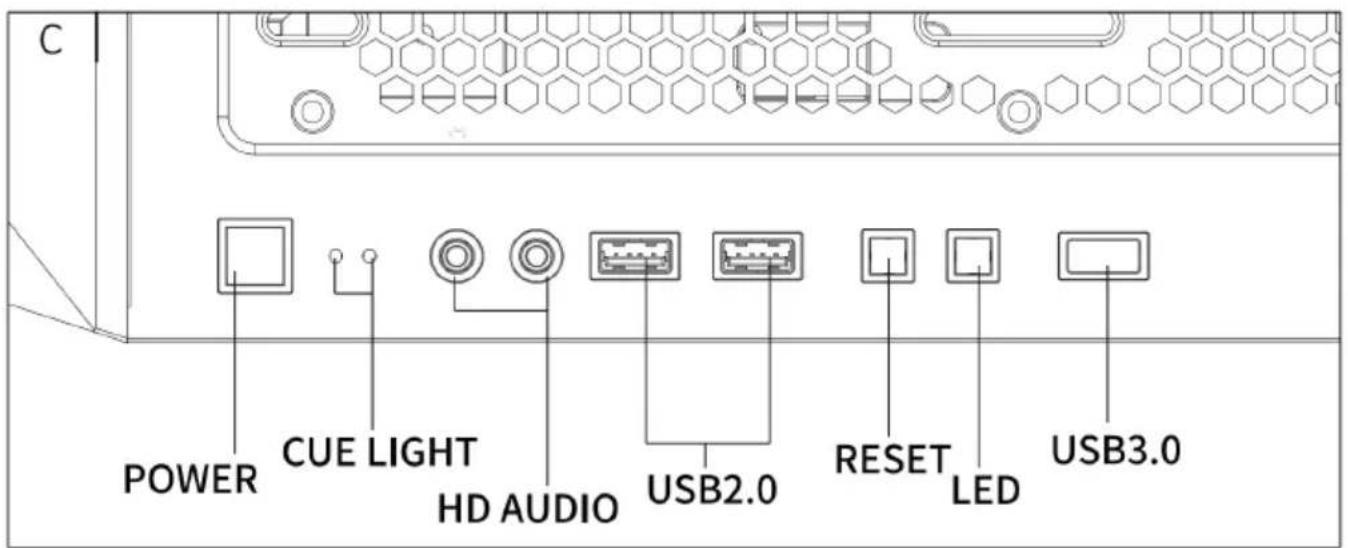
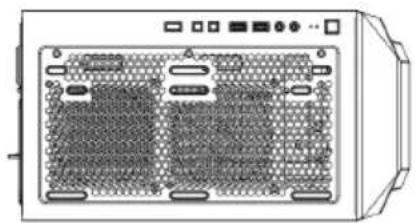
C: I/O interface
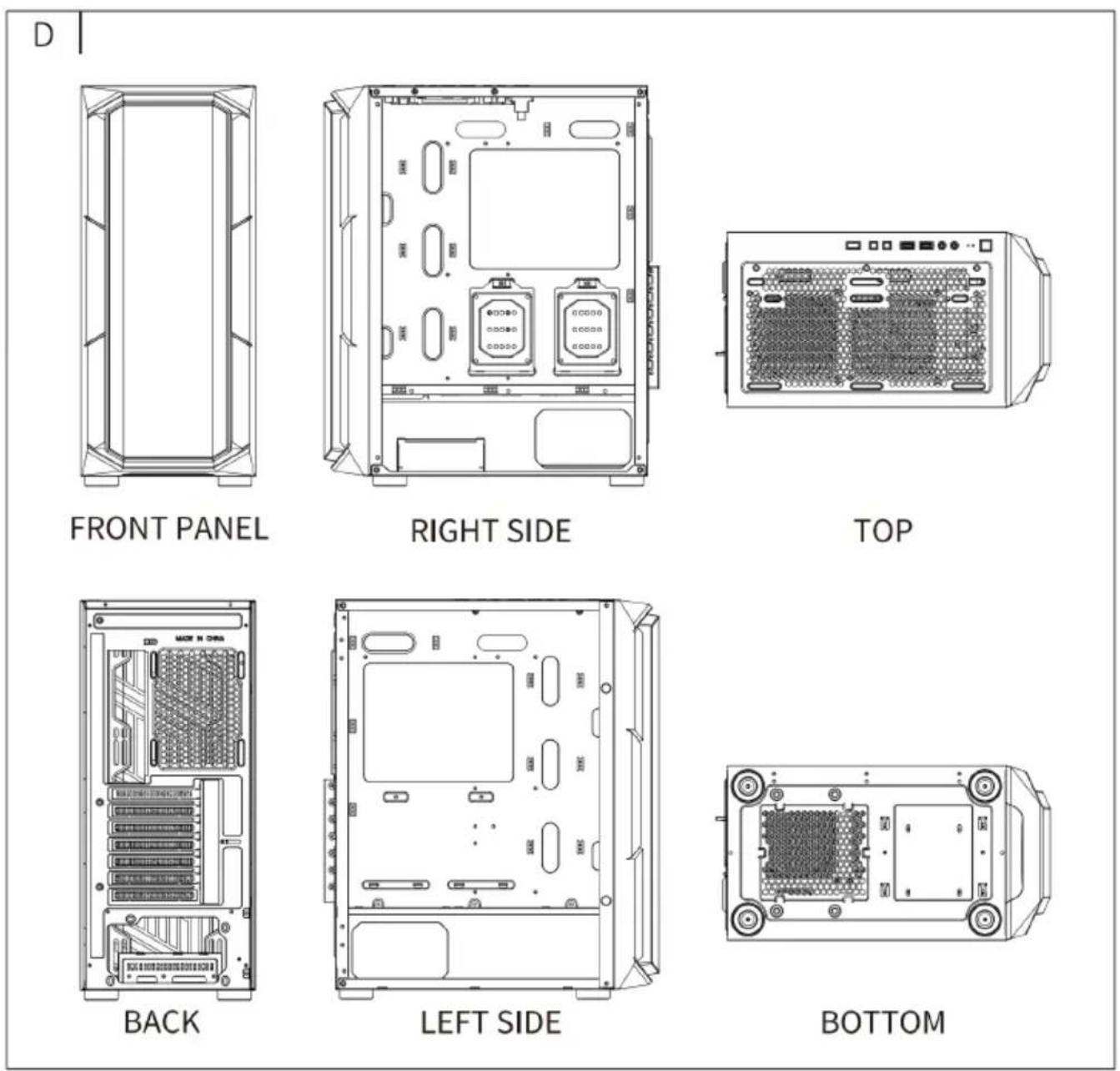
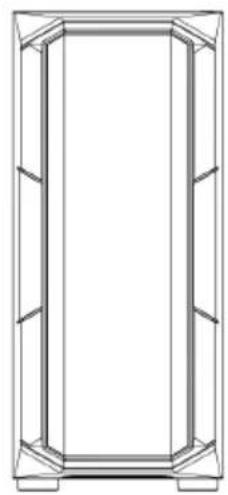
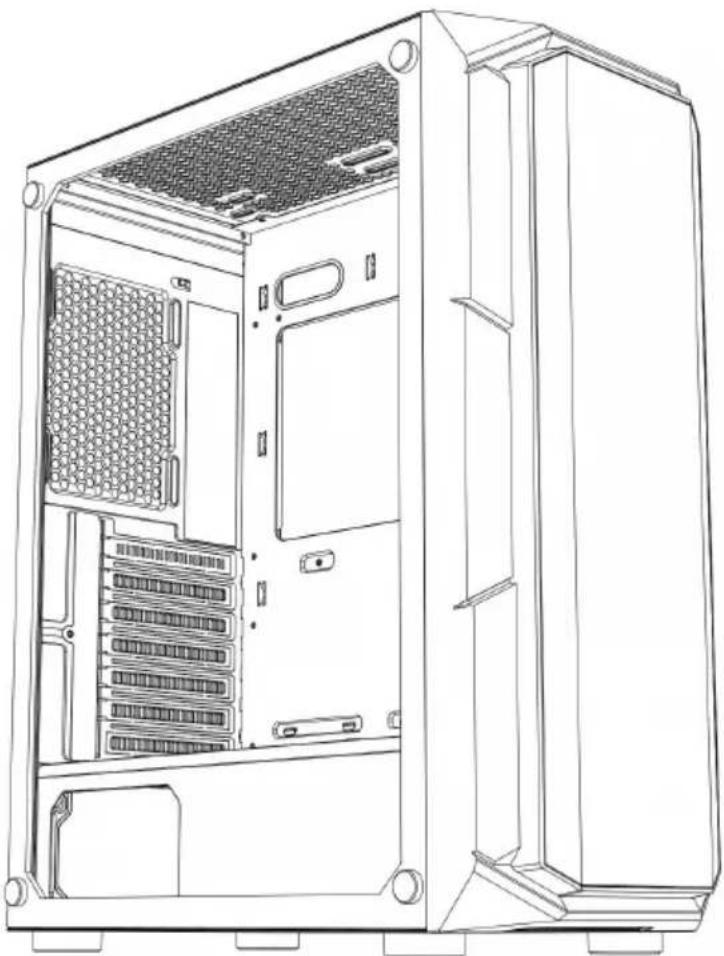
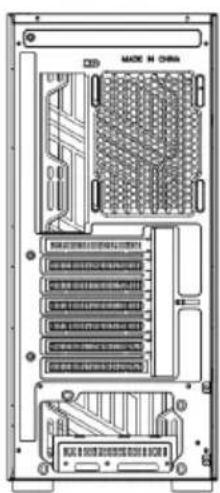
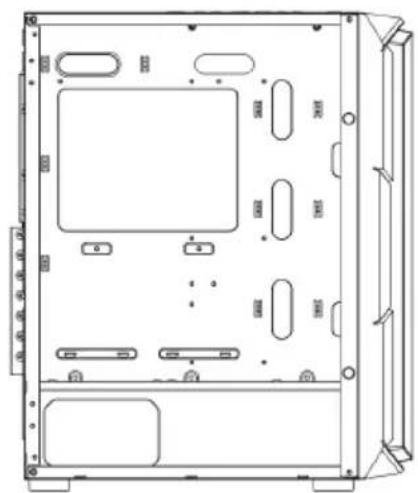
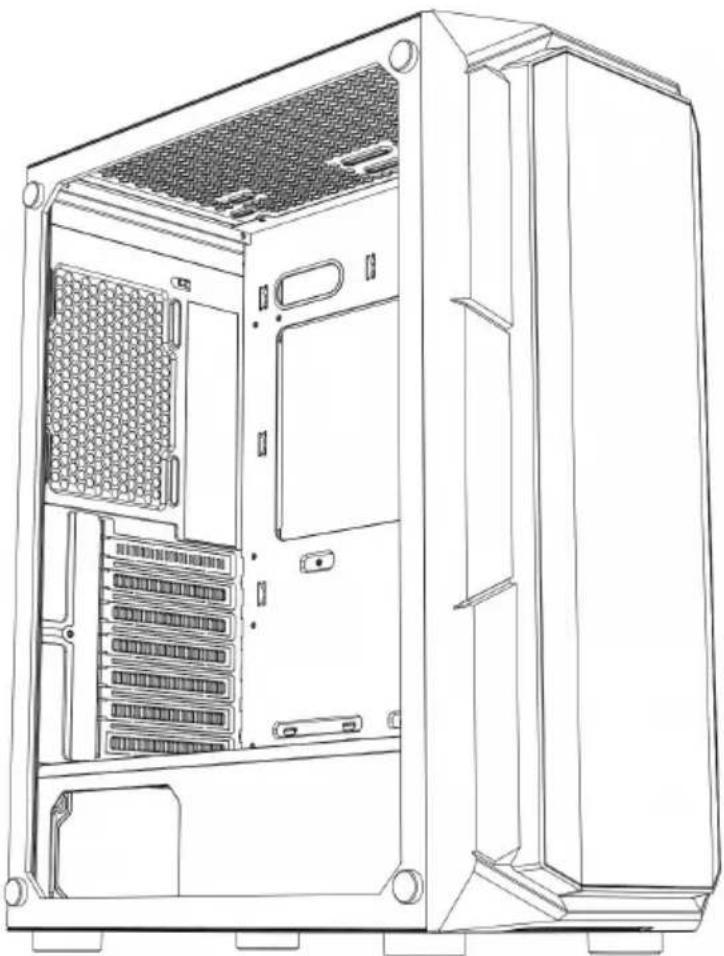
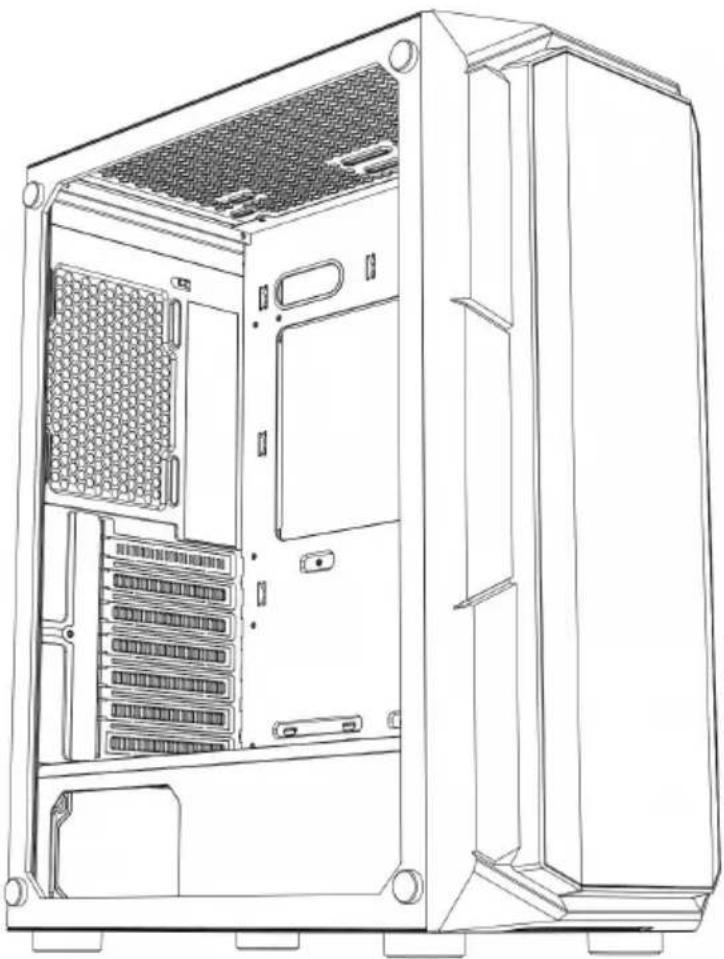
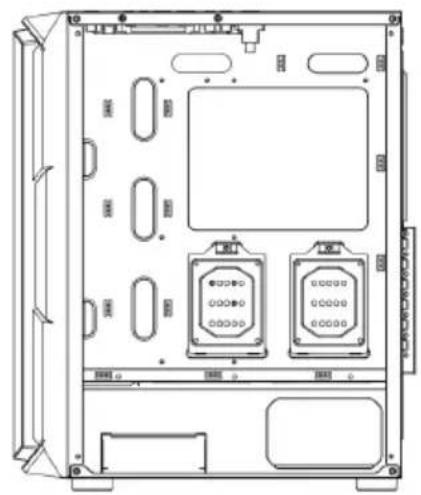
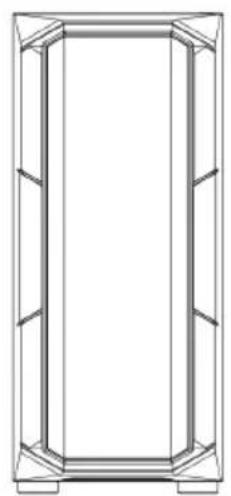
D : Full view
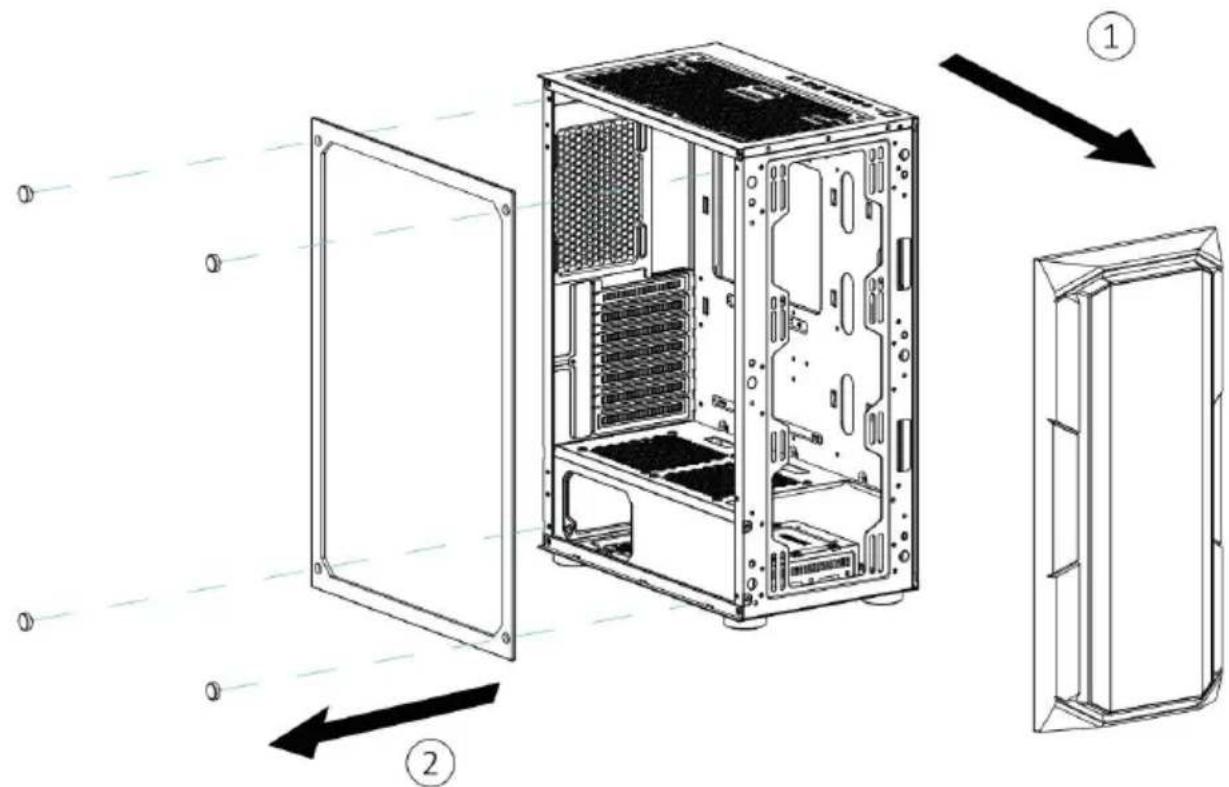
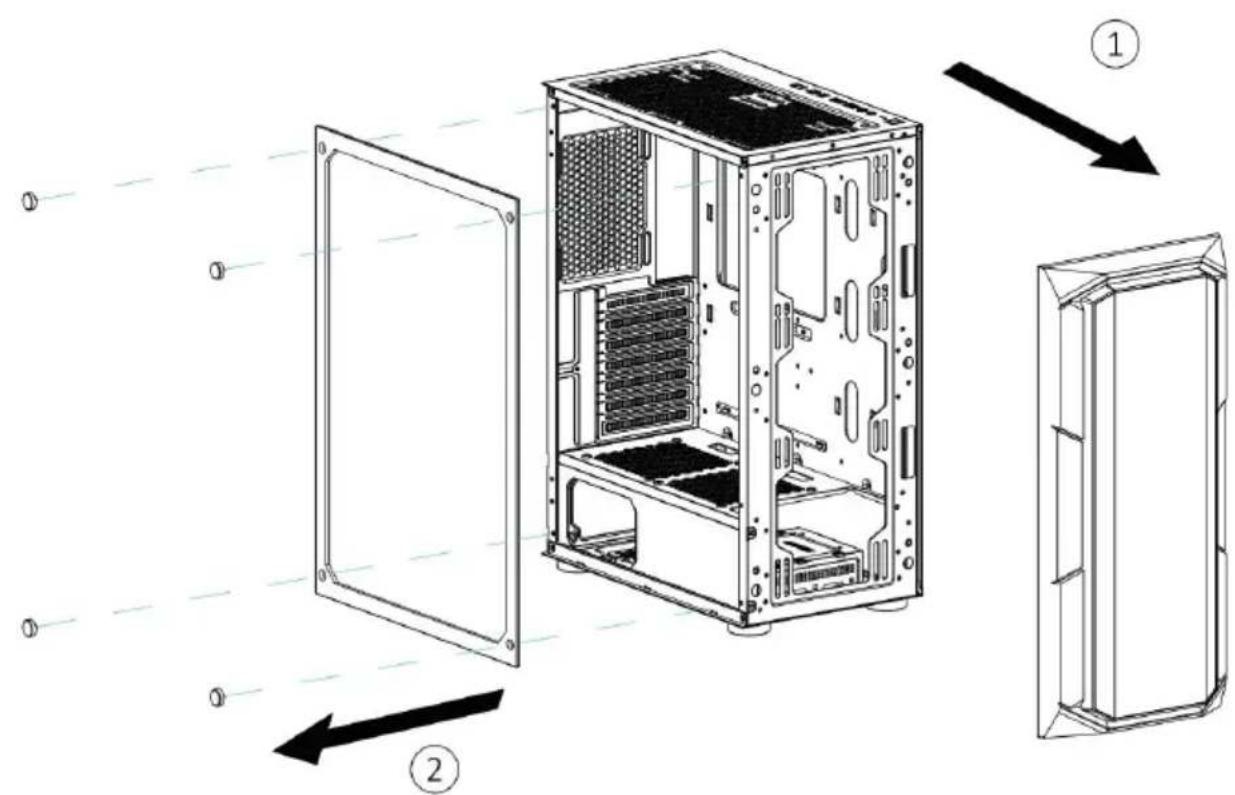
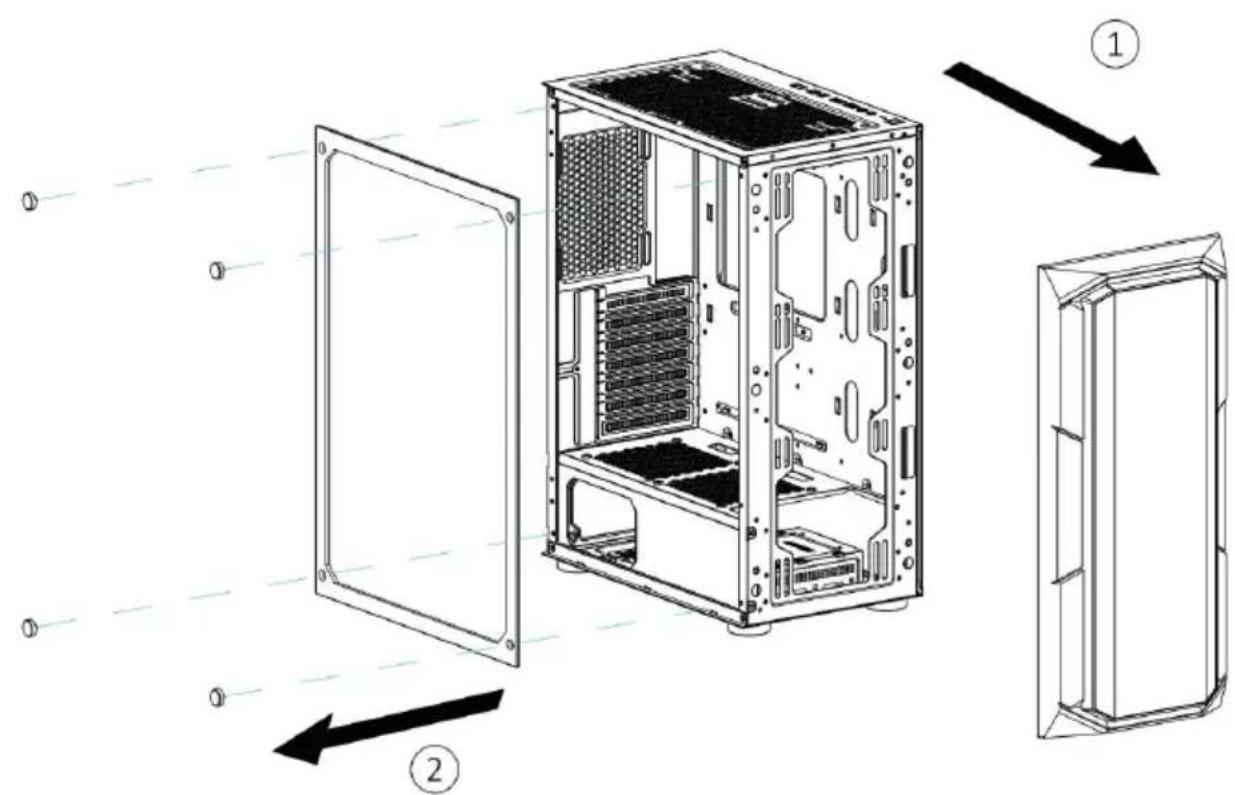
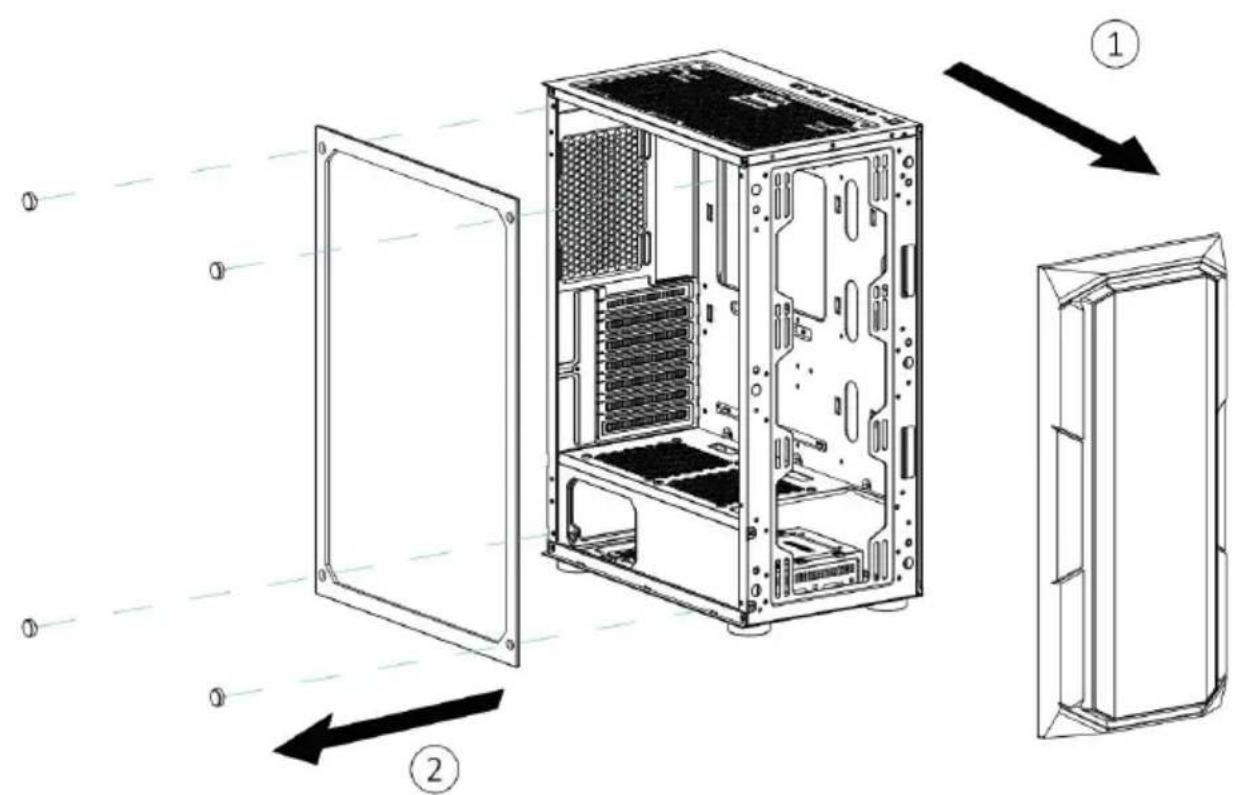
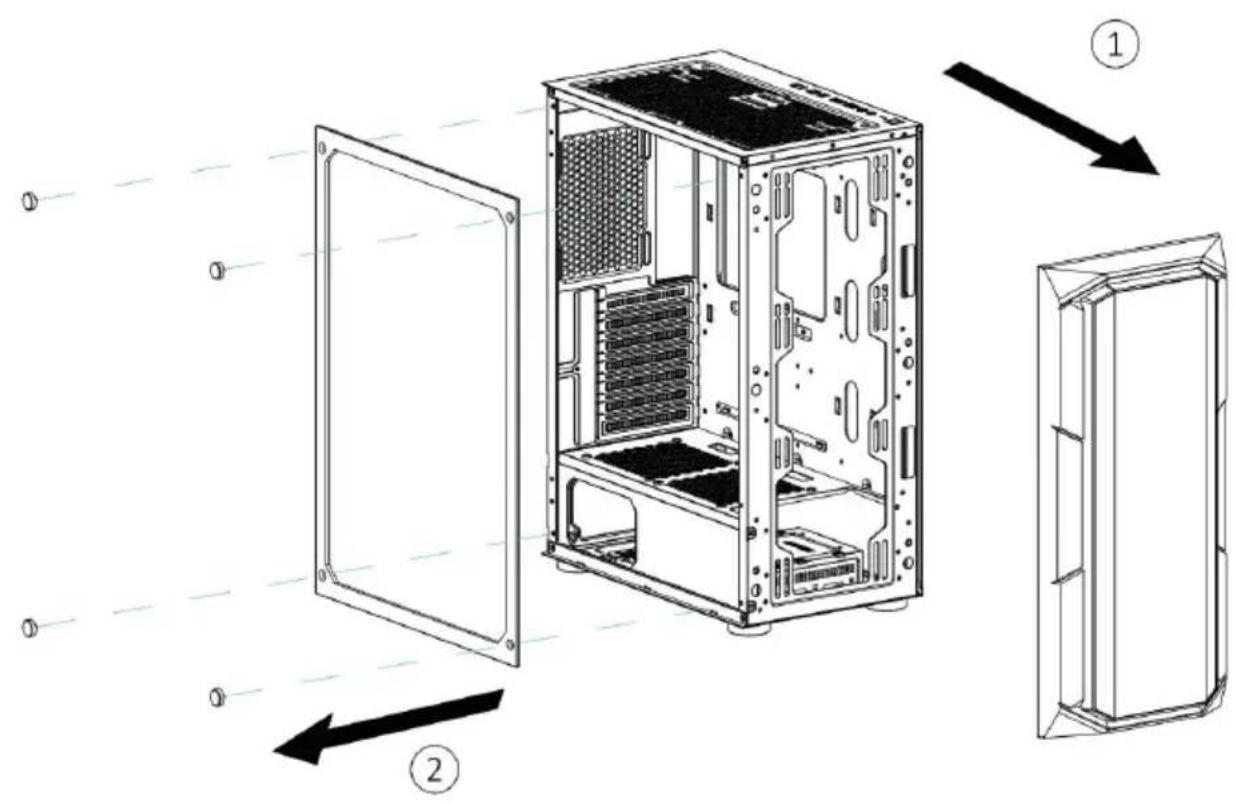
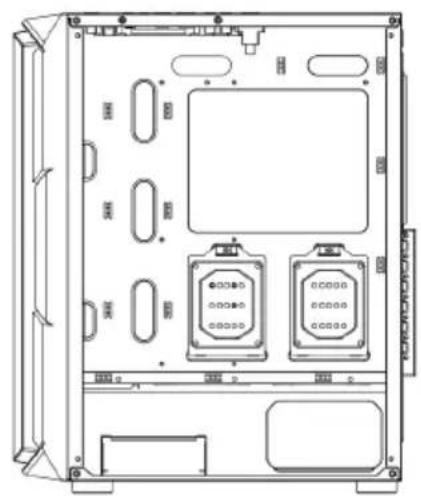
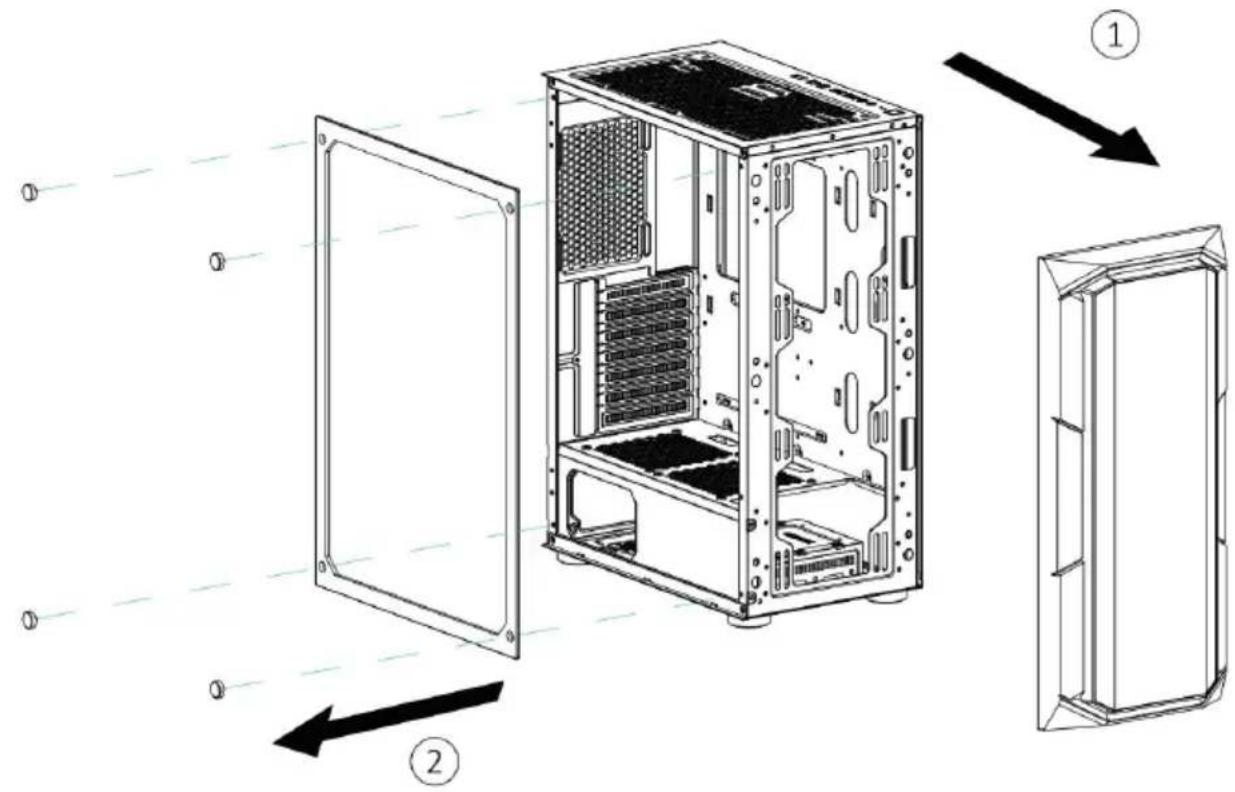
E: Left panel disassembly
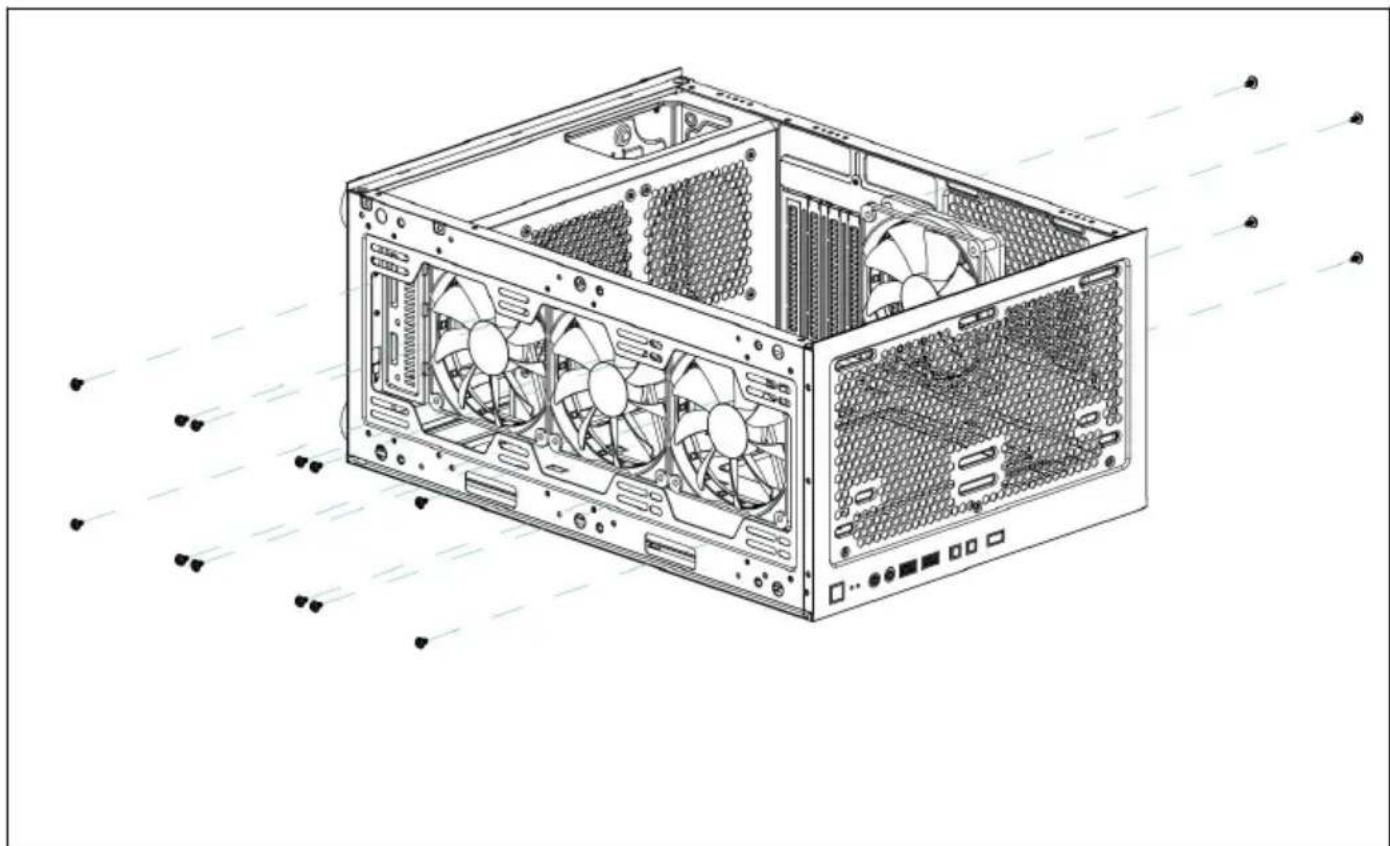
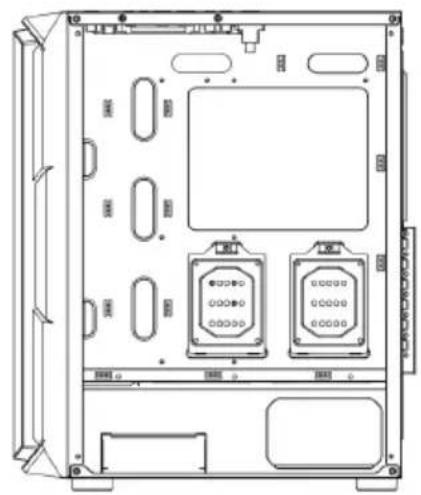
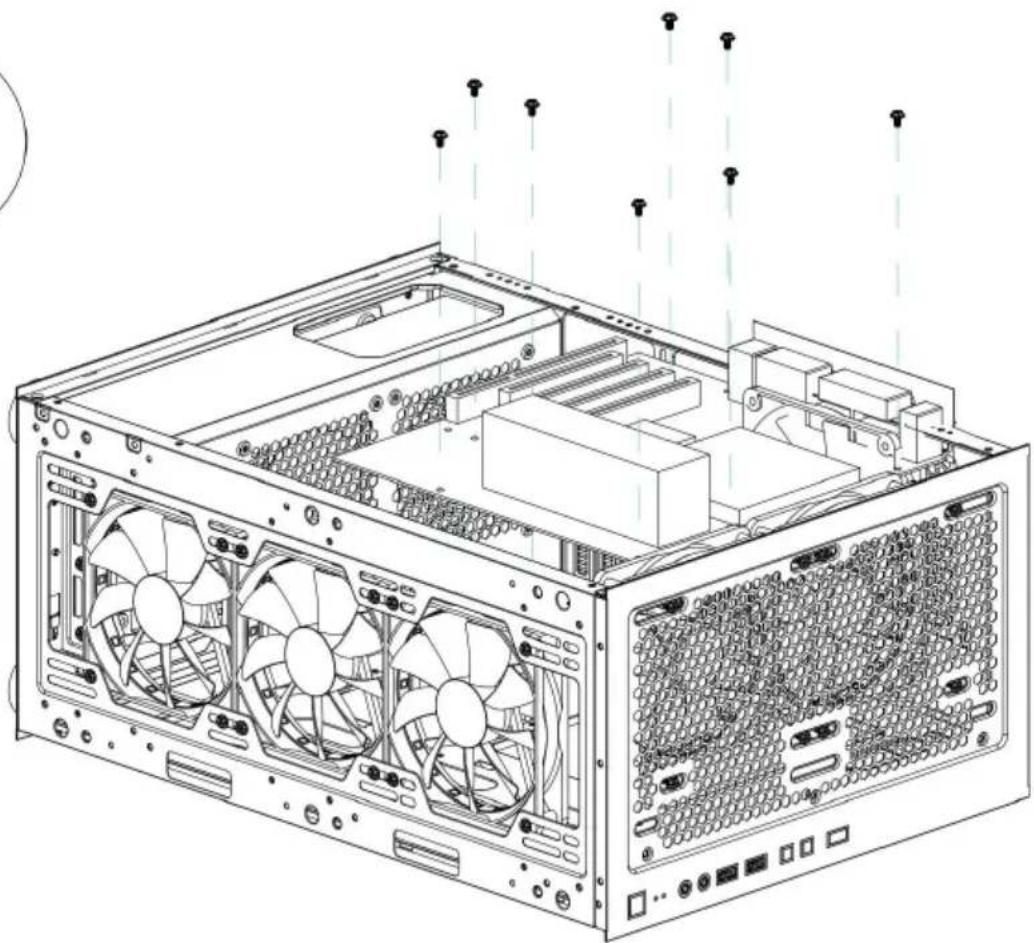
F: Right/front panel disassembly
G : Front/back panel fan installa
H : Water cooling installation
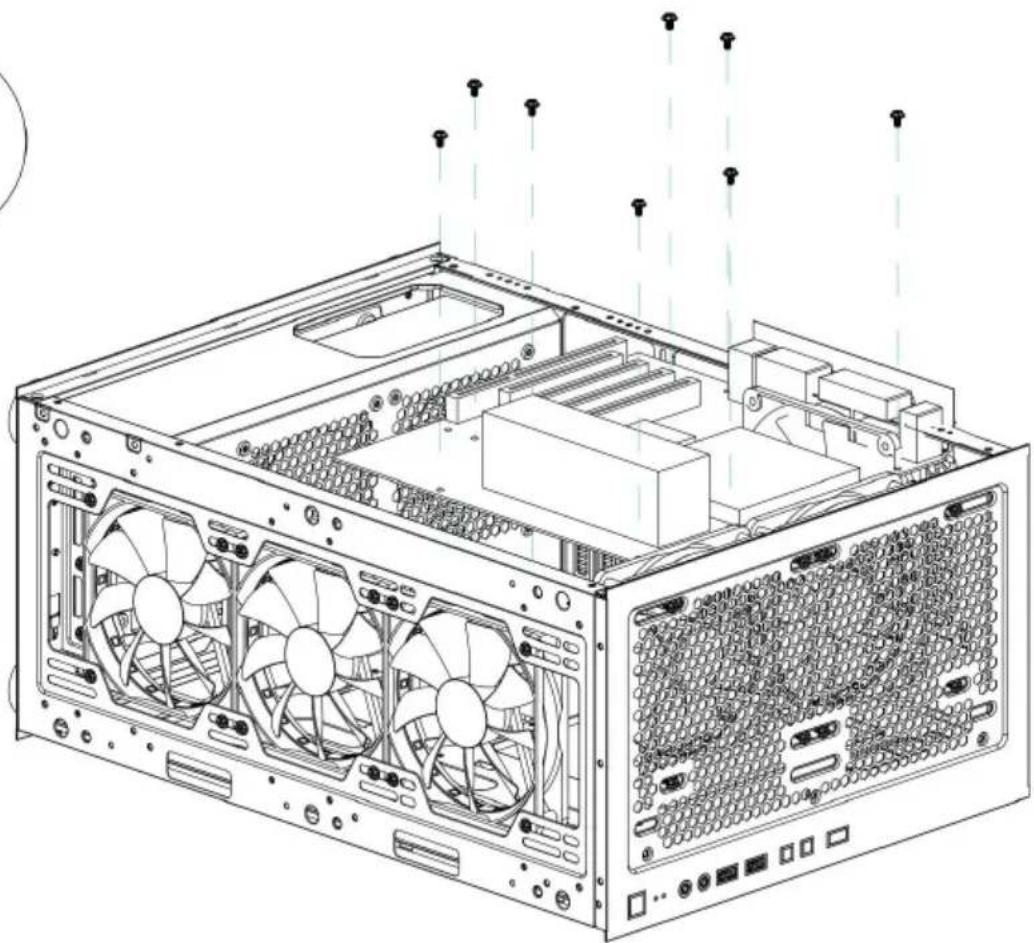
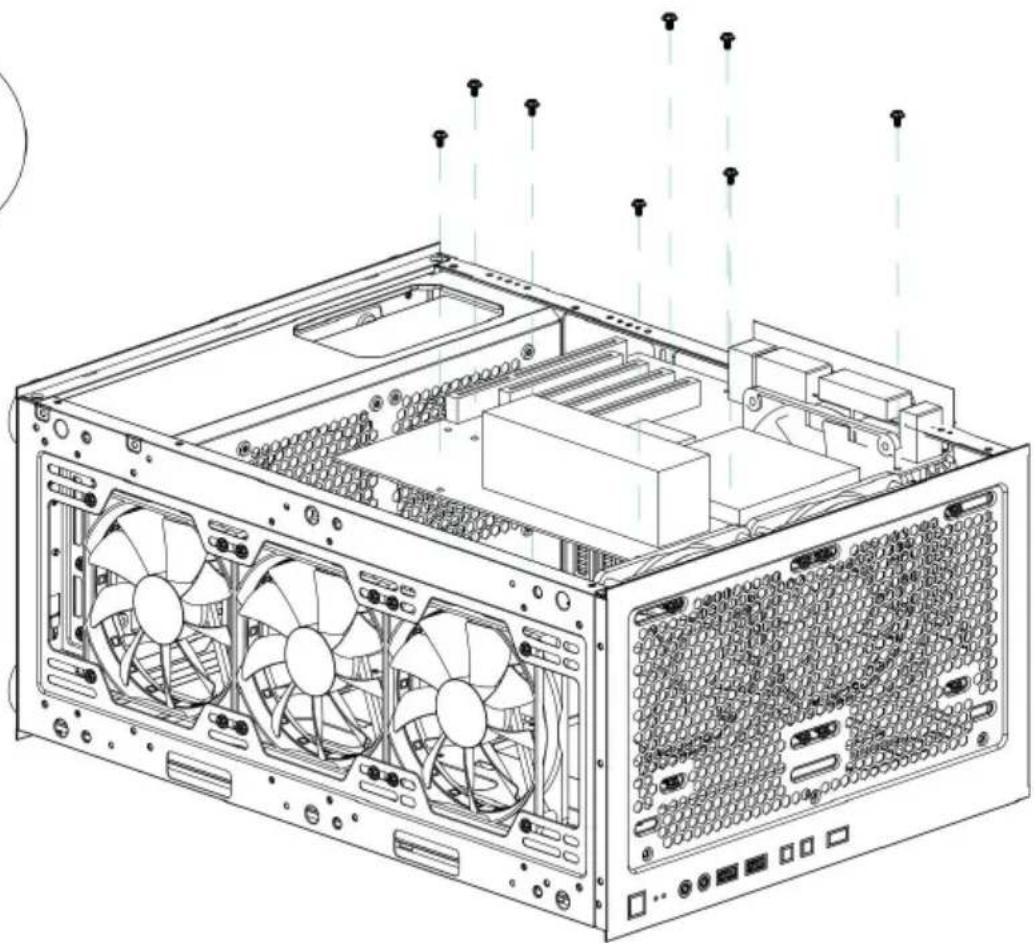
I: Top fan installation
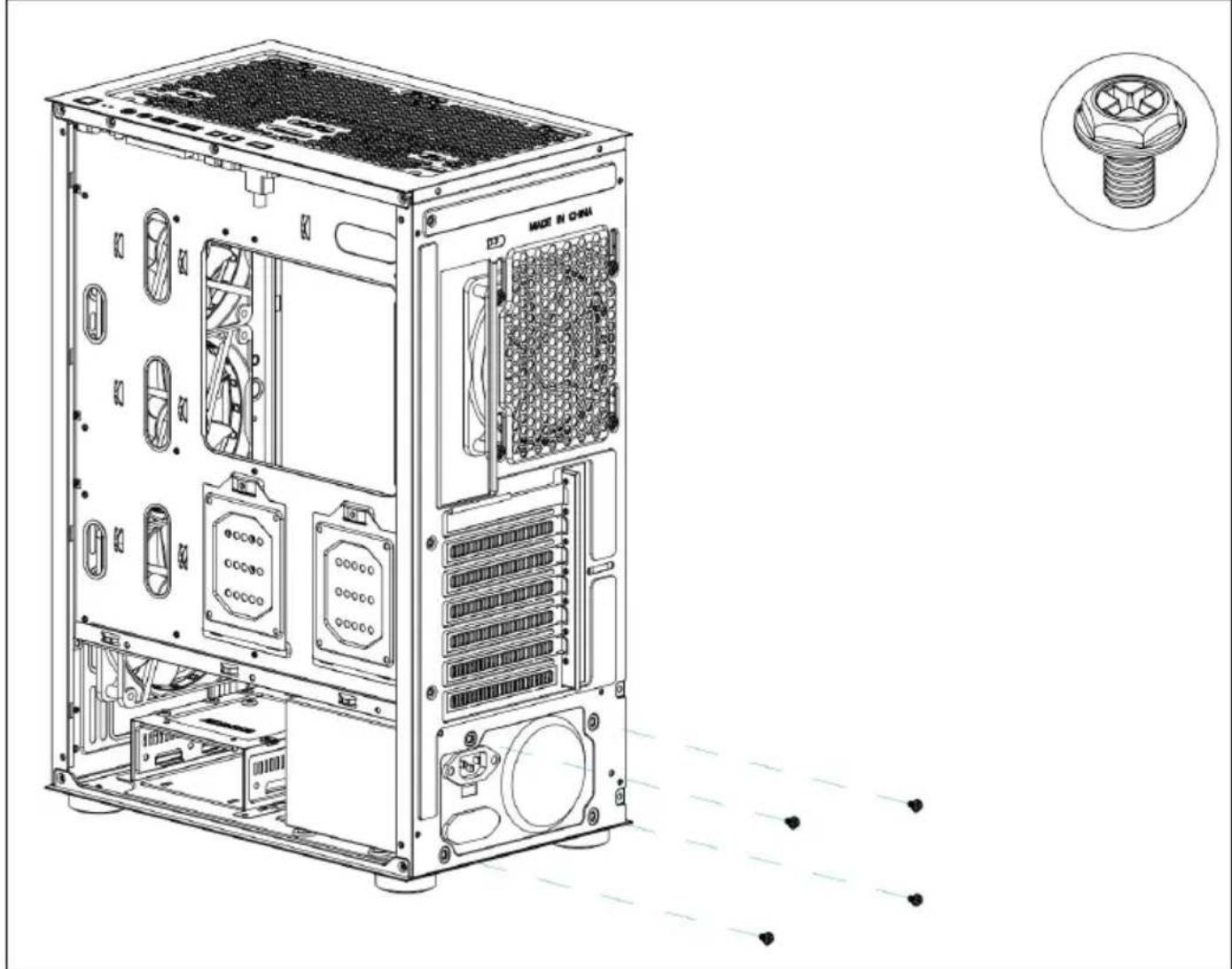
J: Power installation
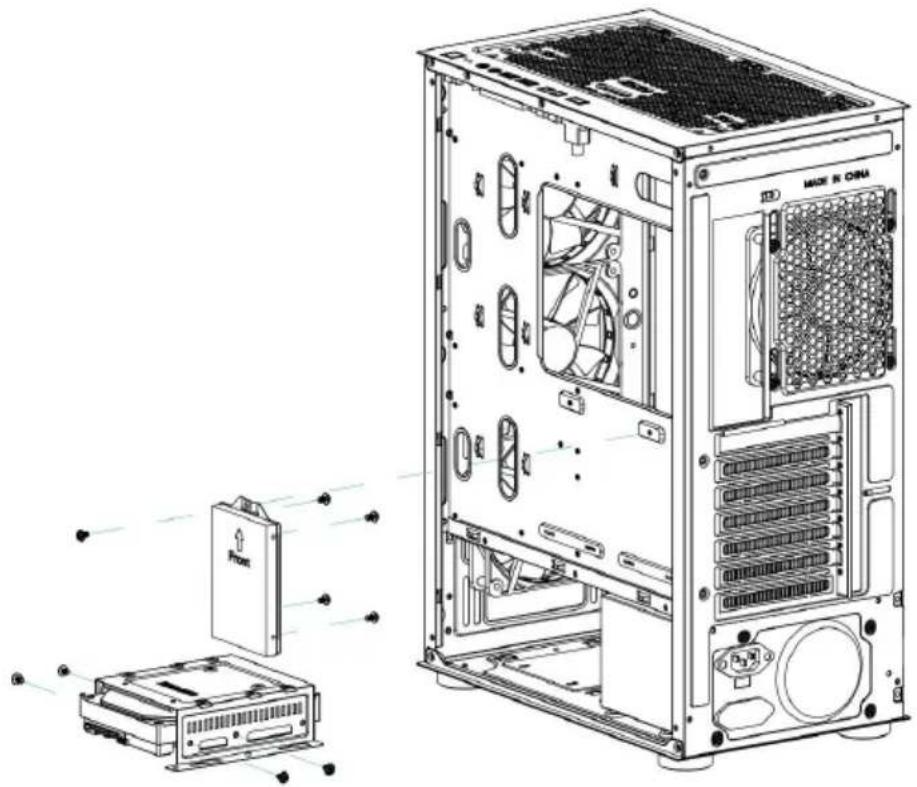
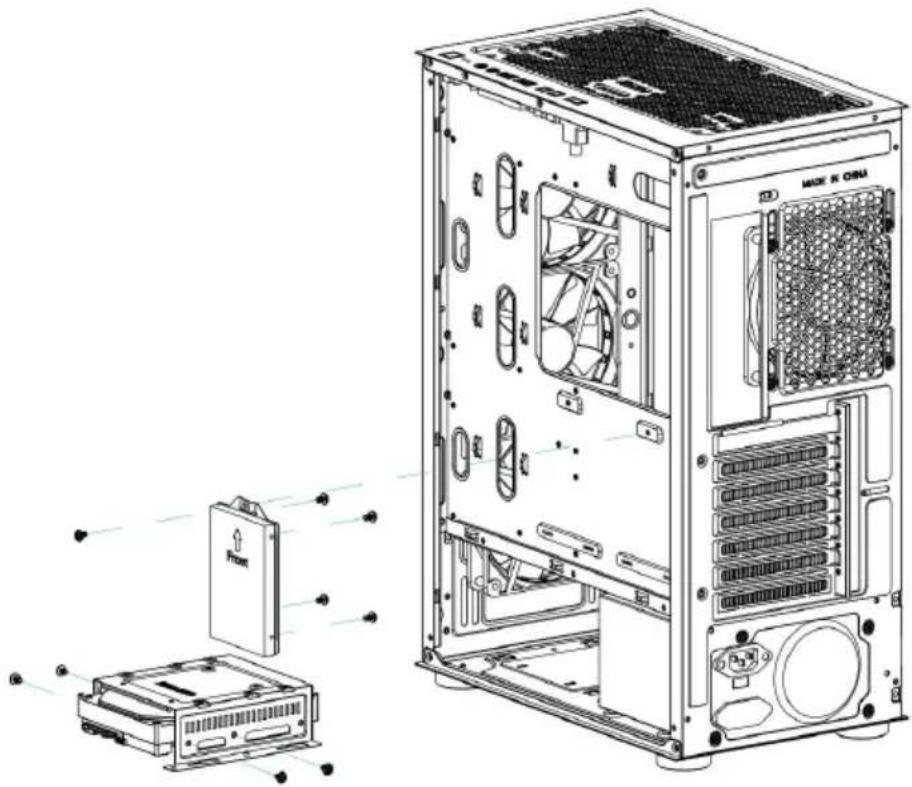
K: Hard disk installation
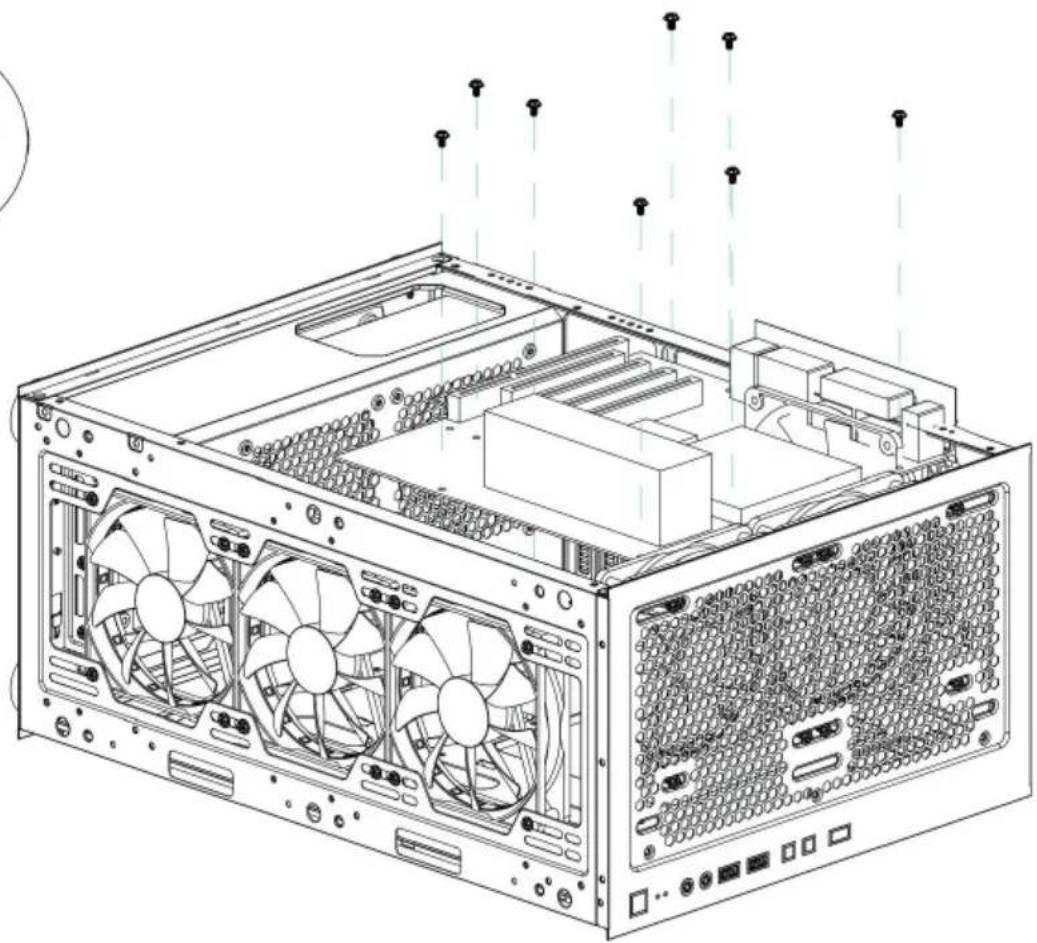
L: Motherboard installation
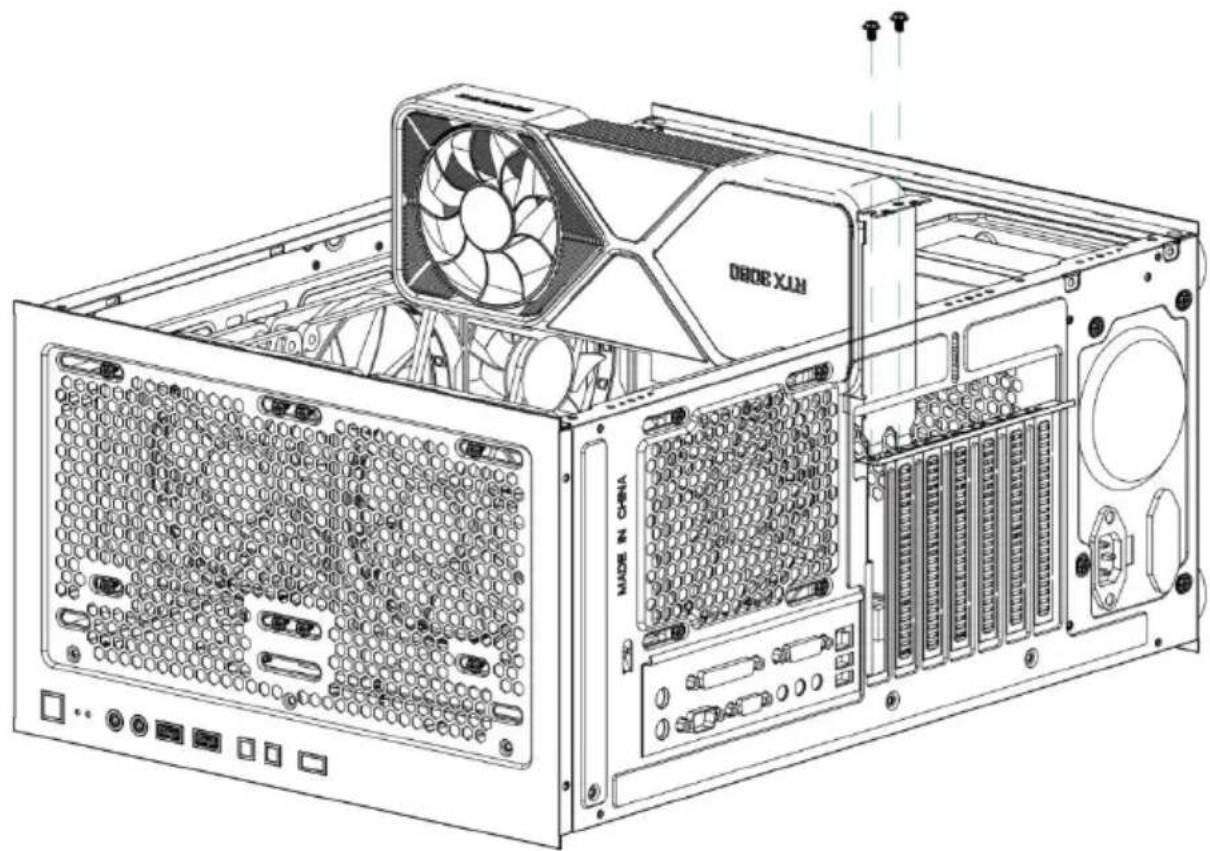
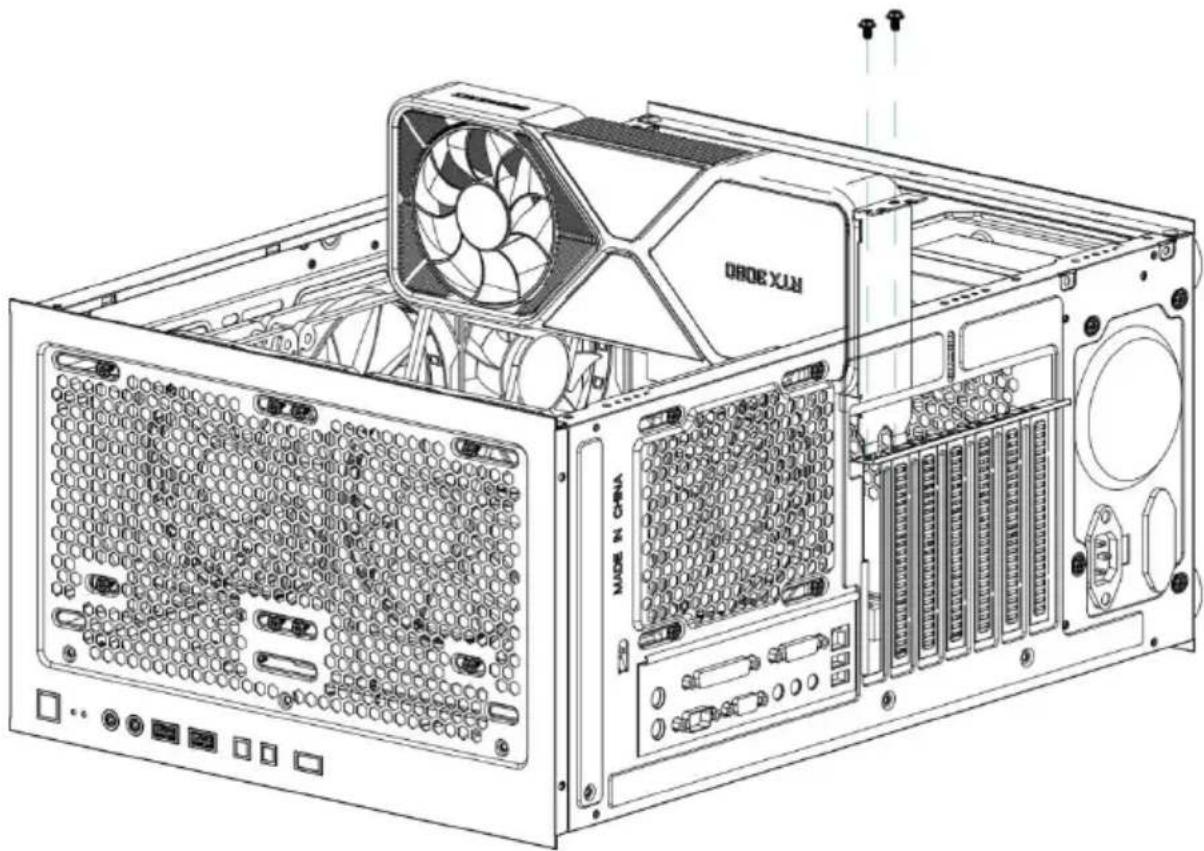
M : Graphics card installation
A

Motherboard screws*10

Copper pillar*3

Wire Velcro*5

Power screw*5

Hard disk screws*4
B
OUTPUT INTERFACE
text_image
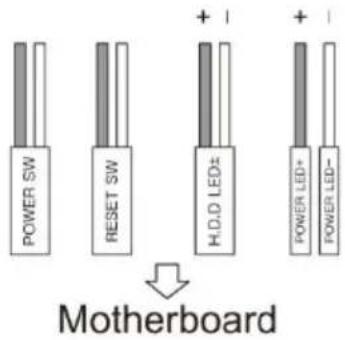
POWER SW RESET SW H.O.D LED± + - + - POWER LED+ POWER LED-Motherboard

natural_image
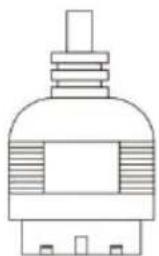
Line drawing of a mechanical component with no visible text or symbols

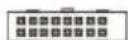
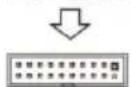
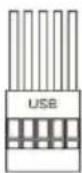
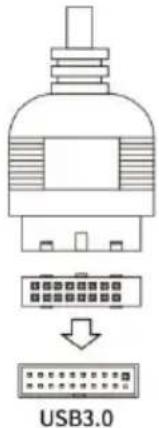
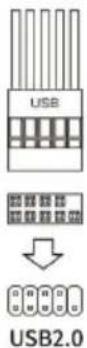
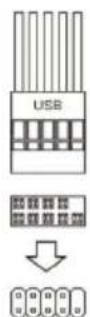
USB3.0


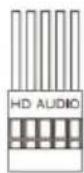
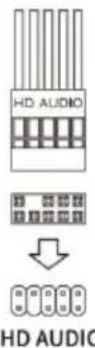
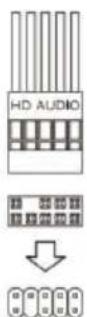
HD AUDIO


USB2.0

text_image
C POWER CUE LIGHT HD AUDIO USB2.0 RESET LED USB3.0
text_image
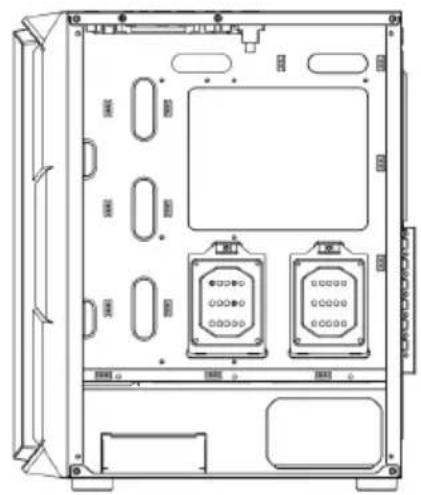
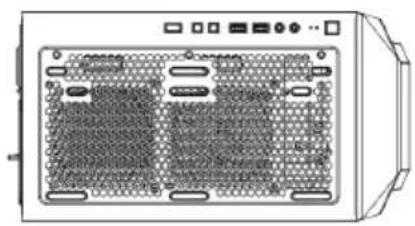
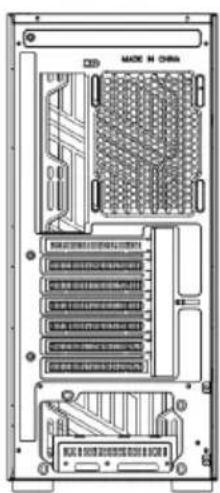
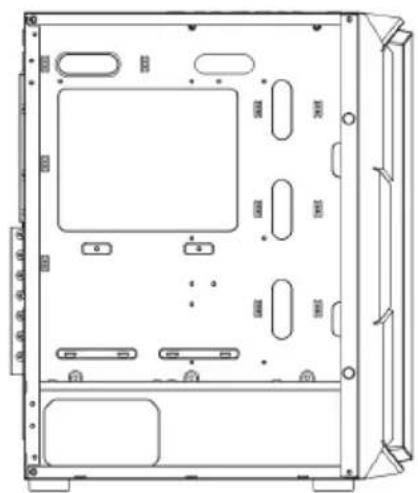
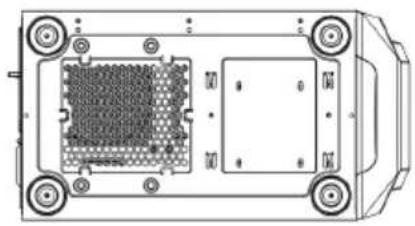
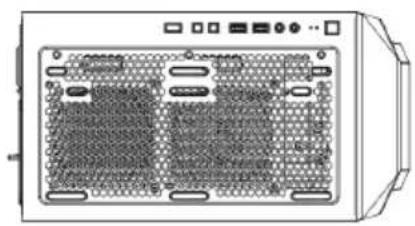
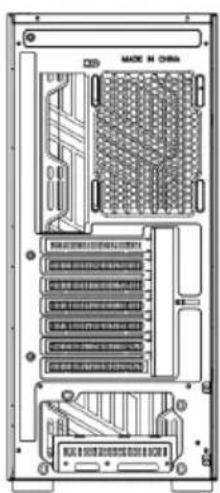
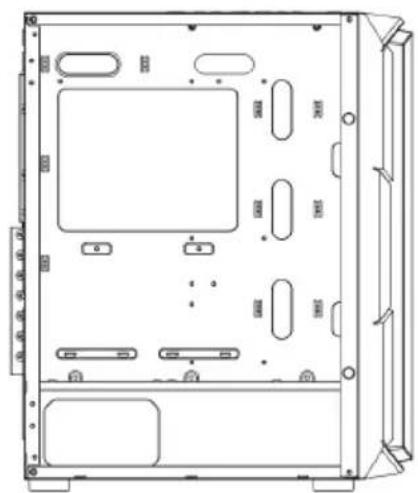
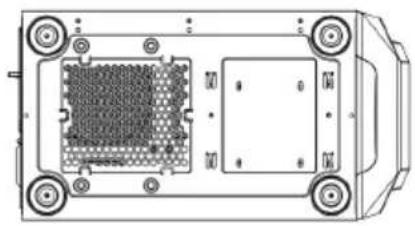
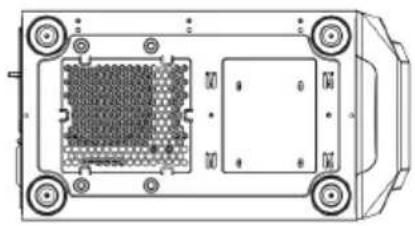
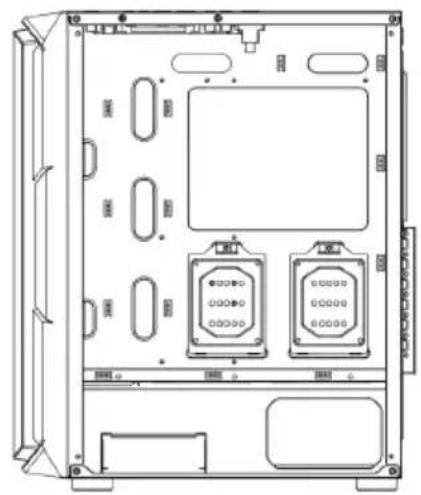
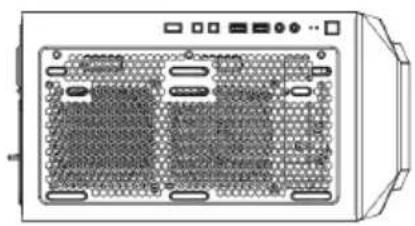
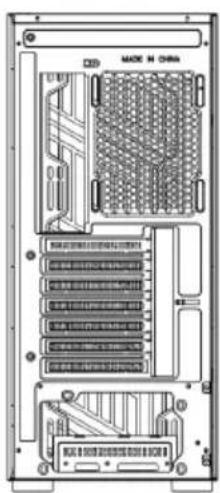
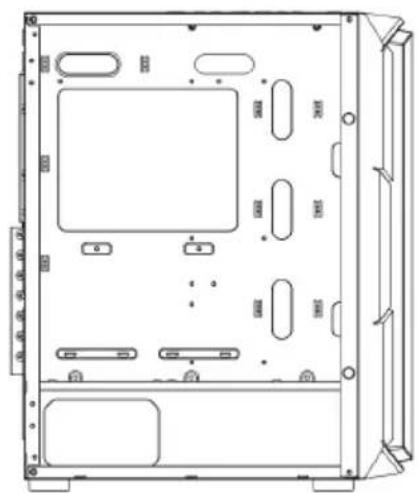
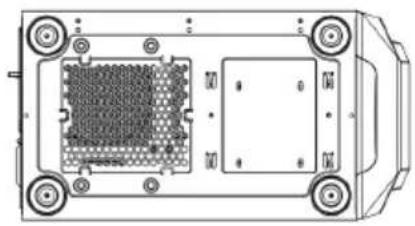
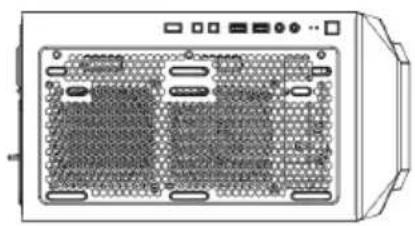
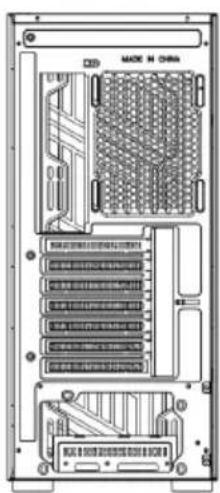
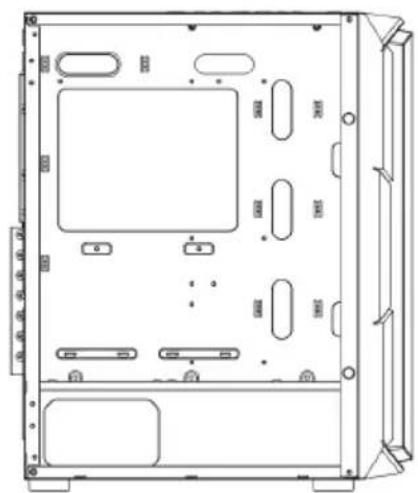
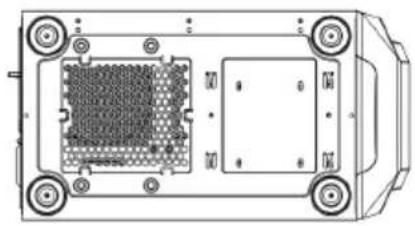
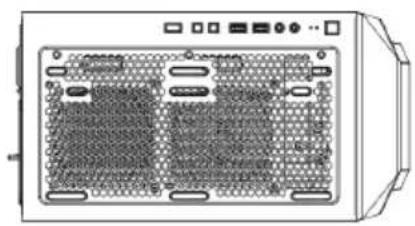
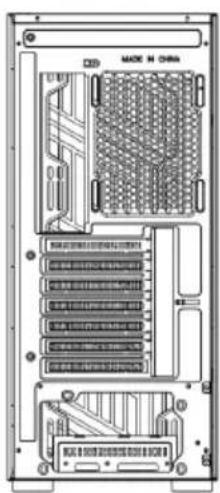
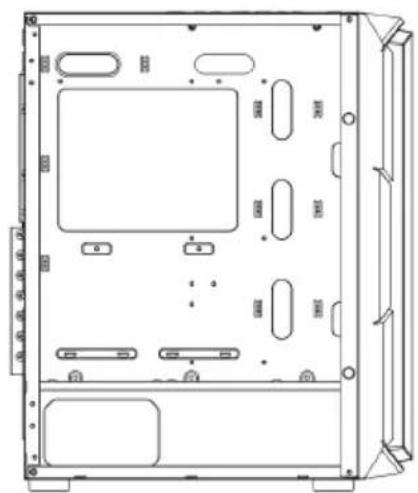
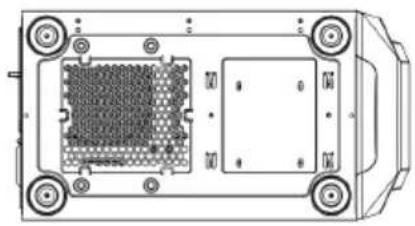
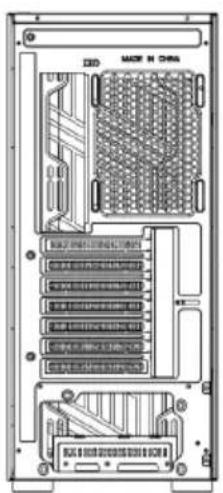
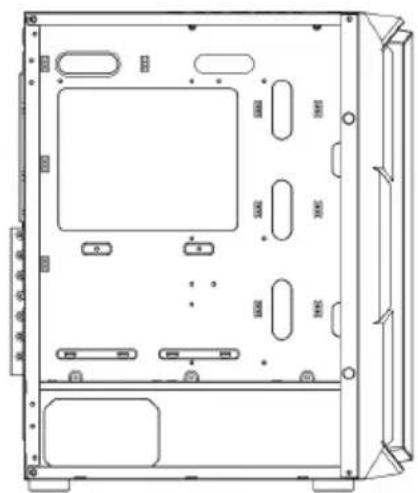
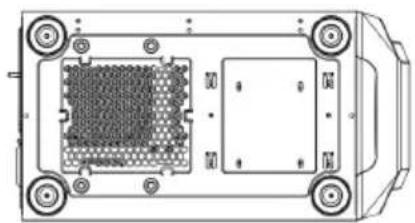
D FRONT PANEL RIGHT SIDE TOP BACK LEFT SIDE BOTTOM
text_image
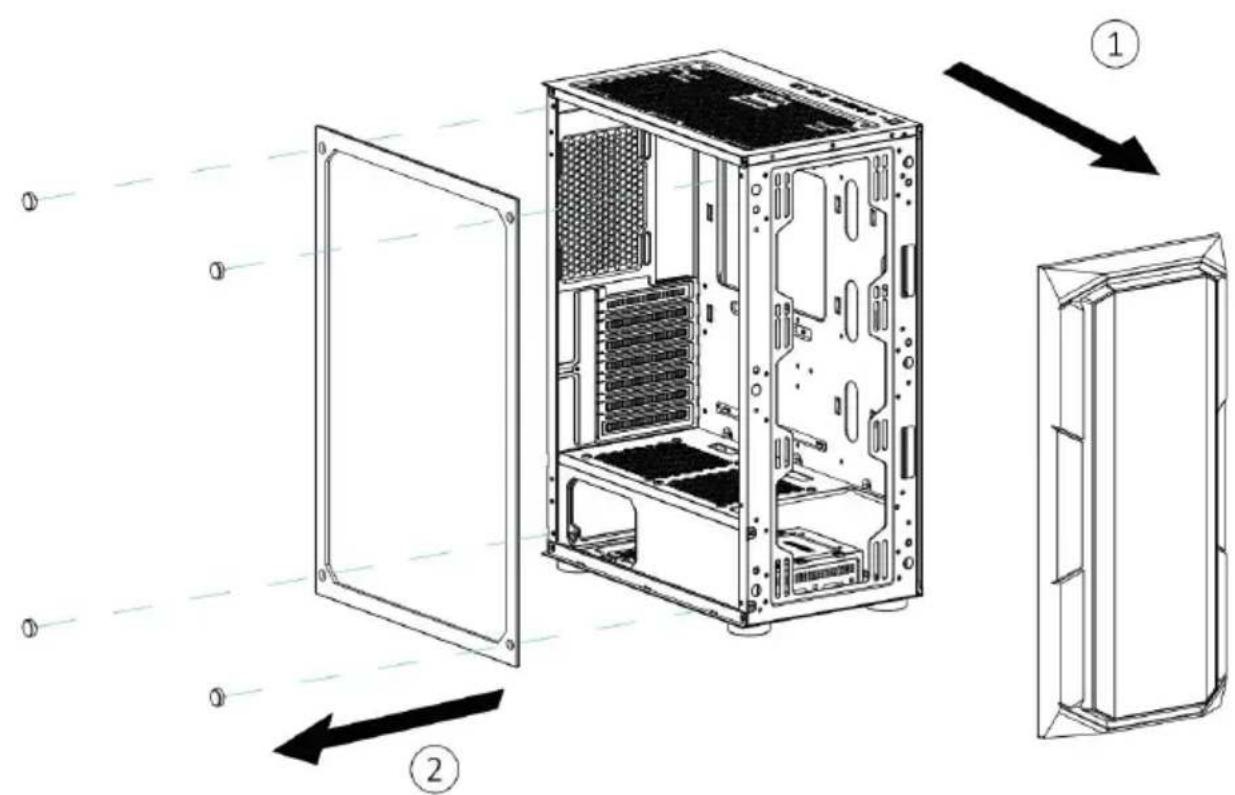
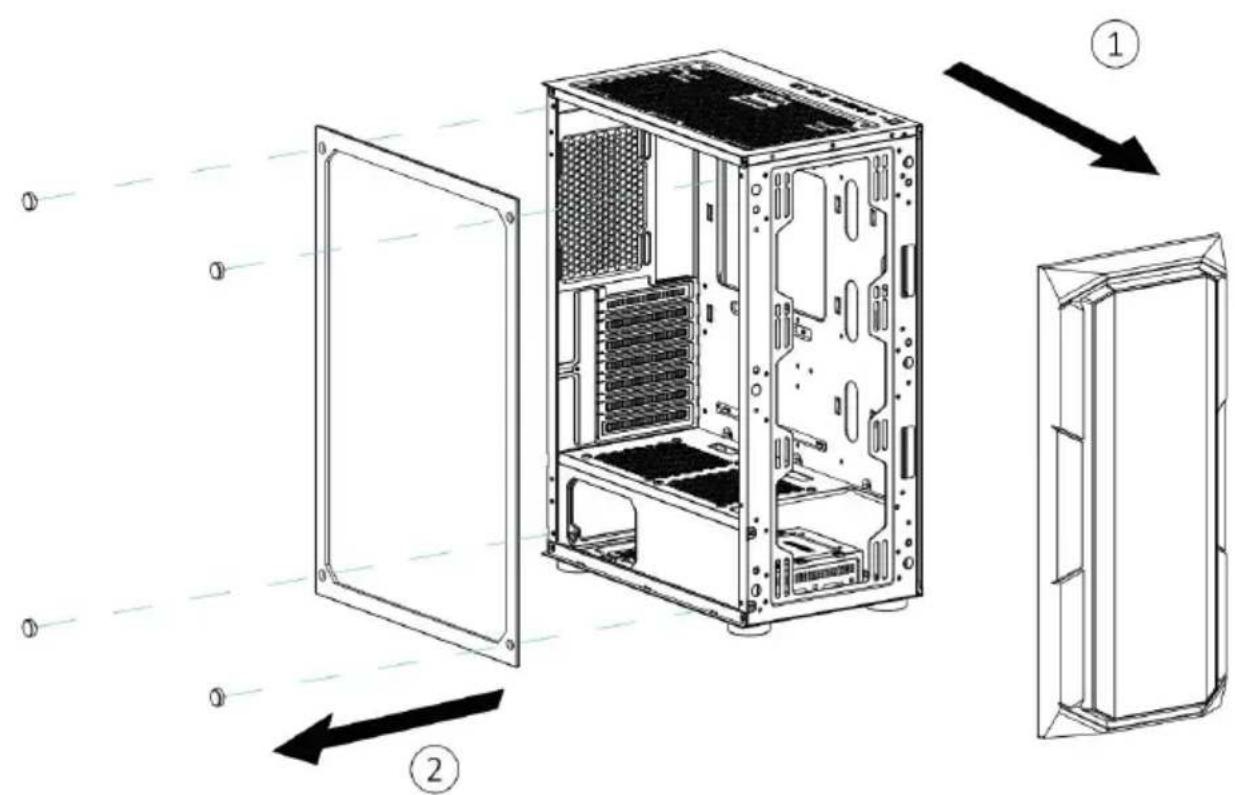
Technical diagram of a computer tower case with labeled components and directional arrows indicating assembly or installation.Open the left glass plate, remove the front plate

natural_image
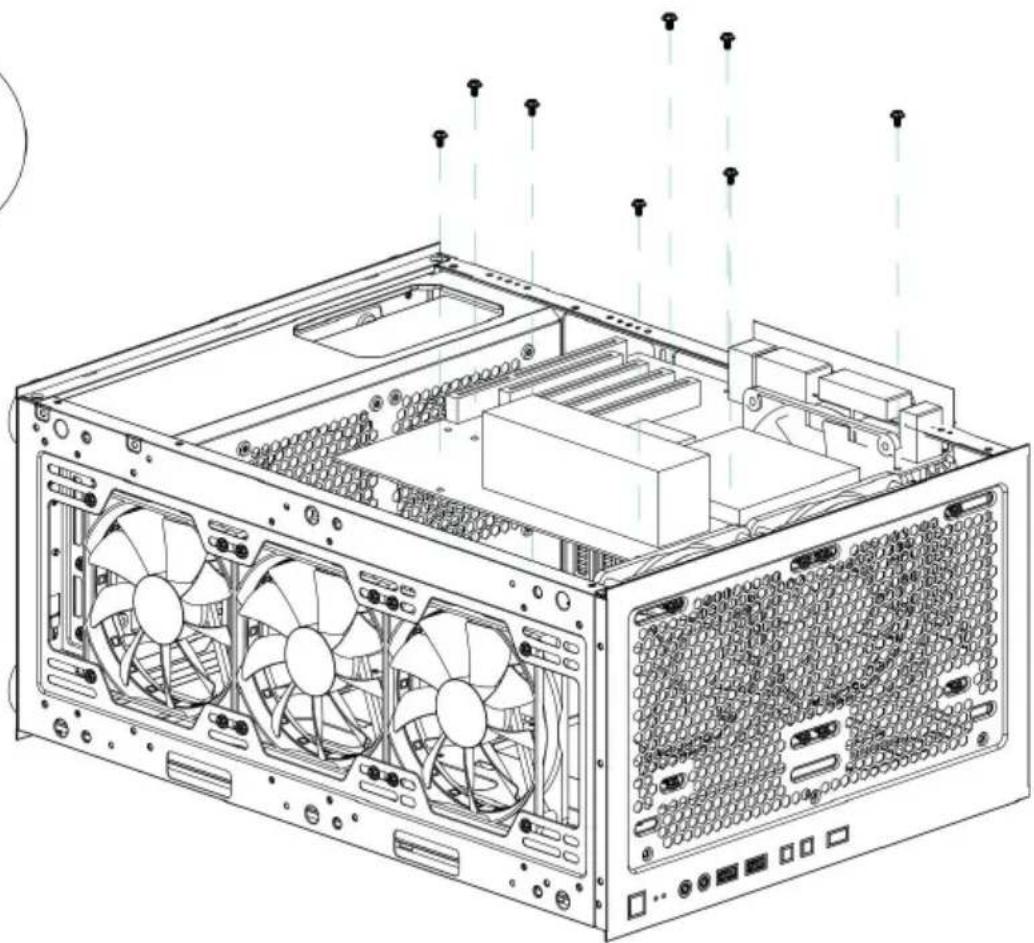
Technical line drawing of a desktop computer tower case showing internal components and exterior panel (no text or symbols)Open the right iron plate

natural_image
Technical line drawing of a computer tower case with visible fan and drive components (no text or labels)Installing the front /back panel fan

natural_image
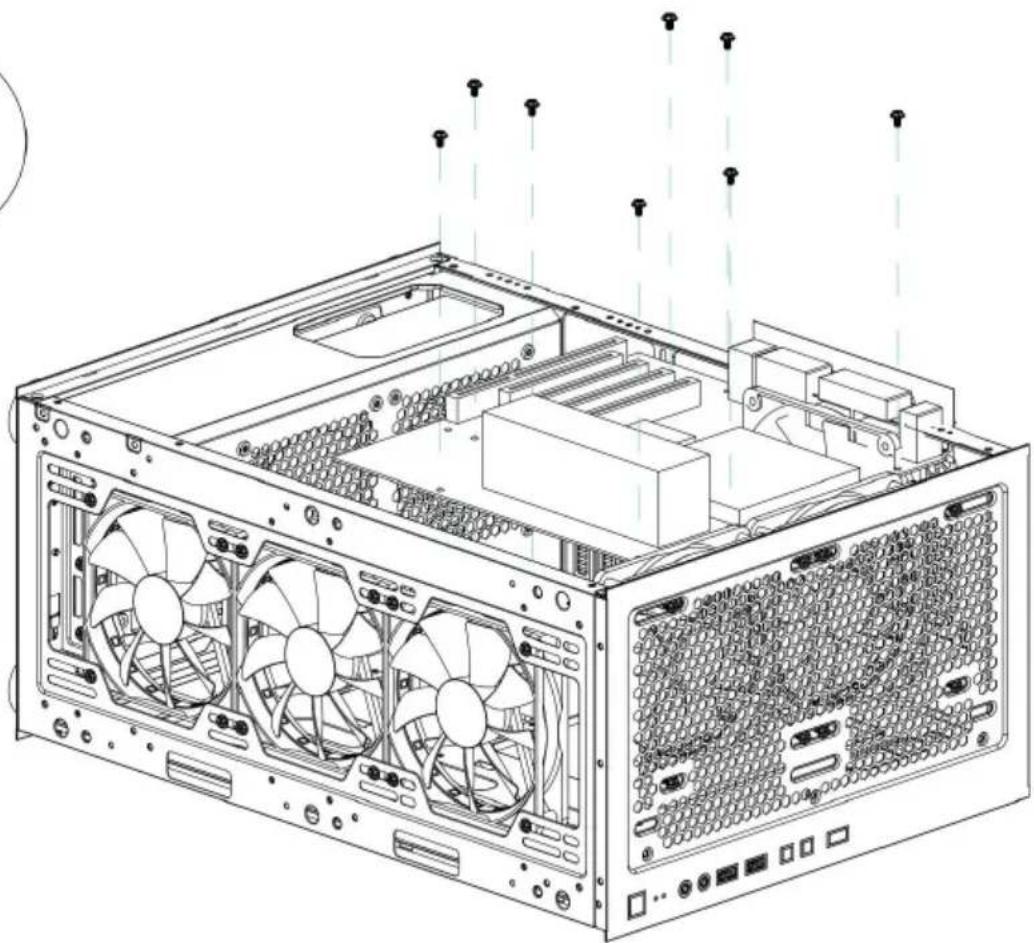
Technical line drawing of a computer tower case with visible fan blades and internal components, showing external wiring and mounting bracket (no text or symbols)Installing top water cooling system

natural_image
Technical line drawing of a computer tower case with visible fan and drive bays (no text or labels)natural_image
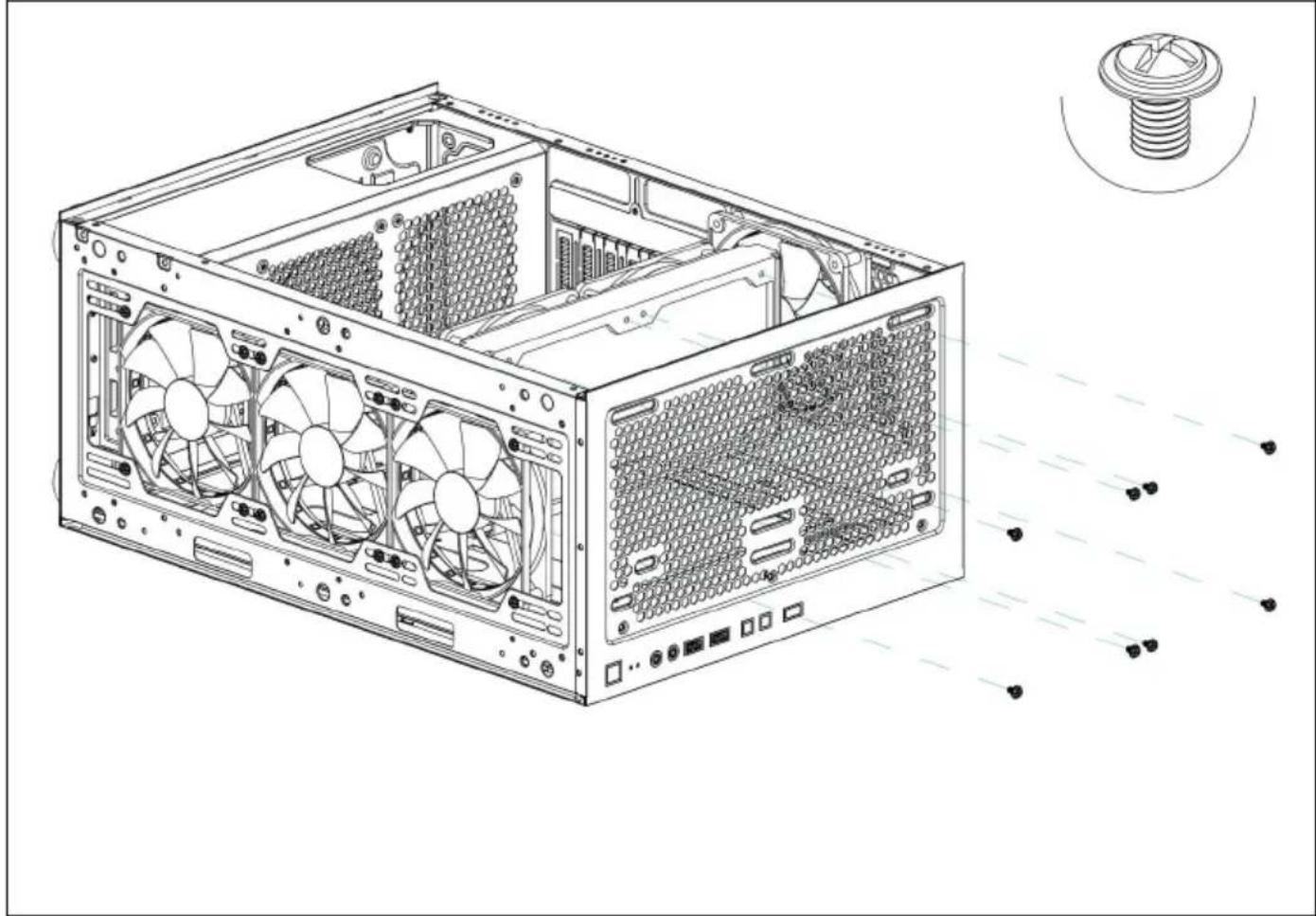
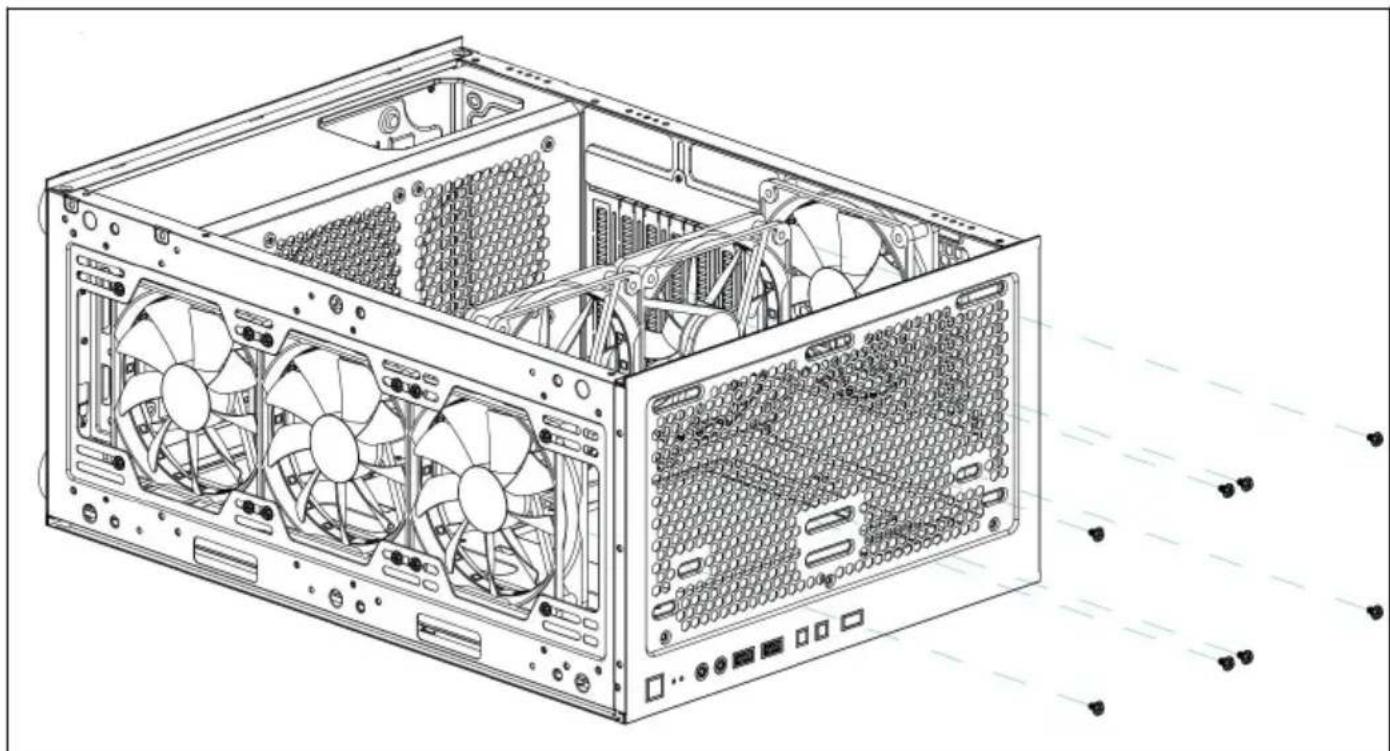
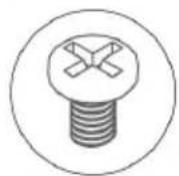
Technical line drawing of a computer tower case with internal components and a close-up inset showing a bolt (no text or symbols present)Installing power supply
|


text_image
Technical diagram of a desktop computer tower with labeled internal components and exploded viewInstalling SSD and HDD hard drives
1

natural_image
Technical line drawing of a mechanical component with threaded base and circular outline (no text or symbols)
natural_image
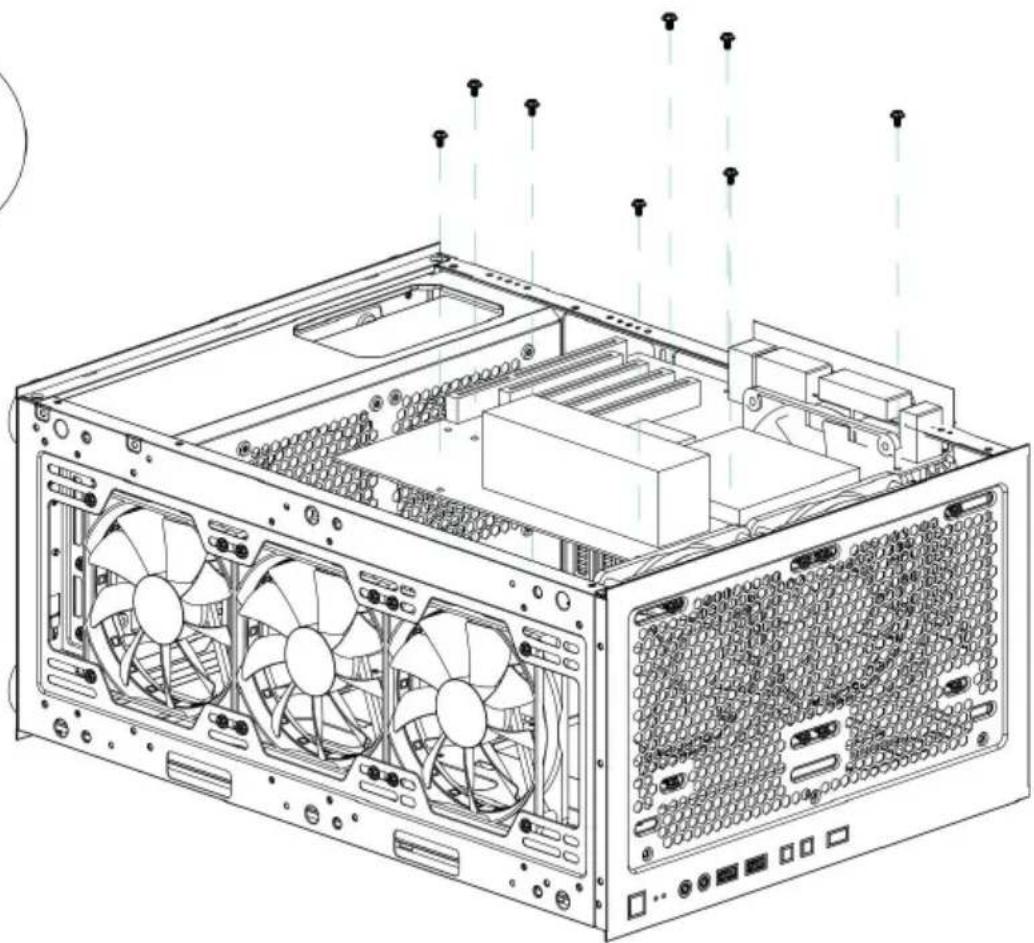
Technical line drawing of a computer tower internal structure showing fan and drive components (no text or labels)Installing the motherboard

natural_image
Technical line drawing of a computer tower case with visible fan, drive, and ventilation slots (no text or symbols)Installing a graphics card
Manufacturer: Shanghaimuxinmuyeyouxiangongsi
Address: Shuangchenglu 803nong11hao1602A-1609shi, baoshanqu, shanghai 200000 CN.
Imported to AUS: SIHAO PTY LTD, 1 ROKEVA STREETEASTWOOD NS 2122 Australia
Imported to USA: Sanven Technology Ltd., Suite 250, 9166 Anaheim Pla Rancho Cucamonga, CA 91730
| EC | REP |
E-CrossStu GmbH
Mainzer Landstr.69, 60329 Frankfurt am Ma
| UK | REP |
YH CONSULTING LIMITED.
C/O YH Consulting Limited Office 147, Centurion H London Road, Staines-upon-Thames, Surrey, TW18 4

Technical Support and E-Warranty Certificate www.vevor.com/support
VEVOR
Affordable. Reliable. Home Improvement.
BOÎTIER D'ORDINATEUR
MODÈLE : 211I
Affordable. Reliable. Home Improvement.
Computer Case
MODÈLE : 211I

natural_image
Line drawing of a desktop computer tower case showing internal partition and ventilation slots (no text or labels)natural_image
Line drawing of a desktop computer tower case showing internal components like CPU, drive bays, and ventilation duct (no text or labels)natural_image
Pure architectural line drawing of a rectangular frame with corner brackets (no text or symbols)FRONT PANEL

natural_image
Technical line drawing of a server rack cabinet with two internal components and mounting holes (no text or labels)RIGHT SIDE

natural_image
Front view of a computer chassis panel with multiple drive bays and indicator lights (no text or symbols visible)TOP

text_image
MODE IN CHINA ① ② ③ ④ ⑤ ⑥ ⑦ ⑧ ⑨ ⑩ ⑪ ⑫ ⑬ ⑭ ⑮ ⑯ ⑰ ⑱ ⑲ ⑳ ㉑ ㉒ ㉓ ㉔ ㉕ ㉖ ㉗ ㉘ ㉙ ㉚ ㉛ ㉜ ㉝ ㉞ ㉟ ㉳ ㉟ ㉟a ㉟b ㉟c ㉟d ㉟e ㉟f ㉟g ㉟h ㉟i ㉟j ㉟k ㉟l ㉟m ㉟n ㉟o ㉟p ㉟q ㉟r ㉟s ㉟t ㉟u ㉟v ㉟w ㉟x ㉟y ㉟z ㉟c ㉟d ㉟e ㉟f ㉟g ㉟h ㉟i ㉟j ㉟k ㉟l ㉟m ㉟n ㉟o ㉟p ㉟q ㉟r ㉟s ㉟t ㉟u ㉟v ㉟w ㉟x ㉟y ㉟zBACK

natural_image
Technical line drawing of a computer chassis with labeled components (no text or symbols)LEFT SIDE

natural_image
Top-down schematic of a device casing with internal components and mounting holes (no text or symbols)BOTTOM

text_image
Technical diagram of a computer tower case with labeled components and directional arrows indicating assembly or movement.natural_image
Technical line drawing of a desktop computer tower case with visible internal components and ventilation ducts (no text or symbols)natural_image
Technical line drawing of a computer tower case with visible fan and ventilation slots (no text or labels)natural_image
Technical line drawing of a computer tower case with internal components and a close-up inset showing a bolt (no text or symbols present)text_image
Technical diagram of a desktop computer tower with labeled internal components and exploded viewnatural_image
Technical line drawing of a mechanical screw component (no text or symbols)
natural_image
Technical line drawing of a computer tower internal structure showing fan and drive components (no text or labels)natural_image
Technical line drawing of a desktop computer tower with fan, drive, and ventilation slots (no text or symbols)C/O YH Consulting Limited Office 147, Centurion H London Road, Staines-upon-Thames, Surrey, TW18 4

Affordable. Reliable. Home Improvement.
COMPUTERGEHÄUSE
MODELL: 211I
Affordable. Reliable. Home Improvement.
Computer Case
MODELL: 211I

natural_image
Line drawing of a desktop computer tower case showing internal partition and ventilation slots (no text or labels)natural_image
Line drawing of a desktop computer tower case showing internal components like CPU, drive bays, and ventilation duct (no text or labels)A: Zubehörpaket
M: Grafikkarteninstallation
A

Motherboard screws*10

Copper pillar*3

Wire Velcro*5

Power screw*5

Hard disk screws*4
B
OUTPUT INTERFACE

text_image
POWER SW RESET SW H.D.D LEDs POWER LED+ POWER LED- + | + Motherboard
text_image
USB3.0


text_image
C POWER CUE LIGHT HD AUDIO USB2.0 RESET LED USB3.0D

natural_image
Pure architectural line drawing of a rectangular frame with corner brackets (no text or symbols)FRONT PANEL

natural_image
Technical line drawing of a server rack cabinet with two internal components and mounting holes (no text or labels)RIGHT SIDE

natural_image
Front view of a computer chassis panel with multiple drive bays and indicator lights (no text or symbols visible)TOP

text_image
MODE IN CHINA ① ② ③ ④ ⑤ ⑥ ⑦ ⑧ ⑨ ⑩ ⑪ ⑫ ⑬ ⑭ ⑮ ⑯ ⑰ ⑱ ⑲ ⑳ ㉑ ㉒ ㉓ ㉔ ㉕ ㉖ ㉗ ㉘ ㉙ ㉚ ㉛ ㉜ ㉝ ㉞ ㉟ ㉳ ㉟ ㉟a ㉟b ㉟c ㉟d ㉟e ㉟f ㉟g ㉟h ㉟i ㉟j ㉟k ㉟l ㉟m ㉟n ㉟o ㉟p ㉟q ㉟r ㉟s ㉟t ㉟u ㉟v ㉟w ㉟x ㉟y ㉟z ㉟c ㉟d ㉟e ㉟f ㉟g ㉟h ㉟i ㉟j ㉟k ㉟l ㉟m ㉟n ㉟o ㉟p ㉟q ㉟r ㉟s ㉟t ㉟u ㉟v ㉟w ㉟x ㉟y ㉟zBACK

natural_image
Technical line drawing of a computer chassis with labeled components (no text or symbols)LEFT SIDE

natural_image
Top-down schematic of a device casing with internal components and mounting holes (no text or symbols)BOTTOM

text_image
Technical diagram of a computer tower case with labeled components and directional arrows indicating assembly or movement.natural_image
Technical line drawing of a computer tower case with visible internal components and exterior panel (no text or symbols)natural_image
Technical line drawing of a computer tower case with visible fan and ventilation slots (no text or labels)natural_image
Technical line drawing of a computer tower case with internal components and a close-up inset showing a bolt (no text or symbols present)text_image
Technical diagram of a desktop computer tower with labeled internal components and exploded viewnatural_image
Technical line drawing of a mechanical screw component (no text or symbols)
natural_image
Technical line drawing of a computer tower internal structure showing fan and drive components (no text or labels)Installieren des Motherboards

natural_image
Technical line drawing of a desktop computer tower with fan, drive, and ventilation slots (no text or symbols)C/O YH Consulting Limited Office 147, Centurion H
London Road, Staines-upon-Thames, Surrey, TW18 4

Affordable. Reliable. Home Improvement.
CUSTODIA PER COMPUTER
MODELLO: 211I
Affordable. Reliable. Home Improvement.
Computer Case
MODELLO: 211I

natural_image
Line drawing of a desktop computer tower case showing internal components like drive bays and rack (no text or labels)natural_image
Line drawing of a desktop computer tower case showing internal components like CPU, drive bays, and ventilation duct (no text or labels)natural_image
Pure architectural line drawing of a rectangular frame with corner brackets (no text or symbols)FRONT PANEL

natural_image
Technical line drawing of a server rack cabinet with two internal components and mounting holes (no text or labels)RIGHT SIDE

natural_image
Front view of a computer chassis panel with multiple drive bays and indicator lights (no text or symbols visible)TOP

text_image
MODE IN CHINA ① ② ③ ④ ⑤ ⑥ ⑦ ⑧ ⑨ ⑩ ⑪ ⑫ ⑬ ⑭ ⑮ ⑯ ⑰ ⑱ ⑲ ⑳ ㉑ ㉒ ㉓ ㉔ ㉕ ㉖ ㉗ ㉘ ㉙ ㉚ ㉛ ㉜ ㉝ ㉞ ㉟ ㉳ ㉟ ㉟a ㉟b ㉟c ㉟d ㉟e ㉟f ㉟g ㉟h ㉟i ㉟j ㉟k ㉟l ㉟m ㉟n ㉟o ㉟p ㉟q ㉟r ㉟s ㉟t ㉟u ㉟v ㉟w ㉟x ㉟y ㉟z ㉟c ㉟d ㉟e ㉟f ㉟g ㉟h ㉟i ㉟j ㉟k ㉟l ㉟m ㉟n ㉟o ㉟p ㉟q ㉟r ㉟s ㉟t ㉟u ㉟v ㉟w ㉟x ㉟y ㉟zBACK

natural_image
Technical line drawing of a computer chassis with labeled components (no text or symbols)LEFT SIDE

natural_image
Top-down schematic of a device casing with internal components and mounting holes (no text or symbols)BOTTOM

text_image
Technical diagram of a computer tower case with labeled components and directional arrows indicating assembly or movement.natural_image
Technical line drawing of a desktop computer tower case with visible internal components and ventilation ducts (no text or symbols)natural_image
Technical line drawing of a computer tower case with visible fan and ventilation slots (no text or labels)natural_image
Technical line drawing of a computer tower case with internal components and a close-up inset showing a bolt (no text or symbols present)text_image
Technical diagram of a desktop computer tower with labeled internal components and exploded viewnatural_image
Technical line drawing of a mechanical screw component (no text or symbols)
natural_image
Technical line drawing of a computer tower internal structure showing fan and drive components (no text or labels)natural_image
Technical line drawing of a desktop computer tower with fan, drive, and ventilation slots (no text or symbols)Importato in AUS: SIHAO PTY LTD, 1 ROKEVA STREETEASTWOOD NS 2122 Australia
Importato negli USA: Sanven Technology Ltd., Suite 250, 9166 Anaheim Place, Rancho Cucamonga, CA 91730
| EC | REP |
E-CrossStu GmbH
Mainzer Landstr.69, 60329 Frankfurt am Ma
| UK | REP |
YH CONSULTING LIMITED.
C/O YH Consulting Limited Office 147, Centurion H London Road, Staines-upon-Thames, Surrey, TW18 4

Affordable. Reliable. Home Improvement.
CAJA DE COMPUTADORA
MODELO: 211I
Affordable. Reliable. Home Improvement.
Computer Case
MODELO: 211I

natural_image
Line drawing of a desktop computer tower case showing internal partition and ventilation slots (no text or labels)natural_image
Line drawing of a desktop computer tower case showing internal components like CPU, drive bays, and ventilation duct (no text or labels)natural_image
Pure architectural line drawing of a rectangular frame with corner brackets (no text or symbols)FRONT PANEL

natural_image
Technical line drawing of a server rack cabinet with two internal components and mounting holes (no text or labels)RIGHT SIDE

natural_image
Front view of a computer chassis panel with multiple drive bays and indicator lights (no text or symbols visible)TOP

text_image
MODE IN CHINA ① ② ③ ④ ⑤ ⑥ ⑦ ⑧ ⑨ ⑩ ⑪ ⑫ ⑬ ⑭ ⑮ ⑯ ⑰ ⑱ ⑲ ⑳ ㉑ ㉒ ㉓ ㉔ ㉕ ㉖ ㉗ ㉘ ㉙ ㉚ ㉛ ㉜ ㉝ ㉞ ㉟ ㉳ ㉟ ㉟a ㉟b ㉟c ㉟d ㉟e ㉟f ㉟g ㉟h ㉟i ㉟j ㉟k ㉟l ㉟m ㉟n ㉟o ㉟p ㉟q ㉟r ㉟s ㉟t ㉟u ㉟v ㉟w ㉟x ㉟y ㉟z ㉟c ㉟d ㉟e ㉟f ㉟g ㉟h ㉟i ㉟j ㉟k ㉟l ㉟m ㉟n ㉟o ㉟p ㉟q ㉟r ㉟s ㉟t ㉟u ㉟v ㉟w ㉟x ㉟y ㉟zBACK

natural_image
Technical line drawing of a computer chassis with labeled components (no text or symbols)LEFT SIDE

natural_image
Top-down schematic of a device casing with internal components and mounting holes (no text or symbols)BOTTOM

text_image
Technical diagram of a computer tower case with labeled components and directional arrows indicating assembly or movement.natural_image
Technical line drawing of a desktop computer tower case with visible internal components and ventilation ducts (no text or symbols)natural_image
Technical line drawing of a computer tower case with visible fan and drive components (no text or labels)natural_image
Technical line drawing of a computer tower case with visible fan blades and internal components, showing external wiring and a screw assembly (no text or symbols)natural_image
Technical line drawing of a computer tower case with visible fan and ventilation slots (no text or labels)natural_image
Technical line drawing of a computer tower case with internal components and a close-up inset showing a bolt (no text or symbols present)text_image
Technical diagram of a desktop computer tower with labeled internal components and exploded viewnatural_image
Technical line drawing of a mechanical screw component (no text or symbols)
natural_image
Technical line drawing of a computer tower internal structure showing fan and drive components (no text or labels)natural_image
Technical line drawing of a desktop computer tower with fan, drive, and ventilation slots (no text or symbols)Importado a AUS: SIHAO PTY LTD, 1 ROKEVA STREET, EASTWOOD, NSW 2122, Australia
Importado a EE. UU.: Sanven Technology Ltd., Suite 250, 9166 Anaheim Place, Rancho Cucamonga, CA 91730
| EC | REP |
E-CrossStu GmbH
Mainzer Landstr.69, 60329 Frankfurt am Ma
| UK | REP |
YH CONSULTING LIMITED.
C/O YH Consulting Limited Office 147, Centurion H London Road, Staines-upon-Thames, Surrey, TW18 4

Affordable. Reliable. Home Improvement.
OBUDOWA KOMPUTERA
MODEL: 211I
Affordable. Reliable. Home Improvement.
Computer Case
MODEL: 211I
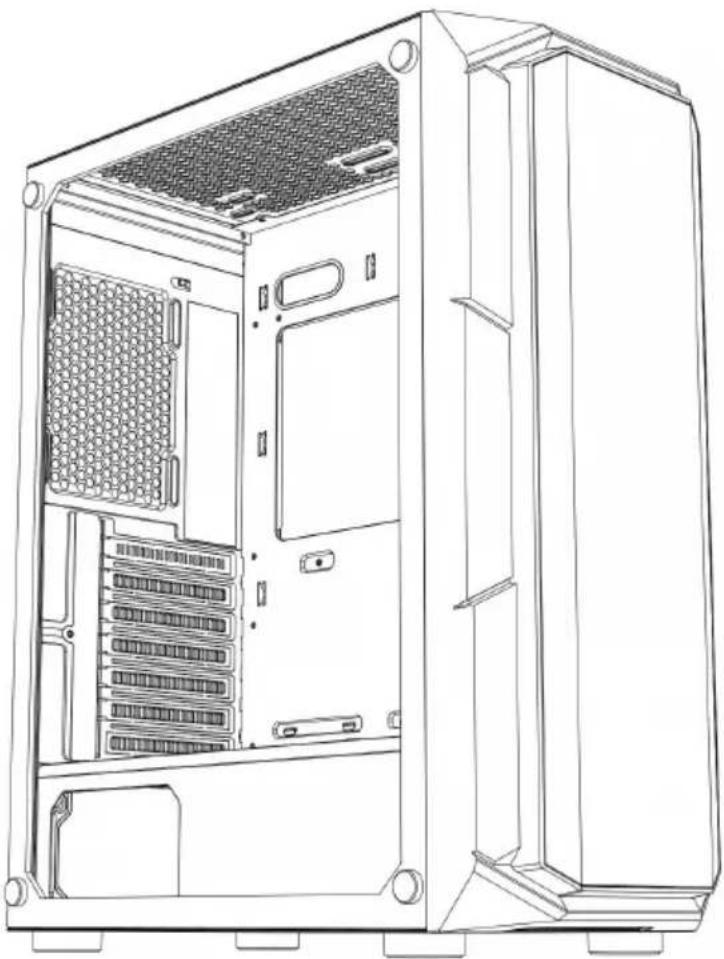
natural_image
Line drawing of a desktop computer tower case showing internal components like drive bays and rack (no text or labels)natural_image
Line drawing of a desktop computer tower case showing internal components like CPU, drive bays, and ventilation duct (no text or labels)natural_image
Pure architectural line drawing of a rectangular frame with corner brackets (no text or symbols)FRONT PANEL

natural_image
Technical line drawing of a server rack cabinet with two internal components and mounting holes (no text or labels)RIGHT SIDE

natural_image
Front view of a computer chassis panel with multiple drive bays and indicator lights (no text or symbols visible)TOP

text_image
MODE IN CHINA ① ② ③ ④ ⑤ ⑥ ⑦ ⑧ ⑨ ⑩ ⑪ ⑫ ⑬ ⑭ ⑮ ⑯ ⑰ ⑱ ⑲ ⑳ ㉑ ㉒ ㉓ ㉔ ㉕ ㉖ ㉗ ㉘ ㉙ ㉚ ㉛ ㉜ ㉝ ㉞ ㉟ ㉳ ㉟ ㉟a ㉟b ㉟c ㉟d ㉟e ㉟f ㉟g ㉟h ㉟i ㉟j ㉟k ㉟l ㉟m ㉟n ㉟o ㉟p ㉟q ㉟r ㉟s ㉟t ㉟u ㉟v ㉟w ㉟x ㉟y ㉟z ㉟c ㉟d ㉟e ㉟f ㉟g ㉟h ㉟i ㉟j ㉟k ㉟l ㉟m ㉟n ㉟o ㉟p ㉟q ㉟r ㉟s ㉟t ㉟u ㉟v ㉟w ㉟x ㉟y ㉟zBACK

natural_image
Technical line drawing of a computer chassis with labeled components (no text or symbols)LEFT SIDE

natural_image
Top-down schematic of a device casing with internal components and mounting holes (no text or symbols)BOTTOM

text_image
Technical diagram of a computer tower case with labeled components and directional arrows indicating assembly or movement.natural_image
Technical line drawing of a desktop computer tower case with visible internal components and ventilation ducts (no text or labels)natural_image
Technical line drawing of a computer tower case with visible fan and ventilation slots (no text or labels)natural_image
Technical line drawing of a computer tower case with internal components and a close-up inset showing a bolt (no text or symbols present)text_image
Technical diagram of a desktop computer tower with labeled internal components and exploded viewnatural_image
Technical line drawing of a mechanical screw component (no text or symbols)
natural_image
Technical line drawing of a computer tower internal structure showing fan and drive components (no text or labels)natural_image
Technical line drawing of a desktop computer tower with fan, drive, and ventilation slots (no text or symbols)Importowane do AUS: SIHAO PTY LTD, 1 ROKEVA STREETEASTWOOD NSW 2122 Australia
Importowane do USA: Sanven Technology Ltd., Suite 250, 9166 Anaheim Place, Rancho Cucamonga, CA 91730
| EC | REP |
E-CrossStu GmbH
Mainzer Landstr.69, 60329 Frankfurt am Ma
| UK | REP |
YH CONSULTING LIMITED.
C/O YH Consulting Limited Office 147, Centurion H London Road, Staines-upon-Thames, Surrey, TW18 4

Affordable. Reliable. Home Improvement.
COMPUTERBEHUIZING
MODEL: 211I
Technische ondersteuning en e-garantiecertificaat www.vevor.com/support
VEVOR
Affordable. Reliable. Home Improvement.
Computer Case
MODEL: 211I
natural_image
Line drawing of a desktop computer tower case showing internal partition and ventilation slots (no text or labels)natural_image
Line drawing of a desktop computer tower case showing internal components like CPU, drive bays, and ventilation duct (no text or labels)natural_image
Pure architectural line drawing of a rectangular frame with corner brackets (no text or symbols)FRONT PANEL

natural_image
Technical line drawing of a server rack cabinet with two internal components and mounting holes (no text or labels)RIGHT SIDE

natural_image
Front view of a computer chassis panel with multiple drive bays and indicator lights (no text or symbols visible)TOP

text_image
MODE IN CHINA ① ② ③ ④ ⑤ ⑥ ⑦ ⑧ ⑨ ⑩ ⑪ ⑫ ⑬ ⑭ ⑮ ⑯ ⑰ ⑱ ⑲ ⑳ ㉑ ㉒ ㉓ ㉔ ㉕ ㉖ ㉗ ㉘ ㉙ ㉚ ㉛ ㉜ ㉝ ㉞ ㉟ ㉳ ㉟ ㉟a ㉟b ㉟c ㉟d ㉟e ㉟f ㉟g ㉟h ㉟i ㉟j ㉟k ㉟l ㉟m ㉟n ㉟o ㉟p ㉟q ㉟r ㉟s ㉟t ㉟u ㉟v ㉟w ㉟x ㉟y ㉟z ㉟c ㉟d ㉟e ㉟f ㉟g ㉟h ㉟i ㉟j ㉟k ㉟l ㉟m ㉟n ㉟o ㉟p ㉟q ㉟r ㉟s ㉟t ㉟u ㉟v ㉟w ㉟x ㉟y ㉟zBACK

natural_image
Technical line drawing of a computer chassis with labeled components (no text or symbols)LEFT SIDE

natural_image
Top-down schematic of a device casing with internal components and mounting holes (no text or symbols)BOTTOM

text_image
Technical diagram of a computer tower case with labeled components and directional arrows indicating assembly or installation.natural_image
Technical line drawing of a desktop computer tower case showing internal components and exterior panel (no text or symbols)natural_image
Technical line drawing of a computer tower case with visible fan and drive components (no text or labels)natural_image
Technical line drawing of a computer tower case with visible fan blades and internal components, showing external wiring and a screw assembly (no text or labels)natural_image
Technical line drawing of a computer tower case with visible fan and ventilation slots (no text or labels)De bovenste ventilator installeren

natural_image
Technical line drawing of a computer tower case with internal components and a close-up inset showing a bolt (no text or symbols present)Voeding installeren


text_image
Technical diagram of a desktop computer tower with labeled internal components and exploded viewnatural_image
Technical line drawing of a mechanical screw component (no text or symbols)
natural_image
Technical line drawing of a computer tower internal structure showing fan and drive components (no text or labels)natural_image
Technical line drawing of a desktop computer tower with fan, drive, and ventilation slots (no text or symbols)Anaheim Place, Rancho Cucamonga, CA 91730
| EC | REP |
| UK | REP |
E-CrossStu GmbH
Mainzer Landstr.69, 60329 Frankfurt am Ma
YH CONSULTING LIMITED.
C/O YH Consulting Limited Office 147, Centurion H
London Road, Staines-upon-Thames, Surrey, TW18 4

Technische ondersteuning en e-garantiecertificaat www.vevor.com/support
VEVOR
Affordable. Reliable. Home Improvement.
DATORFODRAL
MODELL: 211I
Affordable. Reliable. Home Improvement.
Computer Case
MODELL: 211I

natural_image
Line drawing of a desktop computer tower case showing internal components like drive bays and rack (no text or labels)natural_image
Line drawing of a desktop computer tower case showing internal components like CPU, drive bays, and ventilation duct (no text or labels)S: Tillbehörspaket
B : Trådgränssnitt
J: Kraft installation
text_image
Diagram showing a connector with labeled pins and an arrow indicating direction of movement or process.USB3.0

HD AUDIO

USB2.0

text_image
C POWER CUE LIGHT HD AUDIO USB2.0 RESET LED USB3.0D

natural_image
Pure architectural line drawing of a rectangular frame with corner supports (no text or symbols)FRONT PANEL

natural_image
Technical line drawing of a server rack cabinet with two internal components and mounting holes (no text or labels)RIGHT SIDE

natural_image
Front view of a server rack unit with multiple drive bays and indicator lights (no visible text or labels)TOP

text_image
MADE IN CHINA ① ② ③ ④ ⑤ ⑥ ⑦ ⑧ ⑨ ⑩ ⑪ ⑫ ⑬ ⑭ ⑮ ⑯ ⑰ ⑱ ⑲ ⑳ ㉑ ㉒ ㉓ ㉔ ㉕ ㉖ ㉗ ㉘ ㉙ ㉚ ㉛ ㉜ ㉝ ㉞ ㉟ ㉳ ㉟ ㉟ ㉟ ㉟ ㉟ ㉟ ㉟ ㉟ ㉟BACK

natural_image
Technical line drawing of a computer chassis with internal components and mounting holes (no text or labels)LEFT SIDE

natural_image
Top-down schematic of a device housing with two internal components and mounting holes (no text or symbols)BOTTOM

text_image
Technical diagram of a computer tower case with labeled components and directional arrows indicating assembly or installation.natural_image
Technical line drawing of a server rack cabinet showing internal components and exterior panel (no text or symbols)natural_image
Technical line drawing of a computer tower case with visible fan and drive bays (no text or labels)natural_image
Technical line drawing of a computer tower case with internal components and a close-up inset showing a bolt (no text or symbols present)text_image
Technical diagram of a desktop computer tower with labeled internal components and exploded viewnatural_image
Technical line drawing of a mechanical screw component (no text or symbols)
natural_image
Technical line drawing of a computer tower internal structure showing fan and drive components (no text or labels)natural_image
Technical line drawing of a desktop computer tower with fan, drive, and ventilation slots (no text or symbols)C/O YH Consulting Limited Office 147, Centurion H London Road, Staines-upon-Thames, Surrey, TW18 4