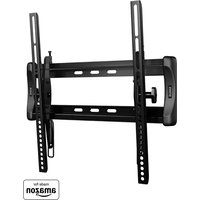
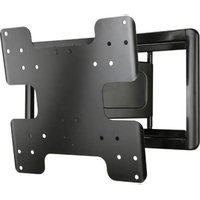
VMT5-B2 - Flat screen mount SANUS - Free user manual and instructions
Find the device manual for free VMT5-B2 SANUS in PDF.


| Brand | Sanus |
| Model | VMT5-B2 |
| Product Type | Wall mount for flat screen |
| Maximum TV weight | 34 kg (75 lbs) |
| VESA Compatibility | Up to 600 x 400 mm (estimated) |
| Material | Steel |
| Wall plate dimensions (approx.) | 76 x 22 cm (estimated) |
| Depth | 4,5 cm (estimated) |
| Mount weight | 5,5 kg (estimated) |
| Wall attachment type | Wood studs (single or double), poured concrete or concrete blocks |
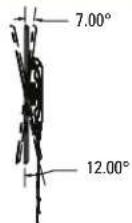
| Tilt | Yes, adjustable (up to 15° estimated) |
| Leveling | Yes, adjustable after installation |
| Lateral shift | Yes, adjustable |
| Cable management | Integrated |
| Kit for steel studs | Required (model VMTMK1, sold separately) |
| Number of studs required | 1 or 2 wood studs, or concrete |
| Installation difficulty level | Intermediate |
| Maintenance | Clean with a soft dry cloth |
| Safety | Do not install on drywall without a stud; the wall must support 5x the total weight |
| Warranty | 5 years (Sanus estimated) |
| Customer service | +1 (800) 359-5520 (US), +31 (0) 495 580 852 (EMEA) |
Frequently Asked Questions - VMT5-B2 SANUS
User questions about VMT5-B2 SANUS
0 question about this device. Answer the ones you know or ask your own.
Ask a new question about this device
Download the instructions for your Flat screen mount in PDF format for free! Find your manual VMT5-B2 - SANUS and take your electronic device back in hand. On this page are published all the documents necessary for the use of your device. VMT5-B2 by SANUS.
USER MANUAL VMT5-B2 SANUS
A brand of □ legrand
natural_image
Painting of a vibrant sunset over rolling hills with colorful sky and clouds, no text or symbols visibleTHANK YOU FOR CHOOSING SANUS
VMT5-B2 Instruction Manual
natural_image
Technical line drawing of a VMT5 lifting device with attached weights and ropes (no text or symbols)We'll Make It Stress-Free
If you have any questions along the way, just give us a call.
+1 (800) 359-5520
(EMEA: +31 (0) 495 580 852; UK: +44 (0) 800 056 2853)
We're ready to help!
IMPORTANT SAFETY INSTRUCTIONS - SAVE THESE INSTRUCTIONS - PLEASE READ ENTIRE MANUAL PRIOR TO USE
Before getting started, let's make sure this mount is perfect for you!
1
Does your TV weigh more than 34 kg (75 lbs) including accessories?
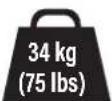
No - Perfect!
Yes – This mount is NOT compatible. Visit MountFinder.Sanus.com or call +1 (800) 359-5520 (EMEA: +31 (0) 495 580 852 UK: +44 (0) 800 056 2853) to find a compatible mount.
2
What is your wall made of?

CAUTION:
DO NOT install into drywall alone
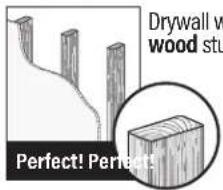
Drywall with wood studs?
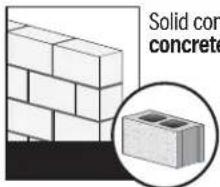
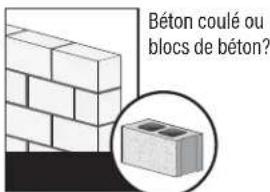
Solid concrete or concrete block?
![Drywall with steel studs? Steel stud kit required [NOT INCLUDED]](/content/2026/04/734729/images/e59b988b47b969d9f86620b420f9a41c84637d60640cb7b60ef7d102930fb9fd.jpg)

Unsure?
Call Customer Service: +1 (800) 359-5520 (EMEA: +31 (0) 495 580 852; UK: +44 (0) 800 056 2853)
3
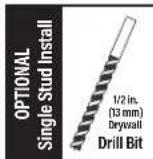
Do you have all the tools needed?
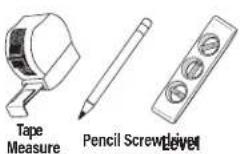
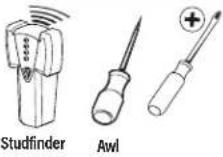
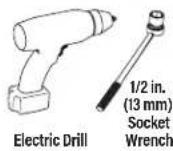
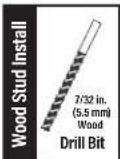
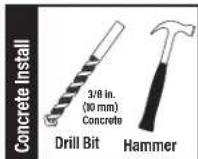
4
Ready to begin?
Please read through these instructions completely to be sure you're comfortable with this easy install process. Also check your TV owner's manual to see if there are any special requirements for mounting your TV.
If you do not understand these instructions or have doubts about the safety of the installation, assembly or use of this product, contact Customer Service at +1 (800) 359-5520 (EMEA: +31 (0) 495 580 852; UK: +44 (0) 800 056 2853).

CAUTION: Avoid potential personal injuries and property damage!
- This product includes directions and hardware for use with wood stud, solid concrete and concrete block walls - DO NOT install into drywall alone. For information on how to use this product with steel stud walls contact Customer Service and ask about the steel stud mounting kit.
● The wall must be capable of supporting five times the weight of the TV and mount combined. - Do not use this product for any purpose not explicitly specified by manufacturer.
● Manufacturer is not responsible for damage or injury caused by incorrect assembly or use.
STEP 1 Attach Bracket to TV
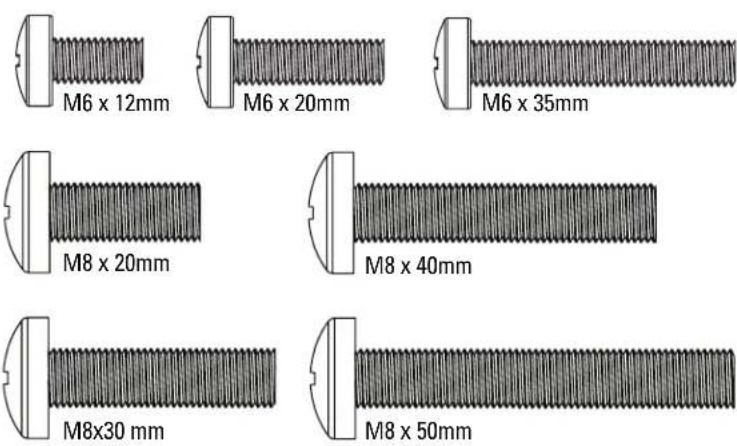
Parts and Hardware for STEP 1
WARNING: This product contains small items that could be a choking hazard if swallowed.
Before starting assembly, verify all parts are included and undamaged. If any parts are missing or damaged, do not return the damaged item to your dealer; contact Customer Service. Never use damaged parts!
NOTE: Not all hardware included will be used.

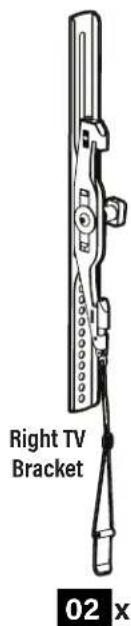
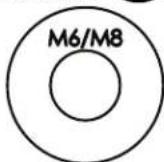
TV Washers 04 x4
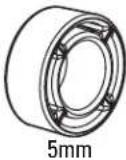
Spacers 05 x4
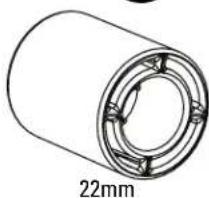
natural_image
Technical line drawing of a cylindrical mechanical component with a 22mm dimension label (no other text or symbols)
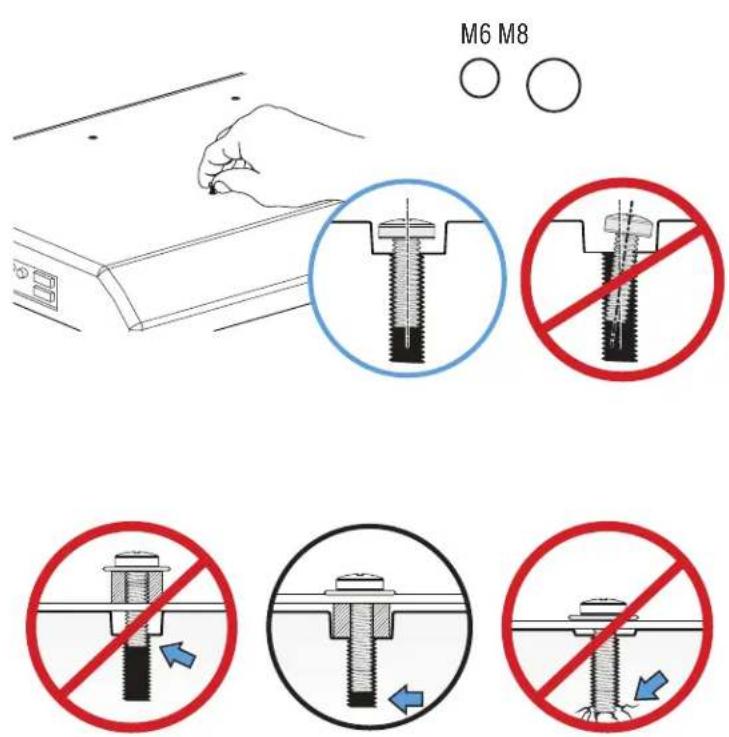
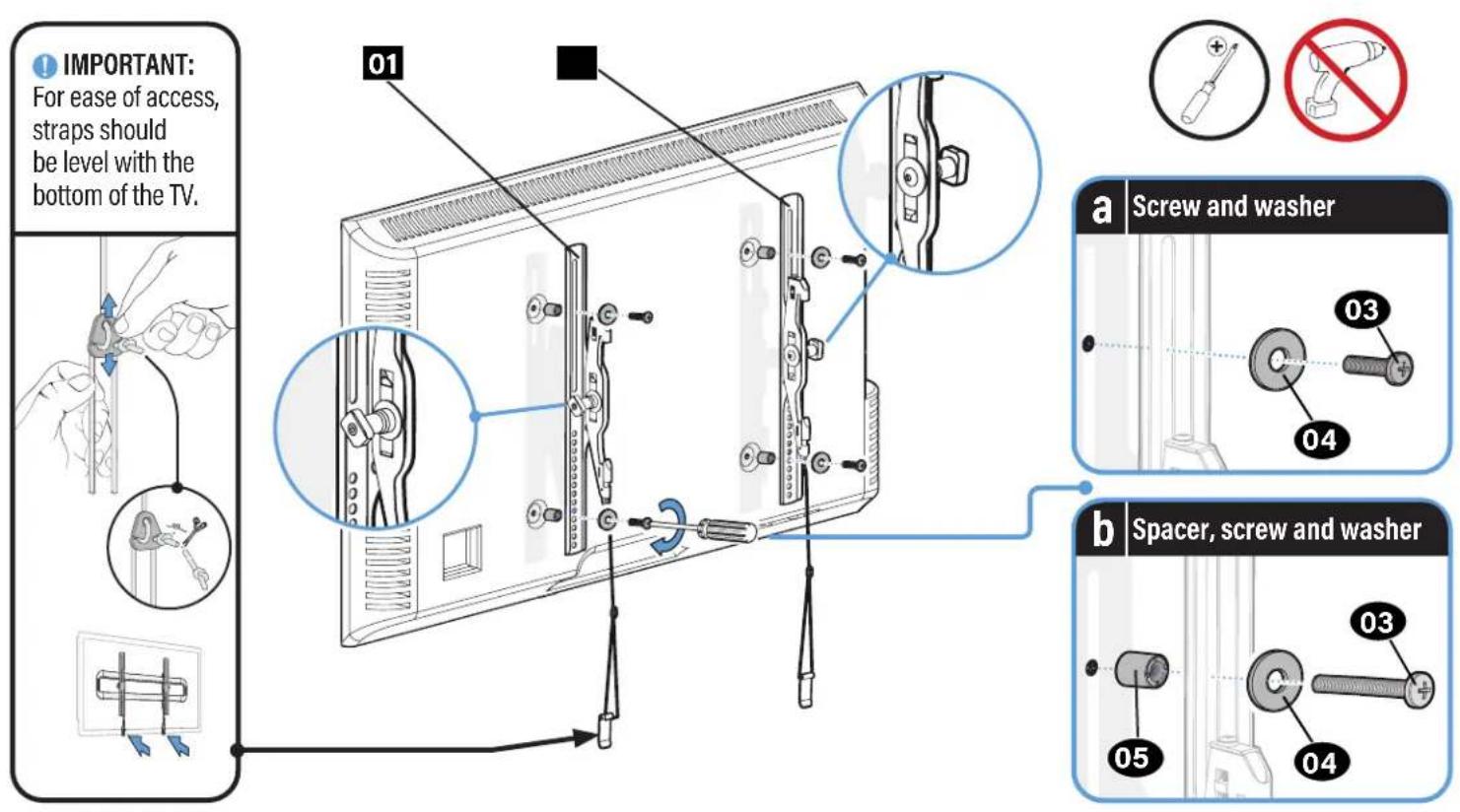
1-1 Select TV Screws
1-2 Spacers
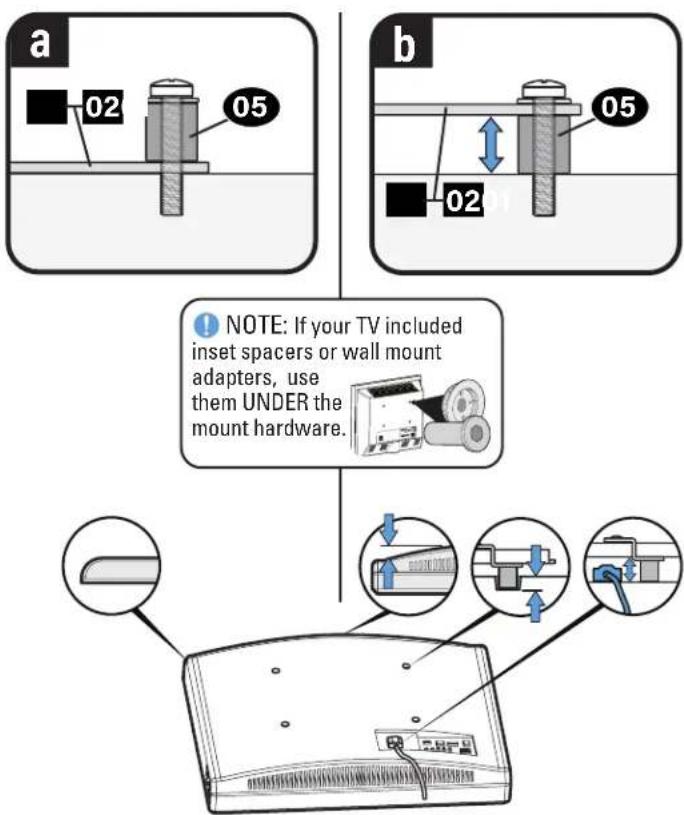
1-3 Attach TV Brackets
STEP 2 Attach Wall Plate to Wall
For wood stud installations (Double Stud), follow STEP 2A on PAGE 8

For wood stud installations (Single Stud), follow STEP 2B on PAGE 12

For concrete installations, follow STEP 2C on PAGE 19
Parts and Hardware for STEP 2
WARNING: This product contains small items that could be a choking hazard if swallowed.
Before starting assembly, verify all parts are included and undamaged. If any parts are missing or damaged, do not return the damaged item to your dealer; contact Customer Service. Never use damaged parts!
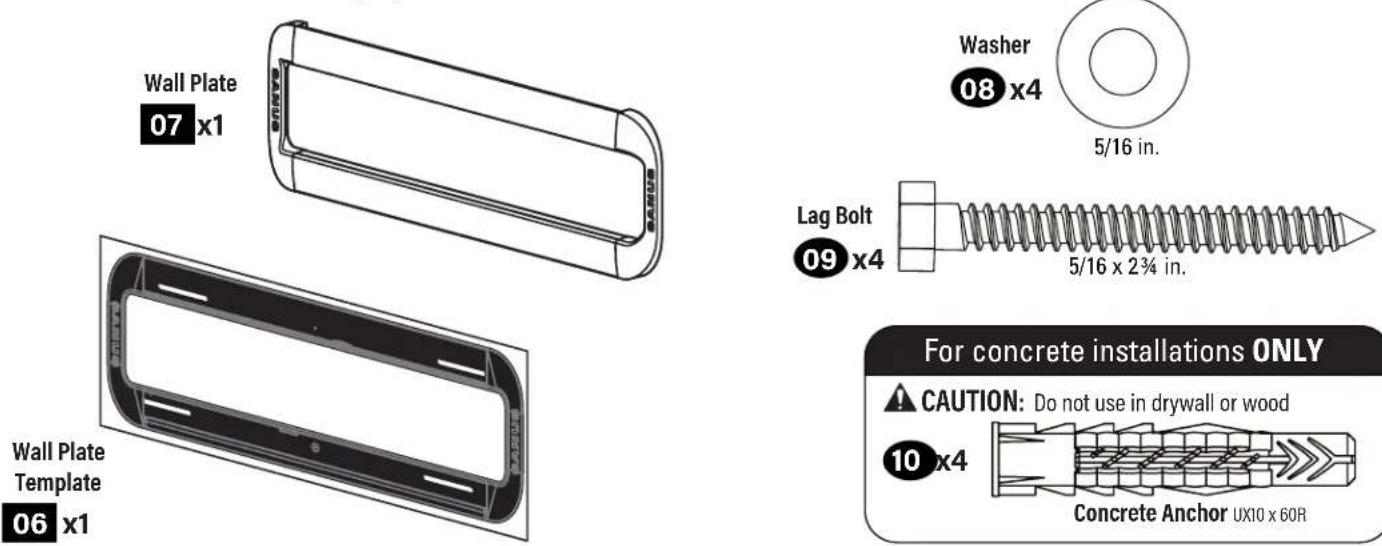
For concrete installations ONLY
CAUTION: Do not use in drywall or wood
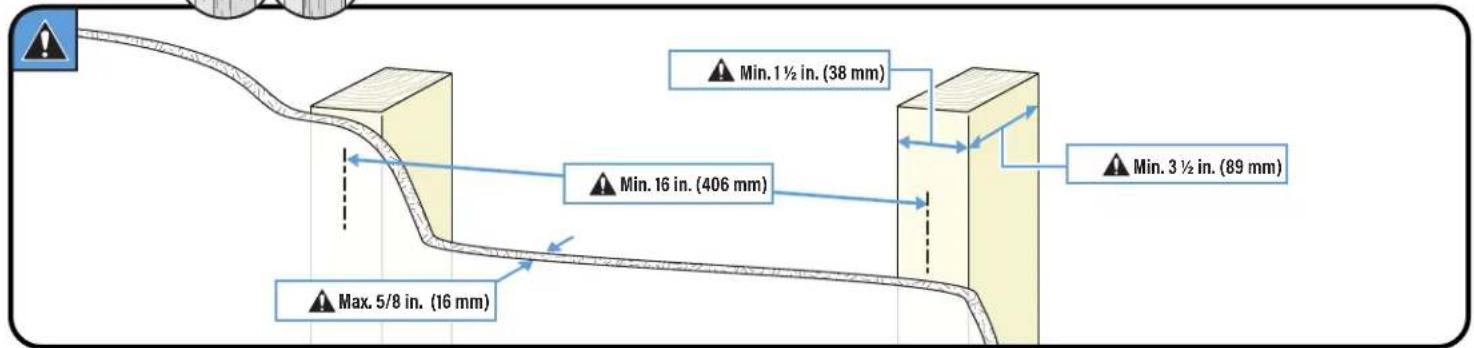
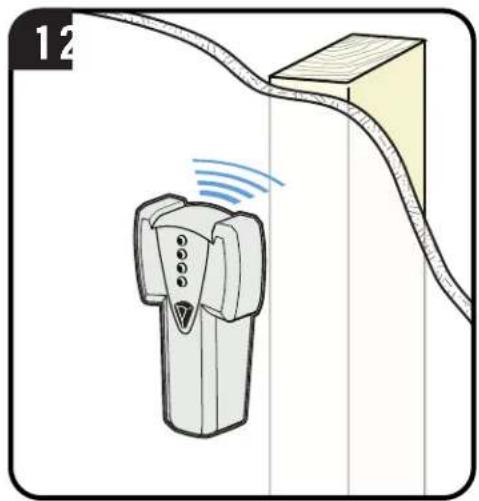
STEP 2A
ood Stud Option (Double Stud Install)
natural_image
Diagram showing a device emitting signal waves near a cable or connector (no text or symbols present)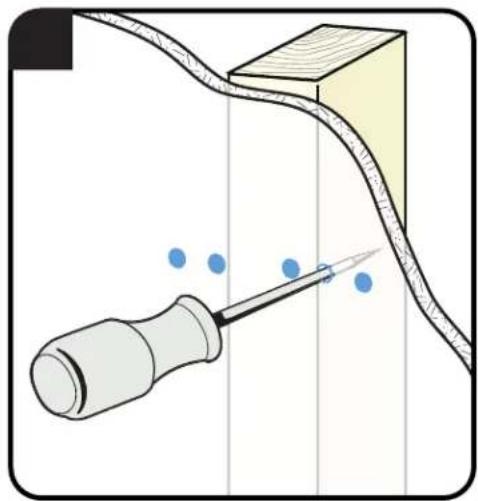
natural_image
Diagram showing a screwdriver interacting with a curved surface and blue dots, no text or symbols present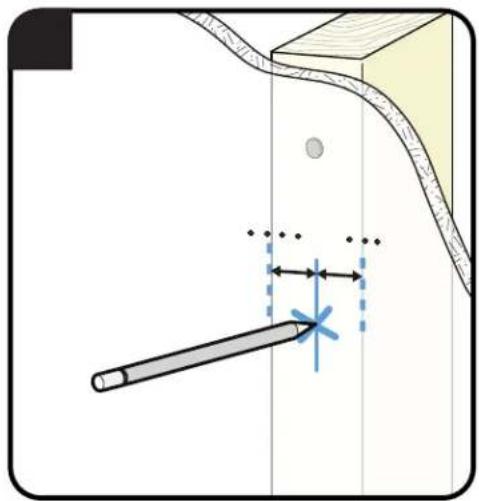
natural_image
Diagram showing a tool interacting with a surface and a curved pipe, with no visible text or symbols.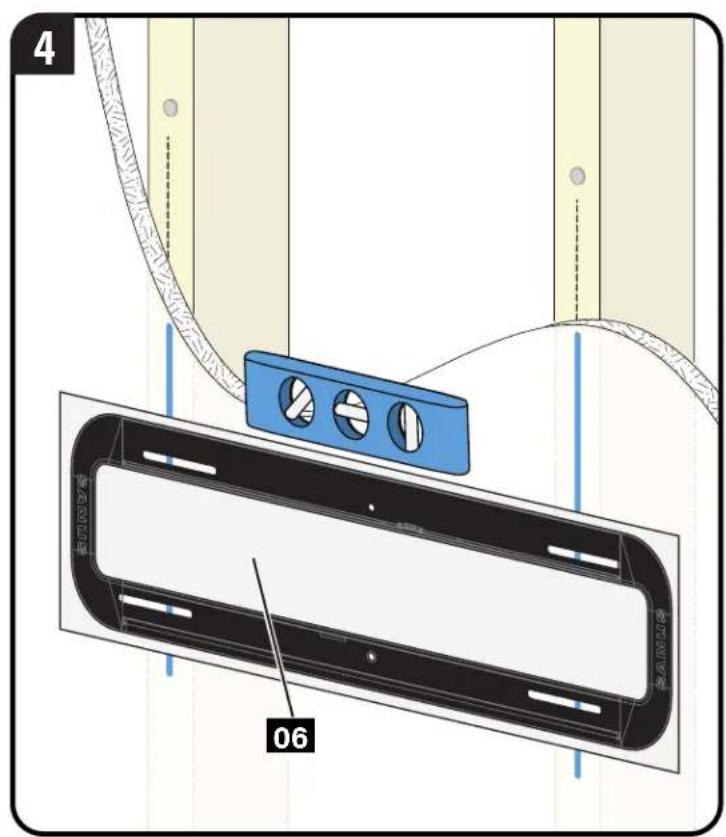
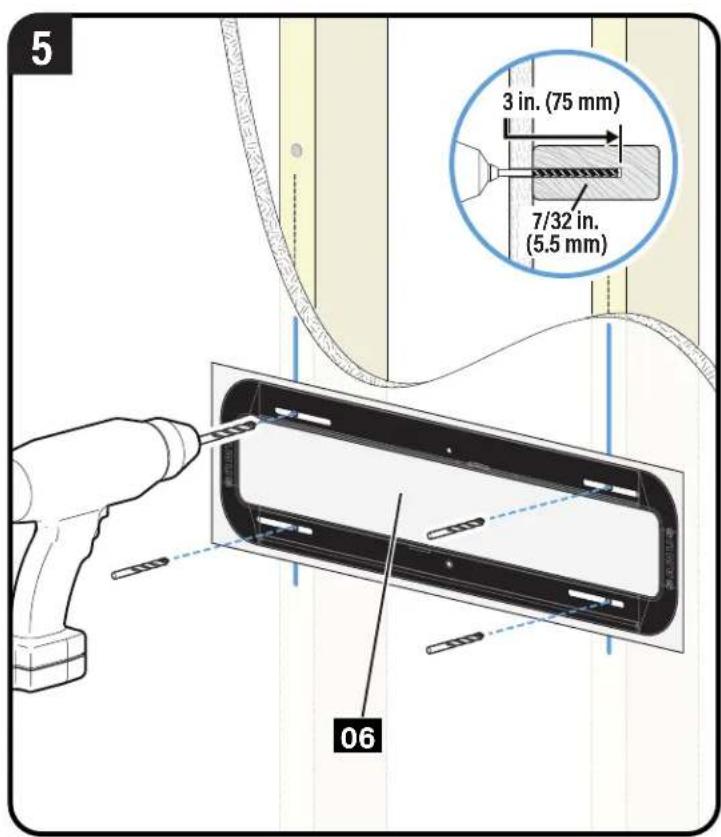
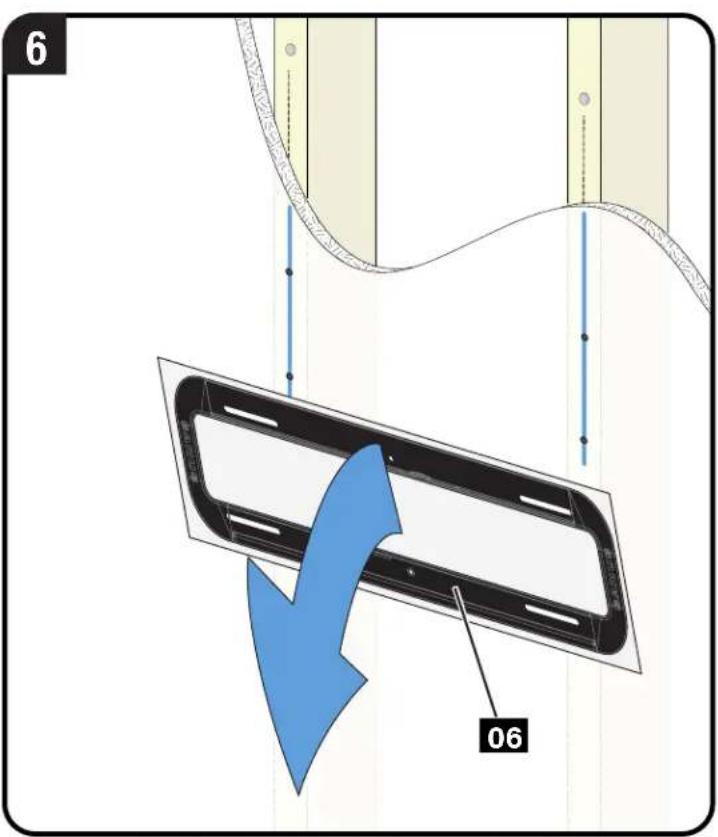
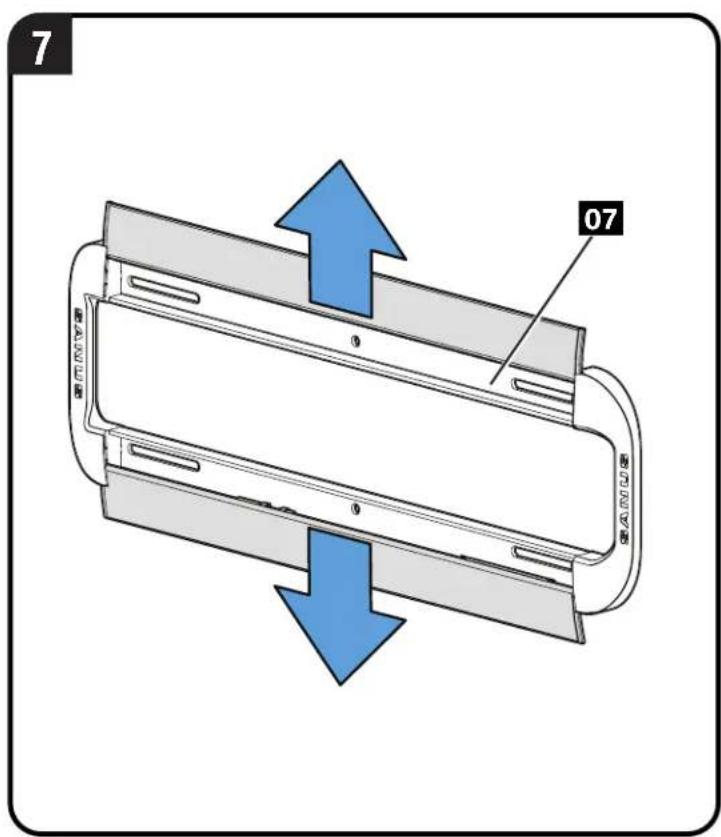
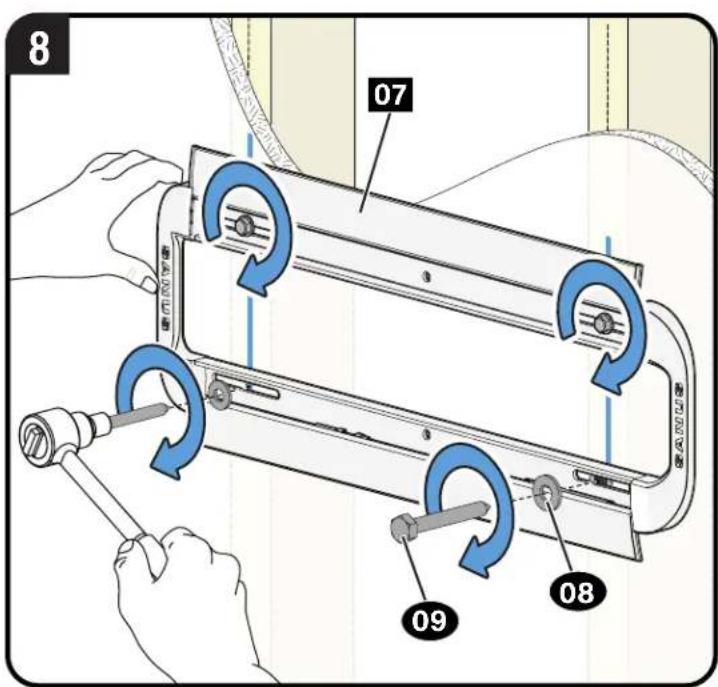
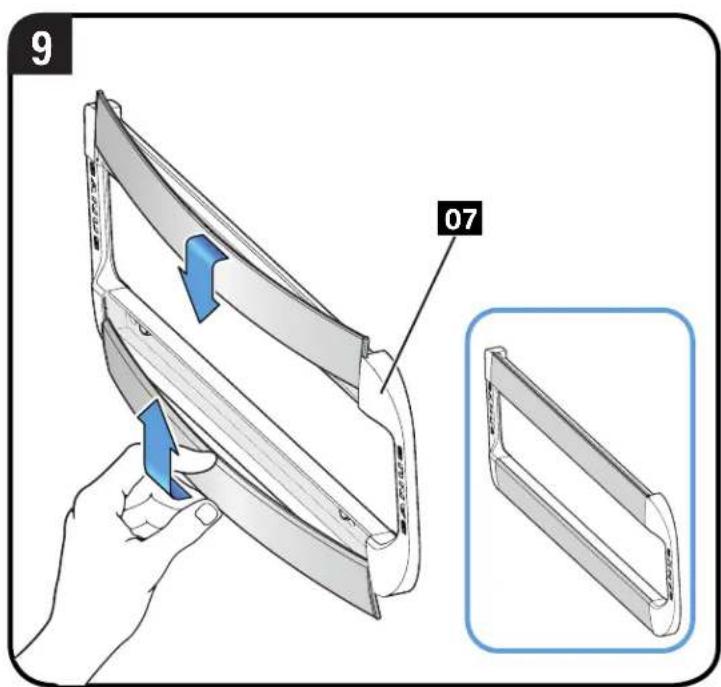
CAUTION: Avoid potential personal injury or property damage! All four lag bolts 09 MUST BE firmly tightened to prevent unwanted movement of the wall plate 07. Ensure the wall plate is securely fastened to the wall before continuing on to the next step
Go to STEP 3 on PAGE 22.
STEP 2B
Wood Stud Option (Single Stud Install)
Single Stud Installation Kit #VMTMK1 (NOT INCLUDED)
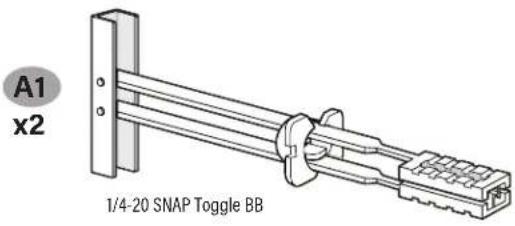

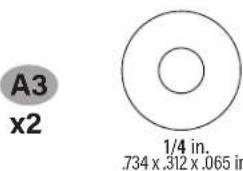
* Contact Customer Service: +1 (800) 359-5520 (EMEA: +31 (0) 495 580 852; UK: +44 (0) 800 056 2853) to have the additional hardware shipped directly to you.

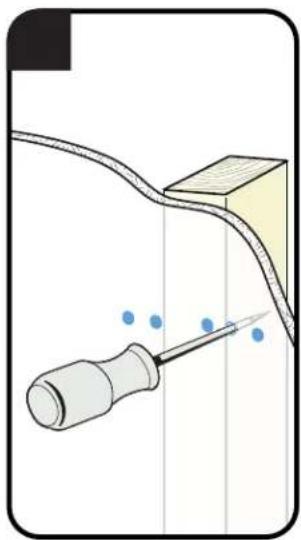
natural_image
Diagram showing a screwdriver inserted into a pipe with blue dots indicating residue, no text or symbols present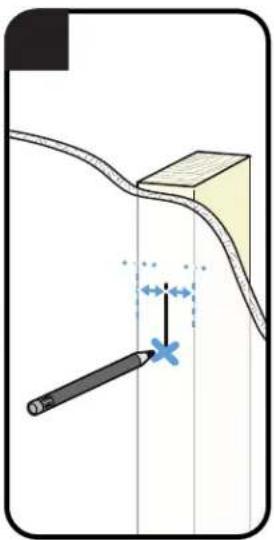
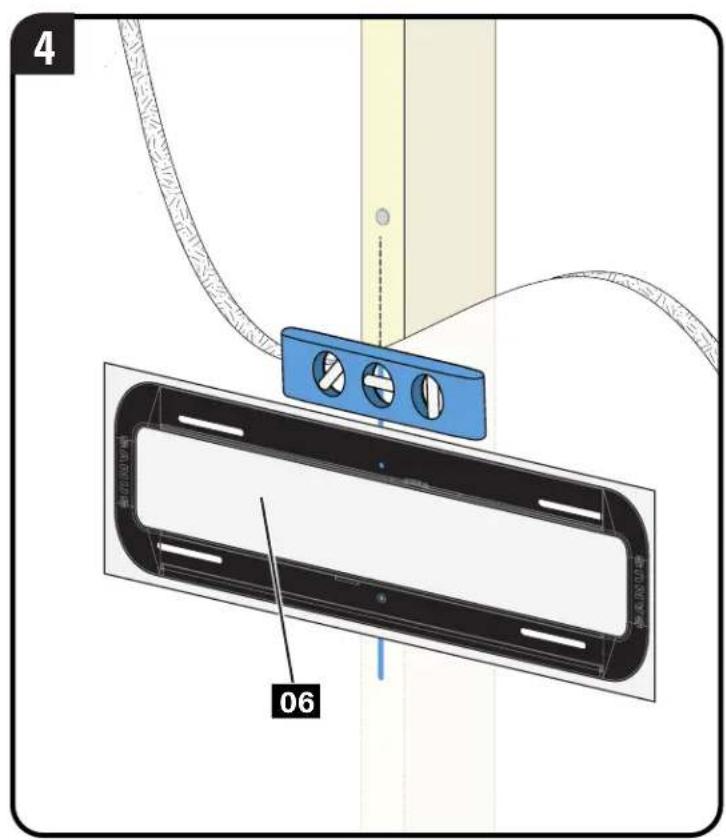
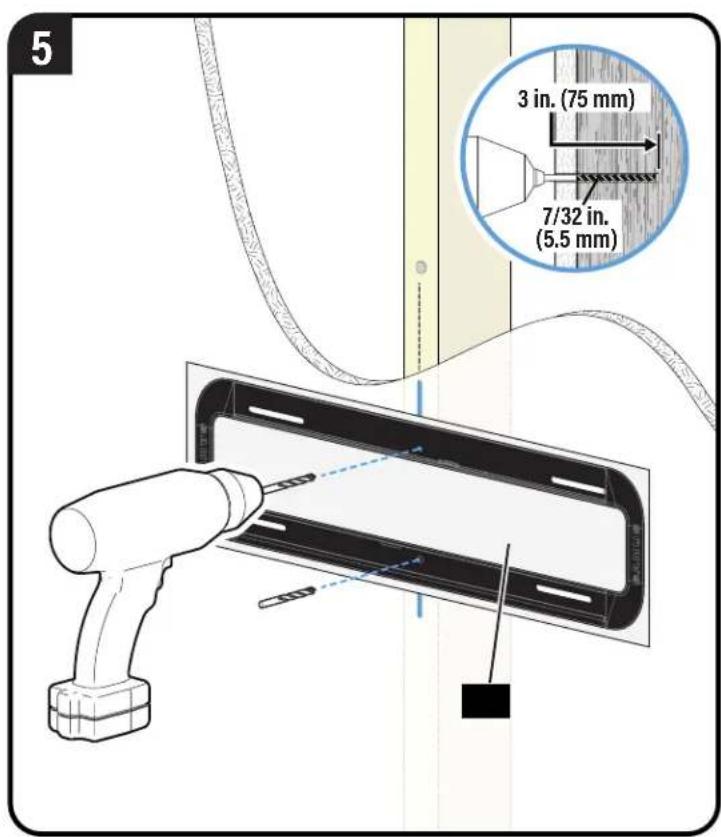
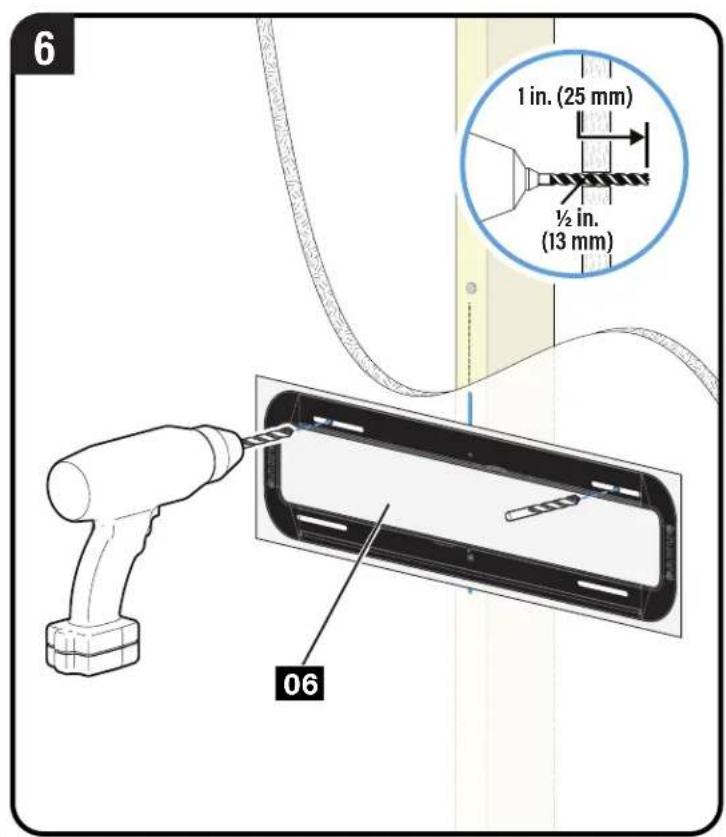
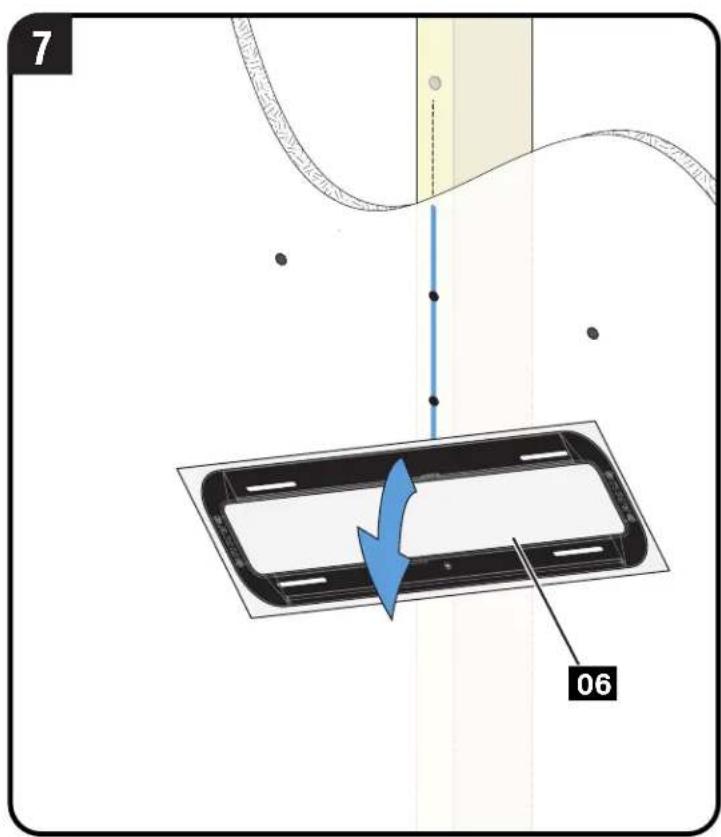
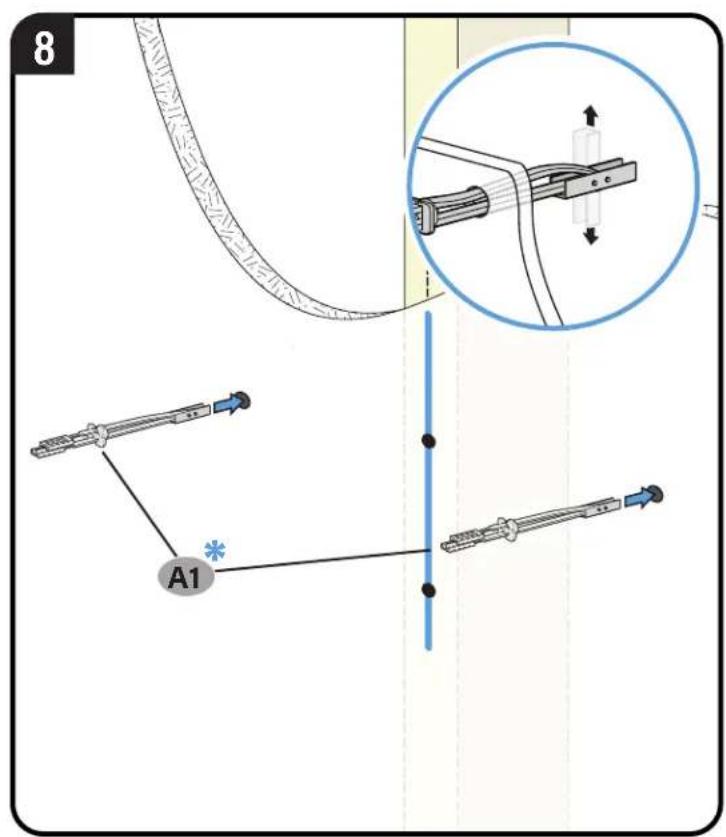
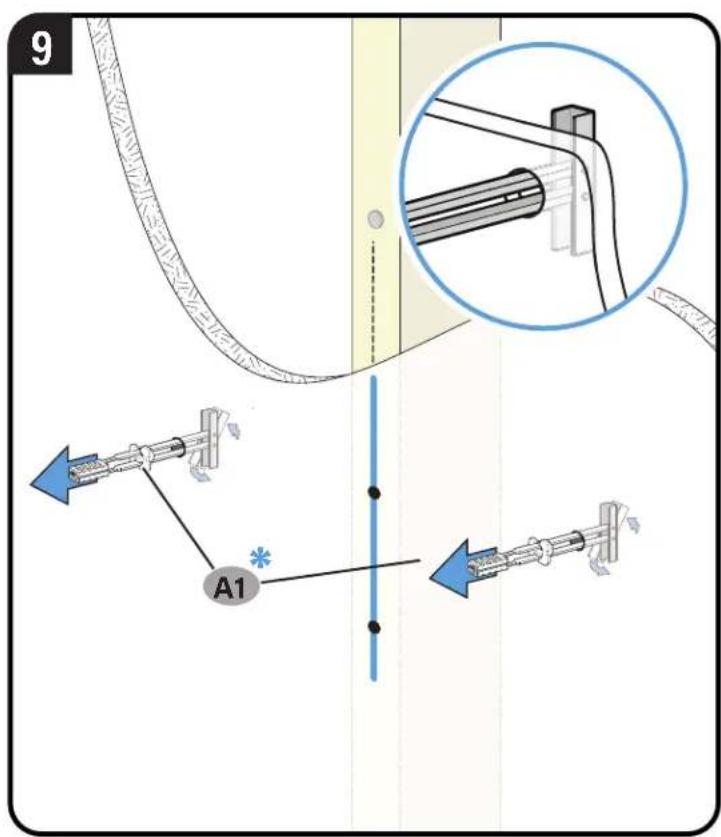
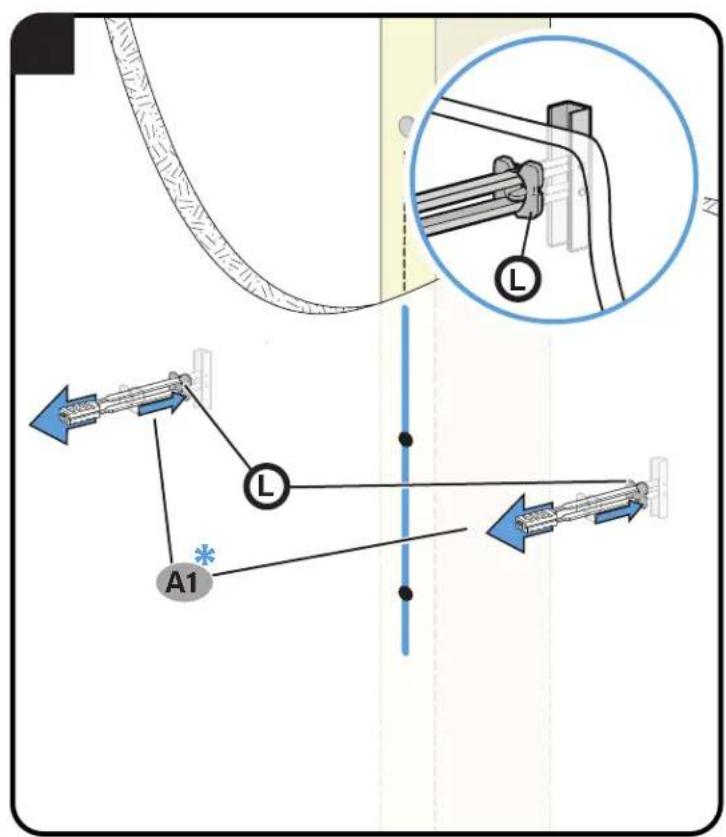
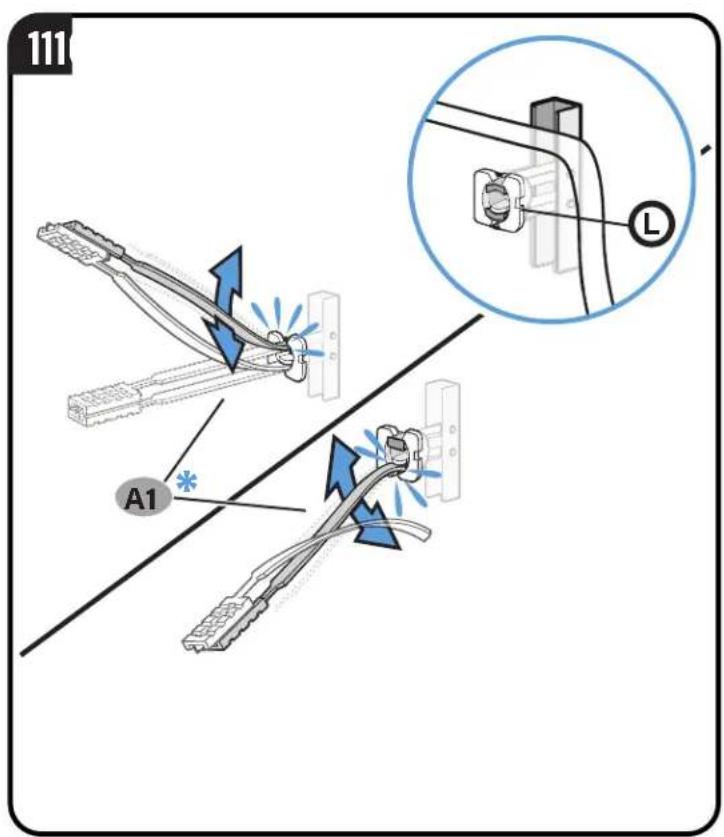
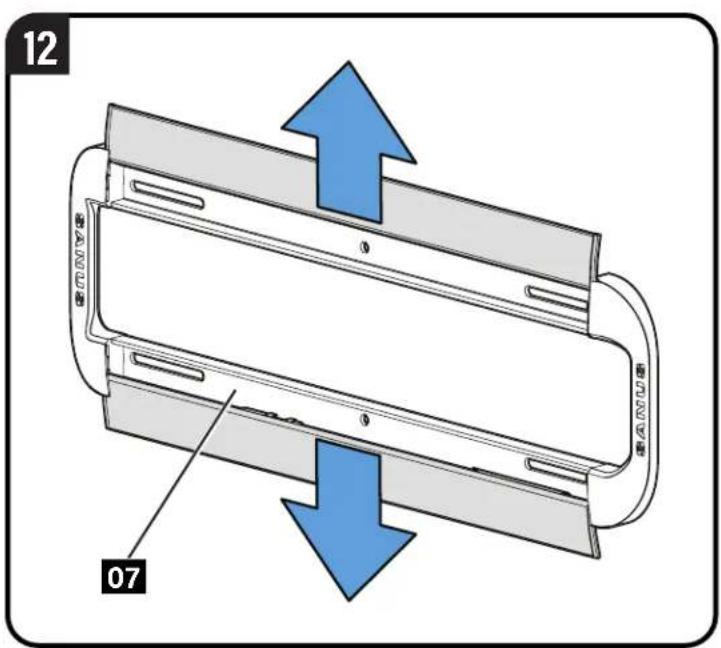
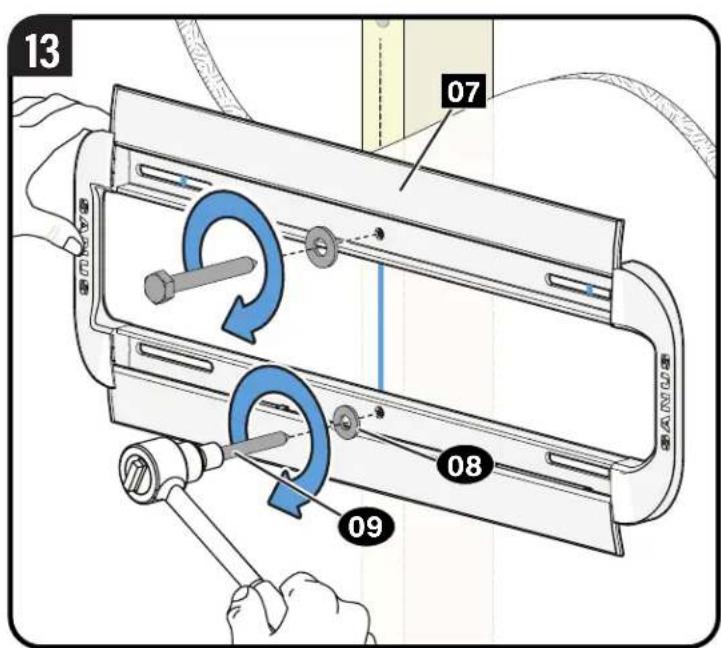
CAUTION: Avoid potential personal injury or property damage! Both lag bolts 09 MUST BE firmly tightened to prevent unwanted movement of the wall plate 07
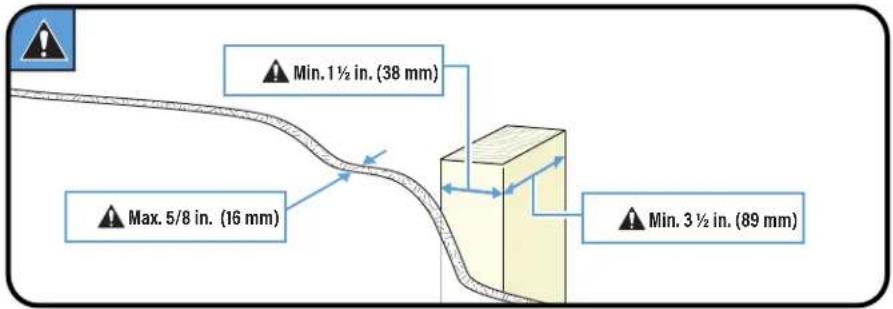
CAUTION: Avoid potential personal injury or property damage! The middle two lag bolts MUST be installed into a wood stud – this product was not designed to be used in drywall alone.
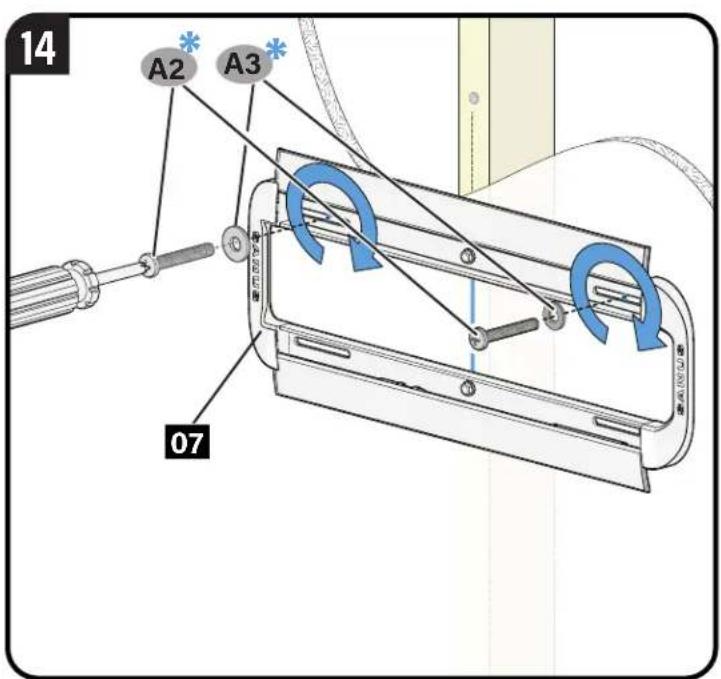
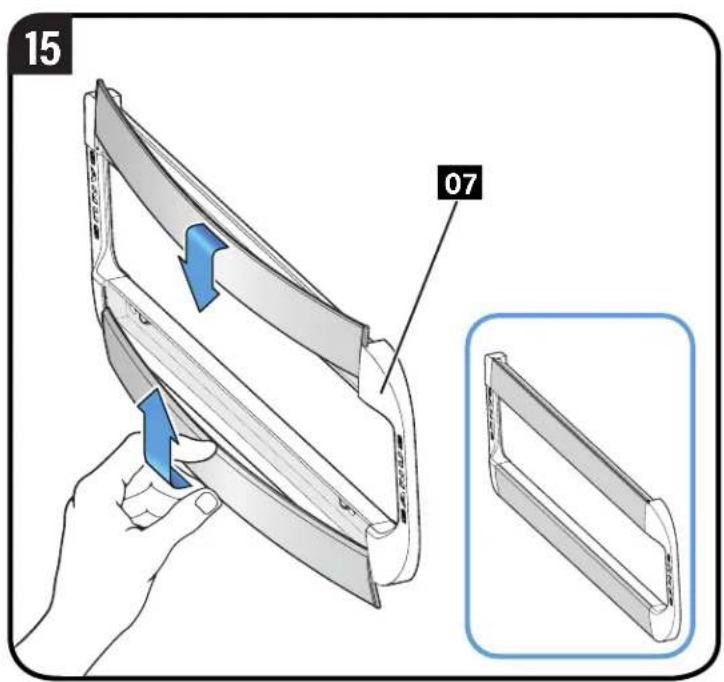
CAUTION: Avoid potential personal injury or property damage! Both bolts A2 MUST BE firmly tightened to prevent unwanted movement of the wall plate 07. Ensure the wall plate is securely fastened to the wall before continuing on to the next step.
Go to STEP 3 on PAGE 22.
STEP 2C

oncrete or Concrete Block Option
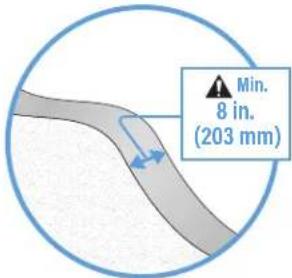
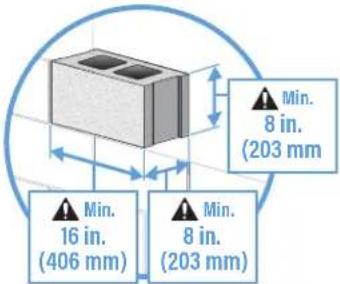
CAUTION: Avoid potential personal injuries and property damage! Mount the wall plate 07 directly onto the concrete surface.
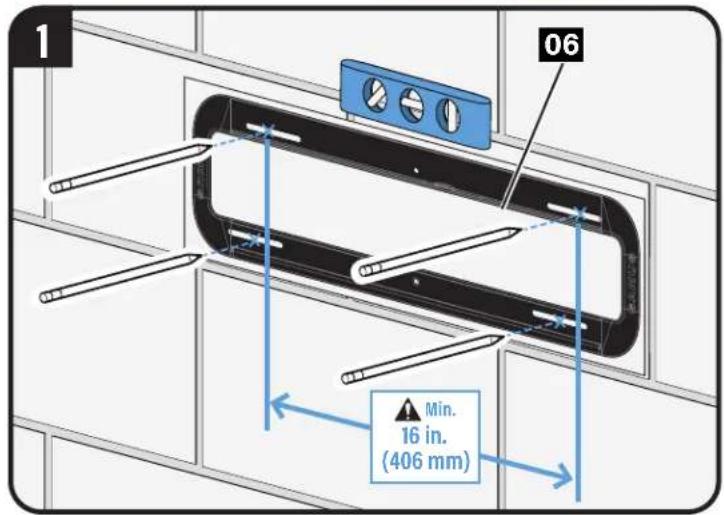
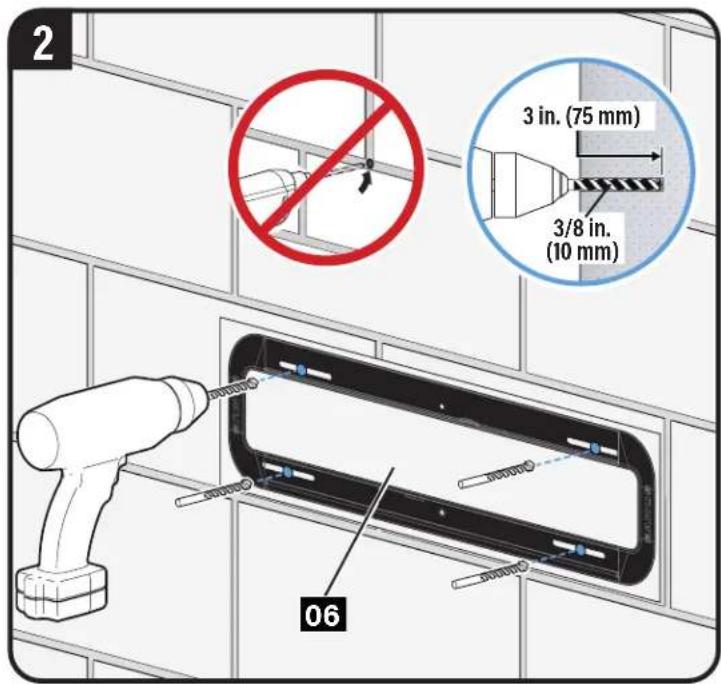
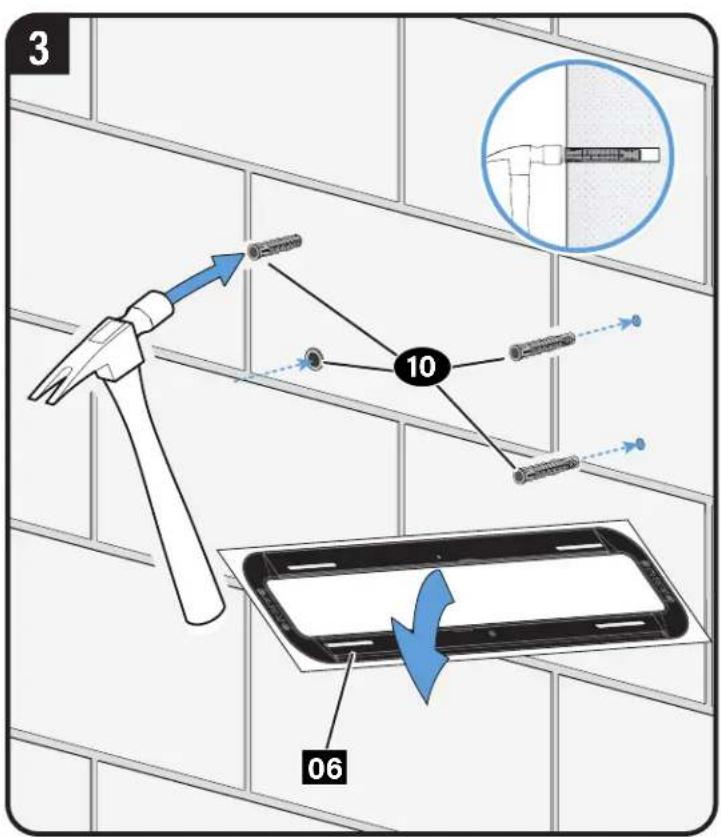
flowchart
graph TD
    A["Hand Tool"] --> B["Device 10"]
    B --> C["Smart Home Device"]
    C --> D["Smart Phone 06"]
    style A fill:#f9f,stroke:#333
    style D fill:#bbf,stroke:#333
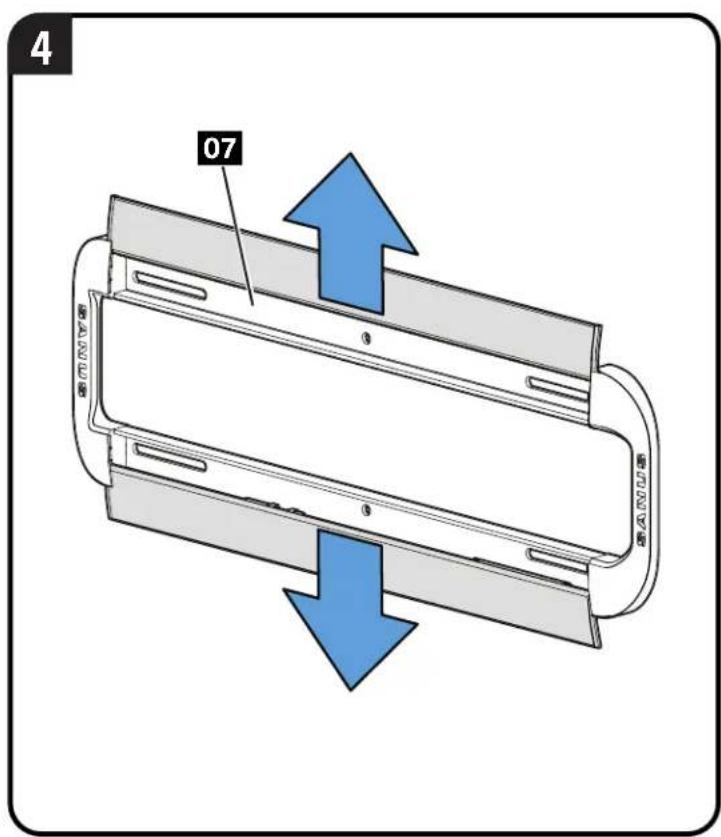
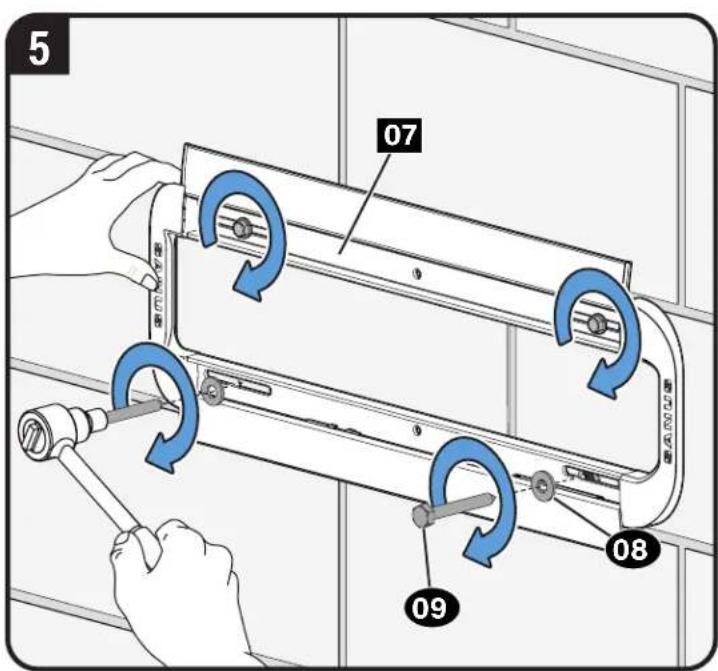
CAUTION: Avoid potential personal injury or property damage! All four lag bolts 09 MUST BE firmly tightened to prevent unwanted movement of the wall plate 07. Ensure the wall plate is securely fastened to the wall before continuing on to the next step
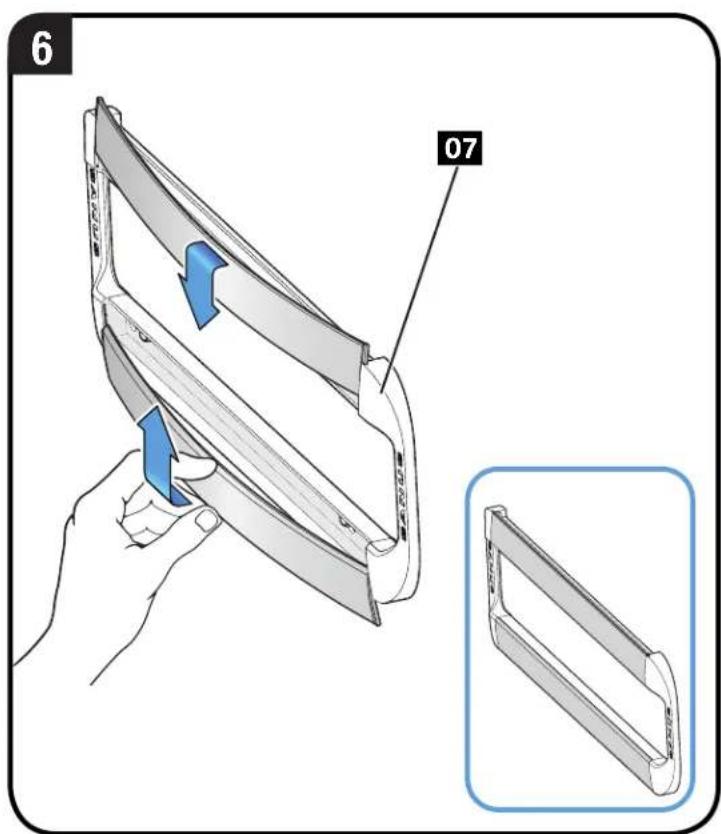
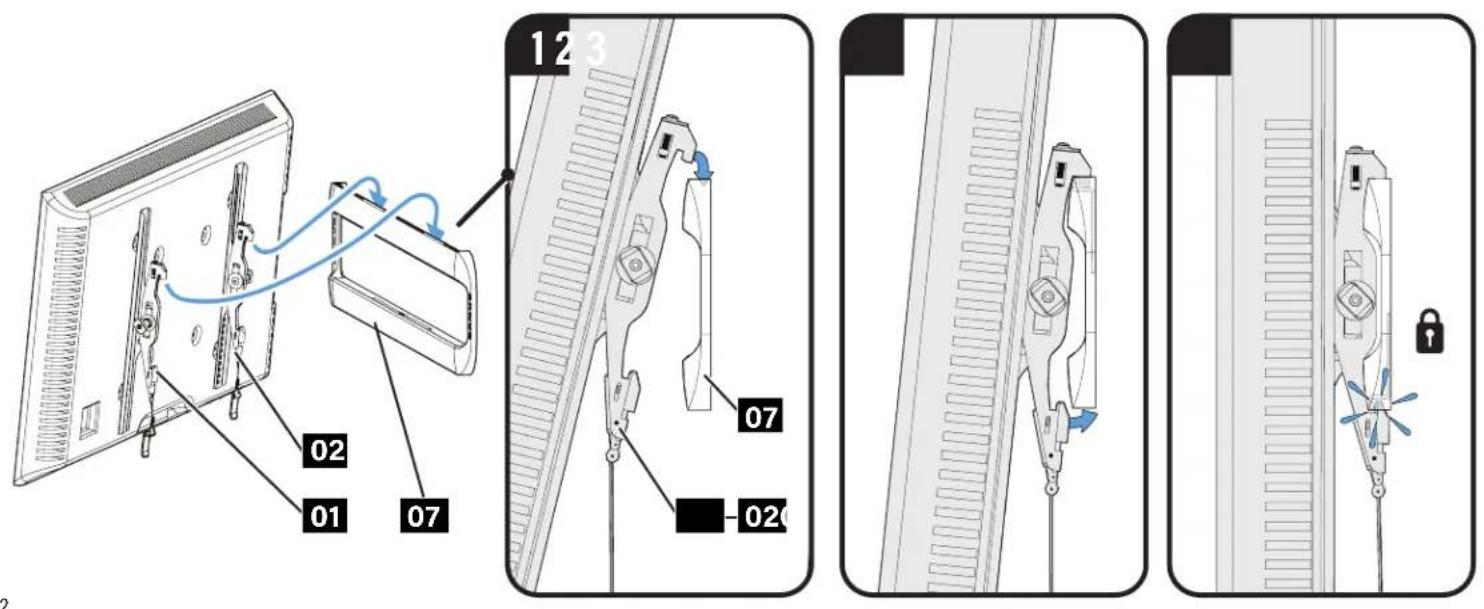
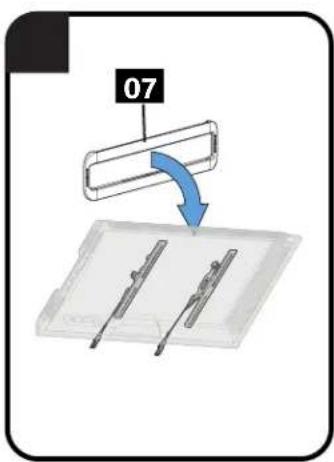
STEP 3 Attach TV to Wall Plate

CAUTION: Avoid potential personal injury or property damage! Always make sure your TV brackets 01 and 02 are in the locked position so the TV is securely fastened to the wall plate 07.
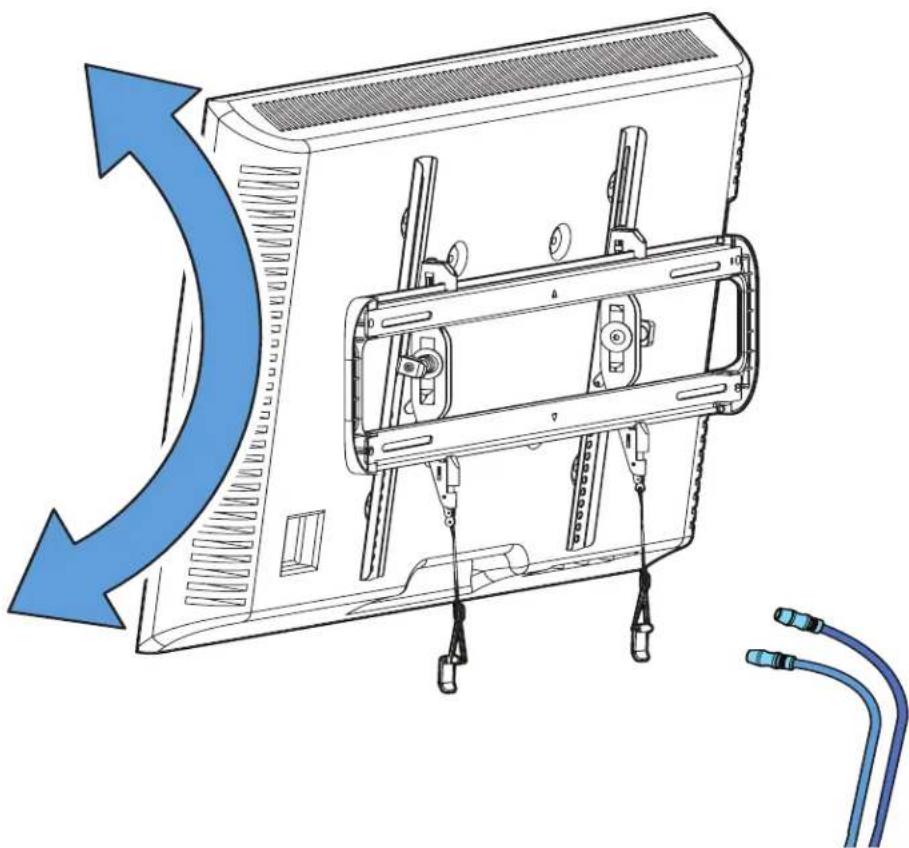
Manage Cables
natural_image
Diagram of a computer monitor with attached cable connectors, showing internal components and airflow direction (no text or symbols)Adjustments
LEVEL Tilt
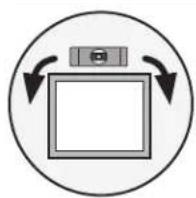
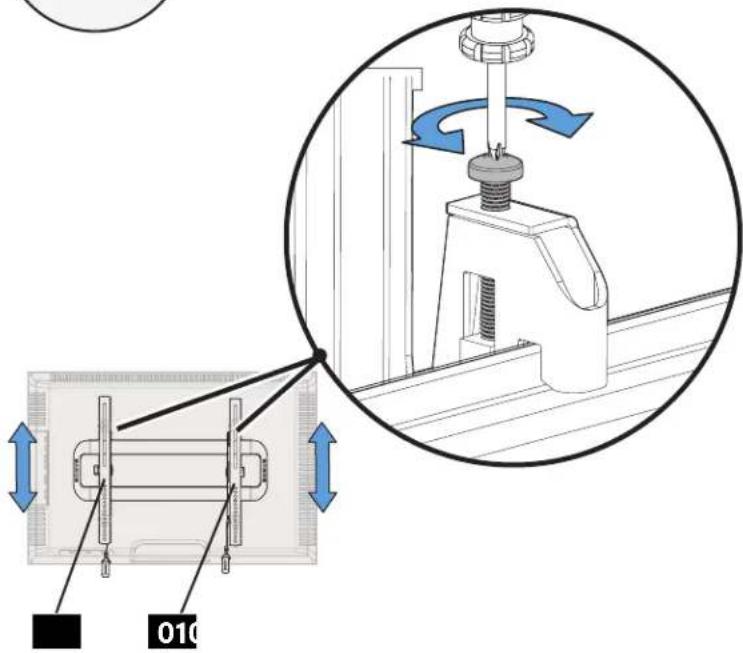
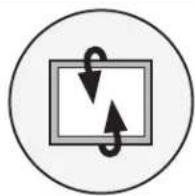
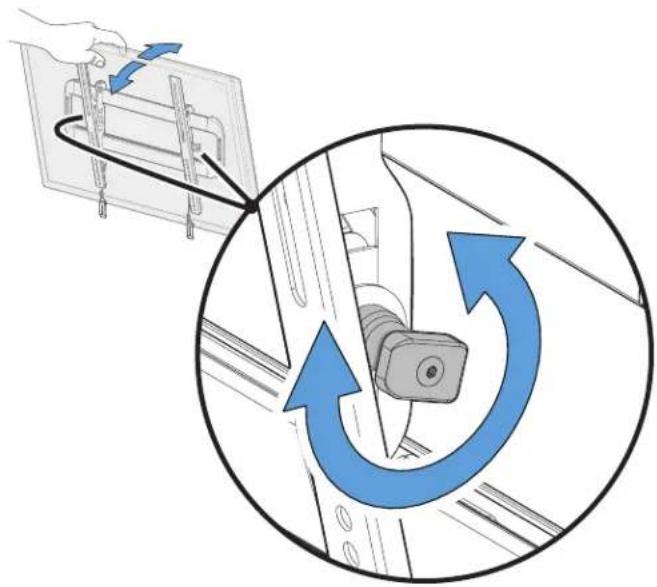
natural_image
Diagram showing a hand holding a device with blue arrows indicating clockwise rotation around a mechanical component (no text or symbols present)TV LATERAL SHIFT
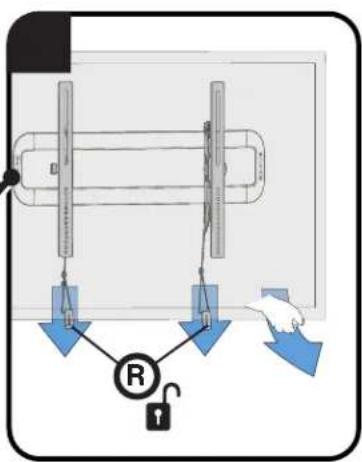
REMOVING THE TV
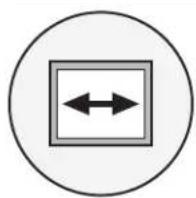

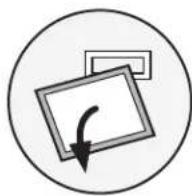

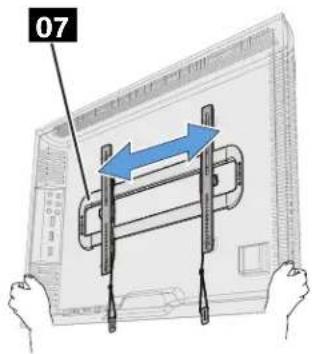
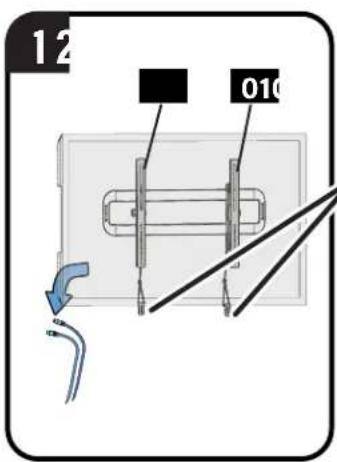
CAUTION: Avoid potential personal injury or property damage! To prevent breaking the locking latch: always pull and hold the release cords down while pulling the TV away from the wall.
ESPAÑOL
m = 311
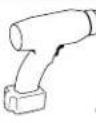
电钻
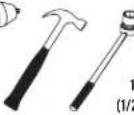
槌
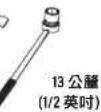
套筒扳手
4
准备开始吗?
Legrand AV Inc and its affiliated corporations and subsidiaries (collectively, "Legrand"), intend to make this manual accurate and complete. However, Legrand makes no claim that the information contained herein covers all details, conditions, or variations. Nor does it provide for every possible contingency in connection with the installation or use of this product. The information contained in this document is subject to change without notice or obligation of any kind. Legrand makes no representation of warranty, expressed or implied, regarding the information contained herein. Legrand assumes no responsibility for accuracy, completeness or sufficiency of the information contained in this document.
Español
FULLY ASSEMBLED MOUNT
![23.21 [589.6] 17.70 [449.6]](/content/2026/04/734729/images/43744e01586f8b13d3689c06cdbbd426e83b202fd1e98e4416e3111cd3946a30.jpg)
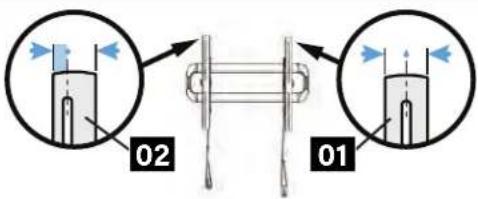
NOTE: The offset hole pattern on right TV bracket 02 is designed to accommodate a better range of TV hole patterns, while allowing proper engagement with the wall plate.
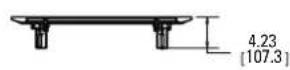
TOP VIEW - EXTENDED
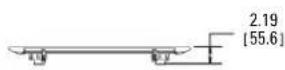
TOP VIEW - RETRACTED
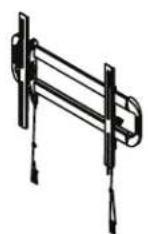
3-D
SIDE VIEW - EXTENDED
SIDE VIEW - RETRACTED

SANUS®
A brand of □ legrand
Thank you for choosing SANUS! Please take a moment to let us know how we did:
Legrand AV Inc.
6436 City West Parkway
Eden Prairie, MN 55344 USA
US: +1 (800) 359-5520
Legrand AV Netherlands B.V.
Franklinstraat 14
6003 DK Weert Netherlands
UK: +44 (0) 800 056 2853
EMEA: +31 (0) 496 580 852
Authorized Representative for the UK
Starline Holding Technology Ltd.
Unit C Island Road
Reading RG2 ORP UK
Legrand AV Inc. and its affiliated corporations and subsidiaries (collectively, "Legrand"), intend to make this manual accurate and complete. However, Legrand AV makes no claim that the information contained herein covers all details, conditions, or variations. Nor does it provide for every possible contingency in connection with the installation or use of this product. The information contained in this document is subject to change without notice or obligation of any kind. Legrand AV makes no representation of warranty, expressed or implied, regarding the information contained herein. Legrand AV assumes no responsibility for accuracy, completeness or sufficiency of the information contained in this document.
©2021 Legrand AV Inc. All rights reserved. SANUS is a brand of Legrand.
All other brand names or marks are used for identification purposes and are trademarks of their respective owners.
Legrand AV Inc. · 6436 City West Parkway · Eden Prairie, MN 55344 USA 6901-602946 00