Life P2 Mini - Earplug soundcore - Free user manual and instructions
Find the device manual for free Life P2 Mini soundcore in PDF.


| Product Type | Earbuds (True Wireless) |
| Brand | Soundcore |
| Model | Life P2 Mini |
| Bluetooth Version | 5.2 |
| Bluetooth Range | 10 meters |
| Battery Life (Earbuds) | Up to 8 hours |
| Total Battery Life (with Case) | Up to 32 hours |
| Battery Capacity (Earbuds) | 60 mAh × 2 |
| Battery Capacity (Case) | 540 mAh |
| Charging Time | Approximately 2 hours |
| Charging Input | 5 V = 0.6 A (USB-C) |
| Impedance | 16 Ω |
| Driver Size | 10 mm |
| Frequency Response | 20 Hz – 20 kHz |
| Rated Output Power | 5 mW |
| Water Resistance Level (Earbuds) | IPX5 |
| Touch Controls | Yes: single, double, triple tap, press and hold |
| Equalizer Modes | Soundcore Signature, Bass Booster, Podcast |
| Mono Mode | Yes, use a single earbud |
| Voice Assistant | Siri and others (voice command) |
| Noise Reduction | Not specified (passive in-ear design) |
| Included Ear Tip Sizes | 5 sizes (XS, S, M, L, XL) |
| Weight (per Earbud) | Approximately 4 g (estimate) |
| Dimensions (Case) | Not specified |
| Cleaning and Maintenance | Wipe with a dry cloth; dry completely before charging |
| Repairability | Not user-repairable; contact support |
Frequently Asked Questions - Life P2 Mini soundcore
User questions about Life P2 Mini soundcore
0 question about this device. Answer the ones you know or ask your own.
Ask a new question about this device
Download the instructions for your Earplug in PDF format for free! Find your manual Life P2 Mini - soundcore and take your electronic device back in hand. On this page are published all the documents necessary for the use of your device. Life P2 Mini by soundcore.
USER MANUAL Life P2 Mini soundcore
natural_image
Line drawing of three wireless earbuds with a central display case (no text or symbols)Soundcore Life P2 Mini
USER MANUAL
| English | 01 |
| Čeština | 07 |
| Dansk | 13 |
| Deutsch | 19 |
| ελληνικά | 25 |
| Español | 31 |
| Suomi | 37 |
| Français | 43 |
| Magyar | 49 |
| Italiano | 55 |
| Nederlands | 61 |
| Norsk | 67 |
| Język polski | 73 |
| Português | 79 |
| Русский | 85 |
| Slovenský Jazyk | 91 |
| Slovenski Jezik | 97 |
| Svenska | 103 |
| Türkçe | 109 |
| Portugues do Brasil | 115 |
| 日本語 | 121 |
| 한국어 | 128 |
| 简体中文 | 134 |
| 繁體中文 | 140 |
| لعربيya | 146 |
| תְרָבִי | 152 |
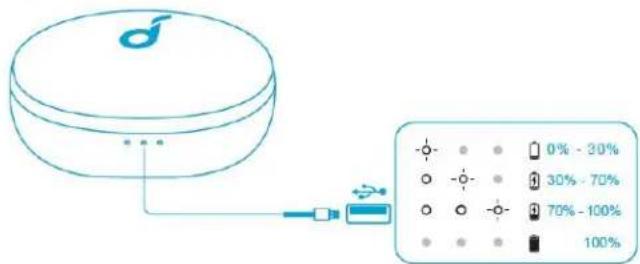
Charging
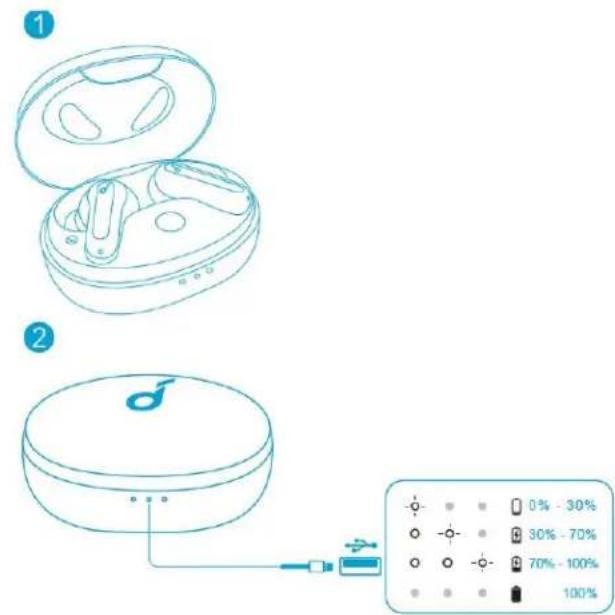
• Fully dry off the earbuds and the USB port before charging.
• Use a certified USB-C charging cable and charger to prevent any damage.
• Fully charge both the earbuds and the charging case before the first use.
-
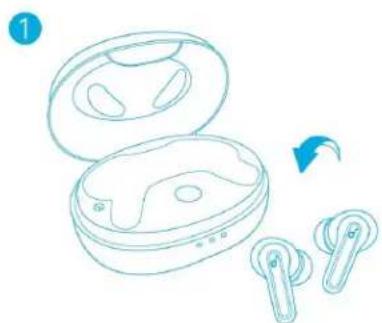
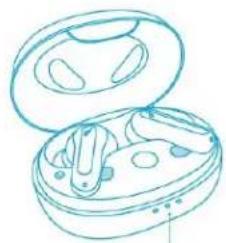
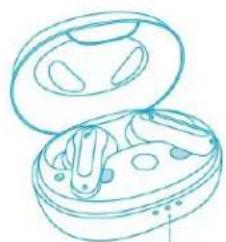
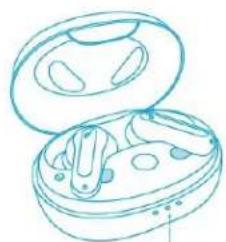
Place the earbuds in the charging case and close it.
-
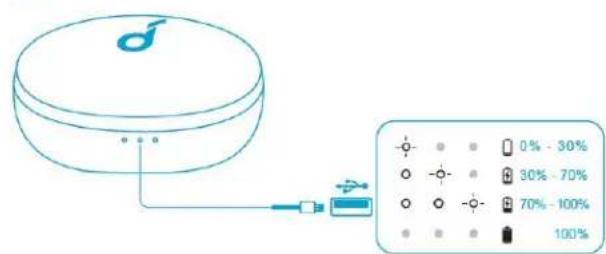
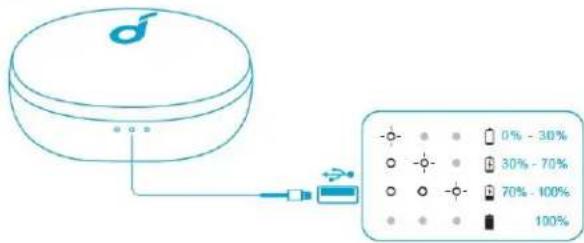
Connect the charging case to the power supply by using a USB-C charging cable.
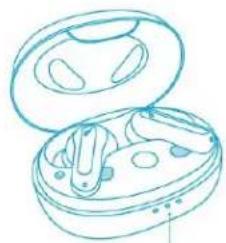
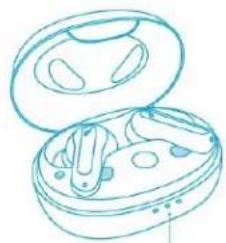
• The LED indicator on the charging case indicates the charging status.
Wearing
-
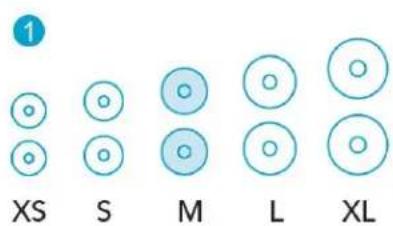
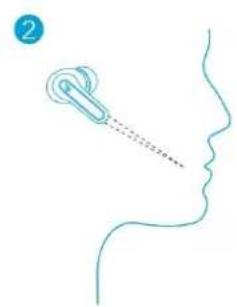
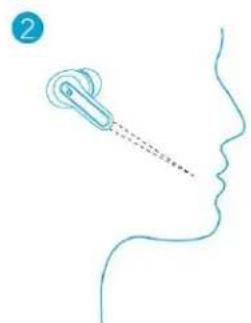
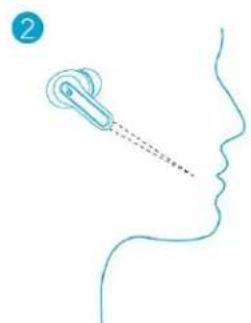
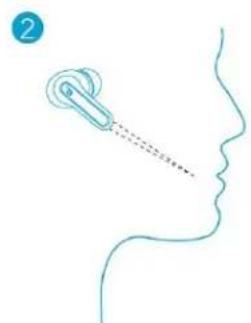
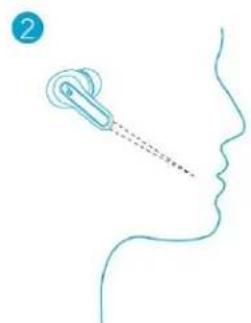
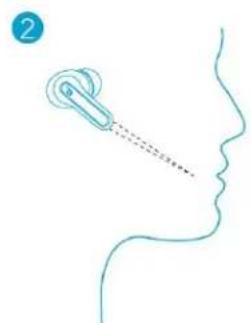
Choose the EarTips that fit your ears best.
-
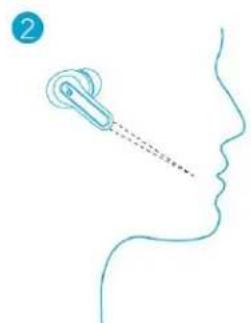
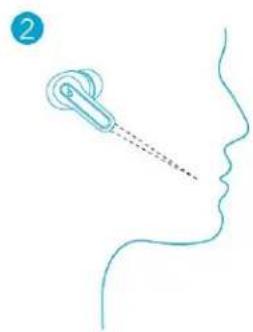
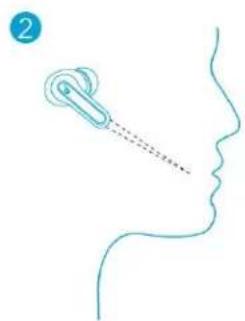
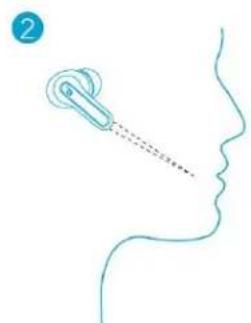
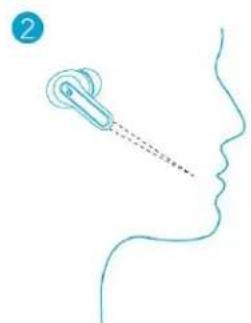
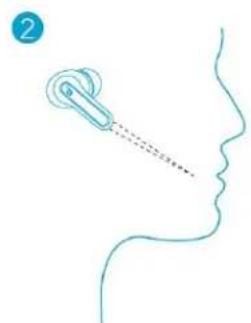
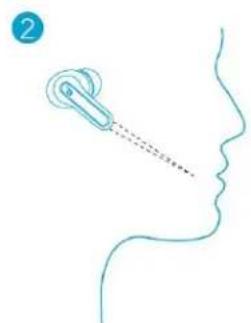
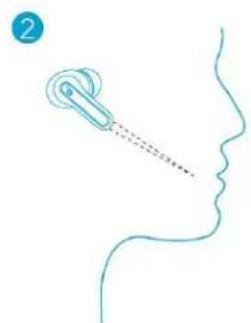
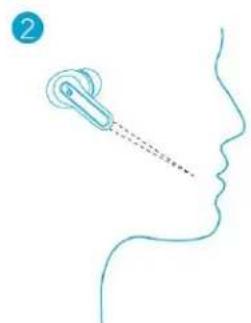
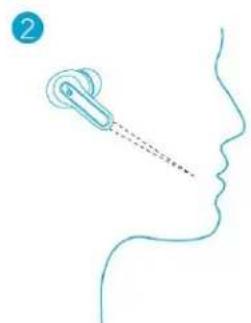
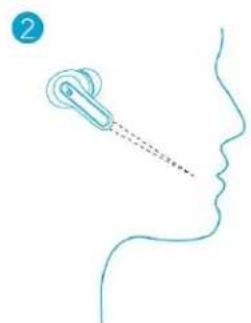
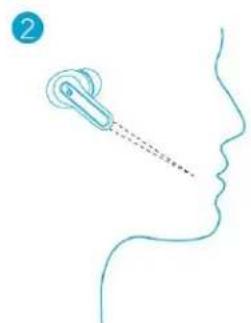
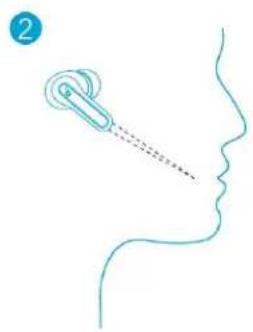
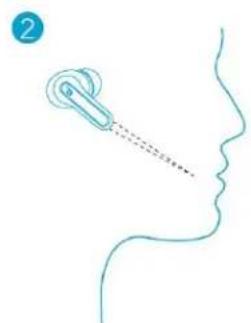
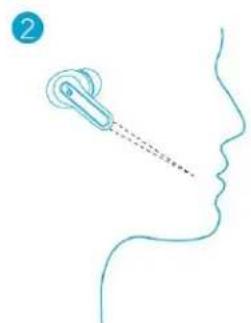
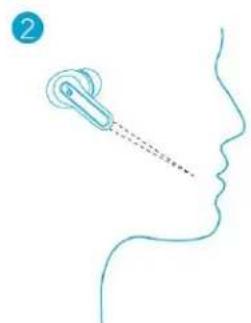
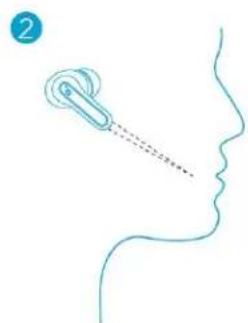
Insert the earbuds into the inner canal of your ears and turn gently until you find the most comfortable and secure position.
natural_image
Simple line drawing of a human face with a headset and a dotted line indicating motion (no text or symbols)- Your earbuds come with 5 pairs of EarTips, among which Medium-sized are pre-installed.
Powering On/Off
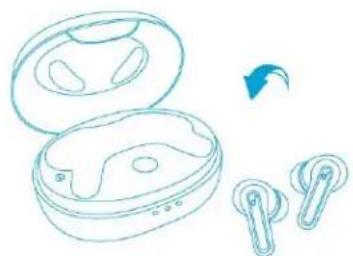
- Open the charging case, the earbuds will automatically power on. - To power off, place the earbuds in the charging case and close it.
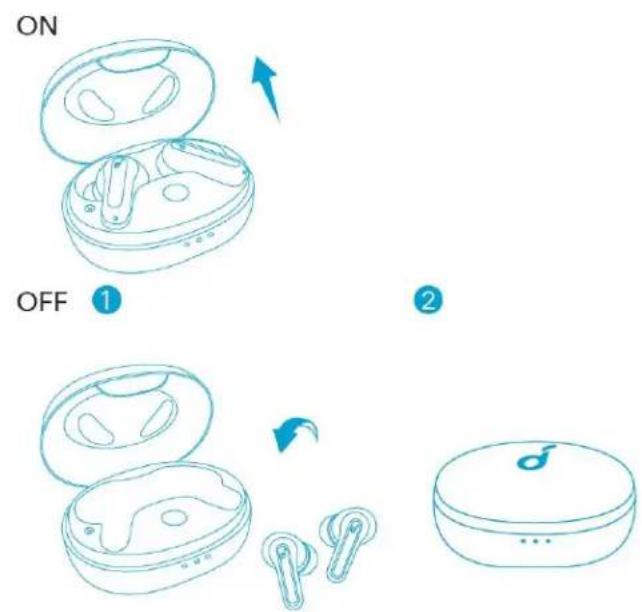
- The earbuds will automatically power off after 10 minutes if no device is connected.
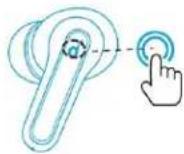
• To manually power on, press and hold the touchpad on earbuds for 3 seconds.
• To manually power off, press and hold the touchpad on earbuds for 8 seconds.
Bluetooth Pairing
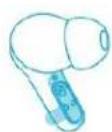
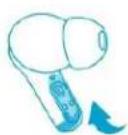
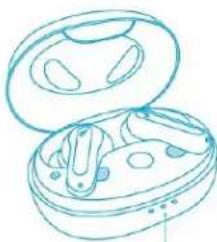
- Tear off the insulation sticker on the earbuds before first use.
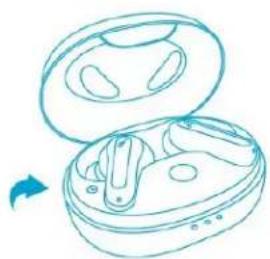
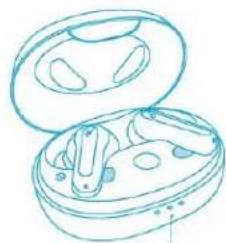
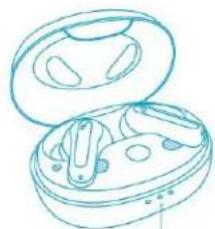
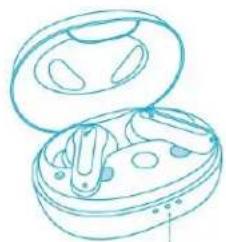
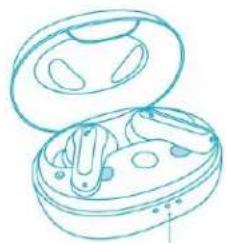
- Place the earbuds in the charging case and close it.
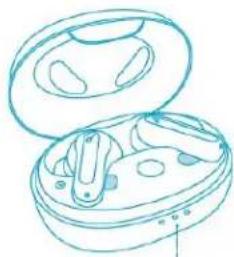
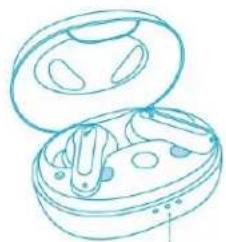
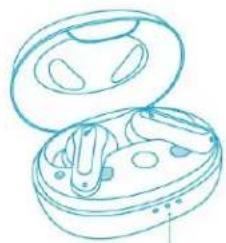
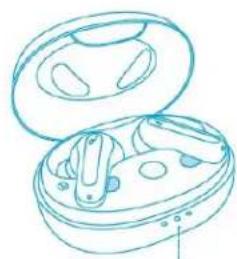
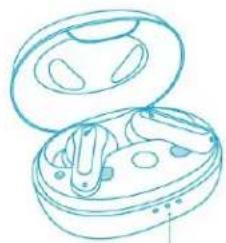
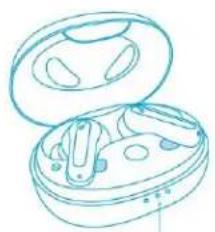
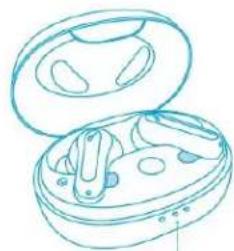
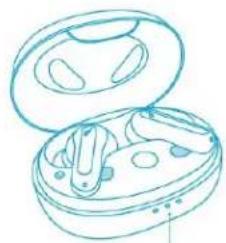
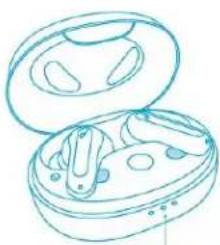
- Open the charging case (no need to take out the earbuds), the earbuds will automatically enter Bluetooth pairing mode.
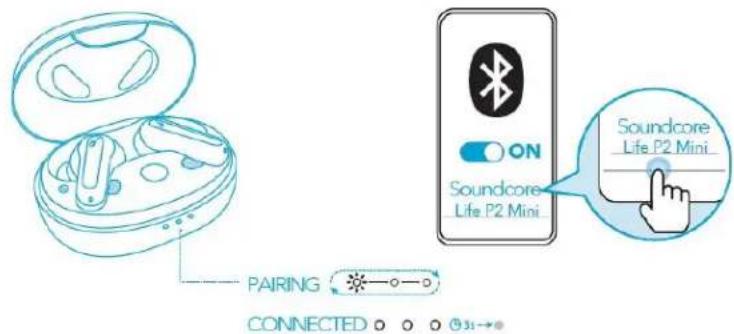
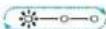
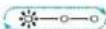
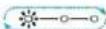
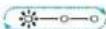
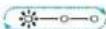
- The 3 LED indicators on the charging case will flash white in sequence continuously.
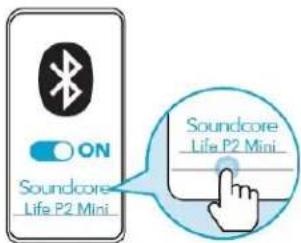
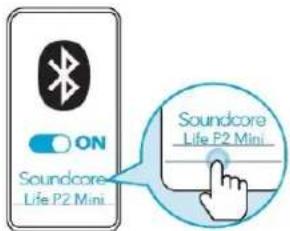
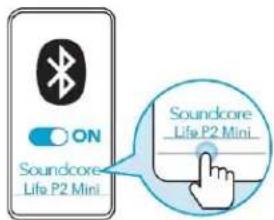
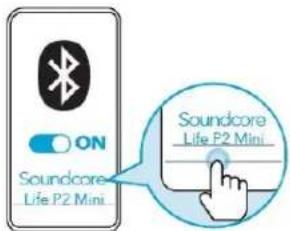
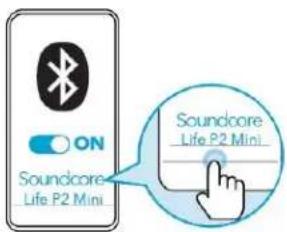
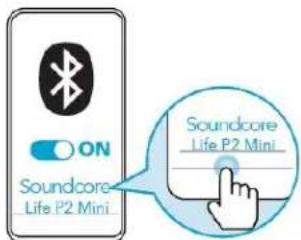
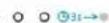
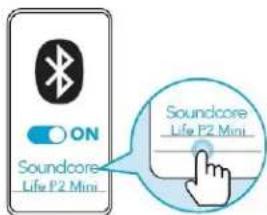
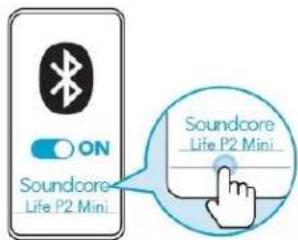
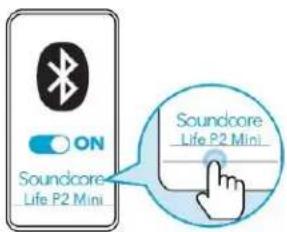
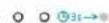
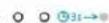
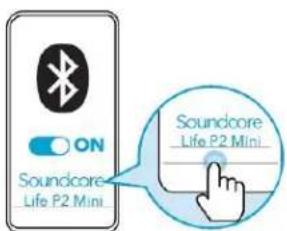
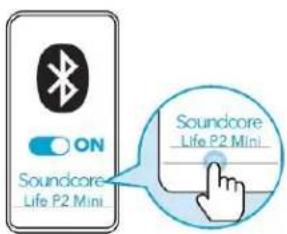
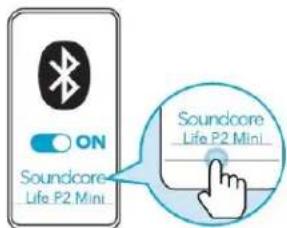
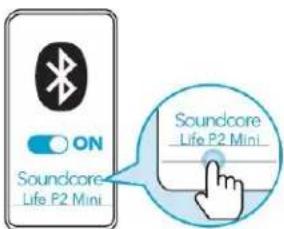
- Select "Soundcore Life P2 Mini" on your device's Bluetooth list to connect. When successfully connected, the 3 LED indicators will turn white for 3 seconds and then turn off.
1
2
natural_image
Line drawing of an open and closed electronic device with internal components (no text or symbols)3
- Pairing with another device: Place the earbuds in the charging case and leave the case open. To enter pairing mode, press and hold the button on the charging case for 3 seconds until the 3 LED indicators flash white in sequence continuously.
• Each time you power on your Soundcore earbuds, they will automatically connect to your last successfully connected device if available within the Bluetooth range. - Mono mode: When Bluetooth connected, you can use either one of the earbuds only by placing the other one into the chaging case and closing it.
- When powered on and connected, if either one of the earbuds is out of battery
and powered off, you can keep using the other one.
- When you are on a call, place either one of the earbuds into the charging case, and the microphone in the other earbud will be activated.
Controls
Stereo Mode
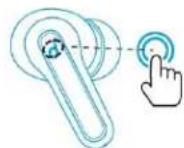
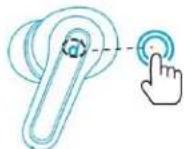

| Play/Pause | Tap twice (R/L) |
| Next track | Press and hold for 2 seconds ( |
| Previous track | Press and hold for 2 seconds ( |
| Switch EQ in sequence: Signature(Default) / Bass Booster / Podcast | Tap three times (R) |
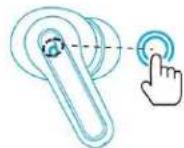
Quickly tap the touch button on the right earbud three times to cycle through Soundcore Signature (default), Bass Booster, and Podcast modes. You will hear a tone for each successful switch.
• Soundcore Signature: Default EQ mode with well-balanced sound.
- Bass Booster: Enhances low-frequency sound.
- Podcast: Focus on mid-frequency for clearer voices.

| Answer a call | Tap twice (R/L) |
| End/Reject a call | Press and hold for 2 seconds ( |

| Activate Siri or other voice assistant software | Press three times (L) |
Mono Mode
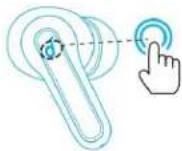
| Play/Pause | Tap twice |
| Next track | Press and hold for 2 second |
| Answer a call | Tap twice |
| End/Reject a call | Press and hold for 2 second |
| Activate Siri or other voice assistant softwa | Tap three times |
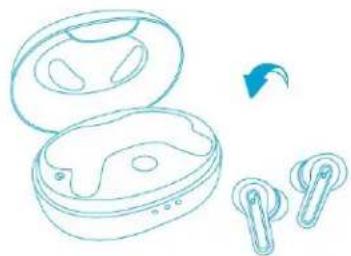
Reset
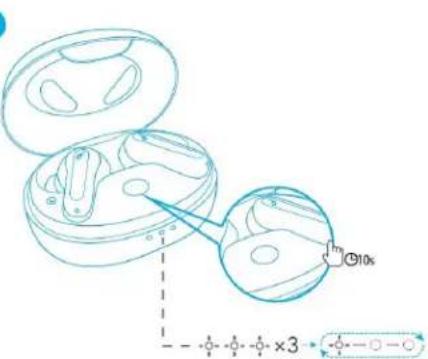
- You might need to reset the earbuds if you experience any connectivity problems or function issues.
-
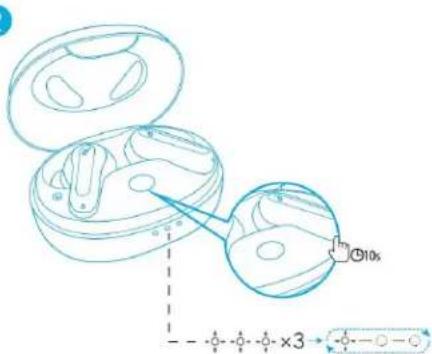
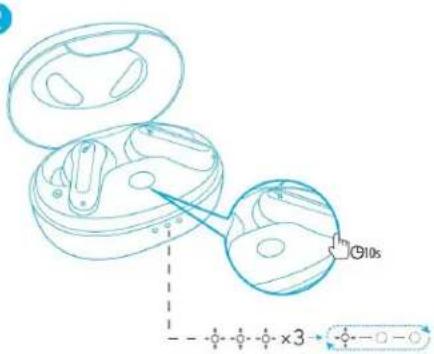
Place the earbuds in the charging case and make sure they are being charged.
-
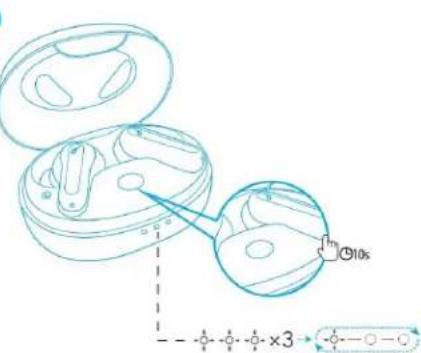
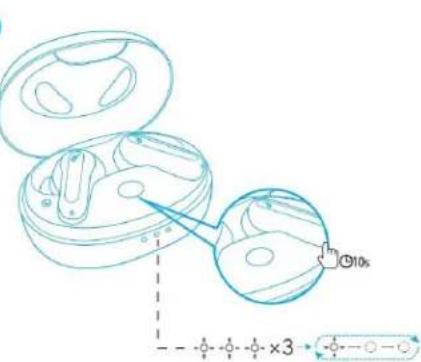
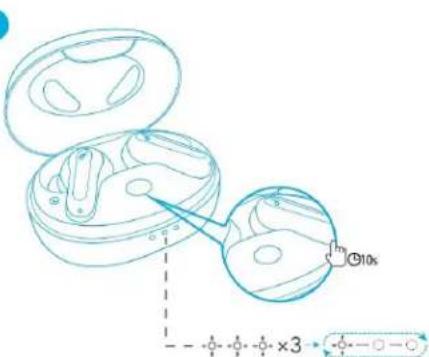
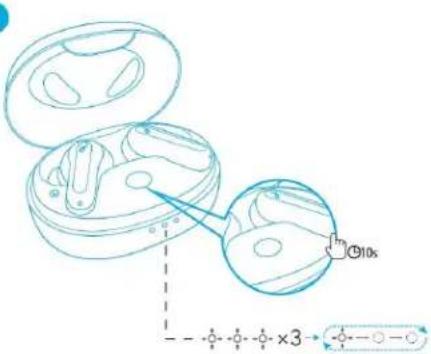
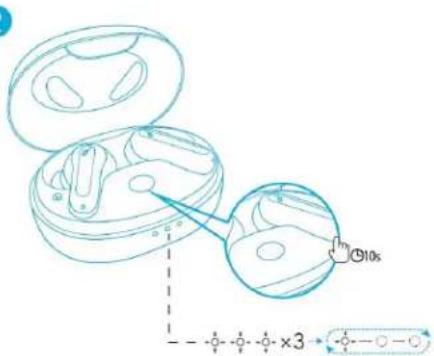
Press and hold the button on the case for 10 seconds until the 3 LED indicators flash white 3 times and then flash white in sequence continuously. This confirms that the reset was successful and your earbuds can be connected normally.
natural_image
Line drawing of an open and closed wireless earbuds with a blue arrow indicating rotation (no text or symbols)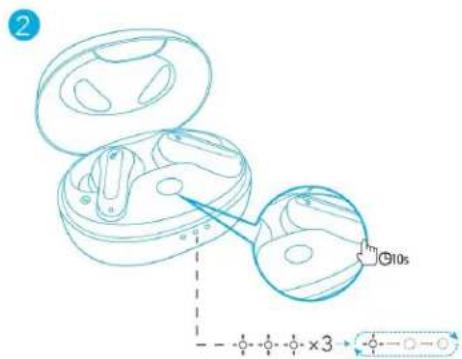
Specifications
- Specifications are subject to change without notice.
| Input | 5V == 0.6A |
| Rated output power | 5 mW |
| Battery capacity | 60 mAh x 2 (earbuds);540 mAh (charging case) |
| Charging time | 2 hours |
| Playtime(Varies by volume level and conte) | Up to 8 hours(Total 32 hours with the charging ca |
| Driver size | 10 mm |
| Frequency response | 20 Hz - 20 kHz |
| Impedance | 16 Ω |
| Waterproof level (Earbuds) | IPX5 |
| Bluetooth version | 5.2 |
| Bluetooth range | 10 m / 33 ft |
Nabíjení
Nošení
natural_image
Simple line drawing of a human face with a pipette and a dotted line indicating motion (no text or symbols)natural_image
Line drawing of an open electronic device with internal components and a blue arrow indicating rotation (no text or symbols)3
natural_image
Line drawing of an open and closed electronic device (no text or symbols)PAIRING
CONNECTED ○ ○ ○ Ⓗ3s→○
4
natural_image
Line drawing of an open and two connected wireless earbuds with a blue arrow indicating rotation (no text or symbols)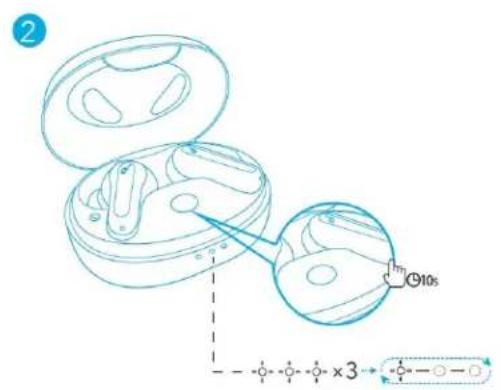
Specifikace
Placering i øre
natural_image
Simple line drawing of a human face with a finger pointing to the nose (no text or symbols)natural_image
Line drawing of an open electronic device with internal components (no text or symbols)3
natural_image
Line drawing of an open earbuds with internal components (no text or symbols)PAIRING
4
CONNECTED 0 0 0 3s→
natural_image
Line drawing of an open and two earbuds with a blue arrow indicating rotation (no text or symbols)2
Specifikationer
Das Tragen
natural_image
Simple line drawing of a human face with a curved line and a dotted line indicating motion or alignment (no text or symbols)natural_image
Line drawing of an open and closed wireless earbuds with earphones, showing a blue arrow indicating rotation (no text or symbols)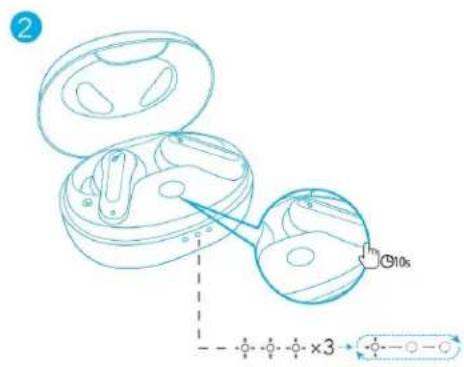
Technische Daten
Διαδικασία χρήσης
natural_image
Line drawing of an open wireless earbuds with two earpieces, one emitting a blue arrow (no text or symbols)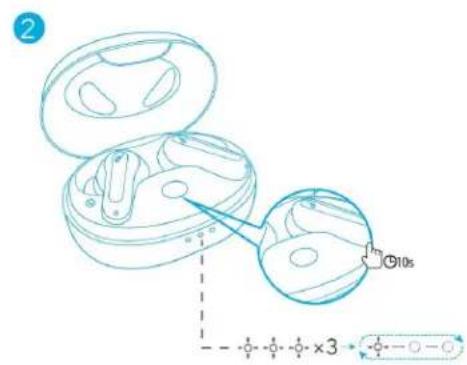
Προδιαγραφές
Uso
natural_image
Simple line drawing of a human face with a curved line and a dotted line indicating a path (no text or symbols)natural_image
Line drawing of an open and closed electronic device with internal components (no text or symbols)3
natural_image
Line drawing of an open electronic device with internal components (no text or symbols)4
PAIRING
CONNECTED ○ ○ ○ 03-→
natural_image
Line drawing of an open and closed wireless earbuds with two earbuds, one showing a blue arrow indicating rotation (no text or symbols)2
Especificaciones
Käyttö
natural_image
Simple line drawing of a human face with a curved line and a dotted line indicating a path (no text or symbols)natural_image
Line drawing of an open electronic device with internal components (no text or symbols)3

natural_image
Line drawing of an open earbuds with internal components (no text or symbols)PAIRING
4
CONNECTED 0 0 0 3s→
natural_image
Line drawing of an open and closed wireless earbuds with two earbuds, one showing a blue arrow indicating rotation (no text or symbols)2
Tekniset tiedot
Utilisation
natural_image
Simple line drawing of a human face with a curved line and a dotted line indicating a path (no text or symbols)natural_image
Line drawing of an open wireless earbuds with a blue arrow indicating rotation (no text or symbols)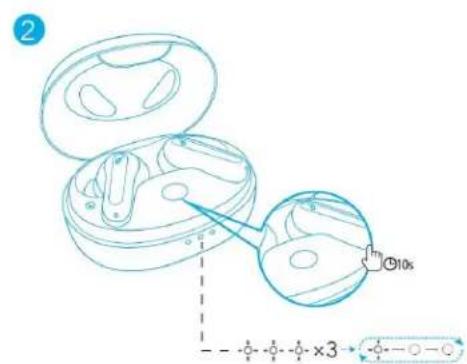
Spécifications
Használat
natural_image
Simple line drawing of a human face with a curved line and a dotted line indicating a path (no text or symbols)natural_image
Line drawing of an open electronic device with internal components (no text or symbols)3
natural_image
Line drawing of an open electronic device with internal components (no text or symbols)PAIRING
CONNECTED ○ ○ ○ Ⓗ31→
4
natural_image
Line drawing of an open and closed wireless earbuds with earphones, showing a blue arrow indicating rotation (no text or symbols)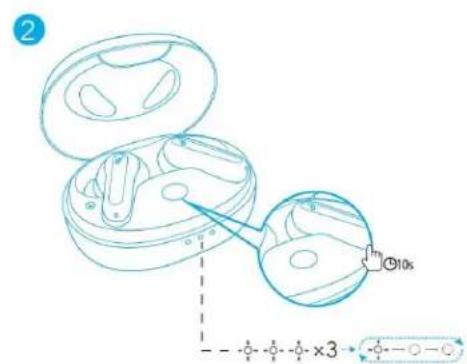
Műszaki adatok
Uso
natural_image
Simple line drawing of a human face with a headset and a dotted line indicating motion (no text or symbols)natural_image
Line drawing of an open electronic device with internal components (no text or symbols)3
natural_image
Line drawing of an open and closed electronic device with internal components (no text or symbols)PAIRING
CONNECTED


natural_image
Line drawing of an open and closed wireless earbuds with earphones, showing a blue arrow indicating rotation (no text or symbols)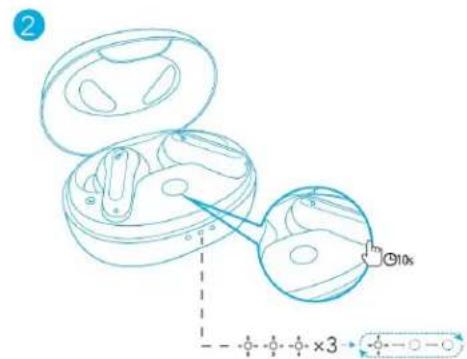
Specifiche
Dragen
natural_image
Simple line drawing of a human face with a curved line and a dotted line indicating a path (no text or symbols)natural_image
Line drawing of an open and closed wireless earbuds with a blue arrow indicating rotation (no text or symbols)2
Specifications
Bruk
natural_image
Simple line drawing of a human face with a headset and a dotted line indicating motion (no text or symbols)natural_image
Line drawing of an open electronic device with internal components (no text or symbols)3
natural_image
Line drawing of an open electronic device with internal components (no text or symbols)PAIRING
4
CONNECTED 0 0 0 03s→
natural_image
Line drawing of an open wireless earbuds with a blue arrow indicating rotation (no text or symbols)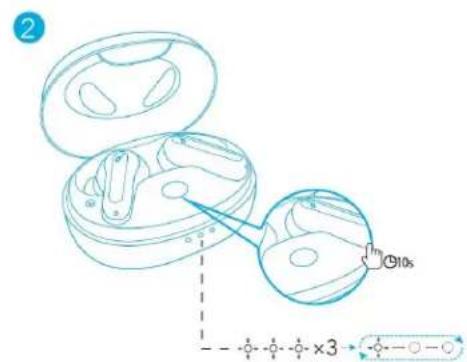
Spesifikasjoner
Zakładanie
natural_image
Line drawing of an open electronic device with internal components (no text or symbols)3
natural_image
Line drawing of an open and closed electronic device with internal components (no text or symbols)PAIRING
CONNECTED


natural_image
Line drawing of an open and closed wireless earbuds with two earphones, showing a blue arrow indicating rotation (no text or symbols)2
Dane techniczne
Utilização
natural_image
Simple line drawing of a human face with a curved line and a dotted line indicating a path (no text or symbols)natural_image
Line drawing of an open earbuds with a blue arrow indicating rotation (no text or symbols)3
natural_image
Line drawing of an open electronic device with earbuds and buttons (no text or symbols)4
PAIRING
CONNECTED 0 0 0 0 →
natural_image
Line drawing of an open wireless earbuds with a blue arrow indicating rotation (no text or symbols)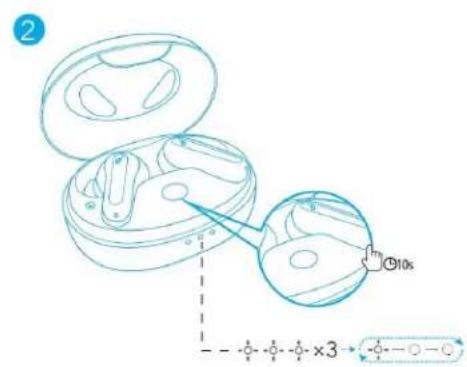
Especificações
natural_image
Line drawing of an open and closed electronic device (no text or symbols)2
Ношение
natural_image
Simple line drawing of a human face with a curved line and a dotted line indicating motion (no text or symbols)natural_image
Line drawing of an open biological cell with internal compartments and a blue arrow indicating direction (no text or symbols)3
natural_image
Line drawing of an open earbuds with visible internal components (no text or symbols)PAIRING
4
CONNECTED ◦ ◦ ◦ ⊙3s→●
natural_image
Line drawing of an open earbuds with two earbuds and a blue arrow indicating rotation (no text or symbols)2
Nosenie
natural_image
Simple line drawing of a human face with a curved line and a dotted line indicating a path (no text or symbols)natural_image
Line drawing of an open electronic device with internal components (no text or symbols)3
natural_image
Line drawing of an open and closed electronic device with internal components (no text or symbols)PAIRING
CONNECTED


natural_image
Line drawing of an open wireless earbuds with two earbuds and a blue arrow indicating rotation (no text or symbols)2
Technické údaje
Uporaba
- Izberite ušesna vstavka, ki se najbolje prilegata obliki vašega ušesa.
- Slušalki vstavite v notranja kanala ušes in ju nežno zavrtite, da najdete najbolj udoben in varen položaj.

natural_image
Simple line drawing of a human face with a curved line and a dotted line indicating a path (no text or symbols)natural_image
Line drawing of an open electronic device with internal components (no text or symbols)3
natural_image
Line drawing of an open electronic device with internal components (no text or symbols)PAIRING
CONNECTED ○ ○ ○ Ⓗ31→
4
natural_image
Line drawing of an open wireless earbuds with a blue arrow indicating rotation (no text or symbols)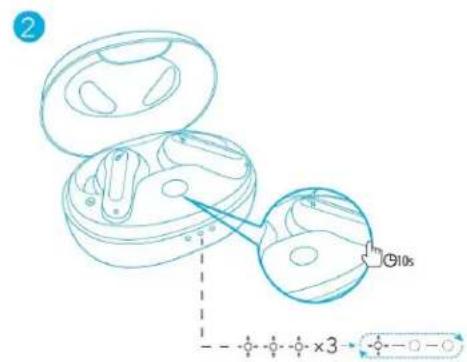
Tehnični podatki
Användning
natural_image
Simple line drawing of a human face with a curved line and a dotted line indicating motion or alignment (no text or symbols)natural_image
Line drawing of an open electronic device with internal components (no text or symbols)3
natural_image
Line drawing of an open and closed electronic device with internal components (no text or symbols)PAIRING
CONNECTED


natural_image
Line drawing of an open and closed wireless earbuds with a blue arrow indicating rotation (no text or symbols)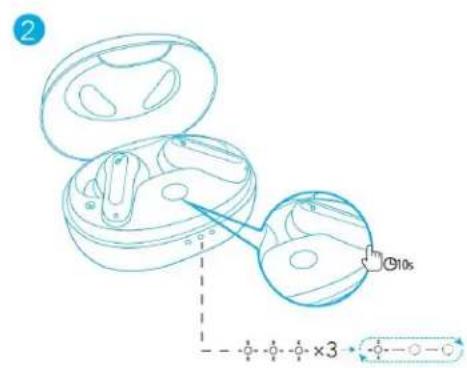
Specifikationer
Takma
natural_image
Simple line drawing of a human face with a curved line and a dotted line indicating a path (no text or symbols)natural_image
Line drawing of an open electronic device with internal components (no text or symbols)3
natural_image
Line drawing of an open and closed electronic device with internal components (no text or symbols)PAIRING
CONNECTED

Kontroller
Stereo Mod

natural_image
Line drawing of an open and closed wireless earbuds with earphones, showing a blue arrow indicating rotation (no text or symbols)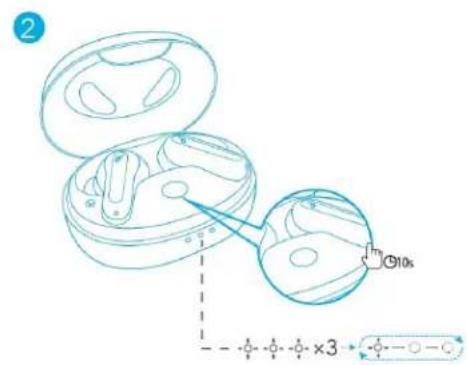
Teknik Özellikler
Como usar
natural_image
Simple line drawing of a human face with a curved line and a dotted line indicating a path (no text or symbols)natural_image
Line drawing of an open electronic device with internal components (no text or symbols)3
natural_image
Line drawing of an open and closed electronic device with internal components (no text or symbols)PAIRING
CONNECTED


natural_image
Line drawing of an open earbuds with two earbuds and a blue arrow indicating rotation (no text or symbols)2

Especificações
装着
natural_image
Simple line drawing of a human face with a thermometer and a dotted line indicating measurement (no text or symbols)natural_image
Two blue outline illustrations of wireless earbuds with a cursor pointer, no text or symbols present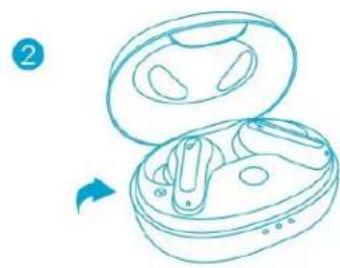
natural_image
Line drawing of an open and closed electronic device with internal components (no text or symbols)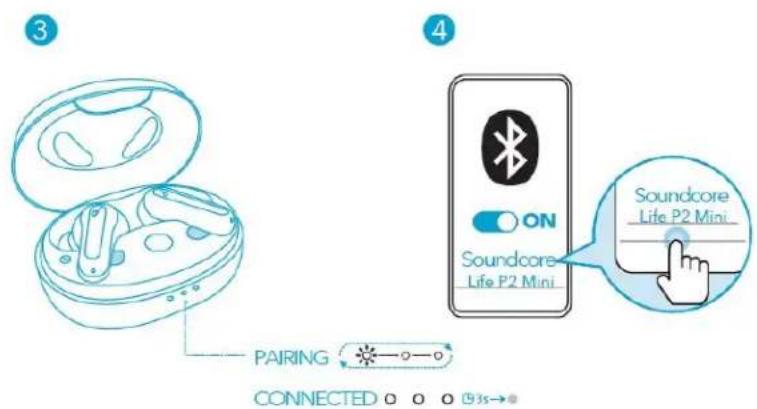
natural_image
Line drawing of an open and closed wireless earbuds with a blue arrow indicating rotation (no text or symbols)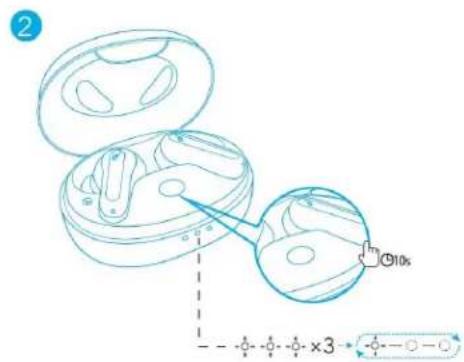
製品の仕様
착용
natural_image
Simple line drawing of a human face with a curved line and a dotted line indicating a path (no text or symbols)natural_image
Line drawing of an open electronic device with internal components and a blue lightning bolt symbol (no text or labels)OFF 1
2
natural_image
Line drawing of an open earbuds with two earbuds and a blue arrow indicating rotation (no text or symbols)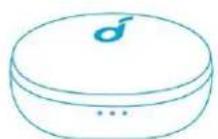
natural_image
Line drawing of an open and closed electronic device with internal components (no text or symbols)3
natural_image
Line drawing of an open electronic device with internal components (no text or symbols)PAIRING
CONNECTED ○ ○ ○ 31→
4

natural_image
Line drawing of an open and two earbuds with a blue arrow indicating rotation (no text or symbols)2
사양
佩戴
natural_image
Simple line drawing of a human face with a headset and a dotted line indicating motion (no text or symbols)natural_image
Line drawing of an open electronic device with internal components (no text or symbols)3
natural_image
Line drawing of an open electronic device with internal components (no text or symbols)PAIRING
CONNECTED ○ ○ ○ Ⓞ31→
4
natural_image
Line drawing of an open wireless earbuds with two earpieces and a blue arrow indicating rotation (no text or symbols)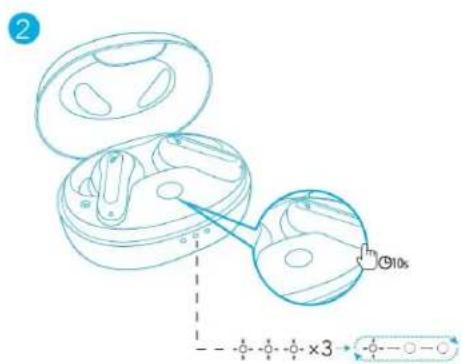
规格
- 规格如有变更,恕不另行通知。
穿戴
natural_image
Simple line drawing of a human face with a curved line and a dotted line indicating a path (no text or symbols)natural_image
Line drawing of an open electronic device with internal components (no text or symbols)3
natural_image
Line drawing of an open electronic device with internal components (no text or symbols)PAIRING
CONNECTED ○ ○ ○ ⑨31→
4
natural_image
Line drawing of an open and closed wireless earbuds with earphones, showing a blue arrow indicating rotation (no text or symbols)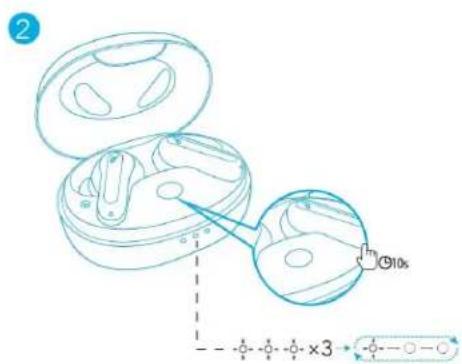
規格
- 規格可能隨時變更,恕不另行通知。
natural_image
Line drawing of an open earbuds with accessories (no text or symbols)2
تحذير
natural_image
Simple line drawing of a human face with a magnifying glass and dotted line indicating direction (no text or symbols)natural_image
Line drawing of an open electronic device with internal components (no text or symbols)3
natural_image
Line drawing of an open earbuds with earphones and buttons (no text or symbols)4
PAIRING
#
natural_image
Line drawing of an open and closed wireless earbuds with earphones, showing a blue arrow indicating rotation (no text or symbols)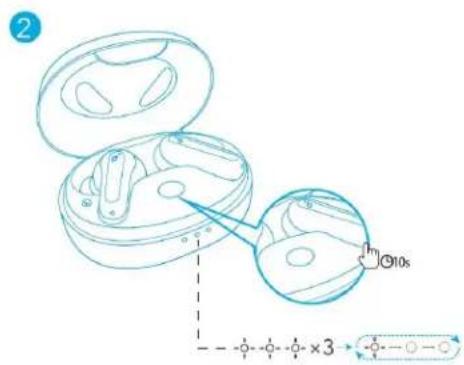
natural_image
Line drawing of an open and closed electronic device (no text or symbols)2
תְבָרִי
natural_image
Simple line drawing of a human head profile with a thermometer and a dotted line indicating direction (no text or symbols)• אבַרְשׁוֹת
תְבָר/תַלְהָה
natural_image
Line drawing of an open electronic device with a blue lightning bolt symbol (no text or labels)OFF
1
2
natural_image
Line drawing of an open earbuds with a blue arrow indicating rotation (no text or symbols)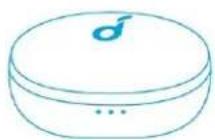
natural_image
Line drawing of an open earbuds with internal compartments, no text or symbols present3
natural_image
Line drawing of an open earbuds with visible teeth and ear clusters (no text or symbols)PAIRING
4
CONNECTED ○ ○ ○ Ⓗ→
.הכלההוּרָהוּרָהוּרָהוּרָהוּרָהוּרָהוּרָהוּרָהוּרָהוּרָהוּרָהוּרָהוּרָהוּרָהוּרָה
• הַרָאִיְהָה, n

natural_image
Line drawing of an open and closed wireless earbuds with a blue arrow indicating rotation (no text or symbols)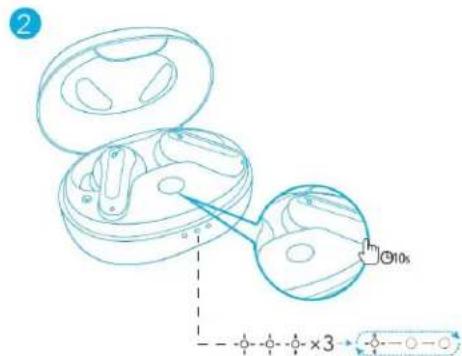
| 5V = 0.6A | ### |
| 5 mW | ### |
| ;(###) 60 mAh(###) 540 m | ### |
| ### | ### |
| ### 8(###) 32 | (###) ### |
| ### 1 | ### |
| 20 Hz-20 kHz | ### |
| 16 Ω | ### |
| IPX5 | (###) ### |
| 5.2 | Bluetooth |
| 'n 1 | Bluetooth |