Life P3i - Earplug soundcore - Free user manual and instructions
Find the device manual for free Life P3i soundcore in PDF.


| Product Type | Wireless Earplug |
| Brand | Soundcore |
| Model | Life P3i |
| Bluetooth Version | 5.2 |
| Bluetooth Range | 10 m / 33 ft |
| Speaker Size | 10 mm x 2 |
| Frequency Response | 20 Hz - 20 kHz |
| Impedance | 16 Ω |
| Battery Capacity (earbuds) | 55 mAh x 2 |
| Battery Capacity (case) | 500 mAh |
| Charging Time | 2 hours |
| Earbud Battery Life | Up to 9 hours |
| Total Battery Life with Case | Up to 36 hours |
| Active Noise Cancellation (ANC) | Yes |
| Water Resistance Rating (earbuds) | IPX5 |
| Power Input | USB-C, 5V 0.5A |
| App | Soundcore App (customization, EQ, update) |
| Touch Controls | Yes (playback, volume, calls, ANC) |
| Ear Tips Included | 3 pairs (S, M, L) |
| Weight | Not specified |
| Dimensions | Not specified |
Frequently Asked Questions - Life P3i soundcore
User questions about Life P3i soundcore
0 question about this device. Answer the ones you know or ask your own.
Ask a new question about this device
Download the instructions for your Earplug in PDF format for free! Find your manual Life P3i - soundcore and take your electronic device back in hand. On this page are published all the documents necessary for the use of your device. Life P3i by soundcore.
USER MANUAL Life P3i soundcore
natural_image
Line drawing of two wireless earbuds with charging case, no text or symbols presentSoundcore Life P3i
USER MANUAL
| English 01 | Português 66 | ||
| Čeština 06 | Portugues do Brasil 71 | ||
| Dansk 11 | Русский 76 | ||
| Deutsch 16 | Slovenský Jazyk | 81 | |
| ελληνικά 21 | Slovenski Jezik | 86 | |
| Español 26 | Svenska | 91 | |
| Suomi 31 | Türkçe | 96 | |
| Français 36 | 日本語 | 101 | |
| Magyar 41 | 한국어 | 106 | |
| Italiano 46 | 简体中文 | 111 | |
| Nederlands 51 | 繁體中文 | 116 | |
| Norsk 56 | لعربيya | 121 | |
| Język polski 61 | لاوي | 126 | |
Charging
三
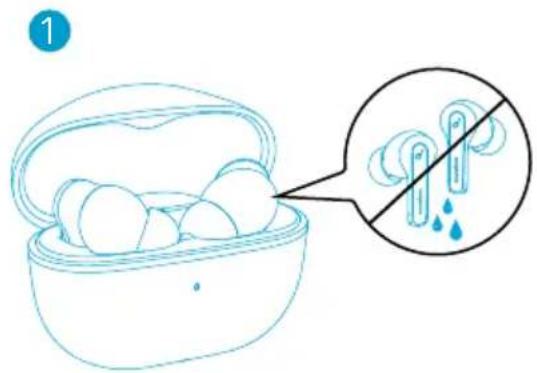
- Fully dry off the earbuds and the USB port before charging.
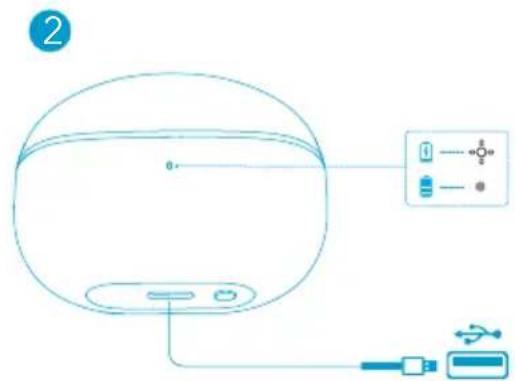
- Use a certified USB-C charging cable and charger to prevent any damage.
-
Fully charge both the earbuds and the charging case before the first use.
-
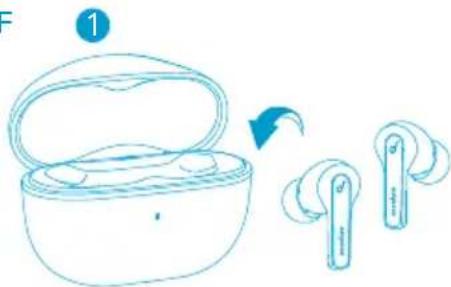
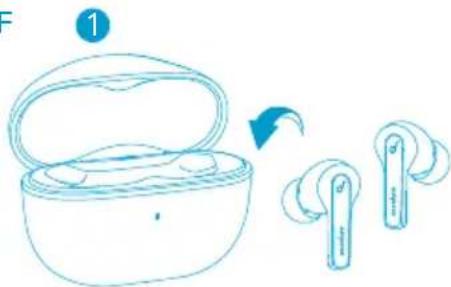
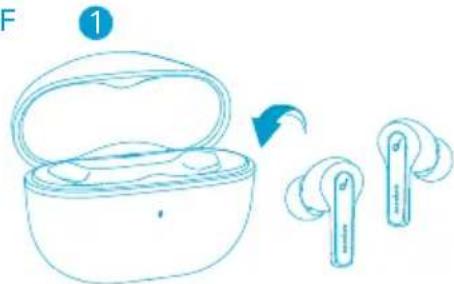
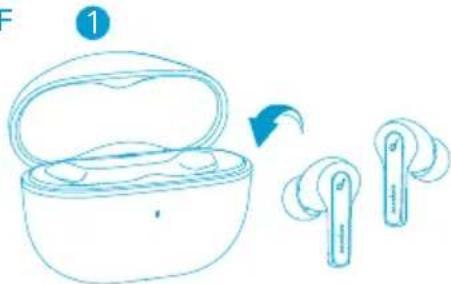
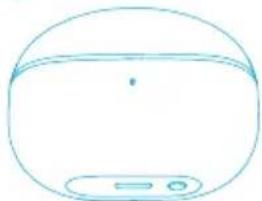
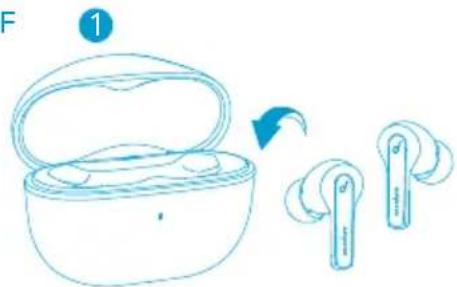
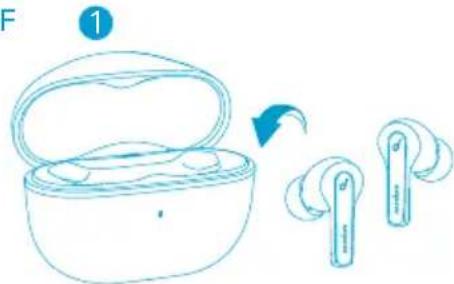
Place the earbuds in the charging case and close it.
-
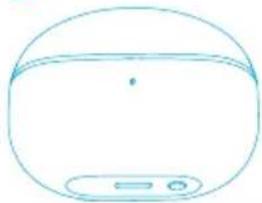
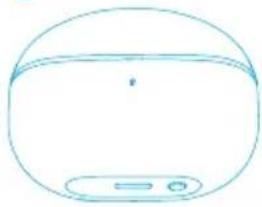
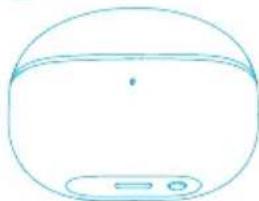
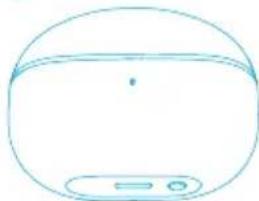
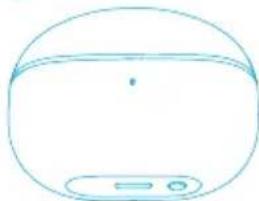
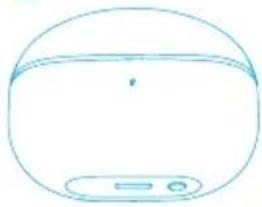
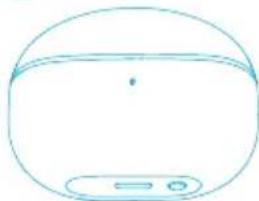
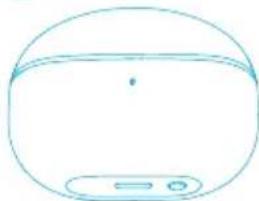
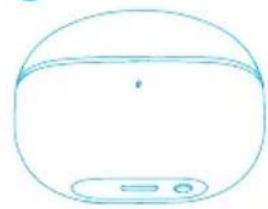
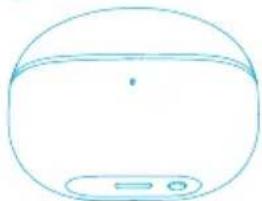
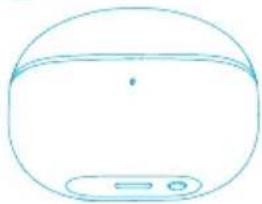
Connect the charging case to the power supply by using a USB-C charging cable.
→ The LED indicator on the charging case indicates the charging status.
Wearing
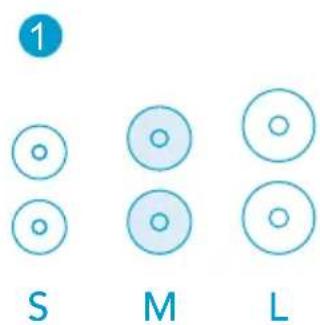
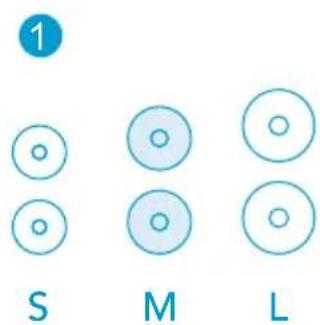
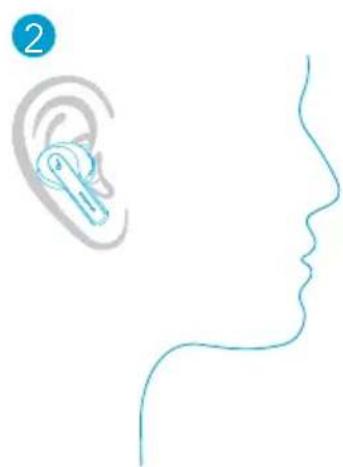
- Choose the EarTips that fit your ears best.
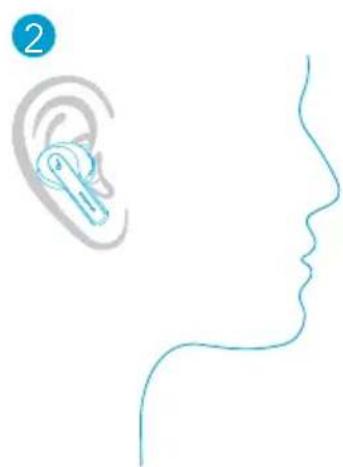
- Insert the earbuds into the inner canal of your ears and turn gently until you find the most comfortable and secure position.
natural_image
Illustration of a human ear and profile line, no text or symbols present- Your earbuds come with 3 pairs of EarTips, among which Medium-sized are pre-installed.
Powering On/Off
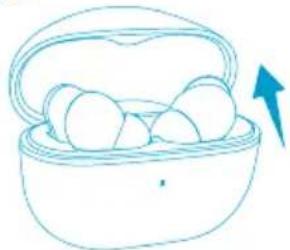
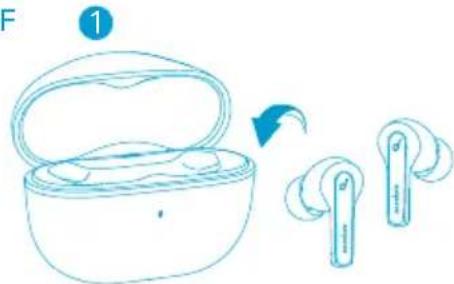
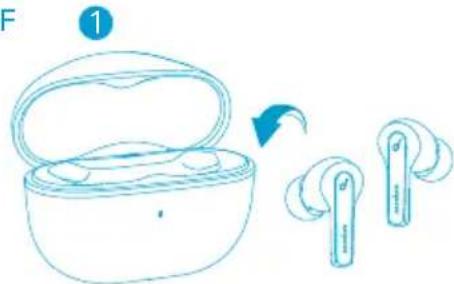
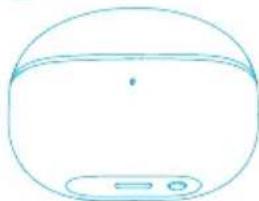
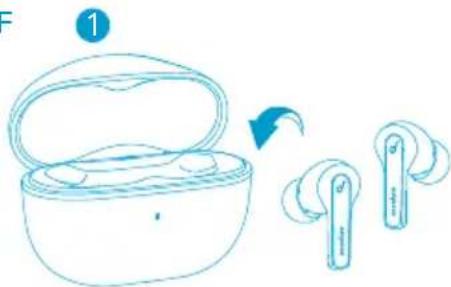
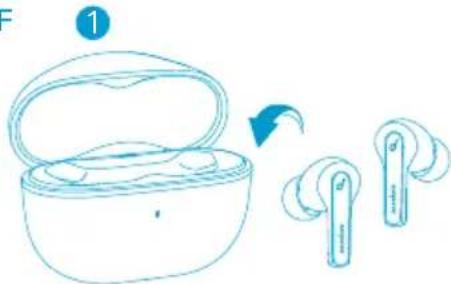
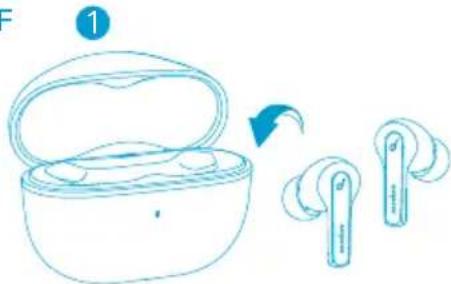
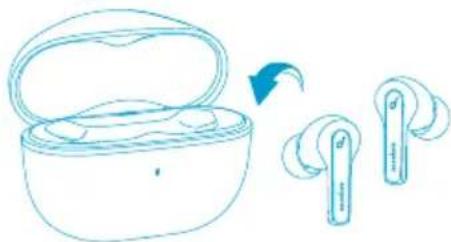
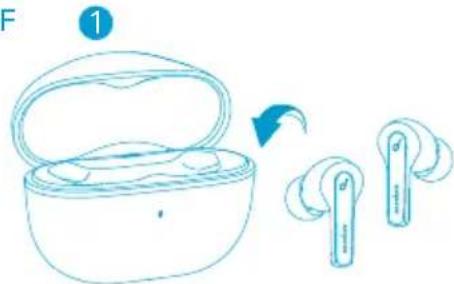
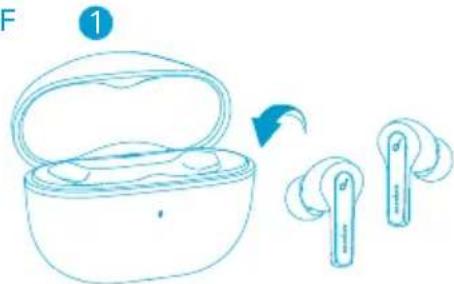
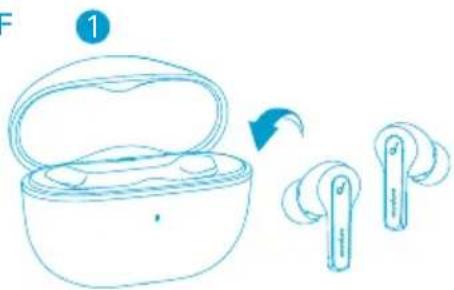
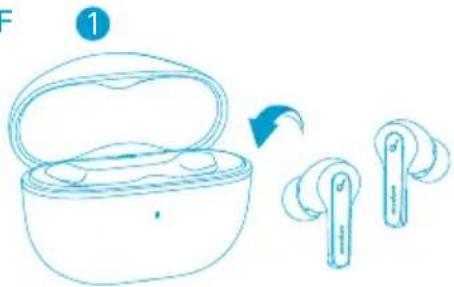
- Open the charging case, the earbuds will automatically power on.
• To power off, place the earbuds into the charging case and close it.
ON
natural_image
Simple line drawing of a basket filled with eggs, no text or symbols presentOFF
2
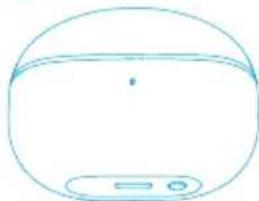
natural_image
Simple line drawing of a rounded object with a handle and two buttons at the bottom (no text or symbols)- The earbuds will automatically power off after 10 minutes if no device is connected.
- To manually power on, press and hold the multi-function button on both earbuds for 3 seconds.
Bluetooth Pairing
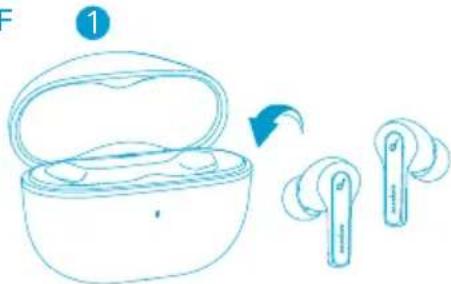
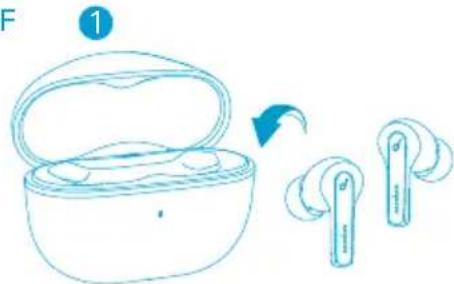
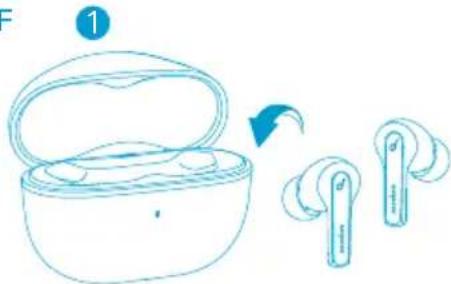
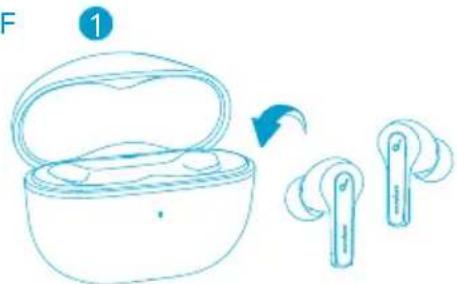
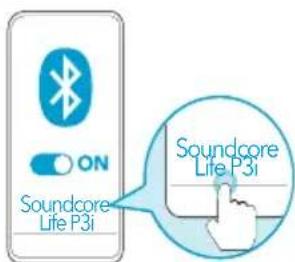
- Open the charging case, the earbuds will automatically enter Bluetooth pairing mode.
- The LED indicator on the charging case will flash white.
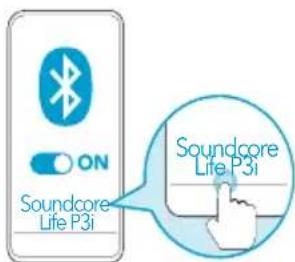
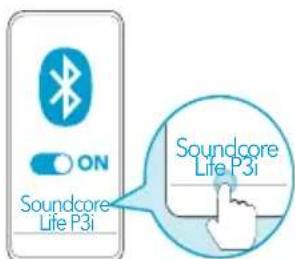
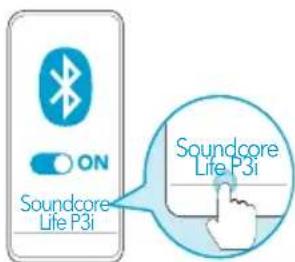
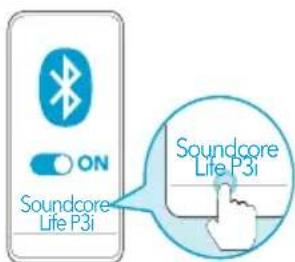
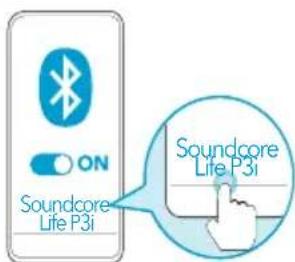
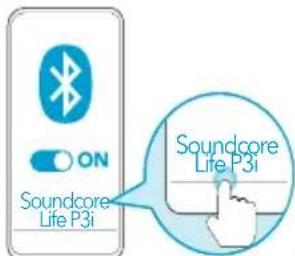
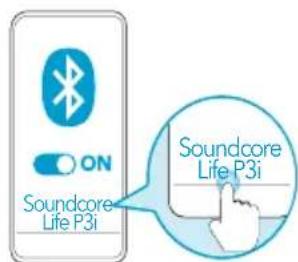
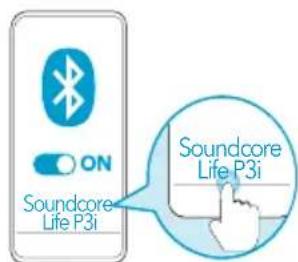
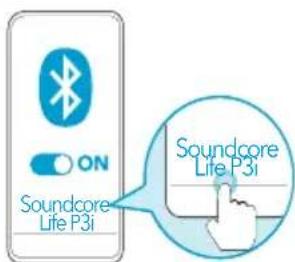
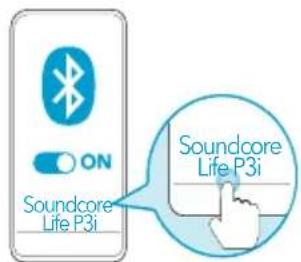
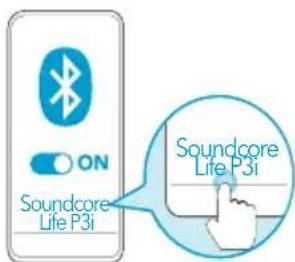
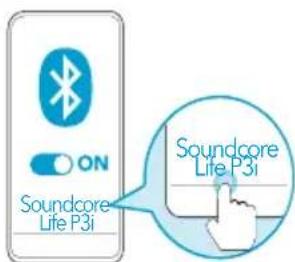
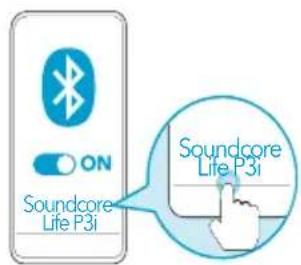
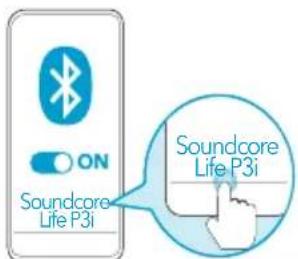
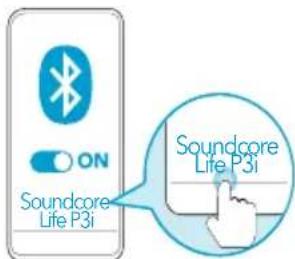
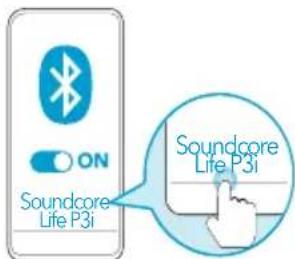
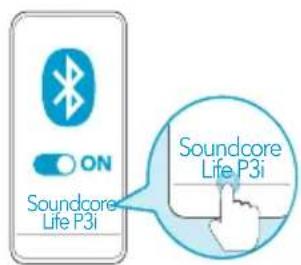
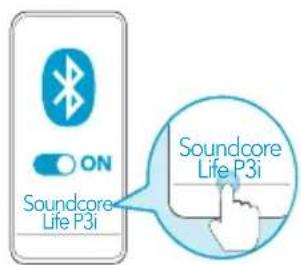
- Select "Soundcore Life P3i" on your device's Bluetooth list to connect.
- When successfully connected, the LED indicator on the charging case will turn off.
1
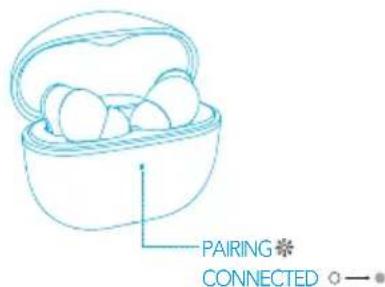
2
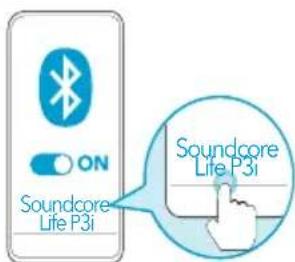
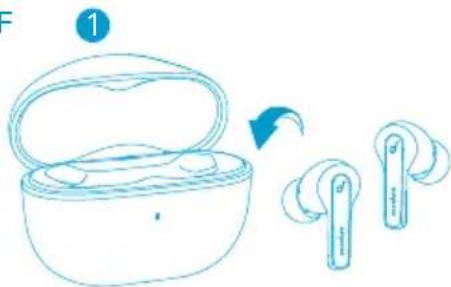
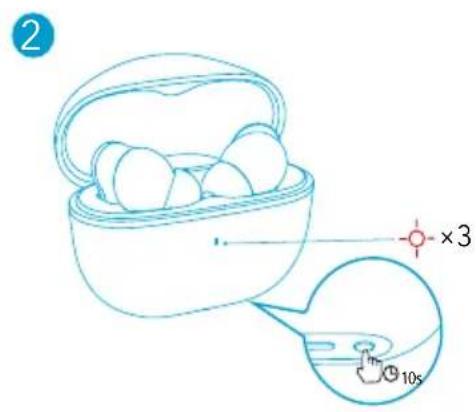
- Pairing with another device: Place the earbuds in the charging case and leave the case open. To enter pairing mode, press and hold the button on the case for 3 seconds until the LED indicator on the charging case flashes white.
• Each time you power on your Soundcore earbuds, they will automatically connect to your last successfully connected device if available within the Bluetooth range.
- Mono mode: When Bluetooth connected, you can use either one of the earbuds only by placing the other one into the charging case.
- When powered on and connected, if either one of the earbuds is out of battery and powered off, you can keep using the other one.
- When you are on a call, place either one of the earbuds into the charging case, and the microphone in the other earbud will be activated.
Controls
| Play/Pause Press twice (R) | |
| Next track Press twice (L) | |
| Volume up Press once (R) | |
| Volume down Press once (L) | |
| ANC Press and hold for 2 seconds(R/L) | |
| Answer a call Press once(R/L) | |
| End a call Press twice(R/L) | |
| Reject a call Press and hold for 2 second$(R/L) | |
Mono Mode
| Play/Pause | Press twice |
| End a call | |
| Volume Up | Press once |
| Answer a call | |
| Reject a call | Press and hold for 2 seconds |
| Activate Siri or other voice assistant software |
Soundcore App
Download the Soundcore App to customize the user interface (e.g. adjust volume, control playback, activate Siri), adjust EQ, switch ANC modes, update firmware, and explore more.

Reset
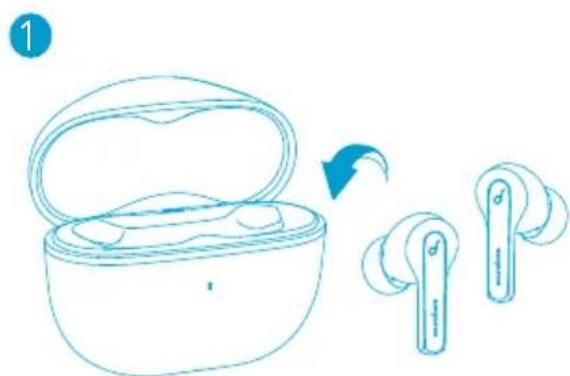
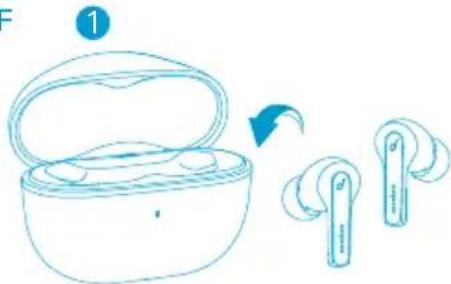
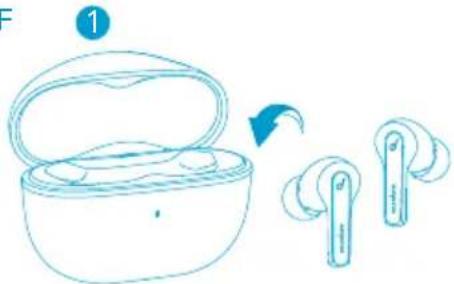
- You might need to reset the earbuds if you experience any connectivity problems or function issues.
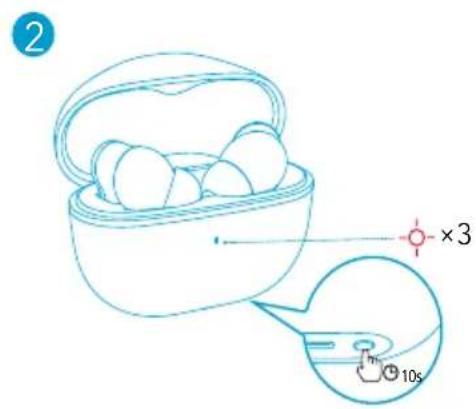
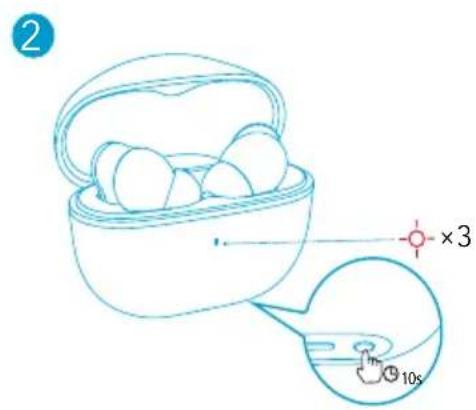
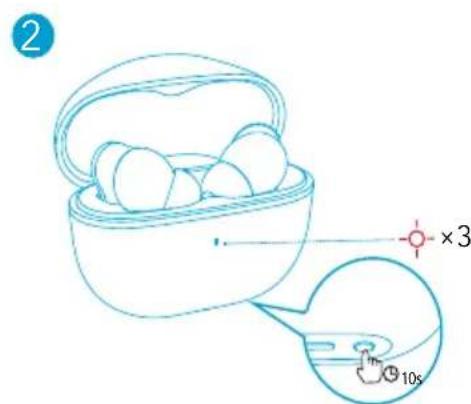
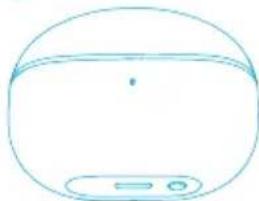
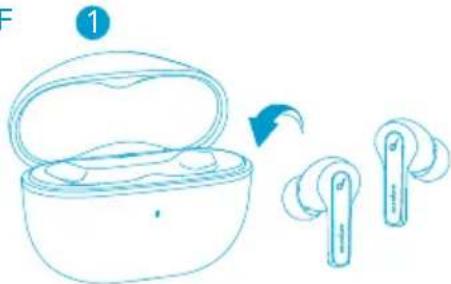
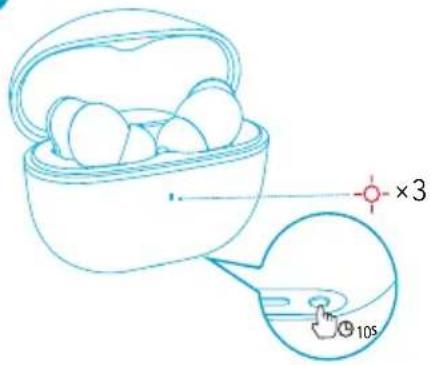
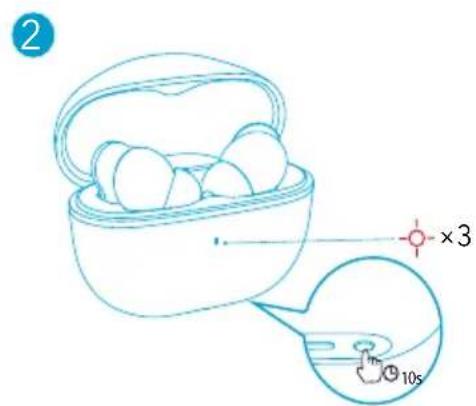
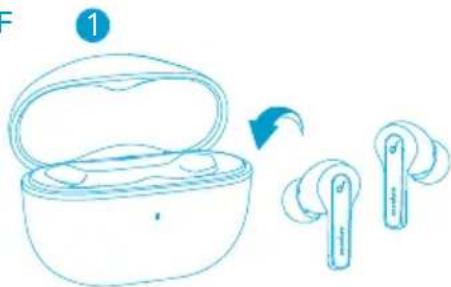
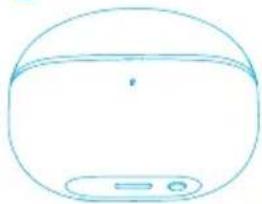
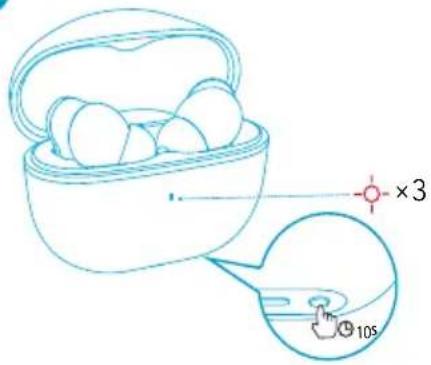
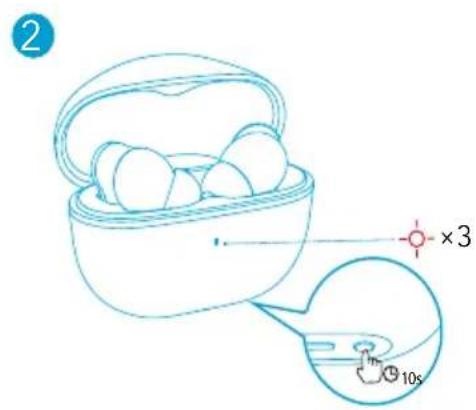
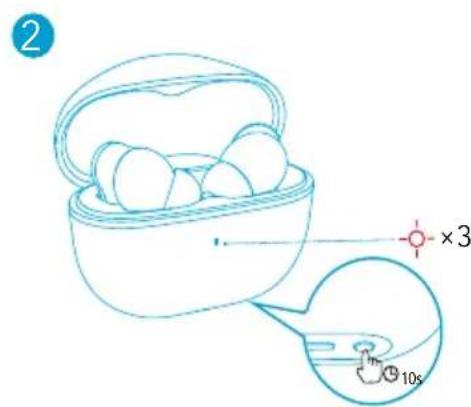
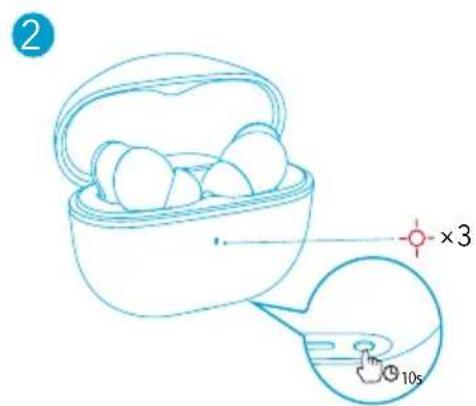
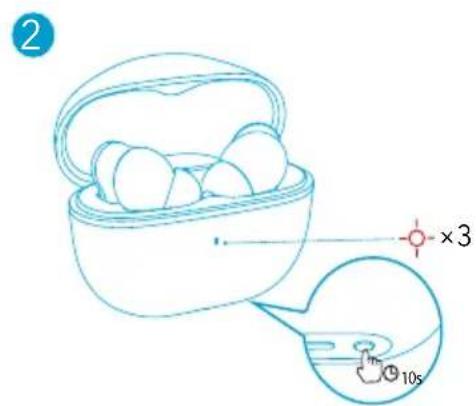
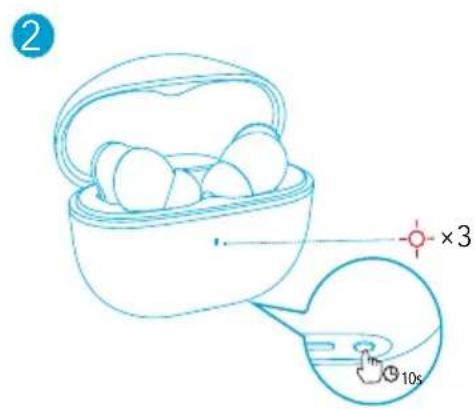
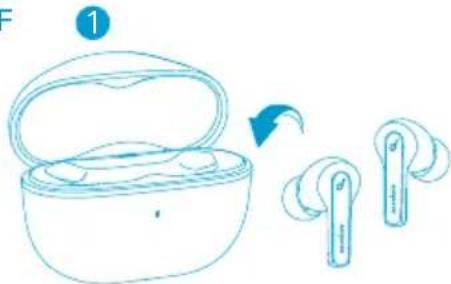
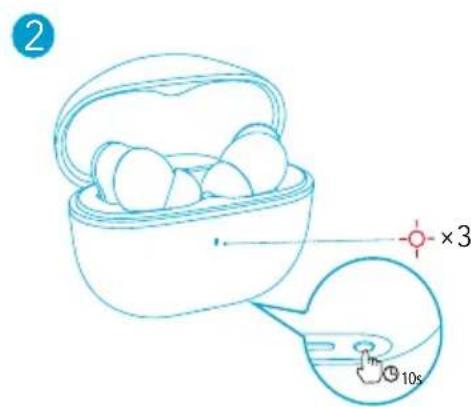
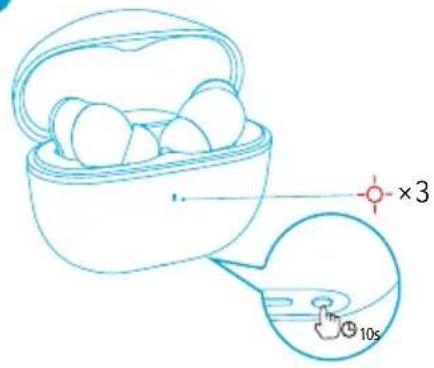
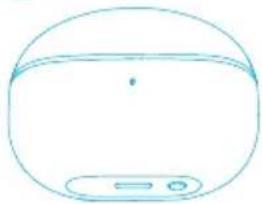
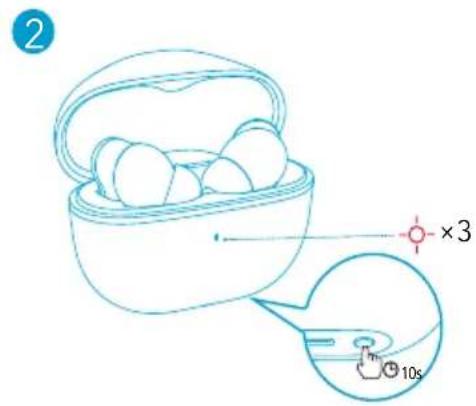
- Place the earbuds into the charging case and remain the case open.
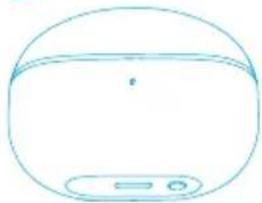
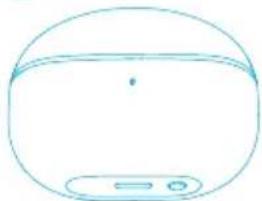
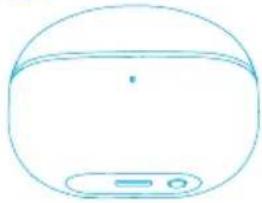
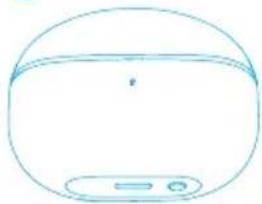
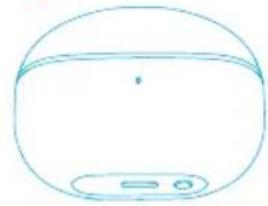
- Press and hold the button on the case for 10 seconds until the LED indicator on the charging case flashes red 3 times. This confirms that the reset was successful and your earbuds can be connected normally.
Specifications
Specifications are subject to change without notice.
| Input 5 V 0.5 A | --- |
| Rated output power 5 mW (@1% THD) | |
| Battery capacity | 55 mAh x 2 (earbuds);500 mAh (charging case) |
| Charging time 2 hours | |
| Playtime(varies by volume level and content) | Up to 9 hours(Total 36 hours with the charging case) |
| Driver size 10 mm x 2 | |
| Frequency response 20 Hz - 20 kHz | |
| Impedance 16 Ω | |
| Waterproof level (Earbuds) IPX5 | |
| Bluetooth version 5.2 | |
| Bluetooth range 10 m / 33 ft | |
Nabíjení
三
Nošení
natural_image
Illustration of a human ear and profile line, no text or symbols presentnatural_image
Simple line drawing of a basket filled with eggs, with a blue arrow pointing to the side (no text or symbols)OFF
2
natural_image
Simple line drawing of a rounded object with a handle and two buttons at the bottom (no text or symbols)Resetování
Specifikace
Montering i øre
natural_image
Illustration of a human ear and profile line, no text or symbols presentnatural_image
Simple line drawing of a basket filled with eggs, with an arrow pointing to the side (no text or symbols)OFF
2
natural_image
Simple line drawing of a rounded object with a handle and two buttons at the bottom (no text or symbols)Nulstil
natural_image
Line drawing of an open wireless earbuds with a blue arrow indicating the process (no text or symbols)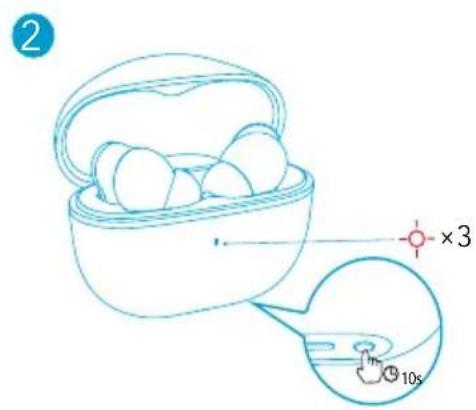
Specifikationer
natural_image
Simple line drawing of a human ear and profile silhouette (no text or symbols)natural_image
Simple line drawing of a basket filled with eggs, with an arrow pointing to the side (no text or symbols)OFF
2
natural_image
Simple line drawing of a rounded rectangular device with a small display panel at the bottom (no text or symbols)2
Zurücksetzen
natural_image
Line drawing of an open wireless earbuds with a blue arrow indicating the process (no text or symbols)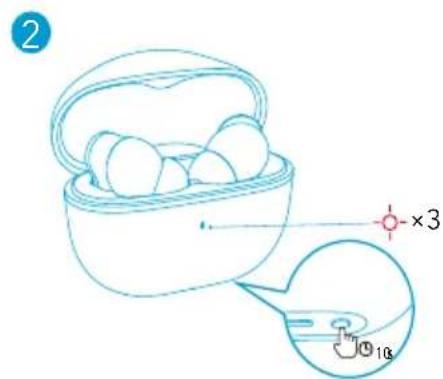
Technische Daten
Διαδικασία χρήσης
natural_image
Illustration of a human ear and profile line, no text or symbols presentnatural_image
Simple line drawing of a basket filled with eggs, with an arrow pointing to the side (no text or symbols)OFF
natural_image
Line drawing of an open wireless earbuds with a blue arrow indicating the process (no text or symbols)2
natural_image
Simple line drawing of a rounded object with a handle and two small circular ports (no text or symbols)2
Επαφορά
natural_image
Line drawing of a wireless earbuds with one partially open and another with two earbuds, showing the device's internal structure (no text or symbols)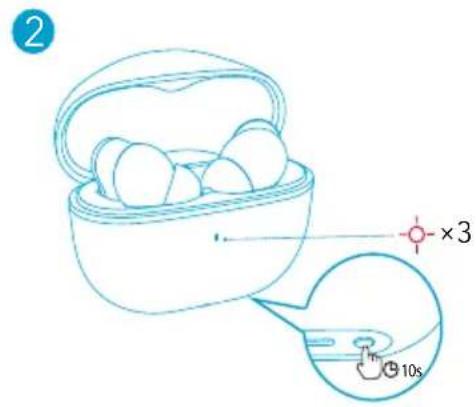
Προδιαγραφές
natural_image
Illustration of a human ear and profile line, no text or symbols presentnatural_image
Simple line drawing of a basket filled with eggs, with an arrow pointing to the side (no text or symbols)OFF
2
natural_image
Simple line drawing of a rounded object with a handle and two buttons at the bottom (no text or symbols)2
Restablecer
natural_image
Line drawing of two wireless earbuds with one open and one closed, showing a transformation process (no text or symbols)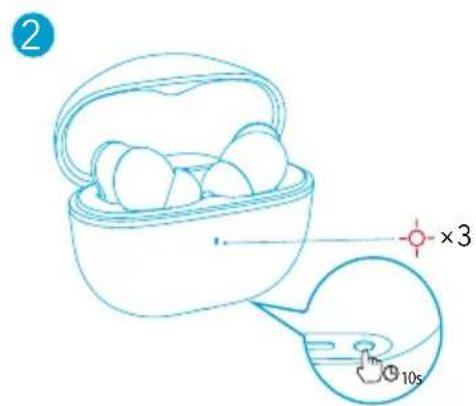
Especificaciones
natural_image
Illustration of a human ear and profile line, no text or symbols presentnatural_image
Simple line drawing of a basket filled with eggs, no text or symbols presentOFF
2
natural_image
Simple line drawing of a rounded object with a handle and two buttons at the bottom (no text or symbols)2
Nollaaminen
natural_image
Line drawing of an open wireless earbuds with a blue arrow indicating the process (no text or symbols)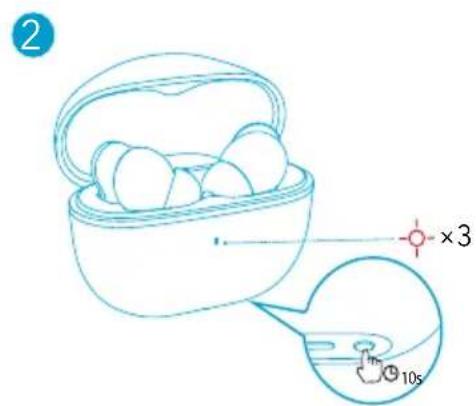
Tekniset tiedot
Insertion
natural_image
Illustration of a human ear with a medical device and a separate line drawing of the human face (no text or symbols)natural_image
Simple line drawing of a basket filled with eggs, with a blue arrow pointing to the side (no text or symbols)OFF
2
natural_image
Simple line drawing of a rounded object with a handle and two buttons at the bottom (no text or symbols)Réinitialisation
natural_image
Line drawing of an open wireless earbuds with a blue arrow indicating the process (no text or symbols)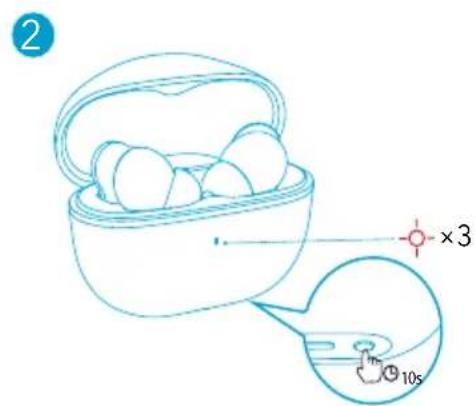
Spécifications
Használat
natural_image
Illustration of a human ear and profile line, no text or symbols presentnatural_image
Simple line drawing of a basket filled with eggs, no text or symbols presentOFF
2
natural_image
Simple line drawing of a rounded object with a handle and two buttons at the bottom (no text or symbols)2
Visszaállítás
natural_image
Line drawing of two wireless earbuds with open case, one being rotated (no text or symbols)2
Műszaki adatok
Utilizzo
natural_image
Illustration of a human ear with a small earbuck icon and a line drawing of the human face (no text or symbols)natural_image
Simple line drawing of a basket filled with eggs, with an arrow pointing to the side (no text or symbols)OFF
2
natural_image
Simple line drawing of a rounded object with a handle and two buttons at the bottom (no text or symbols)Reset
Specifiche
Dragen
natural_image
Simple line drawing of a human face profile with an ear icon and a curved line, no text or symbols present.natural_image
Simple line drawing of a basket filled with eggs, with a blue arrow pointing to the side (no text or symbols)OFF
2
natural_image
Simple line drawing of a rounded object with a handle and two small circular ports (no text or symbols)RESETTEN
natural_image
Line drawing of two wireless earbuds with one open and one closed, showing a blue arrow indicating transformation (no text or symbols)2
Specifications
Bruk
natural_image
Illustration of a human ear and profile line, no text or symbols presentnatural_image
Simple line drawing of a basket filled with eggs, with an arrow pointing to the side (no text or symbols)OFF
2
natural_image
Simple line drawing of a rounded object with a handle and two buttons at the bottom (no text or symbols)- ∅reproppene slås av automatisk etter 10 sekunder hvis det ikke er en enhet tilkoblet.
- Hvis du vil slå på øreproppene manuelt, kan du trykke og holde inne flerfunksjonsknappen på begge øreproppene i 3 sekunder.
Bluetooth-paring
2
Tilbakestill
Spesifikasjoner
Zakładanie
natural_image
Illustration of a human ear and profile line, no text or symbols presentnatural_image
Simple line drawing of a basket filled with eggs, with a blue arrow pointing to the side (no text or symbols)OFF
2
natural_image
Simple line drawing of a rounded object with a handle and two small buttons at the bottom (no text or symbols)2
Resetowanie
Dane techniczne
Utilização
natural_image
Illustration of a human ear and profile line, no text or symbols presentnatural_image
Simple line drawing of a basket filled with eggs, with a blue arrow pointing to the side (no text or symbols)OFF
2
natural_image
Simple line drawing of a rounded object with a handle and two buttons at the bottom (no text or symbols)2
Repor
natural_image
Illustration of a human ear and profile line, no text or symbols presentnatural_image
Simple line drawing of a basket filled with eggs, no text or symbols presentOFF
2
natural_image
Simple line drawing of a rounded rectangular device with a small display and two circular ports (no text or symbols)2
Reiniciar
natural_image
Line drawing of two wireless earbuds with one open and one partially peeled, showing a blue arrow indicating the process (no text or symbols)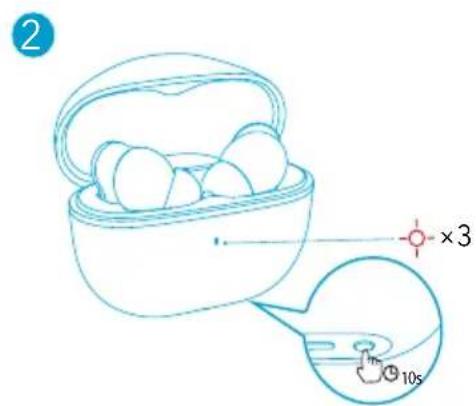
Especificações
Ношение
natural_image
Illustration of a human ear and profile line, no text or symbols presentnatural_image
Simple line drawing of a basket filled with eggs, with an arrow pointing to the side (no text or symbols)OFF
2
natural_image
Simple line drawing of a rounded object with a small rectangular base and a circular top (no text or symbols)2
C6poc
natural_image
Line drawing of an open earbuds with a blue arrow indicating the process (no text or symbols)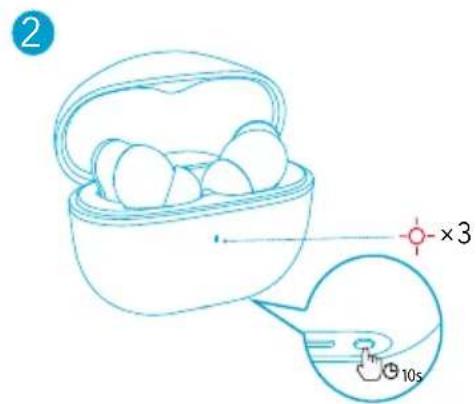
Nosenie
natural_image
Illustration of a human ear with a wireless ear device and a line drawing of the human face (no text or symbols)natural_image
Simple line drawing of a basket filled with eggs, with an arrow pointing to the side (no text or symbols)OFF
2
natural_image
Simple line drawing of a rounded object with a small rectangular base and two circular ports (no text or symbols)2
Resetovanie
Technické údaje
Uporaba
- Izberite ušesna vstavka, ki se najbolje prilegata obliki vašega ušesa.
- Slušalki vstavite v notranja kanala ušes in ju nežno zavrtite, da najdete najbolj udoben in varen položaj.
natural_image
Illustration of a human ear and profile line, no text or symbols presentnatural_image
Simple line drawing of a basket filled with eggs, no text or symbols presentOFF
1
natural_image
Line drawing of an open earbuds with a blue arrow indicating the process (no text or symbols)2
natural_image
Simple line drawing of a rounded object with a handle and two buttons at the bottom (no text or symbols)2
Ponastavi
Tehnični podatki
Användning
natural_image
Illustration of a human ear and profile line, no text or symbols presentnatural_image
Simple line drawing of a basket filled with eggs, with a blue arrow pointing to the side (no text or symbols)OFF
2
natural_image
Simple line drawing of a rounded object with a handle and two small circular ports (no text or symbols)2
Återställning
Specifikationer
Takma
natural_image
Illustration of a human ear and profile line, no text or symbols presentnatural_image
Simple line drawing of a basket filled with eggs, no text or symbols presentOFF
2
natural_image
Simple line drawing of a rounded object with a small rectangular base and circular ports (no text or symbols)2

SIFIRLAMA
Teknik Özellikler
装着
natural_image
Illustration of a human ear and profile line, no text or symbols presentnatural_image
Simple line drawing of a basket filled with eggs, with a blue arrow pointing to the side (no text or symbols)OFF
2
natural_image
Simple line drawing of a rounded object with a horizontal bar and two circular ports (no text or symbols)2
リセット
natural_image
Line drawing of an open earbuds with a blue arrow indicating the process (no text or symbols)2
製品の仕様
natural_image
Illustration of a human ear and profile line, no text or symbols presentnatural_image
Simple line drawing of a basket filled with eggs, with an arrow pointing to the side (no text or symbols)OFF
2
natural_image
Simple line drawing of a rounded rectangular device with a small circular button at the bottom (no text or symbols)2
재설정
natural_image
Illustration of a human ear and profile line, no text or symbols presentnatural_image
Simple line drawing of a basket filled with eggs, with an arrow pointing to the basket (no text or symbols)OFF
2
natural_image
Simple line drawing of a rounded object with a handle and two small circular elements at the bottom (no text or symbols)2
重置
规格
规格如有变更,恕不另行通知。
natural_image
Illustration of a human ear and profile line, no text or symbols presentnatural_image
Simple line drawing of a basket filled with eggs, with an arrow pointing to the basket (no text or symbols)OFF
2
natural_image
Simple line drawing of a rounded object with a handle and two small circular elements at the bottom (no text or symbols)2
重設
natural_image
Line drawing of a wireless earbuds with one being open and then being placed into two earbuds (no text or symbols)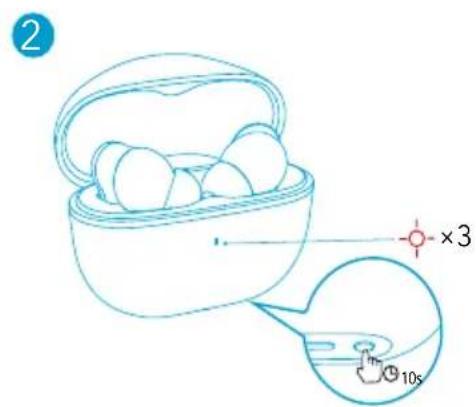
規格
☐ 規格可能隨時變更,恕不另行通知。
natural_image
Illustration of a human ear and profile line, no text or symbols presentnatural_image
Simple line drawing of a basket filled with eggs, with a blue arrow pointing to the side (no text or symbols)OFF
2
natural_image
Simple line drawing of a rounded object with a small rectangular base and dot on top (no text or symbols)2
إعادة酔回ين
natural_image
Simple line drawing of a human ear and profile silhouette (no text or symbols)natural_image
Simple line drawing of a basket filled with eggs, with an arrow indicating direction (no text or symbols)OFF
natural_image
Line drawing of an open wireless earbuds with a blue arrow indicating the process (no text or symbols)2
natural_image
Simple line drawing of a rounded object with a small rectangular base and dot on top (no text or symbols)•
•
Bluetooth by Tin'ys
Bluetooth 1.
•.
2
•
019'X
•