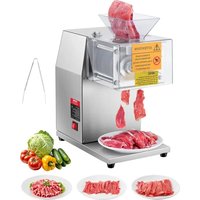
SJY-DQ90 - Food Processor Vevor - Free user manual and instructions
Find the device manual for free SJY-DQ90 Vevor in PDF.


| Product type | Electric slicer (food processor) |
| Brand | Vevor |
| Model | SJY-DQ90 |
| Dimensions (approx.) | 30 × 30 × 40 cm |
| Weight (approx.) | 15 kg |
| Power supply | 220-240 V ~ 50 Hz (or 120 V ~ 60 Hz depending on version) |
| Rated power | 850 W |
| Meat productivity | 250 kg/h |
| Main material | Plastic and metal |
| Main functions | Slice meat, cheese, vegetables, bread |
| Recommended use | Indoor domestic use |
| Blade type | Stainless steel blade |
| Maintenance and cleaning | Clean with hot water (>50°C); do not immerse; lubricate with oil after drying |
| Safety | Unplug before assembly/disassembly/cleaning; sharp blade; do not use for bones or frozen foods |
| Spare parts included | Blade, hopper, rubber base, lock nut, knife comb, pinions, large gear |
| Repairability / Support | Technical support and electronic warranty certificate at www.vevor.com/support |
| General information | Household use only; do not use for commercial purposes |
Frequently Asked Questions - SJY-DQ90 Vevor
User questions about SJY-DQ90 Vevor
0 question about this device. Answer the ones you know or ask your own.
Ask a new question about this device
Download the instructions for your Food Processor in PDF format for free! Find your manual SJY-DQ90 - Vevor and take your electronic device back in hand. On this page are published all the documents necessary for the use of your device. SJY-DQ90 by Vevor.
USER MANUAL SJY-DQ90 Vevor
Technical Support and E-Warranty Certificate www.vevor.com/support
COMMERCIAL SLICER
MODEL: SJY-DQ90, JRJ-12
We continue to be committed to provide you tools with competitive price. "Save Half", "Half Price" or any other similar expressions used by us only represents an estimate of savings you might benefit from buying certain tools with us compared to the major top brands and does not necessarily mean to co all categories of tools offered by us. You are kindly reminded to verify carefully when you are placing an order with us if you are actually Saving Half in comparison with the top major brands.
VEVOR®
TOUGH TOOLS, HALF PRICE
COMMERCIAL SLICER
MODEL: SJY-DQ90, JRJ-12
NEED HELP? CONTACT US!
Have product questions? Need technical support? Please feel free to contact us:
Technical Support and E-Warranty Certificate
www.vevor.com/support
This is the original instruction, please read all manual instructions carefully before operating. VEVOR reserves a clear interpretation of o user manual. The appearance of the product shall be subject to the product you received. Please forgive us that we won't inform you ag there are any technology or software updates on our product.
 | Warning-To reduce the risk of injury, user must read instructions manual carefully. |
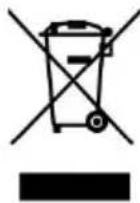 | This product is subject to the provision of European Directive 2012/19/EC. The symbol showing a wheelie bin crossed through indicates that the product requires separate refuse collection in European Union. This applies to the product and all accesso marked with this symbol. Products marked as such may not discarded with normal domestic waste, but must be taken to collection point for recycling electrical and electronic devices |
DESCRIPTION
- This appliance is designed for slicing foodstuff, e.g. meat, cheese, vegetables, bread, etc.
- The appliance is only intended for household indoor use. The appliance not intended for any commercial or industrial use.
- Do not use the appliance for other purposes. Any other use might damage of the appliance or personal injury.
- The manufacturer will accept no liability for damage or injuries resu from improper use or non-compliance with this manual.
When using electrical appliances, basic safety precautions should always be followed, including the following:
1. CAREFULLY READ AND UNDERSTAND ALL INSTRUCTIONS BEFORE OPERATING.
- Disconnect the power cord on the slicer; for cleaning, if the product appears to be malfunctioning; or when you're finished operating the appliance. To disconnect the device from the electricity supply, always directly on the plug - never pull the plug out using the power cord.
-
Indoor use only. Never allow this device to be exposed to rain or Do not submerge the appliance in water for any reason. If the device should fall into water, ensure the device is disconnected from a power source, then and only then, remove the device from the water. After we have the slicer examined by an authorized service center before further use.
-
Do not use the slicer if your hands are wet or if you are standing floor. Do not use the slicer if it is wet or moist.
-
The slicer is designed exclusively for domestic use and not for commercial purposes.
-
Set up and store the slicer out of reach of children.
-
Do not leave the slicer unattended while the appliance is plugged in 8. Always ensure that the slicer is safely set up or installed before you operating.
-
The sliding feed table and piece holder should always be in place, appliance is in use, unless this is not possible due to the size or size of the food. Do not use the slicer to slice through bones or frozen foods.
-
Do not use the slicer if it is damaged in any way. Have the slicer repaired immediately at an authorized service center by qualified personnel.
-
Only use the slicer with the accessories supplied by the manufacture
- No claims under the guarantee or liability for damages will be acc
if they result from improper or incorrect use of the slicer.
- Switch off before reaching near the blade.
- If the supply cord is damaged, it must be replaced by the manufacture of its service agent, or similarly qualified persons in order to avoid a hazard.
- Always disconnect the appliance from the supply if it is left unattended before assembling, disassembling, or cleaning.
- Keep the appliance and its cord out of reach of pets and children.
- Each operator should thoroughly read through this owner's manual before attempting to use this appliance. The operator should always be aware of the safety procedures mentioned in this manual.
- This appliance is NOT intended for use by people (including children with reduced physical, sensory or mental capabilities, or lack of experience and knowledge, unless they have been given supervision or instruction concerning use of the appliance by a person responsible for their safe Children should be supervised to ensure that they do not play with the appliance.
- Children shall not play with the appliance. The slicer is not a toy. SAVE THESE INSTRUCTIONS
Technical Parameters
| Model | SJY-DQ90, SJY-DT90 | |
| Rated Voltage | AC120V | AC220-240V |
| Frequency | 60Hz | 50Hz |
| Rated Power | 850W | 850W |
| Meat Productivity | 250kg/h | |
Parts Identification
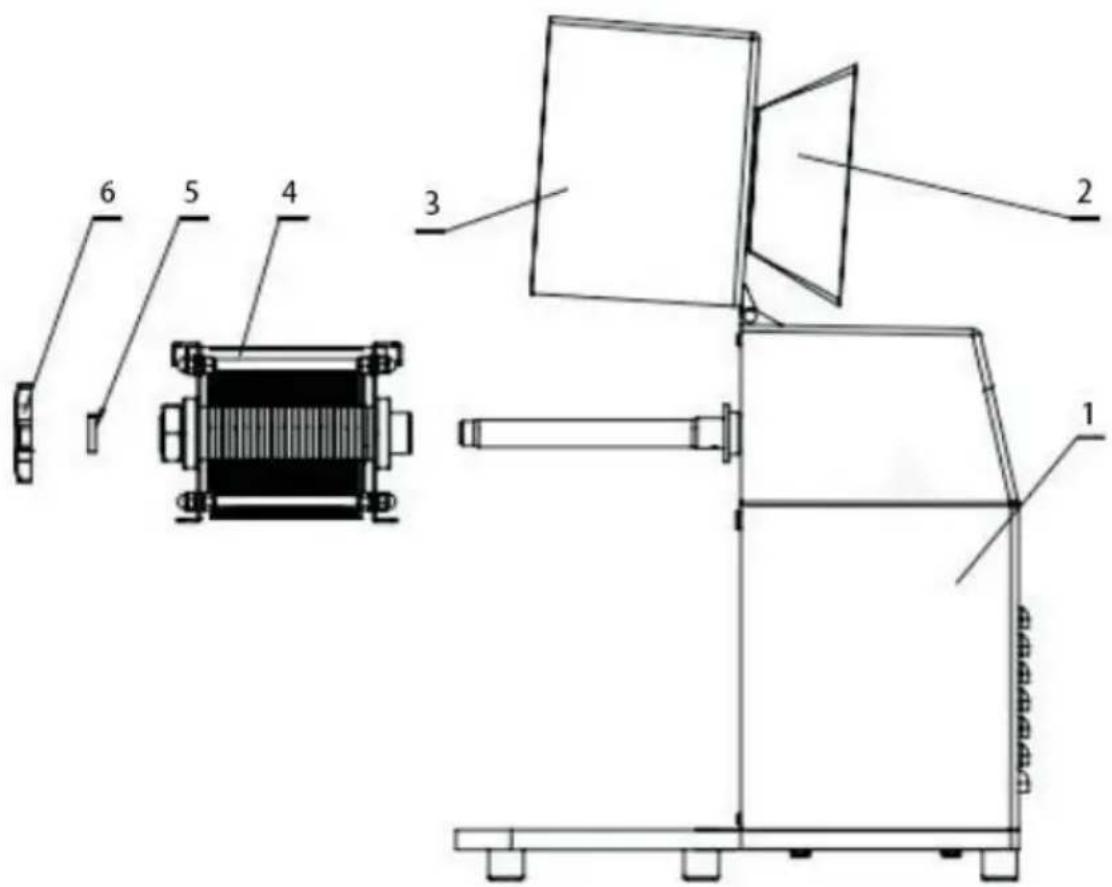
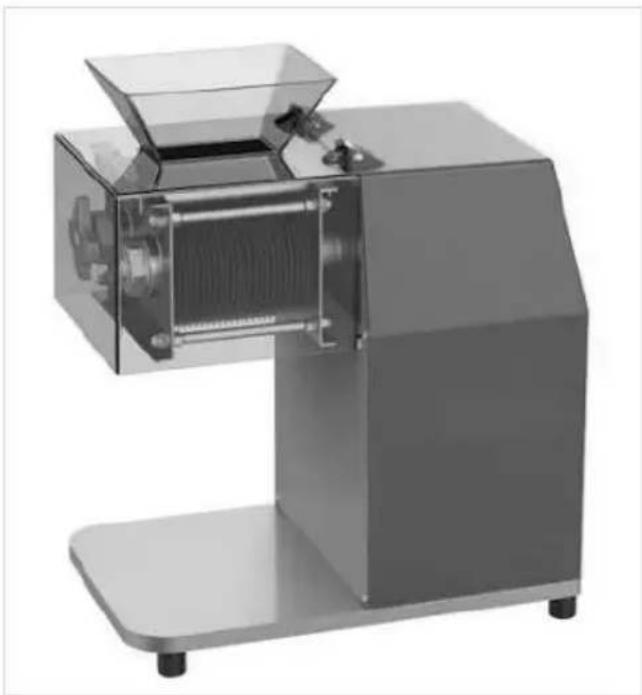
- Plastic Body 2. Feed Inlet 3. Cover Piece 4. Slice Group 5. Setting-up Piece 6. Lock Nut
Use and Maintenance
- Before use, wipe the meat inlet of the machine, and rinse the meat with a small amount of warm water to wash away the floating dust and outside the machine.
• Make sure that the voltage and frequency indicated on the bottom are the same as your local supply, and that the external earthed wir reliable connected. - When plugging in, ensure switch is off.
-
Switch the device on. Always have the unit running before adding
-
Cut meat into strips or cubes that smaller than the feeding inlet.
• Make sure the meat is free of bone, tough tendon, meat skin, etc. - Put the meat into the meat cutting inlet, then slice. If you need to just put slice meat into the inlet again, then cut into shredded meat.
- When finishing cutting the meat, turn the device off and unplug fro electrical outlet.
- Clean the device thoroughly. Add oil to the accessories which direc contact the meat. A little salad oil on machine accessories after wash and drying will keep them lubricated.
- It is advisable to clean it with hot water above 50 degrees Celsius strictly prohibited to wash it with cold water, otherwise it will cause no problem of clutch.
- For the first time, cut some vegetables (such as celery and Cabbage) to clean of f the residual oil before leaving the factory then rinse with clear water to get to work Cut the meat into the feed port, and be careful not to have bones or other sundries inside, otherwise it will cause damage to the tool. When cutting shredded meat cut the meat into slices first, and then cut the m laterally. You need to shred the diced meat and cut it again.
Safety Precautions
- This product is appropriate for indoor use only.
- Unplug when assembling or disassembling the unit. Close supervision necessary when appliance is used near children.
- Never immerse product, cord, or plug in liquids.
- Allow adequate cooling time before removing any appliance parts.
- During operation, place the device on a leveled surface.
- Unplug the product from its electrical outlet source prior to operating cleaning.
- Only wipe the machine with a damp cloth.
- Care is need when handing cutting blade during cleaning
Troubleshooting
If cutting meat is not discharged smoothly or in the form of plate, tr and remedies could be:
- The screw cap is too tight. The cutting blade does not contact pro with the cutting plate. Please adjust it.
• The cutting blade is blocked. Clean it. - The cutting blade edge are dull. Grind or replace the blade.
| No | Picture | Name | Qty |
| 1 | 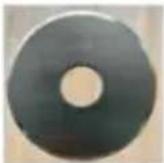 | Blade | 48 |
| 2 |  | Hoppers | 1 |
| 3 | 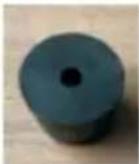 | Rubber base | 5 |
| 4 | 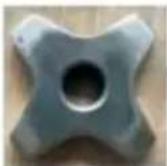 | M16X1.5 star nut | 1 |
| 5 | 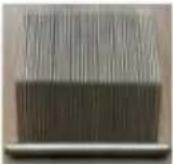 | Knife comb | 2 |
| 6 |  | Pinions | 1 |
| 7 |  | Big Gear | 1 |
Installation notes
Wear anti-cutting gloves when taking the blade assembly,
Keep your fingers away
from the blade, Working Environment: Avoid storage in wet conditions
Attention to operating equipment
When cutting meat, The meat falls from the top down onto the hopper, Prevent cuts to the hand
Troubleshooting instructions
:
| troubleshooting | The cause of the problem | The solution |
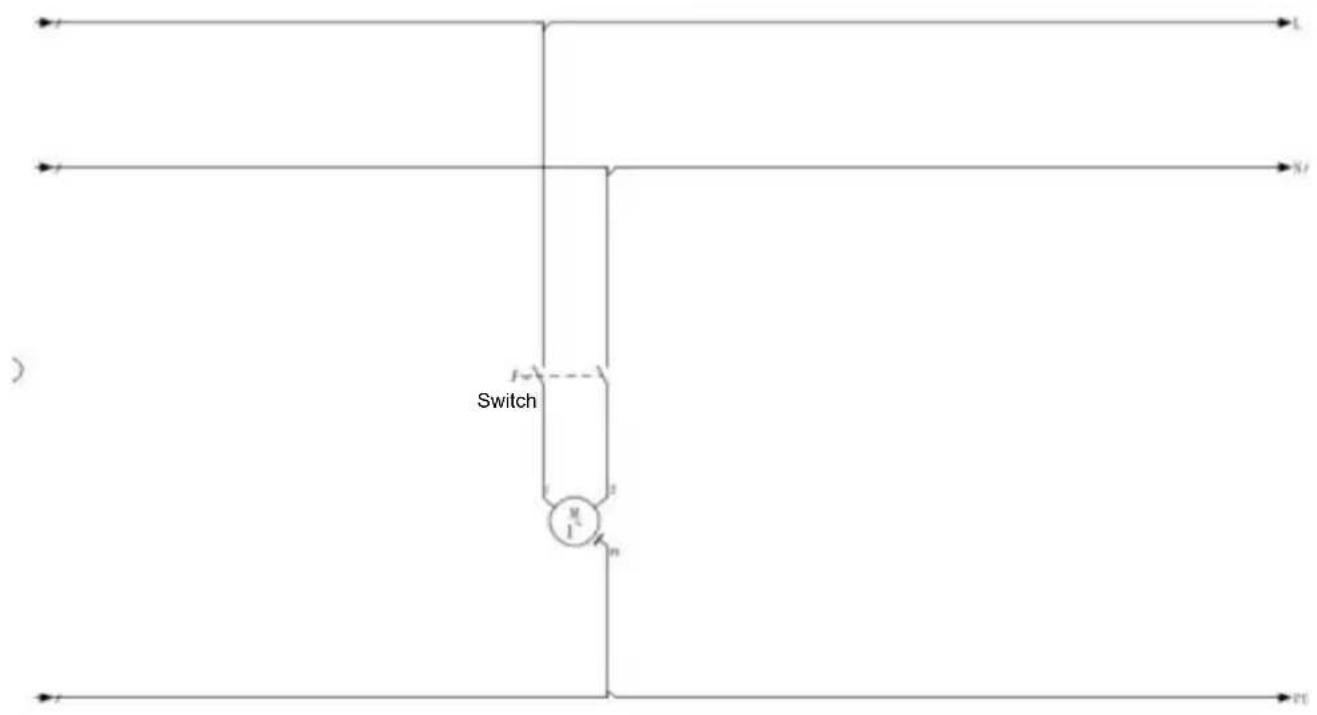
| The cutting blade does not turn | Motor or wiring problems | Check whether the circuit is intact and there is no falling phenomenon, or motor problems contact the after-sales service |
| The meat cannot be sliced properly | The blade problem | Check whether the blade is complete and whether there is a notch or damage |
Product schematic diagram circuit diagram
VEVOR®
TOUGH TOOLS, HALF PRICE
Technical Support and E-Warranty Certificate
www.vevor.com/support
VEVOR®
TOUGH TOOLS, HALF PRICE
POTRZEBUJESZ POMOCY? SKONTAKTUJ SIE Z NAMI!
www.vevor.com/support
Attention to operating equipment
Troubleshooting instructions
:
| troubleshooting | The cause of the problem | The solution |
| The cutting blade does not turn | Motor or wiring problems | Check whether the circuit is intact and there is no falling phenomenon, or motor problems contact the after-sales service |
| The meat cannot be sliced properly | The blade problem | Check whether the blade is complete and whether there is a notch or damage |
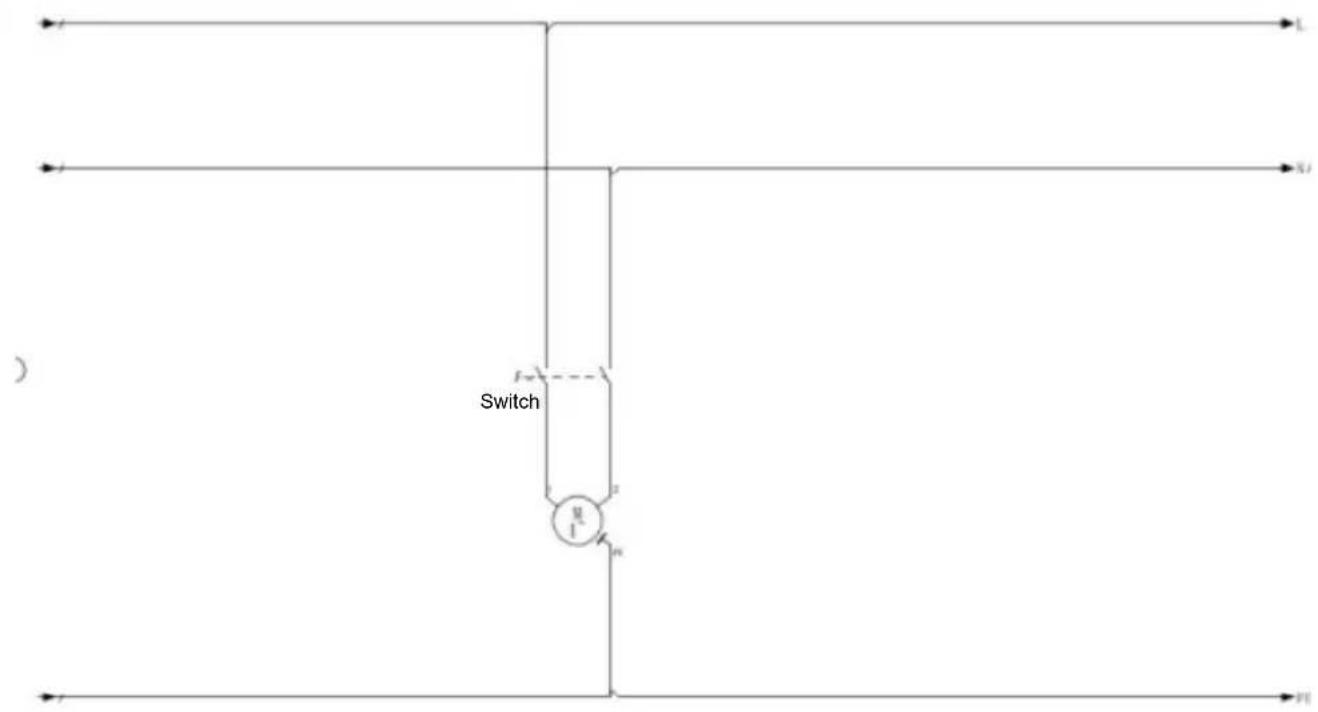
Product schematic diagram circuit diagram
VEVOR®
TOUGH TOOLS, HALF PRICE
www.vevor.com/support
VEVOR®
TOUGH TOOLS, HALF PRICE
www.vevor.com/support
Attention to operating equipment
Troubleshooting instructions
:
| troubleshooting | The cause of the problem | The solution |
| The cutting blade does not turn | Motor or wiring problems | Check whether the circuit is intact and there is no falling phenomenon, or motor problems contact the after-sales service |
| The meat cannot be sliced properly | The blade problem | Check whether the blade is complete and whether there is a notch or damage |
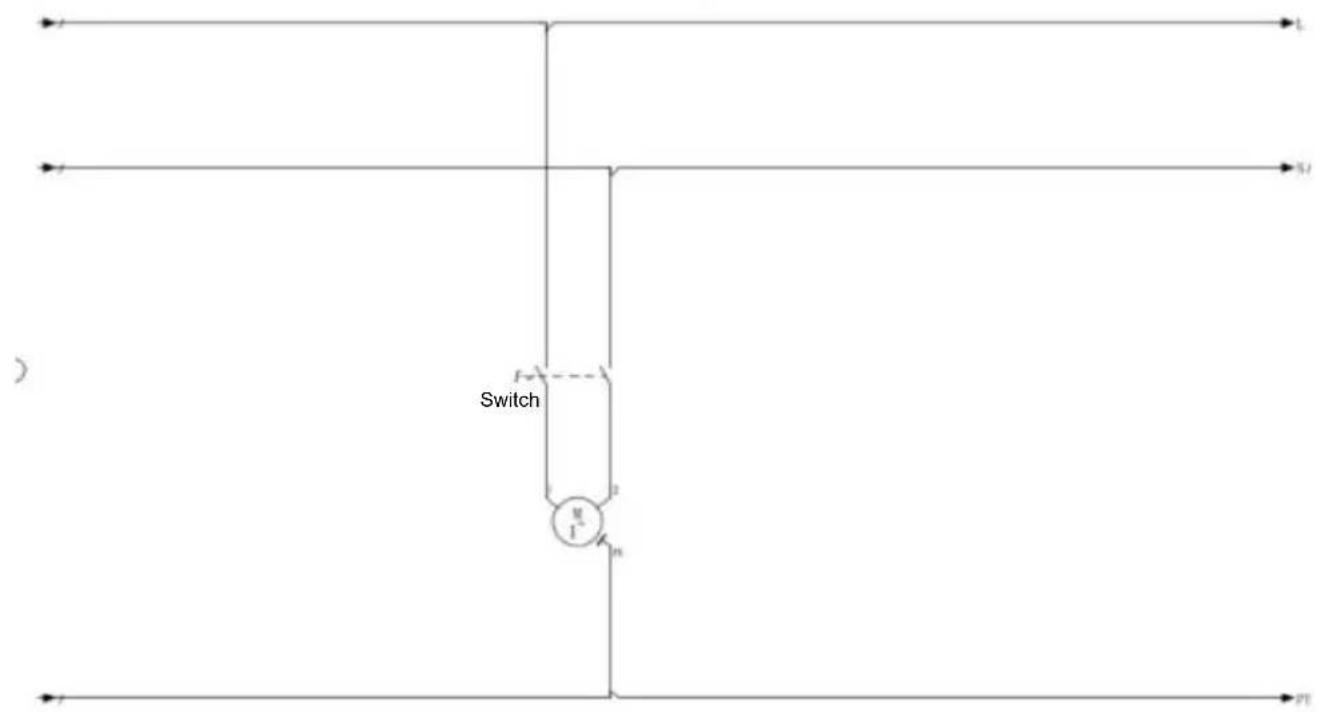
Product schematic diagram circuit diagram
VEVOR®
TOUGH TOOLS, HALF PRICE
www.vevor.com/support
VEVOR®
TOUGH TOOLS, HALF PRICE
BESOIN D'AIDE? CONTACTEZ-NOUS!
Attention to operating equipment
Troubleshooting instructions
:
| troubleshooting | The cause of the problem | The solution |
| The cutting blade does not turn | Motor or wiring problems | Check whether the circuit is intact and there is no falling phenomenon, or motor problems contact the after-sales service |
| The meat cannot be sliced properly | The blade problem | Check whether the blade is complete and whether there is a notch or damage |
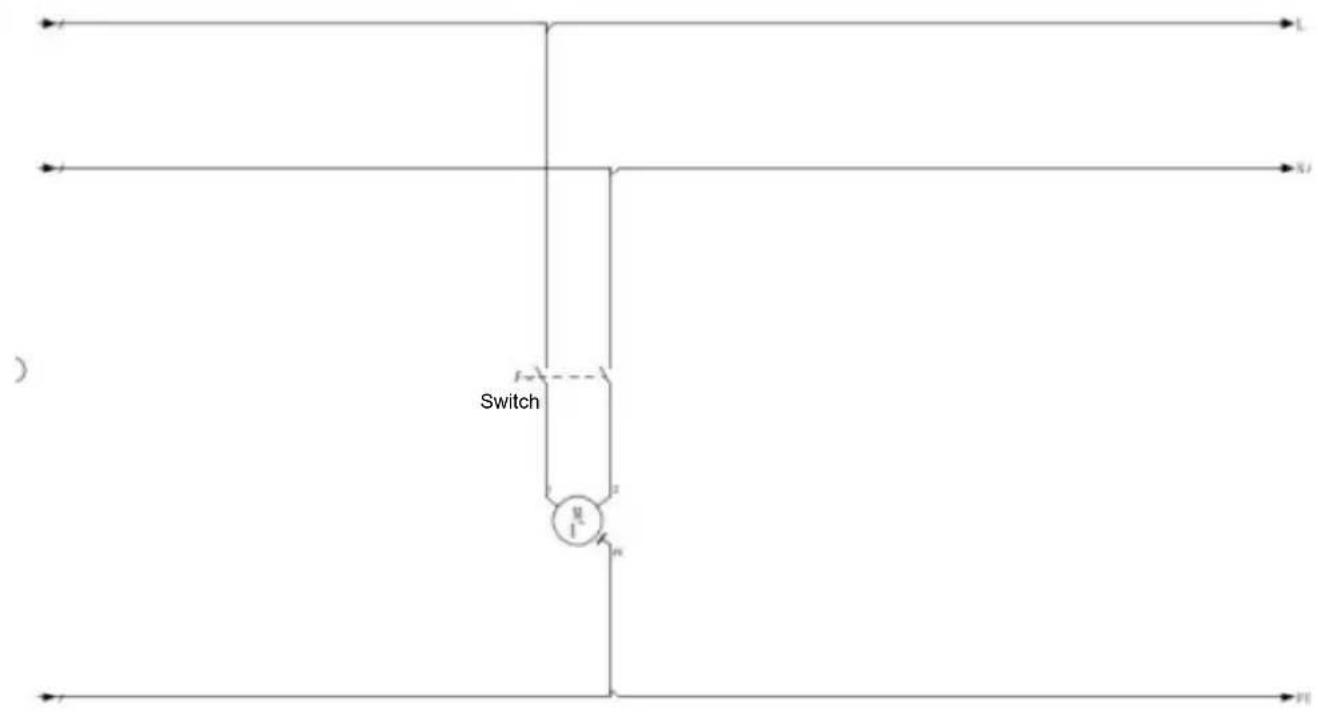
Product schematic diagram circuit diagram
VEVOR®
TOUGH TOOLS, HALF PRICE
HULP NODIG? NEEM CONTACT MET ONS OP!
www.vevor.com/support
Attention to operating equipment
Troubleshooting instructions
:
| troubleshooting | The cause of the problem | The solution |
| The cutting blade does not turn | Motor or wiring problems | Check whether the circuit is intact and there is no falling phenomenon, or motor problems contact the after-sales service |
| The meat cannot be sliced properly | The blade problem | Check whether the blade is complete and whether there is a notch or damage |
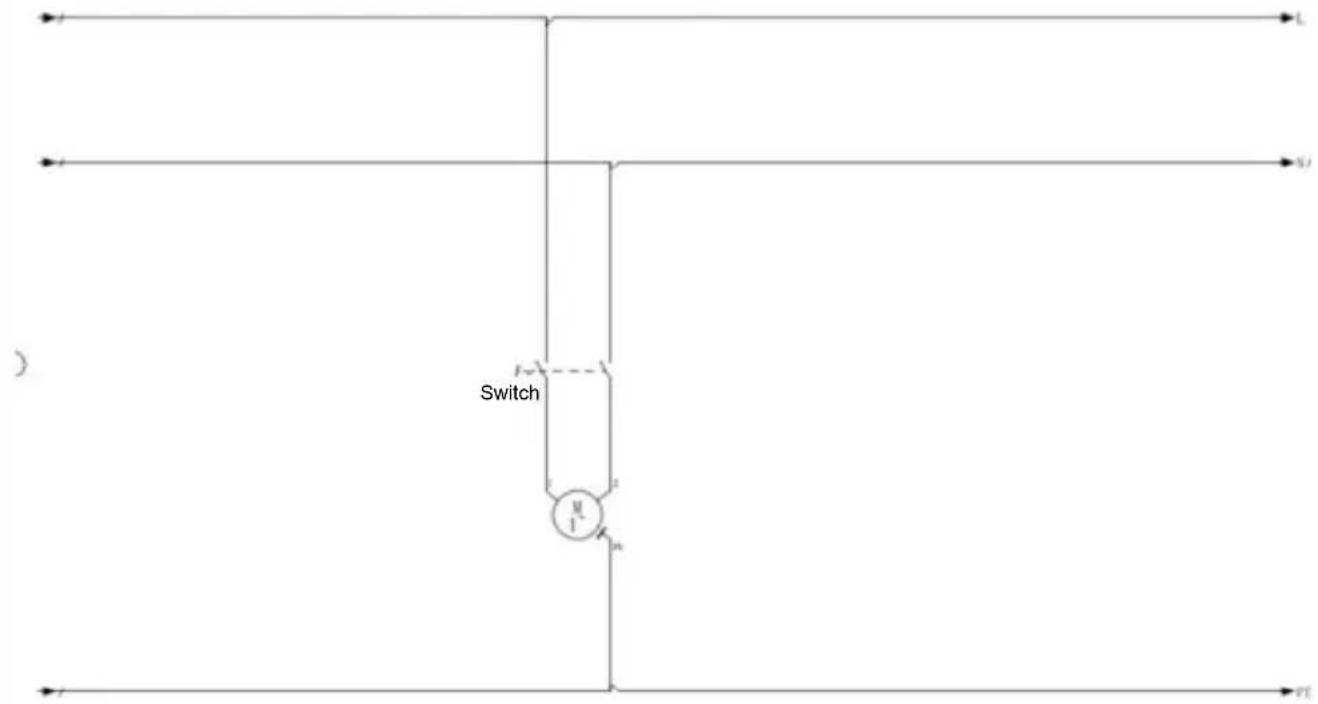
Product schematic diagram circuit diagram
VEVOR®
TOUGH TOOLS, HALF PRICE
Technisch Ondersteuning en E-garantiecertificaat www.vevor.com/support
VEVOR®
TOUGH TOOLS, HALF PRICE
BEHÖVER HJÄLP? KONTAKTA OSS!
www.vevor.com/support
Attention to operating equipment
Troubleshooting instructions
:
| troubleshooting | The cause of the problem | The solution |
| The cutting blade does not turn | Motor or wiring problems | Check whether the circuit is intact and there is no falling phenomenon, or motor problems contact the after-sales service |
| The meat cannot be sliced properly | The blade problem | Check whether the blade is complete and whether there is a notch or damage |
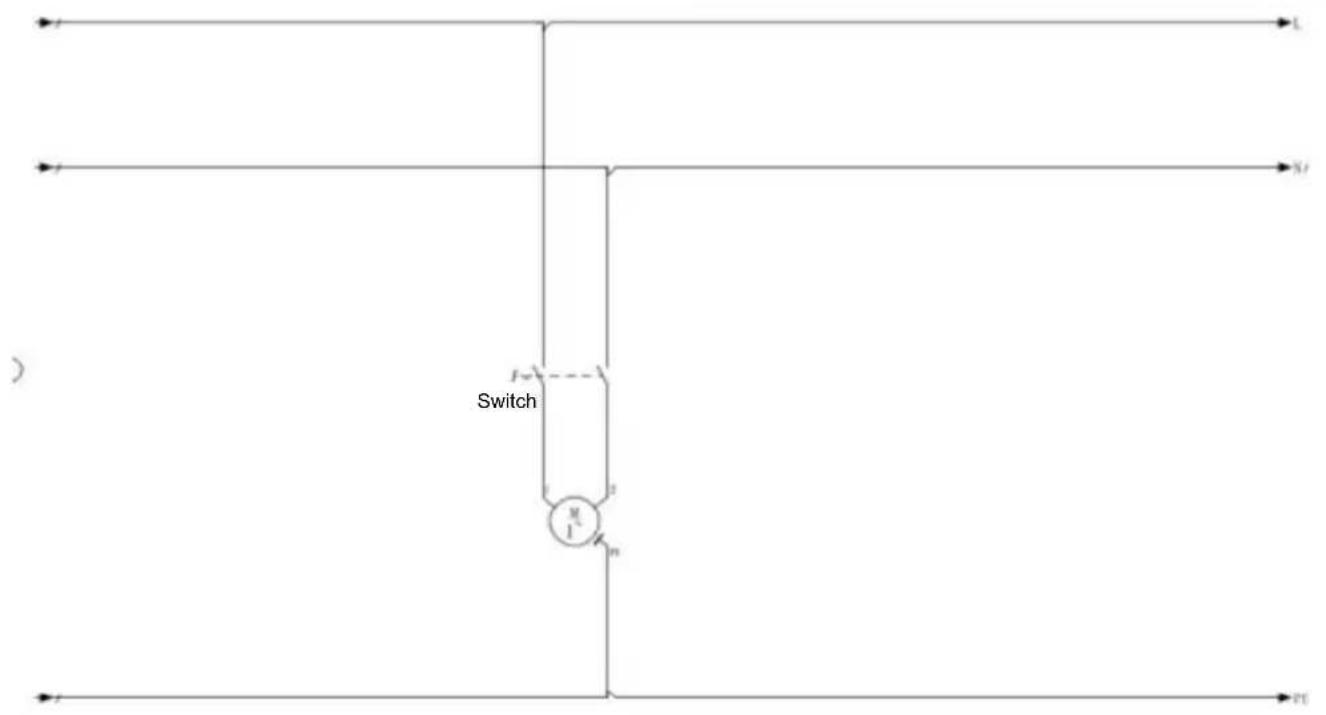
Product schematic diagram circuit diagram
VEVOR®
TOUGH TOOLS, HALF PRICE
www.vevor.com/support
VEVOR®
TOUGH TOOLS, HALF PRICE
Attention to operating equipment
Troubleshooting instructions
:
| troubleshooting | The cause of the problem | The solution |
| The cutting blade does not turn | Motor or wiring problems | Check whether the circuit is intact and there is no falling phenomenon, or motor problems contact the after-sales service |
| The meat cannot be sliced properly | The blade problem | Check whether the blade is complete and whether there is a notch or damage |
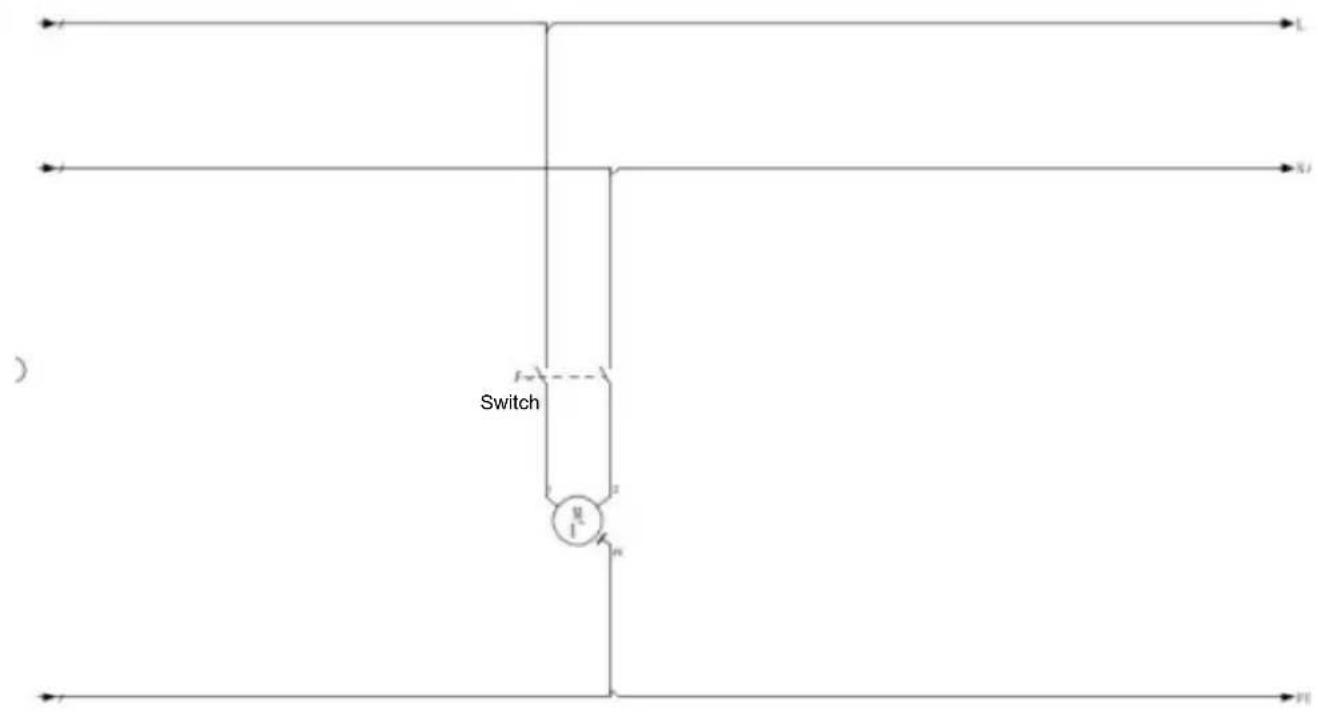
Product schematic diagram circuit diagram
VEVOR®
TOUGH TOOLS, HALF PRICE
Attention to operating equipment
Troubleshooting instructions
:
| troubleshooting | The cause of the problem | The solution |
| The cutting blade does not turn | Motor or wiring problems | Check whether the circuit is intact and there is no falling phenomenon, or motor problems contact the after-sales service |
| The meat cannot be sliced properly | The blade problem | Check whether the blade is complete and whether there is a notch or damage |
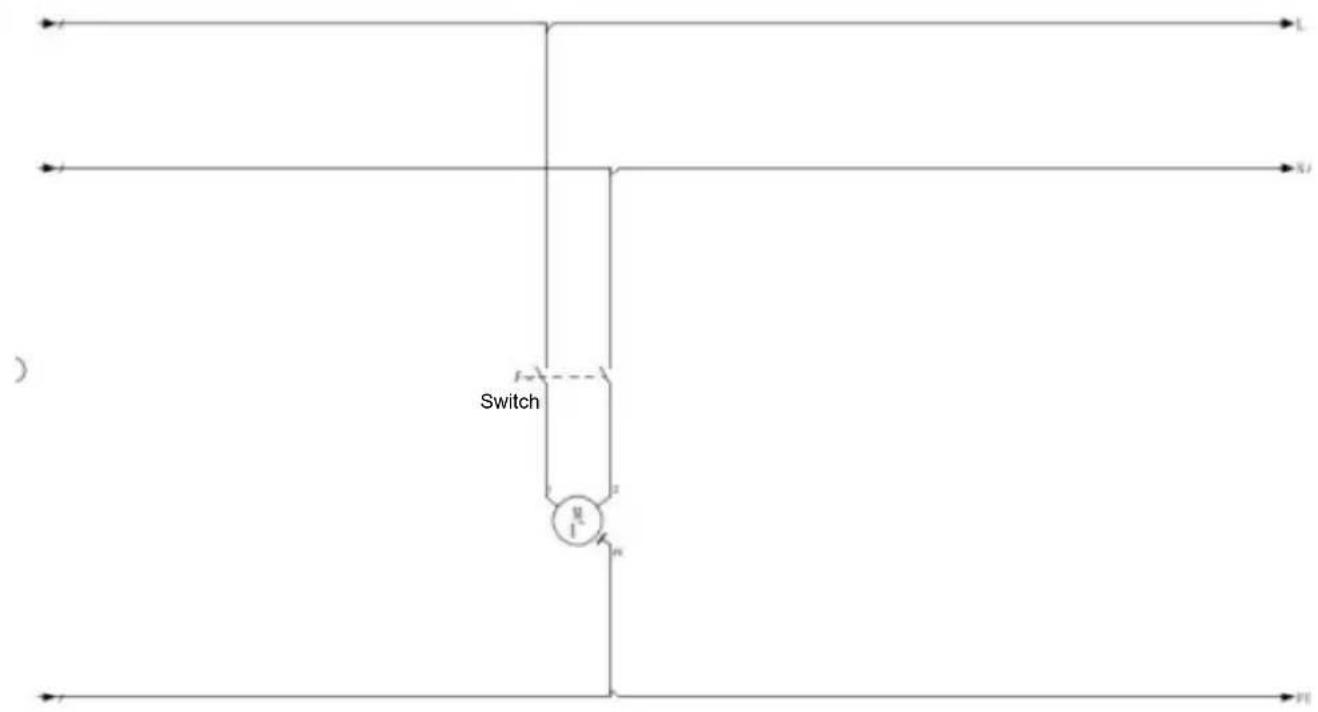
Product schematic diagram circuit diagram
VEVOR®
TOUGH TOOLS, HALF PRICE


- COMMERCIAL SLICER
- VEVOR®
- NEED HELP? CONTACT US
- DESCRIPTION
- CAREFULLY READ AND UNDERSTAND ALL INSTRUCTIONS BEFORE OPERATING
- PARTS IDENTIFICATION
- USE AND MAINTENANCE
- SAFETY PRECAUTIONS
- TROUBLESHOOTING
- INSTALLATION NOTES
- ATTENTION TO OPERATING EQUIPMENT
- TROUBLESHOOTING INSTRUCTIONS
- TOUGH TOOLS, HALF PRICE
- POTRZEBUJESZ POMOCY? SKONTAKTUJ SIE Z NAMI
- BESOIN D'AIDE? CONTACTEZ-NOUS
- HULP NODIG? NEEM CONTACT MET ONS OP
- BEHÖVER HJÄLP? KONTAKTA OSS
Brand : Vevor
Model : SJY-DQ90
Category : Food Processor