J25 - Fridge Vevor - Free user manual and instructions
Find the device manual for free J25 Vevor in PDF.


User questions about J25 Vevor
0 question about this device. Answer the ones you know or ask your own.
Ask a new question about this device
Download the instructions for your Fridge in PDF format for free! Find your manual J25 - Vevor and take your electronic device back in hand. On this page are published all the documents necessary for the use of your device. J25 by Vevor.
USER MANUAL J25 Vevor
Technical Support and E-Warranty Certificate www.vevor.com/support
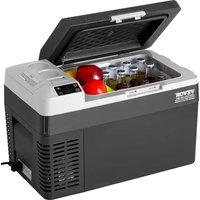
CAR REFRIGERATOR
USER MANUAL
MODEL: J25
We continue to be committed to provide you tools with competitive price. "Save Half", "Half Price" or any other similar expressions used by us only represent estimate of savings you might benefit from buying certain tools with us compared top brands and does not necessarily mean to cover all categories of tools offered are kindly reminded to verify carefully when you are placing an order with us actually saving half in comparison with the top major brands.
VEVOR®
Car Refrigerator
MODEL:J25

natural_image
Line drawing of a microwave oven with control panel and ventilation slots (no text or symbols)NEED HELP? CONTACT US!
Have product questions? Need technical support? Please feel fr contact us:
Technical Support and E-Warranty Certificate www.vevor.com/support
This is the original instruction, please read all manual instruction carefully before operating. VEVOR reserves a clear interpretation user manual. The appearance of the product shall be subject to product you received. Please forgive us that we won't inform you there are any technology or software updates on our product.
 | Warning-To reduce the risk of injury, user must re instructions manual carefully. |
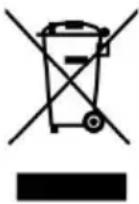 | This product is subject to the provision of European D 2012/19/EC. The symbol showing a wheelie bin cross through indicates that the product requires separate re collection in the European Union. This applies to the and all accessories marked with this symbol. Products as such may not be discarded with normal domestic w must be taken to a collection point for recycling electr electronic devices |
Attentions
Before using the refrigerator, please read this manual carefully and keep it properly
- Before using the refrigerator, clean it inside and outside with a dam cloth.
- Do not fill the refrigerator with corrosive liquids. Do not directly pour liquids into the refrigerator.
- When the refrigerator is not used for a long time, please disconnect power supply and keep it dry.
- Regularly clean the inner chamber to prevent odor and bacteria and ensure food safety.
5.Shut down the refrigerator and battery before pulling by the trolley (battery).
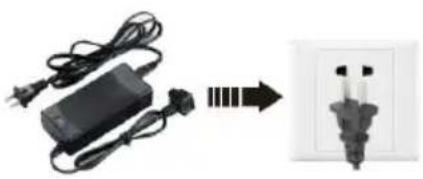
Connect the Power Supply
-
Find the DC power cord in the kit. Connect DC plug to the power the car refrigerator.
-
Well place the refrigerators in the car (back-up, seats...).
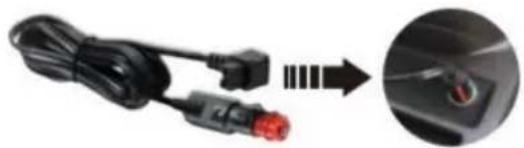
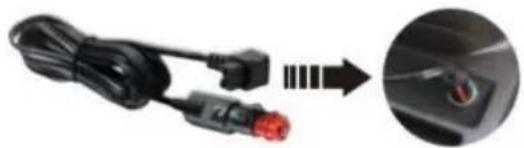
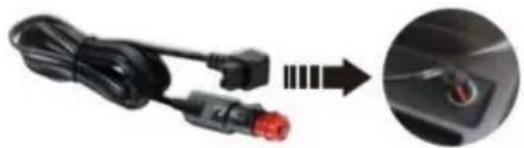
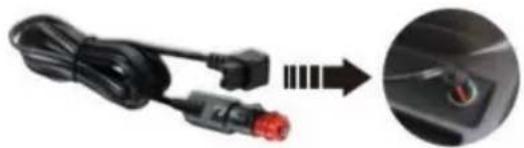
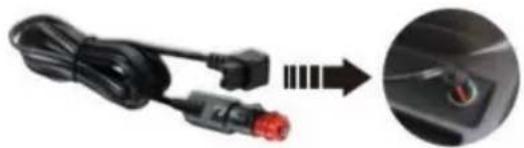
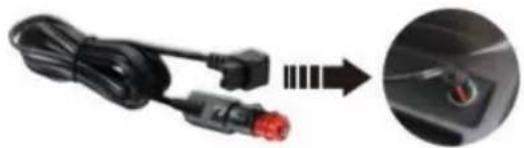
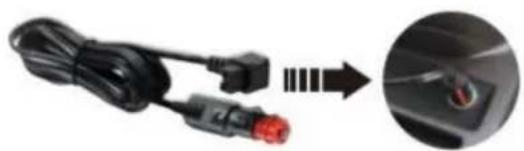
- Lay out power cords per your car's interior space. Insert the cigarette lighter plug (one side of the power cord) into the car cigarette lighter
natural_image
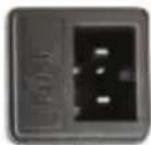
Electric charger connected to a wall-mounted power socket, showing wiring and circuit lines (no text or symbols visible)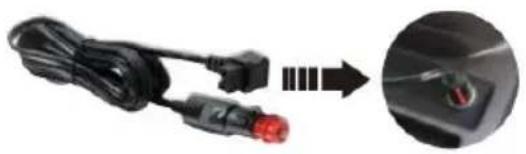
natural_image
Close-up of a black automotive cable with red connectors and a magnified inset showing a close-up of the rear seat (no text or symbols visible)Adapter Connect the car cigarette lighter
DC 12/24V
Connect the car refrigerator
- The refrigerator can be connected to more than one energy source.
- The refrigerator can connect directly to the DC12V/24V power supply
- If the refrigerator is used an AC100-240V power supply, an AC ada should be adopted.
Car Refrigerator Operation
Car battery protection voltage reference:
Built-in ECO electronic control module can automatically monitor car battery voltage. The refrigerator will be automatically cut off when the power is excessively consumed, protecting the battery consumption from being too low to affect auto-ignition.
| Battery Voltage | Factory default voltage protection value H | ||
| H (high) level | M (medium) level | L (low) level | |
| DC12V | DC11.3V OFF DC12.5V ON | DC10.1V OFF DC11.4V ON | DC9.6V OFF DC10.9V ON |
| DC24V | DC24.6V OFFDC26.0V ON | DC22.3V OFFDC23.7V ON | DC21.3V OFFDC22.7V ON |
Note: When the power supply is connected and the refrigerator is turned on, disconnecting or starting refers to disconnecting or starting the compressor.
Component Diagram
| Parts schematic1Compressor cover2Power inlet3Recessed handle4Control panel5USB6Door gasket7Inner light8Storage compartment | 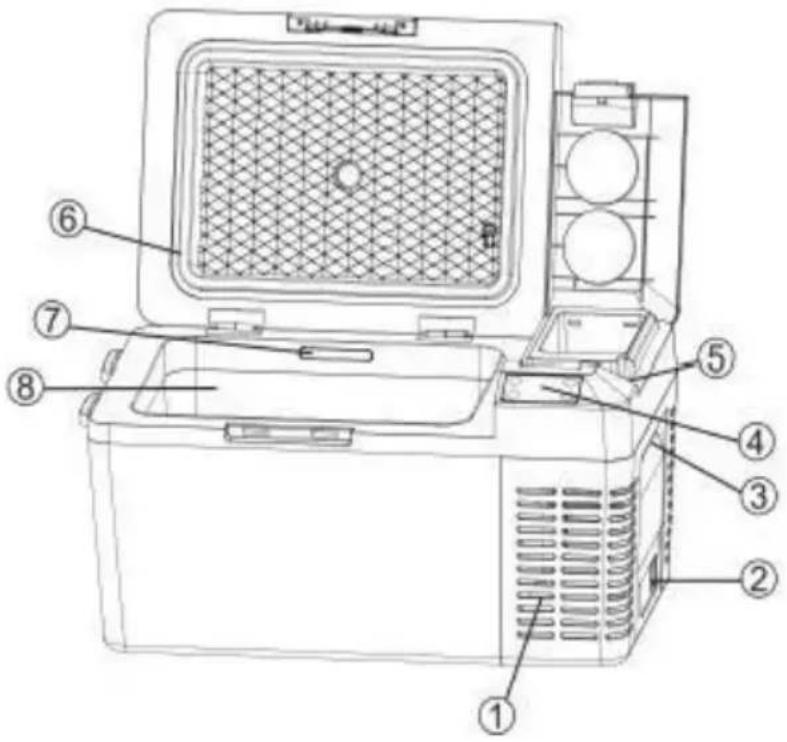 |
Optional Operation Method
text_image
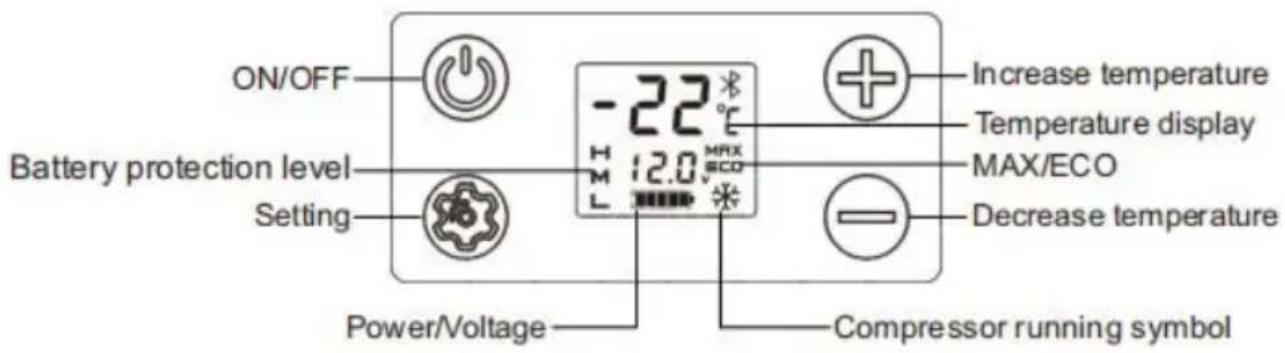
ON/OFF Battery protection level Setting Power/Voltage -22 °C 12.0 Max SCO Increase temperature Temperature display MAX/ECO Decrease temperature Compressor running symbol| Item | Description | Explanation |
| 1 |  | Switch the fridge on when the button is pres briefly. Switch the cooler off when the button pressed again. |
| 2 |  | Press briefly to select MAX or ECO.In MAX mode, the compressor runs fast to temperature rapidly. In ECO mode, the compris runs slowly to save energy. |
| 3 |  | Press briefly to increase the set temperature degree. Press continuously to increase the temperature fast.Temperature setting range:-20~20°C(-4~68°F). |
| 4 |  | Press briefly to decrease the setting temperat 1 degree. Press continuously to decrease temperature fast. Temperature setting range:-20~20°C(-4~68°F). |
| 5 |  | Press and simultaneously for 3 seconds to change temperature unit between °C. Please make sure no symbol is flashing when you function. |
Function Introduction
Battery Protection Setting (The factory default voltage is H1)
- Battery Protection Levels: H (High) > L (Low) > M (Medium)
-
Press the key for 3s to enter the battery protection setting. Press it again to switch H>L>M levels in turns.
-
If no operations were detected, the set level will flash for 3s, then save the current setting.
Power-off Memory Function
There is a power-off memory function for car refrigerators. When the
is lost, the working state (On/Off status, working mode, etc.) before power-off can be automatically recovered at the next startup; no need set it again.
ECO: Energy-saving cooling MAX: Powerful cooling.
Simple Fault Analysis
Advice: If abnormal situations cannot be resolved through a simple fat analysis, please get in touch with professional customer service for assistance.
Car Refrigerator Does Not Work
- Check if the power is connected correctly. (check If the plug is loo or positive and negative poles are reversed).
- Check if the power switch on the operation panel is turned on.
- Check if the cooling ventilation is normal.
- Check if the fuse is blown.
Poor Cooling Performance
- Check if the lid is closed correctly.
- Check if the door seal is damaged or deformed.
- Check if there is poor ventilation around the fridges.
- Check if the temperature is set correctly.
△Definition of Error Codes on the Display
| Error Code | Error Type |
| E1 | Low Input Voltage |
| E2 | Fan Fault |
| E3 | Compressor start failed |
| E4 | Low Rotational Speed of Compressor |
| E5 | Controller module temperature too high |
| E6 | Open or Short Circuit of NTC |
Abnormal Noise
- The car refrigerator is not placed smoothly.
- Touch a wall or other object.
3.There are parts loose or falling off inside.
Condensation on Refrigerator Surface
When the ambient air humidity exceeds 75%, slight condensation will occur on the box surface, which is normal.
Failures and Solutions
△E1: Low Input Voltage
Failure 1: Insert the refrigerator power cord into the cigarette lighter k the car starts. Solution 1: Wait a while to connect the car after it s Failure 2: The input voltage of the adapter is too low.
Solution 2: Adjust the battery protection level to middle-voltage or low-voltage. If it doesn't work, please replace a new adapter.
△E2: Fan Fault
Please replace a new fan when you identify there is a fan malfunction
△E3: Input Voltage Fault Due to Compressor Frequently Start
When the refrigerator is used in the car, and E3 appears, Please share down for 5 minutes and restart it.
If it doesn't work, that can be identified to be EI fault; please solve according to the solution of EI.
When the refrigerator is connecting with the adapter and E3 appearing
① Please adjust the battery protection level to the middle or low leve
② If it doesn't work, please replace a new adapter.
△E4: Low Rotational Speed of Compressor
Please adjust the input voltage and repower it.
△E5: Overheating of Controller Chip
Please power off for 5 minutes and check if the lousy ventilation are compressor causes the overheating.
Packing List
| No. | Item | Qty | Remark |
| 1 | Refrigerator | 1 set | |
| 2 | Cigarette wire | 1 set | |
| 3 | Power adapter | 1 set | |
| 4 | Manual | 1 pcs |
Use Suggestions
- If equipped with a backup battery, you can maintain any temperature set under any circumstances without worries.
- When placing ice cream, please adjust the temperature to the low must be powered on for a long time.
- Prevent the health problems of drinking bottled water caused by his temperatures.
- Frozen food, rare seafood, and vehicle-mounted refrigerators let frozen fresh food accompany the journey.
- Healthcare products, insulin, and imported drugs need to be refrige
and the precise temperature control of onboard refrigerators will escort health along the way.
- The tea leaves are effectively kept fresh in the car refrigerator, ar can drink fresh and delicious tea anytime during the self-driving tour.
- The best storage temperature of red wine is 10 ^ - 18 ^ (50 - 64.4 ^ ).
The precise temperature control of the car refrigerator can effectively ensure the storage temperature of red wine.
- The storage time of high-grade fruit in the car at high summer temperatures will be at least 2 hours. The storage time is shorter ev the air conditioner is turned on. Using a car refrigerator can effectively preserve high-grade fruit.
- The coating of high-grade sunglasses will fall off under the high temperature in summer. The car refrigerator is an ideal place to place
- High-grade cosmetics quickly deteriorate under high temperatures in the car. Carry cosmetics with the car; the car refrigerator will be you choice.
Safety Precautions
(1) Ensure that the power voltage connected to the onboard refrigeration correct at any time
(The parameters are labeled with the approved voltage parameters of onboard refrigerator).
(2) Do not pour liquid directly into the car refrigerator.
(3) Modifying the refrigerator without permission is forbidden to avoid danger.
(4) This appliance is not intended for use by persons (including children with reduced physical, sensory, or mental capabilities or lack of experience and knowledge unless they have been given supervision or instruction concerning the use of the appliance by a person responsible for their safety.
(5) Children should be supervised to avoid playing with the appliance.
(6) This appliance can be used by children aged from 8 years and and persons with reduced physical, sensory or mental capabilities or I of experience and knowledge if they have been given supervision or instruction concerning use of the appliance in a safe way and unders the hazards involved. Children shall not play with the appliance. Clear and user maintenance shall not be made by children without supervisi
(7) To avoid a hazard due to the instability of the appliance, it must under the instructions.
(8) Do not store explosive substances such as aerosol cans with a flammable propellant in this appliance.
WARNING: This appliance contains flammable foaming agent
cyclopentane:
1) Please avoid contact fire when you transport and use it.
2) Please ask a professional for servicing when the machine breaks do
3) Please send it to your local appointed disposal station when you it.

WARNING: During use, service, and disposal of the appliance please pay attention to a symbol similar to the left side, which is lo the rear of the appliance (rear panel or compressor) and with yellow orange color. It's a risk of fire warning symbol. There are flammable materials in refrigerant pipes and compressors. Please be far away fir source during use, service, and disposal.
FCC Information
CAUTION: Changes or modifications not expressly approved by the pa responsible for compliance could void the user's authority to operate t equipment!
This device complies with Part 15 of the FCC Rules. Operation is such the following two conditions:
1) This product may cause harmful interference.
2) This product must accept any interference received, including interference that may cause undesired operation.
WARNING: Changes or modifications to this product not expressly approved by the party.responsible for compliance could void the user's authority to operate the product.
Note: This product has been tested and found to comply with the lir a Class B digital device pursuant to Part 15 of the FCC Rules, The are designed to provide reasonable protection against harmful interferer in a residential installation.
This product generates, uses and can radiate radio frequency energy, if not installed and used in accordance with the instructions, may cause harmful interference to radio communications. However, there is no guarantee that interference will not occur in a particular installation. If product does cause harmful interference to radio or television reception, which can be determined by turning the product off and on, user is encouraged to try to correct the interference by one or more following measures.
- Reorient or relocate the receiving antenna.
- Increase the distance between the product and receiver.
- Connect the product to an outlet on a circuit different from that to the receiver is connected.
- Consult the dealer or an experienced radio/TV technician for assista
Electrical Schematic Diagram
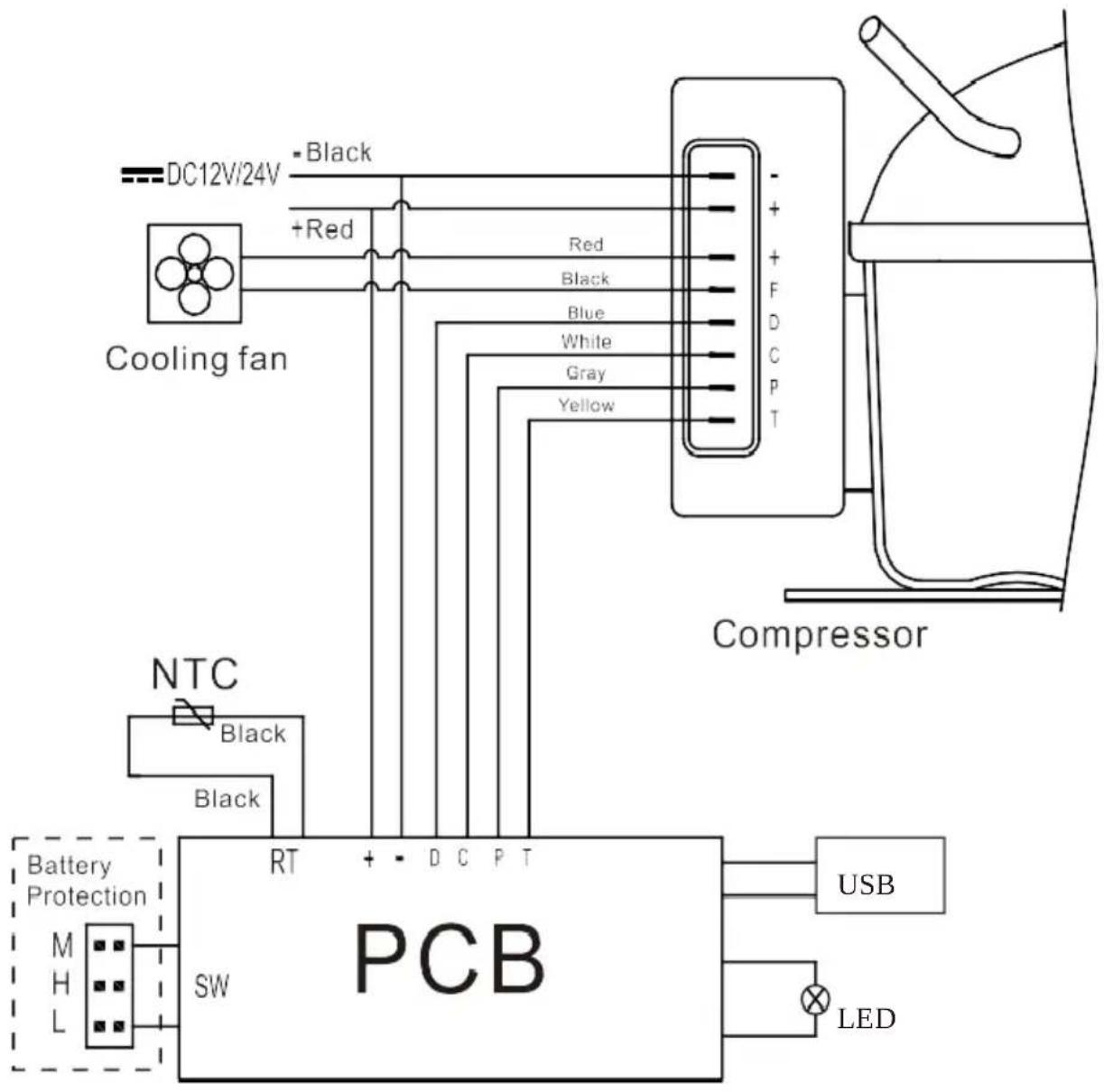
flowchart
graph TD
    A["DC12V/24V"] --> B["+Red"]
    B --> C["Cooling fan"]
    C --> D["Compressor"]
    D --> E["USB"]
    D --> F["LED"]
    G["NTC"] --> H["Black"]
    H --> I["Battery Protection"]
    I --> J["SW"]
    J --> K["PCB"]
    K --> L["Red"]
    K --> M["Blue"]
    K --> N["White"]
    K --> O["Gray"]
    K --> P["Yellow"]
    style A fill:#f9f,stroke:#333
    style G fill:#ccf,stroke:#333
    style H fill:#cfc,stroke:#333
    style I fill:#fcc,stroke:#333
    style J fill:#cff,stroke:#333
    style K fill:#ffc,stroke:#333
    style L fill:#fcc,stroke:#333
    style M fill:#fcc,stroke:#333
    style N fill:#fcc,stroke:#333
    style O fill:#fcc,stroke:#333
    style P fill:#fcc,stroke:#333
VEVOR®
TOUGH TOOLS, HALF PRICE
Technical Support and E-Warranty Certificate
https://www.vevor.com/support
VEVOR®
TOUGH TOOLS, HALF PRICE
natural_image
Line drawing of a microwave oven with control panel and ventilation slots (no text or symbols)BESOIN D'AIDE? CONTACTEZ-NOUS!
natural_image
Electric charger connected to a wall-mounted electrical socket (no text or symbols visible)Adaptateur
natural_image
Close-up of a black cable with red connectors and an arrow pointing to a close-up of a small electronic component (no text or symbols visible)text_image
ON/OFF Battery protection level Setting Power/Voltage -22 °C 12.0 Max SCO Increase temperature Temperature display MAX/ECO Decrease temperature Compressor running symbolnatural_image
Line drawing of a microwave oven with control panel and ventilation slots (no text or symbols)natural_image
Electric charger connected to a wall-mounted electrical socket (no text or symbols visible)Adapter
natural_image
Close-up of a black cable with red connectors and an arrow pointing to a close-up of a small electronic component (no text or symbols visible)text_image
ON/OFF Battery protection level Setting Power/Voltage -22 °C 12.0 °C Max/ECO Increase temperature Temperature display MAX/ECO Decrease temperature Compressor running symbolhttps://www.vevor.com/support
VEVOR®
TOUGH TOOLS, HALF PRICE
natural_image
Line drawing of a microwave oven with control panel and ventilation slots (no text or symbols)HO BISOGNO DI AIUTO? CONTATTACI!
natural_image
Electric charger connected to a wall-mounted electrical socket (no text or symbols visible)Adattatore
natural_image
Close-up of a black cable with red connectors and an arrow pointing to a close-up of a small electronic component (no text or symbols visible)text_image
ON/OFF Battery protection level Setting Power/Voltage -22 °C 12.0 Max/ECO Increase temperature Temperature display MAX/ECO Decrease temperature Compressor running symbolelettronica https://www.vevor.com/support
VEVOR®
TOUGH TOOLS, HALF PRICE
natural_image
Line drawing of a microwave oven with control panel and ventilation slots (no text or symbols)natural_image
Electric charger connected to a wall-mounted electrical socket (no text or symbols visible)Adaptador
natural_image
Close-up of a black cable with red connectors and an arrow pointing to a close-up of a small electronic component (no text or symbols visible)text_image
ON/OFF Battery protection level Setting Power/Voltage -22 °C 12.0 °C Increase temperature Temperature display MAX/ECO Decrease temperature Compressor running symbolnatural_image
Line drawing of a microwave oven with control panel and ventilation slots (no text or symbols)POTRZEBUJE POMOCY? SKONTAKTUJ SIĘ Z NAMI!
natural_image
Electric charger connected to a wall-mounted electrical socket (no text or symbols visible)Adapter
natural_image
Close-up of a black cable with red connectors and an arrow pointing to a close-up of a small electronic component (no text or symbols visible)text_image
ON/OFF Battery protection level Setting Power/Voltage -22 °C 12.0 Max SCO Increase temperature Temperature display MAX/ECO Decrease temperature Compressor running symbolE2: Awaria wentylatora
https://www.vevor.com/support
VEVOR®
TOUGH TOOLS, HALF PRICE
Technische ondersteuning en e-garantiecertificaat www.vevor.com/support
AUTO KOELKAST
HANDLEIDING
MODEL: J25
natural_image
Line drawing of a microwave oven with control panel and ventilation slots (no text or symbols)HULP NODIG? NEEM CONTACT MET ONS OP!
natural_image
Electric charger connected to a wall-mounted electrical socket (no text or symbols visible)Adapter
natural_image
Close-up of a black cable with red connectors and an arrow pointing to a close-up of a small electronic component (no text or symbols visible)text_image
ON/OFF Battery protection level Setting Power/Voltage -22 °C 12.0 Max SCO Increase temperature Temperature display MAX/ECO Decrease temperature Compressor running symbolgarantiecertificaat https://www.vevor.com/support
VEVOR®
TOUGH TOOLS, HALF PRICE
natural_image
Line drawing of a microwave oven with control panel and ventilation slots (no text or symbols)BEHÖVS HJÄLP? KONTAKTA OSS!
natural_image
Electric charger connected to a wall-mounted electrical socket (no text or symbols visible)Adapter
natural_image
Close-up of a black cable with red connector and plug, showing a magnified close-up of a mouse on the right (no text or symbols visible)Anslut bilens cigarettändare
DC 12/24V
Anslut bilkylskåpet
text_image
ON/OFF Battery protection level Setting Power/Voltage -22 °C 12.0 Max/ECO Increase temperature Temperature display MAX/ECO Decrease temperature Compressor running symbolwww.vevor.com/support